Stop searching for how to use Nano Banana in China! This “Nano Banana” that has driven foreign designers crazy can now be easily accessed by domestic users!
Friends, especially designer buddies, have you recently been bombarded by a Google model called “Nano Banana”?
What is Nano Banana?
Nano Banana is the latest image generation and editing model launched by Google DeepMind, officially named Gemini 2.5 Flash Image6. Unlike typical AI image generation tools, it has three core advantages:
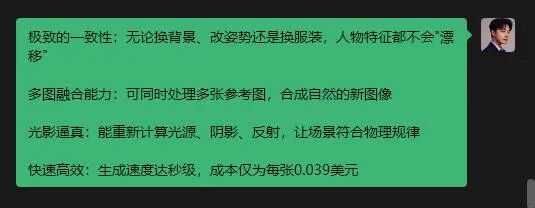
It is said to simplify complex Photoshop operations to “one-sentence generation”, handling lighting effects, material addition, and color coordination effortlessly, with astonishing efficiency! However, many people’s first reaction is: This is a foreign tool, can it be used in China? Do I need to use a VPN? Will it be troublesome?
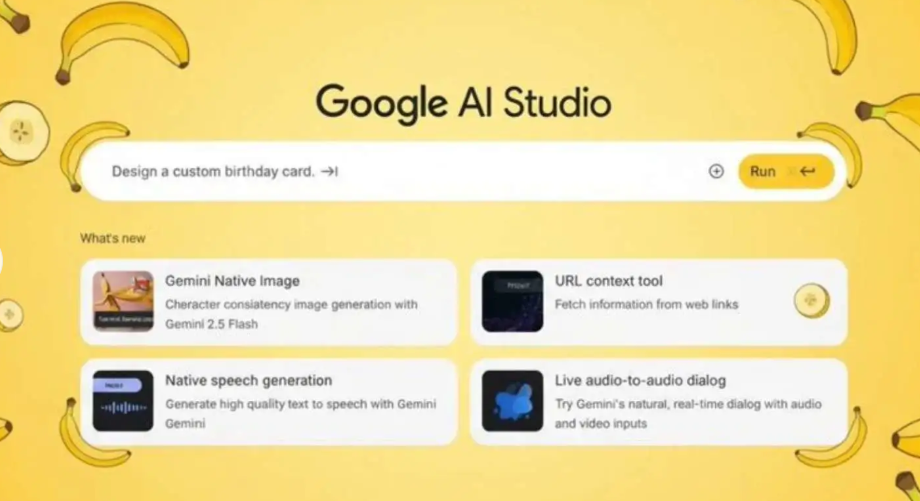
Don’t worry, as your “internet assistant”, I have already tested it for you! The conclusion is: It can be used normally in China!
Today, I present to you this hot-off-the-press “Nano Banana” guide for seamless use in China, along with a detailed tutorial, so you can get started in no time and become the star of the office!

1. The core question most domestic users care about: Can it be used or not?
The answer is: Yes! And it’s very simple!
The biggest concern is usually the network issue. After testing, the Nano Banana tool I recommend today is a Photoshop plugin that can be used in a domestic network environment for installation and main functionality. You do not need any special network tools, and it works as smoothly as using a domestic software.
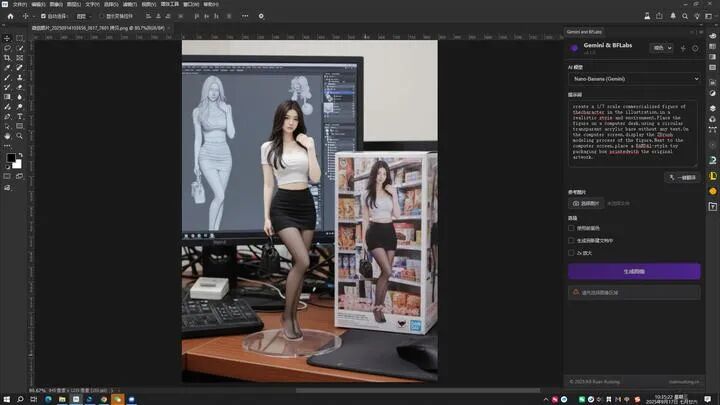
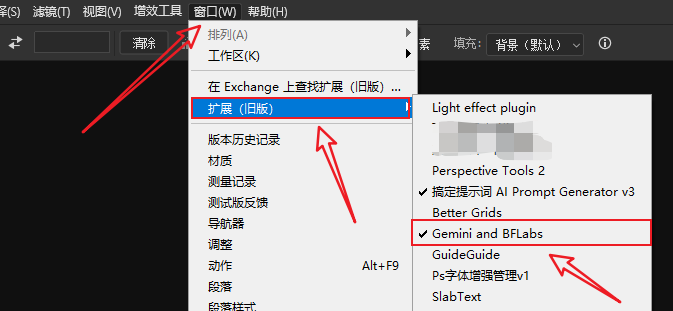
It allows you to use the Google-developed Nano Banana model (Gemini 2.5 Flash Image) and the Black Forest Labs (黑森林) developed FLUX.1 Kontext (including PRO and MAX versions) models directly in Adobe Photoshop for quick image generation and editing. It helps you complete various image processing tasks rapidly.
2. What is this “magical plugin”? Why does everyone want it?
The Nano Banana PS plugin is essentially a powerful PS extension panel that integrates a series of AI-driven design functions into Photoshop, allowing you to avoid switching between multiple software.
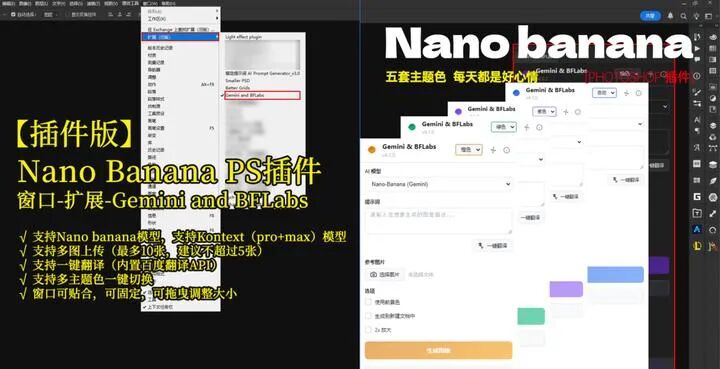
Its core functions are nothing short of “magical”:
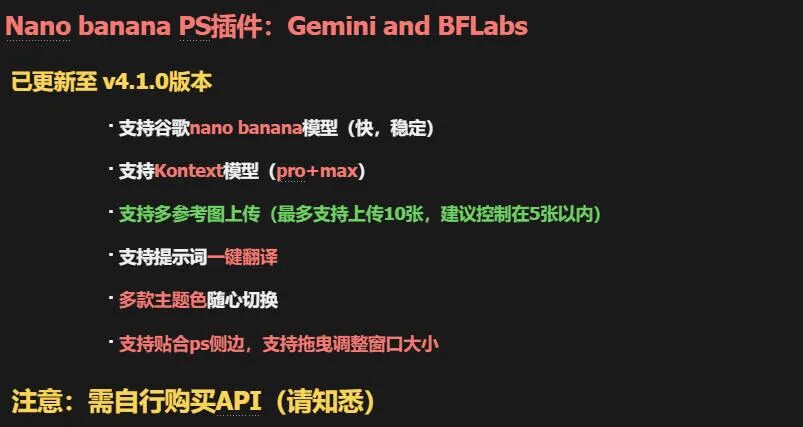
In short, it liberates you from repetitive and tedious manual labor, allowing you to devote more time to creativity itself.
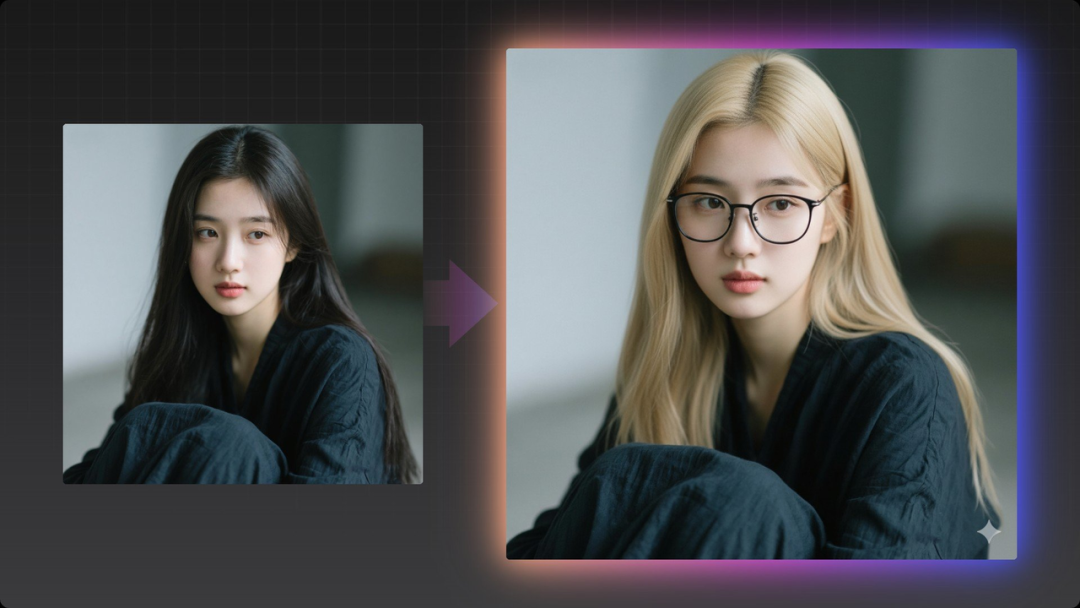
Prompt: Make two subtle changes to the person in the photo. First, change her hair color to light blonde. Second, add a modern black frame glasses to her face. Ensure these changes look natural, with correct lighting, shadows, and reflections. Do not alter her facial features or expression.
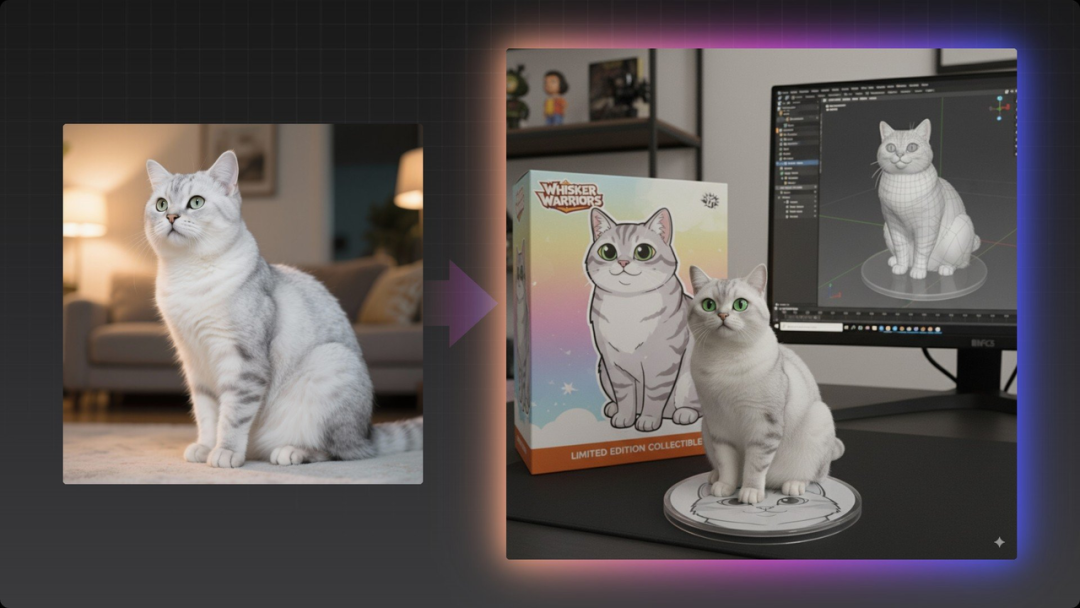
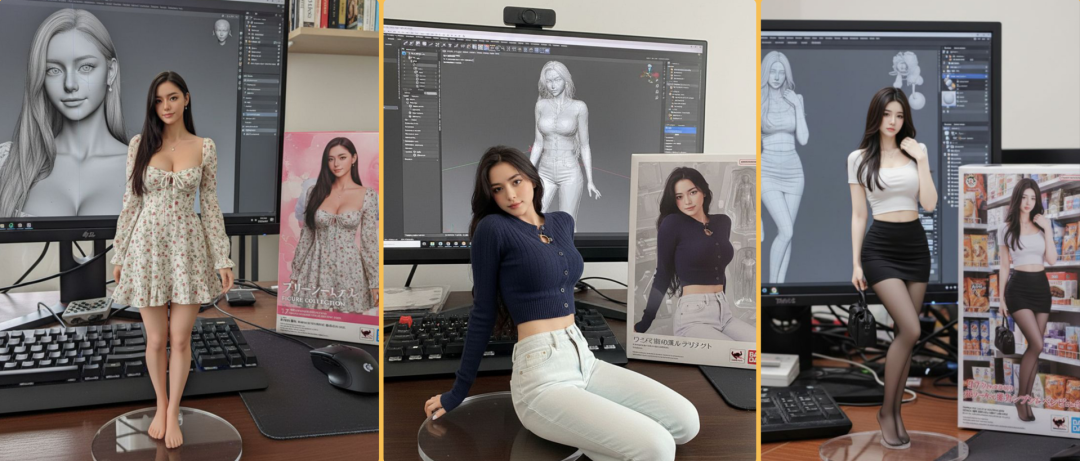
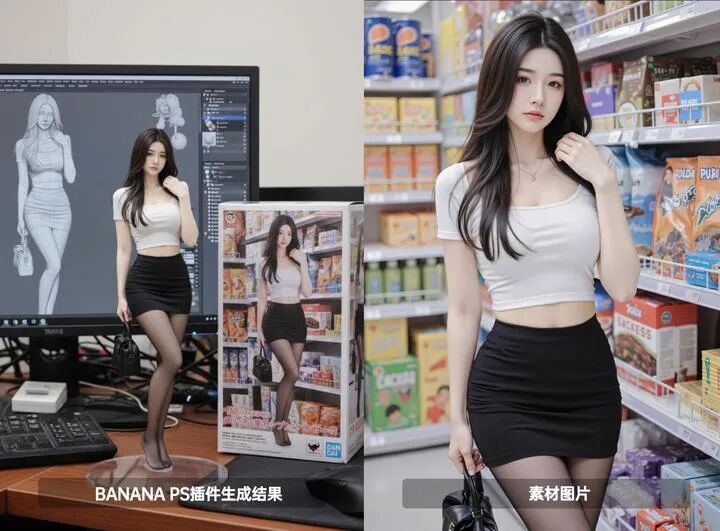
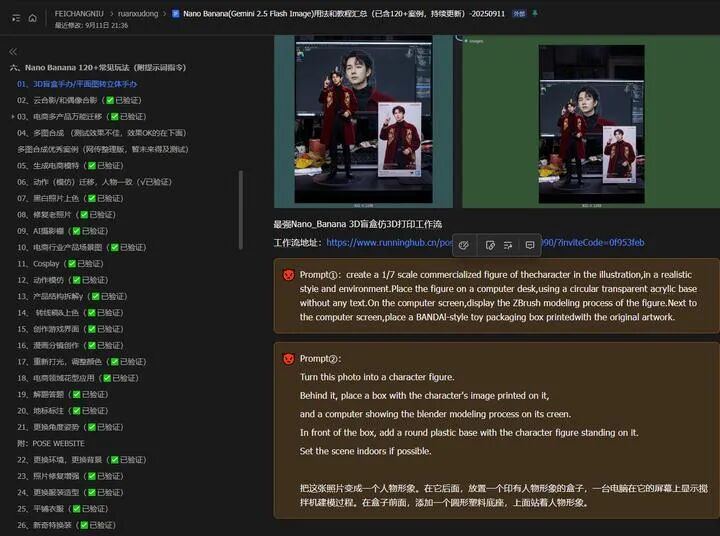
Prompt: Transform this photo into a character doll. Place a box with the character image behind it, and a computer displaying the Blender modeling process on the screen. In front of the box, add a circular plastic base on which the character doll stands. If possible, set the scene indoors.
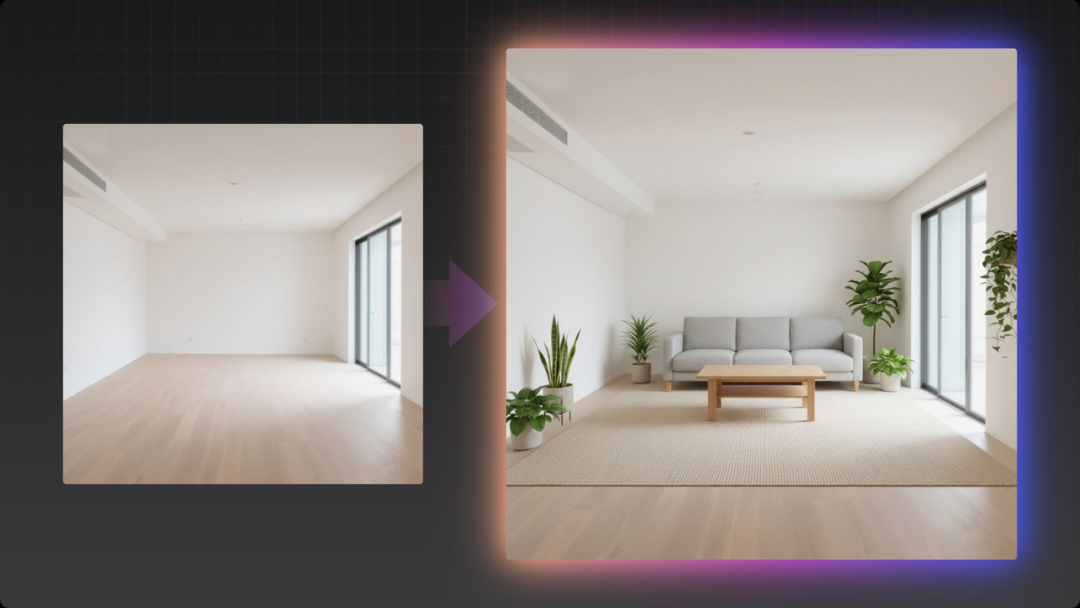
Prompt: This is a photo of an empty living room, please redesign it in a cozy Nordic style. Add a three-seater sofa, a natural oak coffee table, several potted green plants, and a large soft wool rug. The lighting should be bright and airy, streaming in from the window.
How to install the Nano Banana PS plugin?
▶ Step 1:
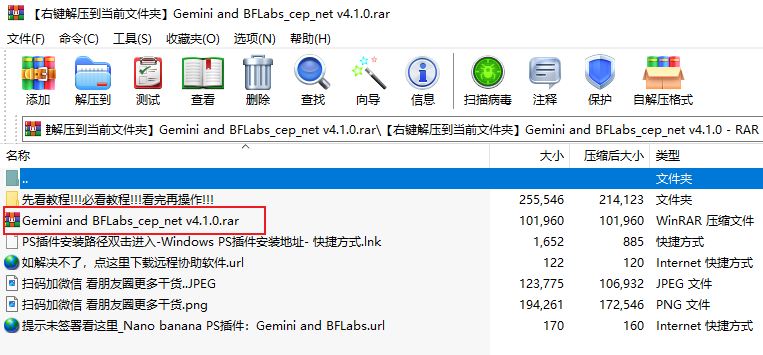
Download the Nano Banana PS plugin installation package, unzip it, and copy the entire plugin folder to the following path:
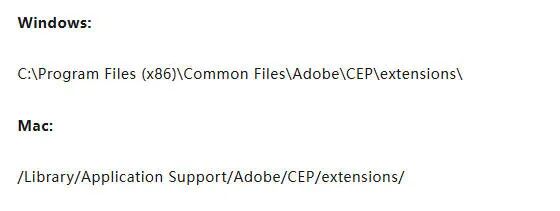
If you cannot find this folder, please manually create the CEP/extensions folder.
▶ Step 2:
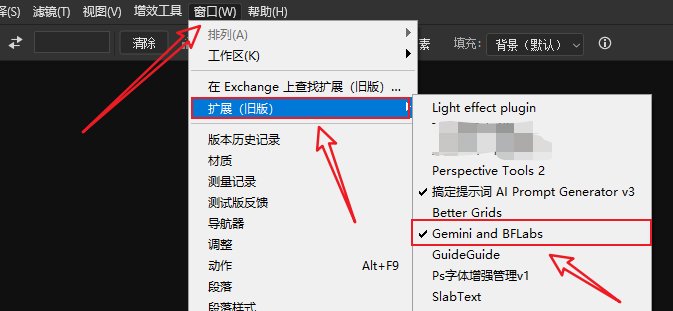
Open Photoshop, and under Window – Extensions, find the Nano Banana PS plugin “Gemini and BFLabs“
▶ Step 3:
Open an image or create a new blank document, enter the prompt after making a selection, and click to generate the image!
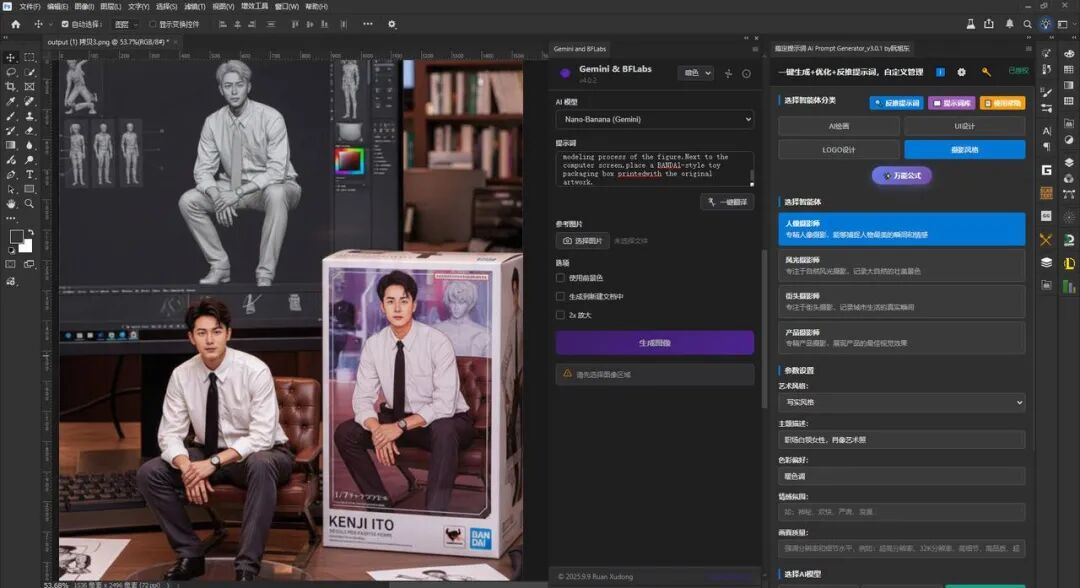
Popular blind box prompt:
create a 1/7 scale commercialized figure of the character in the illustration, in a realistic style and environment. Place the figure on a computer desk, using a circular transparent acrylic base without any text. On the computer screen, display the ZBrush modeling process of the figure. Next to the computer screen, place a BANDAl-style toy packaging box printed with the original artwork.
Isn’t it simple?!
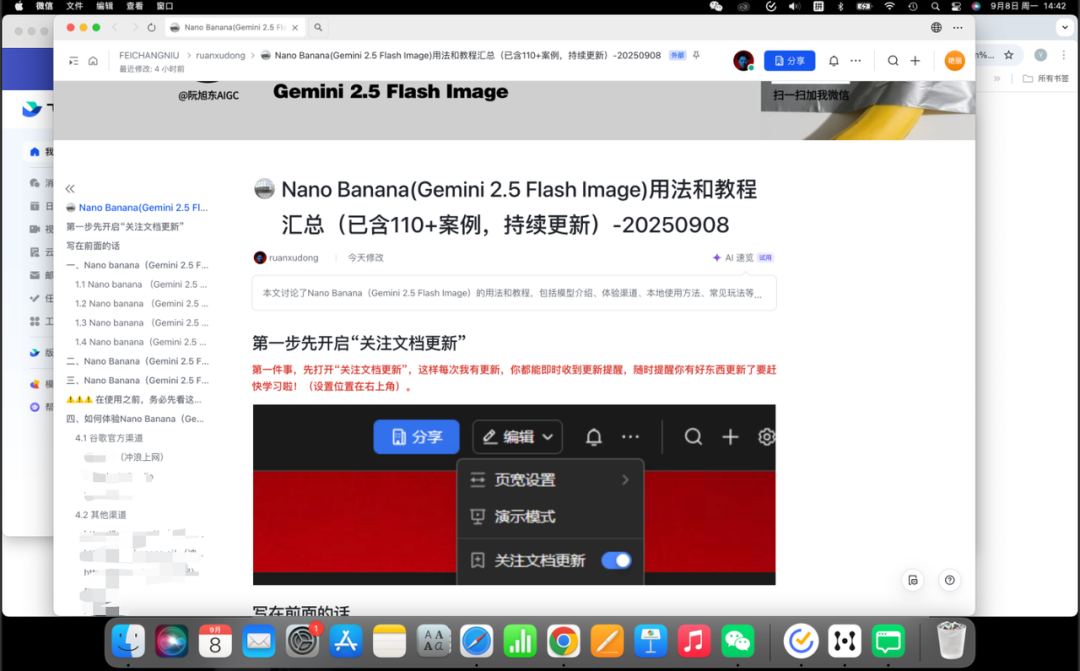
If you are worried that you won’t know how to use it, we have also compiled the most user-friendly Nano Banana usage tutorial in a Feishu document, super comprehensive and considerate!
Contact us immediately to install the Nano Banana PS plugin!
The significance of digital tools is to break down efficiency barriers. The Nano Banana plugin undoubtedly lowers the threshold for producing high-quality design effects once again.
Now, the last obstacle on the road to becoming a “design master”—the issue of usage in China—has been cleared. The tutorial is above, and all that’s left is for you to give it a try!
Be sure to like and bookmark this tutorial, and share it with friends who need it, and use it today to impress your clients and boss!