Recently, the “nano-banana” model has been trending on social media platforms like Xiaohongshu and WeChat Moments! Today, I couldn’t resist exploring how to use it creatively.
First, let’s take a look at some examples of its popularity:
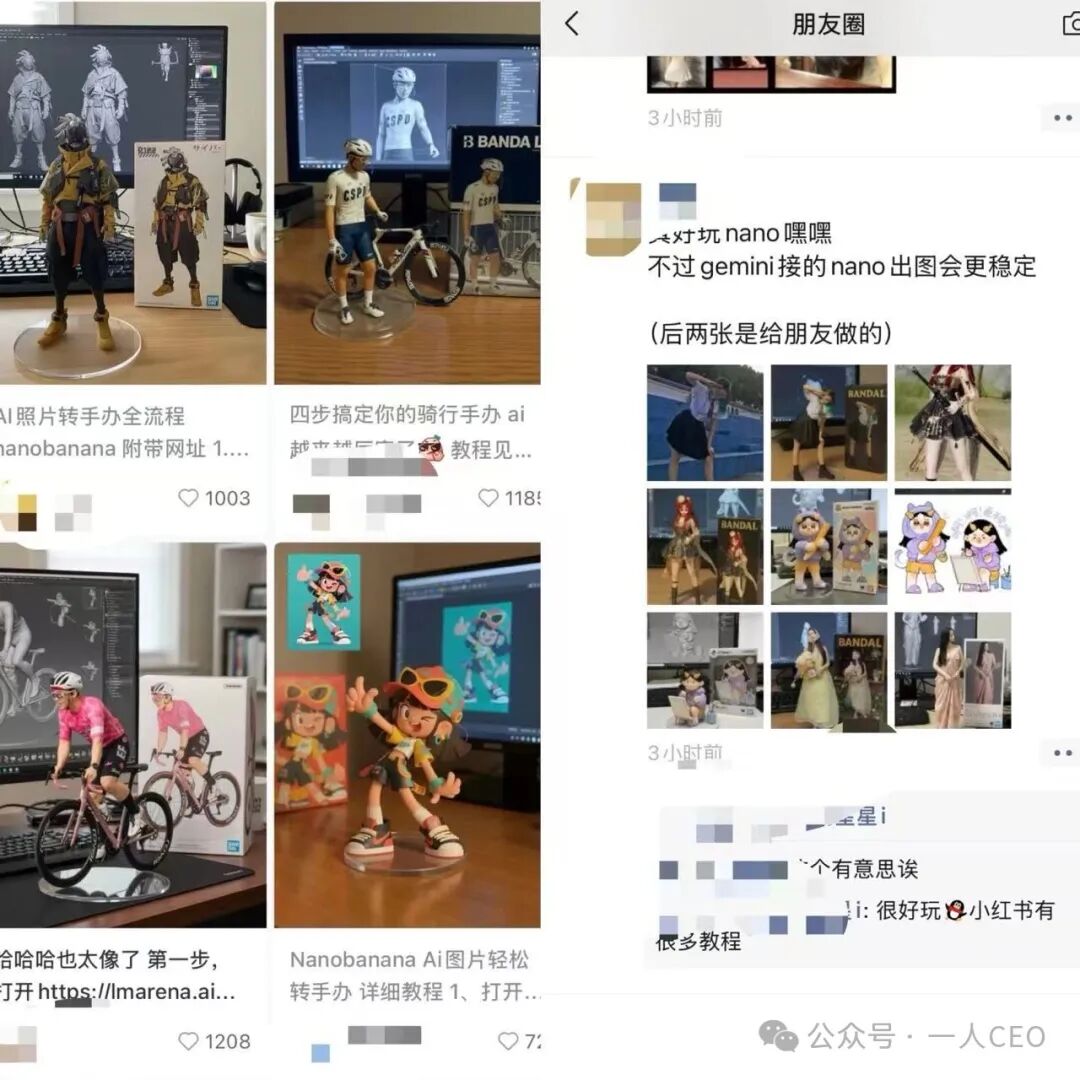
Now, I will guide you step by step on how to get started!
1. Open LMArena
Official website: https://lmarena.ai
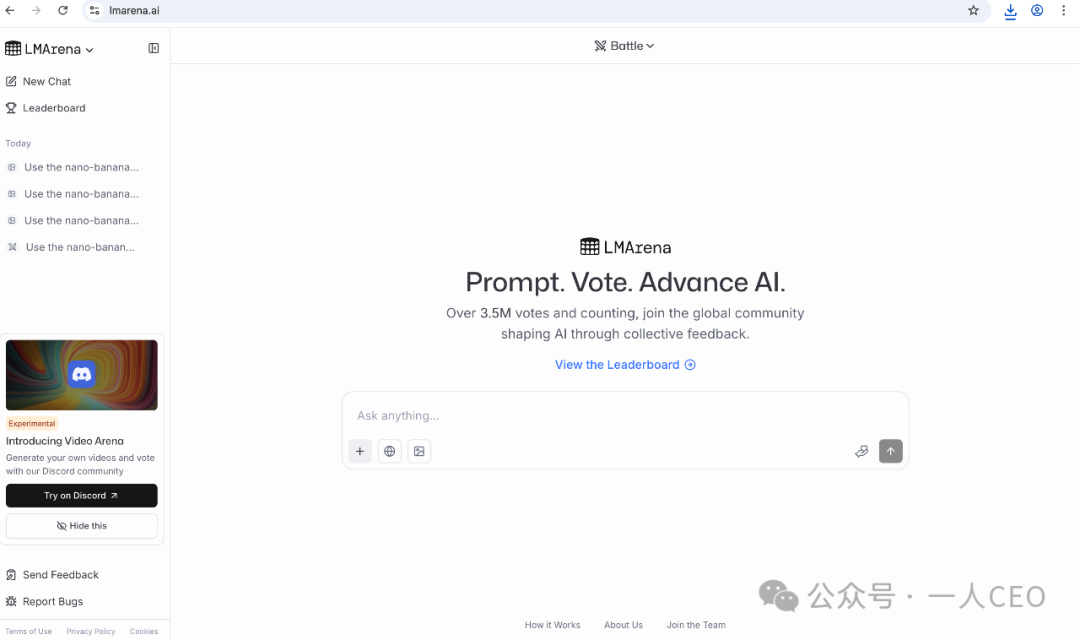
Note: You need to access it from an external network 🕸️. If you have trouble, feel free to leave a comment, and I will respond!
2. Character Photos
You need to find a few three-dimensional character photos in your album, ensuring the background is clear!
It can be a photo of you riding a bicycle or a personal selfie 🤳, etc….
If you prefer not to show your beautiful photos, you can also find some anime character images online.
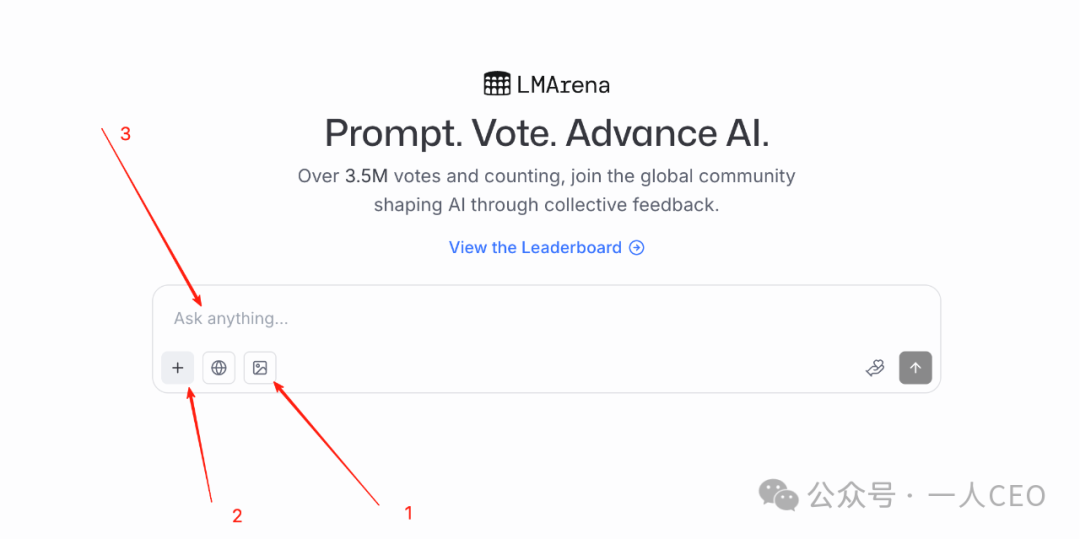
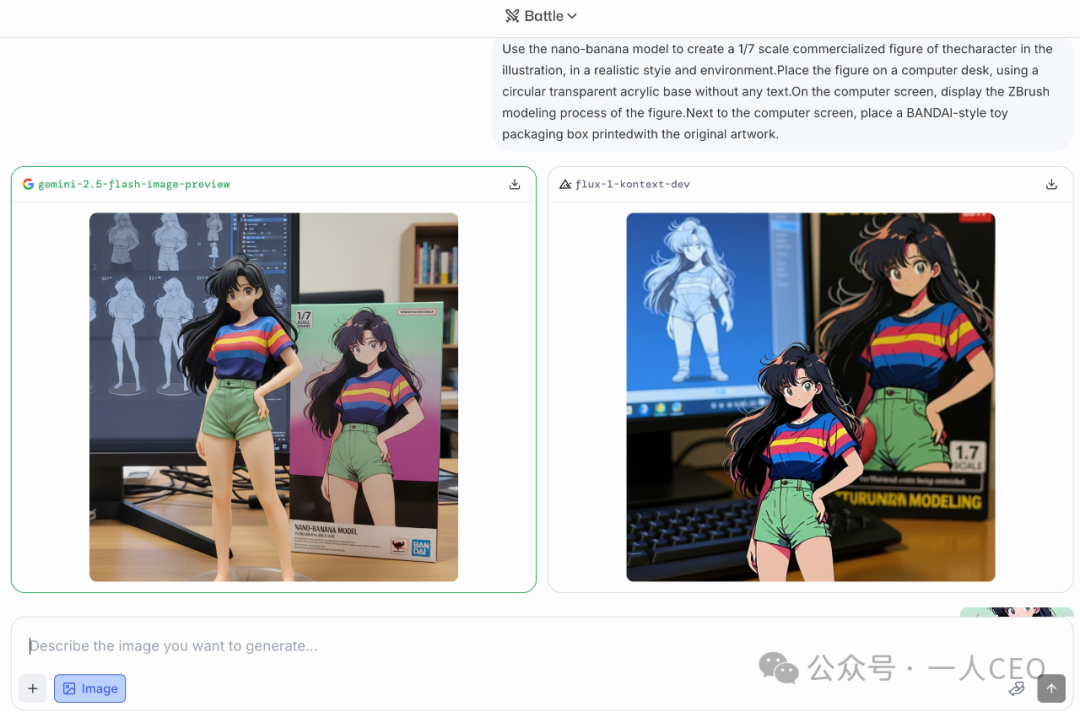
[1] Enable image functionality
[2] Click the [+] to select a three-dimensional character photo as your desktop figurine
[3] Prompt: Copy and paste the following prompt into the input box, then click the send button on the right
Use the nano-banana model to create a 1/7 scale commercialized figure of the character in the illustration, in a realistic style and environment. Place the figure on a computer desk, using a circular transparent acrylic base without any text. On the computer screen, display the ZBrush modeling process of the figure. Next to the computer screen, place a BANDAl-style toy packaging box printed with the original artwork.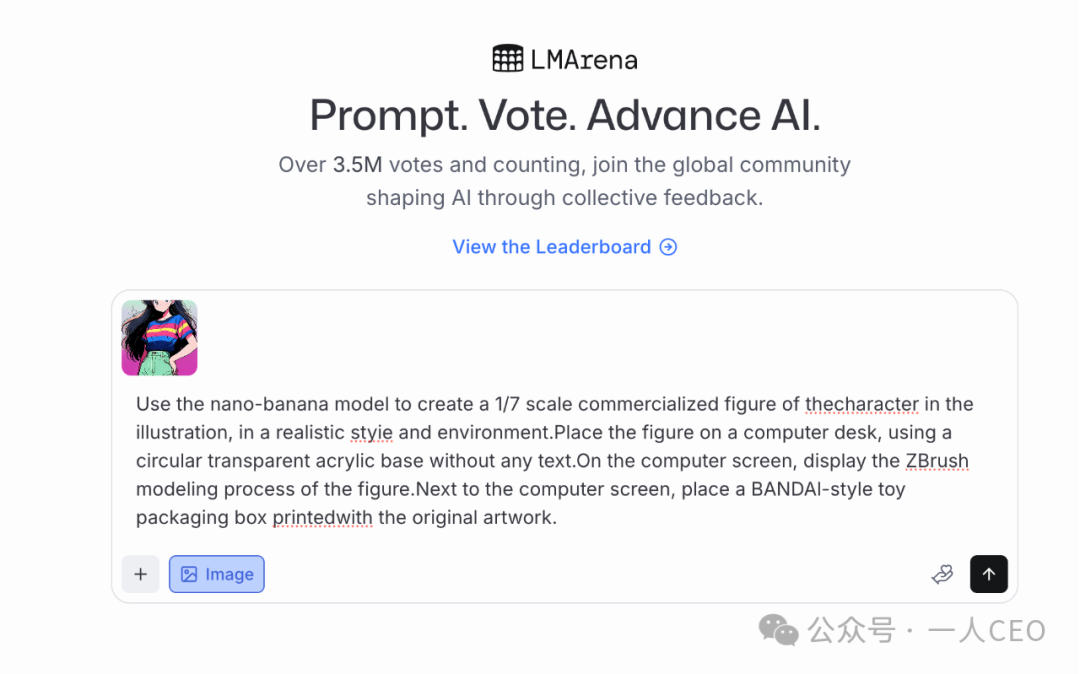
3. Download Images
If you’re not satisfied, feel free to generate a few more!
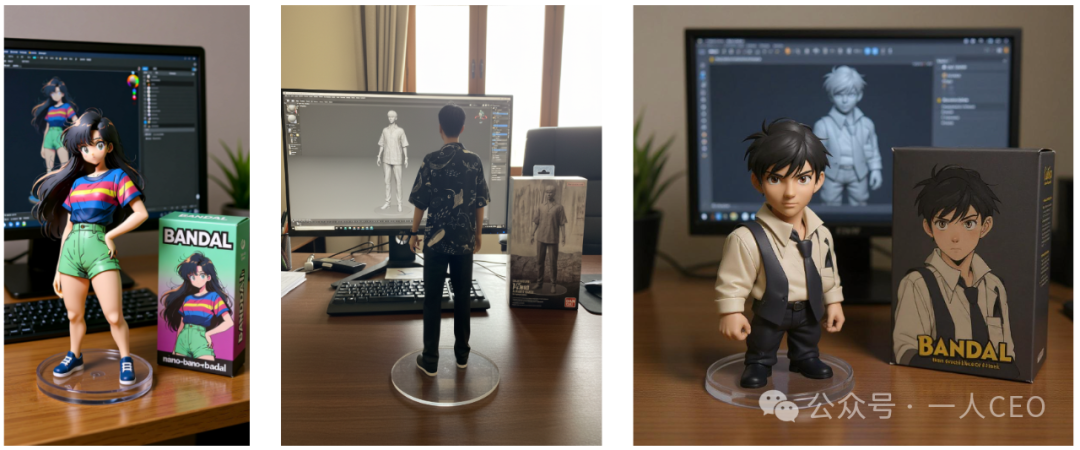
Check out the generated effect:
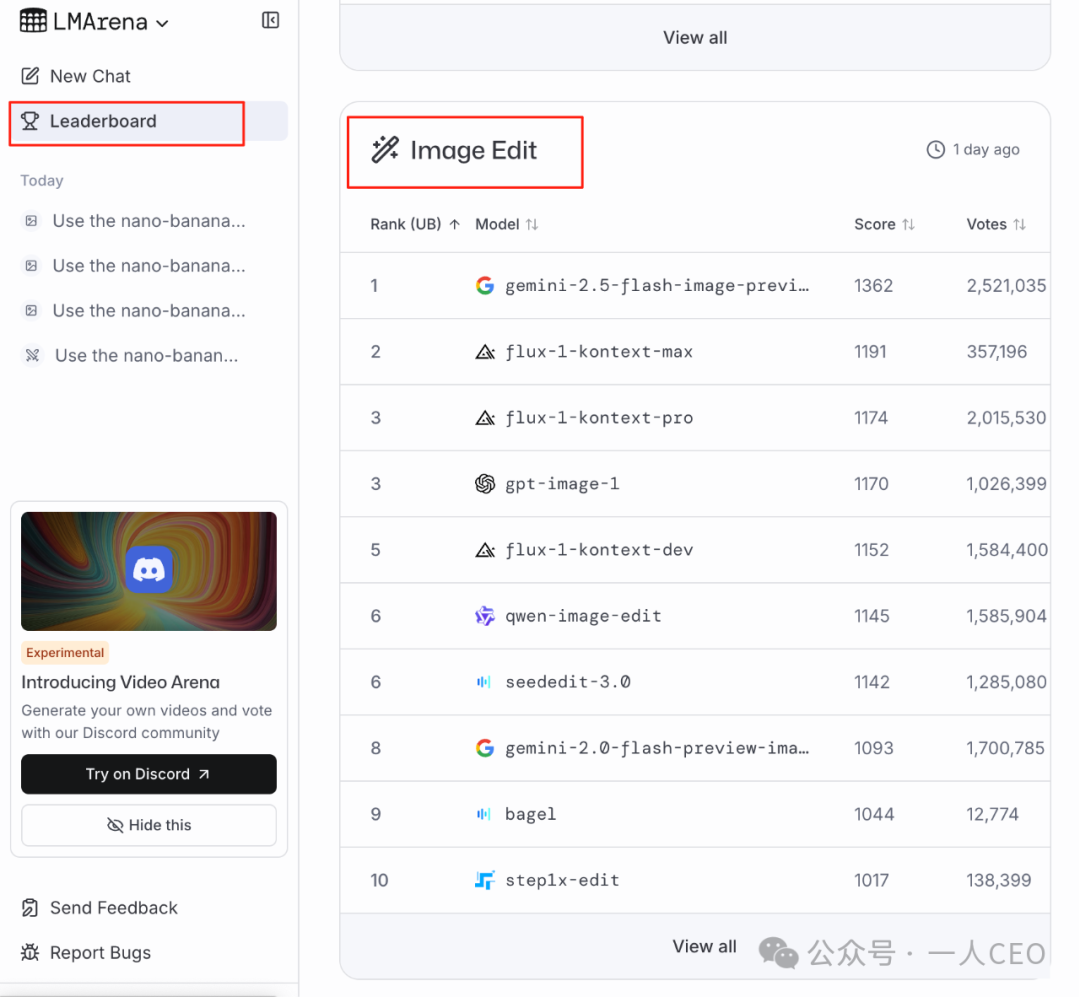
Now, let’s interpret what this means. Click on the left side’s [Leaderboard] to see many categories of large models. Here, we only need to focus on one category: [Image Edit], which translates to [图像编辑] in Chinese.
This means that after we send out a photo and prompt, these large models will compete and return the two best models + the photo to us.
Thank you for watching, everyone! This tutorial is quite simple, and I filtered out some technical issues mainly to help you focus on how to generate your desired desktop figurine, haha! If anything is unclear, feel free to leave a comment!