Recently, due to certain needs, I researched the method for upgrading firmware via SD card using IAP. As I have been using the STM32 SD card for a while, implementing the SD card program was straightforward; I just needed to write a bootloader program and make some simple settings in Keil.
1. Function: Upgrade STM32 firmware via SD card
2. Required equipment: STM32 minimum system, SD card module, SD card, Keil software, boot upgrade program, APP program
2. Connect the electrical relationships according to the interfaces in the program; the specific circuit diagram can be found in Attachment 1 (I won’t upload this attachment as it is personal).
3. First, open the STM32 boot upgrade program in Attachment 2.
4. Set the Keil software for the STM32 boot program as shown in the figures below.
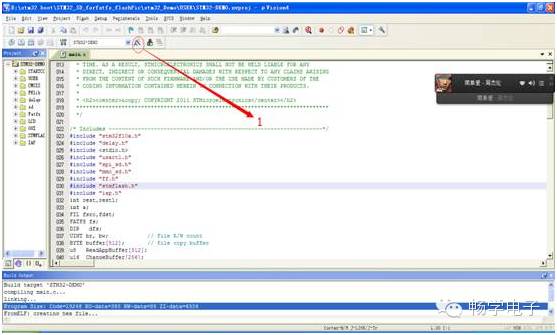
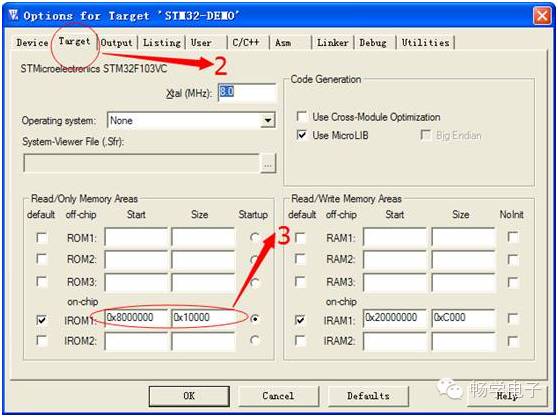
5. The third step in the figure above is reserved for a 64k bootloader area. This step is set according to the size of your STM32’s flash memory; generally, reserving 64k space is sufficient.
6. This is important to note.
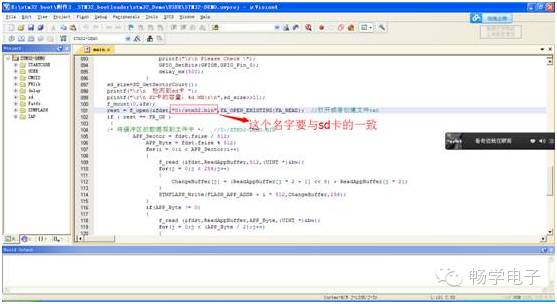
7. After the above settings are completed, download it to the board.
3. Open the APP program in Attachment 3.
4. Set the Keil software for the APP program as shown in the figures below.
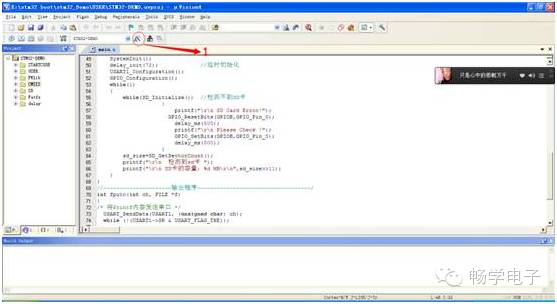
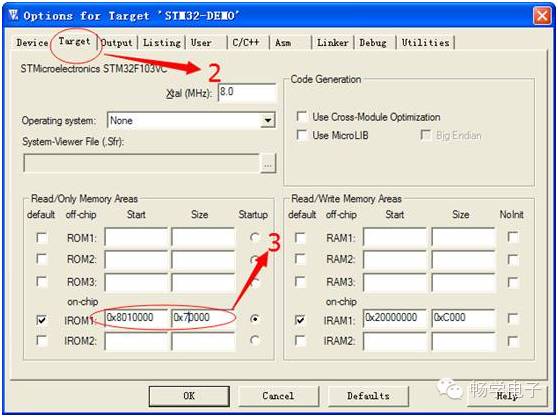
5. Generate the bin file; this is simple and just requires a few settings in Keil (Note: The bin file name cannot contain Chinese characters or underscores; otherwise, the upgrade will fail. This was my experience; others can test it themselves).
Set it as shown in the figure below:
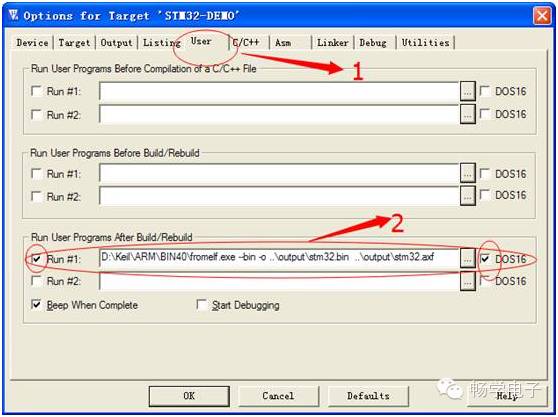
Command: xx:\Keil\ARM\BIN40\fromelf.exe –bin -o ..\output\kkk.bin ..\output\kkk.axf
Explanation: ‘xx’ is the drive letter of your Keil installation, and ‘kkk’ is the name of the generated axf file in your output folder.
6. Compile and link to generate the bin file.

7. Go to your project’s output folder, find kkk.bin, copy it to the SD card, insert the SD card, restart the board, and after a while, the program will download successfully.
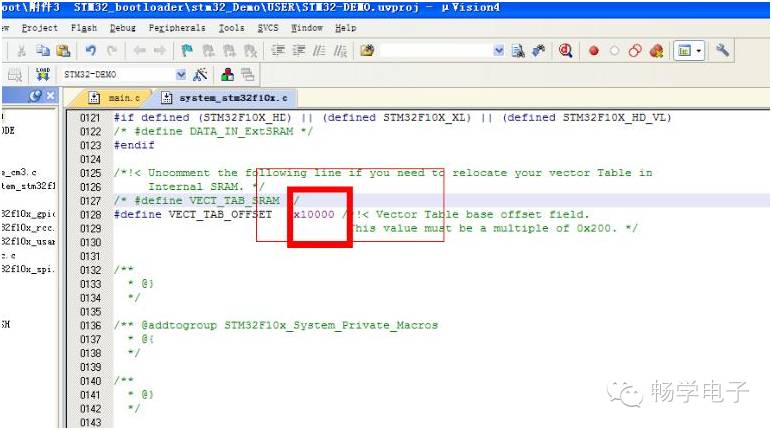
Note: It should be noted that the app file may not be directly usable because the boards may differ. Although I have set it up in the program, I still need to remind you that besides Keil needing some settings, the bootloader program also requires configuration for the jump address: