“The Path of an Excellent Engineer in Three Stages”
1. Basic Stage: Boto PLC Technology.
2. Intermediate Stage: Boto and C# Advanced Language Technology.
3. Advanced Stage: Standardized Programming Methods for PLCs.
The Path of Standardization!

A question from a group member: Online modification of the PLC program, and then all the CPU indicator lights went out. I posted this issue in 15 Boto friend groups for discussion to see everyone’s feedback.
1. Discussion in the Boto Group
Question from a group member: Has anyone encountered this? After updating the program online on a 1200 CPU, all the PLC lights went out, the power supply is normal at 220V, and Boto cannot find the CPU. It feels like the CPU is burnt out.
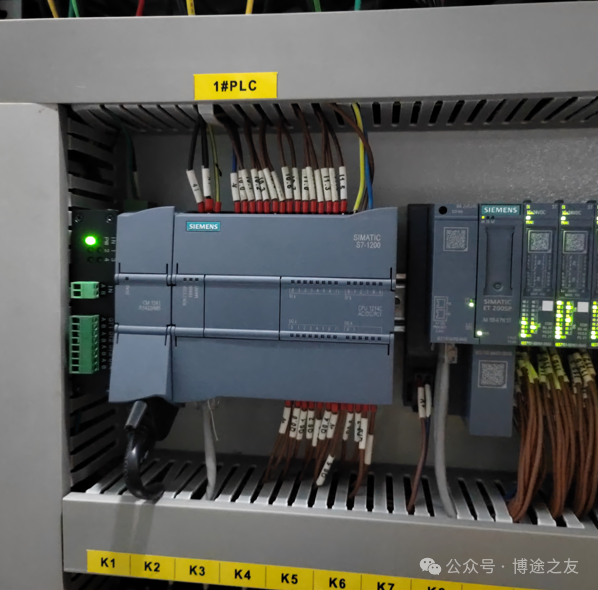
Rui Qingzhong: Online modification of the CPU program, and then all the CPU indicator lights went out, which can be quite stressful on-site.
Group member: It could also just be bad luck, hardware failure right after updating the program.
Question from a group member: I planned to update the program without stopping the machine, but who knew the CPU lights went out completely, forcing a shutdown.
Group member: Can the next program damage the CPU?
Group member: The CPU probably had a fault already; after downloading the program and rebooting, it completely failed during operation.
Group member: There is no worse situation than this.
Group member: Disconnect it and power it separately to try to rescue it [laughing through tears]
Group member: What is the firmware version?
Question from a group member: Hardware version 4.6, Boto software V19.
Group member: The CPU should be sent for repair to check the cause; it is also possible that the PLC hardware had an issue right when the program was being downloaded. What a coincidence.
Group member: Theoretically, no matter how the program is modified, it shouldn’t cause all the PLC lights to go out…
Question from a group member: After replacing the CPU, the same program that previously caused issues was downloaded, and the new CPU worked fine, indicating the program is OK.
2. Summary: The pressure on engineers during on-site debugging is quite significant, mainly due to the following aspects:
1. Tight deadlines on-site.
2. Harsh working conditions on-site.
3. Many bugs in the program.
4. Encountering various technical challenges during on-site debugging.
5. High technical requirements from clients.
Feel free to add more…
Walk with the “Excellent Ones”!
Make technical learning easier!

Learning methods for PLC standardization: a process from chaos to insight and understanding.
Technical methods for PLC standardization: What technical points are included in standardization? What is the relationship between these technical points?
Video explanation of the technical route for PLC standardization: S88 standard, technical architecture, and continuous iteration.
Discussion in the Boto group: Two groups discussed C# and SCL languages, finally clarifying the application of SCL language.
The value of group communication: Real feedback from friends in the Siemens elite group over 6 years.
Book friends’ agreement: Release of three major supporting resources for Boto PLC books.
Join Boto friends and meet excellent engineers.

Rui’s books (available for purchase on JD and Dangdang)