Recently, I bought a new development board, which originally comes with the Android operating system. I need to create a boot disk to run a Linux + QT operating system.
The new development board comes with the source files for this creation, which need to be copied to the shared directory of the virtual machine Ubuntu.
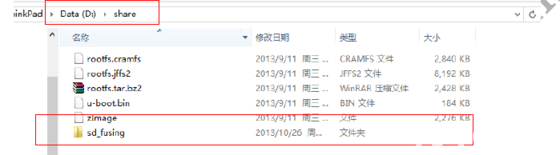
After opening the share folder, the displayed files are as follows:
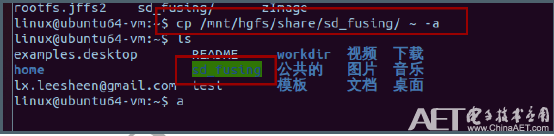
Open the folder with the command:
cd sd_fusingThen run:
makeAnd set permissions:
chmod 777 sd_fusing.shInsert the SD card into the computer using a card reader, and the virtual machine will recognize the SD card reader.
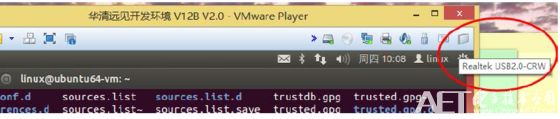
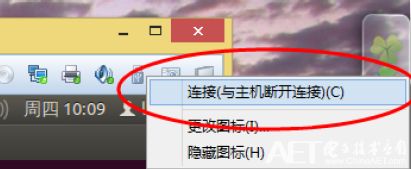
Right-click the icon and select 【Connect】.
Check the generated device node. The SD card’s device node in the Ubuntu system is /dev/sdb, which can be seen by running the command:
ls /dev/sd*The last device will be sdb.

Then use the command:
df -ThThe image below shows the device nodes generated after the SD card is recognized by Ubuntu.
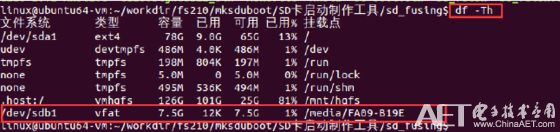
If the device node recognized for the SD card is not sdb based on the rules below, you will need to manually modify sd_fusing.sh. First, open the script using:
vi sd_fusing.shIf it is recognized as something else like sdb1, then change reader_type1=”/dev/sdb1″. If it is recognized as sdb, no modification is needed.
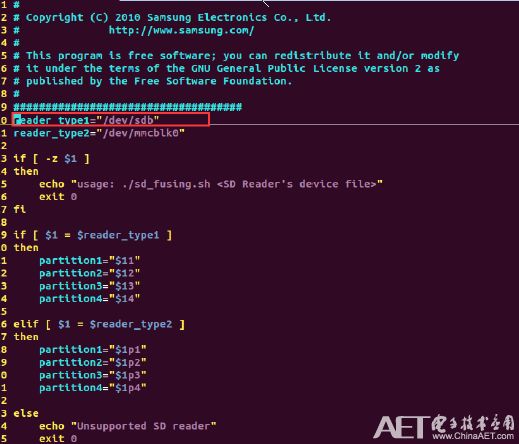
Then execute:
$sudo ./sd_fusing.sh /dev/sdbThis will write uboot to the SD card.
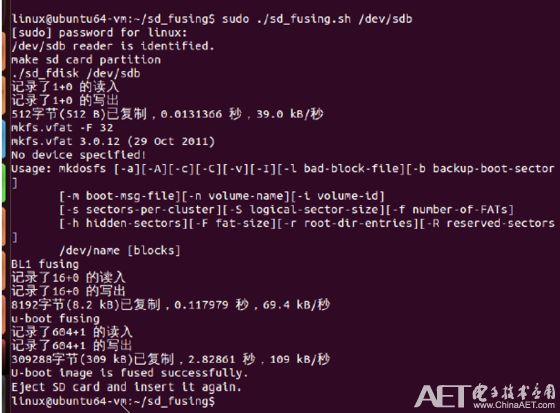
Insert the SD card into the development board’s card slot and set the switch to 0110.
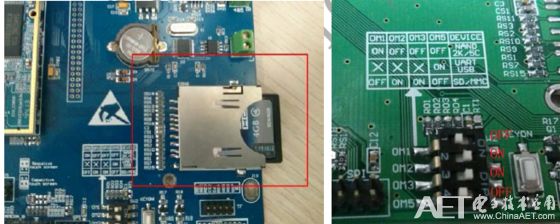
And that’s it!