In industrial automation systems, stable communication between the touch screen and PLC is crucial for the normal operation of equipment. The Weintek touch screen, known for its cost-effectiveness, and the Mitsubishi FX3U PLC, recognized for its stability, have become the preferred combination for many automation projects. However, in actual wiring and parameter configuration, even a single pin connection error or a slight deviation in baud rate settings can lead to communication failure of the entire system. Today, we will implement seamless communication between the Weintek touch screen and the Mitsubishi FX3U BD board through a complete case study, from hardware selection to software configuration.
01 Control Requirements
The core of this case is to build a communication system that allows real-time monitoring and control of the Mitsubishi FX3U PLC via the Weintek touch screen. The system needs to enable read and write operations on the internal soft components of the PLC (such as auxiliary relays and data registers), thereby achieving remote control of the device’s operating status and reading real-time data.
The overall system architecture is shown in the diagram, where the Weintek touch screen connects to the Mitsubishi FX3U PLC’s extended FX3U – 485BD communication board via the COM port, forming a simple human-machine interaction and control network.
02 Hardware Devices
To meet the above control requirements, the selection and preparation of hardware devices are fundamental. We need the following core components:
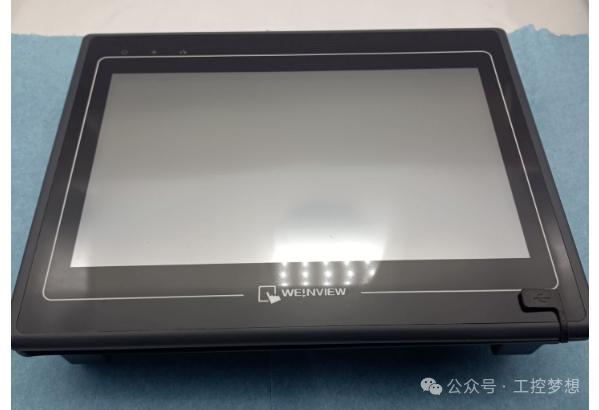
Weintek Touch Screen
The selected Weintek touch screen is shown in the figure. It is equipped with a clear display screen and a variety of communication interfaces, supporting multiple communication protocols to meet the communication needs with Mitsubishi PLCs.
Mitsubishi FX3U PLC
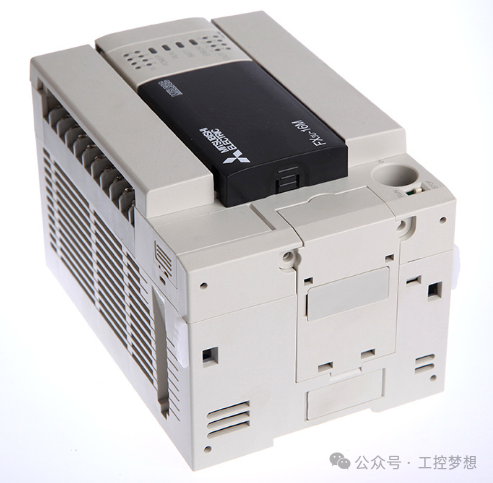
The Mitsubishi FX3U PLC is a high-performance, compact programmable logic controller with powerful control functions and expansion capabilities. The model used in this case is FX3U – 16MR, as shown in the figure.
FX3U – BD Board
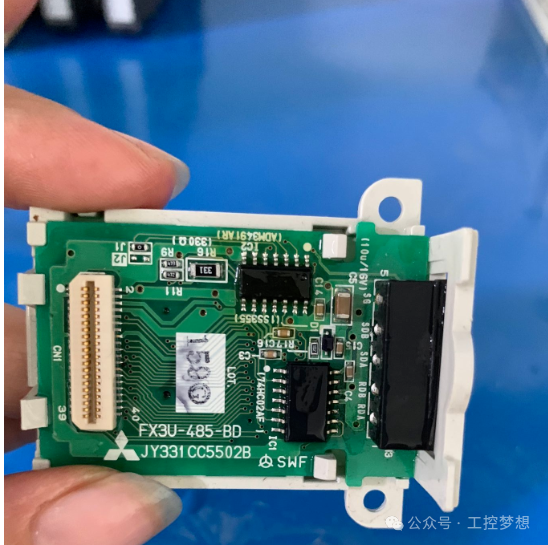
The FX3U – 485BD board is the RS – 485 communication expansion board for the Mitsubishi FX3U series PLC, used to achieve RS – 485 communication between the PLC and external devices. Its appearance and details are shown in the figure, with clear model markings and related parameters printed on the board.
03 Software
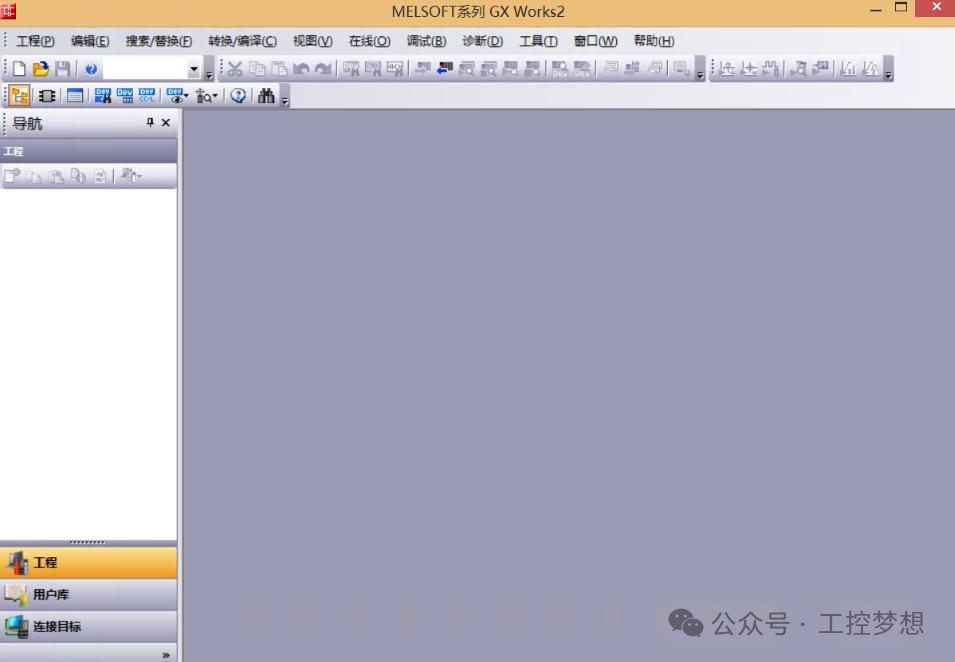
The software serves as the bridge for communication between the touch screen and PLC. The main software used in this case is Mitsubishi’s GX Work2.
GX Work2 is the PLC programming software launched by Mitsubishi Electric, supporting programming and parameter settings for various PLCs, including the FX series. Its main interface is shown in the figure, with a clear layout that includes project management, program editing, parameter settings, and other functional modules, facilitating project development and debugging for users.
04 Wiring
Wiring is a crucial part of building the communication system, as incorrect wiring can lead to communication failure or even equipment damage.
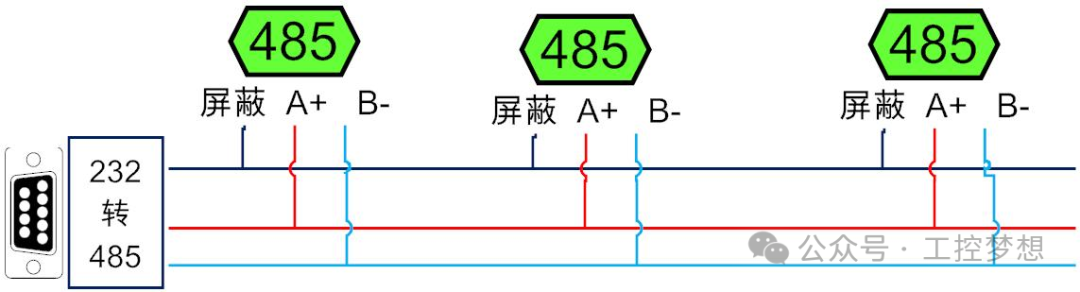
RS – 485 Pin Arrangement
RS – 485 communication uses differential signal transmission, and its pin arrangement has strict definitions. The pin arrangement diagram used in this case is shown in the figure, clearly displaying the functions and connection methods of each pin.
Weintek COM2 Terminal Definition
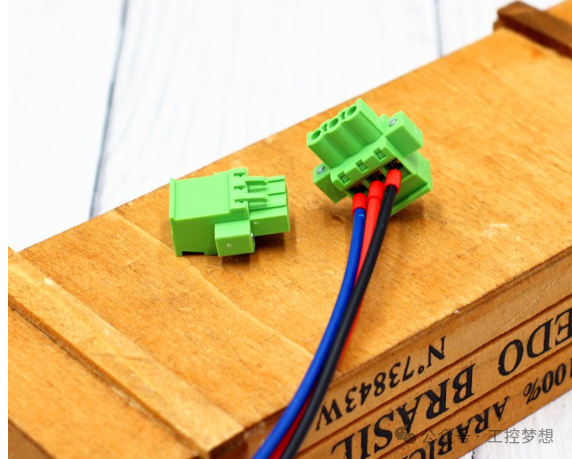
The COM2 port of the Weintek touch screen is used for RS – 485 communication, and its terminal physical diagram is shown in the figure. When wiring, it is essential to connect the lines accurately according to the terminal definitions.
Specific Wiring Steps
Based on the above pin arrangement and terminal definitions, the specific wiring is as follows:
The connection relationship between the Weintek COM2 pin and the 485BD board is: Weintek COM2’s 7RX – connects to 485BD board’s SDB, 6RX + connects to SDA, 9TX – connects to RDB, 8TX + connects to RDA, and 5GND connects to GND.
During the wiring process, ensure that the connections are secure and well-contacted to avoid loose connections or short circuits.
05 Weintek Touch Screen Settings
After completing the hardware wiring, it is necessary to configure the parameters of the Weintek touch screen to ensure it can communicate normally with the PLC.
The specific setting steps are as follows:
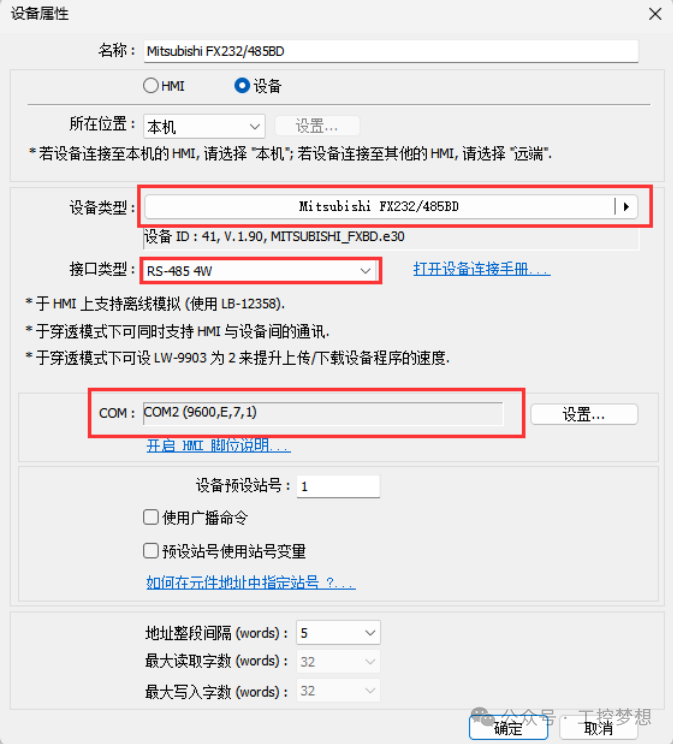
Enter the device property settings interface of the Weintek touch screen, as shown in the figure. In the device type selection, choose “Mitsubishi FX232 / 485BD”; set the interface type to “RS – 485 4W”; select the serial port as “COM2” (this should be set according to the actual RS – 485 port of the touch screen); set the baud rate to 9600, no parity (N), data length 7, and stop bit 1.
After completing the settings, save the parameters and restart the touch screen to make the settings effective.
06 PLC Settings
In addition to the touch screen settings, the Mitsubishi PLC also needs to be configured with corresponding communication parameters.
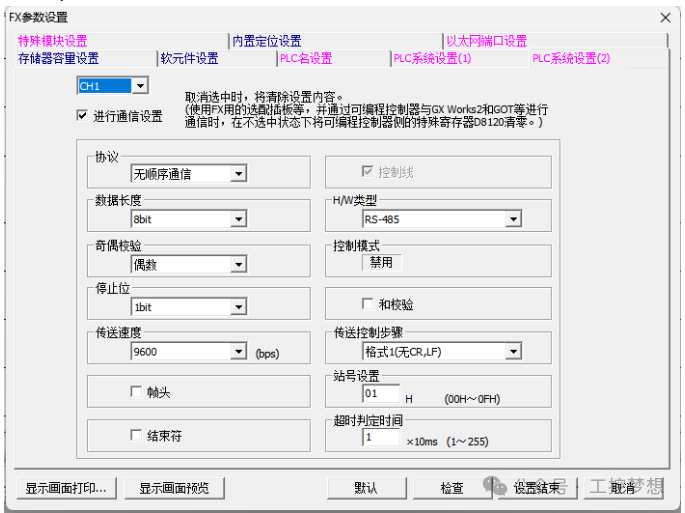
In the GX Work2 software, enter the PLC system settings interface, as shown in the figure. In the PLC system settings (1), check channel 1; use the protocol for non-sequential communication; set the data length to 8 bits; even parity; stop bit 1; set the transmission speed to 9600; set the type to 485, and the station number to station 1.
After completing the settings, download the parameters to the PLC and restart the PLC.
07 Conclusion
Through the operations of the above six steps, from clarifying control requirements to selecting hardware devices, preparing software, implementing wiring, and setting parameters for the touch screen and PLC, we have completed the construction of the communication system between the Weintek touch screen and the Mitsubishi FX3U BD board.
In practical applications, the stability of the communication system is affected by various factors, such as wiring quality, surrounding electromagnetic environment, and accuracy of parameter settings. Therefore, after the construction is completed, thorough testing and debugging are necessary to ensure that the system can operate stably and reliably.
We hope this case study can provide some reference and assistance to those engaged in industrial automation-related work, allowing everyone to achieve smoother communication between devices in actual projects. If you encounter any problems during the operation, feel free to leave a message in the comment section for discussion.
Previous Recommendations
The secrets that maintenance technicians are reluctant to share: Principles and applications of three-phase rectifier circuits
Tutorial on using the Portal V18 simulator
Siemens PLC S7 communication simulation tutorial: Achieving seamless data interaction with Portal
PLC power outage data loss? 3 steps to set permanent storage of key parameters
Tutorial on setting up installment payment function for Weintek touch screen
Using Mitsubishi PLC to add an electronic lock to the touch screen
Test your skills: How to calculate current when a current transformer passes through 5 loops?
Taiwan Chuan inverter TC600-2S0015G1 user manual
Weintek touch screen OPC UA server communication configuration instructions
How to use VBS scripts to automatically write WinCC7.5 data into Excel spreadsheets
How to achieve Ethernet communication between MCGS PRO and S7-200 SMART
How to design a vending machine that can give change using MCGS
Instructions for using macro commands for conditional assignment in Weintek touch screens
Has Kunlun Tongtai touch screen directly controlled the inverter?
How logical operations determine the fate of draft picks
Technical Insights | PLC Custom Countdown Timer Program Design is Surprisingly Simple
Two PLC implementation methods for motor delayed start and stop
How to control a park fountain with PLC to achieve multiple timing logic
Portal V19 installation tutorial: From beginner to expert, including common problem-solving and technical training benefits