Introduction
OriginBot is the first open-source smart car kit produced by Guyueju. At that time, I was an intern in the robot development team at Guyueju, and at the invitation of Teacher Guyue, I participated in the early OriginBot project group, responsible for developing content related to visual perception and planning control, as well as writing relevant documentation.
I would like to express my gratitude to all the seniors at Guyueju for their continuous support and trust. This article is a way to share some of my experiences with OriginBot.
Xurih X3 Board
As shown in the picture below, I received the Xurih X3 board on July 6. At that time, I had just finished the development of a previous project and intended to explore the newly released Xurih X3 board and test its 5T computing power algorithm development demo.
At that moment, I had no idea that I would later join the OriginBot project group; I was just trying it out of interest and to see how it differed from the Raspberry Pi.
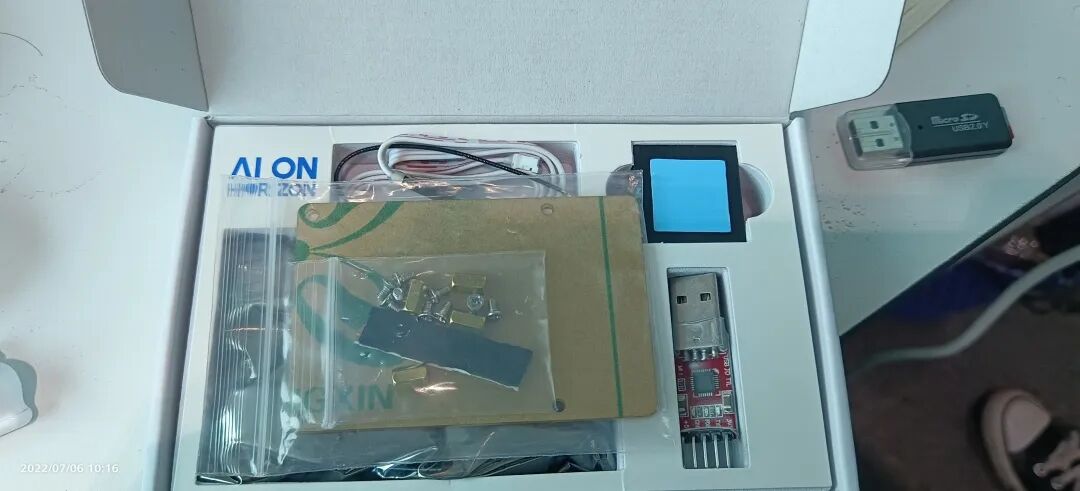
Next, I would like to share my learning process with the Xurih X3 board.
First, I set a preliminary goal for myself: to spend three days understanding the various demos and basic functions of this board. Based on this goal, I developed a learning plan and organized some materials I had on hand.
Materials:
1. Five courses shared by Teacher Guyue at Guyue Academy, along with related written materials (some of which I later contributed myself).
2. Information about the Xurih X3 board from the Horizon website, mainly including the core board’s operation manual and robot development manual.
Phase Tasks:
1. Boot the Xurih X3 board, including image burning, serial debugging, and connecting to WiFi.
2. Debug various hardware peripherals through the operation manual.
3. Familiarize myself with the TROS framework and run the various demos.
Final Goal: Familiarize myself with the Xurih X3 board and its development principles, and clarify its general uses.
It turned out that finding good materials made it difficult to encounter problems. I completed the above steps smoothly, except for a few demos that could not be debugged due to a lack of corresponding hardware (such as the voice module); I managed to run almost all the others successfully, even finishing in less than two days.
Notably, I ran some simple SLAM examples using both a monocular camera (Logitech) and a depth camera (Orbbec), and they both worked normally.
This initial understanding of the Xurih X3 board prepared me for my subsequent development of OriginBot.
OriginBot Development
During my familiarization with the Xurih X3 board, Teacher Guyue invited me to join the OriginBot project group he was leading.
Initially, he introduced me to the origin of this project: to help robot developers create a robot from scratch, providing everyone with a key to unlock various functions they wish to develop. I admire Teacher Guyue’s vision and feel honored to join this project group. (One aspect that touched me was the introduction of a license plate number, which added a sense of ceremony.)
Although I officially joined the project in early July, I did not receive the prototype until late July, during which time other members of the project group were working on PCB design and developing STM32-related programs.
There were also dedicated members developing the upper and lower machine drivers. Specific content can be found on the OriginBot official website, including the first version of the PCB layout and car design. Looking back, I still think that creating it is not difficult, but doing it well and at a low cost is truly challenging.
In actual development, my tasks were quite clear: to integrate visual and perception-related functions into OriginBot. To put it more clearly, it was to develop some familiar robot functions and collaborate with the driving development team.
Similarly, before formal development, I needed to have a certain understanding of the overall technology stack, including my own technology stack and that of my teammates. Next, I will give a simple example of the upper and lower machine driver development process for OriginBot.
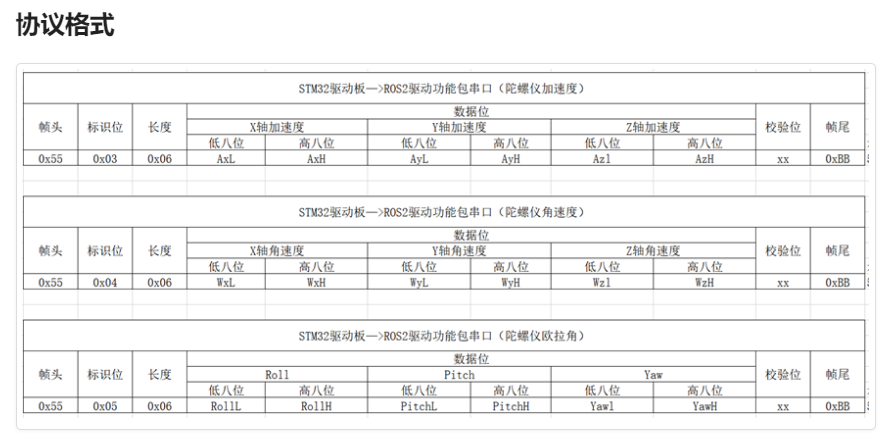
The image above is a protocol format explanation table I obtained from the official website, explaining why upper and lower machines need drivers. Just like a human, an intelligent machine also needs a brain to think and a body to move.
The upper machine, the Xurih X3 board, relies on its 5T computing power and CPU performance to become the brain of OriginBot. The lower machine, STM32, is responsible for all peripherals of OriginBot, simply put, it controls various specific functions.
Driver development involves obtaining various sensor data needed by the upper machine software from the lower machine, while also sending various control commands calculated by the upper machine to the lower machine. This is the basic logic of the driver.
The simplest connection between the two is UART connection. UART is familiar to everyone, with TX and RX asynchronously sending data, and the two objects can be two identical simple MCUs or core boards like the Xurih and STM32. Ahem, I digress.
So what does the OriginBot upper machine need from the lower machine? It includes various sensor data, with the basics being odometry and IMU data, as well as speed feedback.
This data helps OriginBot achieve SLAM and navigation functions. What does the lower machine need? Various speed control commands issued by the upper machine.
The above is the simplest upper and lower machine development logic, and I wanted to mention it because I saw some friends in the discussion group continuously bringing up this issue.
Returning to my main work, integrating functions like vision and navigation. In fact, what I did was quite simple, but it was not as satisfactory as I hoped, because it was my first time involved in product development, and I made many non-standard actions, for which I am grateful to Teacher Guyue for his constant corrections.
Before formal development, I roughly estimated what kind of effect I wanted to achieve:
1. Implement all functions of the Xurih X3 board into OriginBot.
2. Integrate common ROS2 SLAM and navigation modules into OriginBot.
Those familiar with the field will know that these tasks may not be too difficult; I thought so at the time too. However, when it came to actually doing it, it required more than just running; it needed to be presentable.
From the beginning, I encountered issues with radar adaptation, such as baud rate problems, and later discovered various SLAM effects were subpar, with upper and lower machine data feedback issues and lower machine communication protocol calculation errors.
I felt that each point reminded me that to accomplish great things, one must pay attention to details. In the later stages, after Teacher Guyue processed these contents, I realized that I still had a long way to go.
Common Issues
Some issues I encountered during development are similar to those others are facing now. The main reason, I believe, is that I cannot be certain that this product can definitely perform a certain task.
So more often than not, I need to analyze whether the reasons for failures are due to program performance or the machine itself being unable to handle a certain algorithm before or during the process.
Let me start with some simple questions that I often see in the discussion group.
1. This product does not have a display, which may lead to incorrect IP addresses when logging into the machine. How can this be resolved?
Answer: The first time I logged in, I did so via the serial port and then set up a WiFi connection. The method to connect to WiFi is as follows:
sudo nmcli device wifi rescan # Scan for WiFi networks sudo nmcli device wifi list # List found WiFi networks sudo wifi_connect "SSID" "PASSWD" # Connect to a specified WiFi networkIf it were me, I might choose to use a static IP address next. Please look up how to set a static IP address.
(PS: For beginners, using the desktop version is more user-friendly.)
2. What should I do if the compilation always hangs?
Answer: This is actually a common issue; for the Xurih X3 board, it is hard to deny that compilation can be slow. However, if it simply hangs, we can check for memory issues; please use the top or htop commands. If you don’t have them, you can download them.
Check the MEM and SWAP space; if you are completely unfamiliar with this knowledge, you can take this opportunity to learn a bit. Increasing the swap space appropriately may help prevent compilation from hanging.
Some simpler issues can be found on the official website or through a browser. More difficult issues are often related to advanced learning content, especially if you want to run your own applications on this machine.
1. I have an idea; how can I implement it in OriginBot?
Answer: Implementing an instance is not fundamentally different from the existing demo in OriginBot; it is still about writing programs, compiling functional packages, and testing results. The fastest way is to refer to how other functional packages are implemented. This requires everyone to truly dedicate themselves to learning ROS and algorithm-related knowledge.
2. How can I evaluate whether an algorithm can be deployed on OriginBot?
Answer: Look at the data. Check the data from the Xurih X3 board to see if it meets the basic requirements for running your program. I highly recommend checking out the Xurih X3 board’s GitLab, where you can find their latest updates and examples.
Other questions can be asked in the comments section or in the discussion group; I believe there will be more developers willing to learn and progress together.
Conclusion
Of course, it is unfortunate that, for various reasons, I only participated in the early development of OriginBot, and the time I actually had the machine in my hands was only about half a month. However, I am still very happy to have participated in this project group and to have gained a lot of experience.
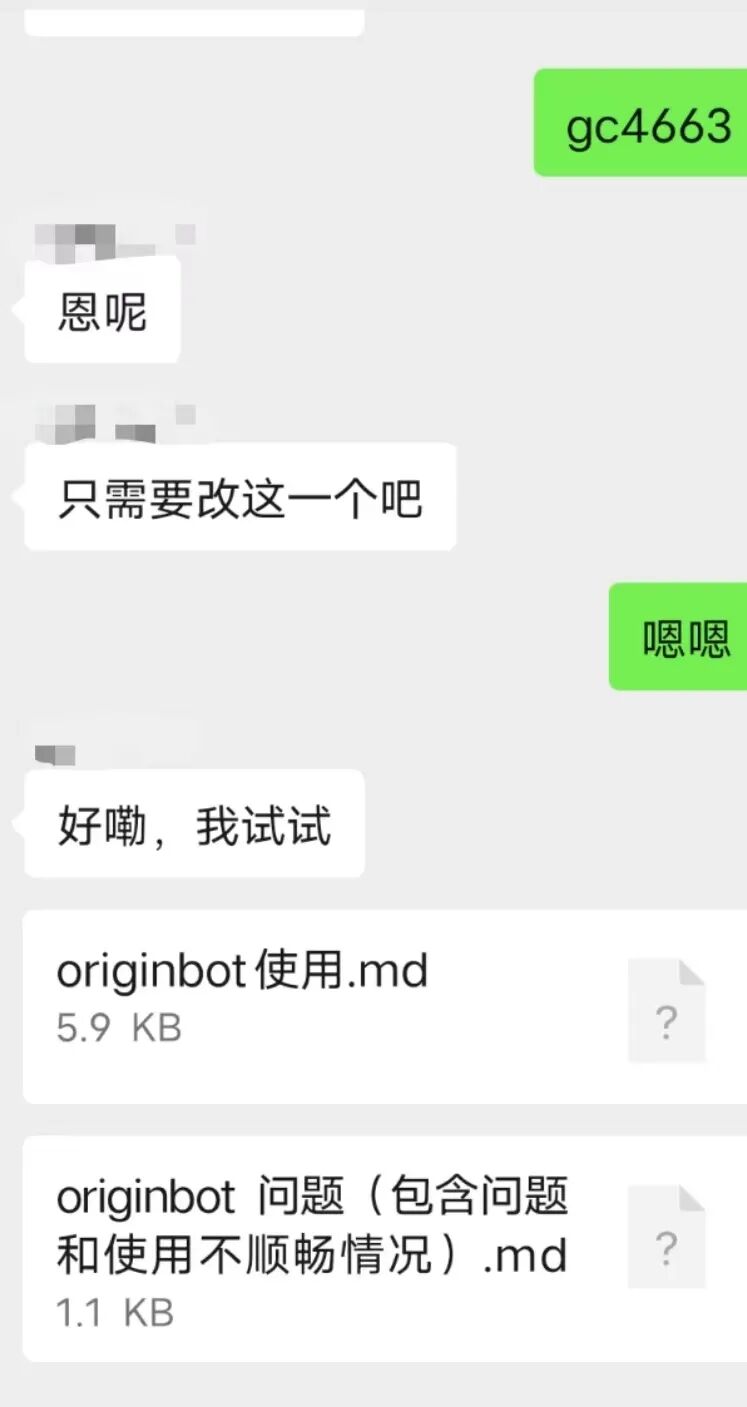
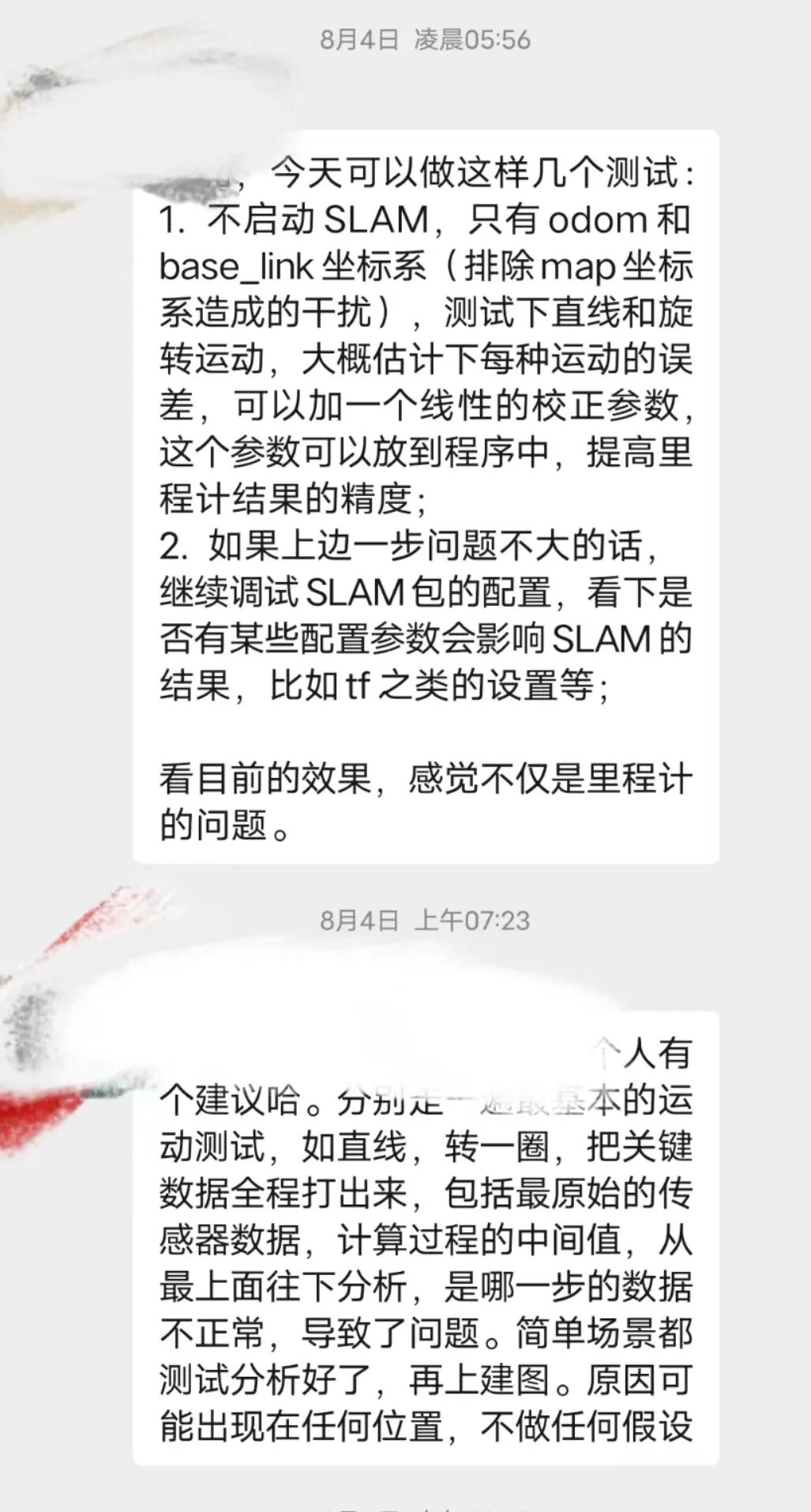
Finally, let me show you the atmosphere of our discussions; the second image is a plan direction sent to us by Teacher Guyue and my technical leader. It was truly hands-on teaching!
Finally, I wish everyone an enjoyable experience with OriginBot!


“Developing a Smart Car from Scratch • Guyue & Qianmo“
Created by the core team of Guyueju, this course will guide everyone in designing and developing a smart car from scratch, covering a wide range of knowledge areas including structure, electrical, embedded systems, ROS, artificial intelligence, etc., to quickly understand the complete path of robot design and master the core methods of robot development.

(Scan the QR code for course details)