The method for calling FB library functions (Gx Works2 version) is illustrated using the Gx Works2 software as an example.
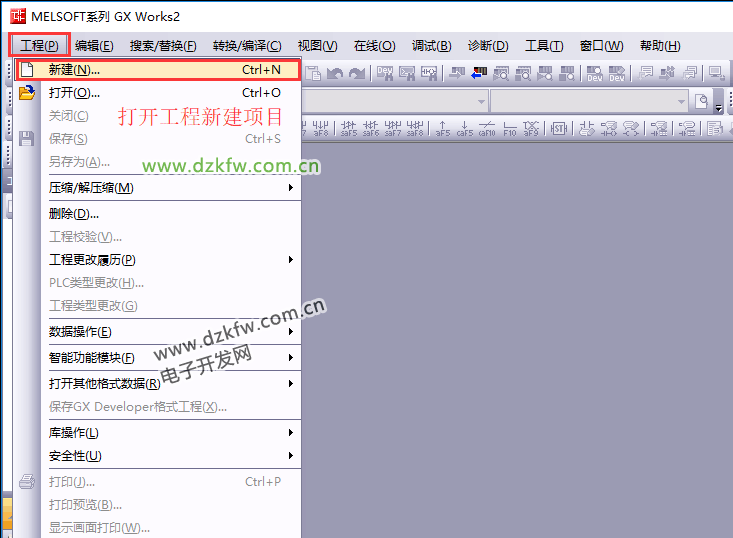
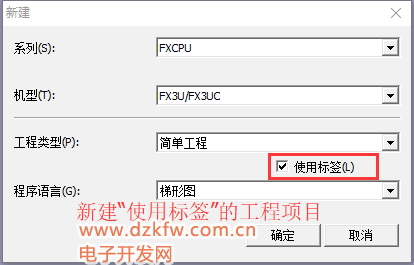
1. Create a new project file using tag-based programming.
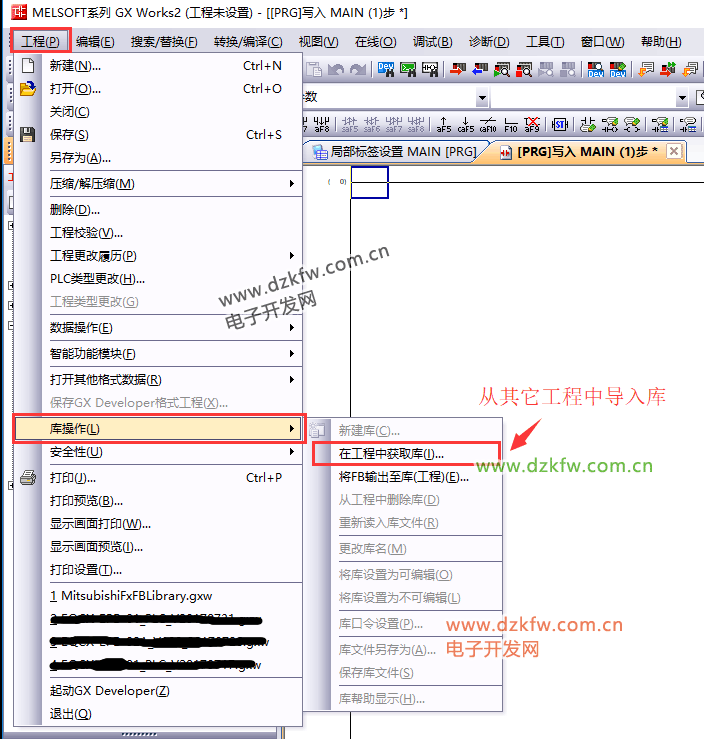
2. Import the library from another project that contains the library.
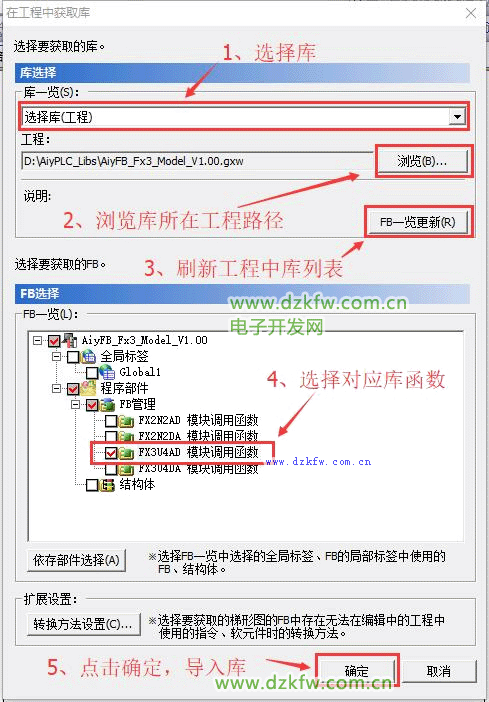
3. Select the library file and FB function block.
4. Insert the FB function block call.
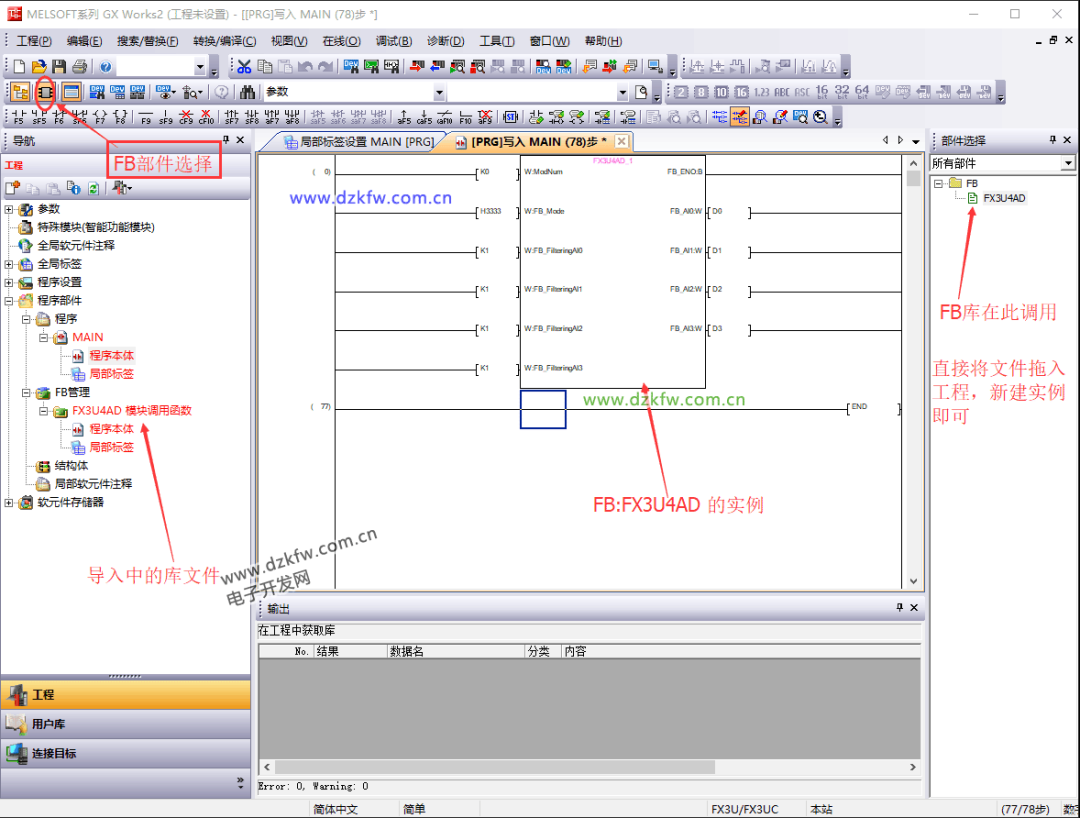
Above are the FB function blocks for the Mitsubishi PLC analog module. These function blocks can be downloaded from the following link. Friends in need can go to the link to download it!
Link: https://pan.baidu.com/s/1trX6JVhsoK8URLpXRLRPKQ Password: lb9s