How to Output Analog Signals with Mitsubishi PLCs? A Step-by-Step Guide to Controlling Inverter Speed
How to Output Analog Signals with Mitsubishi PLCs? A Step-by-Step Guide to Controlling Inverter Speed

In the previous issue, we discussed how PLCs “read” analog signals (such as temperature and pressure). In this issue, we will talk about how PLCs “write” analog signals—such as controlling the speed of an inverter or adjusting the opening of a valve. Many beginners find this part complex, but as long as you understand “how … Read more
How to Read Analog Signals with Mitsubishi PLC: A Beginner’s Guide to Sensor Signal Translation

How to Read Analog Signals with Mitsubishi PLC: A Beginner's Guide to Sensor Signal Translation

Many beginners encounter this challenge when working on projects: a temperature sensor measures 25°C, and a pressure sensor measures 3.5MPa. How do these “continuously varying numbers” get transmitted to the PLC? How does the PLC “understand” these signals? In fact, these “continuously varying quantities” are called “analog signals,” which are different from discrete signals (on/off). … Read more

Mitsubishi PLC FB Function Block Call Method (Gx Works2 Version)

Mitsubishi PLC FB Function Block Call Method (Gx Works2 Version)

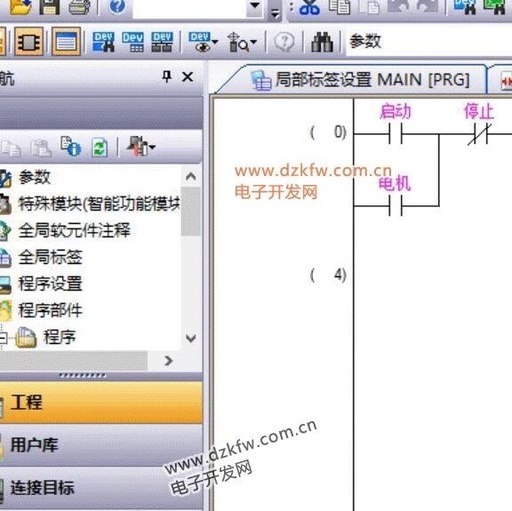
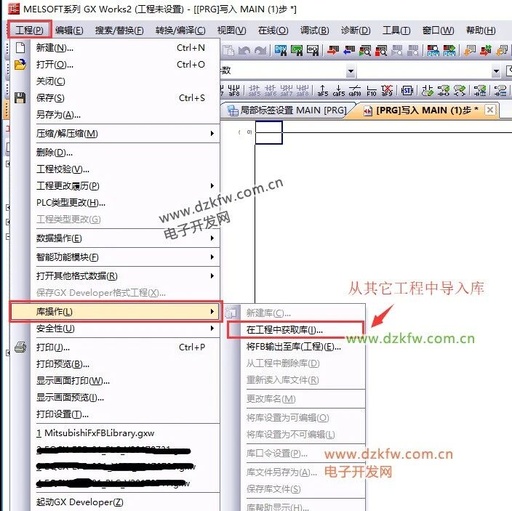
The method for calling FB library functions (Gx Works2 version) is illustrated using the Gx Works2 software as an example. 1. Create a new project file using tag-based programming. 2. Import the library from another project that contains the library. 3. Select the library file and FB function block. 4. Insert the FB function block … Read more

How to Create Function Blocks in Mitsubishi PLC GX Works2

How to Create Function Blocks in Mitsubishi PLC GX Works2

The steps to create function blocks in Mitsubishi PLC GX Works2 are as follows: Create a New Project Open GX Works2, select “Project” → “New Project”. Check “Use Tags” in the project type, and select the PLC model (e.g., FX3G/FX3U). Create FB Block In the left navigation bar under “Program Components”, find “FB Management”, right-click … Read more

Mitsubishi PLC Counter Applications: Pipeline Counting Alarm Scheme Based on Current and Set Values

Mitsubishi PLC Counter Applications: Pipeline Counting Alarm Scheme Based on Current and Set Values

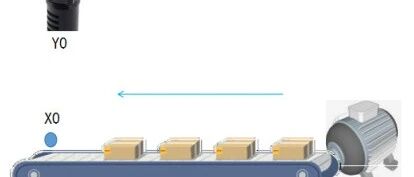
In pipeline production scenarios, precise control based on product quantity is key to achieving automated warnings and batch management. For example, triggering a buzzer alarm when production reaches a specified quantity alerts operators to perform subsequent actions such as material change and quality inspection. The counter function of Mitsubishi PLC can efficiently meet such requirements … Read more

Mitsubishi FX-PLC Motor Forward and Reverse Control Example

Mitsubishi FX-PLC Motor Forward and Reverse Control Example

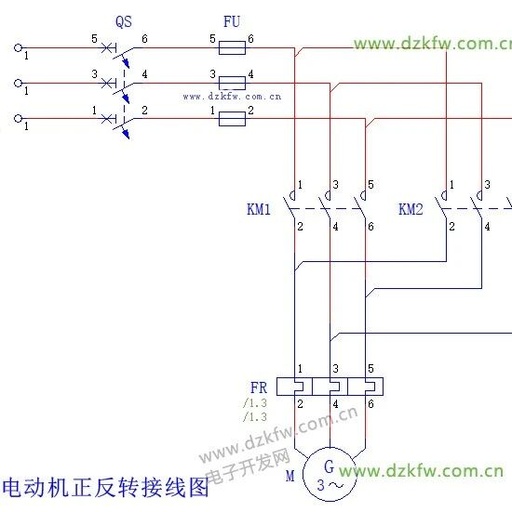
Task Description Based on the circuit diagram below, design a forward and reverse control for the motor using Mitsubishi PLC. Identify all input and output quantities, allocate I/O addresses, draw the I/O wiring diagram, and write the PLC program! I/O Address Allocation According to the task requirements, this circuit needs to switch between forward and … Read more

Communication Between Mitsubishi PLC Ethernet Module and Java Program (Part 2)

Communication Between Mitsubishi PLC Ethernet Module and Java Program (Part 2)

In the previous article, we discussed how the Mitsubishi PLC communicates with Java applications to report data. This time, we will explain how to use the PLC’s Ethernet module to write data into the PLC through a Java application. As in the previous article, I am using theMitsubishi FX3U-32MT CPU and theFX3U-ENET-L Ethernet module. Before … Read more

Mitsubishi PLC Timer Application Techniques: Practical Implementation of Motor Delay Control

Mitsubishi PLC Timer Application Techniques: Practical Implementation of Motor Delay Control

In motor control scenarios, automatic delay stop and adjustable operating parameters are common requirements to enhance operational convenience and equipment safety. The timer function of Mitsubishi PLC, combined with the power-off retention register, can efficiently implement such control logic. This article takes “motor delay start and stop + adjustable running time” as an example, detailing … Read more

Comprehensive Guide to Mitsubishi PLC Fault Diagnosis and Maintenance: From LED Blinking to Program Errors

Comprehensive Guide to Mitsubishi PLC Fault Diagnosis and Maintenance: From LED Blinking to Program Errors

1. Fault Diagnosis Methodology 1. Three-Level Troubleshooting Method A [Hardware Layer] -> B [Software Layer] -> C [System Layer] Hardware Layer: Check power supply, IO modules, wiring Software Layer: Monitor program logic, register values System Layer: Diagnose communication protocols, parameter settings 2. Diagnostic Toolset Tool Function Operation Path LED Indicator Quickly locate module faults Check … Read more

How to Use Mitsubishi PLC Comparison Instructions? A Beginner’s Guide to ‘Digital Judgment’ Techniques

How to Use Mitsubishi PLC Comparison Instructions? A Beginner's Guide to 'Digital Judgment' Techniques

Beginners who have just started learning Mitsubishi PLC often encounter scenarios like this during programming: “Trigger an alarm when the temperature exceeds 50℃”, “Stop the machine when the product count reaches 100”, “Start the motor when the values of two sensors are equal”… These logical conditions that require “action only when a certain condition is … Read more