01
Introduction
This serial servo uses serial communication to control its operation. It can function as a continuously rotating motor or as a servo to control the rotation angle. This document introduces how to drive this serial servo with microbit.
The current features compatible with microbit include:
- Move forward or backward at a specified speed
- Move forward or backward at maximum speed for N seconds
- Rotate N turns
- Rotate to an absolute angle
- Rotate at a relative speed
- Motor reset
02
Wiring
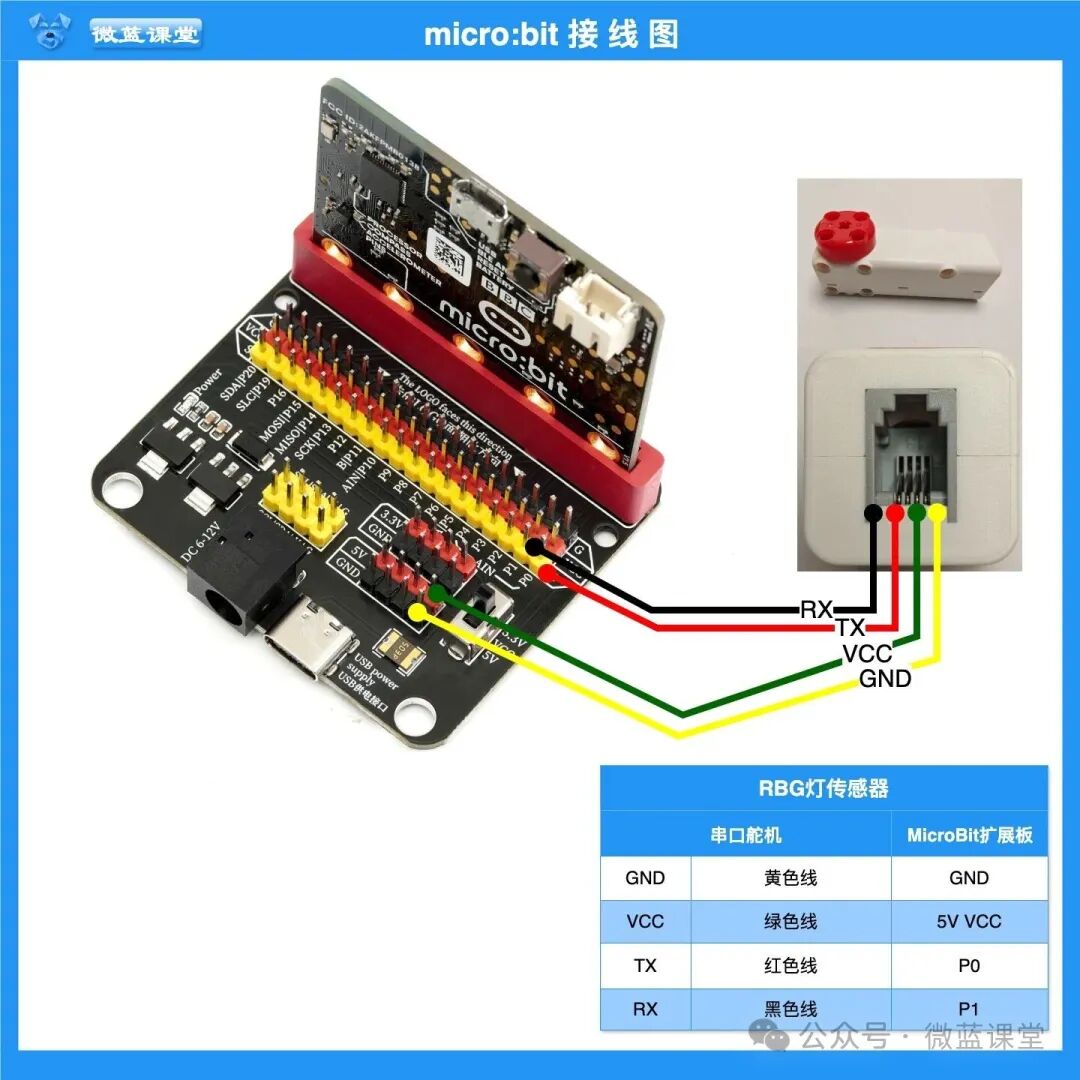
03
Program
- First, install the program extension package:
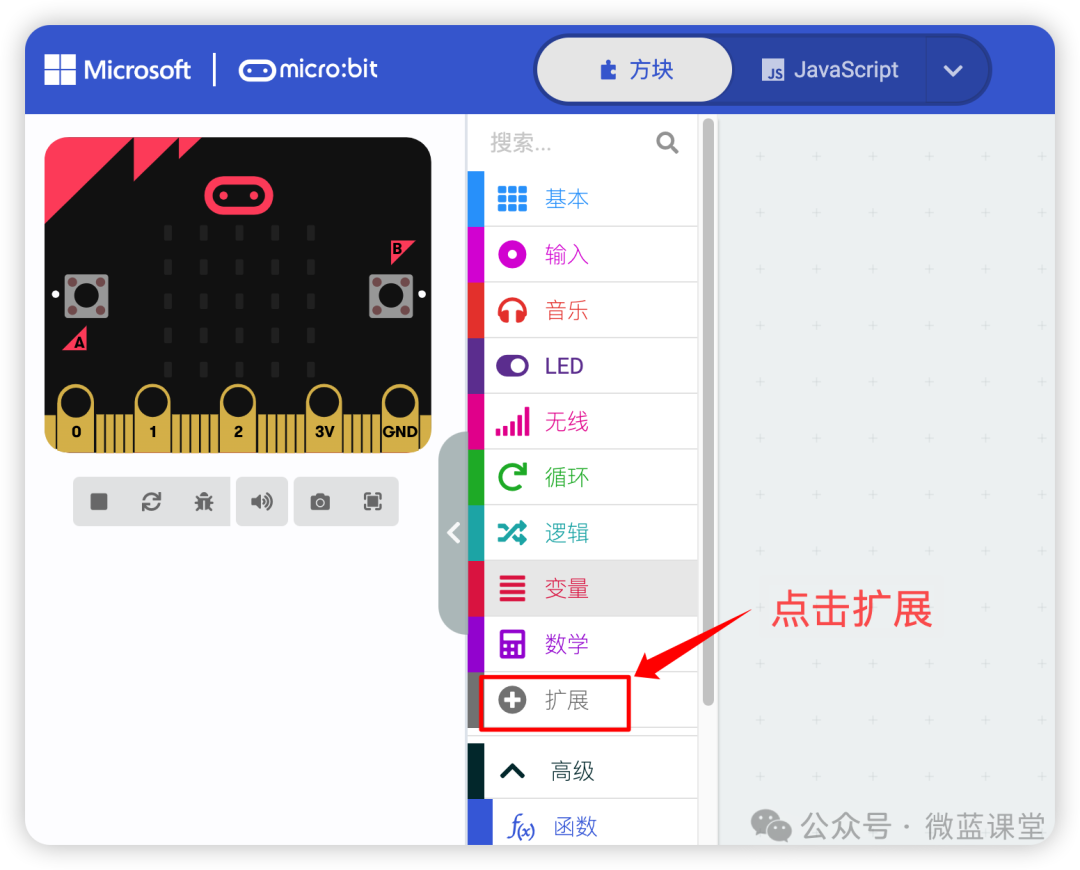
- Click to import the file
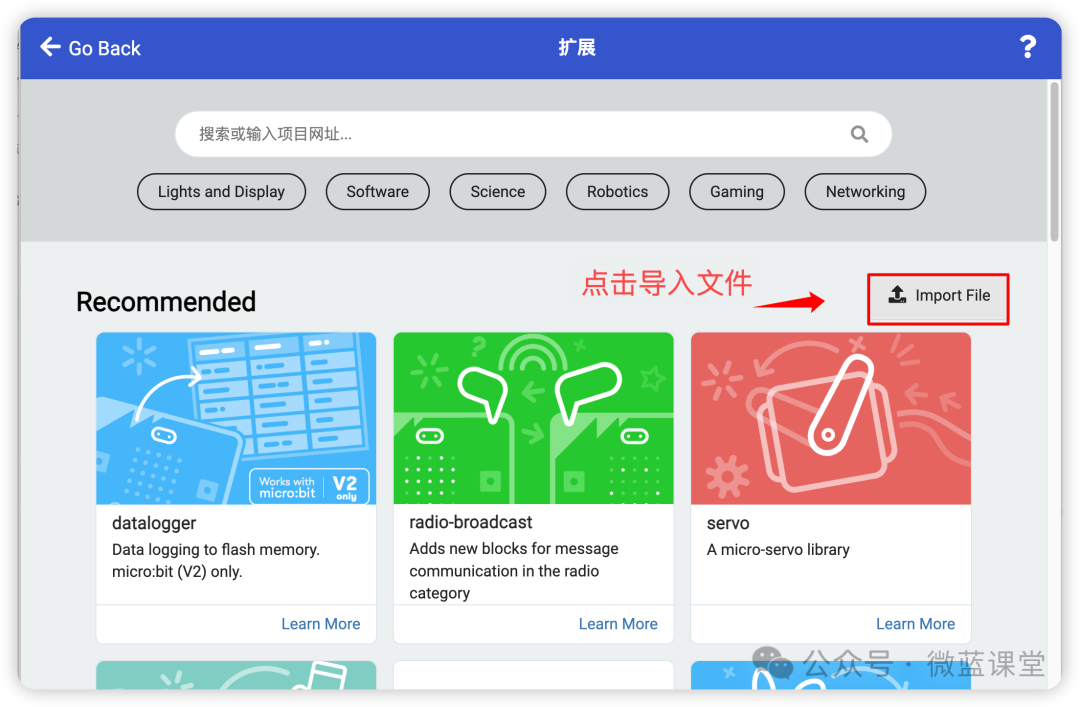
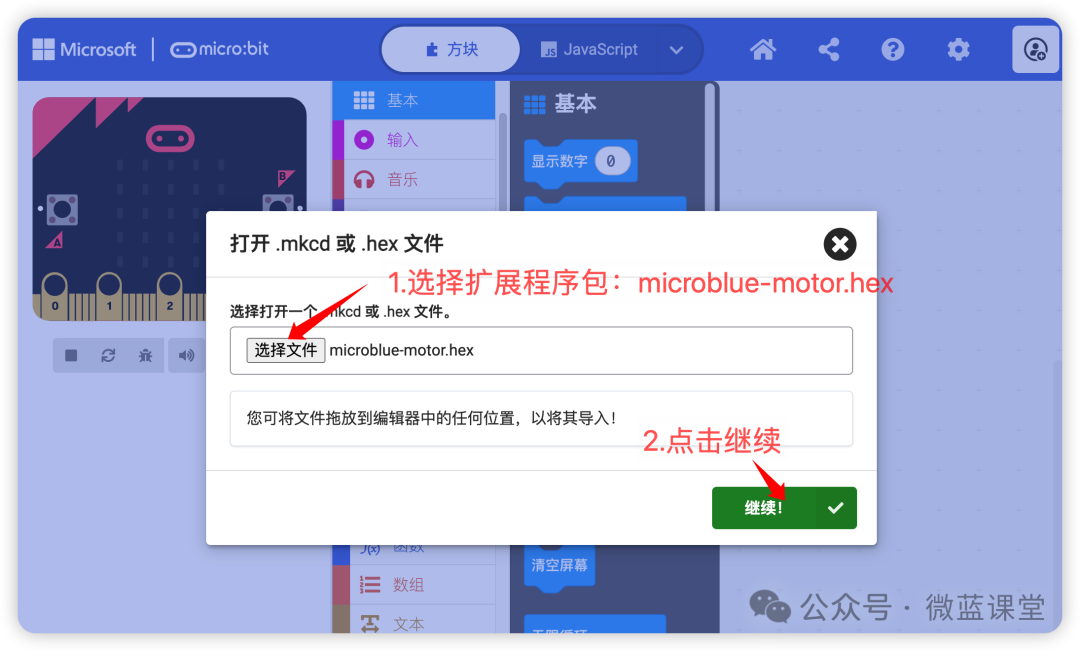
- Select the extension package: microblue-motor.hex, then click continue
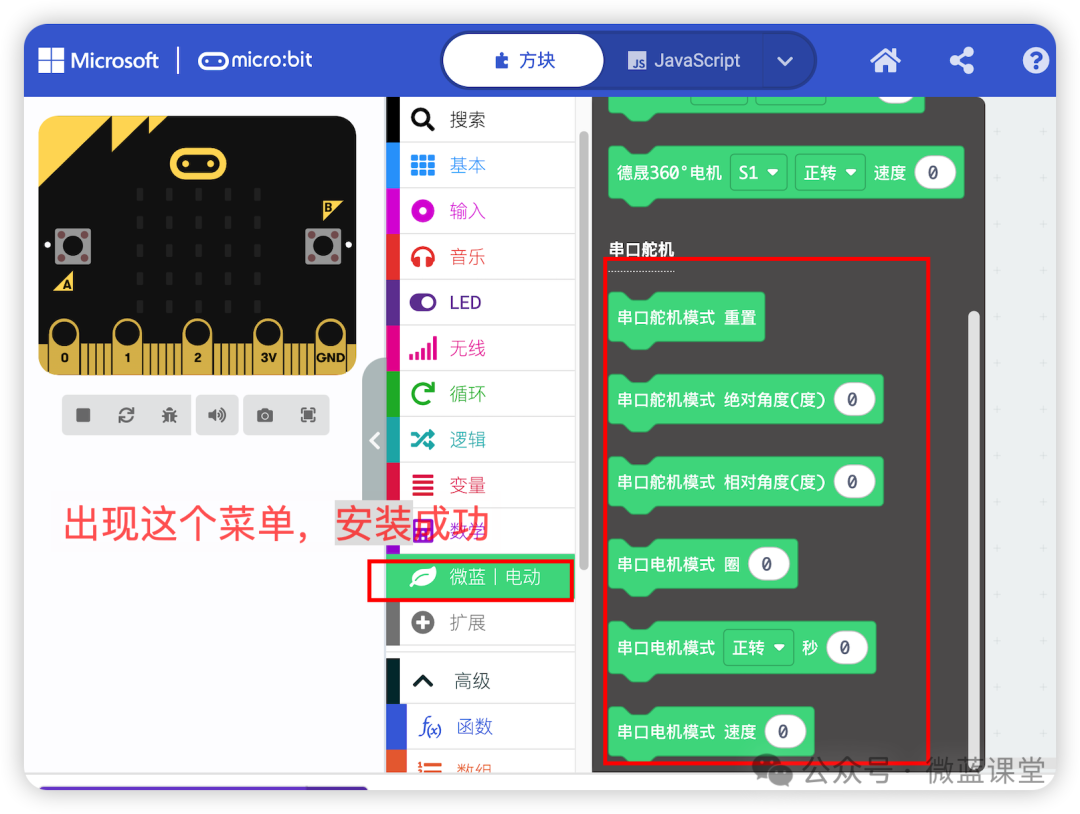
- If “Microblue | Electric” appears in the menu, the installation was successful
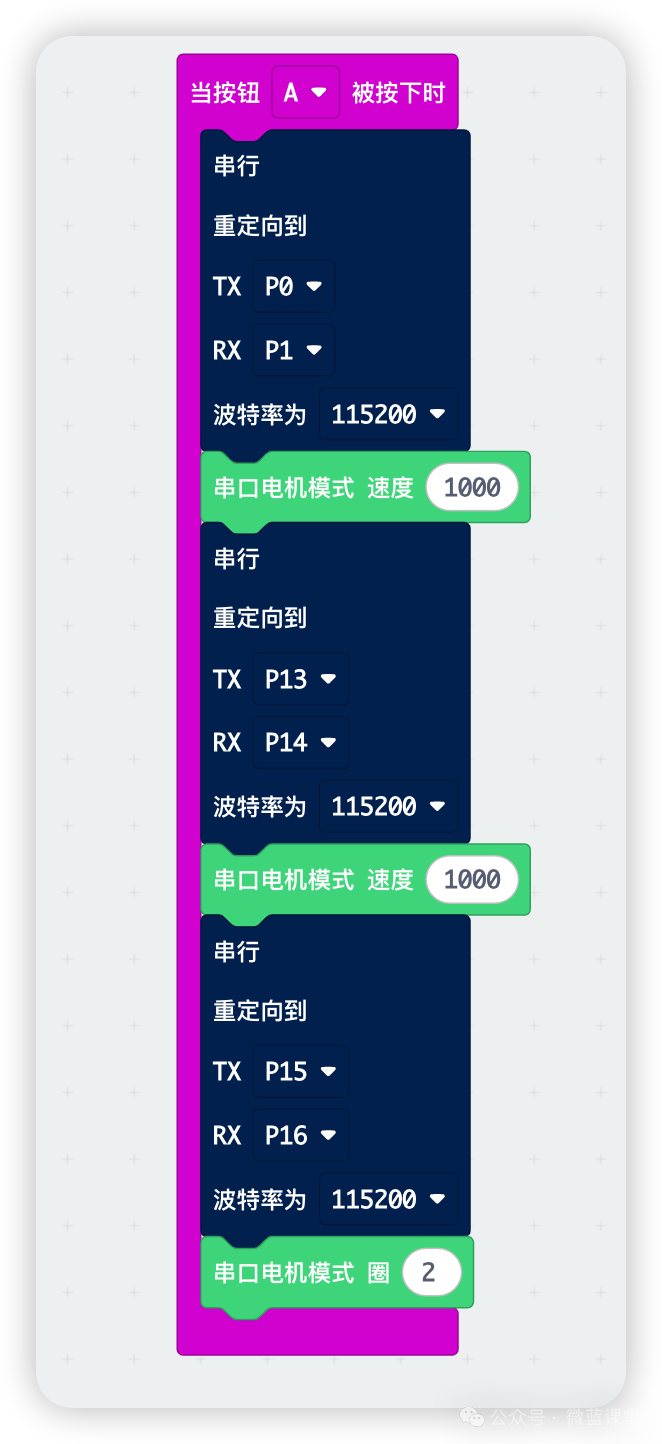
- Finally, drag the programming blocks onto the canvas. Here, three motors are connected, and since it uses serial communication, you need to set which motor’s serial port to use when operating the motors.
04
Demonstration
Students who need accessories can purchase them from my Taobao store under the same name.
 Follow me for more sharing|Microblue Classroom