Conducting low power testing of Qinheng Micro RISC-V Bluetooth chip ...... by JinchenIntroduction
As a BLE Bluetooth chip, low power operation mode is essential.
This article takes the CH585 as an example to test the low power mode of the Qinheng Micro RISC-V Bluetooth chip.
I am Jinchen, with the same name across the internet, striving to write each series of articles sincerely, without exaggeration or compromise, treating the knowledge we learn with seriousness. Jinchen, where perseverance opens the way!
1. Basic Testing
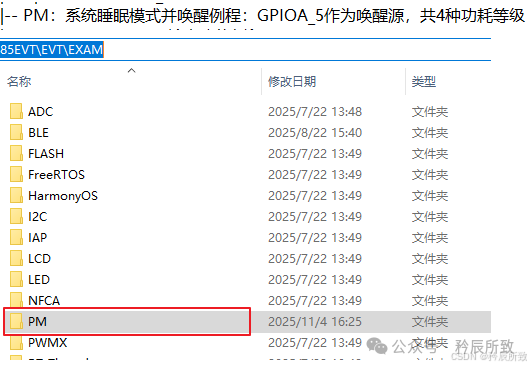
The official example provides a low power program, as shown in the figure below:
1.1 Four Low Power Modes
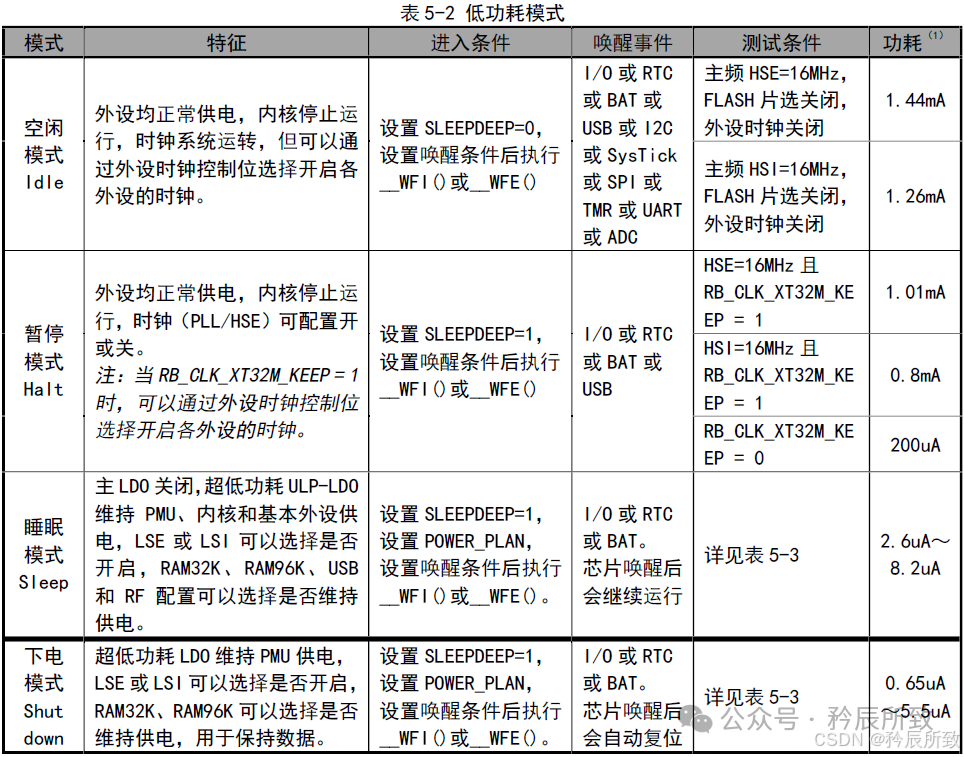
The example implements four different low power modes, corresponding to the official documentation:
We will first operate through the serial port to observe the sequence:
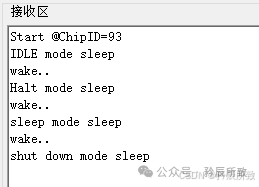
Each time, GPIO5 is triggered by a falling edge to wake up. During our testing, we did not connect the serial port to avoid increasing power consumption.
1.2 Device Connection
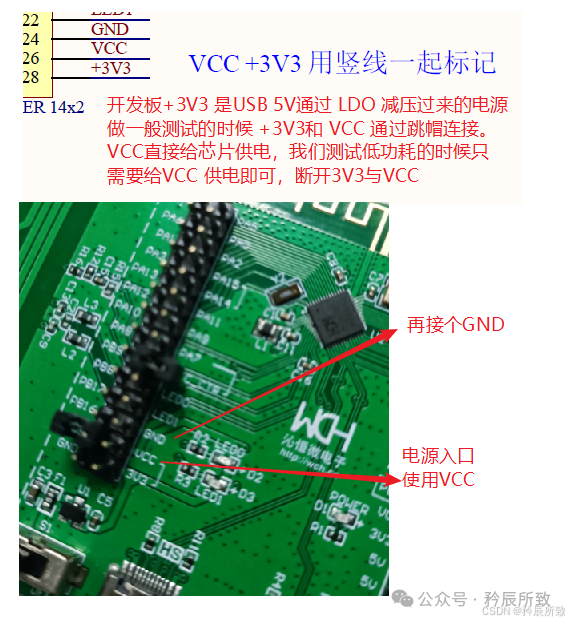
Power the development board using VCC, do not connect to 3V3, as shown in the schematic:
1.3 Test Results
We provide the test results of the development board according to the above sequence.
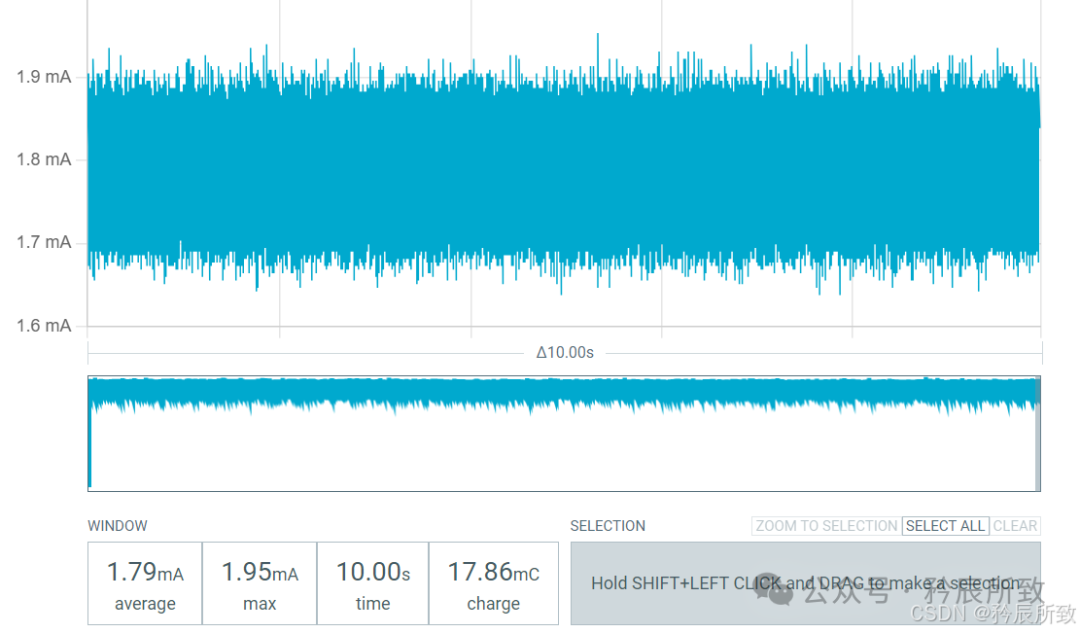
IDLE mode sleep
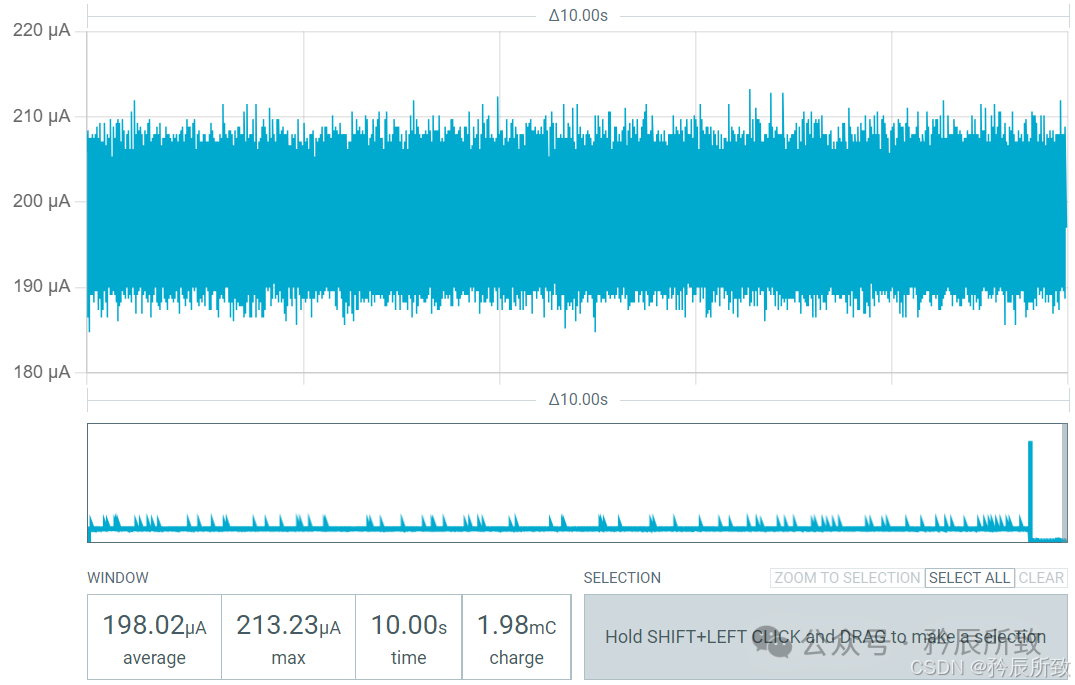
Halt mode sleep
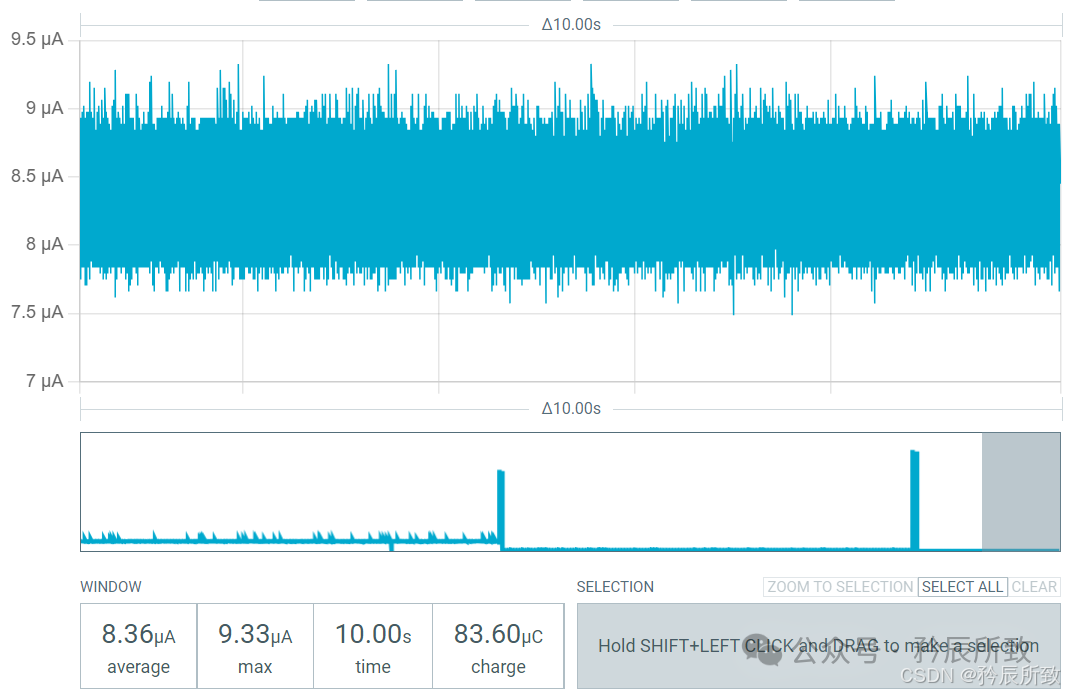
Sleep mode sleep
Shut down mode sleep
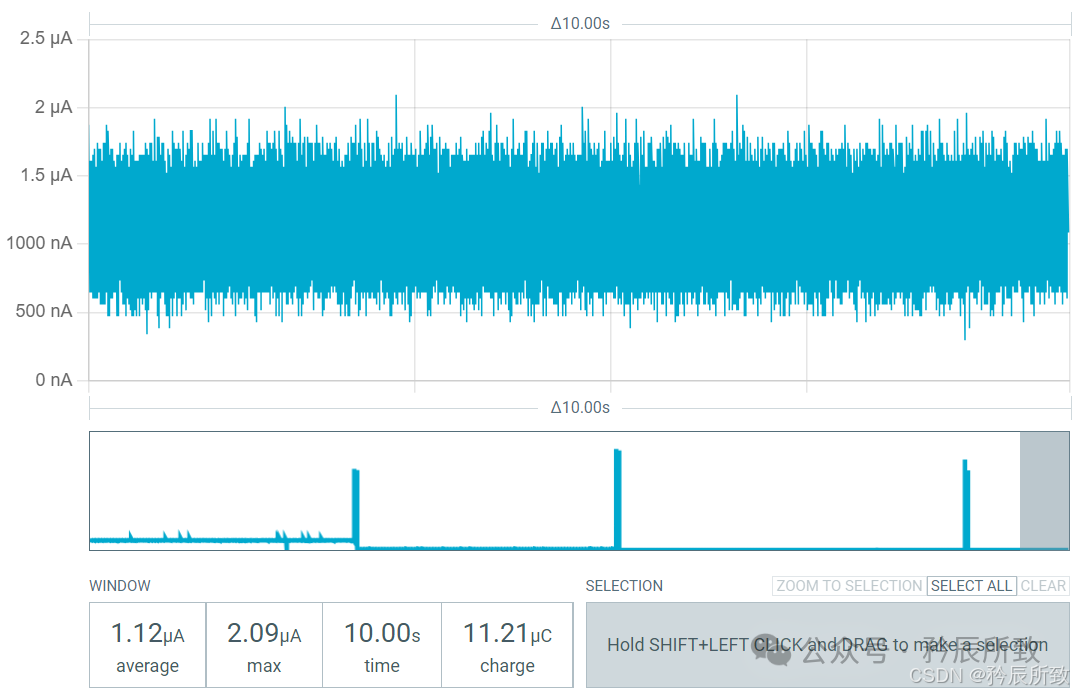
The actual measurements are consistent with the official documentation.
2. BLE Low Power
The above example is a simple low power test. When using the Bluetooth chip, we need to focus on low power consumption during Bluetooth operation.
Of course, Qinheng Micro’s Bluetooth chip supports low power consumption, and the implementation is very straightforward.
Typically, Bluetooth slave devices require low power consumption. We will test the official slave example <span>CH585EVT\EVT\EXAM\BLE\Peripheral</span>.
Generally, the host does not require low power, but it can also support low power if needed; this will be introduced separately later.
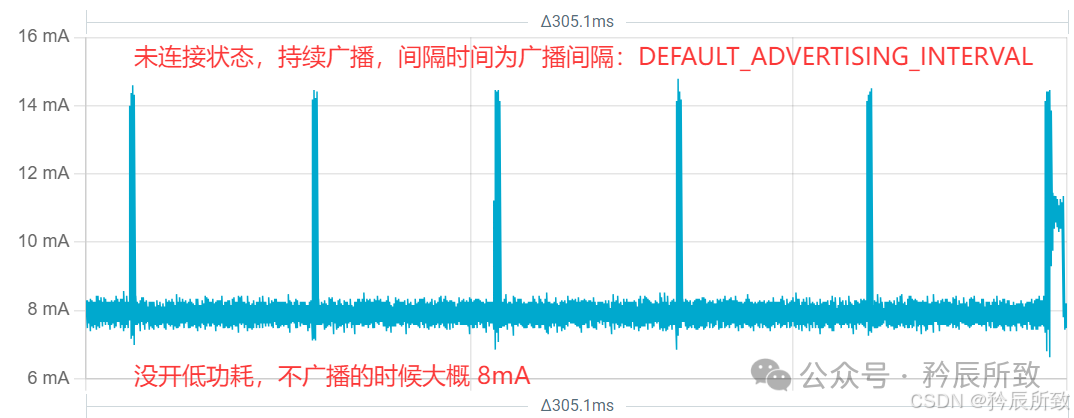
First, let’s look at the normal slave example without low power consumption.
Broadcast state:
Connection state:
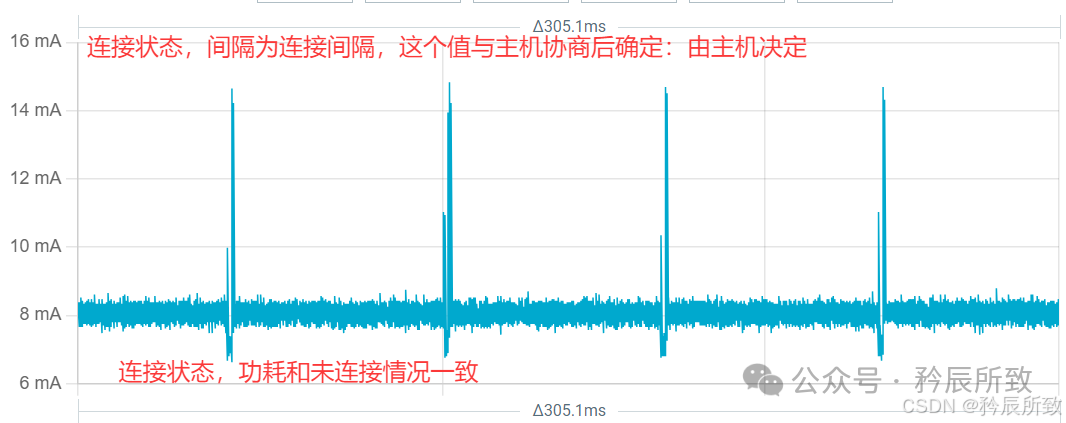
It can be seen that when not broadcasting, the power consumption is around 8mA.
2.1 Enabling Low Power for Bluetooth Slave
Enabling low power is very simple; you just need to add a macro definition, as shown in the figure below:
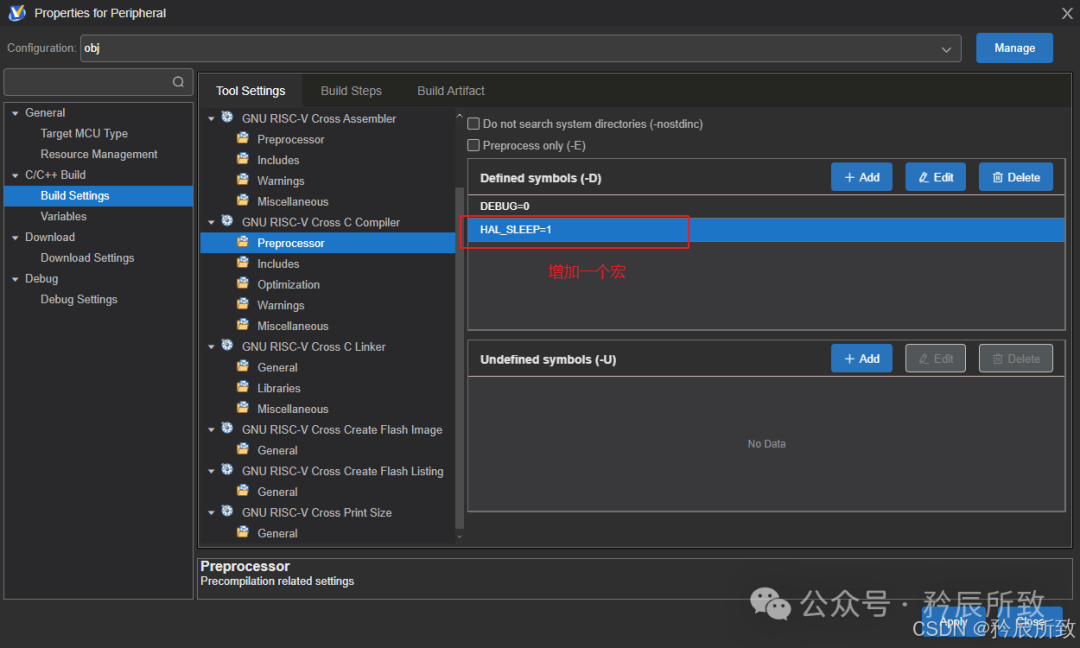
After setting, recompile and download.
When the Qinheng Micro RISC-V Bluetooth chip runs BLE, the sleep-wake is automatically completed by the self-developed TMOS event scheduler. Tasks wake the MCU when needed (when TMOS executes tasks, the RTC will wake the MCU), and it sleeps when idle. Users only need to add TMOS tasks as required.
2.2 Test Results
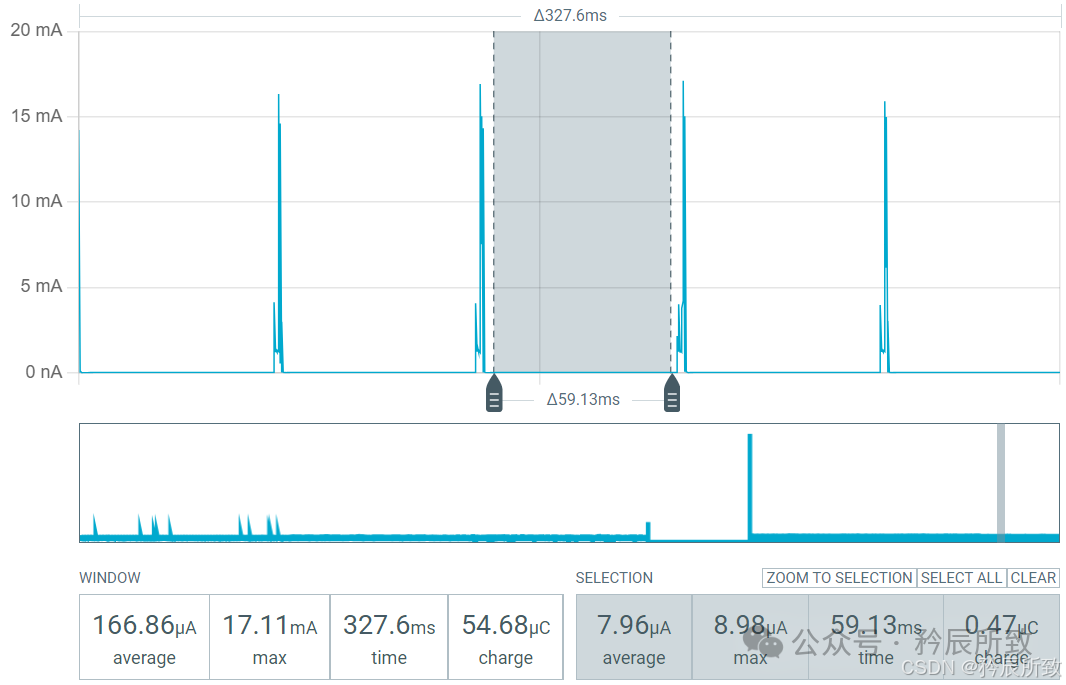
When broadcasting does not send messages, the power consumption drops to around 8uA:
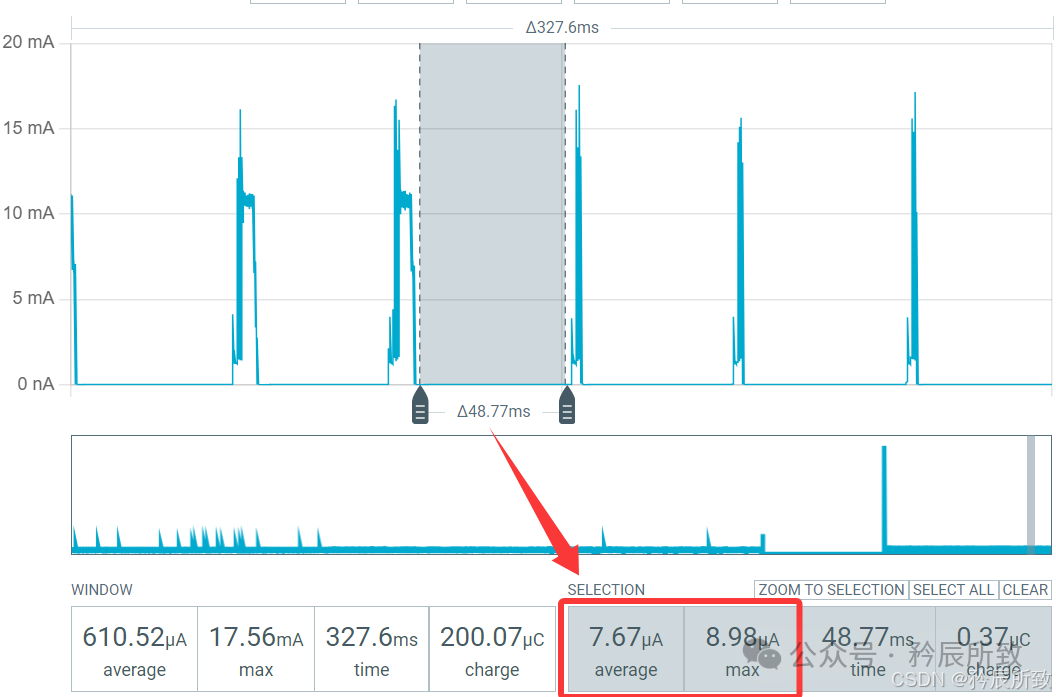
In connection state, it is the same; as long as no messages are sent, it enters low power mode:
3. Other Notes
Some supplementary notes on low power consumption are included in this section (continuously updated).
3.1 Internal DCDC
Even if we enable low power with <span>HAL_SLEEP=1</span>, we can still enable the internal DCDC to further reduce power consumption.
We can see the DCDC code at the beginning of the <span>main</span> function in the example code:
#if(defined(DCDC_ENABLE)) && (DCDC_ENABLE == TRUE)
    PWR_DCDCCfg(ENABLE);
#endif
As long as we enable <span>HAL_SLEEP=1</span> in the same way, we can also set <span>DCDC_ENABLE=1</span>, or modify it in <span>CONFIG.h</span> to enable the internal DCDC. The DCDC is efficient and saves more power (you can test it yourself; I won’t set up the environment for testing again = =!).
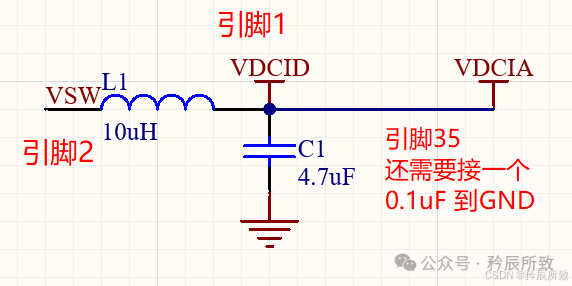
It should be noted that using the internal DCDC requires a 10uH inductor and a 4.7uF capacitor on the hardware side. For the CH585, the required pins are pin 1, pin 2, and pin 35, as shown in the circuit diagram below:
Conclusion
This article tested the low power consumption of the Qinheng Micro chip using the CH585 as an example and demonstrated how to enable low power while running Bluetooth. The usage of other Qinheng Micro RISC-V Bluetooth chips is generally consistent.
There are also detailed power consumption test tables written by Qinheng Micro engineers available on the official forum or online, which you can refer to and choose the appropriate chip based on your needs.
That’s all for this article, thank you all!