Learn How to Control Fanuc Robots with Siemens PLC in Five Minutes
Chapter 1: Introduction
• Background and Significance: The application of Fanuc in the field of welding robots is extremely widespread, and the collaboration between Siemens PLC and Fanuc robots is an essential part of automated production lines.• Objectives and Scope: This article implements external control of Fanuc robots using the Profinet protocol to achieve coordinated operation between Siemens PLC and Fanuc robots. The content covers hardware, software configuration, signal timing control, and programming. Through the external automatic operation interface, a superior controller (such as a PLC) can control the robot process. The superior control system sends relevant signals regarding the robot process (such as operation permission, fault confirmation, program start, etc.) to the robot control system via the external automatic operation interface. The robot control system sends information about the operating status and fault status back to the superior control system. To use the external automatic operation interface, the input/output configuration of the external automatic operation interface must be set up.
Chapter 2: Hardware and Software Preparation
• Hardware Requirements: Fanuc Robot System: Complete Fanuc robot body, Fanuc (robot controller), and teach pendant.o Profinet controller/device moduleo DeviceNet master/slave moduleo Network devices: standard switch or PN/PN Coupler (for multi-device connections).External Master Control Device: Siemens 1215 PLC.• Software Tools:o TIA Portal for PLC configuration.o Teach pendant for robot Profinet configuration.o Version compatibility: Ensure that the PLC and robot Profinet options are compatible.
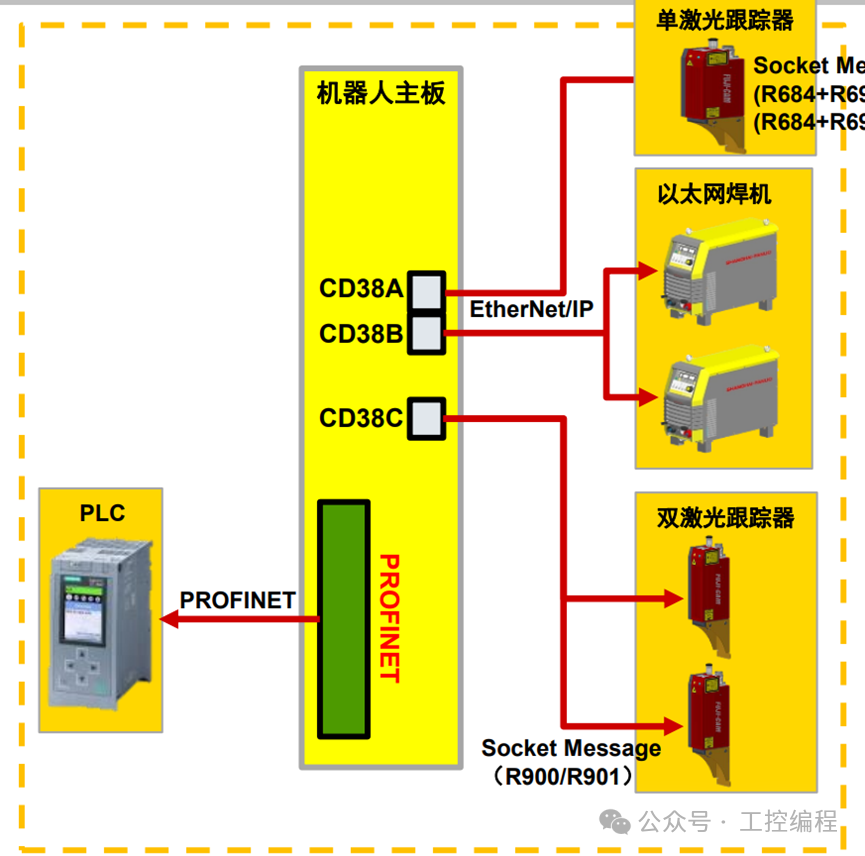
Chapter 3: Profinet Communication Configuration
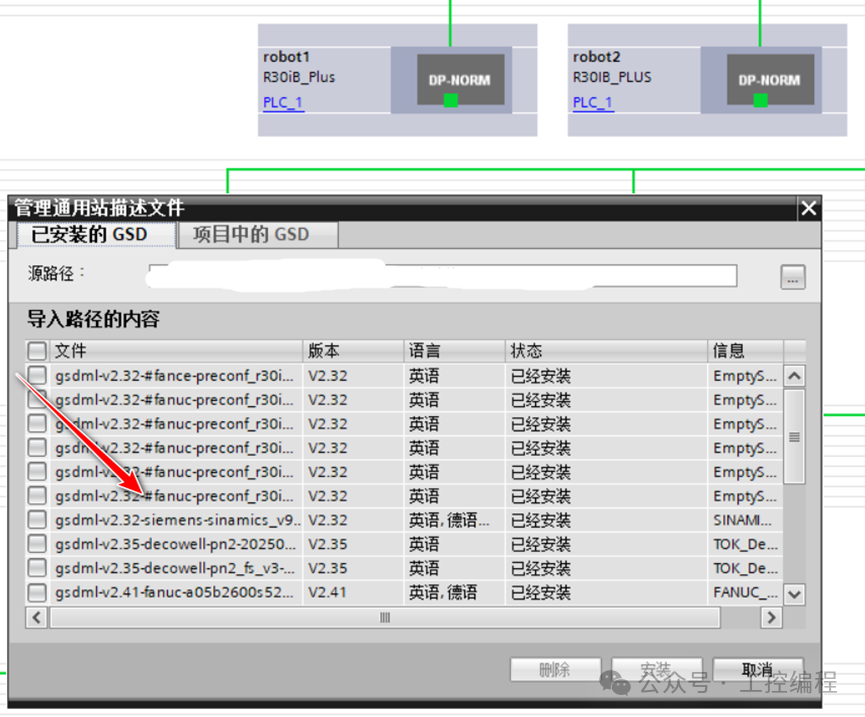
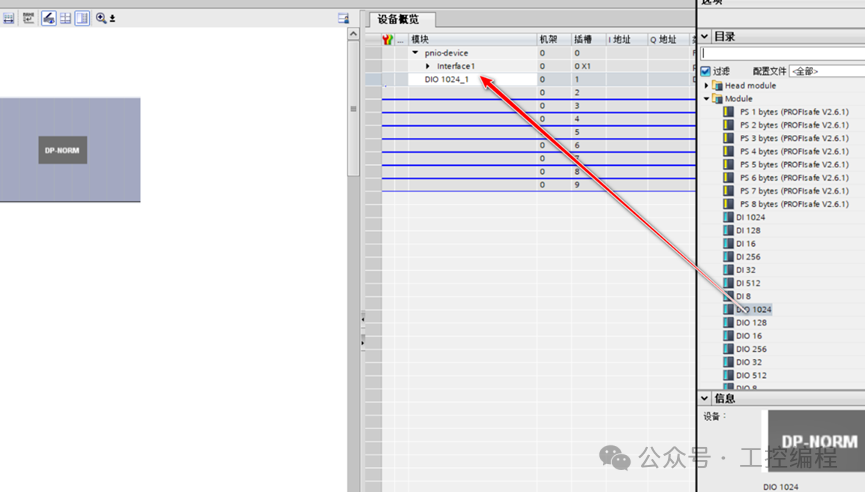
• Robot Side Configuration:1. Set device name, IP address, and subnet mask (must match PLC).2. Configure IO mapping: remove redundant signals (such as 256-byte safety signals), retain key inputs/outputs.3. Export GSDML file (for PLC side import).• PLC Side Configuration:1. Install the Fanuc robot GSD file in TIA Portal.
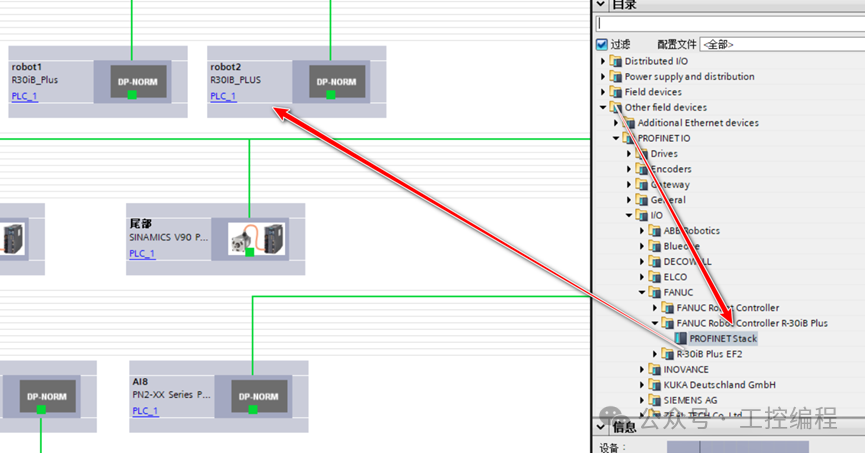
- 2. Add Profinet device.
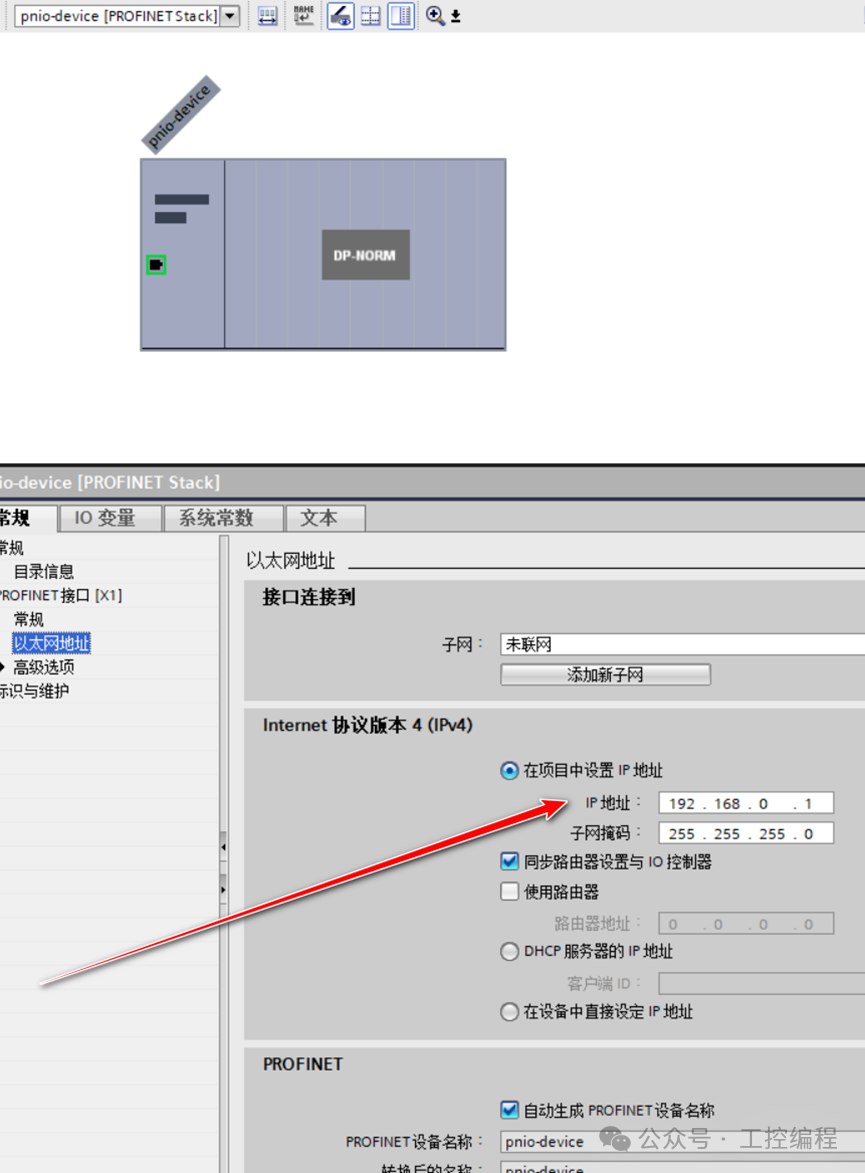
- 3. Set device name and IP (matching the robot side).
- 4. Configure robot IO module.
Chapter 4: Robot Automatic Operation
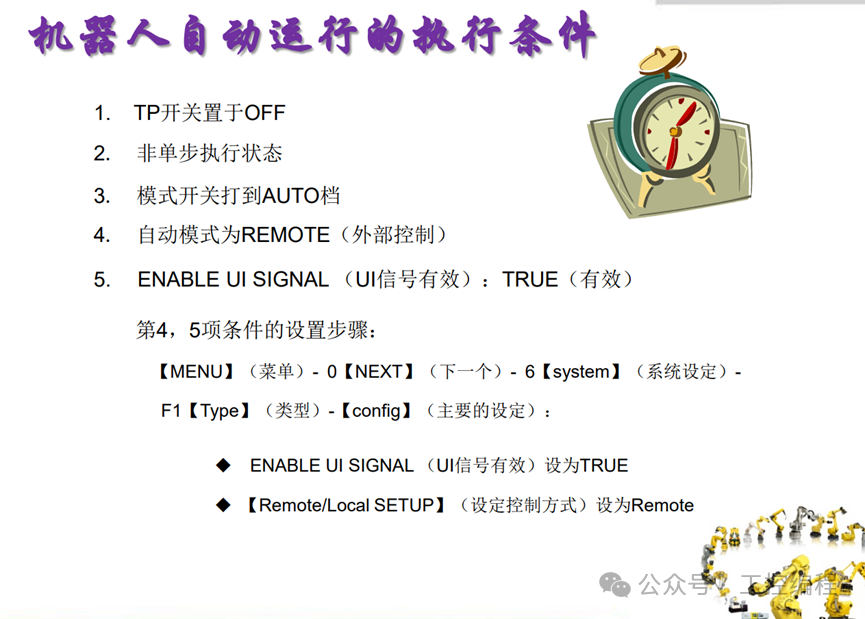
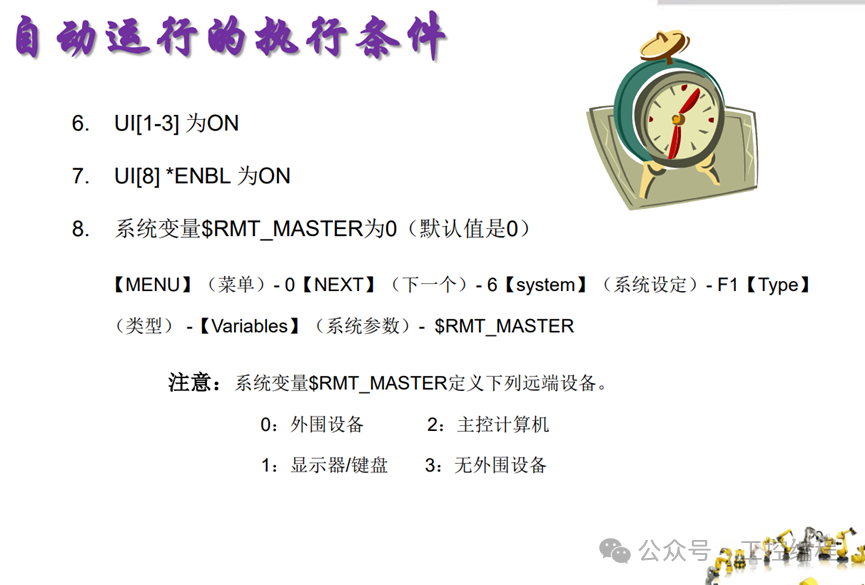
Conditions for Automatic Execution:
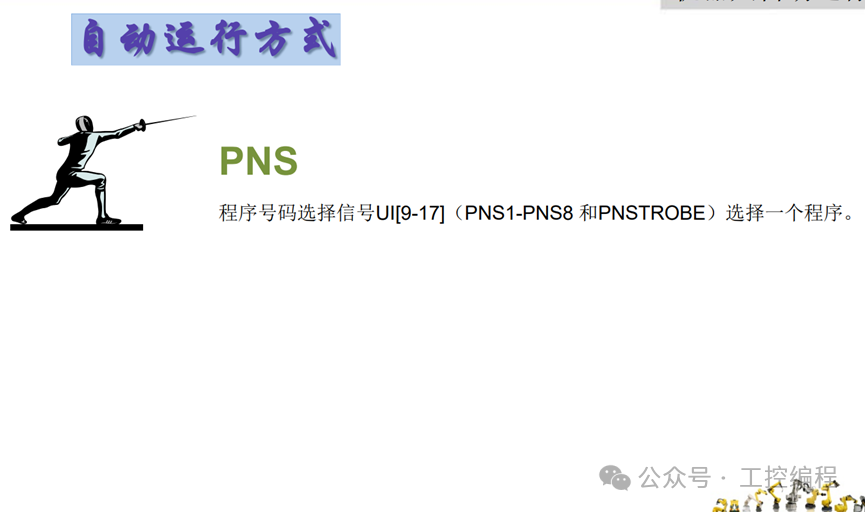
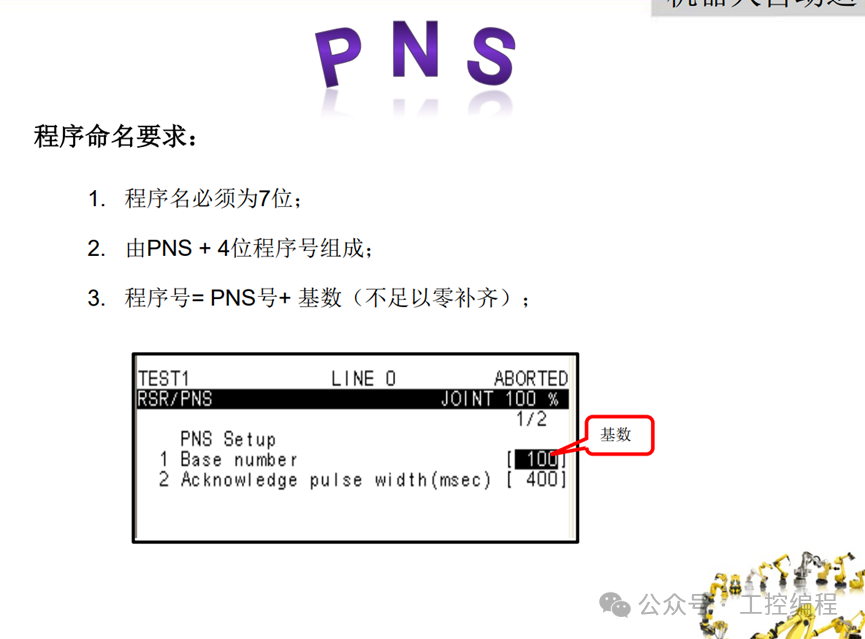
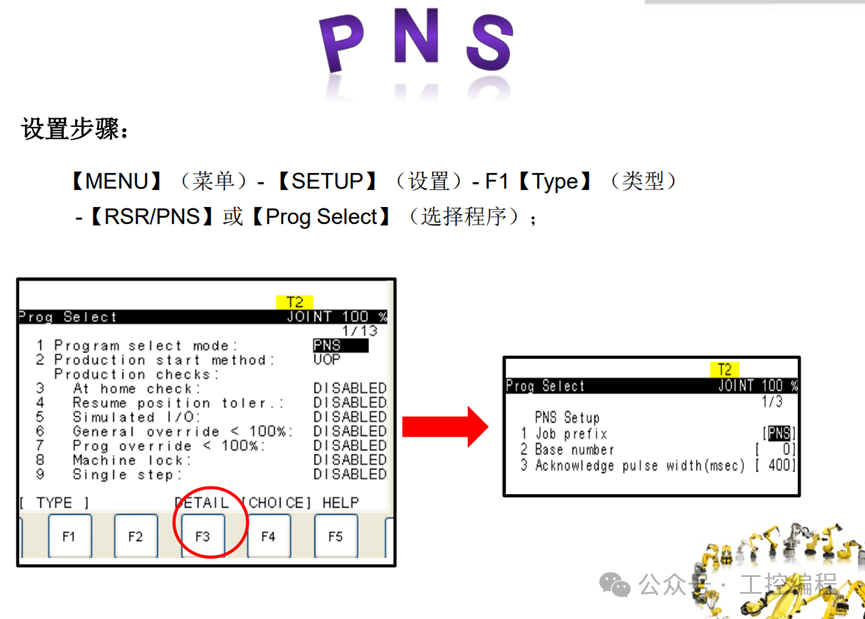
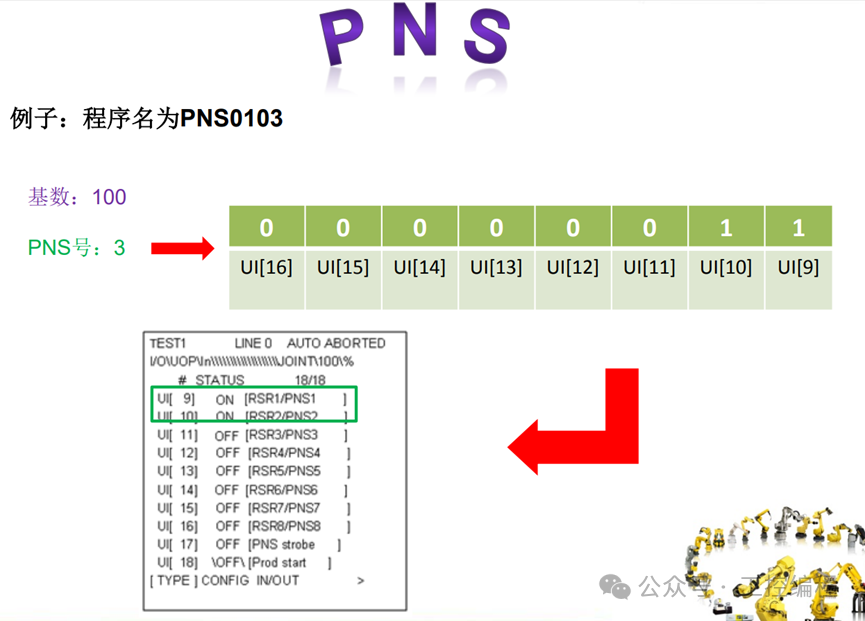
Automatic Operation Methods:
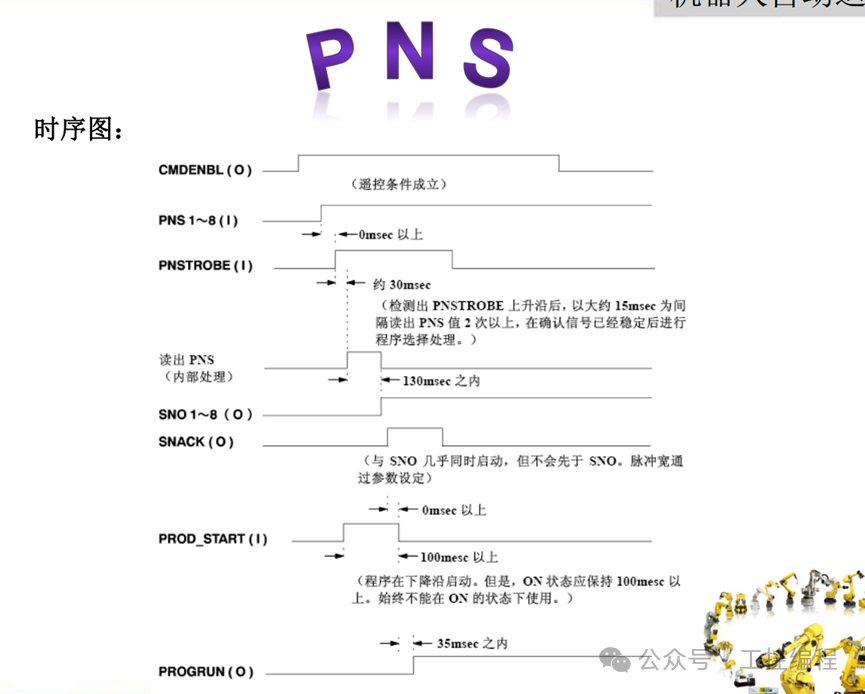
Chapter 5: External Automatic Operation Start Signal Timing Diagram
Meaning of Fanuc Robot Input and Output Parameters:
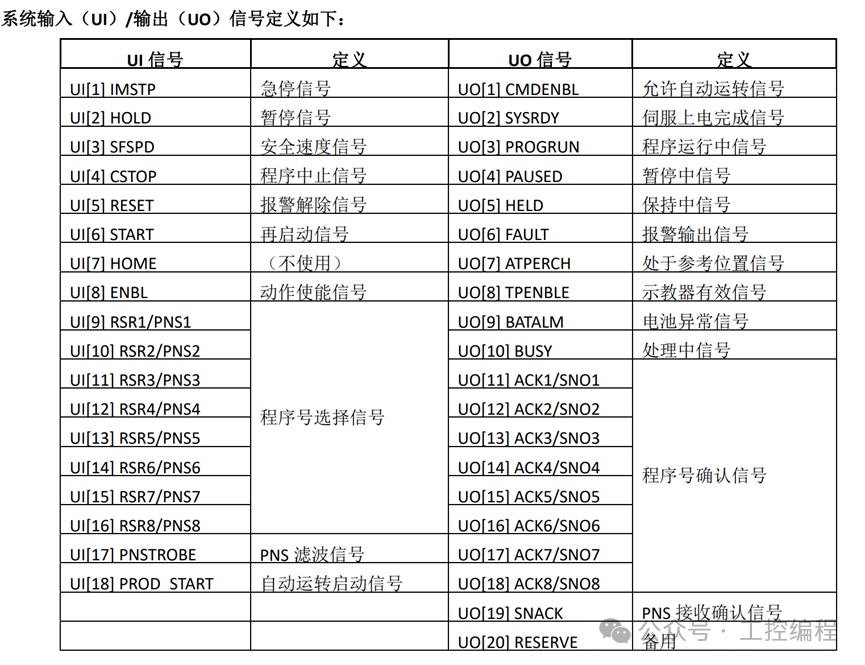
Chapter 6: PLC Program Implementation
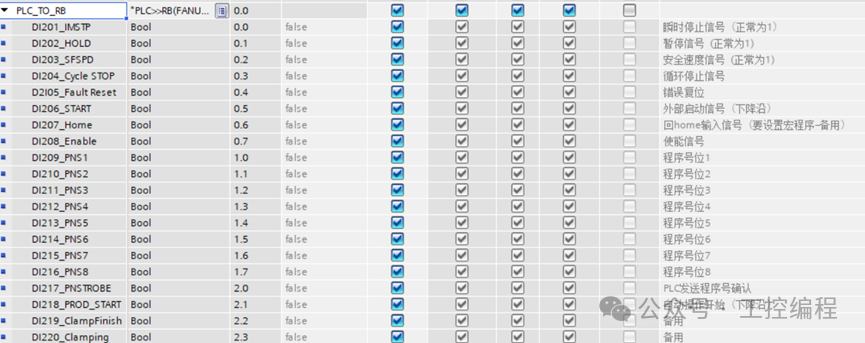
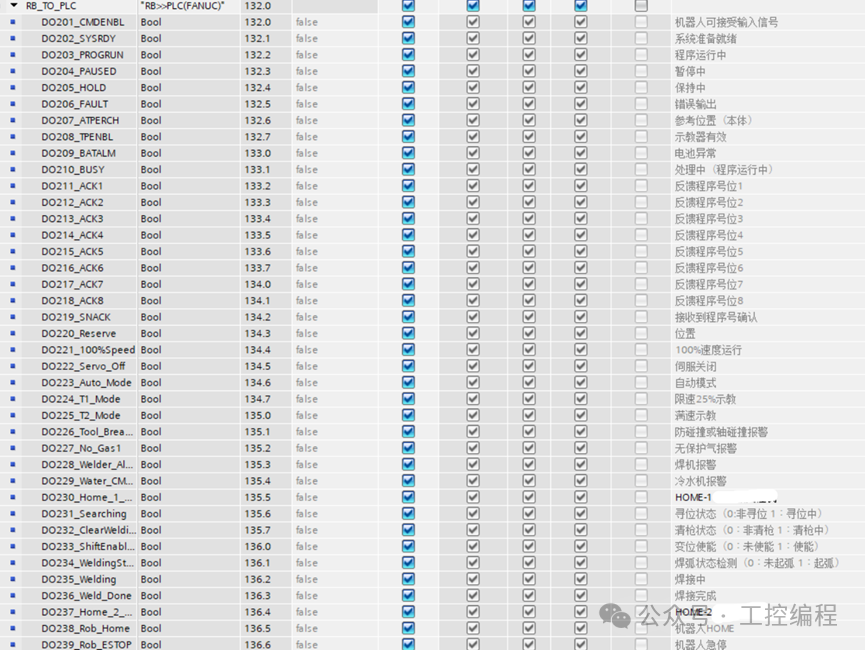
1. Define external mapping
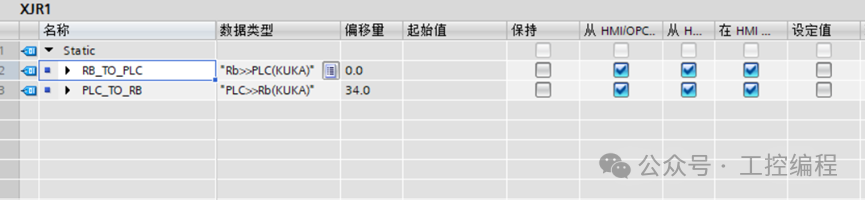
Input Mapping:
Output Mapping:
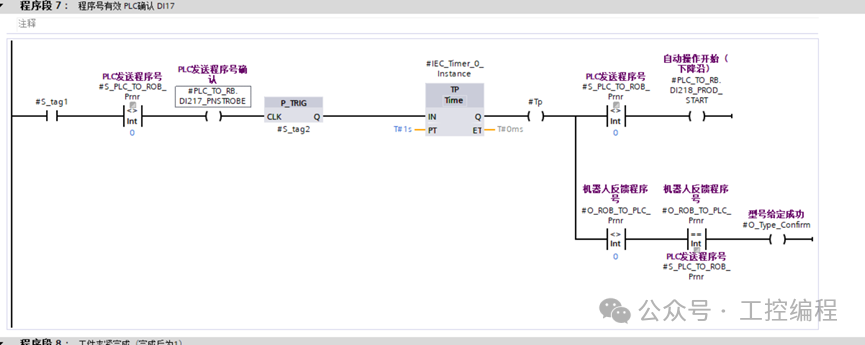
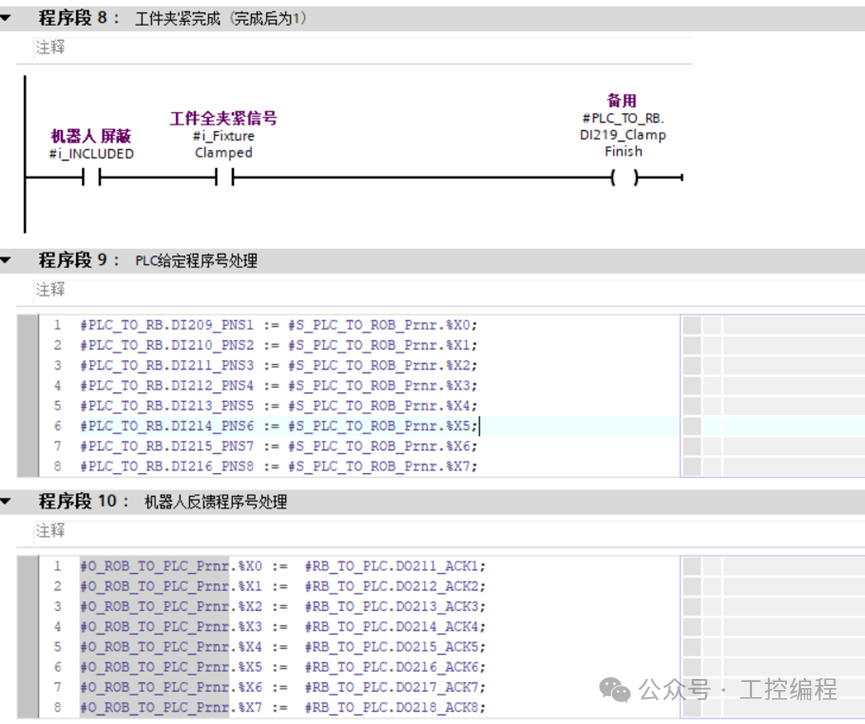
2. Program
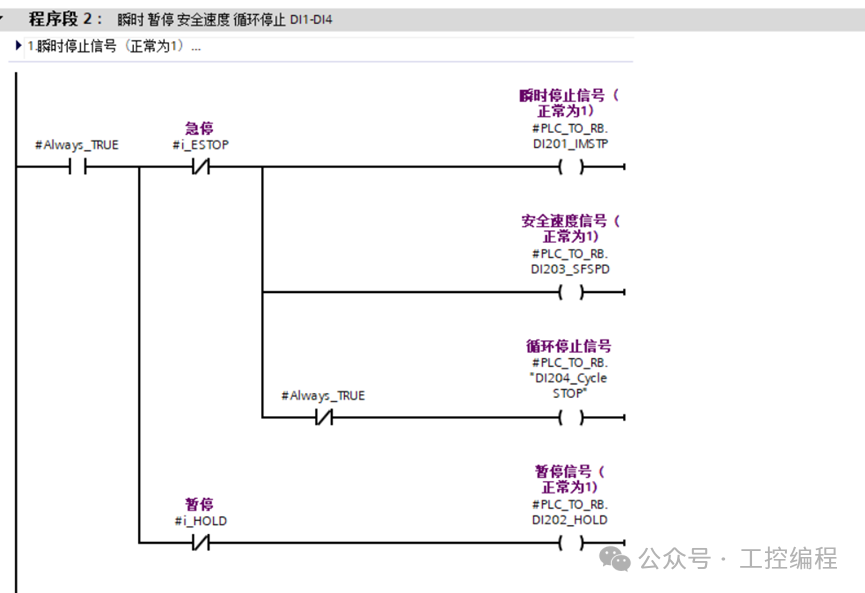
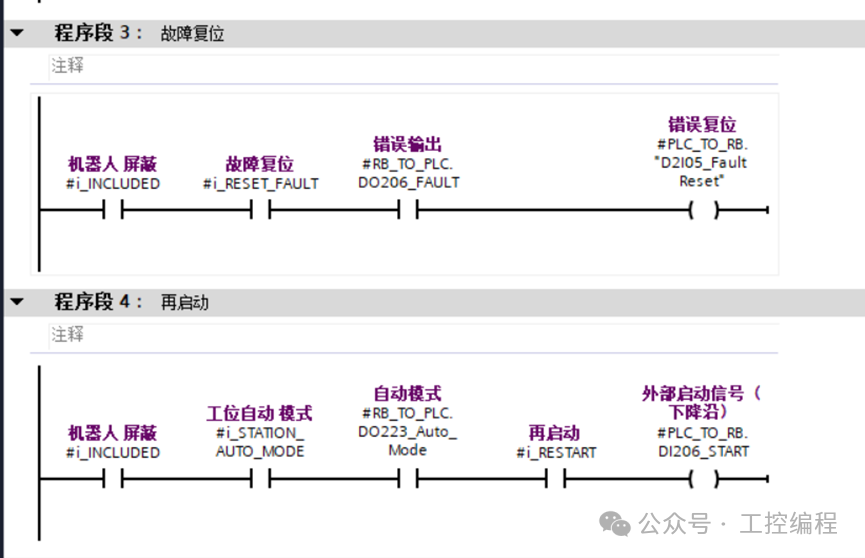
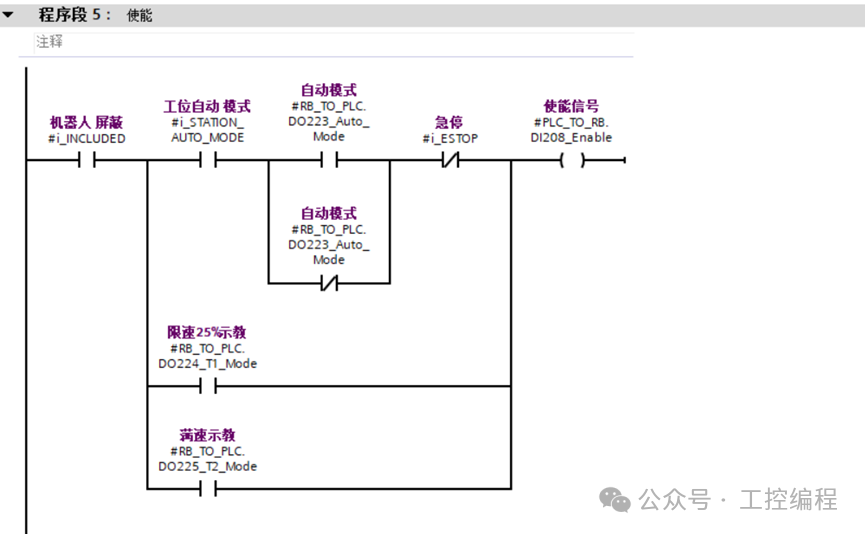
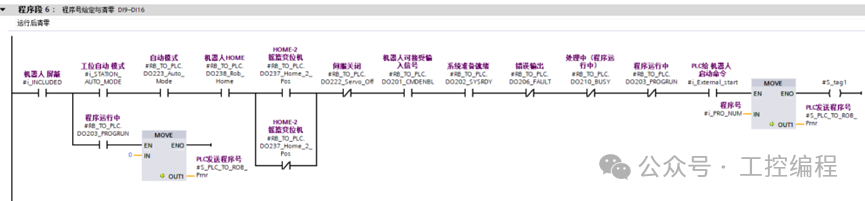
Conclusion: Let’s Be Friends

Recommended Reading
- • Learn How to Control KUKA Robots with Siemens PLC in Five Minutes
- • Siemens S7-1200 PLC Controls ABB Robots via Profinet Communication
- • How Siemens 1200 PLC Uses TM Count as a Counter