On July 19, 2025, I released version V1.0.0 of the Cangjie Language version of SimpleHttpServer, contributing to the ecosystem of domestic programming languages. It is open-source and free!At that time, it only supported Windows. After a month of hard work, on August 18,SimpleHttpServer achieved support for macOS! Since Cangjie has only released a version for Apple chips,SimpleHttpServeralso only supports the Apple chip version of macOS and does notsupport the Intel version.Since the Cangjie programming language has been open-sourced, if support for the Intel version of macOS is implemented in the future, I will also follow up with support!In fact, my biggest effort this month was purchasing a Mac Mini out of my own pocket, 🙂Note! I have changed the address of the code repository because I found a spelling error in the previous username, where ‘studio’ was misspelled as ‘tsudio’… Due to my obsessive-compulsive disorder, I had to correct it!The new repository address is:
https://gitcode.com/tangmoying/Cangjie-SimpleHttpServerBoth the source code and binary versions have been updated and can be downloaded directly from the project’s GitCode releases page.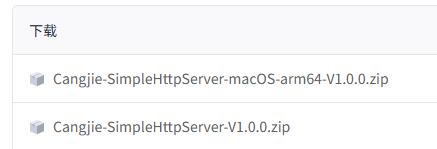 Usage:
Open a terminal window and execute directly, which will host the current directory files on port 8080 by default:
simple_http_serverThen access http://127.0.0.1:8080You can also use<span>-d</span>to specify the root directory, and<span>-p</span>to specify the port. For example:
simple_http_server -d <dir_path> -p 8081Then access http://127.0.0.1:8081