During this winter vacation project, I wanted to do something that seemed “simple but extremely interesting”—to make an ESP32S3 HMI development board learn to “understand” the handwritten digits I write on the screen and display the recognition results on an 8×8 LED board.
From designing the interface with LVGL to running the handwritten digit recognition model with TinyMaix, and finally driving the LED board output with 74HC595, this project covers interaction, AI, and peripheral control all in one go.

Project Introduction
The development board used in this project is the ESP32 HMI board. The requirements for the practical implementation are as follows:
- Use LVGL for human-computer interaction programming;
- Set a square writing area on the screen;
- Write digits 0-9 in that area;
- Recognize the written digits and pass the recognized digits to the LED board for display.

Hardware Description
The development board used in this project is based on the ESP32S3, featuring a 4.3-inch touchscreen as the medium for human-computer interaction, making it convenient for various IoT applications and smart home control. It even includes lithium battery charge and discharge management for power continuity during outages, and a speaker interface, allowing for further exploration with chatbots and large model integrations.
The accompanying LED board consists of two cascaded 74HC595 chips driving 64 LEDs, which can be viewed as a small screen with an 8×8 resolution, easily displaying individual ASCII characters.

Solution Description
- Since there is an official tutorial for porting LVGL, I will not elaborate further.
- The first step is to set up the screen writing area using LVGL, and coincidentally, the LVGL canvas component can fulfill this requirement.
- Next is how to recognize handwritten digits. A well-known dataset is the MNIST dataset, but it requires deployment on some ML frameworks. There are many options available, such as Espressif’s ESP-DL, TensorFlow Lite, Tiny ML, etc. I chose the framework I am relatively familiar with, which is TinyMaix: https://github.com/sipeed/TinyMaix, as I had the opportunity to participate in the microcontroller adaptation testing of this open-source project.
- The LED board has a pixel resolution of 8×8, but 8×8 fonts are not very common, so I opted for the commonly used 6×8 font size on OLED screens.

Software Description
Software Block Diagram
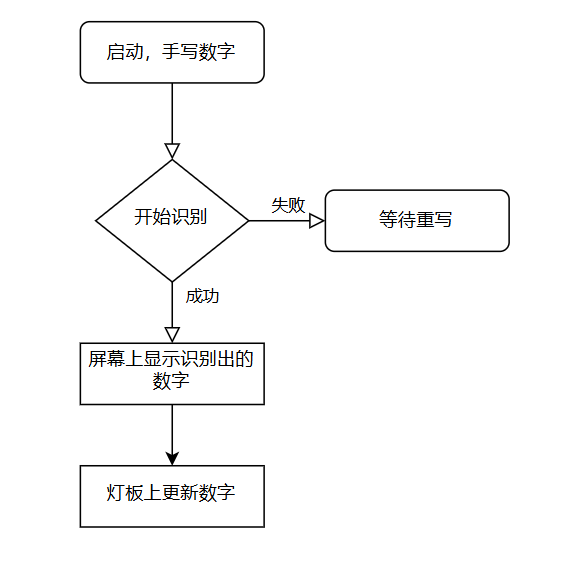
LVGL Simulator Practice
After integrating LVGL into the project, it became quite large. If I had to download the firmware every time I made a slight modification to the LVGL layout, it would waste a lot of time. However, LVGL provides a simulator solution to simplify the debugging process. The official simulator solution is based on Visual Studio, but VS is too bulky and I find it less convenient to use. So, are there other simulator options? The answer is yes! VS only calls SDL for desktop display, so theoretically, we just need to adapt the SDL calls to use any IDE for the LVGL simulator.
I personally prefer using CLion for editing and debugging C/C++, and I happened to find a blog tutorial on setting up the LVGL simulator in CLion:
https://mdlzcool.github.io/post/90c7d419.html. So I followed these steps to set it up. I will record some important steps below for future reference.
git clone -b release/v8.3 --recursive https://github.com/lvgl/lv_port_pc_eclipse.git
[x86_64-13.2.0-release-posix-seh-ucrt-rt_v11-rev1.7z](https://github.com/niXman/mingw-builds-binaries/releases)[SDL2-devel-2.30.8-mingw.tar.gz](https://github.com/libsdl-org/SDL/releases)
将SDL2/x86_64_w64-mingw32/include/SDL2复制到mingw64/x86_64_w64-mingw32/include文件夹中将SDL2/x86_64_w64-mingw32/lib所有的文件复制到mingw64/x86_64_w64-mingw32/lib中
CLion配置工具链工具集:D:\1my_program_study\LVGL_CLION\mingw64构建工具:D:\1my_program_study\LVGL_CLION\mingw64\bin\mingw32-make.exeGCC:D:\1my_program_study\LVGL_CLION\mingw64\bin\gcc.exeG++:D:\1my_program_study\LVGL_CLION\mingw64\bin\g++.exe调试器:MinGW-w64 GDB
SET(SDL2_DIR  D:/1my_program_study/LVGL_CLION/mingw64/x86_64-w64-mingw32/lib/cmake/SDL2)
The next step is to write our canvas for interaction, mainly referencing the materials from Baiwen Network’s lv_lib_100ask:
https://gitee.com/weidongshan/lv_lib_100ask.git.
There is an example of a sketchpad that I basically referenced. It is important to note the canvas size settings; if it exceeds the screen size, overflow will occur, resulting in multiple lines appearing in one area. Additionally, I added two buttons for clearing the screen and starting recognition. One issue is that LVGL does not have a direct API to read canvas content, so I can only parse the buffer directly (this is the only method I could think of). Below is the code for reading the handwritten area content and downsampling it to match the input size for recognition.
// Average pooling downsampling function
void resize_array(lv_color_t* src, int src_width, int src_height, int dst_width, int dst_height){
    // Check if dimensions meet downsampling ratio
    if (src_width % dst_width != 0 || src_height % dst_height != 0) {
        printf("Error: Source dimensions must be multiples of destination dimensions.\n");
        return ;
    }

    // Calculate sub-block size
    int block_width = src_width / dst_width;
    int block_height = src_height / dst_height;

    // Allocate memory for target array
    uint8_t* dst = target_img;//(uint8_t*)calloc(dst_width * dst_height, sizeof(uint8_t));

    // Iterate through each sub-block
    for (int i = 0; i < dst_height; i++) {
        for (int j = 0; j < dst_width; j++) {
            int sum = 0;
            // Calculate the average value of the current sub-block
            for (int bi = 0; bi < block_height; bi++) {
                for (int bj = 0; bj < block_width; bj++) {
                    int src_index = ((i * block_height + bi) * src_width) + (j * block_width + bj);
                    sum += src[src_index].ch.red;
                }
            }
            // Take the average value and truncate to 0-255
            dst[i * dst_width + j] = (uint8_t)(sum / (block_width * block_height));
        }
    }
    // return dst;
}
TinyMaix Loading
TinyMaix has relatively few files and is easy to port; see the official repository readme for details. The overall API usage is quite simple; just load and run to get the results. However, due to the color depth issue of my brush, my input image colors were too light, so I performed a doubling operation, and in the end, I managed to achieve basic digit recognition.
Lighting Control
Directly use <span><span>simsso/ShiftRegister74HC595</span></span> library to control the 595, and then perform digit encoding and create a timed row refresh task.
extern uint8_t volatile display_data;
static void LEDPanel_Task(void* parameter){
    for(uint8_t i = 0; i < 10; i++)  {
        for(uint8_t j = 0; j < 8; j++)  {
            NEW_NUMBERS[i][j] = reverse_bits_fast(NEW_NUMBERS[i][j]>>1);
        }
    }
    while (1)  {
        decode_nums_to_pannel(display_data);
        vTaskDelay(pdMS_TO_TICKS(3));
    }
}
Effect Demonstration
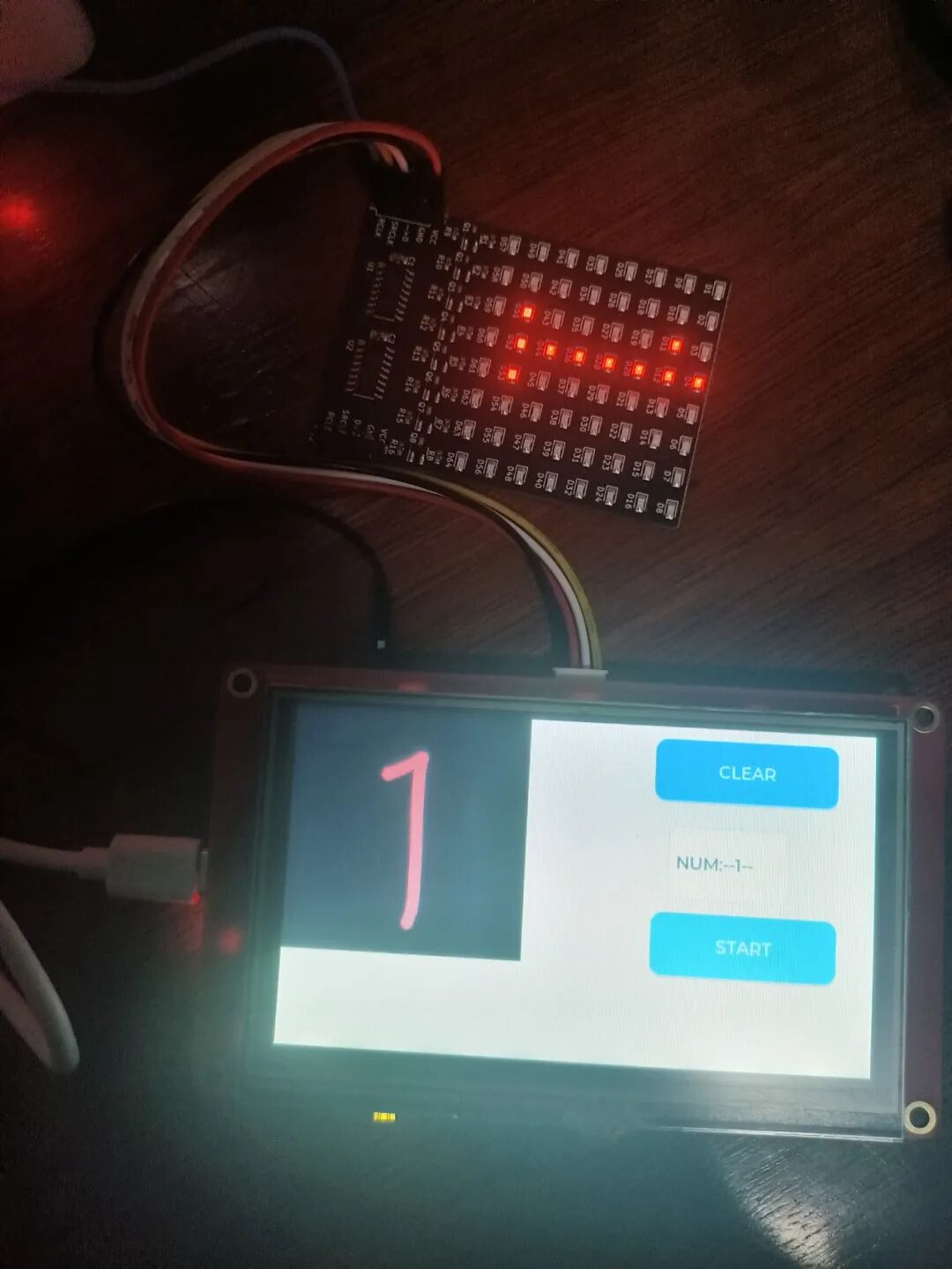
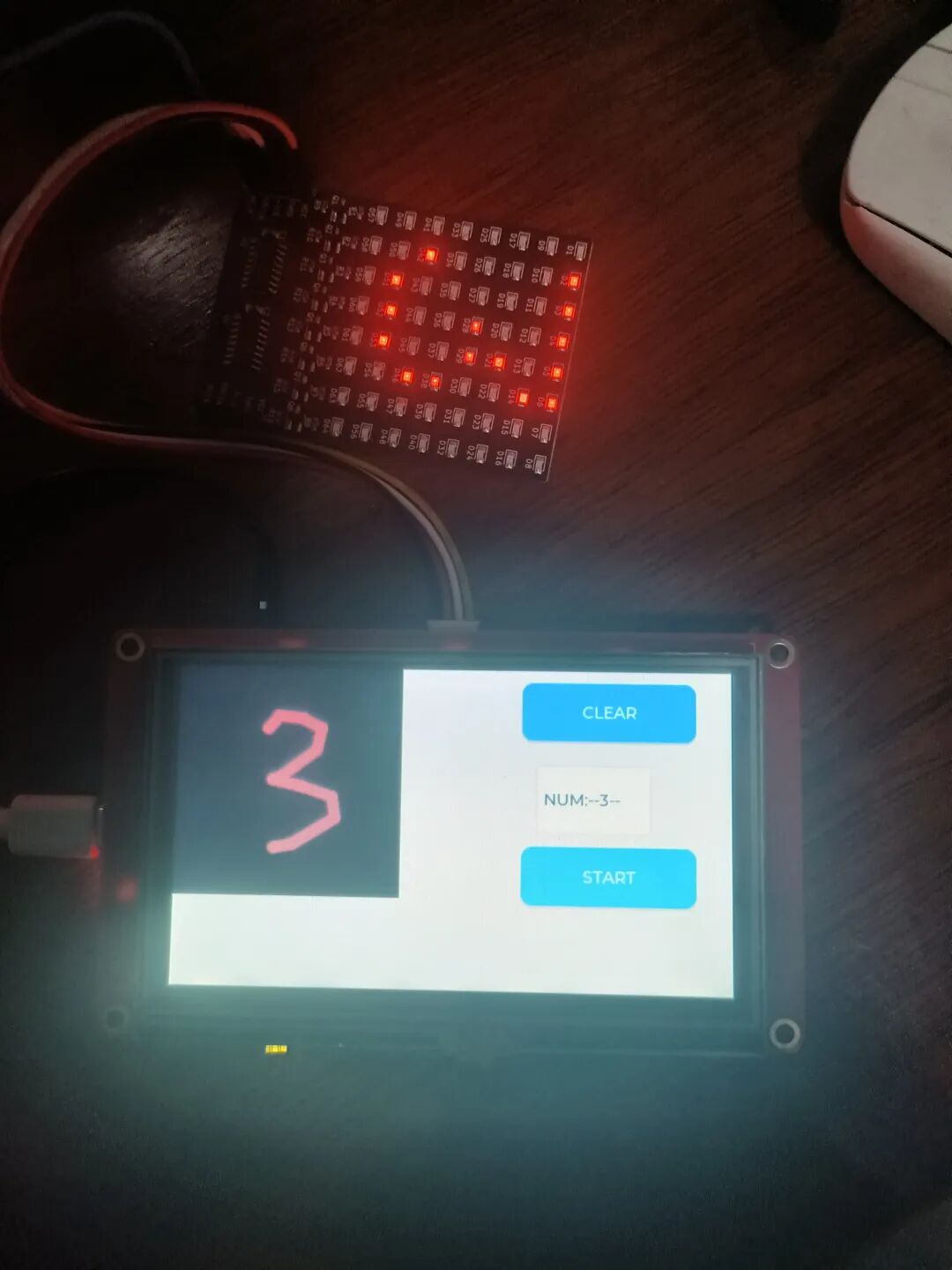
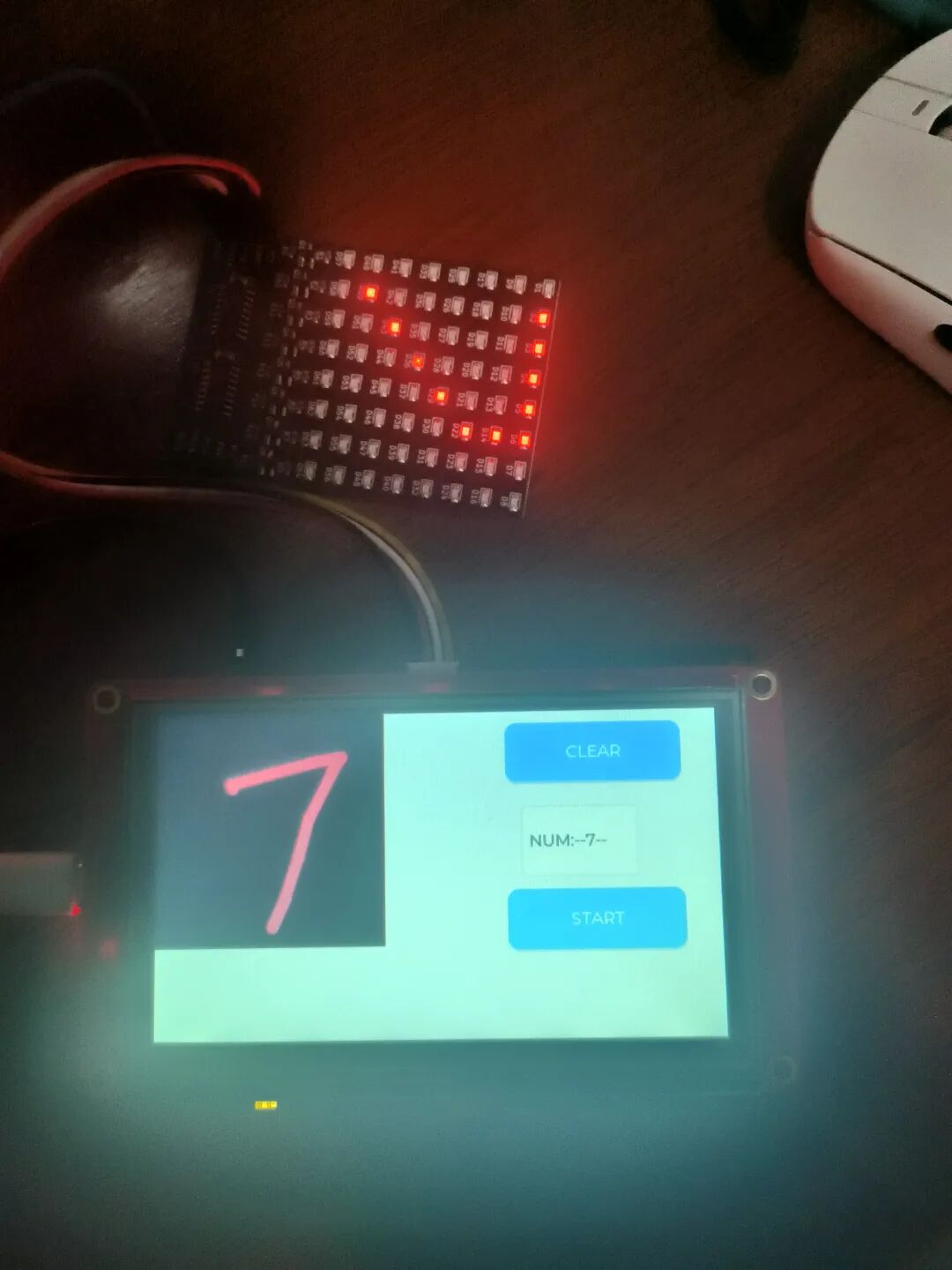

Project Summary
Issues Encountered
- Issue with canvas buffer size settings; modified to be smaller than the screen area to resolve;
- Brush color was too light, making it difficult to match the model digits; increased brush area weight;
- LED board displayed inverted digits; inverted the high and low bits of each row of the character model.
Insights and Reflections
- This time I directly used the open-source handwritten digit model from TinyMaix without attempting to train or optimize it myself; who isn’t a bit of a “sorcerer” in this field? (laughs);
- This board has great potential, and I look forward to exploring more features, such as WiFi, BLE, and audio, which I haven’t utilized yet;
- I saw that some experts in the group have ported XiaoZhi, and after the event ends, I will also learn from it.

Click to read the original text