Free for commercial use! An industrial web low-code visual development platform with over 1500 components.
Revealed! Why must MQTT choose TCP?
Industrial islands? Connect Modbus and MQTT in one minute.
Is debugging IoT devices too troublesome? Complex protocols and hard-to-track messages? The open-source project MqttInsight comes to the rescue! It is a multifunctional MQTT desktop client that supports various MQTT protocols, providing a visual interface and powerful analysis tools to help you manage and debug IoT messages more efficiently. Get started with one click and make your IoT development journey easier!
Introduction to MqttInsight
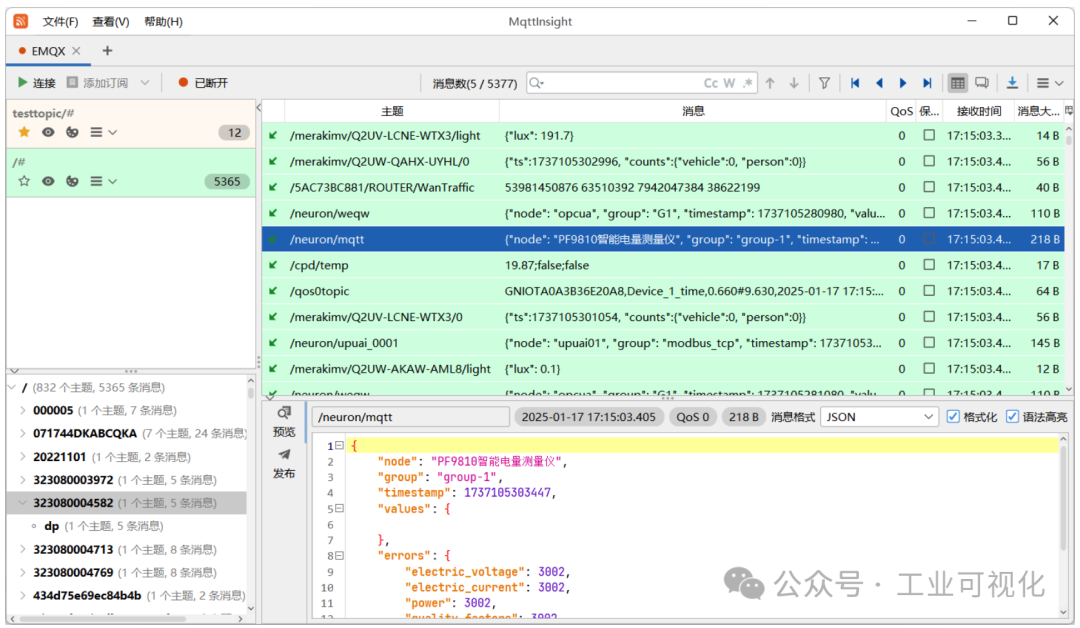
MqttInsight is a cross-platform MQTT client tool designed for IoT developers. In simple terms, it is a super convenient “message radar” that helps you capture and analyze MQTT messages in real-time, while visually displaying data, making the various mysterious aspects of the protocol clear at a glance. Whether debugging devices or analyzing loads, MqttInsight can handle it with ease.
Core Features Highlights
1. Supports multiple MQTT protocols
- Covers MQTT 3 and MQTT 5 versions, compatible with the most mainstream protocol standards.
- Supports WebSocket connections, better adapting to diverse scenarios.
2. More efficient message analysis
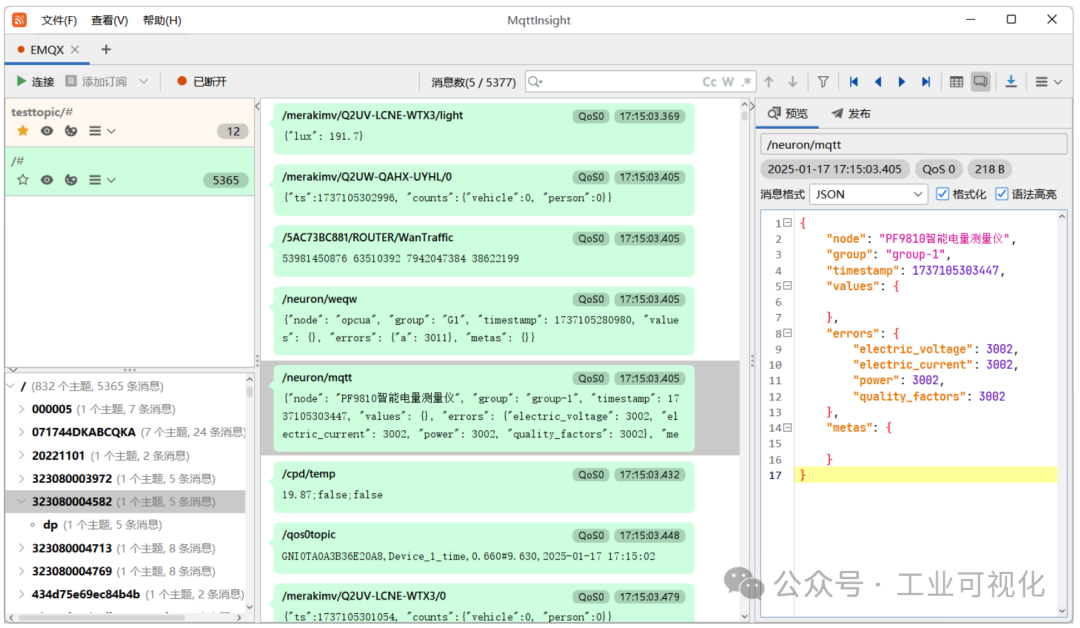
- Provides switchable table view and conversation view, making it easy to view all data.
- Supports various message encoding formats, including PlainText, JSON, XML, HEX, Base64, and even Protobuf and Avro!
3. Comprehensive visualization features
- Built-in topic hierarchy visualization, clarifying complex IoT topic structures.
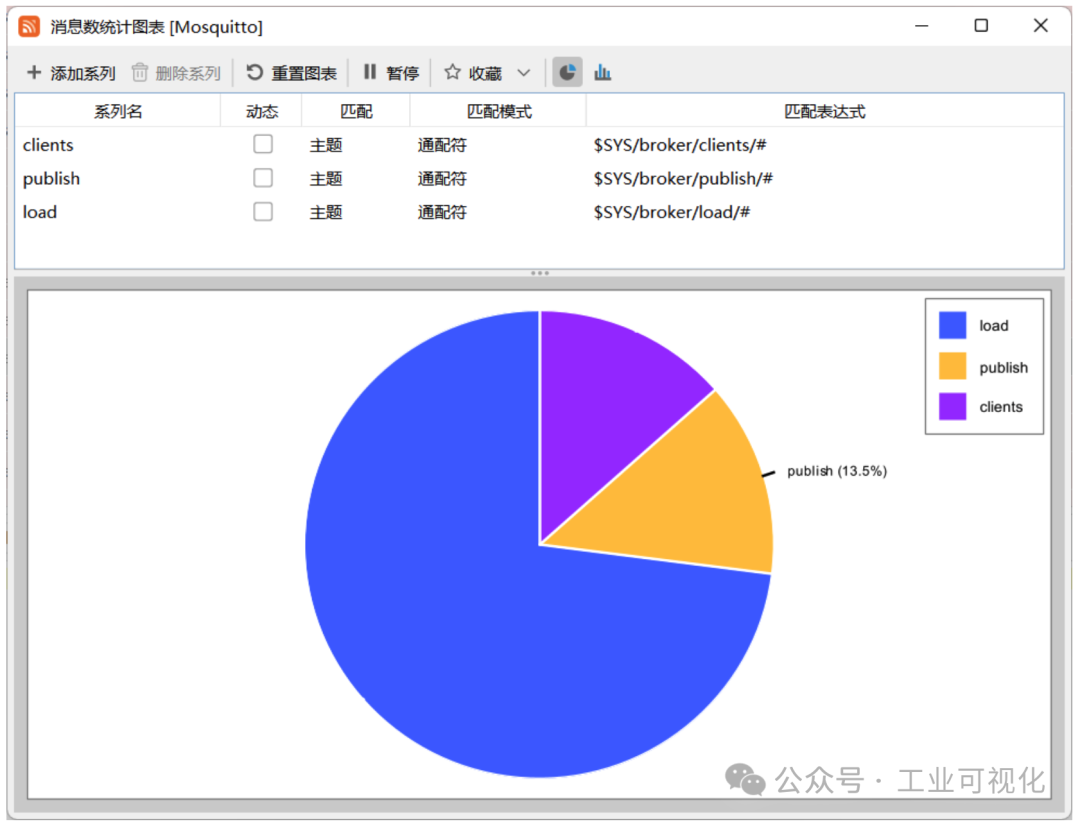
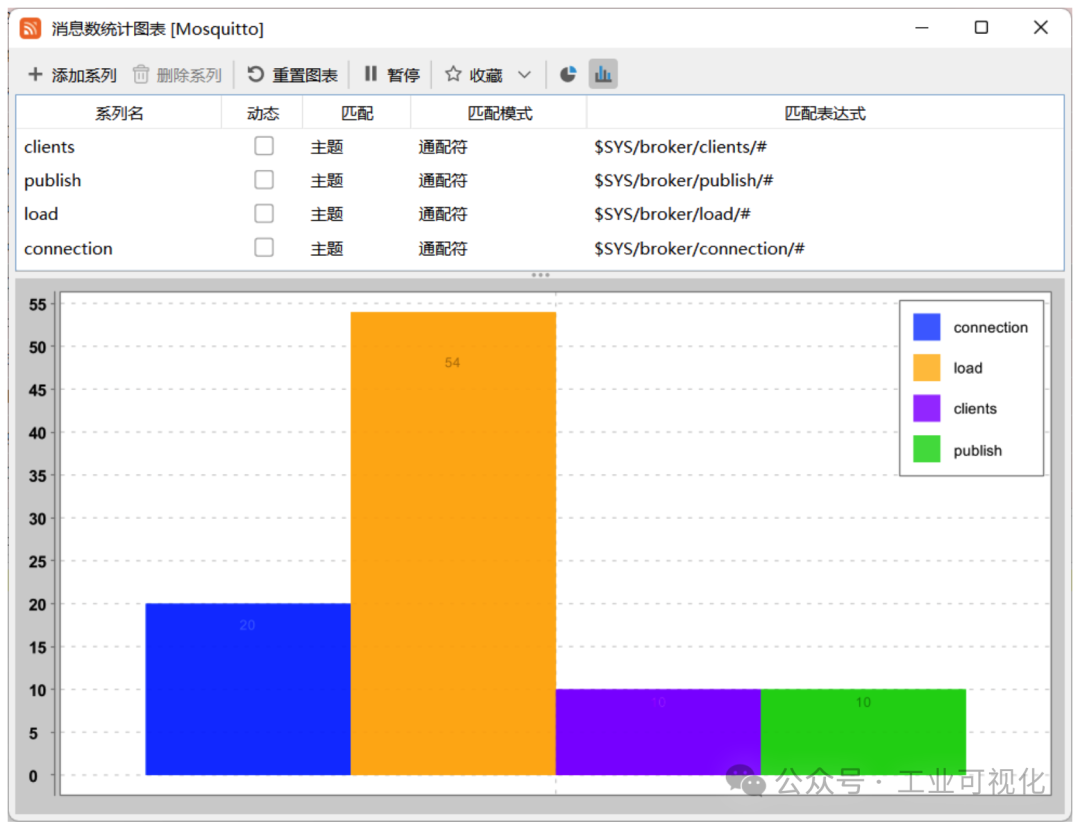
- Provides various statistical charts: message count, load analysis, and content statistics, etc.
4. Supports personalized extensions
- Scripting support: Use JavaScript for custom extensions, adapting to more special scenarios.
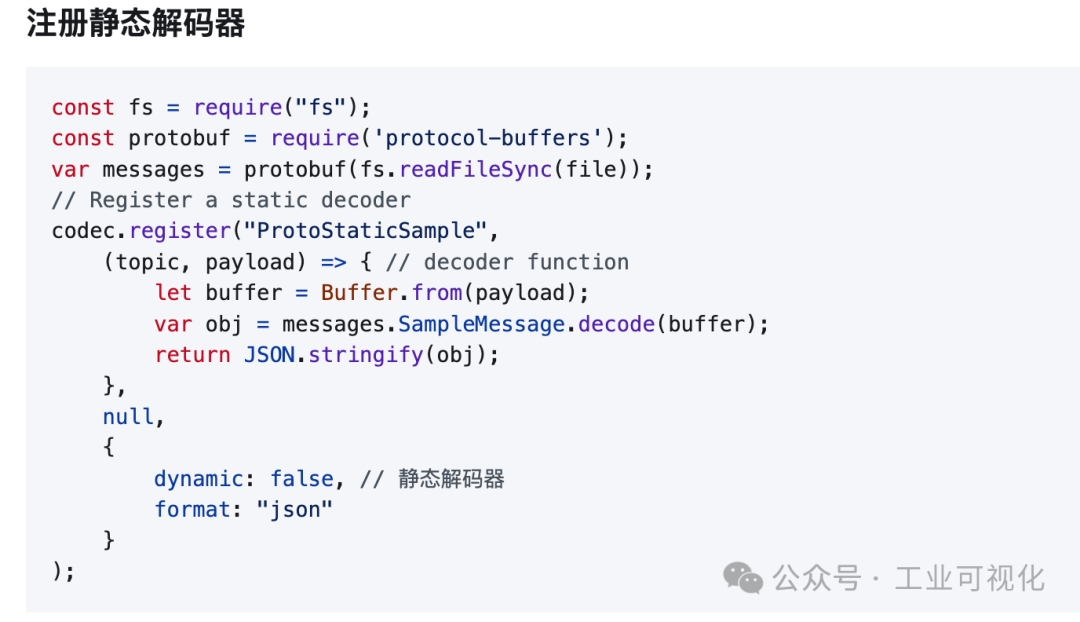
- Plugin-based design: Java SPI access for custom decoders, meeting all personalized needs!
5. Message filtering and searching
- Quickly locate target messages without manually searching through massive data.
Installation Guide
1. System Requirements
- Supported systems: Windows, Mac OS, Linux
- Requires pre-installed Java Runtime Environment (JRE 11 or higher)
2. Download and Installation
-
1.Get the program files from the [GitHub project page] to download the latest version zip package.
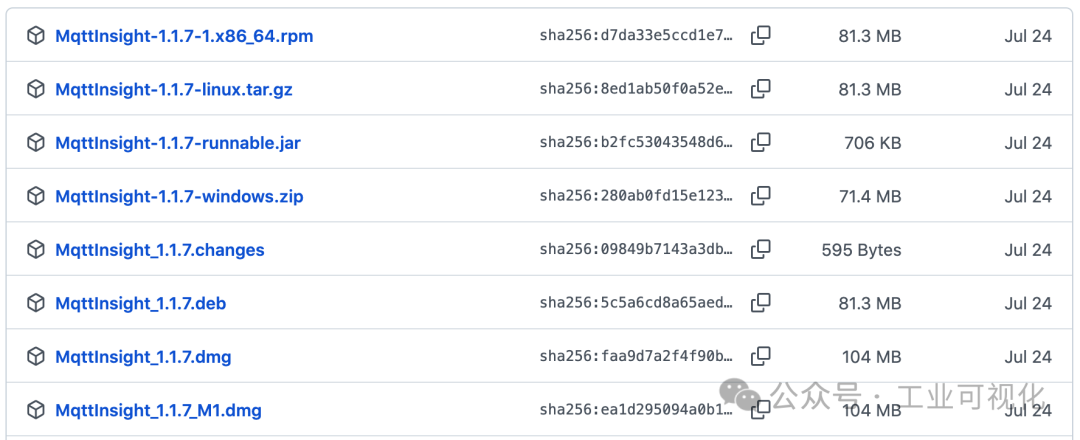 or directly clone the source code using the command line:
git clone https://github.com/ptma/mqtt-insight.git cd mqtt-insight -
2.Run the program
- After downloading, simply unzip and double-click to run the main program.
- You can also enter in the terminal:
java -jar mqtt-insight.jar -
3.Connect and configure MQTT service
- After opening the program, enter your MQTT Broker address, port, and related authentication information, then click connect.
3. Usage Examples
- Subscribe to a topic Enter the topic you want to subscribe to (wildcards supported) on the left side, and click the “Subscribe” button to view messages in real-time.
- Send messages Enter the topic and message content to be sent, and click “Send” to complete device debugging.
If you often deal with the MQTT protocol, debugging devices, and analyzing messages, then MqttInsight is definitely a must-have open-source tool for you. Not only is it powerful, but the interface is also user-friendly, supporting various message format processing and visual statistics, significantly improving development efficiency.
Recent hot articles:
| This serial port tool is really amazing!!!Bookmark! Finally, someone clarified the input and output of RTU!!!Digitalization! What data does DCS need to provide to ERP?How to choose a cross-platform upper computer?It’s already 5G! Why isn’t 485 eliminated??? |