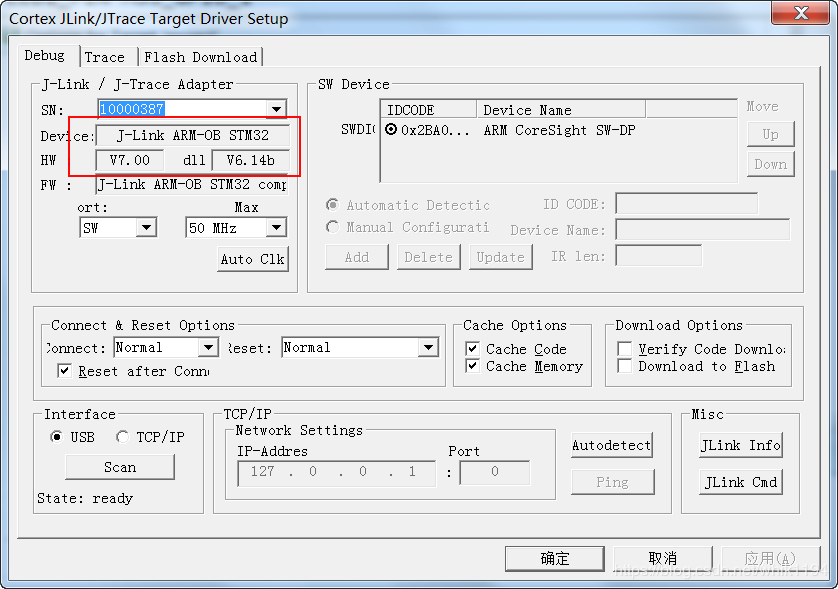
Recently, I switched from Windows 10 to Windows 7, so I had to reinstall various EDA software that I had previously installed. While developing a program for a Cortex-M3 core MCU using Keil, I encountered a problem: I cannot download the program using Jlink-OB. When I switched back to the previous Windows 10 system, it worked fine, indicating that the debugger is not the issue. The most likely cause is the version of the Jlink driver.
Problem Description
-
Hardware: ARM Cortex-M3 core MCU + Jlink-OB debugger
-
Software: Keil MDK v5.26
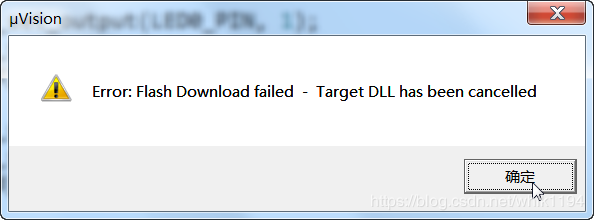
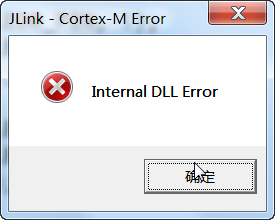
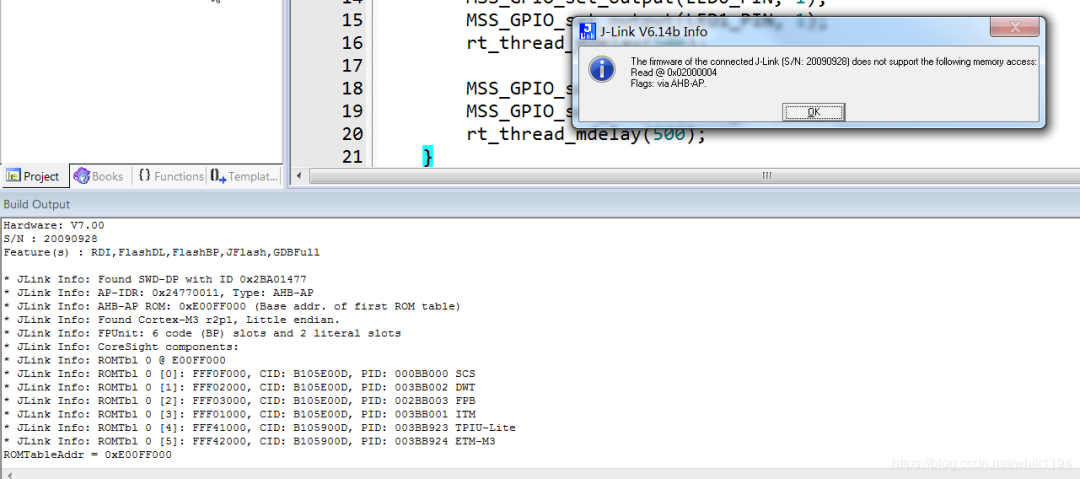
There were no compilation errors, but when I attempted to download, I received the following failure message:
* JLink Info: Found SWD-DP with ID 0x2BA01477
* JLink Info: AP-IDR: 0x24770011, Type: AHB-AP
* JLink Info: AHB-AP ROM: 0xE00FF000 (Base addr. of first ROM table)
* JLink Info: Found Cortex-M3 r2p1, Little endian.
* JLink Info: FPUnit: 6 code (BP) slots and 2 literal slots
* JLink Info: CoreSight components:
* JLink Info: ROMTbl 0 @ E00FF000
* JLink Info: ROMTbl 0 [0]: FFF0F000, CID: B105E00D, PID: 000BB000 SCS
* JLink Info: ROMTbl 0 [1]: FFF02000, CID: B105E00D, PID: 003BB002 DWT
* JLink Info: ROMTbl 0 [2]: FFF03000, CID: B105E00D, PID: 002BB003 FPB
* JLink Info: ROMTbl 0 [3]: FFF01000, CID: B105E00D, PID: 003BB001 ITM
* JLink Info: ROMTbl 0 [4]: FFF41000, CID: B105900D, PID: 003BB923 TPIU-Lite
* JLink Info: ROMTbl 0 [5]: FFF42000, CID: B105900D, PID: 003BB924 ETM-M3
ROMTableAddr = 0xE00FF000
Solution
Using the same project and debugger, switching back to Windows 10 resulted in successful downloads and debugging. The only difference is the version of the J-Link driver. The driver version on the original system was V6.32i, while the current one is V6.14b, so it is likely that the low driver version is the cause of the issue.
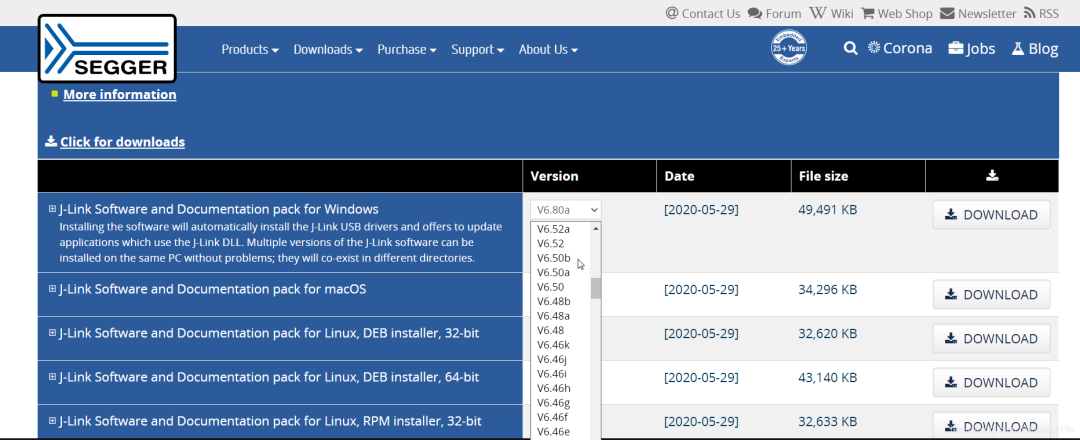
Go to the SEGGER official website to download the corresponding v6.32i version of the debugger program. It is always safer to download drivers from the official website to avoid various viruses bundled from unknown sites. The official version is complete and includes installation programs for other systems. If the download speed is slow on a broadband network, you can try using a mobile network to download.
Download all versions of the Jlink driver
www.segger.com/downloads/jlink/#J-LinkSoftwareAndDocumentationPack
Or click at the end of the article, read the original text to enter the SEGGER official website for download
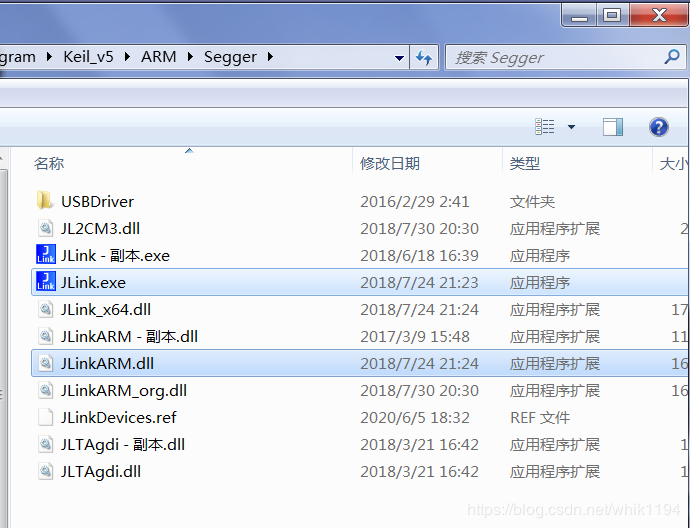
After installation, replace the files Jlink.exe and JlinkARM.dll in the JFlash installation directory with the same-named files in Keil.
Reopen Keil, and you will see that the driver has been updated to V6.32i.
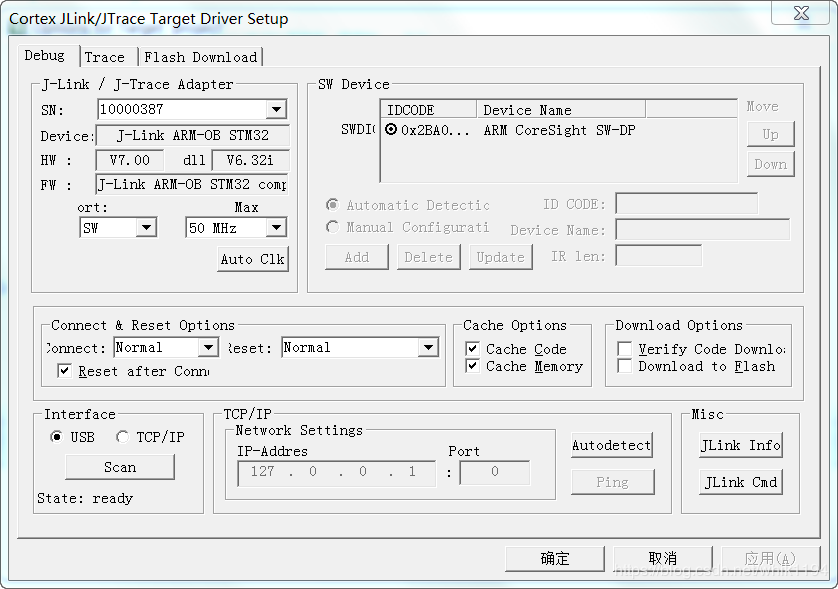
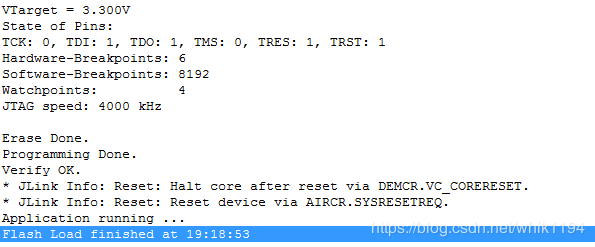
Try downloading again, and it succeeds!
Conclusion
Of course, the issue of J-Link download failures is just one of the solutions; there are others such as reducing clock speed, using reset pins, etc. If you encounter similar issues, try a few different solutions.
I have previously written several notes on using J-Link:
-
Jlink Usage Tips 1: J-Scope Virtual Oscilloscope Function
-
Jlink Usage Tips 2: Download HEX Files to MCU Separately
-
Jlink Usage Tips 3: Read Internal Programs of STM32
-
Jlink Usage Tips 4: Virtual Serial Port Function
-
Jlink Usage Tips 5: Flash Programming of SPI Flash Memory Chips
-
Jlink Usage Tips 6: Merging Programming Files
Recommended Reading
-
[Open Source] Embedded Projects with Both Hardware and Software Open Source
-
[Open Source] Step-by-Step Guide to Making a Lithium Battery Fast Charger
-
[Open Source] Series of Tutorials on the Pneumonia Epidemic Monitoring Platform Based on STM32MP1
-
[Review] Unboxing Report of Lingdong Semiconductor MM32W3 Bluetooth Development Board
-
My Blog:www.wangchaochao.top
-
My Public Account:mcu149
Since WeChat articles do not support hyperlinks, any software or program files mentioned in the text can be downloaded by clicking “Read the original text“, which will redirect you to my blog article for download.If you find my article helpful, please feel free to click “Looking” to share; your support will motivate me to continue updating.