Keywords: STM32CubeIDE, ClassB
Table of Contents
1. Introduction
2. Preparation
3. Creating CubeMX Project
4. Possible Issues During Porting
5. Conclusion
01Introduction
Everyone knows that ST’s ClassB functional safety software design package is free, and many customers develop based on the free IDE STM32CubeIDE. This document will show how to easily implement the porting of ClassB on STM32CubeIDE.
02Preparation
Hardware: NUCLEO-G070
Software: X-CUBE-CLASSB version 2.3.0
03Creating CubeMX Project
Create a basic project for LED blinking and serial printing in CubeMX, and verify the correctness of the project on the experimental board.
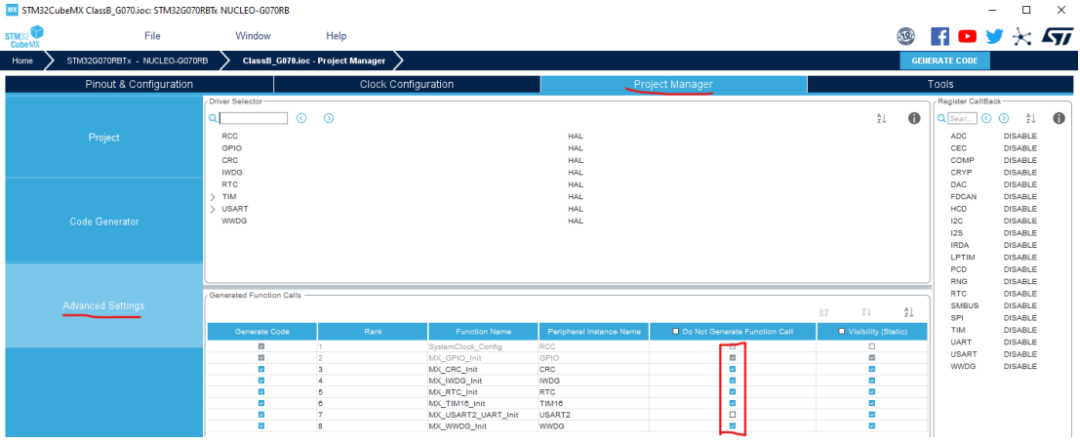
Then continue to configure the IWDG, WWDG, and CRC peripherals. To avoid resets during porting and debugging, configure CubeMX to not call them.
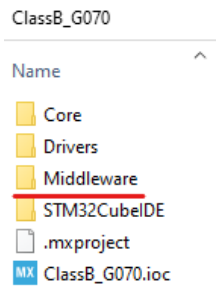
Copy the entire Middleware folder from X-CUBE-CLASSB V2.3.0 to the target project directory:
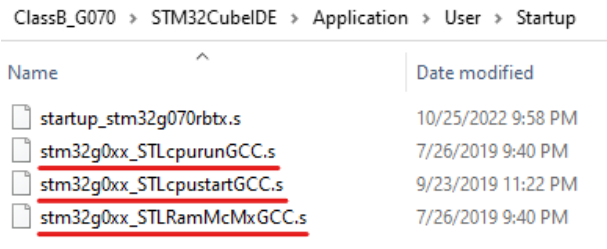
Copy the three assembly files related to ClassB, as shown in the figure below:
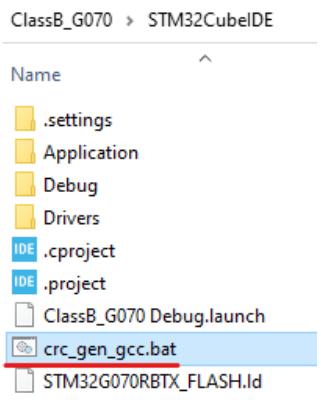
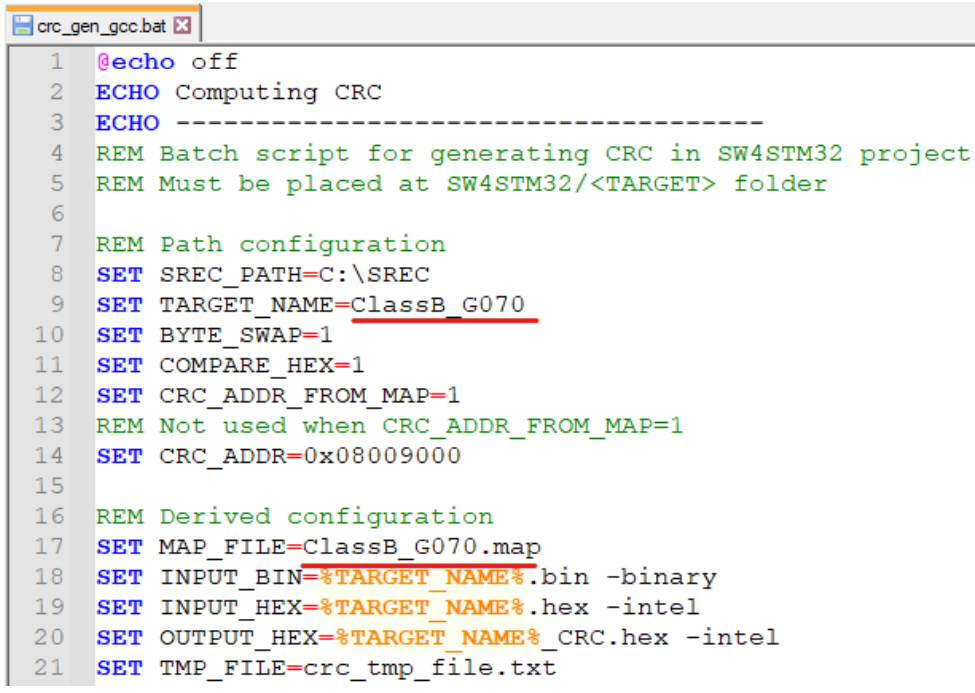
Copy the “crc_gen_gcc.bat” script (make sure to modify the project name in the bat file):
Change the name in the bat file to match the corresponding project name:
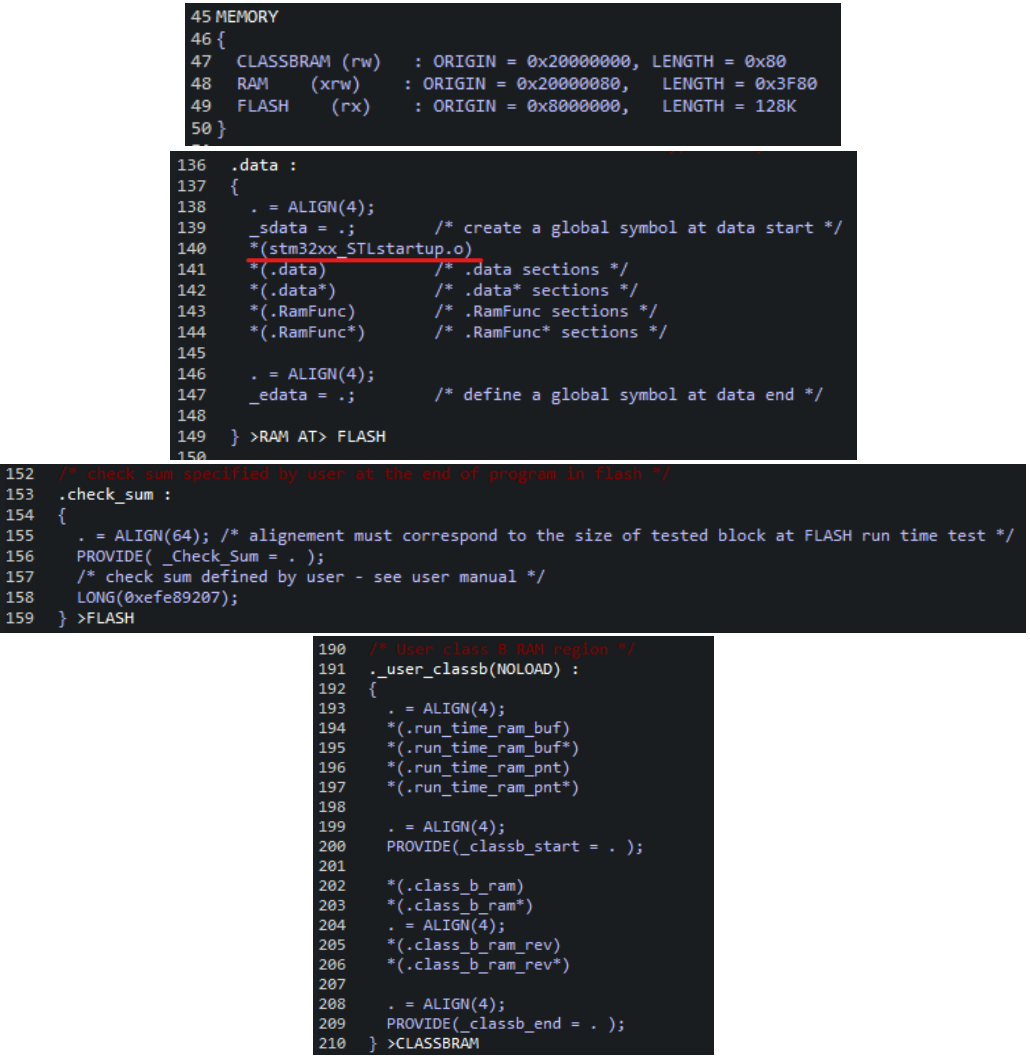
Modify the id link file to add ClassB related section information:
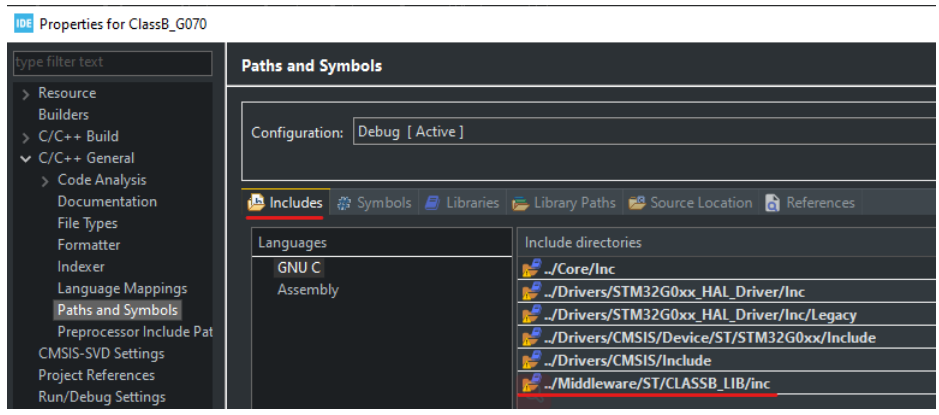
Add the path and folder for ClassB files:
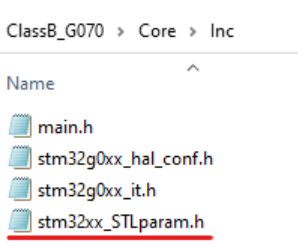
Copy “stm32xx_STLparam.h” to the inc folder of the target project:
Add necessary macro definitions in main.h
#define USARTx USART1
#define MAX_FLASH_LATENCY FLASH_LATENCY_1
#define _HAL_RCC_CLEAR_FLAG_HAL_RCC_CLEAR_RE SET_FLAGS
#define USART_Configuration MX_USART1_UART_Init
Resolve compilation errors according to the compilation prompts
Add compilation steps in project options (add “.bat”):
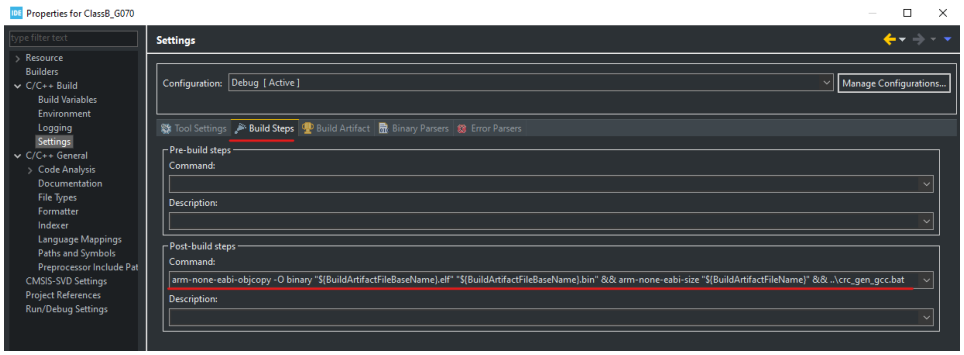
arm-none-eabi-objcopy-O binary”${BuildArtifactFile BaseName}.elf”
“${BuildArtifactFileBaseName}.bin”&&arm-none-eabi-size”${BuildArtifactFileName}”&&..\crc_gen_gcc.bat
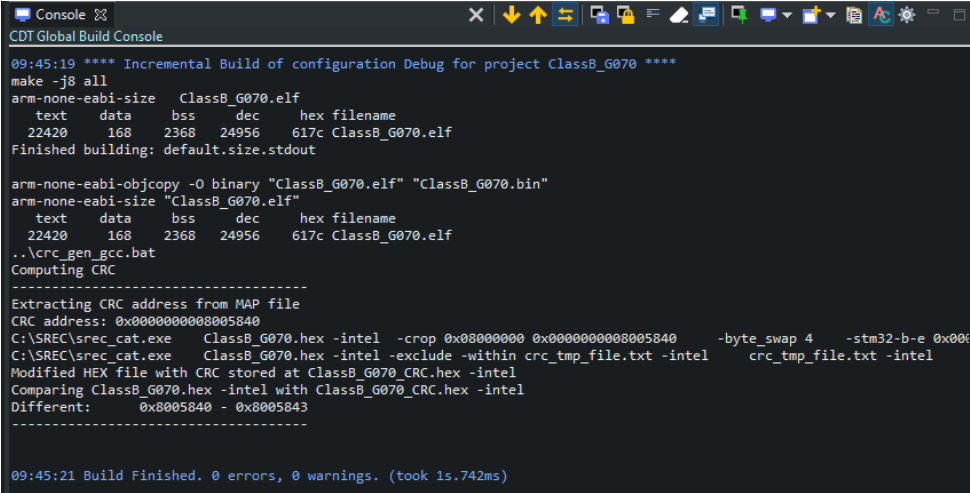
After excluding basic compilation errors, you can get the following compilation success message:
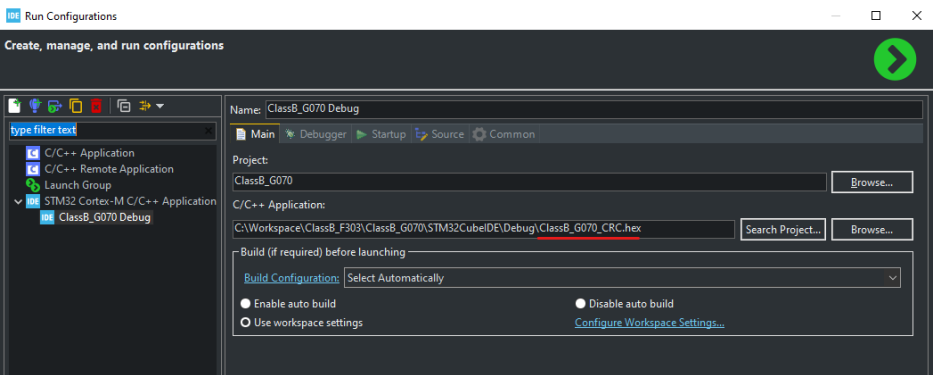
Then we can download the project with CRC check value to the board by configuring the download options:
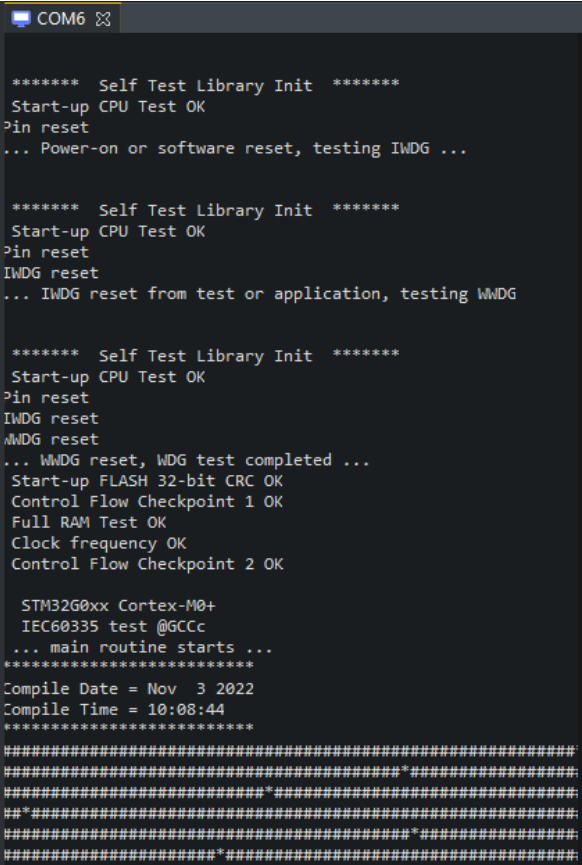
In the serial port view, you can see the status information of the ClassB project running:
04Possible Issues During Porting
Issue 1: Compiles successfully with no errors, but the hex file is only 132B.
Solution: Check the map file and find that some folders included in the source are missing; add the corresponding files in the project options.
Issue 2: The macro definition #define ALLOC_GLOBALS is to prevent multiple definitions of variables.
Solution: Check that it should be placed before the corresponding variable header files.
Issue 3: Various startup phase failures occur in CubeIDE during initialization.
Solution: Set the optimization level of the Class B lib to -O1.
Issue 4: A “Run-time Flash CRC Error” occurs at runtime.
Solution: The reason is that to facilitate debugging, a hex file without CRC was downloaded; changing it to a hex file with CRC resolved the issue.
Issue 5: Clock detection fails; during testing, the project is F030, but the actual chip is F042, which has differences in clock configuration, mainly in the SystemInit and SystemCoreClockUpdate functions.
Solution: Configure the clock correctly according to the actual chip.
05Conclusion
During the porting of ClassB, various compilation errors are inevitable. We must be patient and eliminate errors one by one according to the tool prompts. This document provides corresponding examples for users to compare and reference.
For the complete content, please click “Read the Original” to download the original document.
 Subscription Account
Follow STM32
 Video Account
 Bilibili Account
▽Click “Read the Original” to download the original document