‖ System Learning
Life is like a marathon; sometimes you need to pause and enjoy the scenery to go further.
It’s been a while since we released a hands-on tutorial. This time, we bring you a tutorial on free communication between Xinjie PLC and the IDS850ABS low-voltage DC servo driver via CAN.
Introduction to CAN Protocol
CAN (Controller Area Network) is a multi-master serial communication protocol, initially proposed by Bosch in the late 1980s, widely used in automotive, industrial automation, medical devices, and other fields. It is known for its high reliability, real-time performance, and anti-interference capability, making it suitable for multi-node communication scenarios.
For detailed protocol information, it is recommended to search online.
CAN bus has the following notable features:
Real-time performance: Ensured by arbitration mechanisms and frame priority design, providing low latency and high real-time performance.
Multi-master system: Supports multiple nodes to send and receive data simultaneously, without a master-slave distinction.
Differential signal transmission: Strong anti-interference capability, suitable for environments with electromagnetic interference.
Error detection and handling: Ensured through CRC checks, error flags, and other mechanisms to guarantee data transmission reliability.
Broadcast communication: Data frames can be received by all nodes, facilitating information sharing and synchronization.
Low cost: Simple hardware implementation, suitable for large-scale system integration.
IDS850ABS Low-voltage DC Servo
The IDS850ABS low-voltage DC servo is developed using a high-performance processor, providing users with a cost-effective absolute value servo controller solution. It pursues application-oriented functionality and performance while ensuring stability and reliability. Compared to stepper products, it has lower noise, less heat, higher speed, constant torque output, and no step loss; compared to stepper servo products, it completely eliminates the inherent disadvantages of stepper products, with superior functionality, performance, and reliability; compared to well-known foreign high-voltage servos, it offers similar performance at a lower price and is easy to use. For devices without origin sensors, it retains the position after power loss and quickly returns to zero.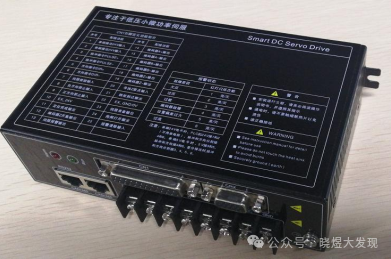
Device Overview
This time we are using the following devices:Xinjie PLC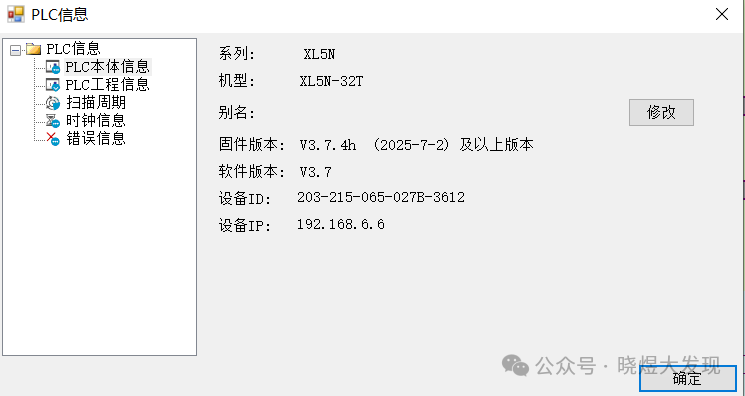 Xinjie PLC Software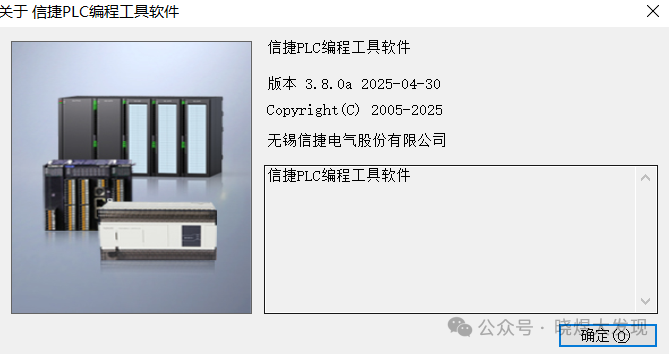
Communication Process
1. Our PLC uses CANBus communication mode.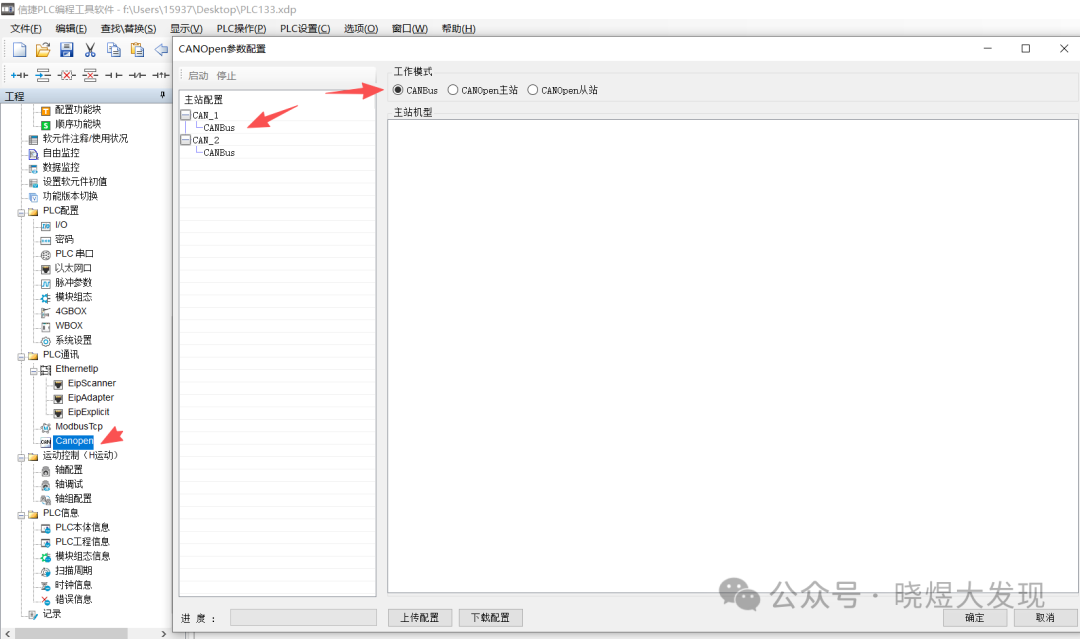 2. Set the corresponding baud rate according to the software provided by the manufacturer.
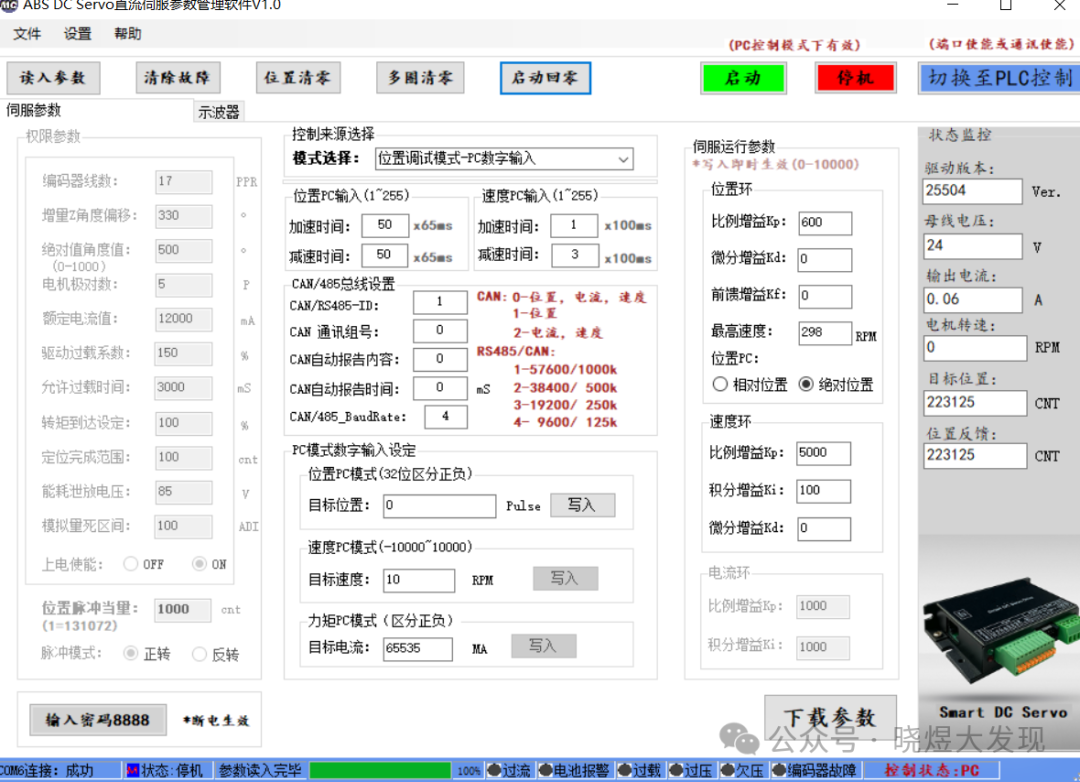 3. PLC parameter settings.
 4. The communication instructions used by the PLC.The communication instructions we use in Xinjie PLC mainly include two: the first isCB_SEND write instruction, and the second isCB_RCV read instruction.
Example: CB_SEND K1 D110 K8 K1 K0 M510K1 represents the CAN communication addressD110 represents the starting register to sendK8 represents sending 8 registers, from D110 to D117K1 represents the communication CAN port number range: K0, K1, K2.K0: COBOX's CAN, K1: PLC's first CAN, K2: PLC's second CAN.K0 represents CAN communication protocol: K0, K1.K0: CAN2.0A, K1: CAN2.0B.M510 represents the instruction processing completion flag: regardless of whether the write value is successful, this flag only indicates that the instruction processing is complete and will not reset automaticallySee the official explanation.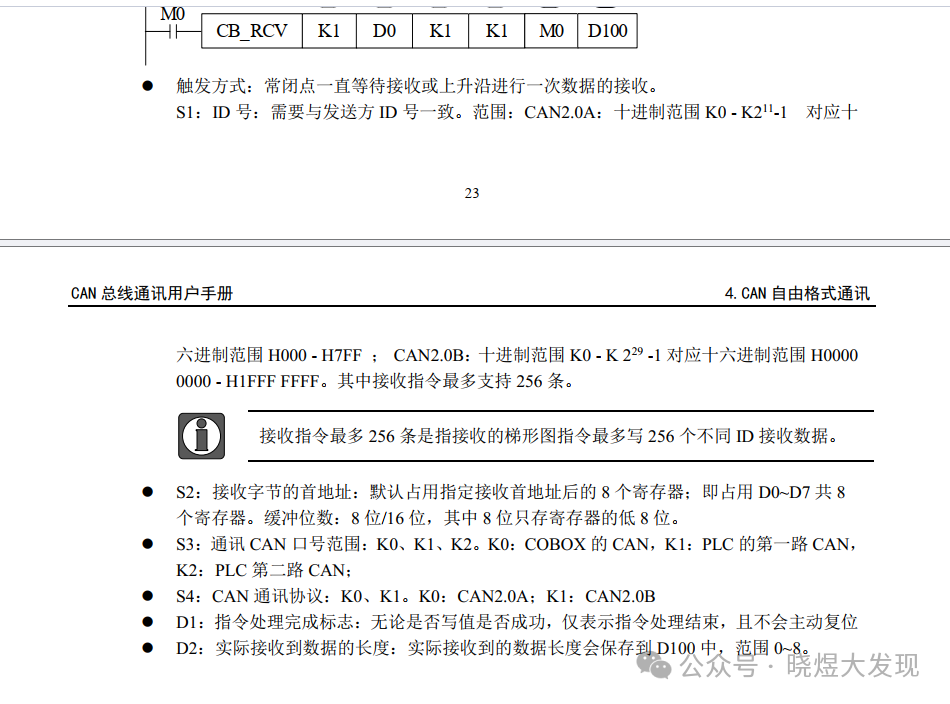
 Now that we understand the usage of these two instructions, let’s give it a try.5. A small testAccording to the official documentation provided byIDS850ABS In point-to-point mode, the servo monitoring data to read is: function 2A position status registers e8 and e9. This is the data we obtained.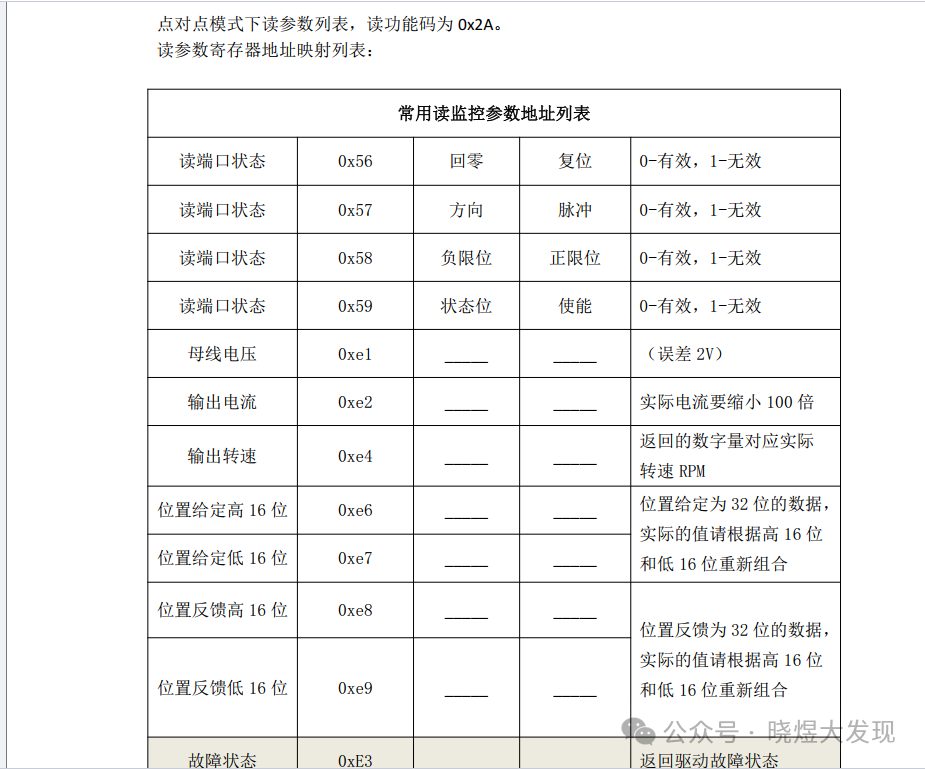
Next, let’s take a look at its message rules.
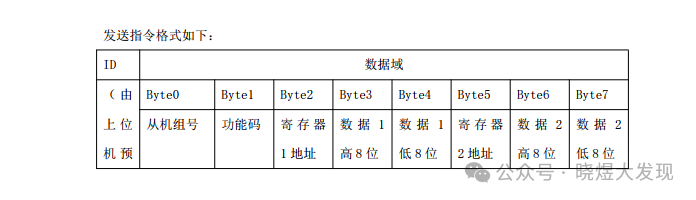
The first byte of the message is the group machine number: we obtained the machine number as 0x00, which is 0.
The second byte is the function code: we are now monitoring data, and the function code for monitoring data is 2A, so it is 0x2A.
The third byte is the register: we want to read the position feedback, so we first read the high byte position e8, which is 0xe8.
The fourth byte is empty, so we write 0x00 for 0.
The fifth byte is also empty, so we write 0x00 for 0.
The sixth byte is the register: we want to read the low byte position feedback, so we write e9, which is 0xe9.
The seventh and eighth bytes are empty, so we write 0x00.
Therefore, our complete message is: 0x00 0x2A 0xe8 0x00 0x00 0xe9 0x00 0x00.
At this point, we will use the C language functionality of Xinjie PLC to write the program, establishing the communication.
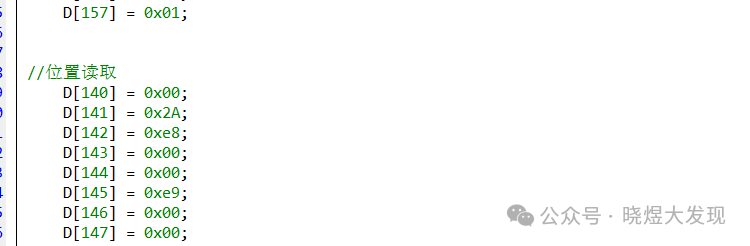
We send the data from D140 using a ladder diagram, where a 10ms automatic pulse is used to read the data.

We store the received data in D240, and at this point, we need to look at the message:00 2B E8 00 00 E9 17 6F
From the register D240, the returned E9 message indicates that the current value is 5999. How do we see this? Of course, by checking the manual.
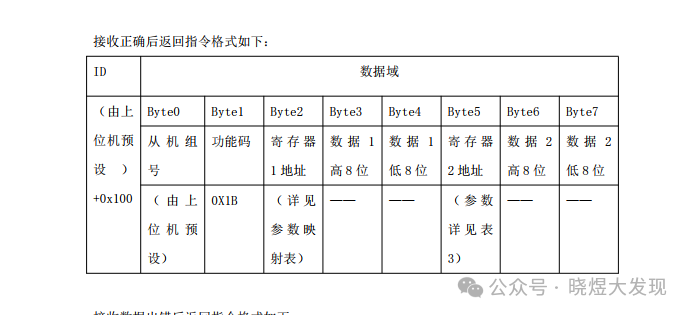
The manual also states that these two returned numbers consist of a high 8 bits and a low 8 bits, so we need to perform data conversion. At this point, we will use C language to write a simple data merge.
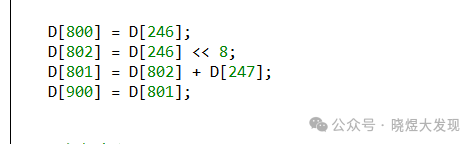
What does this mean? It means storing the high byte D246 in D802 first, then merging D801 and storing it in D900. This is the simplest merge. Of course, you can also do it this way.

8. Let’s try something else.
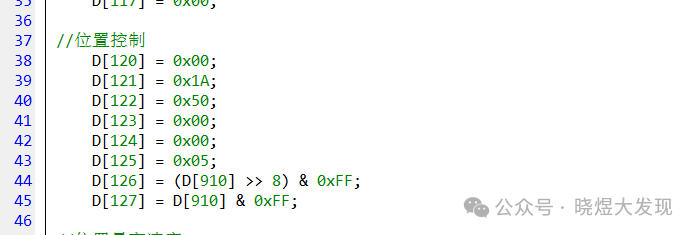
For position control, we write the message for position control according to the manual. Then we send and receive the message through the instructions.

Conclusion
In fact, to perform CAN communication, we only need to remember two instructions:CB_SEND andCB_RCV and how to use them.
Then read the message in the manual and piece them together one by one.
Teaching a man to fish is better than giving him a fish.
