Recently, a network camera was used in a project, which communicates via the CGI interface. However, the MCU used does not have a network port, and replacing it would be quite troublesome, requiring a new board design and a long cycle. I attempted to use a serial-to-network module, initially testing it, but only managed to establish TCP/UDP communication. The HTTP protocol stack needed to be ported by myself, so I decisively switched to another module, and finally got it working!
The application block diagram of this module is as follows:

First, I tested it using Apifox
HTTP GET: Query Time
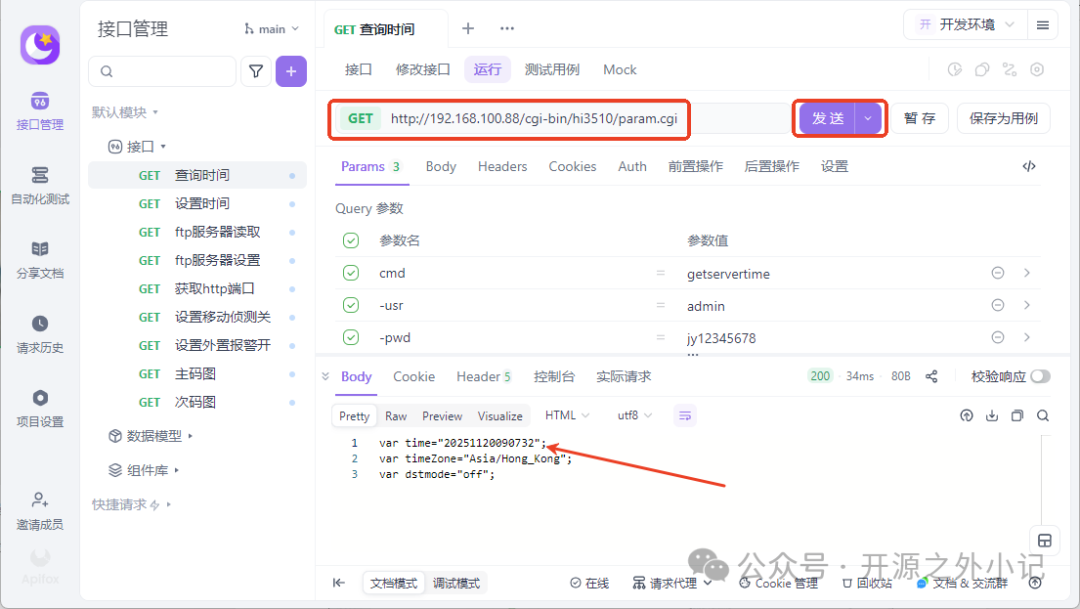
HTTP GET: Set Time
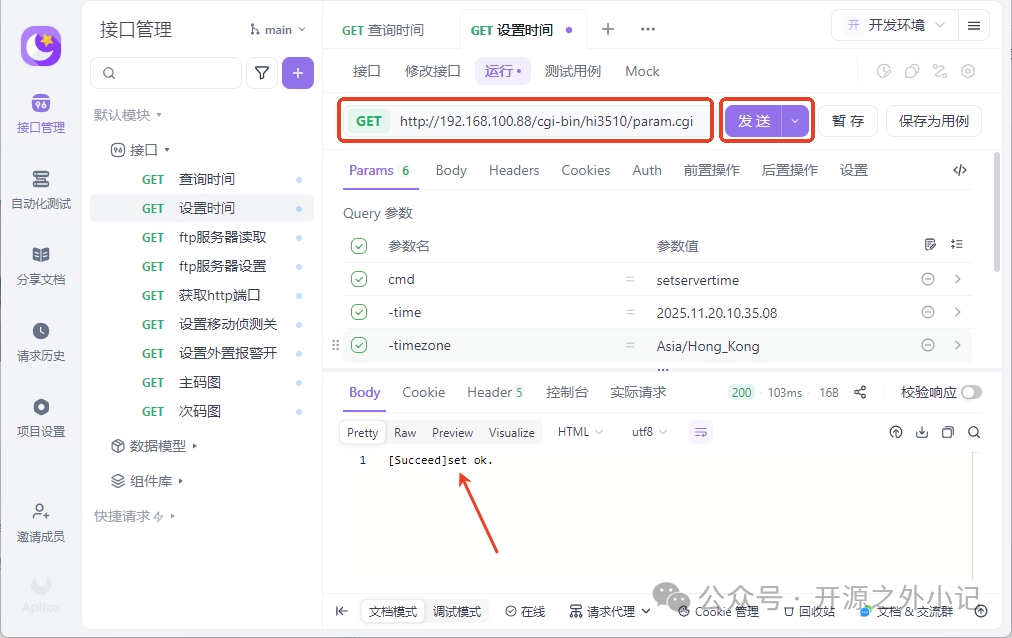
Both were successful. I also tested querying and setting FTP server parameters and other CGI commands without any issues, but I did not test HTTP POST, as it is only supported during upgrades.
Next, I tested it using a serial port tool.
Serial Port HTTP: Query Time
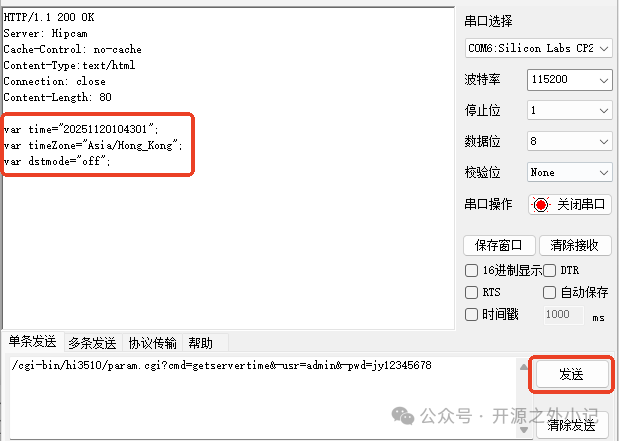
Serial Port HTTP: Set Time
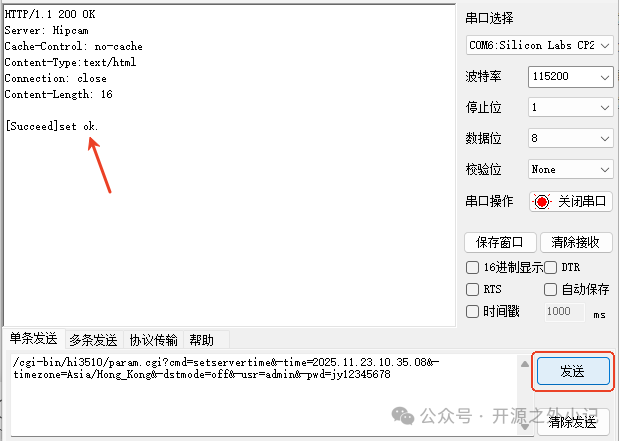
If the password is incorrect:
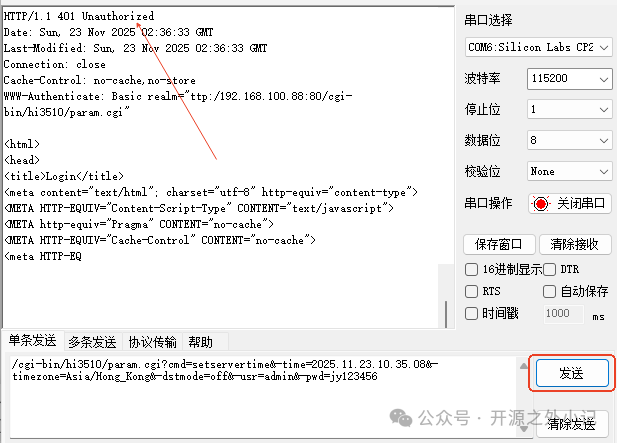
An incorrect password will return an authentication failure!
The serial port testing was successful, just like normal serial communication. Through CGI commands, I could query and configure settings. If I had to port the protocol stack, I wouldn’t have been confident in completing it in a week, but using this module, I got it done in half a day.
Finding the right module really saves a lot of time…
This module is also very easy to use, requiring only simple configuration:
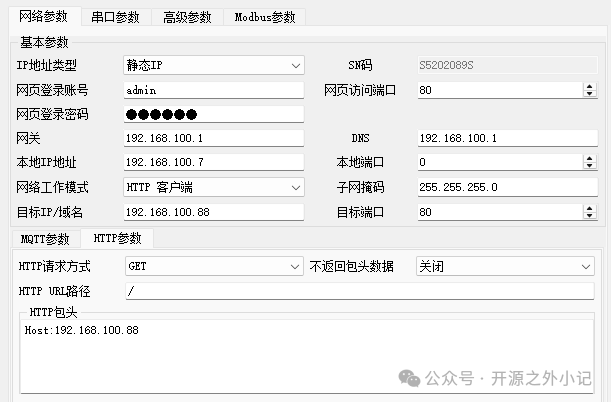
It also supports multiple working modes: (TCP Server, TCP Client, UDP Server, UDP Client, HTTPC, MQTTC)
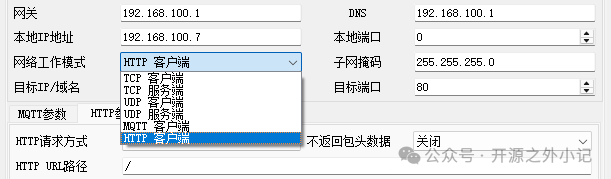
This is exactly the module I wanted, and the price is also reasonable, so I became a fan of it;
Finally, here are some basic concepts:
-
CGI: CGI stands for Common Gateway Interface, which is an interface based on the HTTP protocol. It defines how client programs (such as web pages or other applications like Apifox) can perform various operations on devices through CGI.
-
HTTP: is the Hypertext Transfer Protocol, which is an application layer protocol used for transmitting data over the Web browser. It is based on a client/server model, where the client initiates a request and the server returns a response, with each request being independent. GET and POST are two common request methods.
-
GET Method: Used to retrieve resources from the server, with limited data transfer and subject to URL length restrictions.
Additionally, data is visible, making it less secure, suitable for retrieving less sensitive information.
-
POST Method: Used to submit data to the server, allowing for larger data transfers and higher security, suitable for upgrading device firmware, uploading files, and other scenarios.
That’s all for today; everything is so perfect!