 Search on WeChat
 Technical Training1. Uploading via USB Data Cable

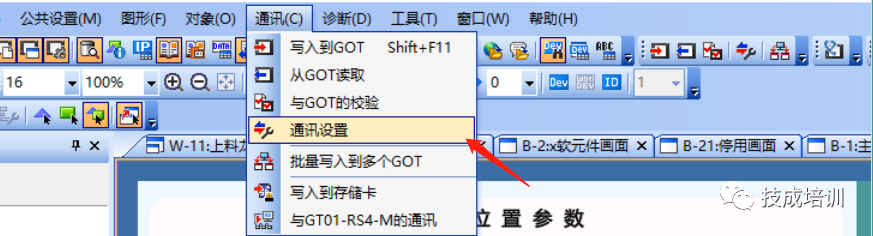
1. Click on the menu bar under “Communication” and drop down to “Communication Settings”;
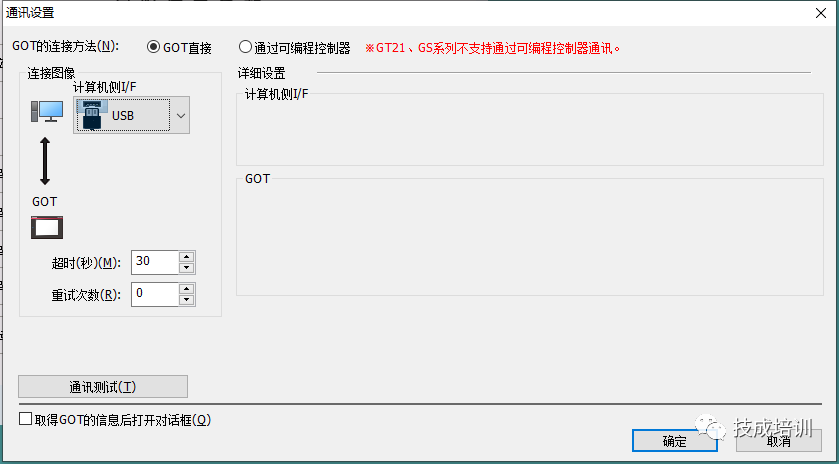
2. Select USB connection → Click on Communication Test to confirm if the communication is successful;
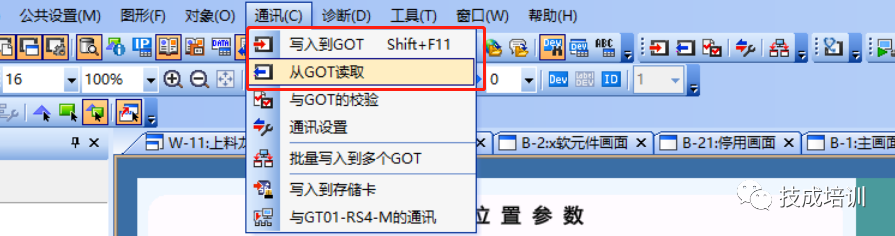
3.Click on the menu bar under “Communication” and drop down to “Read from GOT”/”Write to GOT” to perform reading and writing on the touch screen;
2. Uploading via Ethernet Connection
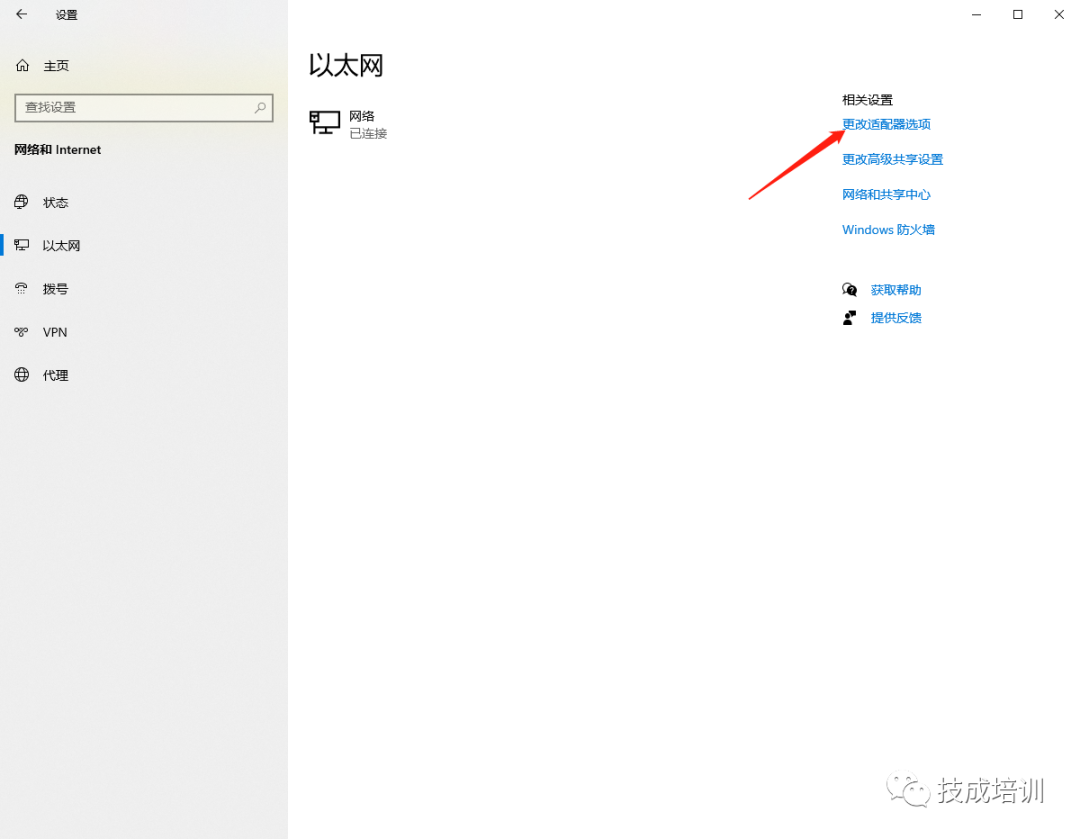
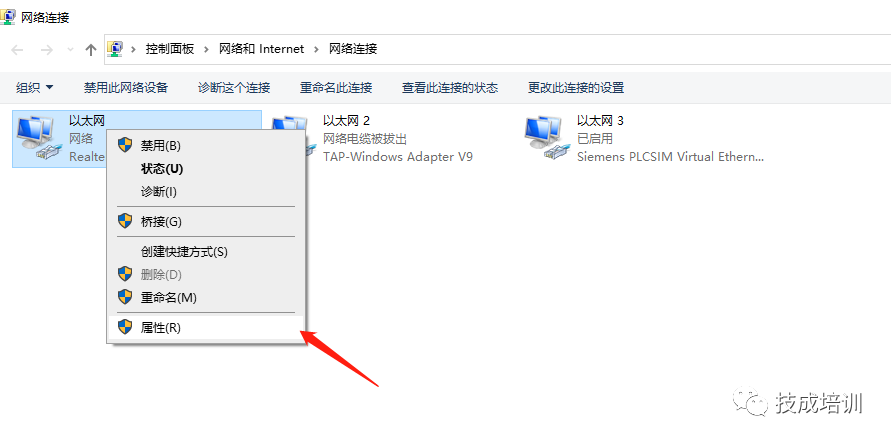
1.Enter the “Ethernet” screen through the system “Settings”, and click on “Change Adapter Options”
2.Select the network card you are using, right-click and choose “Properties”;
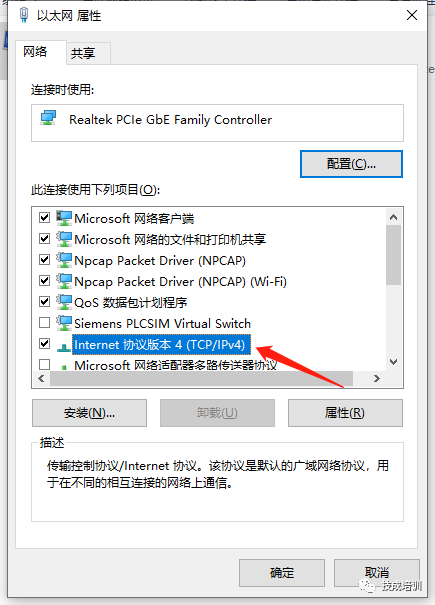
3.Select Internet Protocol Version 4 (TCP/IPv4)
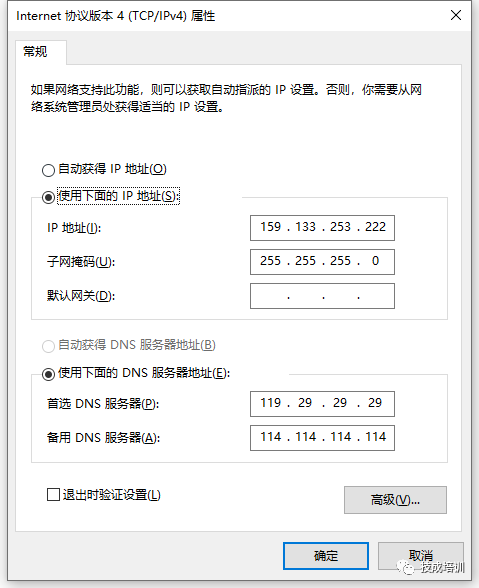
4.Modify to the same subnet as the touch screen program.
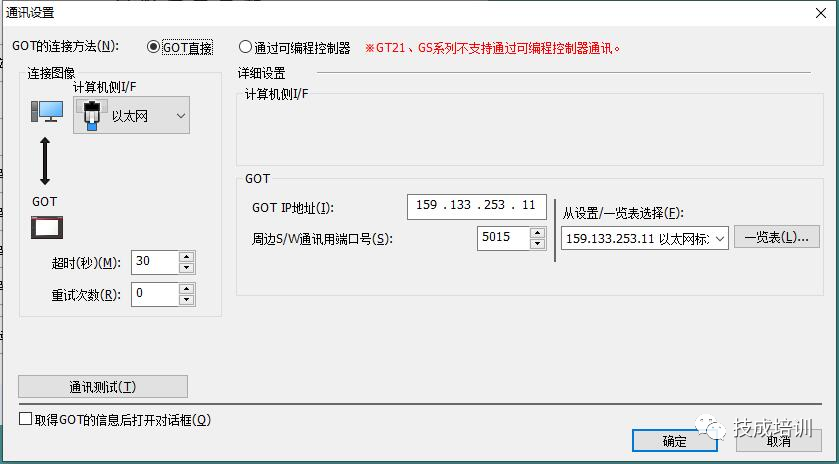
5.Click on the menu bar under “Communication” and drop down to “Communication Settings”;
6.Select Ethernet connection → Input GOT IP address, click on Communication Test to confirm if the communication is successful;
7.Click on the menu bar under “Communication” and drop down to “Read from GOT”/”Write to GOT” to perform reading and writing on the touch screen;
Source: Original article from Technical Training Network, Author: Qiu Guoqiang; Unauthorized reproduction is prohibited, violators will be prosecuted!
HISTORY/Previous Recommendations
Complete question bank for the 2022 Junior Electrician Exam (with answers)
3 essential tools for electricians, easily accessible via WeChat!
[Bookmark] The “Path” of a ten-year veteran electrician, secrets to earning over ten thousand a month!
Which of the five major electrical drawing software (CAD, Eplan, CADe_simu…) do you prefer?
Latest electrical CAD drawing software, with super detailed installation tutorial!
Latest electrical drawing software EPLAN, with super detailed installation tutorial!
Common issues for beginners using S7-200 SMART programming software (with download link)
Comprehensive electrical calculation EXCEL sheets, automatically generated! No need to rely on others for electrical calculations!
Free Bluetooth headphones and introductory books for electricians/PLC? Come and claim your electrical gift!
Basic skills for PLC programming: Ladder diagrams and control circuits (with 1164 practical cases for Mitsubishi PLC)
Still can’t understand electrical diagrams? Basic electrical drawing skills, simulation software to help you quickly get started!
12 free electrician video courses, 10GB of software/e-book resources, 30 days of free live electrician classes are being given away!
Don’t forget to like + follow!
 Click “Read the original text” to learn PLC/electrician courses for free!