1、PLC End IP Configuration and Query
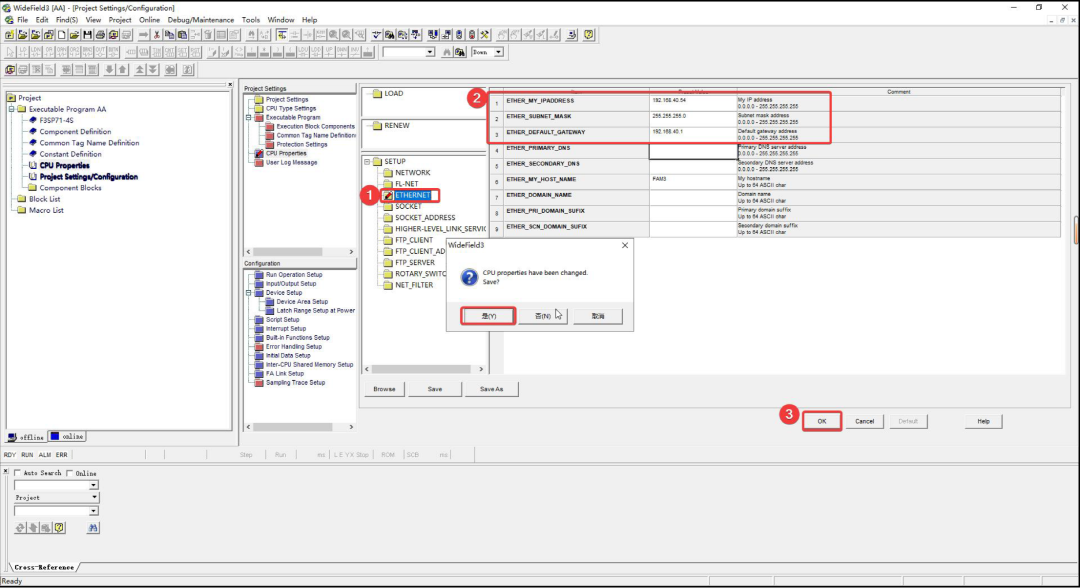
1. IP Configuration
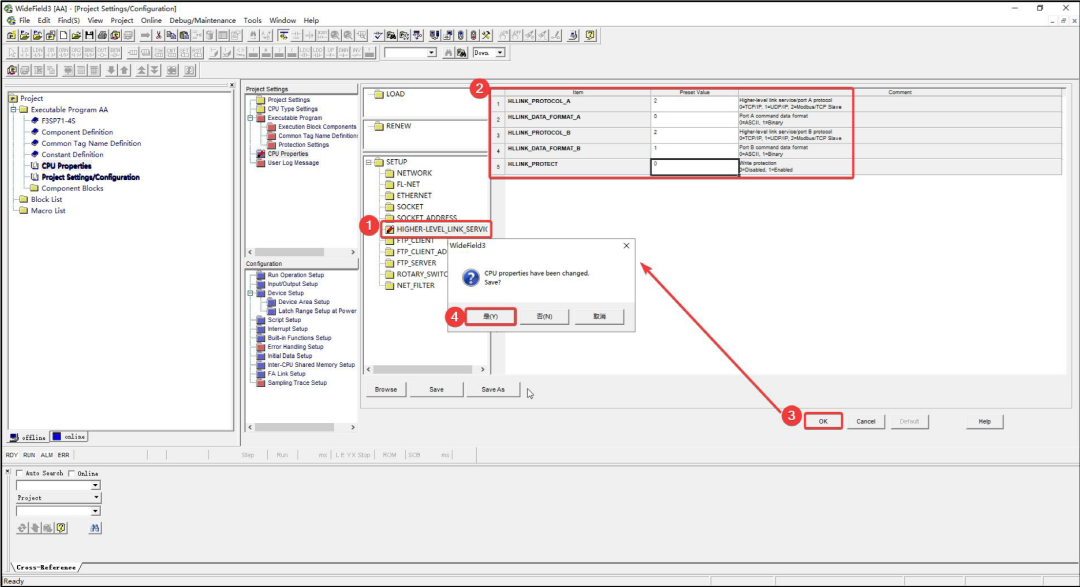
2. Port Parameter Configuration
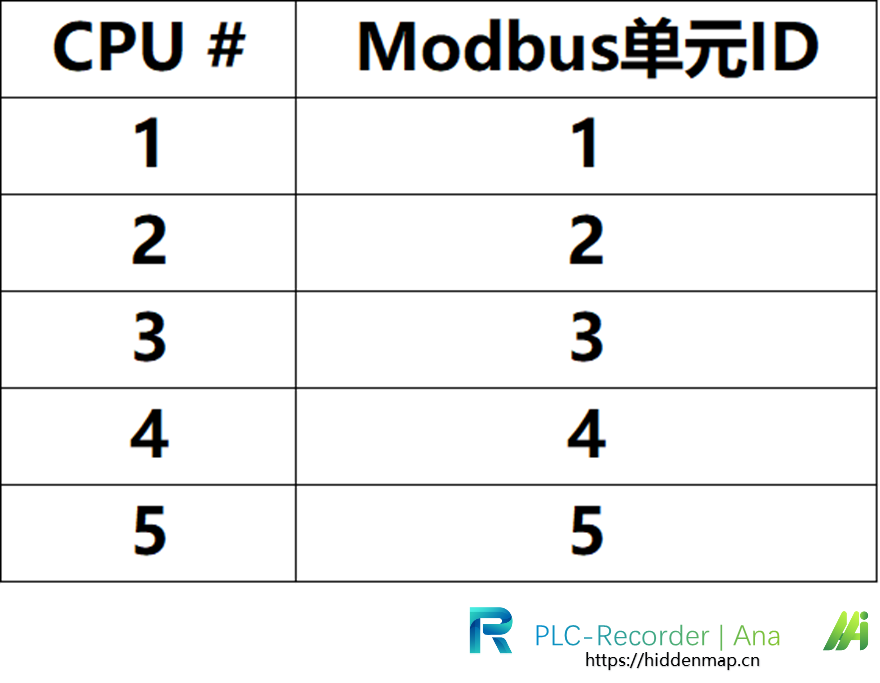
 3.Modbus Unit ID
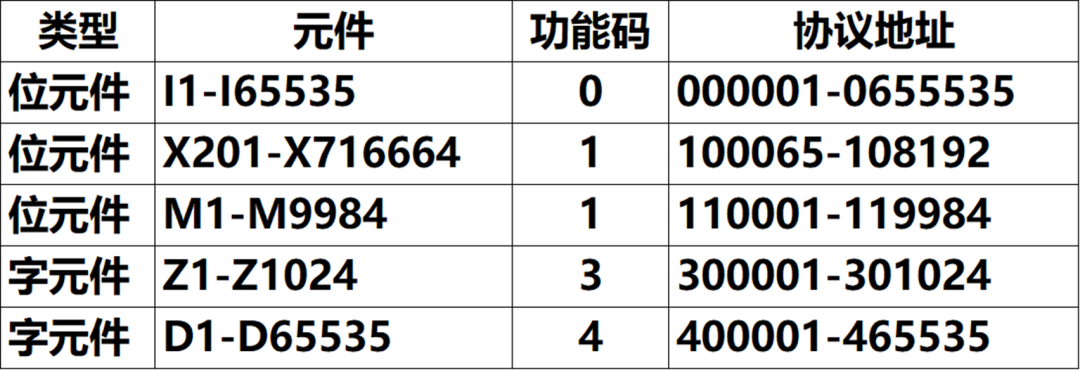
4.Modbus Address
2、PLC-Recorder Configuration
1. IO Management
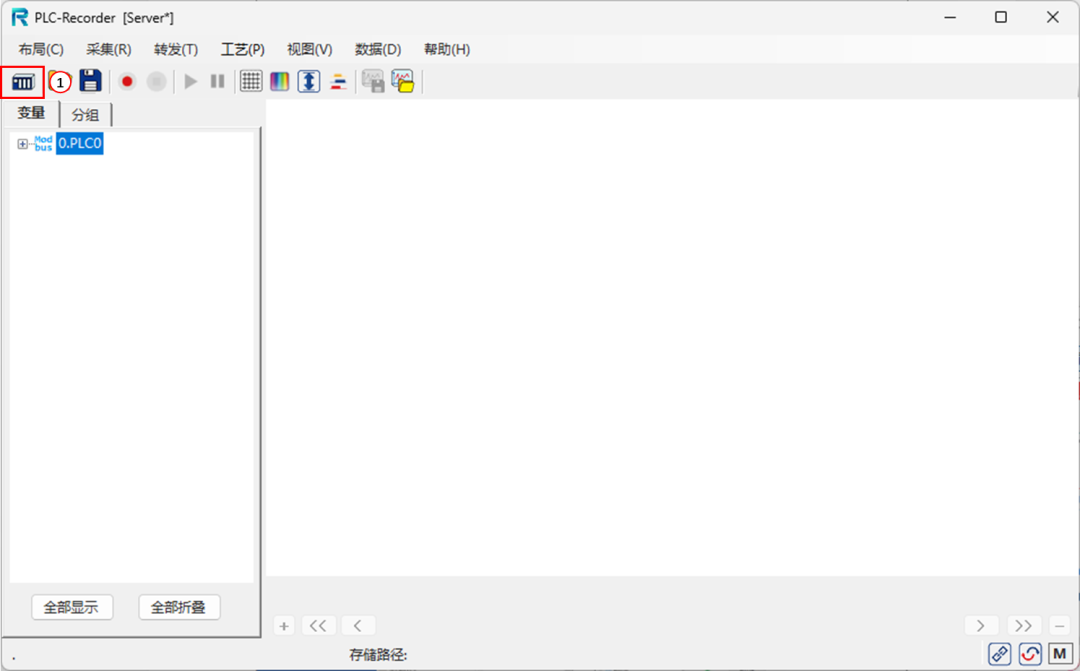
Start I/O Management
 2. Add Connection Parameters1)Modbus TCP –> General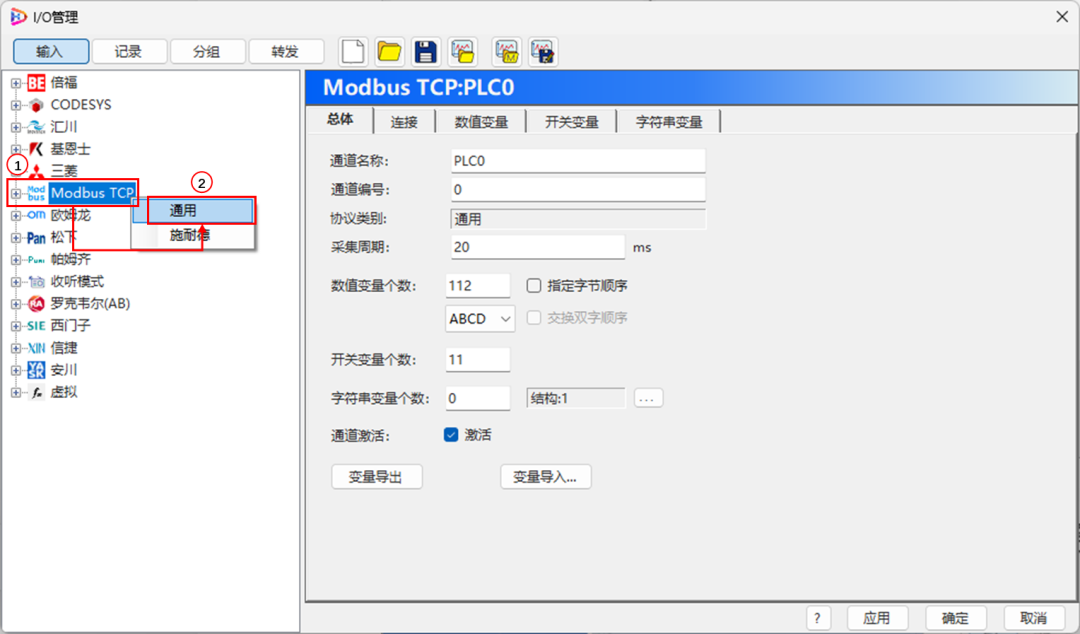
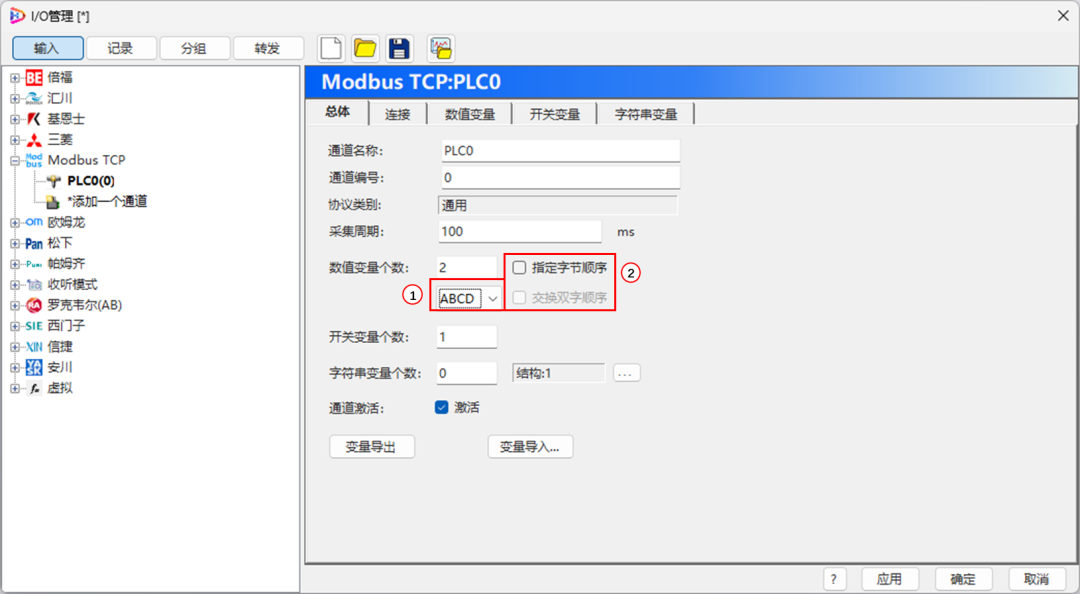
* If the data display is abnormal, please check☑ “Specify Byte Order”, to adjust the byte order. 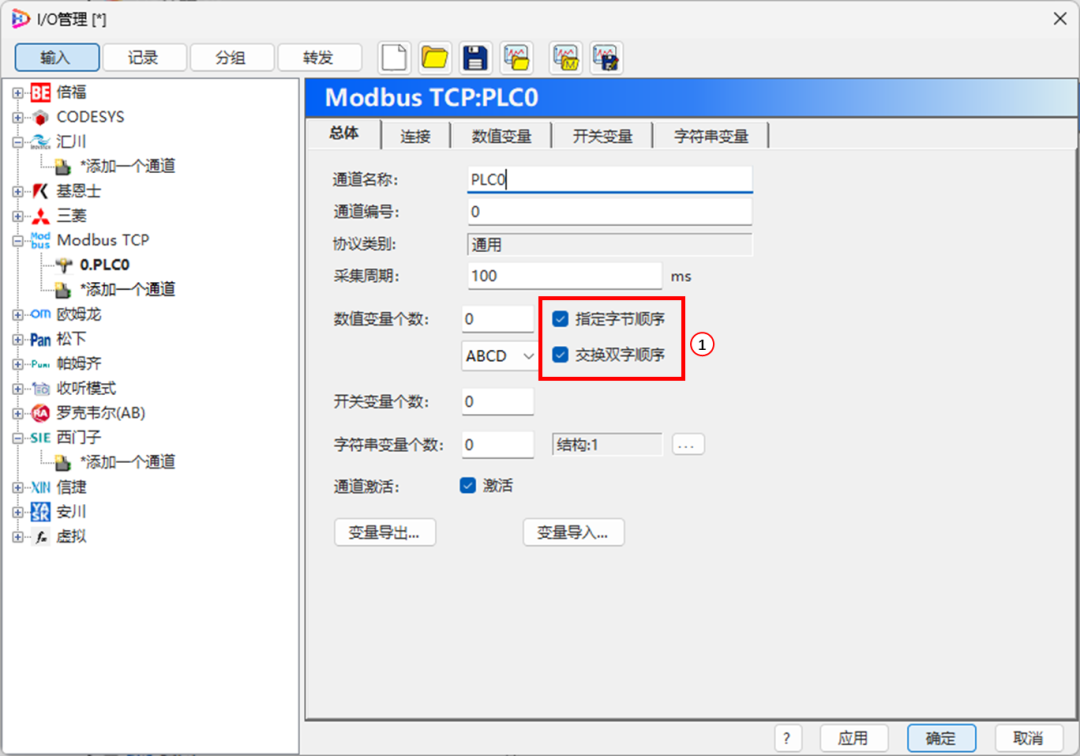
2)Fill in IP and Port Number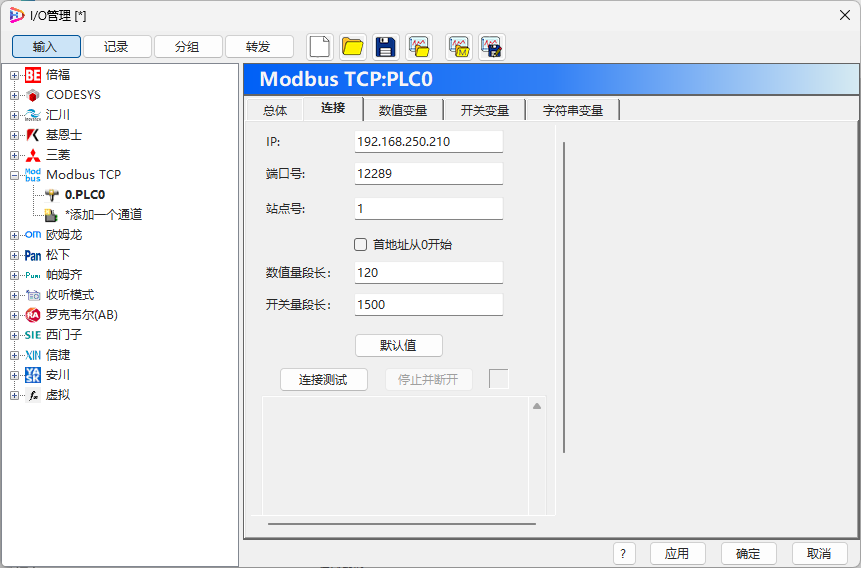 3. Modbus Address Correspondence
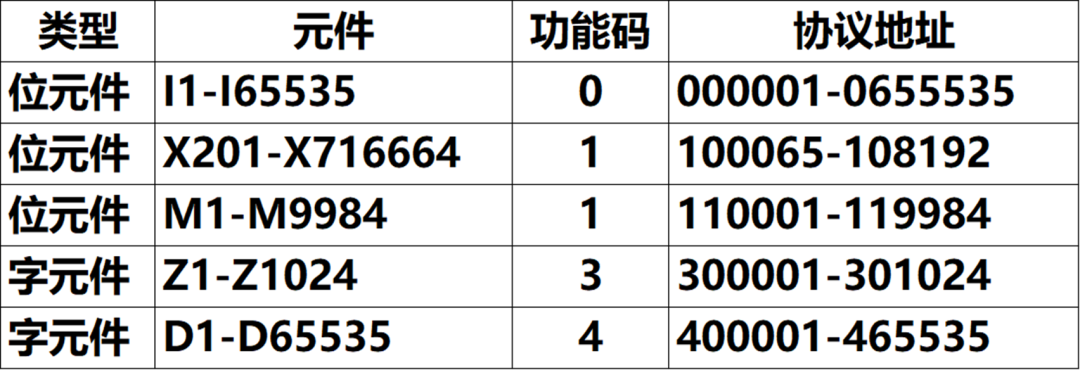 4. IO Configuration Example(I0-I7)Fill in Address –> Application IO Configuration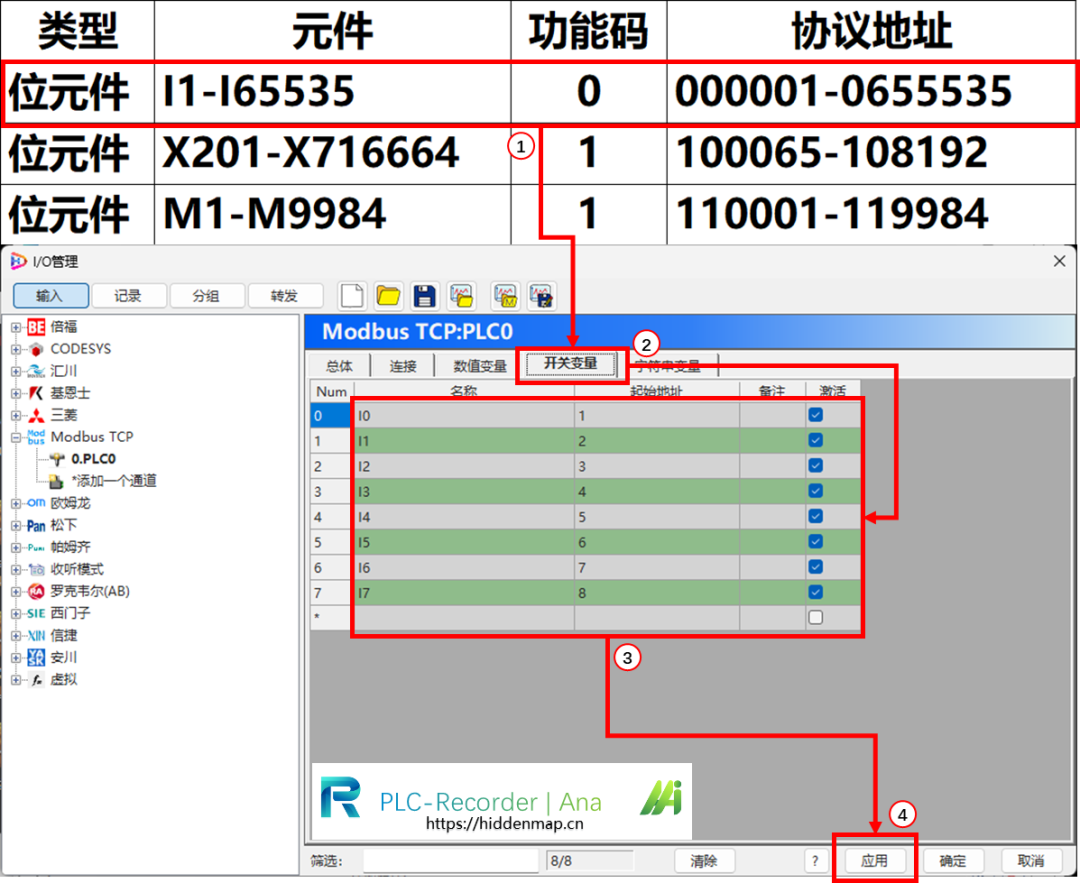
3、Start Data Collection
1. Click “Start Collection”
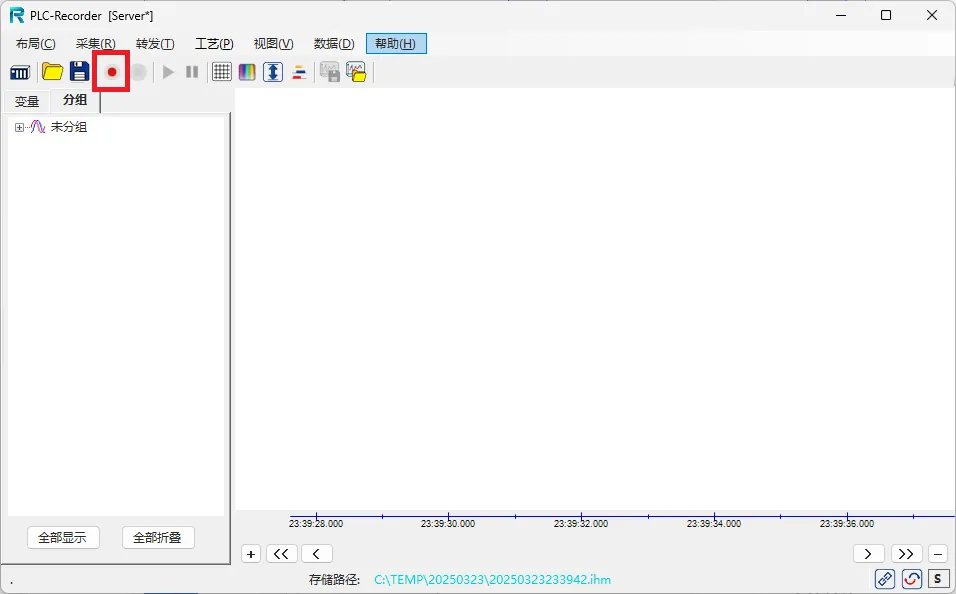 2. Variable Operations
4、Precautions
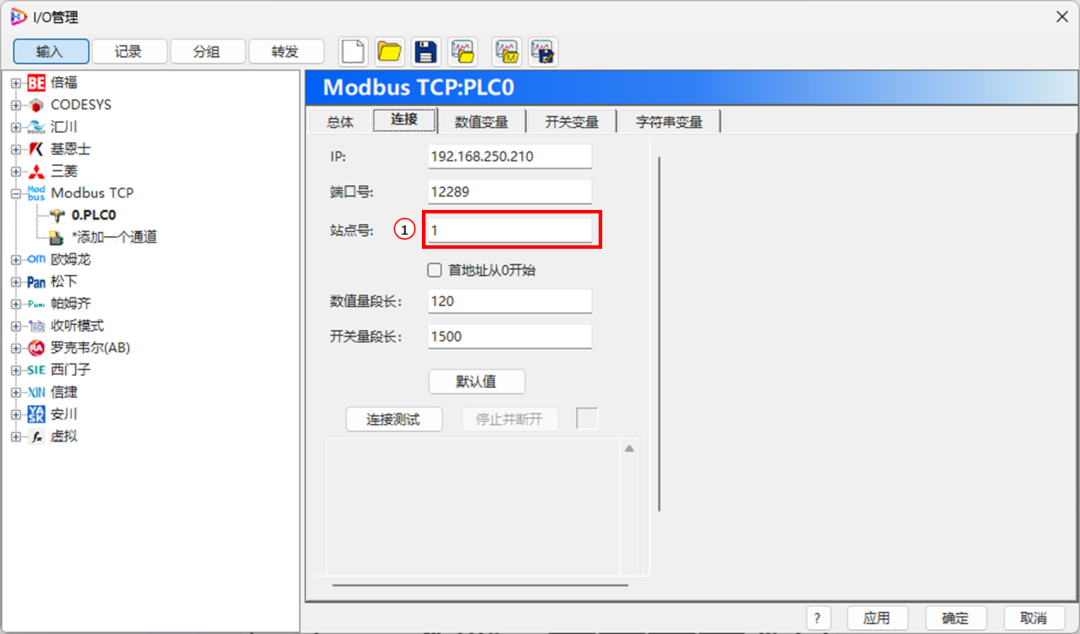
1)If the address is correct but the variable value is abnormal, you can adjust the following settings
- Specify byte order to display variable values correctly
- Station Number
 2)For more precautions, please refer to the article below
PLC-Recorder FAQ: Summary of Modbus TCP Channel Issues


Software Deployment Methods OthersFor various tips and case studies, please follow this public account to view articles.



 Extended Knowledge: The PLC-Recorder professional data collection and analysis software can collect string variables as conveniently as numeric variables.
 In the future, we will periodically provide more PLC engineering tips. Follow us to stay updated.