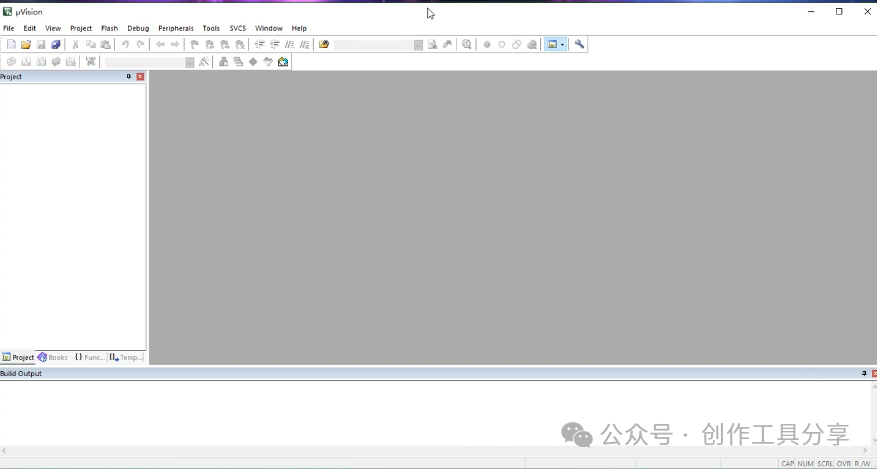
Keil5 STM32 version is an integrated development environment (IDE) specifically designed for the STM32 series microcontrollers, launched by ARM. It provides complete code editing, compiling, debugging, and downloading functionalities, supporting C/C++ programming, and includes a rich set of library functions and example codes, greatly facilitating embedded development. Users can manage projects and configure hardware through an intuitive interface, and with debugging tools like ST-Link, they can efficiently debug programs and optimize performance, making it one of the widely used tools among STM32 developers.
Installation Requirements: Operating System: Windows 7, Windows 8, or Windows 10 Processor: 1 GHz or higher Memory: 1 GB RAM (recommended 2 GB or more)
Software Acquisition: Follow the public account or send the number: 1 to automatically receive the software package link
Detailed Software Installation Steps:
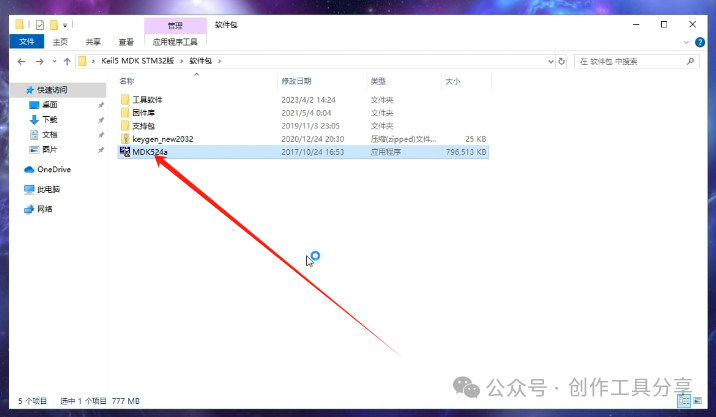
1. Open and double-click to start the installation
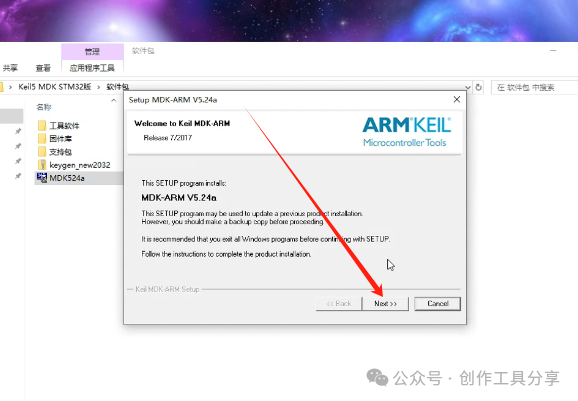
2. Next
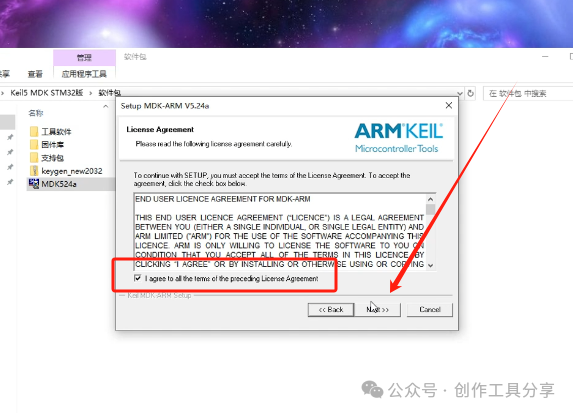
3. Check the agreement and proceed to the next step
4. Next
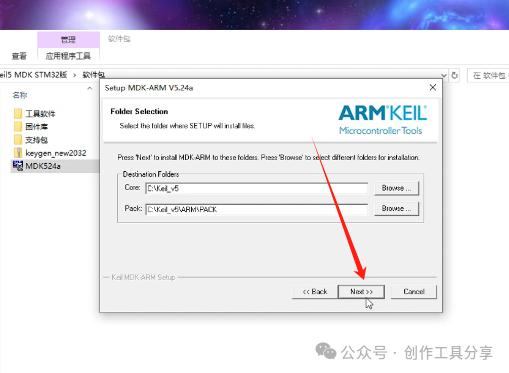
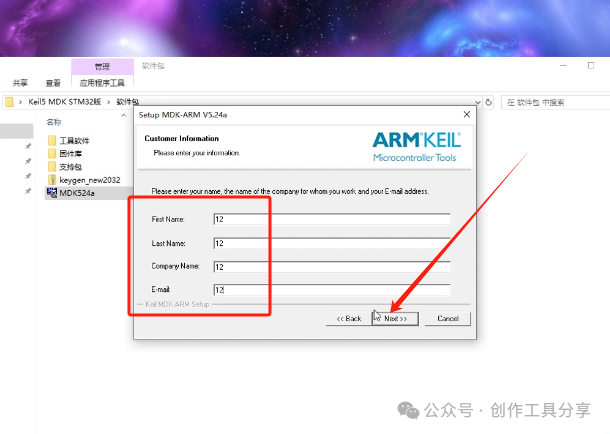
5. Enter anything here, then proceed to the next step
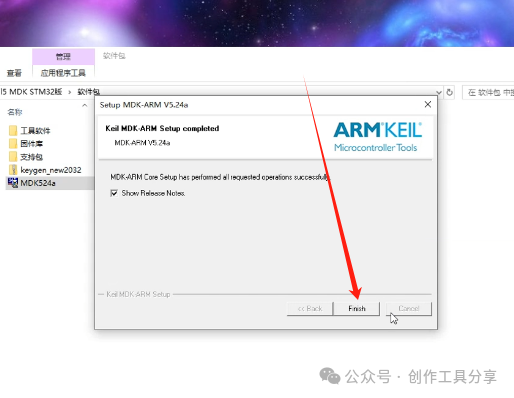
6. Click finish
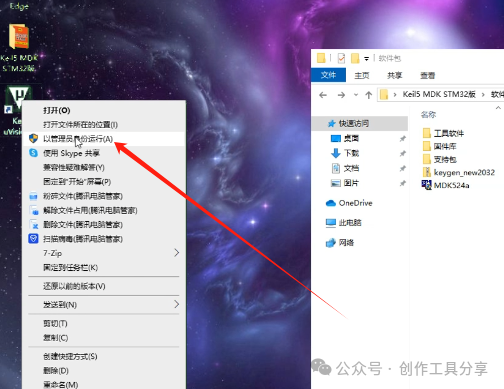
7. Right-click to run as administrator
8. Extract this to the current location
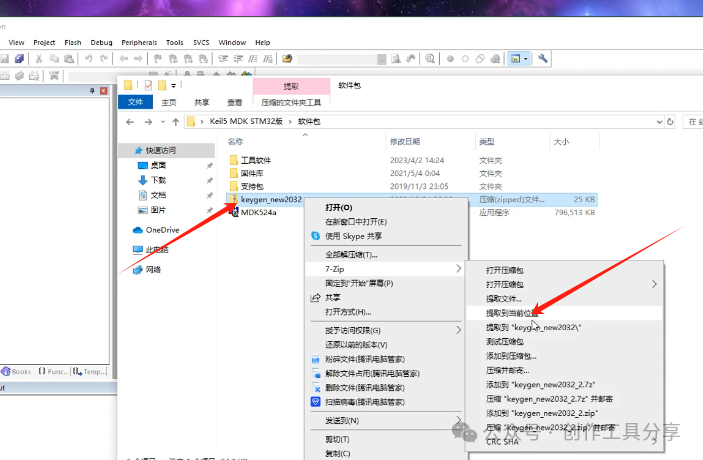
9. Click on the software here
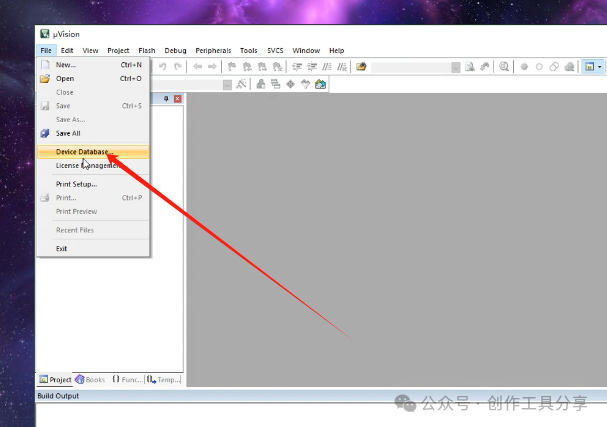
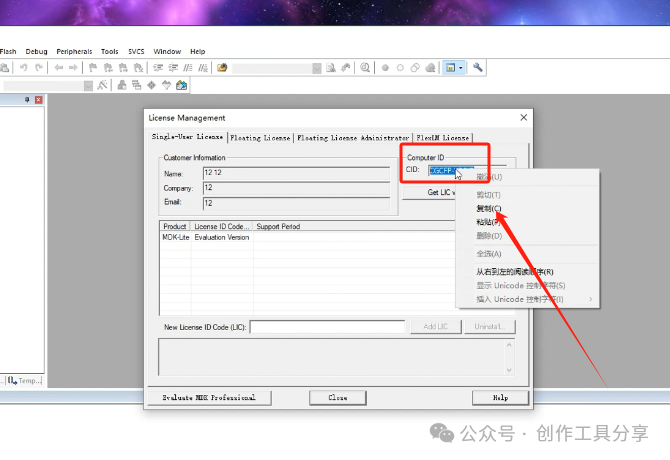
10. Copy the ID
11. Paste it here
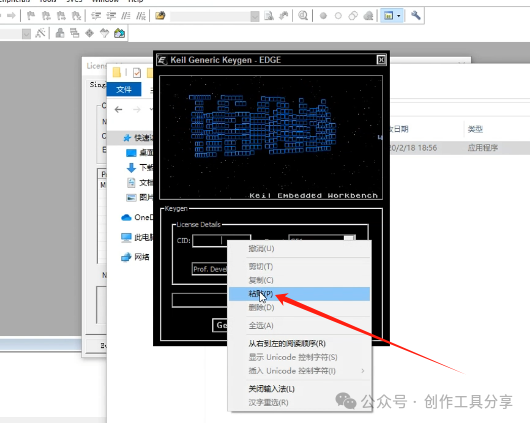
12. Select this option here
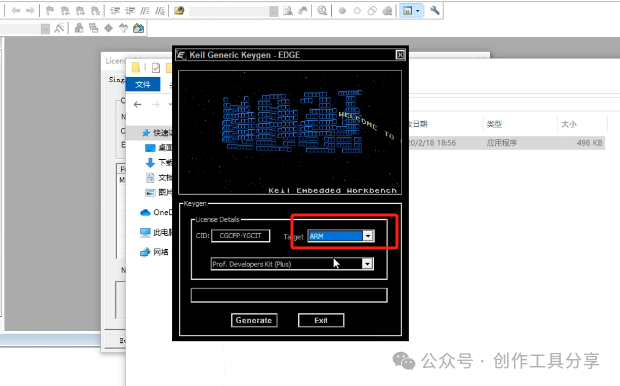
13. Click here to generate a registration code and copy it
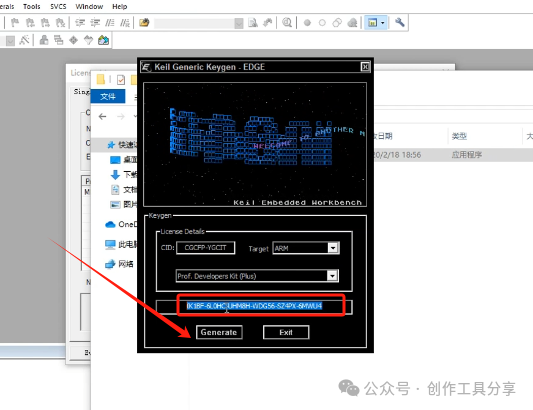
14. Paste it here and click the button on the right, it should show success
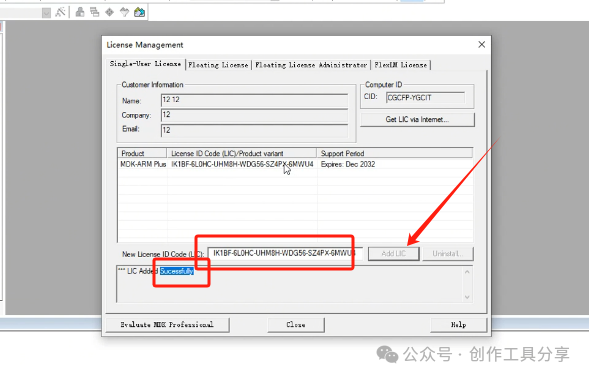
15. Installation complete