
Source:juejin.cn/post/7249624466150408250
- Introduction
- How Ribbon Performs Load Balancing
- RibbonClientConfiguration
- ZoneAwareLoadBalancer
- Ribbon Load Balancing Strategies
- Ribbon Eager Load Mode
- Enabling Ribbon Eager Load
- Conclusion
Introduction
First, we need to understand how Feign performs remote calls, which includes the relationship between the registration center, load balancing, and FeignClient. Microservices register with the server through either Eureka or Nacos, and Feign relies on Ribbon for load balancing. Ribbon needs to obtain the service list from the registration center and cache the services locally, after which the FeignClient makes the call. This is the general process.
How Ribbon Performs Load Balancing
First, we need to clarify how Ribbon performs load balancing, specifically how it retrieves the service list from Nacos or Eureka, which is crucial.
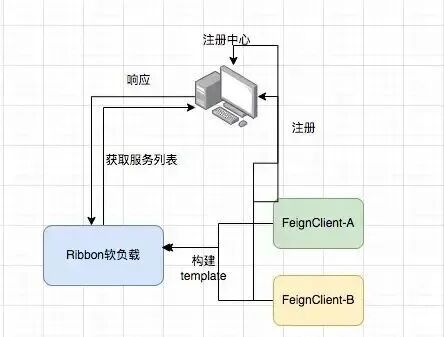
RibbonClientConfiguration
In the RibbonClientConfiguration class, through LoadBalancer, we know that Ribbon relies on LoadBalancer for load balancing. This involves methods from the ILoadBalancer interface, which include adding new services, selecting a service from the load balancer, marking a server as down, retrieving the service list, getting alive servers, and obtaining all servers (both healthy and unhealthy).
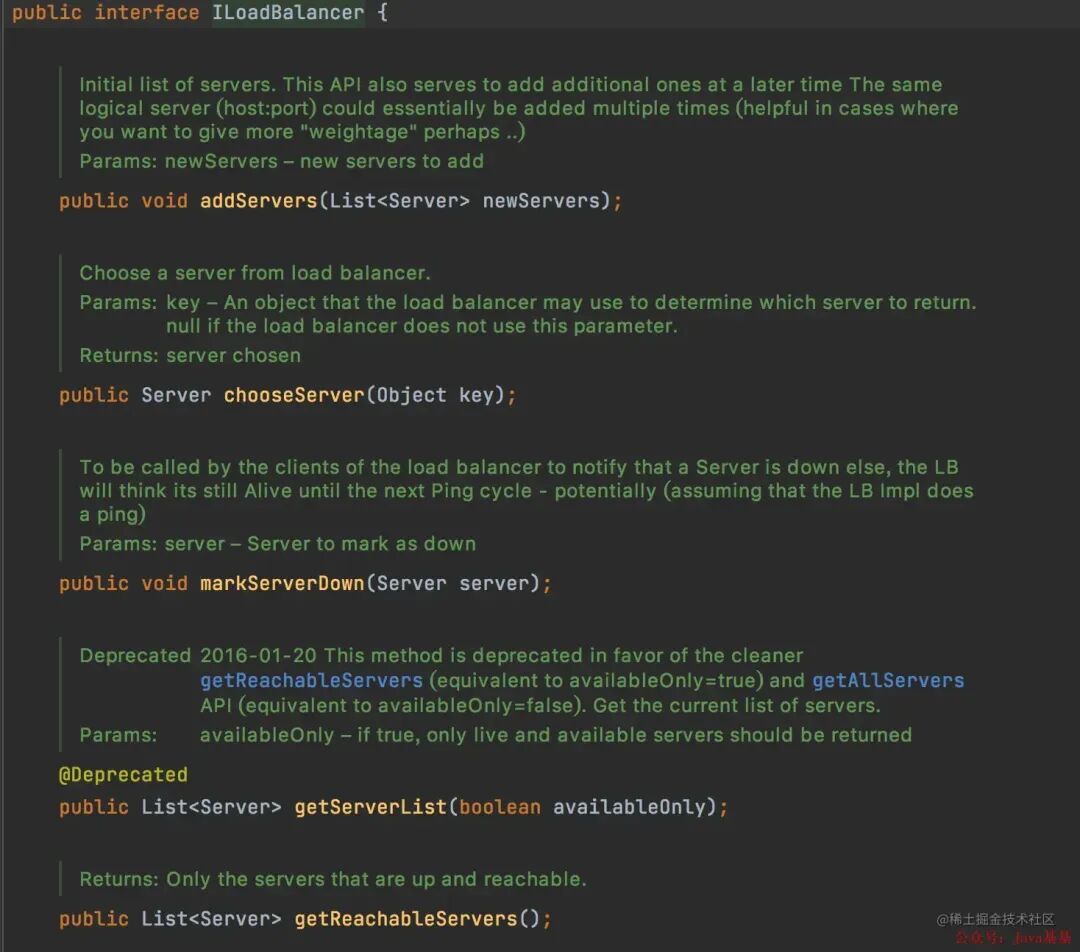
ZoneAwareLoadBalancer
The default load balancer is ZoneAwareLoadBalancer, which inherits from the DynamicServerListLoadBalancer’s restOfInit method. Two important methods within it are enableAndInitLearnNewServersFeature and updateListOfServers.
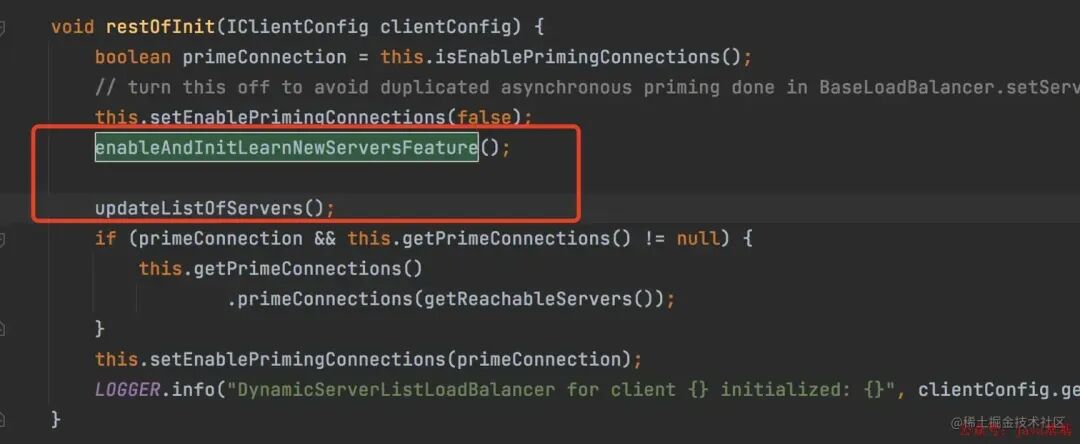
Inside the enableAndInitLearnNewServersFeature method.
LOGGER.info("Using serverListUpdater {}", serverListUpdater.getClass().getSimpleName());
serverListUpdater.start(updateAction);
Let’s look at the implementation of the ServerListUpdater.start method, which retrieves the service list using a custom thread.
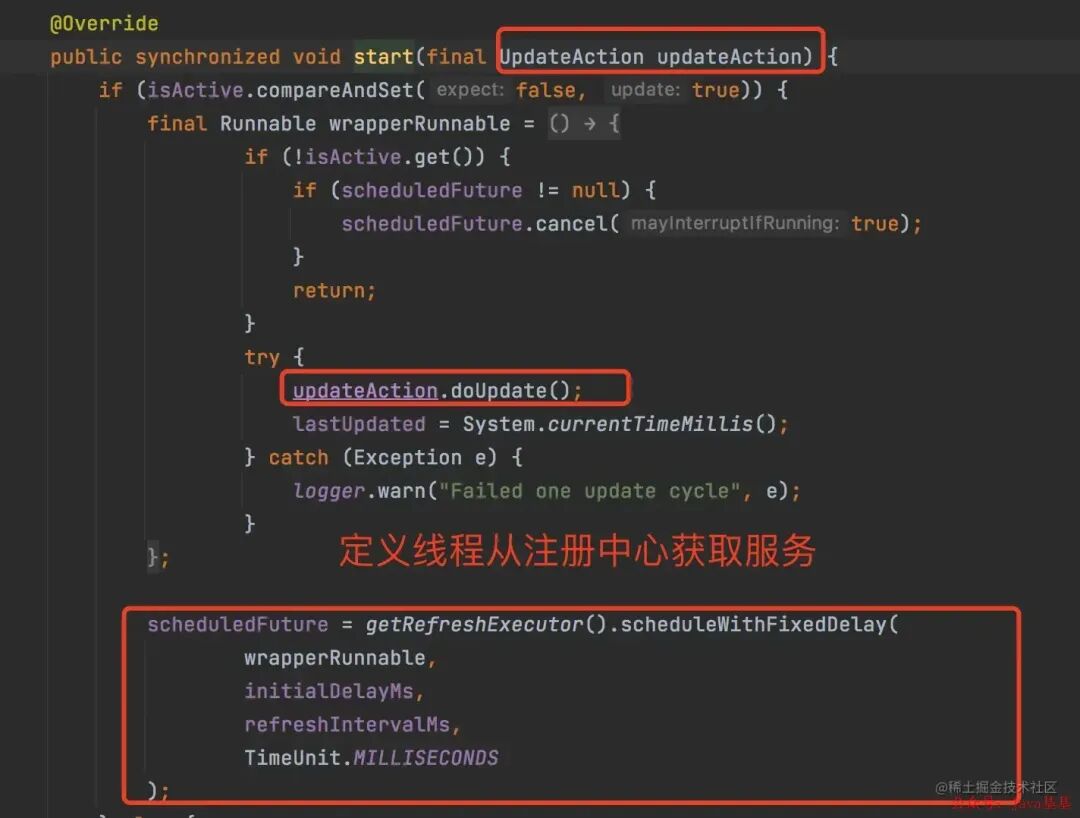
Ribbon Load Balancing Strategies
Having discussed how to obtain the service list, it is also necessary to talk about load balancing strategies, which mainly include seven types:
- RoundRobinRule (Round Robin strategy, calls services in order)
- WeightedResponseTimeRule (Weighted response time strategy, prioritizes services with shorter response times)
- RandomRule (Random strategy, randomly selects a service from the provider list)
- BestAvailableRule (Least connections strategy, selects the service instance with the fewest connections)
- RetryRule (Retry strategy, retries to obtain a service that has become unavailable)
- AvailabilityFilteringRule (Availability-sensitive strategy, filters out unhealthy service instances)
- ZoneAvoidanceRule (Zone-sensitive strategy)
Ribbon Eager Load Mode
Ribbon creates the load client only after the service starts and when a call is made. Therefore, during the first HTTP request, not only the HTTP request time is counted, but also the client creation time, which is why the first call is slow. Here’s a method to demonstrate this.
System service calls System2 service
@GetMapping("/requestSystem2Api")
public String requestSystem2Api(){
    long startTime = System.currentTimeMillis();
    R<String> stringR = iTestServiceClient.testRequestMethod();
    if (null != stringR){
        log.info("API response: " + stringR.getMsg());
    }
    long needTime = System.currentTimeMillis() - startTime;
    log.info("Time taken for API call: " + needTime);
    return "";
}
From the call logs, we can see that during the first call to the System2 service, Ribbon’s DynamicServerListLoadBalancer will load the Feign client and make the call. The time taken for the first call will be longer, while subsequent calls will be faster.

Enabling Ribbon Eager Load
ribbon:
  nacos:
    enabled: true # Enable Nacos polling
  eager-load:
    enabled: true # Enable Ribbon's eager load mode (to prevent timeout on the first request)
  clients: Lxlxxx-system2 # Specify the service to enable eager load for
  ReadTimeout: 10000
  ConnectTimeout: 10000
  MaxAutoRetries: 0
  MaxAutoRetriesNextServer: 1
  OkToRetryOnAllOperations: false
When the project starts, you can see from the logs that the Lxlxxx-system2 service has been loaded, thus avoiding timeout on the first request.

Conclusion
This eager load mode is similar to a “client load preheating” operation, where services are loaded at project startup to prevent timeouts due to data volume or complex business logic. If your inter-service calls are complex and slow, you might want to try this solution.
END