Click “IT Code Walker” to follow and pin the official accountDaily technical content delivered promptly! 01Introduction
 First, we need to understand how Feign performs remote calls, which includes the relationship between the registration center, load balancing, and FeignClient. Microservices register with the server through either Eureka or Nacos. Feign relies on Ribbon for load balancing, which requires obtaining the service list from the registration center and caching the services locally. Then, the FeignClient makes the call, which is essentially the process.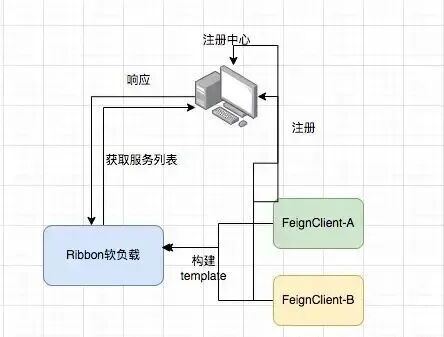
 02How Ribbon Performs Load Balancing
 First, we need to clarify how Ribbon performs load balancing, specifically how it obtains the service list from Nacos or Eureka, which is crucial.RibbonClientConfigurationIn the RibbonClientConfiguration class, through LoadBalancer, we know that Ribbon relies on LoadBalancer for load balancing. The methods of the ILoadBalancer interface include adding new services, selecting a service from the load balancer, marking a server as down, obtaining the service list, getting alive servers, and retrieving all servers (both healthy and unhealthy).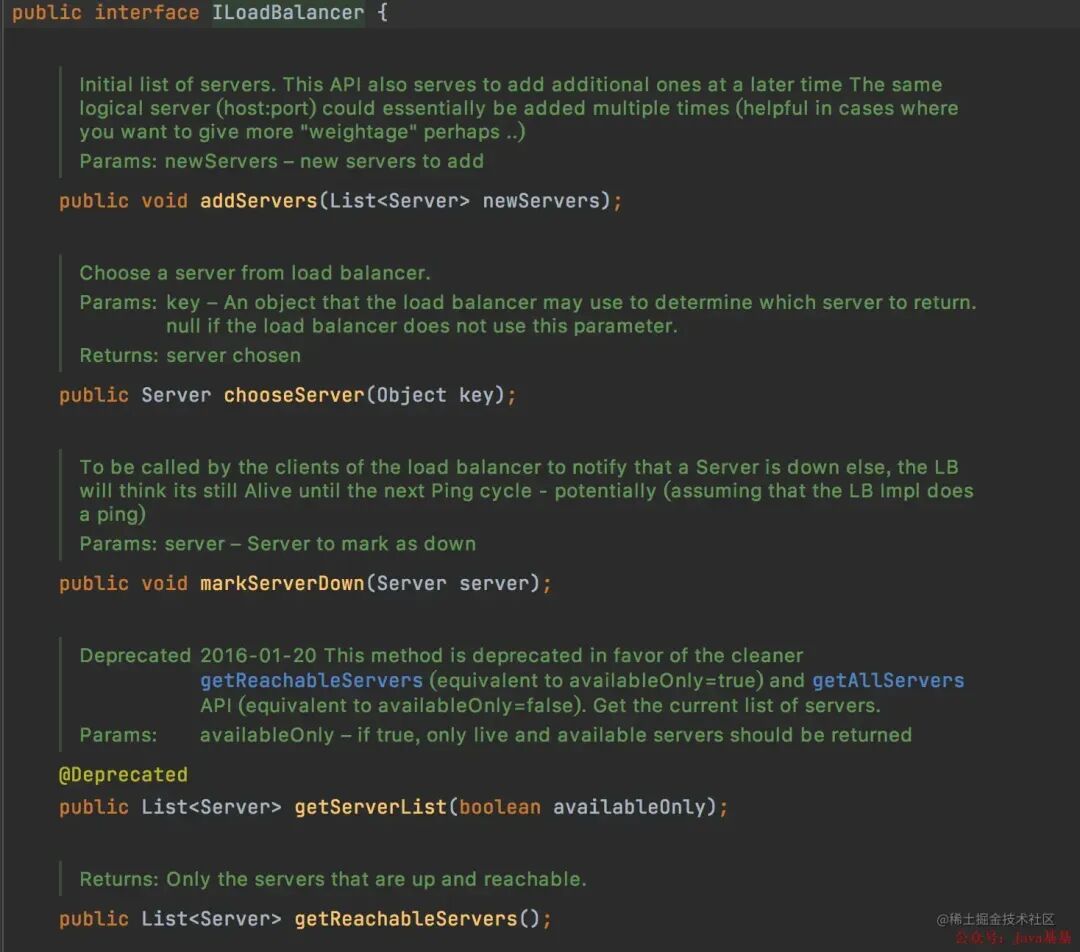
ILoadBalancer InterfaceZoneAwareLoadBalancerThe default load balancer is ZoneAwareLoadBalancer, which inherits from the DynamicServerListLoadBalancer’s restOfInit method. Two important methods in this context are enableAndInitLearnNewServersFeature and updateListOfServers.
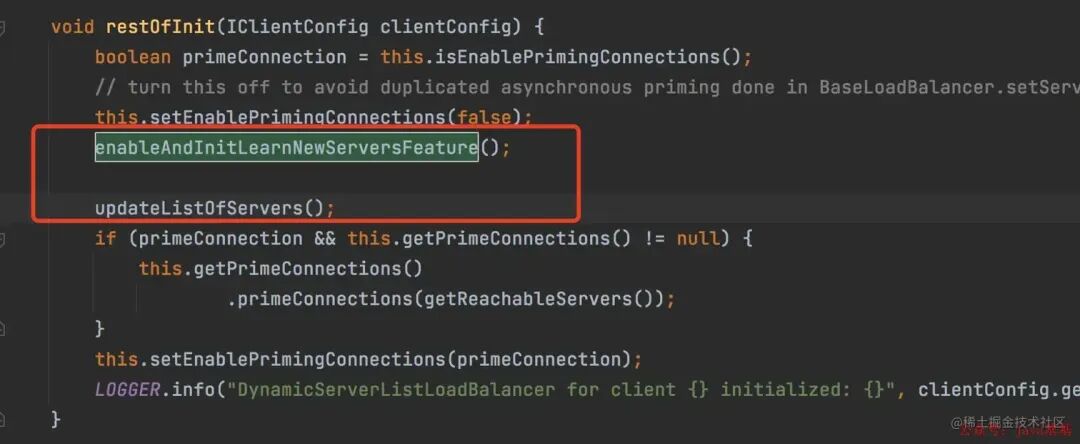
restOfInit MethodInside the enableAndInitLearnNewServersFeature method.
LOGGER.info("Using serverListUpdater {}", serverListUpdater.getClass().getSimpleName());
serverListUpdater.start(updateAction);
Let’s look at the implementation of the ServerListUpdater.start method, which uses a custom thread to retrieve the service list.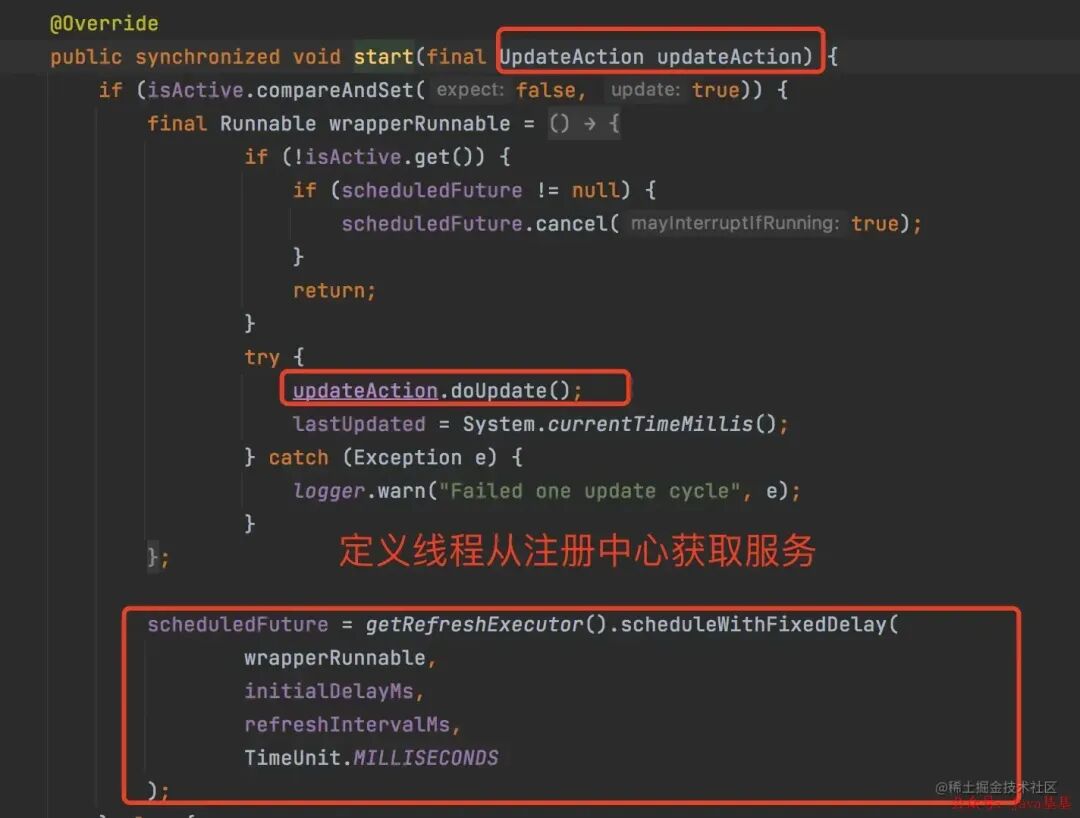
ServerListUpdater.start
 03Ribbon Load Balancing Strategies
 Having discussed how to obtain the service list, it is also necessary to talk about the load balancing strategies, which mainly include seven types:
- RoundRobinRule (Round-robin strategy, cyclically calling services in order)
- WeightedResponseTimeRule (Weighted response time strategy, prioritizing services with higher weight, meaning shorter response times; longer response times result in lower weight)
- RandomRule (Random strategy, randomly selecting a service from the provider list)
- BestAvailableRule (Least connections strategy, selecting the service instance with the least number of connections from the service list)
- RetryRule (Retry strategy, retrying to obtain a service that has become unavailable; returns NULL if not obtained within a specified time)
- AvailabilityFilteringRule (Availability-sensitive strategy, filtering out unhealthy service instances)
- ZoneAvoidanceRule (Zone-sensitive strategy)
 04Ribbon Eager Load Mode
 Ribbon creates the load client only after the service starts and when a call is made. Therefore, during the first HTTP request, not only the HTTP request time must be considered, but also the client creation time. This is why the first call is slow. Here is a method to demonstrate the call.System service calls System2 service
@GetMapping("/requestSystem2Api")
public String requestSystem2Api(){
    long startTime = System.currentTimeMillis();
    R<String> stringR = iTestServiceClient.testRequestMethod();
    if (null != stringR){
        log.info("API response: " + stringR.getMsg());
    }
    long needTime = System.currentTimeMillis() - startTime;
    log.info("Time taken for API call: " + needTime);
    return "";
}
From the call log, we can see that the first call to the System2 service causes Ribbon’s DynamicServerListLoadBalancer to load the Feign client and make the call. The time for the first call is longer, while the second call can be seen to be much faster.
First call is slow, second call is fast
 05Enabling Ribbon Eager Load
ribbon:
  nacos:
    enabled: true # Enable Nacos polling
  eager-load:
    enabled: true # Enable Ribbon's eager load mode (to prevent first request timeout)
  clients: Lxlxxx-system2 # Specify the service to enable eager load mode
  ReadTimeout: 10000
  ConnectTimeout: 10000
  MaxAutoRetries: 0
  MaxAutoRetriesNextServer: 1
  OkToRetryOnAllOperations: false
When the project starts, you can see from the logs that the Lxlxxx-system2 service has been loaded, thus avoiding the first request timeout issue.
Enabling Ribbon Eager Load
 06Conclusion
 This eager load mode is similar to a “client load preheating” operation, where loading occurs at project startup to prevent service calls from timing out due to data volume or complex business logic. If your inter-service calls are complex and slow, you might want to try this solution.Source: juejin.cn/post/7249624466150408250—END—PS: To avoid losing this article, you can bookmark and like it for easy reference.
Previous Recommendations
The weather has changed, Spring Boot 4 has been shockingly released! Performance improved by 40%
ShardingJDBC has some pitfalls; don’t mindlessly suggest sharding databases and tables!
A boon for developers: one interface unlocks all large models…
Stop just using mvn install! A deep dive into the core principles of Maven plugins.
Spring Boot can handle leave approval processes in one line of code, doubling your free time!
Still manually deploying packages? The most comprehensive guide to Jenkins + Maven + Git automated deployment!