TFTP (Trivial File Transfer Protocol) is a protocol in the TCP/IP protocol suite used for simple file transfers between clients and servers. It provides a straightforward and low-overhead file transfer service, operating on port 69.
TFTP is a simple protocol for transferring files, implemented based on the UDP protocol. However, we cannot be certain that some TFTP protocols are completed using other transport protocols. This protocol was designed for transferring small files, and therefore it lacks many of the features typically found in FTP. It can only retrieve or write files from a file server, cannot list directories, does not perform authentication, and transfers 8-bit data. There are three modes of transfer: netascii, which is an 8-bit ASCII format; octet, which is an 8-bit raw data type; and the mail mode, which is no longer supported, as it returns data directly to the user instead of saving it as a file.
Under normal circumstances, OpenWrt supports TFTP by default. You can search for it in the root directory of the source code using the command find . -name tftp, for example:

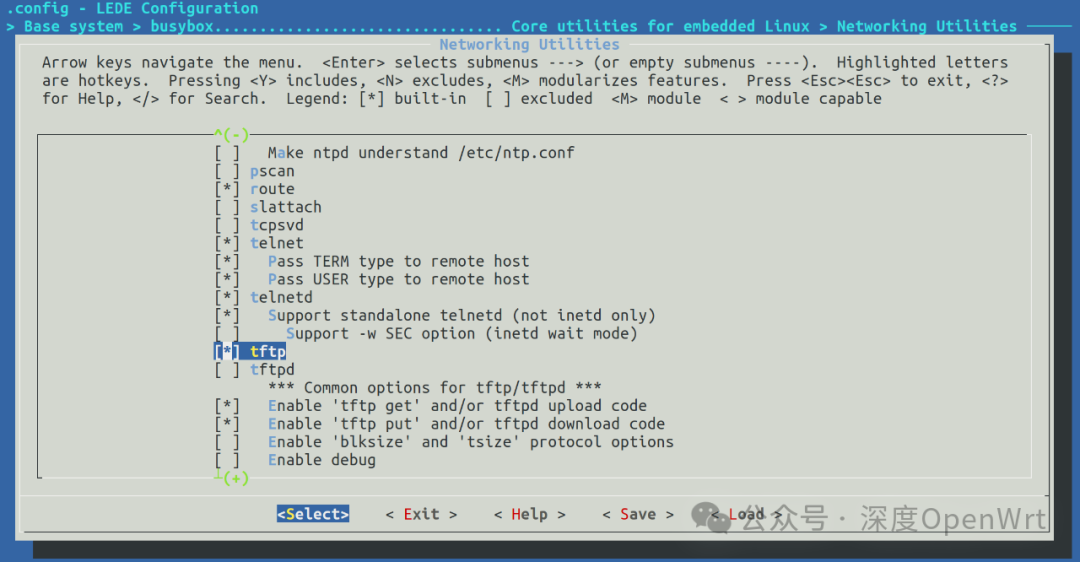
The main focus is to check if there is an executable file /usr/bin/tftp in the temporary root filesystem directory under staging_dir. If it exists, it indicates that the compiled version supports the TFTP tool. If not, you need to check the configuration in BusyBox. Below is the configuration path for LEDE:
Abnormal Situations
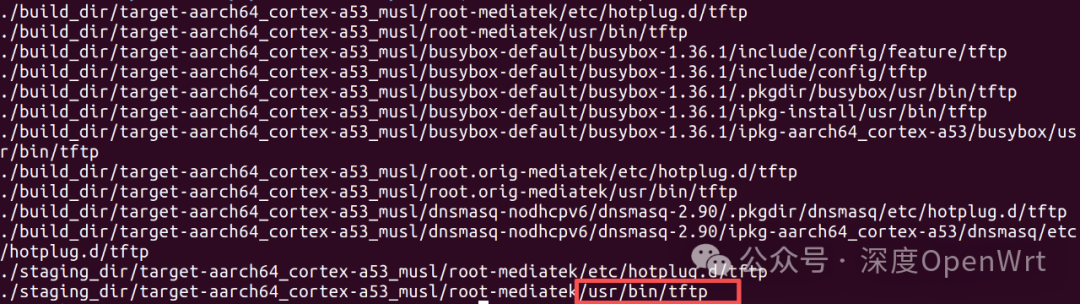
Since we have discussed the normal situation, there can also be “abnormal” cases. For instance, in the OpenWrt version 25.05.5 that I currently use the most, the GL-iNet MT3000 compiled with the default configuration does not include the TFTP tool. Checking the generated temporary files, I found that there is no executable file /usr/bin/tftp in the root filesystem directory:

However, upon checking the BusyBox configuration, the TFTP tool was selected:
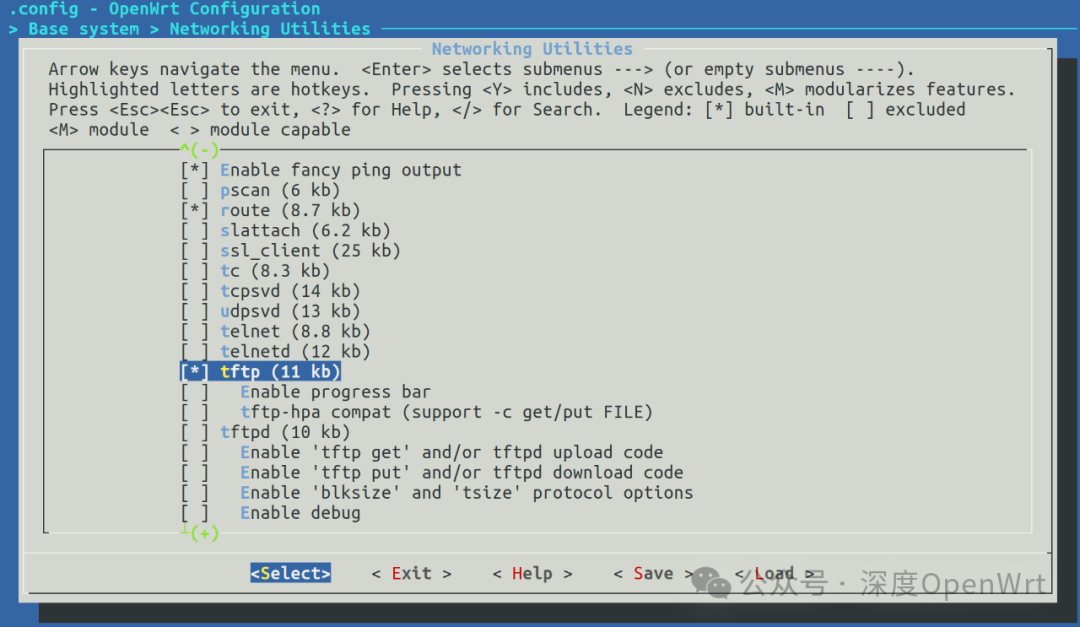
Where could the problem lie? At this point, one can only suspect that the compilation dependencies have changed. Therefore, I attempted to select the relevant tftpd options, as shown in the image below:
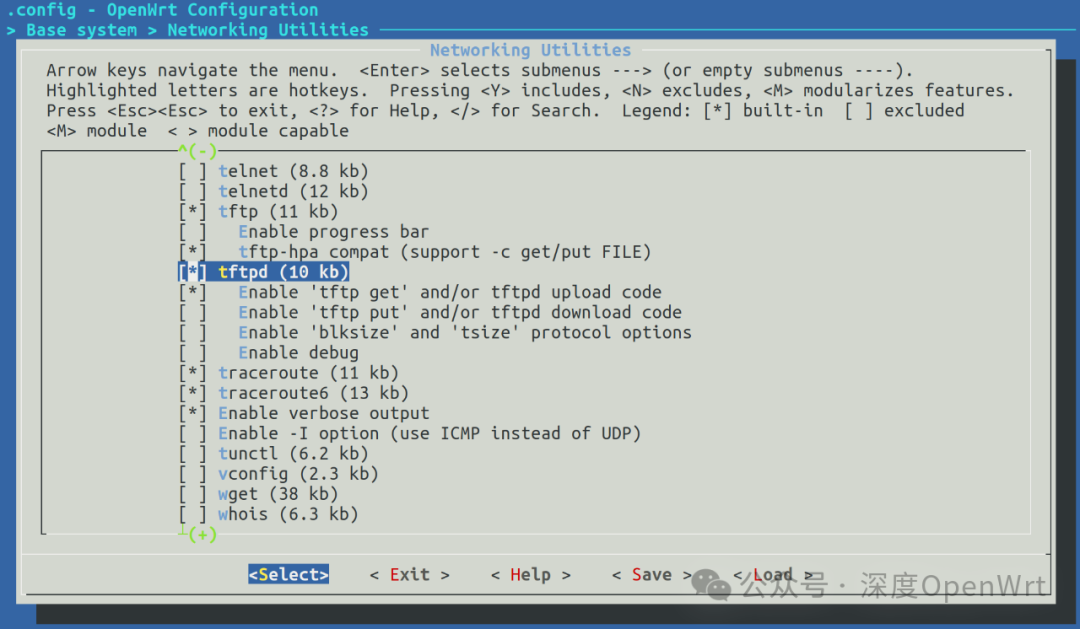
After selecting it and recompiling, I was surprised to find that there was indeed an executable file /usr/bin/tftp:
After writing the compiled version to the device, you can test whether the TFTP tool is available using the following command:
root@OpenWrt:/# tftp --helpBusyBox v1.36.1 (2024-09-23 12:34:46 UTC) multi-call binary.
Usage: tftp [OPTIONS] HOST [PORT]
Transfer a file from/to tftp server
        -l FILE Local FILE        -r FILE Remote FILE        -g      Get file