When you do not want to expose core code to others, especially to clients, you can package the source code into a static library.
Generating the Library
1. In the project, exclude files that do not need to be included in the library. Right-click on the project file —-> Options —-> Exclude from build (to exclude from compilation), then confirm.
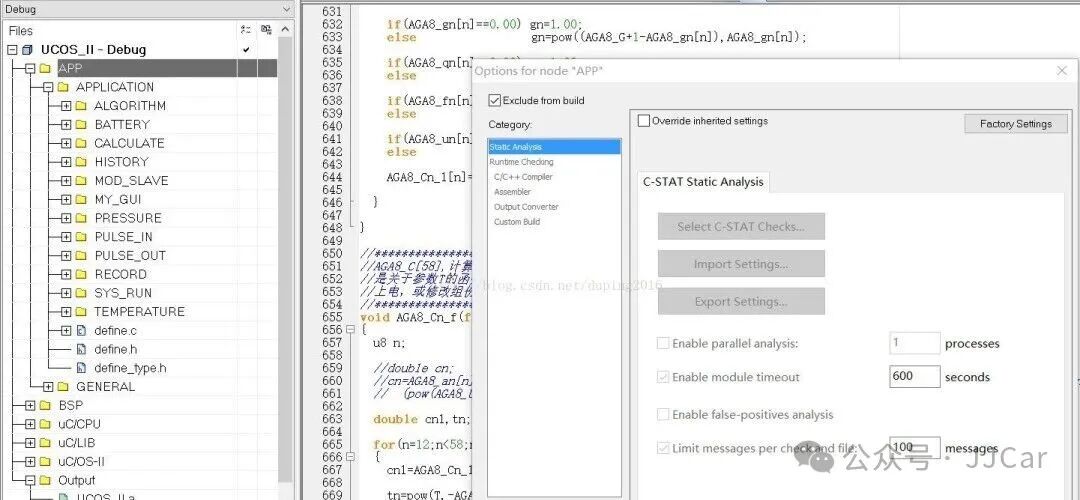
2. Select the project file, right-click —-> Options —-> General Options —-> Output, select Library, then confirm, as shown in the figure.
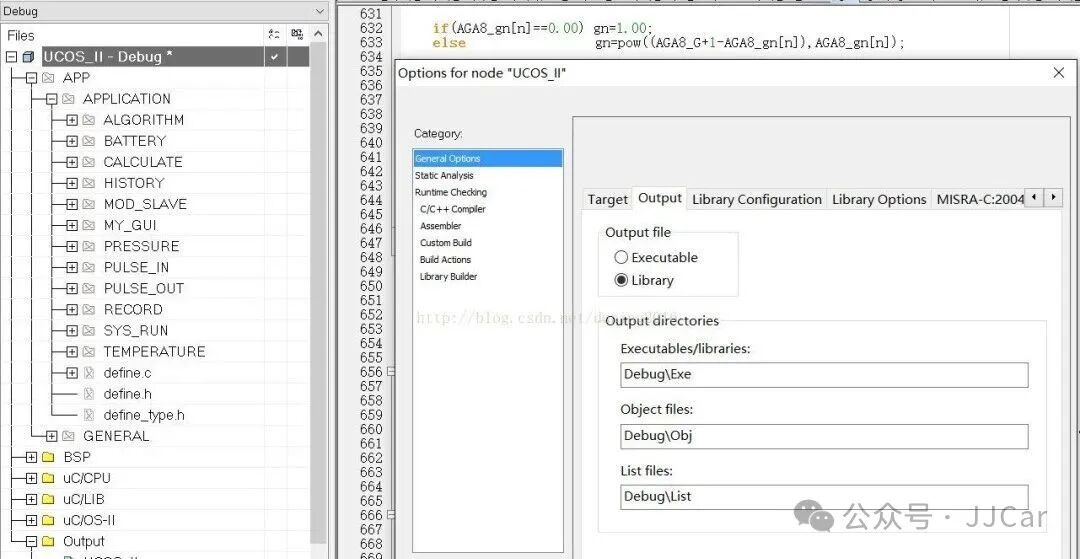
3. At this point, recompile the project,Project-> Rebuild all, after compilation, a library file with the suffix .a will be generated in the Debug->Exe folder.
4. Select the project, right-click —-> Options —-> General Options —-> Output, select Executable,
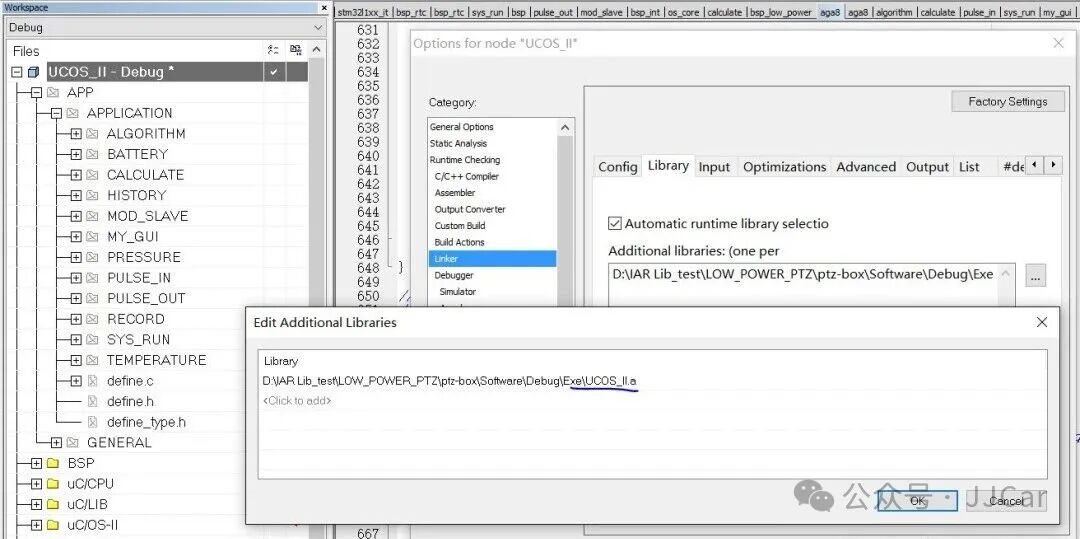
5. Select Linker —-> Library, add the .a file generated in step 3 to the Additions libraries, then confirm, as shown in the figure.
6. Return to the code page, delete the .c files in the project that have already generated library files, keeping only the .h files.
7. Right-click on the files excluded from library generation and uncheck Exclude from build, then confirm.
8. Recompile the project, at this point the project will be able to directly call the generated static library file.
Note:
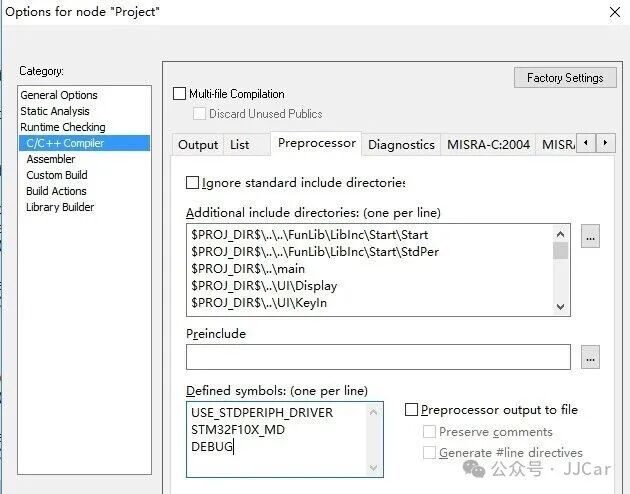
There are two modes for the generated library files, one is the debug mode .a file, and the other is the non-debug mode .a file. The settings are as follows: select the project file —-> right-click —-> C/C++ Compiler —-> Preprocessor —-> add or remove debug mode macros —-> ok, this will generate the corresponding debug mode .a library file or non-debug mode .a library, as shown in the figure.