
Keywords: Keil, STM32CubeProgrammer
Table of Contents
1. Introduction
2. Steps
3. Results
4. Conclusion
01
Introduction
Early users of new STM32 MCU products sometimes encounter situations where the toolchain is still being perfected. For example, some STM32 tools already support the product, while others are still being updated. Specifically for Keil users, they may be able to use STM32CubeProgrammer for downloading, but the software Pack supporting this product series in the Keil compiler will take some time to be updated. Thus, users can compile and even debug with the Keil compiler, but cannot directly download the new product in the Keil environment. In this case, users can choose to wait or extend Keil’s FLM to support the product. However, considering the time constraints for product development and the fact that the new STM32 official Pack will be released soon, a simpler and faster solution is to directly use STM32CubeProgrammer in Keil to download before debugging.
02
Steps
We will take the CRC_Example of NUCLEO-H723ZG as an example. It is a complete project in the STM32Cube package that can be compiled, downloaded, and debugged using the corresponding Pack. We use this project to illustrate how to directly use STM32CubeProgrammer for Flash downloading, without any other special significance. First, in the Keil project interface, select the menu [Flash] -> [Configure Flash Tools].
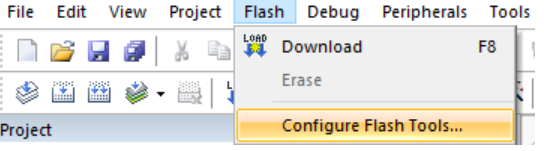
Figure 1. Configuration Menu
Alternatively, right-click on the project name in the project browser, select [Options], then choose [Utilities]
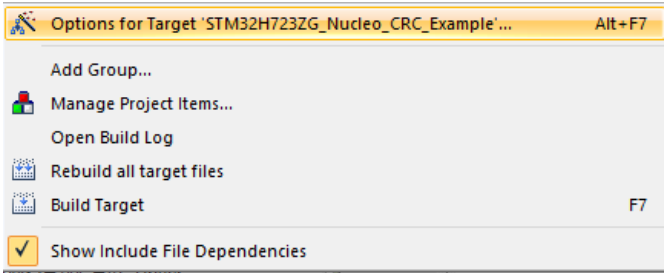
Figure 2. Project Options
You will see the following menu, indicating that the project defaults to using the FLM in the Pack for downloading.
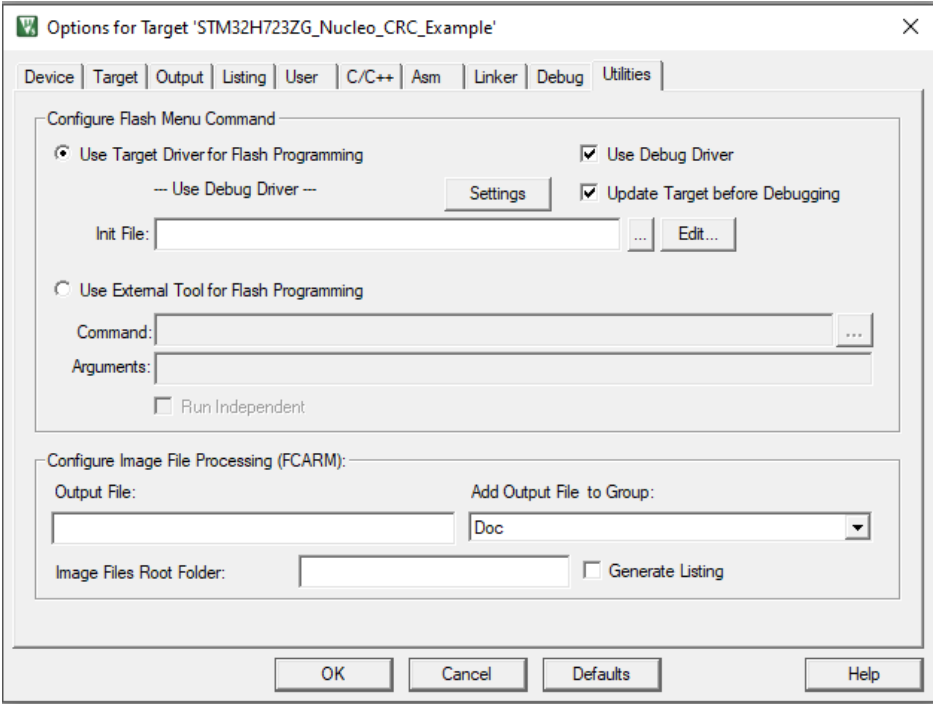
Figure 3. Tool Options Configuration
We will switch it to [Use External Tool for Flash Programming].
In [Command], select STM32_Programmer_CLI.exe, which will automatically fill in the full path, for example:
C:\ProgramFiles\STMicroelectronics\STM32Cube\STM32CubeProgrammer\bin\STM32_Programmer_CLI.exe
In [Arguments], enter the parameters for using ST-Link and the filename, as follows:
-c port=swd -w #L
For more usage of STM32_Programmer_CLI, such as modifying a specific option byte before debugging, refer to the STM32CubeProgrammer User Manual UM2237.
It is worth mentioning the use of the Keil #L parameter. To ensure the universality of this command line, we should use some parameters provided by the compiler tools to indirectly point to the required programming path and file, rather than hard coding. This way, changes in project options do not affect this command line; moreover, this command line can also be copied for use in multiple projects. The meaning of #L and other similar parameters can be searched in Keil’s online help under “Key Sequence for Tool Parameters”. The settings interface is as follows:
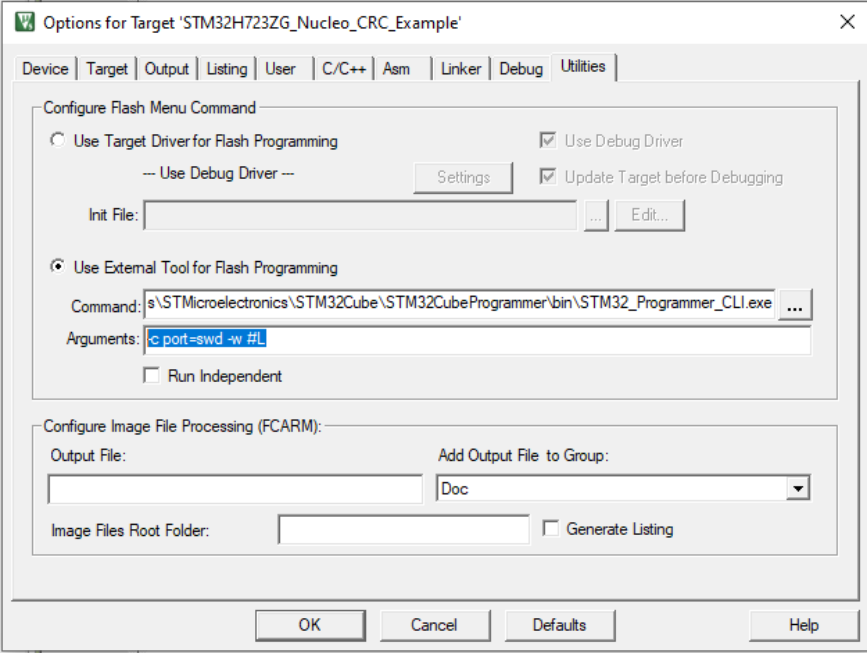
Figure 4. Configuration of Programming Command
Where [Run Independent] means whether to allow Keil to proceed without waiting for the command line to finish executing. We hope to execute in order, so this option is not checked. Users can toggle this option to observe the effects.
03
Results
If you directly select [Debug]

Figure 5. Debugging
You will find that Flash downloading does not occur. Indeed, this is one of the less perfect aspects. However, if you choose [Download]
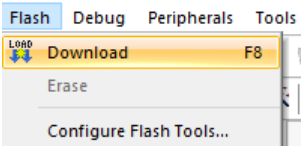
Figure 6. Download
You will find that Keil calls the STM32CubeProgrammer command line for the current project’s download, as shown below:
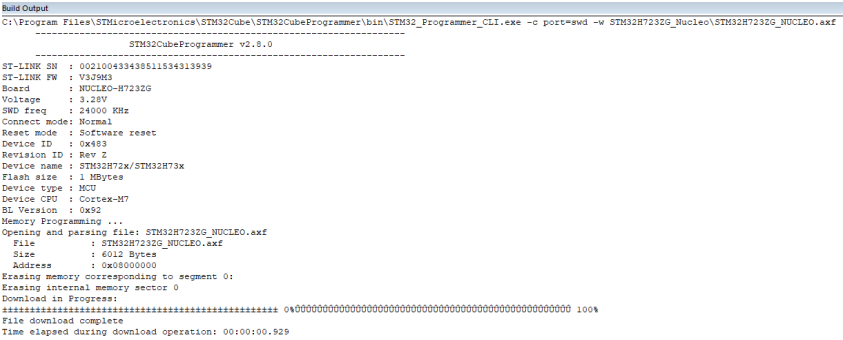
Figure 7. Command Log
Then, users can start debugging by selecting [Debug], and everything works fine. Therefore, a simple method is for users to press F8 before debugging. This is not much more troublesome than using the Pack’s FLM.
04
Conclusion
This article provides a method for using STM32CubeProgrammer in Keil to download firmware before debugging, suitable for early users of new STM32 MCU products as a reference when using Keil.

For the complete content, please click “Read Original” to download the original document.