System Component Architecture
Hardware Platform: The core processor of the vehicle system uses the Rockchip RK3588 SoC. The RK3588 integrates a multi-core CPU and GPU, supports hardware video encoding and decoding, and accelerates graphics rendering, making it suitable for in-vehicle multimedia applications. The board should be equipped with Wi-Fi and Bluetooth wireless modules, used to establish a wireless connection with mobile phones (CarPlay/HiCar/CarLife+ mainly achieves screen mirroring through Bluetooth + Wi-Fi (Explaining Carplay in Simple Terms (Original) – CSDN Blog) (Automotive Hardware: Choosing the Wireless Connection Solution for HUAWEI HiCar – Huawei Developer Q&A) ). The Wi-Fi module must support the 5GHz band to ensure high-speed, low-latency data transmission, while Bluetooth is used for initial pairing and control channels. The hardware should also reserve USB interfaces to support wired connections and debugging, with at least one USB port having OTG functionality to act as a USB Gadget device when needed (CarPlay wired mode requires the vehicle system to act as a USB slave device, exchanging Host/Slave roles with the iPhone (Explaining Carplay in Simple Terms (Original) – CSDN Blog) ). Additionally, the vehicle hardware includes a display (≥6 inches, resolution above 800×480 (Apple fast tracks CarPlay hardware development with official MFi specs for head units – 9to5Mac) ), microphone, speakers, and other in-vehicle I/O, as well as necessary storage and RAM to run the Linux system and cache audio and video data.
Low-Level Drivers and Operating System: A bare Linux system (non-Android) is used to build the vehicle OS, which can be customized based on the Yocto project to create a lightweight distribution. The Linux kernel needs to integrate the RK3588’s BSP drivers, including display output (HDMI/MIPI), touchscreen input, audio codec drivers, GPU drivers (supporting OpenGL ES/Vulkan), and Wi-Fi/Bluetooth module drivers. The Bluetooth protocol stack uses BlueZ, providing A2DP, HFP, and other configurations, with Bluetooth device management conducted through the D-Bus interface. The Wi-Fi driver must support P2P mode or SoftAP mode to establish point-to-point connections for wireless screen mirroring. To improve real-time performance, the kernel scheduling policy can be adjusted for audio and touch interrupts, and the PREEMPT_RT patch can be enabled if necessary. After the operating system starts, services are initiated through systemd or init scripts, including UI interface and screen mirroring protocol services.
Screen Mirroring Protocol Handling: The vehicle system must support Apple CarPlay, Huawei HiCar, and Baidu CarLife+ mobile interconnection protocols simultaneously. These three are essentially similar: the mobile phone acts as the main device rendering the application interface and pushing audio and video streams to the vehicle system, which serves as the terminal display and interaction device (GitHub – 674809/carlife). Therefore, the vehicle side needs to implement a protocol stack to establish a session with the mobile phone: for example, CarPlay uses Apple’s iAP2 protocol for communication, while HiCar/CarLife has its own protocols. Once the connection is established, the mobile phone sends its screen video frames (usually H.264 encoded) to the vehicle for display and sends audio streams through the audio channel; the vehicle must upload user inputs (touch, buttons) and microphone voice back to the mobile phone (GitHub – 674809/carlife) (A Developer’s Intro to CarPlay. CarPlay has flown under the radar these… | by Alexi Schreier | Mac O’Clock | Medium). To achieve this, a screen mirroring service process should run on the vehicle system: modules can be designed separately for each protocol, such as carplay_service, hicar_service, carlife_service, which are responsible for Bluetooth discovery and pairing, Wi-Fi connection establishment, protocol handshake, and subsequent data channel management. Once the session is established, the vehicle-side protocol module receives video data frames and hands them over to the video decoder for processing, while receiving audio data frames and sending them to the audio player for output; conversely, touch events, button events, and voice data are packaged and sent back to the mobile phone through the protocol. The entire screen mirroring communication is based on IP transmission (CarPlay creates an IP tunnel via USB/IP or Bluetooth/WiFi (A Developer’s Intro to CarPlay. CarPlay has flown under the radar these… | by Alexi Schreier | Mac O’Clock | Medium), and the network stack configuration must be optimized to reduce latency.
Audio and Video Processing and Synchronization: The vehicle system must efficiently decode audio and video streams from the mobile phone. The RK3588 supports hardware decoding of H.264/H.265, and software can use the GStreamer or FFmpeg framework to access the Video4Linux2 decoder, thus obtaining video frames with low latency. In the UI layer, OpenGL is used to render video frames to the screen (possibly as a full-screen independent layer). For audio, CarPlay and other protocols’ audio (music, navigation voice, etc.) are transmitted via Wi-Fi, and the vehicle side outputs to the speakers through Audio HAL. Attention must be paid to the synchronization of audio and video and the latency with user operations. The system can use an audio server (such as PulseAudio or PipeWire) to manage audio streams uniformly: audio streams from the mobile phone are routed to the audio server and then output to the ALSA driver; similarly, microphone input is collected through the audio server, encoded by the protocol service, and sent to the mobile phone. Due to potential jitter in the wireless link, buffering strategies are needed to balance latency and smoothness, such as adaptive jitter buffering. The optimization goal is to minimize the latency from vehicle touch operations to mobile phone response screen updates (ideally <200ms), ensuring audio and video remain synchronized without noticeable delay.
User Interface Framework: The vehicle system needs to provide a local UI when not mirroring, as well as a screen mirroring connection management interface. Qt can be chosen as the main UI framework (supporting C++/QML development, high performance, and rich components), running on a Wayland compositor for smooth rendering and newer features. Wayland is lighter than X11, making it suitable for embedded devices. Qt can directly utilize EGL and OpenGL ES for drawing on the RK3588 GPU, reducing CPU usage. The UI includes home/launcher interface, allowing users to select connection modes (CarPlay, HiCar, or CarLife+), displaying current connection status and pairing process prompts; once the connection is established, it switches to full-screen display of the mobile screen mirroring. The UI framework must integrate well with the screen mirroring video stream layer, for example, by using Qt’s QWidget or QQuickItem to host video output, or using a dual-layer approach: the screen mirroring video is displayed in a full-screen independent window, while the UI control panel acts as an overlay. In CarPlay mode, most of the UI is provided by the mobile side, and the vehicle’s local UI only needs to provide a few controls such as the “Siri” voice button and a button to return to the local menu. For map support, CarPlay will directly mirror the Apple Maps or third-party navigation app interface, while HiCar supports Gaode Maps and Baidu Maps running on the mobile phone to be mapped to the vehicle (Huawei Smart Car Technologies: Hongmeng OS, HiCar, In Car Smart Screen, Car app ecosystem, partnerships and more – Huawei Central), so the vehicle system does not need to have a built-in map engine, but must ensure GPS information sharing: for example, the CarPlay specification allows the vehicle system to provide vehicle GPS data for use by the iPhone (Apple fast tracks CarPlay hardware development with official MFi specs for head units – 9to5Mac). The vehicle UI layer should include a GPS data reporting module, sending the vehicle GNSS information to the mobile phone via the protocol to enhance navigation accuracy.
Voice Interaction: The voice assistant mainly relies on the mobile side (such as Siri for CarPlay, HiCar may use the built-in assistant of Huawei phones). The vehicle system must provide a microphone channel to transmit in-car voice to the mobile phone for processing. Therefore, a voice audio channel must be implemented: typically, CarPlay uses the iAP2 protocol to establish voice feedback, or uses the Bluetooth HFP protocol for calls/voice transmission. The system must ensure that the voice collected by the microphone is clear and noise-free, with low latency. Local echo cancellation (AEC) and noise suppression may be necessary: since the mobile phone may need to record voice commands while playing navigation or music, feedback from the speaker through the microphone must be avoided. Open-source libraries like SpeexDSP or WebRTC Audio Processing can be used in conjunction with PulseAudio’s module-echo-cancel to process the microphone source and speaker output, reducing echo noise. For Siri activation, a physical or touch button can be set on the UI, which, when pressed, informs the mobile phone to summon the voice assistant via the protocol. Huawei HiCar similarly requires passing voice wake-up commands. The entire voice channel must share microphone and speaker resources with phone calls, so the audio routing module needs to dynamically switch configurations between call mode and media mode.
Audio Routing and Post-Processing: The vehicle system, as a multi-source audio aggregation point, requires flexible audio routing strategies. For example: when the mobile phone’s navigation voice is broadcast, the current music should be lowered or paused; when a call is connected, it should switch to HFP call audio. It is recommended to use PulseAudio or PipeWire to manage the mixing and routing rules of different audio streams, implementing the above behaviors through audio policy settings (for example, using PulseAudio’s module policy to route different roles). PulseAudio/PipeWire also supports audio post-processing plugins, which can introduce equalization, gain control, and AEC modules. If the RK3588 has a DSP, offline processing of echo cancellation and noise suppression can be performed to reduce CPU load. For voice calls, sound is transmitted via Bluetooth HFP, and BlueZ can work with ofono or use its built-in HFP support to output mobile phone voice call sound to the vehicle speakers while capturing the vehicle microphone for upload. It should be noted that wireless CarPlay generally disconnects Bluetooth audio and switches to Wi-Fi for audio transmission (Explaining Carplay in Simple Terms (Original) – CSDN Blog), but calls may still go through the HFP protocol, so the system needs to handle both multimedia audio coming from Wi-Fi and Bluetooth HFP call audio simultaneously. This requires the audio routing layer to automatically select the appropriate output device based on the source and correctly switch between different channels.
Device Access Layer: To uniformly manage the access of different mobile devices, a device access management module should be designed. It determines the type of mobile connection request by listening to Bluetooth and Wi-Fi events: for example, an iPhone broadcasts a Bluetooth service characteristic (iAP2 Profile) that can be used for CarPlay connection (Automotive Hardware: Choosing the Wireless Connection Solution for HUAWEI HiCar – Huawei Developer Q&A), while Huawei phones may broadcast the HiCar service ID via Bluetooth, and Android phones running CarLife may need to connect manually via hotspot. The device access module logic: when an iPhone CarPlay pairing request is detected, the CarPlay service process is initiated; when a Huawei HiCar phone broadcast is detected, the HiCar process is initiated; users can also trigger the corresponding process by selecting a mode through the UI. This module needs to configure Bluetooth’s no-password pairing (Just Works or pre-shared PIN method) to improve user experience: for example, in the HiCar wireless connection process, after the mobile phone discovers the vehicle system broadcast, it will initiate a no-pairing Bluetooth connection as a control channel, then authenticate and switch to Wi-Fi (Automotive Hardware: Choosing the Wireless Connection Solution for HUAWEI HiCar – Huawei Developer Q&A). The device access layer is responsible for completing these steps: opening the corresponding hotspot or P2P Group, notifying the mobile phone to connect to Wi-Fi, establishing IP communication, etc. To accommodate multiple protocols, the access layer should ensure that only one mobile session request is processed at a time to prevent resource conflicts. The access layer also manages wired connection detection: if an iPhone is detected connecting via USB and requesting CarPlay (which will enumerate a specific interface via USB and send iAP2 identification), the USB solution should be prioritized. In summary, this layer serves to abstract different connection mechanisms, allowing the upper protocol modules to obtain data streams over the underlying transport (whether USB, Wi-Fi, or Bluetooth) through a unified interface.
OTA Upgrade: As a connected device, the vehicle system needs to support firmware OTA upgrades to continuously improve functionality and fix issues. The OTA system design must consider redundant partitions and security. Open-source OTA frameworks such as RAUC or Mender can be used to implement secure and reliable A/B image upgrades (OTA Updates: Choosing Among Memfault, Mender, and RAUC). The system partitions two rootfs images, writing the new firmware to a backup partition after downloading, rebooting to test, and switching activation after verification. The OTA module can obtain update packages via the mobile phone’s shared network or the vehicle’s Wi-Fi. Upgrade packages must undergo signature verification to prevent tampering. Additionally, a differential upgrade strategy should be provided to reduce download size. The OTA process should interact with users: notifying them of available new versions, allowing users to upgrade at safe times (when parked), and prompting not to lose power during the upgrade. Through OTA, subsequent updates can be pushed to support future CarPlay updates or HiCar protocol changes, ensuring that the product’s functionality continues to meet the latest standards throughout its lifecycle.
Support for Open Source Components
During development, mature open-source components in the industry can be fully utilized to accelerate the construction of various modules and reduce redundant wheel reinvention:
-
Operating System and Build: Use the Yocto Project/OpenEmbedded to build a customized Linux distribution, packaging the required drivers and software. The Automotive Grade Linux (AGL) solution can be referenced, but this project is for bare Linux customization, which can be selectively referenced. Booting can use U-Boot, and the file system can adopt ext4 or SquashFS read-only + overlayfs.
-
UI Framework: Prioritize Qt, as it is widely used in the automotive field, supports QML for rapid development of touch-friendly interfaces, and integrates well with lower-level OpenGL ES hardware acceleration (GitHub – f1xpl/openauto: AndroidAuto headunit emulator). Qt also has a compositor module that supports Wayland, which can be used to implement its own IVI (in-vehicle infotainment) window management. (GitHub – f1xpl/openauto: AndroidAuto headunit emulator) Additionally, GTK+/Clutter or Electron can also be considered, but Qt has better performance and community support. Wayland/Weston as a display server is more suitable for embedded than traditional X11. The RK3588 GPU driver supports Wayland EGL extensions, which can be used as the backend for Qt. For interface design, the components library of the Qt Automotive Suite can also be leveraged.
-
Multimedia Framework: Use GStreamer as the audio and video processing framework. GStreamer has rich plugins, supporting the entire link from sources (such as RTSP streams, screen mirroring streams) to decoding, filtering, and rendering. The gstreamer-vaapi or gstreamer-rockchip plugins can be utilized to call the RK3588 hardware decoder for real-time decoding of mobile screen mirroring video streams. GStreamer also supports audio synchronization and mixing, making it very convenient for coordinating audio and video synchronization. An alternative is to directly call FFmpeg/LibAV for decoding processing; FFmpeg is lower-level but allows for finer control of the decoding process. In practice, a combination can be used: for example, decoding special formats through the ffmpeg plugin in GStreamer. For audio, ALSA provides a low-level driver interface.
- PulseAudio or PipeWire provide high-level audio routing management and sound processing capabilities. In particular, PipeWire is an emerging low-latency audio framework that can also manage video streams simultaneously, suitable for demanding audio and video synchronization applications.
- Communication Protocol Stack: Various screen mirroring protocol parts can utilize existing open-source projects or SDKs:
- Android Auto: Although not required in the problem, the functionally similar Android Auto has an open-source implementation OpenAuto, which implements the Android Auto vehicle end on Raspberry Pi (GitHub – f1xpl/openauto: AndroidAuto headunit emulator). OpenAuto is based on the aasdk library and Qt, supporting both wired and wireless modes, implementing video decoding, audio playback, input, and other functions (GitHub – f1xpl/openauto: AndroidAuto headunit emulator). We can refer to OpenAuto’s architecture to implement other protocols and reuse code from it (for example, the Wi-Fi screen mirroring part). Additionally, Google’s Desktop Head Unit (DHU) tool can be used to test Android Auto applications and for comparative testing.
- Apple CarPlay: There is no official open-source implementation, as CarPlay is an Apple proprietary protocol that must be obtained through MFi. The community has attempted reverse engineering projects, such as pycarplay (Python implementation of CarPlay receiver) and its derivative projects (GitHub – harrylepotter/carplay-receiver: Linux carplay receiver – intended for non-touchscreen OEM projects). These projects utilize players like mpv to achieve video/audio display, but the functionality is incomplete and unauthorized. However, in the early stages of development, these projects can be referenced to understand the data flow and handshake process of CarPlay for prototype validation. However, in formal products, it is necessary to switch to Apple’s official SDK/library implementation to comply with MFi specifications.
- Huawei HiCar: Huawei provides an official SDK for partners to use, which must be obtained after signing an agreement (Huawei HiCar Certification Process and Validity – CSDN Blog). Currently, there is no public third-party implementation. The HiCar SDK, according to Huawei documentation, supports integration into Linux/QNX and other vehicle OS, including connection management, media transmission, and other capabilities. We should obtain this SDK after becoming a Huawei partner and integrate it. We can also refer to HiCar’s HarmonyOS documentation to understand its working principles (for example, its Distributed UI framework). On the open-source side, we can pay attention to the open parts of HarmonyOS, but the HiCar part is not open-sourced.
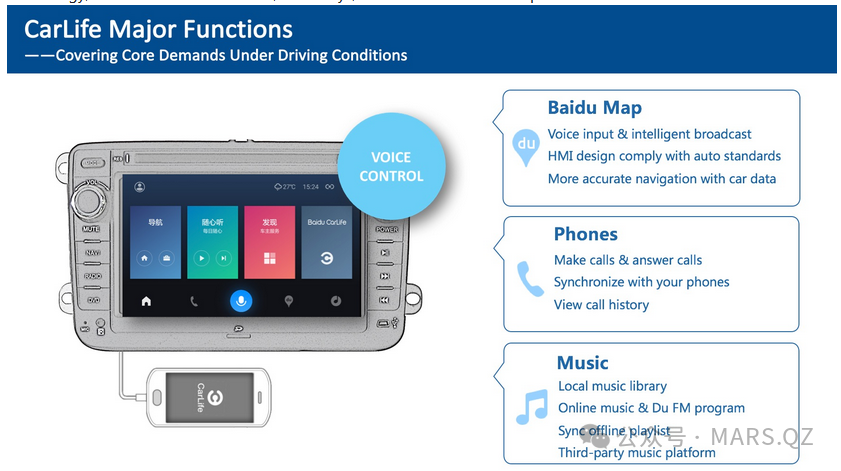
- Baidu CarLife+: Baidu launched CarLife early on, and its vehicle end has Linux and Android implementation examples. In Baidu’s Apollo open platform, the Apollo-DuerOS module has opened up the CarLife vehicle end library (CarLifeVehicleLib), which implements connection establishment, data transmission, protocol parsing, and other functions in C++ (GitHub – 674809/carlife). This library is cross-platform (supports Linux) and is open-sourced under Apache 2.0, allowing us to use it directly (GitHub – 674809/carlife). Through CarLifeVehicleLib, we can quickly integrate the CarLife protocol stack to establish a data channel with the mobile CarLife application. At the same time, Apollo also provides example launcher and other code for UI design reference.
- MirrorLink: Although not mentioned in the problem, MirrorLink is a similar universal screen mirroring standard (established by the Car Connectivity Consortium). Currently, it is used less domestically and can be temporarily disregarded. However, its open-source implementations are limited, and commercial use requires additional certification.
- Network and Bluetooth: The underlying layer uses BlueZ 5.x as the Linux Bluetooth stack, which supports BLE and Classic Bluetooth. BlueZ provides APIs accessible via D-Bus, allowing us to write applications or use existing management tools (bluetoothd, bluetoothctl) for pairing and service discovery. For easier management, the ConnMan network manager can be introduced to manage both Wi-Fi and Bluetooth connections, also providing a unified interface via D-Bus. The connection process involves Bluetooth SSP pairing and Wi-Fi Direct, and the P2P functionality of wpa_supplicant or create_ap scripts can be used to set up hotspots. For Bluetooth HFP calls, oFono can be used in conjunction with BlueZ to provide more comprehensive phone function management. For voice transmission, protocols such as SAP (Secure Audio Path) are also involved (Apple CarPlay’s audio and video streams use MFi-SAP encryption (iPhone and iPad accessory verification – Official Apple Support (China))), these details will be handled in the official SDK, and we need to ensure that the Bluetooth link layer supports the necessary encryption modes.
- Audio Post-Processing: Utilize PulseAudio modules, such as module-echo-cancel in conjunction with SpeexDSP to achieve echo cancellation and noise reduction (iPhone and iPad accessory verification – Official Apple Support (China)). The WebRTC AudioProcessing library, which includes AEC, ANS (automatic noise suppression), AGC (automatic gain control), etc., can also be considered for excellent results, and can be called as a plugin after capturing audio. In the new PipeWire architecture, corresponding filtering nodes are also available. For 3D surround and other in-vehicle sound effects, the DSP Effect framework or self-integrated open-source Audiobus library can be used.
- OTA Updates: Use open-source OTA solutions RAUC (OTA Updates: Choosing Among Memfault, Mender, and RAUC) or Mender. RAUC provides a reliable A/B upgrade mechanism and signature verification, and we can run it as a background daemon to listen for update triggers. Mender has open-source servers and clients, making it easy to deploy OTA backend services. If a lighter solution is needed, tools like SWUpdate can also be used. Given our security requirements, we can combine OpenSSL to implement signature verification of update packages or use RAUC’s built-in X.509 signature chain mechanism to ensure the update source is trustworthy (OTA Updates: Choosing Among Memfault, Mender, and RAUC). The entire OTA solution can be built entirely on open-source foundations without paid components.
The selection and combination of the above open-source components can build a complete system framework from low-level drivers to upper-level applications. During development, it is necessary to tailor according to actual needs: for example, Qt and QtWebEngine are relatively large, and if only a simple UI is needed, a smaller direct drawing framework can be considered. However, overall, making good use of mature components will greatly improve development efficiency and system stability.
Human Resource Configuration and Role Allocation
The project requires engineers from multiple professional directions to collaborate on development. Based on functional modules, it is recommended to form the following team configuration:
|
Role/Position |
Main Responsibilities |
Recommended Number |
|
Linux Driver Engineer |
Responsible for the Linux kernel porting and driver optimization for the RK3588 platform, including debugging display, audio, Wi-Fi/BT, etc.; implementing USB Gadget mode support for CarPlay wired connection; resolving hardware-related bugs to ensure underlying reliability. |
1 person |
|
Protocol Stack Development Engineer |
Develop and integrate the CarPlay, HiCar, and CarLife+ screen mirroring protocol stacks. Port or implement protocol communication modules on bare Linux, covering Bluetooth handshake, Wi-Fi connection, data channels, video decoding, touch/voice transmission, etc.; ensure that each protocol complies with official specifications and is compatible with various mobile phone versions. |
2 persons |
|
Multimedia Software Engineer |
Focus on audio and video processing optimization. Build GStreamer/FFmpeg pipelines to achieve low-latency video decoding and audio playback synchronization; optimize audio paths and mixing strategies; implement echo cancellation and noise reduction algorithms; handle routing switching for different audio sources (media, calls, navigation). |
1 person |
|
UI Development Engineer |
Design and implement the vehicle human-machine interface. Use Qt and other frameworks to develop the home interface, connection management interface, and status prompts; ensure the UI integrates with the screen mirroring content (such as overlaying the Siri button, etc.); optimize animations and response speed to provide a good user experience. |
1 person |
|
System Integration Engineer |
Undertake system architecture and integration tasks. Define the overall software architecture and module interfaces; integrate drivers, middleware, protocol stacks, and UI components to work together; responsible for performance optimization (startup time, memory usage, CPU load, etc.) and system security policies; set up build/CI pipelines and debugging toolchains; guide the joint debugging of each module. |
1 person |
|
Testing/QA Engineer |
Develop testing plans and comprehensively verify system functionality and stability. Cover unit testing, integration testing, regression testing; simulate various usage scenarios (different brand mobile connections, weak signal environments, long-term operation, etc.) to find bugs; conduct performance testing and stress testing; prepare testing materials required for certification ( Huawei HiCar Certification Process and Validity – CSDN Blog) and interface with third-party certification testing (Apple MFi Lab, Huawei certification testing, etc.). |
2 persons |
Note: The initial team size can be maintained at around 6-8 people, with experienced engineers taking on multiple responsibilities. For example, multimedia engineers and protocol stack engineers can closely collaborate on streaming transmission issues; system integration engineers can also partially undertake driver porting or security configuration tasks. However, given the project’s broad scope, it is essential to have responsible personnel in key areas. In the later testing and certification phase, QA personnel can be appropriately increased. Additionally, the project requires a project manager (or technical leader) to coordinate progress and external interactions (especially communication with Apple, Huawei, and Baidu), which is not detailed here.
Development Tasks and Cycle Estimation
Development work can be gradually advanced in phases, with each phase focusing on different tasks. Below are the suggested development milestones and time plans (assuming the team is in place on time, divided by month), distinguishing between MVP version and full version:
-
Phase 1: System Startup and Basic Porting (Estimated 1 month)
Task: Complete the basic software operation of the RK3588 development board. Port U-Boot bootloader and Linux kernel to the target board, starting the bare Linux system. Verify basic peripheral functionality: display lights up and shows FB test screen, touchscreen coordinates are correct, audio output tests sound, Wi-Fi and Bluetooth module drivers load normally. Set up a basic file system and development environment (such as NFS/SSH debugging). The output of this phase is a usable Linux firmware as the basis for subsequent development.
-
Phase 2: Network/Bluetooth Connection Adaptation (Estimated 1-2 months)
Task: Implement the network functions required for wireless connections. Configure BlueZ and write scripts to enable the vehicle system to perform Bluetooth broadcasting and scanning, ensuring that the mobile phone can discover the vehicle’s Bluetooth (for example, displaying CarPlay or HiCar device names). Implement the no-password pairing process to establish basic SPP/L2CAP connections. Configure Wi-Fi Direct or AP: verify that the mobile phone can connect to the vehicle’s Wi-Fi hotspot. Set up preliminary communication services to transmit simple messages between the vehicle and mobile phone to verify the link. For example, triggering the vehicle to start a 5GHz hotspot via Bluetooth when the iPhone is connected, and being able to ping the vehicle’s IP after the mobile phone connects. Resolve driver issues encountered during this process (such as Wi-Fi P2P compatibility, Bluetooth concurrency, etc.). This phase lays the foundation for wireless screen mirroring connections.
-
Phase 3: Screen Mirroring Protocol Integration (Estimated 3 months)
Task: Integrate the basic functionalities of each screen mirroring protocol:
3.1 CarLife+ Integration – Since CarLifeVehicleLib is open-source and the documentation is public, it can be integrated first. Compile and port the CarLife library to the RK3588 platform, writing wrapper code to start the CarLife service. Test CarLife wired screen mirroring (such as via USB) and wireless screen mirroring (which can be manually connected via mobile hotspot (Vehicle Screen Mirroring – Steps to Use CarLife’s Wireless Screen Mirroring Function – Beijie Interconnection Official Website)). After debugging, implement video decoding presentation and touch feedback control for the mobile phone (GitHub – 674809/carlife).
3.2 HiCar Integration – After obtaining HiCar SDK through Huawei certification, integrate it into the system. Based on the SDK documentation, call interfaces to establish HiCar connections and screen mirroring. It is necessary to complete Bluetooth broadcasting of HiCar identifiers, HiCar authentication, and data channel establishment (Automotive Hardware: Choosing the Wireless Connection Solution for HUAWEI HiCar – Huawei Developer Q&A). Debug with Huawei phones until the mobile HiCar interface can be displayed on the vehicle system, verifying navigation, music, and other application screen mirroring.
3.3 CarPlay Integration – After joining the Apple MFi program, obtain CarPlay protocol materials and certification chips. Hardware engineering will parallelly connect the certification chip to the RK3588 development board (usually via I2C interface). On the software side, implement iAP2 protocol handshake and authentication (using the certification chip to complete Apple device authentication (iPhone and iPad accessory verification – Official Apple Support (China)). Initially, wired CarPlay can be used for debugging: after connecting the iPhone via USB, switch roles to Host (Explaining Carplay in Simple Terms (Original) – CSDN Blog), establish a CarPlay session, obtain video streams, and decode for display. Gradually improve CarPlay interaction (Home button, Siri button, etc.). Then implement wireless CarPlay: start the session via Bluetooth, then switch to Wi-Fi transmission (Explaining Carplay in Simple Terms (Original) – CSDN Blog). Ensure that the iPhone can connect wirelessly and use all CarPlay features.
Phase Goal: The vehicle system should be able to support the mobile connection and screen projection of the three protocols. At this point, it is still in the prototype phase, focusing on functionality, with significant optimization potential. The MVP version can be formed at the end of this phase: for example, achieving at least one protocol running completely (preferably CarLife or CarPlay) as a demonstration. The MVP is expected to be achieved around 6 months after the development starts.
-
Phase 4: UI Development (Concurrent, main development about 2 months)
Task: Based on the functionalities provided in Phase 3, develop the vehicle’s local UI to enhance usability. Design startup/home interface, displaying available connection mode icons, prompting users to complete pairing connections when the mobile phone is nearby or a mode is selected. The UI should include status indicators (connected device name, battery level, etc.) and switching options (such as disconnecting to return to local). Implement Siri physical button or touch button on the UI, mapping its events to trigger Siri in the CarPlay service. For HiCar, the UI needs to guide users to open the HiCar app on their mobile phones and search for the vehicle system. To ensure the UI is aesthetically pleasing and professional, simple and intuitive icons and animations should be designed, such as loading animations during connection establishment. A settings page should also be implemented, providing Wi-Fi pairing management, OTA upgrade triggers, version information viewing, etc. The local UI style should coordinate with the screen mirroring interface, avoiding overshadowing. By the end of this phase, the vehicle should have a user-friendly interface supporting the entire process from startup -> connection -> use -> disconnection.
-
Phase 5: Audio and Video Performance Optimization (Estimated 1 month)
Task: Deeply optimize multimedia performance and system stability based on the prototype. Main tasks include: reducing video decoding and display latency, optimizing decoding threads and rendering pipelines (for example, adjusting GStreamer queue buffer sizes); utilizing RK3588 hardware encoding capabilities (such as compressing uploaded touch/voice data when necessary); audio synchronization: ensuring synchronization of different audio channels without imbalance. Implement audio focus management, allowing navigation prompts from the mobile phone to temporarily lower music volume, etc. Further improve AEC: conduct field tests of in-car voice, adjusting echo cancellation parameters, and testing microphone input effects in different vehicle speed noise environments as necessary. Optimize wireless transmission parameters: such as adjusting Wi-Fi power or channels to reduce packet loss caused by interference. At the same time, begin to incorporate power consumption optimization measures, such as lowering CPU frequency or turning off video decoder clock when screen mirroring is not in use, to reduce unnecessary power consumption and heat. After this phase, the system should mature in performance and experience, entering strict testing.
-
Phase 6: Stability Testing and Improvement (Estimated 2 months)
Task: Enter a comprehensive testing and bug-fixing cycle. QA engineers will repeatedly test each function, including: long-term continuous screen mirroring (for example, running navigation + music for several hours) to observe for memory leaks or crashes; device operation in high and low-temperature environments; compatibility testing with different mobile phone models (various iPhone models, different Huawei models, mainstream Android phones); handling of multiple devices connected simultaneously (ensuring only one can occupy or can switch smoothly); simulating abnormal situations (such as sudden disconnection of the mobile phone, network interruption, incoming calls, etc.) to observe system responses. The development team will analyze and fix issues promptly. Special attention will be paid to security and abnormal recovery: testing whether the system can automatically reconnect when Bluetooth/Wi-Fi suddenly disconnects, and whether the system can promptly release resources to avoid freezing in error situations. This phase may iterate multiple versions, gradually improving system stability. By the end, major defects should be eliminated, achieving a release-quality standard.
-
Phase 7: Certification Preparation and Delivery (Estimated 1-2 months)
Task: After the product technology is ready, conduct necessary official certification and access testing.
Apple CarPlay Certification: Organize the materials required for MFi certification, including product information, test reports, etc. (Huawei HiCar Certification Process and Validity – CSDN Blog). Simulate Apple certification testing items internally in advance (such as resolution compliance, Siri hardware button triggering, 24bit audio support (Apple fast tracks CarPlay hardware development with official MFi specs for head units – 9to5Mac) etc.). Then contact an Apple-authorized testing laboratory to schedule CarPlay certification testing (Iphone Carplay without Carlinkit : r/teslaandroid – Reddit). The laboratory will conduct CarPlay functionality and compatibility testing on the device, including wired/wireless connection reliability and performance in various application scenarios. We need to cooperate on-site during testing, promptly modifying any issues found (if software can be updated, retest the firmware). After passing the test, Apple will review and issue the MFi certification. Note that all CarPlay products must pass MFi certification and include Apple-authorized chips, otherwise Apple has mechanisms to prevent unauthorized devices from using CarPlay (Apple fast tracks CarPlay hardware development with official MFi specs for head units – 9to5Mac)..
Huawei HiCar Certification: According to the Huawei HiCar certification process (Huawei HiCar Certification Process and Validity – CSDN Blog), first submit a certification application, and Huawei will review the product qualifications (must have vehicle manufacturer or related qualifications). Then obtain HiCar test cases and conduct 100% self-testing. Prepare the testing environment (set up a test bench, provide test vehicles or CAN environments). Schedule acceptance testing with Huawei, which will conduct strict testing, including functionality, performance, safety, etc. Huawei specifically requires that only certified devices can be marketed; otherwise, they have the right to technically ban unapproved devices (Certification – Cooperation Process – Cooperation Suggestions – Device Access – HUAWEI HiCar – Huawei HarmonyOS … (must comply with their agreement). After passing, obtain formal authorization from HiCar, allowing the use of the HiCar trademark for promotion.
Baidu CarLife Adaptation: Relatively speaking, CarLife currently does not have a mandatory certification process. To ensure a good experience, we will communicate with Baidu to obtain the latest CarLife+ protocol support. If Baidu provides certification test cases, we should run them, especially verifying compatibility on some cooperative models. Since the CarLife open-source library is licensed under Apache, we mainly ensure that the Baidu CarLife name is correctly referenced in the product manual and does not infringe on its trademark.
Regulations and Other Certifications: In addition to the above proprietary protocol certifications, national mandatory certifications (3C certification), radio model approval, and other conventional processes need to be considered, but these fall under hardware compliance and will not be elaborated here.
Delivery: After completing all certifications, the product can be released to the public. Thus, the full development cycle is approximately 12 months (including testing and certification). If the certification process takes longer, the overall timeline may extend to around 15 months. Compared to the MVP version, the full version meets production requirements in terms of functionality completeness, reliability, and legal compliance, making it suitable for commercial deployment.
In summary, the overall development cycle is divided into MVP phase (about the first 6 months, achieving core functionality verification) and full version phase (another 6-8 months for refinement, optimization, and certification). The MVP phase focuses on quickly enabling key interconnection functions, which can demonstrate the basic operation of CarPlay/HiCar internally; the full version phase enriches all details and ensures quality standards are met. The project timeline should allow for contingencies to address unforeseen issues (especially in certification and debugging), but following the above plan can complete the transition from concept to product within a reasonable timeframe.
Authorization Issue Solutions
When supporting protocols like CarPlay, HiCar, and CarLife+, it is essential to legally obtain the corresponding authorizations and certifications to ensure compliance for product listing. Below are the access strategies for the three protocols:
-
Apple CarPlay (Apple MFi Program): CarPlay is part of Apple’s MFi (Made for iPhone/iPad/iPod) certification program. Any manufacturer wishing to legally integrate CarPlay into their products must join the MFi program and pass certification (Does Carplay require MFi certification? – Zhihu Column). The specific implementation path: first, submit an MFi program application in the company’s name to Apple, sign a confidentiality agreement, and obtain CarPlay technical specifications and development support (Security Bite: Mechanics of Apple CarPlay – 9to5Mac). On the hardware side, it is necessary to purchase Apple-authorized certification chips (Authentication Coprocessor) and integrate them into the vehicle system’s mainboard (Apple fast tracks CarPlay hardware development with official MFi specs for head units – 9to5Mac). This chip contains encryption keys issued by Apple, used to authenticate and encrypt handshake for accessories during each CarPlay connection (iPhone and iPad accessory verification – Official Apple Support (China)). Software development should be conducted under the guidance of Apple’s Accessory SDK, implementing the iAP2 protocol and recognizing vehicle system functions (screen resolution, physical buttons), etc. Apple requires CarPlay devices to have specific hardware configurations (such as specified minimum screen size and resolution, as well as microphone arrays, Siri buttons, etc. (Apple fast tracks CarPlay hardware development with official MFi specs for head units – 9to5Mac). We need to design according to specifications and self-test compliance during development. Once development is complete, it must be submitted to an Apple-designated third-party laboratory for CarPlay certification testing, including functionality and compatibility testing (Apple® MFi Program | Standards Compliance Testing & Certification Service). After passing the test, Apple will grant an MFi certification certificate, allowing the product to use the CarPlay trademark for market release. Obtaining MFi certification also means we commit to adhering to Apple’s confidentiality and quality standards for CarPlay, without unauthorized changes to related functions. Additionally, commercial negotiations with Apple may be necessary regarding licensing fees or chip procurement terms to ensure a smooth mass production supply chain. In summary, following Apple’s official channels to access CarPlay, while costly and time-consuming, is the only legal and compliant way, ensuring the ultimate user experience.
-
Huawei HiCar: HiCar is Huawei’s mobile interconnection solution for vehicle systems, and the official certification mechanism for partners is also strict (Certification – Cooperation Process – Cooperation Suggestions – Device Access – HUAWEI HiCar – Huawei HarmonyOS …). First, the company needs to become a member of the Huawei Developer Alliance and obtain HiCar development permissions (Huawei HiCar Certification Process and Validity – CSDN Blog). Typically, the applicant is required to be an automotive manufacturer, Tier 1 supplier, or vehicle system manufacturer with relevant qualifications (such as CCC certification) to ensure cooperation thresholds. After both parties sign a cooperation agreement, Huawei provides the HiCar SDK and technical documentation. We will integrate HiCar functionality according to the SDK on the vehicle system for development and debugging. After development is complete, it must undergo Huawei HiCar certification testing (Huawei HiCar Certification Process and Validity – CSDN Blog): we first submit product information to Huawei for review, including hardware specifications, system versions, etc. Then conduct bench testing and self-testing to ensure compliance with HiCar technical requirements. Once ready, apply to Huawei for formal acceptance testing (Huawei HiCar Certification Process and Validity – CSDN Blog). Huawei will designate a testing agency to conduct comprehensive acceptance testing, including functionality, stability, safety, etc. Huawei specifically requires that only certified devices can be marketed; otherwise, they have the right to technically ban unapproved devices (Certification – Cooperation Process – Cooperation Suggestions – Device Access – HUAWEI HiCar – Huawei HarmonyOS …), so we must follow formal cooperation channels. This usually also involves business negotiations, such as whether to pay a certain certification fee or report shipments. According to information from CSDN blog posts, HiCar certification typically has a validity period of one year, requiring annual maintenance and updates (Huawei HiCar Certification Process and Validity – CSDN Blog), so we also need to plan for ongoing support and cooperation with Huawei.
-
Baidu CarLife+: CarLife is Baidu’s vehicle mobile interconnection solution, positioned similarly to CarPlay/HiCar but targeting multi-mobile platform support in the Chinese market. Relatively speaking, CarLife is more friendly and open to third-party manufacturers. Baidu has opened up some technical implementations of CarLife (the vehicle end library is provided in the Apollo project (GitHub – 674809/carlife)), so there are no legal obstacles to integrating CarLife as long as the open-source protocol and trademark usage specifications are followed. We should use the official SDK or open-source library provided by Baidu to implement CarLife+ functionality to ensure compatibility with Baidu mobile apps. After integration is complete, we can contact relevant departments at Baidu (such as the Baidu Internet of Vehicles team) for interoperability testing. Baidu may not have a strict certification process, but to ensure product quality, it is advisable to obtain their support, such as having Baidu engineers assist in verifying compatibility with different mobile phone models. If our product plans to use the “Baidu CarLife” name or logo in promotions, we must comply with Baidu’s trademark specifications (usually requiring the indication that “Baidu CarLife” is a registered trademark of Baidu, Inc.). In terms of business cooperation, Baidu has collaborated with several automakers to pre-install CarLife (such as Audi, Toyota, etc. in China), and if our product targets the aftermarket, we can actively join Baidu’s ecosystem cooperation plan, potentially gaining co-branding promotion opportunities. In summary, the integration of CarLife mainly involves technical adaptation and testing, with low legal risks, but we should still maintain communication with Baidu to obtain support for the latest versions and confirm usage permissions.
In addition to the three major protocols mentioned above, if future support for Google’s Android Auto or the Car Connectivity Consortium’s MirrorLink is needed, separate certifications from Google and CCC will also be required, but this project currently focuses on the mainstream domestic CarPlay/HiCar/CarLife+. We will expand support according to partner requirements and follow their respective authorization processes.
Key Technical Challenges and Risk Points
Developing a vehicle interconnection system based on bare Linux presents numerous challenges. During the project advancement, it is necessary to identify and address the following key technical difficulties and potential risks in advance:
-
Challenges of Bare Linux Compatibility: Mainstream vehicle interconnection solutions are often first implemented on Android or specific OS (for example, many vehicle systems run on Android, and the SDKs provided by manufacturers are mostly targeted at Android/QNX). Adopting bare Linux means we need to bridge all aspects from the bottom to the top ourselves, and some existing mobile applications may not have undergone large-scale testing for Linux vehicle systems. This can lead to compatibility risks, such as certain mobile phones encountering unobserved behaviors when connecting to Linux vehicle systems. Response strategy: fully utilize open-source resources and community experiences, referencing practices from similar projects (OpenAuto, etc.). (GitHub – 674809/carlife) indicates that solutions like CarLife support the Linux platform, as long as the protocol implementation is correct, the mobile side is compatible. At the same time, collaborate with chip manufacturers (Rockchip) to obtain reliable BSP support to avoid low-level pitfalls. If necessary, an Android phone can be used as a reference to compare our implementation differences to ensure that behaviors on bare Linux are consistent with those on Android head ends.
-
UI Rendering Performance and Smoothness: The vehicle system needs to render both local graphical interfaces and screen mirroring video simultaneously; if not handled properly, it may result in frame drops and stuttering. The Linux graphics stack in embedded environments requires careful optimization. The risk lies in: improper drawing methods may lead to high CPU usage or excessive GPU load, thus affecting the frame rate of the screen mirroring content. To this end, we choose a hardware-accelerated UI framework (Qt Quick) and utilize the GPU to directly render video frames to the framebuffer, reducing copies. Using Wayland avoids performance losses from X11. Additionally, the RK3588 provides ISP and VPU, which can utilize DMA-BUF zero-copy to hand over decoded video frames to the display system. We need to profile key paths to ensure that both the UI thread and decoding thread complete their work within acceptable time frames. By employing double buffering and appropriate frame rate limits, we can avoid tearing and excessive refreshing. In summary, the UI architecture should aim for high performance, sacrificing excessive animation effects when necessary to ensure smoothness.
-
Low-Latency Audio and Video Processing: Wireless screen mirroring inherently introduces some latency, but in-vehicle applications require it to be as immediate as possible. Excessive audio latency can lead to the speaker’s voice being out of sync with lip movements or navigation voice lagging, while excessive video latency can affect the interactive experience. The technical difficulty lies in balancing network jitter and decoding buffering, as well as synchronizing audio from different sources. We need to adjust buffering strategies: for example, using small buffers and enabling low-latency mode for decoding (many codecs offer low-latency options), aiming for “instant decoding and instant playback.” At the same time, leverage the powerful computing capabilities of RK3588 to process data quickly after receiving it, avoiding backlog. For audio, low-latency configurations can be set through PulseAudio (such as modifying tsched and fragment parameters). For synchronization, using the mobile side’s timestamps as a reference, attach clock information to video frames so that the vehicle plays them on time. Risks also include buffer underruns caused by sudden interference in wireless environments, which need to be mitigated through FEC (Forward Error Correction) or retransmission mechanisms (as CarPlay may have built-in). Once a stream interruption is detected, audio can be quickly muted or the video frozen to mask the issue.
-
Complexity of Bluetooth Protocol Stack: Bluetooth is widely used in this system: initial discovery and pairing, Classic Bluetooth SPP/HFP, BLE broadcasting, etc. Multiple profiles need to be handled simultaneously, and BlueZ configuration is complex. In particular, HFP (hands-free calling) in BlueZ 5 has both native backend and ofono backend options; we need to select and debug them to work properly with mobile phones. A potential risk is: Bluetooth connection stability; if there are bugs in the Bluetooth driver or protocol stack, it may lead to connection failures or crashes after prolonged connections. Mitigation methods: use the latest version of BlueZ and apply existing community patches, thoroughly test pairing/disconnection cycles with different mobile phones. Also, pay attention to interference from coexisting Bluetooth and Wi-Fi (sharing the 2.4GHz band); if necessary, require devices to support Bluetooth coexistence (BT Coex), with hardware and software working together to avoid mutual interference. In protocol implementation, we need to adhere to Apple’s and Huawei’s specific requirements for Bluetooth. For example, Apple CarPlay uses Bluetooth profiles for device authentication and network switching; we must ensure that these custom processes are implemented in accordance with Apple’s specifications, or there may be risks of connection failures or frequent disconnections.
-
CarPlay Authorization and Technical Risks: Apple strictly controls the CarPlay ecosystem, and any unauthorized implementation may be rejected in formal products. As planned earlier, support can be obtained through MFi, but the MFi process itself has uncertainties, and the time and funds required may exceed expectations. Additionally, Apple may update the CarPlay protocol (for example, introducing new functional interfaces) requiring us to upgrade synchronously. If Apple launches the next generation of CarPlay (deeply integrating with the dashboard, etc.), our system will also need additional adaptations. Furthermore, integrating the Apple certification chip also carries hardware risks: ensuring reliable soldering and communication of the chip, and preventing key leakage risks (the chip typically has anti-tamper designs). Our response strategy: closely follow Apple’s developer forums and documentation to stay updated on CarPlay specification developments; reserve time for Apple certification testing early in the project, conducting MFi certification in parallel to avoid delays in market launch after development completion. Additionally, actively communicate to resolve any feedback during Apple’s review, and seek technical support from Apple engineers if necessary (some manufacturers can apply for on-site support during the certification phase).
-
Wireless Interference and Connection Stability: The vehicle environment is complex, especially on urban roads, with numerous Wi-Fi interference sources. If wireless screen mirroring is unstable, it will severely affect user experience. CarPlay and HiCar transmit high-bandwidth video streams via Wi-Fi, which may exhibit mosaic or stuttering in congested environments. The risk point is: when Wi-Fi channels are interfered with or the mobile phone is at a greater distance, the UDP packet loss rate increases, leading to a rapid decline in experience. In design, we can take measures such as prioritizing the use of the 5GHz band (which is relatively less interfered with and has a larger capacity) and selecting dynamic frequency selection (DFS) channels to increase the number of available channels. However, DFS channels may encounter radar signal jumps while the vehicle is moving, requiring a balance. We can also implement an automatic reconnection mechanism: if the Wi-Fi link disconnects, the system should attempt to recover without requiring full manual intervention from the user. In cases of dual devices (for example, a passenger’s phone in the vehicle enabling hotspot), we should also avoid erroneous connections. To this end, we provide clear guidance to users to connect only to specified SSIDs. Additionally, testing should include scenarios such as high-speed driving and underground parking to verify connection reliability. If wireless performance is found to be suboptimal in certain scenarios, we can suggest users switch to wired connections as an alternative. Furthermore, Bluetooth, as a control channel, must also prevent control message loss due to interference; we can implement heartbeat and acknowledgment mechanisms to quickly retry upon detecting anomalies.
-
Power Consumption and Heat Control: The RK3588 is powerful but has high power consumption, and under sustained video decoding and high Wi-Fi load, the chip temperature will rise. If the vehicle system operates at high temperatures for extended periods, it may trigger throttling or even reboot, especially in summer when exposed to sunlight. We need to ensure good heat dissipation design on the hardware side (heat sinks, airflow), and software must also cooperate with power consumption optimization. The risk is: if the system runs at maximum performance without restrictions, the SoC may throttle at high temperatures, leading to sudden performance drops that affect smoothness. To avoid this situation, we can monitor temperature at the system level, proactively reducing the load of non-critical tasks (such as lowering UI refresh rates or temporarily reducing animation effects) when temperatures approach thresholds, while prioritizing performance for core tasks like decoding. Additionally, reasonably utilize the RK3588’s NPU and DSP to offload some computations, such as processing audio on the DSP. Consider standby power consumption: when the vehicle system is off and in standby, it should turn off Wi-Fi scanning and video decoding modules, retaining only necessary listening to reduce current consumption and avoid draining the vehicle battery. Overall, it is necessary to find a balance between performance and power consumption, ensuring smooth operation during use without causing overheating or excessive power drain during prolonged operation.
-
Security Risks: Once the in-vehicle infotainment system is connected to the internet, it also faces cybersecurity threats. Attackers may attempt to invade the vehicle system through Wi-Fi or Bluetooth entry points, endangering in-car privacy or even attacking the vehicle network. Especially since we are using a Linux system, it is necessary to pay attention to known vulnerabilities and zero-day vulnerabilities. Specific risks include: unauthorized devices connecting via wireless (need to verify device identity to prevent man-in-the-middle attacks), screen mirroring data being intercepted (CarPlay/HiCar fortunately has encryption (iPhone and iPad accessory verification – Official Apple Support (China)), but we need to ensure that encryption levels are not downgraded), and OTA updates being tampered with (need signature verification). Response strategies: use secure protocols during Bluetooth pairing and Wi-Fi connection processes (such as BLE encryption, Wi-Fi WPA2/WPA3); strictly verify certificates provided by the Apple certification chip to prevent non-Apple devices from mimicking CarPlay connections; conduct security hardening on the vehicle system itself, such as closing unnecessary server ports, opening only required ports in the firewall, and regularly upgrading Linux kernel security patches. We also need to guard against information security: not storing sensitive personal data (such as phone books should preferably only be displayed on the mobile side), and clearing necessary caches (such as SMS content) after sessions end. For debugging interfaces, they should be disabled in the production version. Conducting penetration testing by third parties to identify vulnerabilities is also a necessary step. Security is a long-term task, and we plan to continue monitoring relevant CVE announcements and promptly push security updates after product release.
-
Design for Multi-Protocol Coexistence: Supporting CarPlay, HiCar, and CarLife+ protocols simultaneously may lead to logical conflicts or resource contention. For example, when an iPhone and a Huawei phone are both in the vehicle, they may both attempt to connect to the vehicle system; or if a user has just used CarPlay and wants to switch to CarLife, transitions need to be handled. The technical difficulty lies in protocol scheduling: we need strategies to determine priorities. A principle can be established: “wired takes precedence over wireless, wireless CarPlay/HiCar prioritizes the most recently connected mobile phone,” etc. At the same time, the UI should clearly indicate the current mode, and if necessary, ask users to confirm the switch. The main risk in this area is user experience confusion or the system misjudging connections. To reduce risks, we can consider allowing only one connection at a time: when CarPlay is connected, temporarily block HiCar’s broadcast response, and vice versa. Users wishing to switch must first disconnect the current connection. This strategy, while conservative, reduces race conditions. In terms of resources, ensure that each protocol module runs independently and is isolated from each other. For example, run CarPlay service and HiCar service in different processes/containers, communicating through intermediaries (such as D-Bus) to avoid direct competition for device nodes. Additionally, the memory usage of the three protocols should be controlled, not exceeding the system RAM capacity. Through good modular design, we can make multi-protocol support a compile-time configuration (for example, certain protocols can be selectively disabled), allowing flexible selection during actual product configuration and debugging, thus reducing complexity.