Total text: 888 words, 16 images,Estimated reading time: 1 minute
Previously, when we deployed OpenVPN on a cloud host (Using OpenVPN to Access Cloud Resource Pool Services), the cloud host had a single network interface. Now we have a single network interface OpenWrt (Configuring OpenWrt in One-Arm Routing Mode), which is based on the Linux kernel. Can we deploy OpenVPN on OpenWrt?
I searched the official website and found relevant software packages. Just like deploying OpenVPN on a Linux system, it is also divided into two packages: OpenSSL and OpenVPN. On the x86_64 software package download page, I suddenly saw a description stating that x86_64 is the most “modern” Linux architecture, also known as “64-bit” systems, and it is recommended to use this architecture when the device memory exceeds 4 GB. I was startled, thinking that it required more than 4 GB of memory.
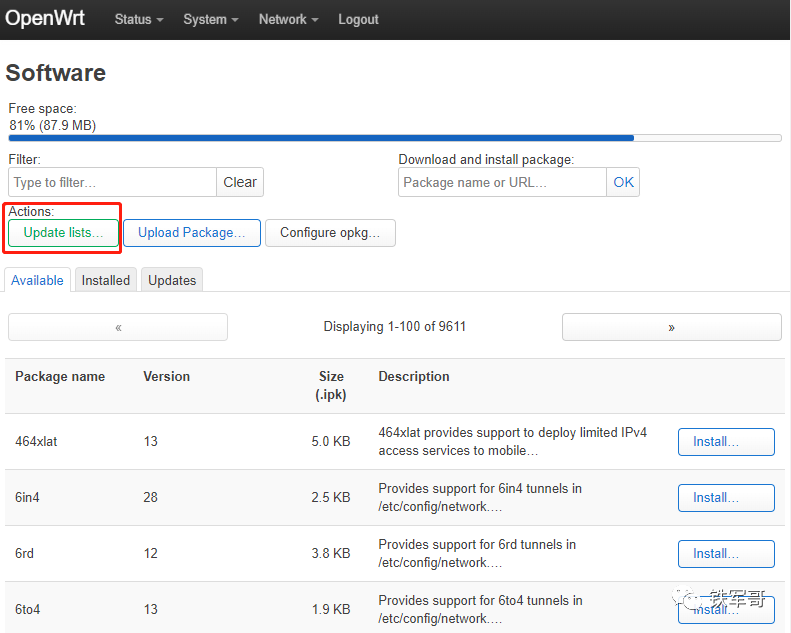
Then we can directly install the software under “System” and then “Software”, first clicking “Update Lists” to update the software list.
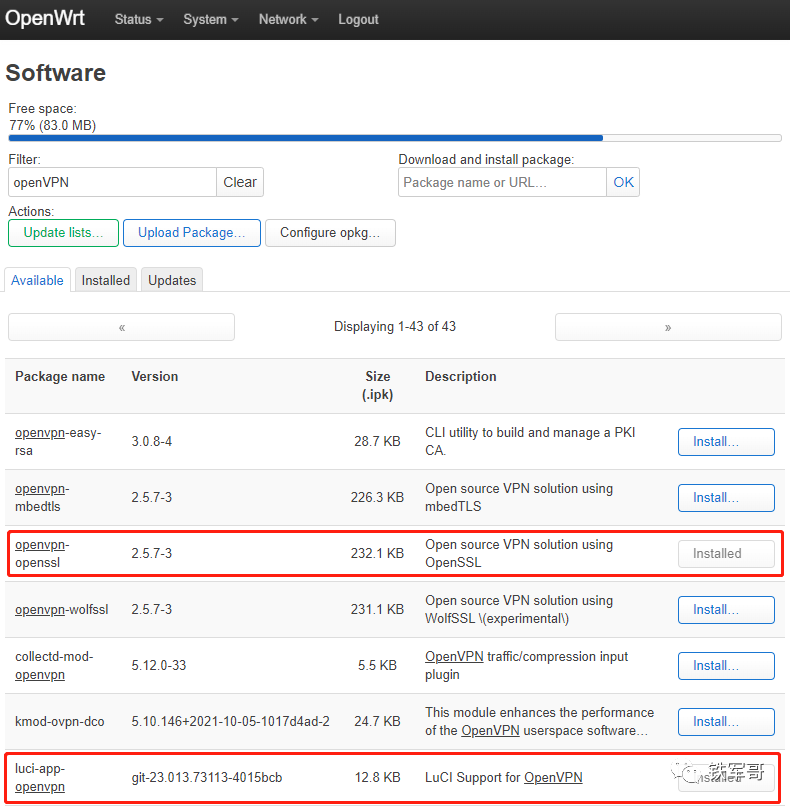
After updating, we can filter by entering openVPN in Filter to find “openvpn-openssl” and “luci-app-openvpn”.
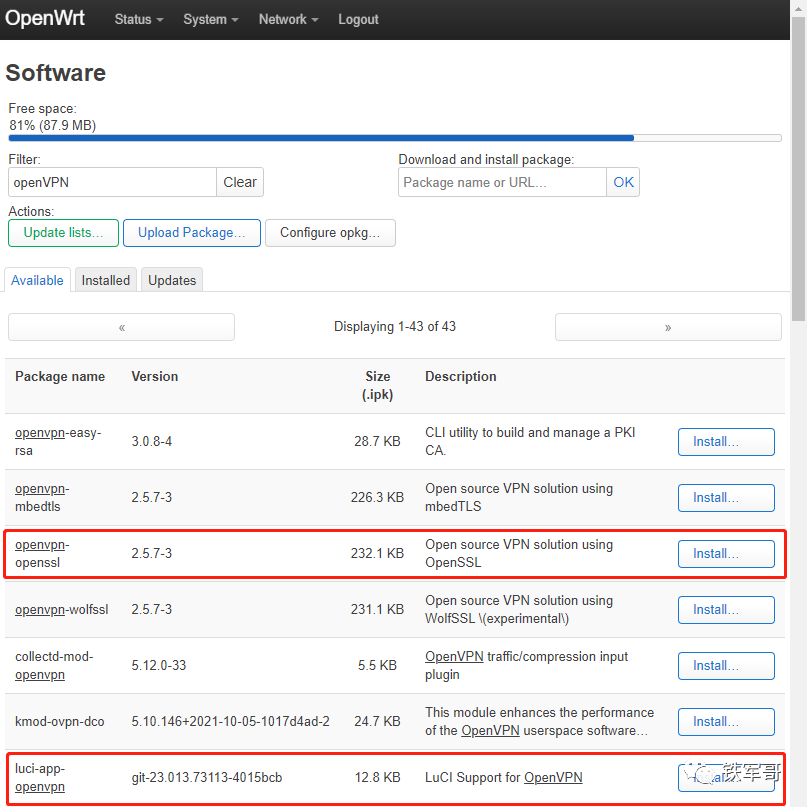
Then click Install to install the software package.
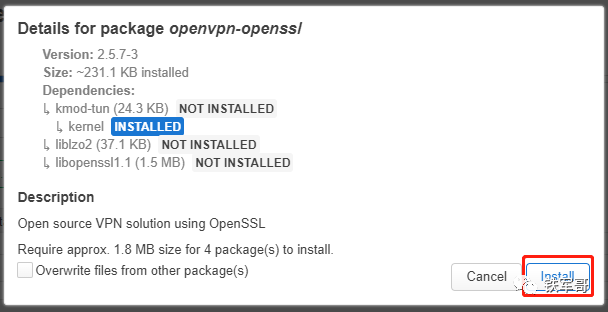
The system will check dependencies just like in Linux and install automatically. After confirming the information is correct, click “Install” to proceed with the installation.
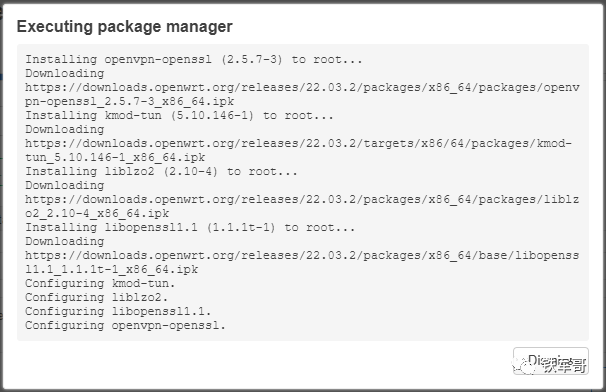
After the installation process is displayed, simply click “Dismiss” to ignore it.

When installing luci-app-openvpn, it can be seen that only one file is missing, and it can be installed directly.
After the installation is complete, a new OpenVPN LuCI management page will be added, and you need to log in again to see it. First, click “Logout” to log out, and after logging back in, you will see the “OpenVPN” tab under “VPN”.
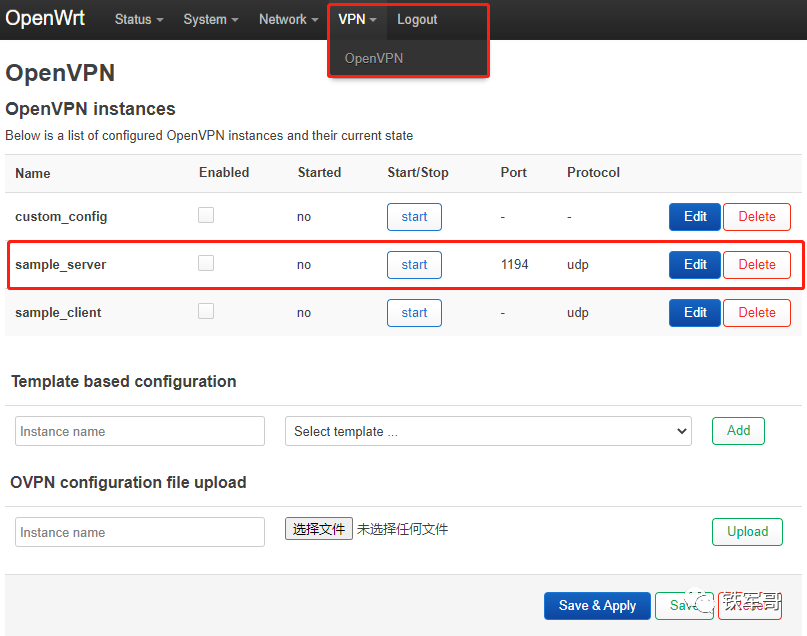
The sample_server here is equivalent to the server.conf file in Linux, and we click “Edit” to modify the server configuration.
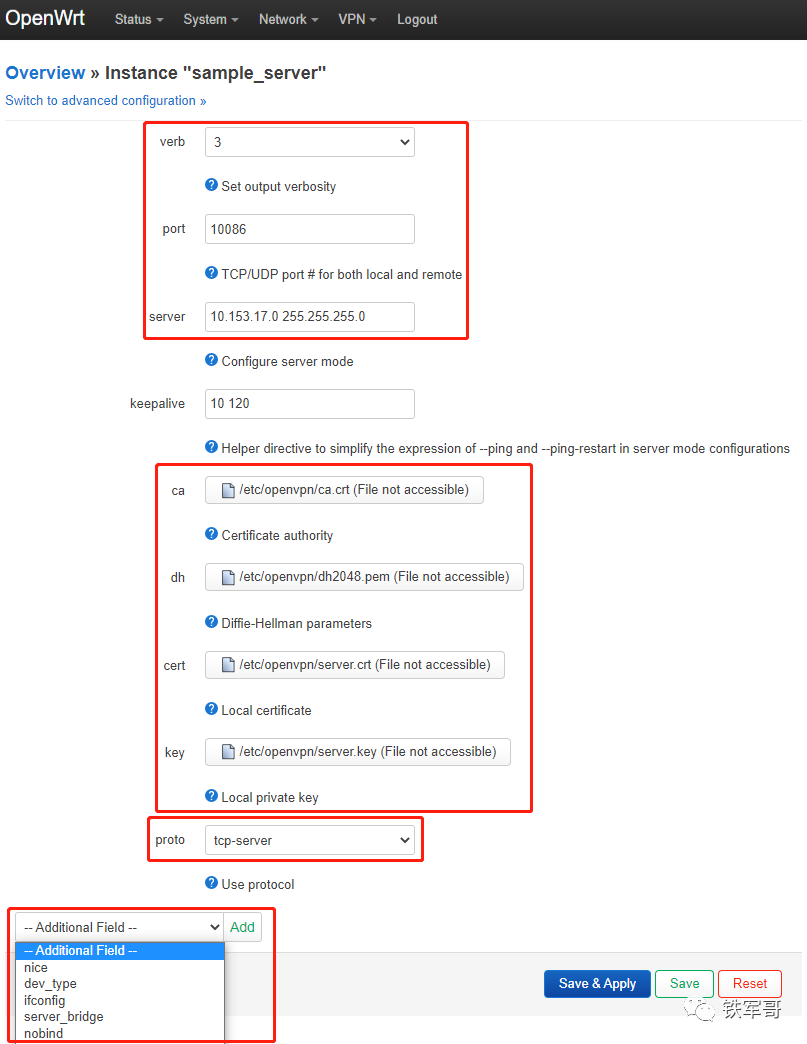
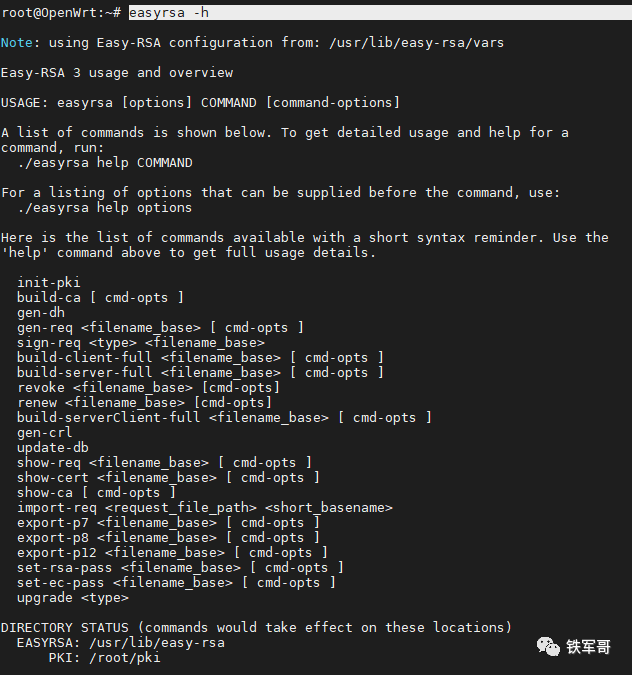
The configuration file here is basically consistent with the configuration file structure in Linux, and you can refer to (31 Key Points for OpenVPN Server Configuration). It is important to note that the certificate and key files (ca, dh, cert, key) shown in the image can be generated elsewhere and imported here; they can also be generated locally, but you need to install the openvpn-easy-rsa software package locally.
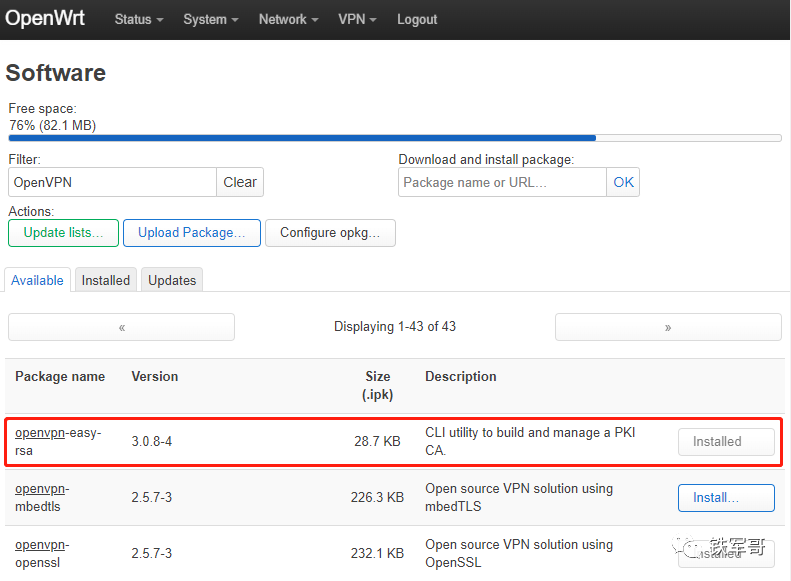
However, the software must be used via the command line; the interface cannot be used. The usage is the same as in Linux, and you can refer to (Using Easy-RSA to Configure and Generate SSL Certificates).
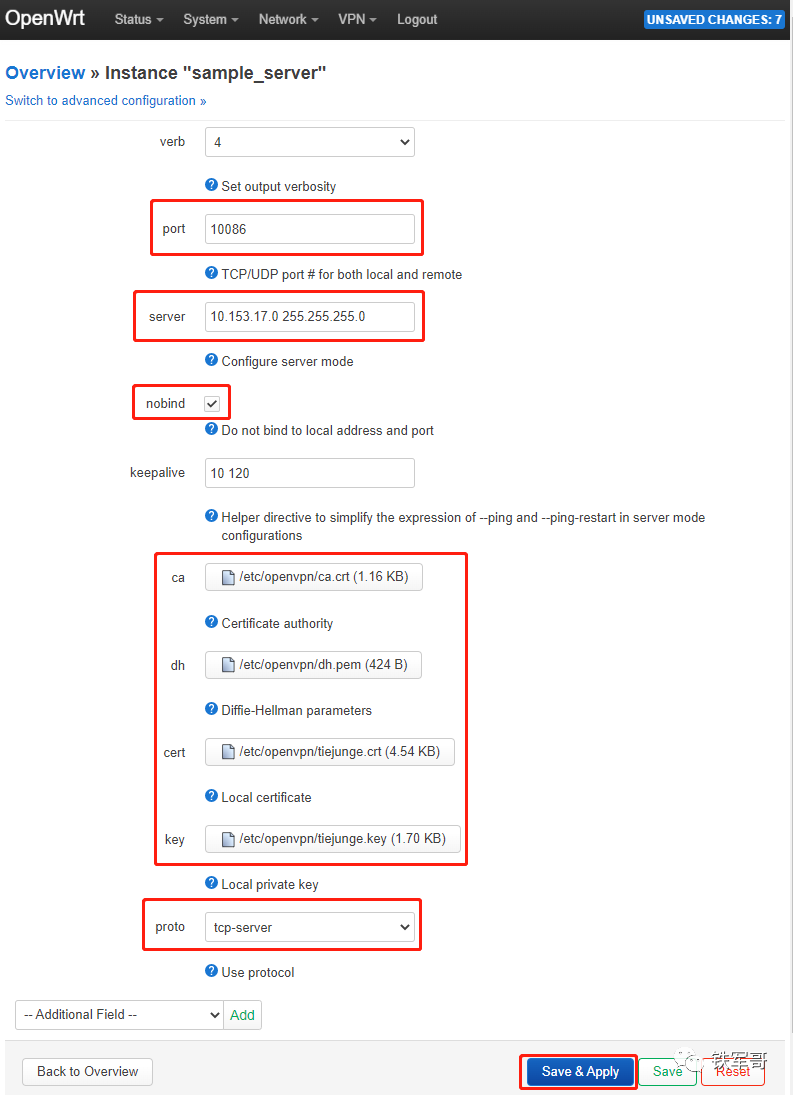
For simplicity, I will upload the previous configuration file. First, click “Browse” to select the certificate file, and then click “Upload file” to upload it.

Following this method, we will upload all four files. At the same time, configure the port to TCP port 10086, specify the subnet information, add a nobind option, and finally click “Save & Apply” to apply the configuration.
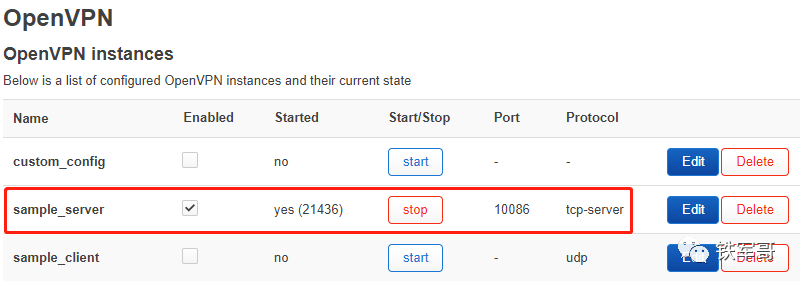
Check the status of the OpenVPN service, check “Enabled”, and if the service is not started, click “Start” to start the service.
Then we will test the OpenVPN client connection locally, referring to (OpenVPN Client Connection Guide).
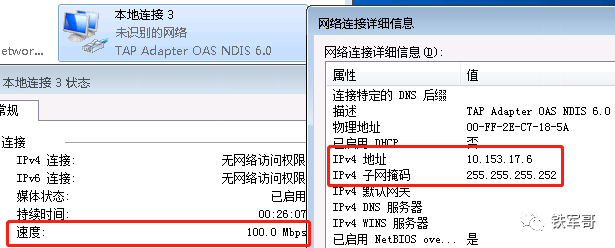
Check the network status of the OpenVPN tunnel interface tun0 on the device.
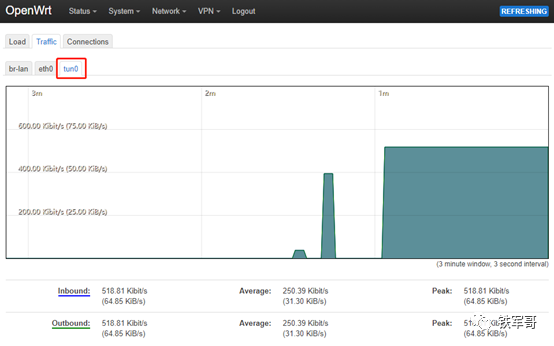
OK, everything is normal. It can only be said that the platforms are different, but the OpenVPN configuration is almost completely consistent. Finally, let’s take a look at the version information of the installed OpenVPN.

2.5.7, this version is significantly higher than CentOS’s 2.4.12. Looking at the copyright information, the OpenVPN on OpenWrt is from 2022, while the OpenVPN on CentOS is from 2018.

Long press the QR code to follow us.