Follow Our Official Account to not miss any updates!

Today I will share two points:
1. A code formatting plugin [AStyle] — recommended by a friend who follows me!
2. STM32 Clock and Precautions;
1AStyle Plugin
A few days ago, a friend who follows me (*inbun Yi*) recommended this AStyle plugin. I checked it out and thought it was quite good. So, I downloaded it and added it to MDK-ARM for a trial, and it works well. Therefore, I also recommend it to everyone.
A code formatting plugin, as the name suggests, formats the code, which simply means it’s a plugin for code layout. For example: code indentation.
Plugin download link:
http://astyle.sourceforge.net/
I won’t go into detail about the installation process; you can refer to:
https://zhuanlan.zhihu.com/p/23012907
(Note: The official account does not support external links; please copy the link to your browser to download.)
I recorded a simple animation of adding the plugin:
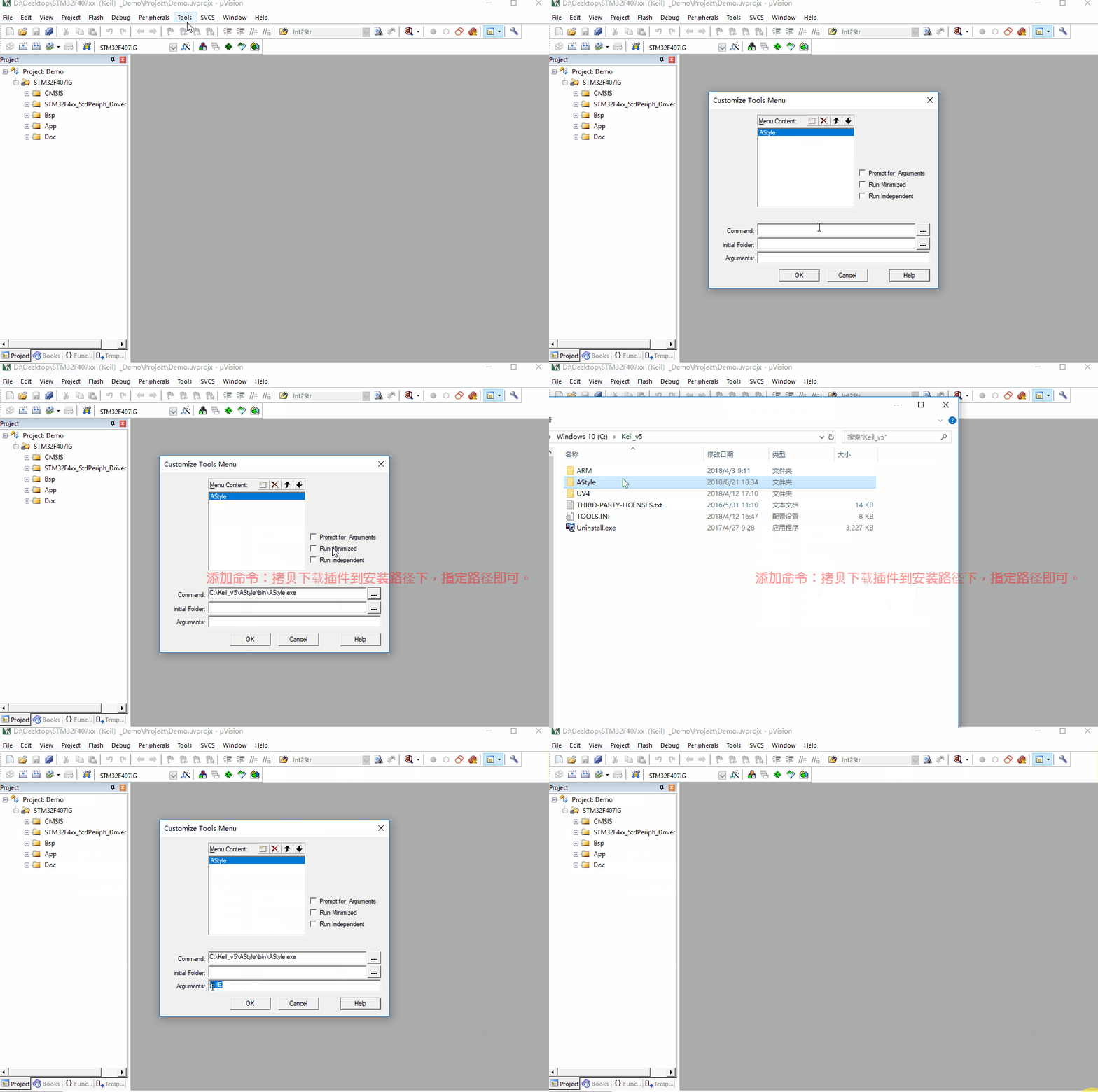
Of course, everyone has different preferences for editors, so I won’t make recommendations. Personally, I usually use popular software like Source Insight and VS Code, but just choose what you like.
2STM32 Clock and Precautions
I often get asked by friends: Why is my timer counting inaccurately and similar questions. I encountered many such issues when I was a beginner, and even later in my work.
In fact, most issues with inaccurate timer counting are due to the timer clock: the actual clock is 84M, but it is programmed as 168M.
Some attentive friends have noticed the problem: the clock is half off, but they just don’t know where the issue lies.
In the Standard Peripheral Library (SPL), I habitually use the prescaler macro definition shown in the figure below:


Question: How do I know when to divide by 2 and when not to?
Answer: Check the RCC Clock Tree in the Reference Manual for the answer.
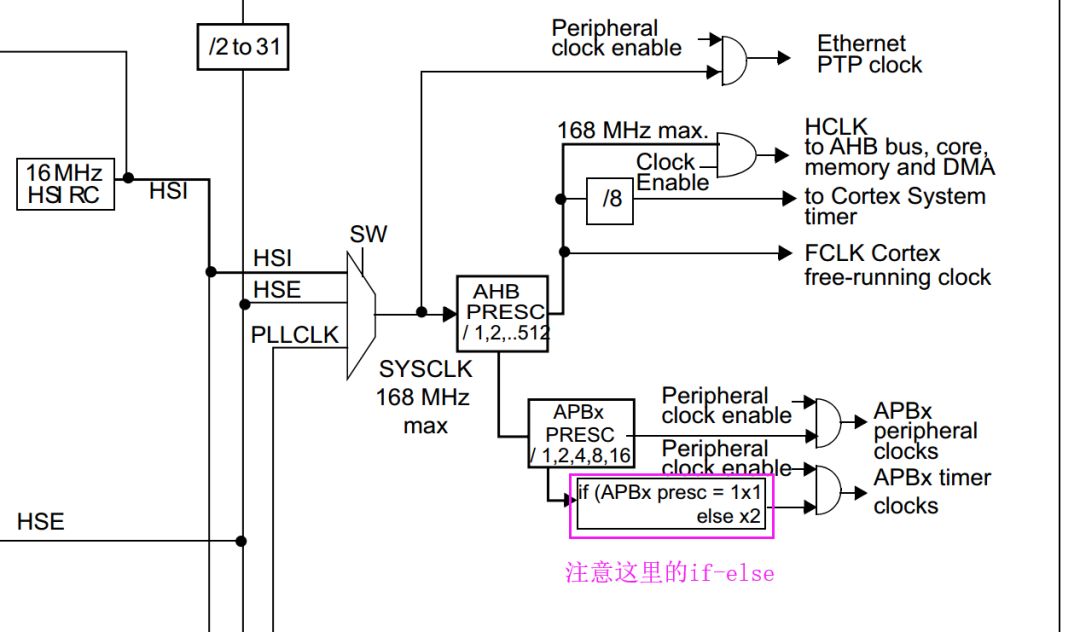
If you still can’t understand the clock tree in the Reference Manual, I suggest using STM32CubeMX to help.
Configuring Clock with STM32CubeMX
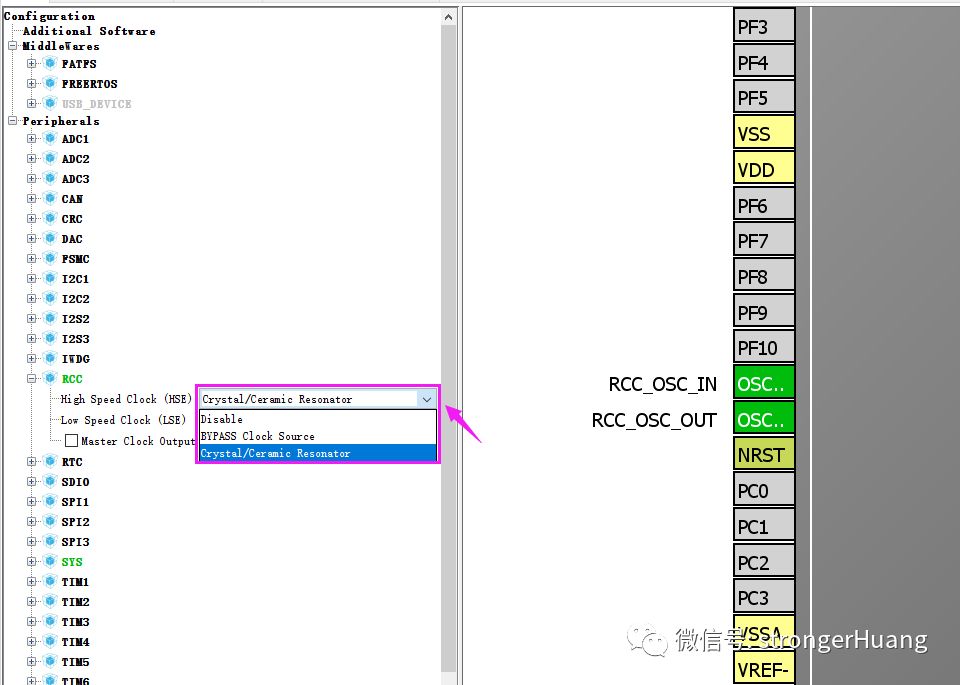
1. Select RCC to use an external clock (Crystal Ceramic Resonator), as shown below:
2. Configure the Clock Tree (taking 407 as an example, the principle is the same for other chips)
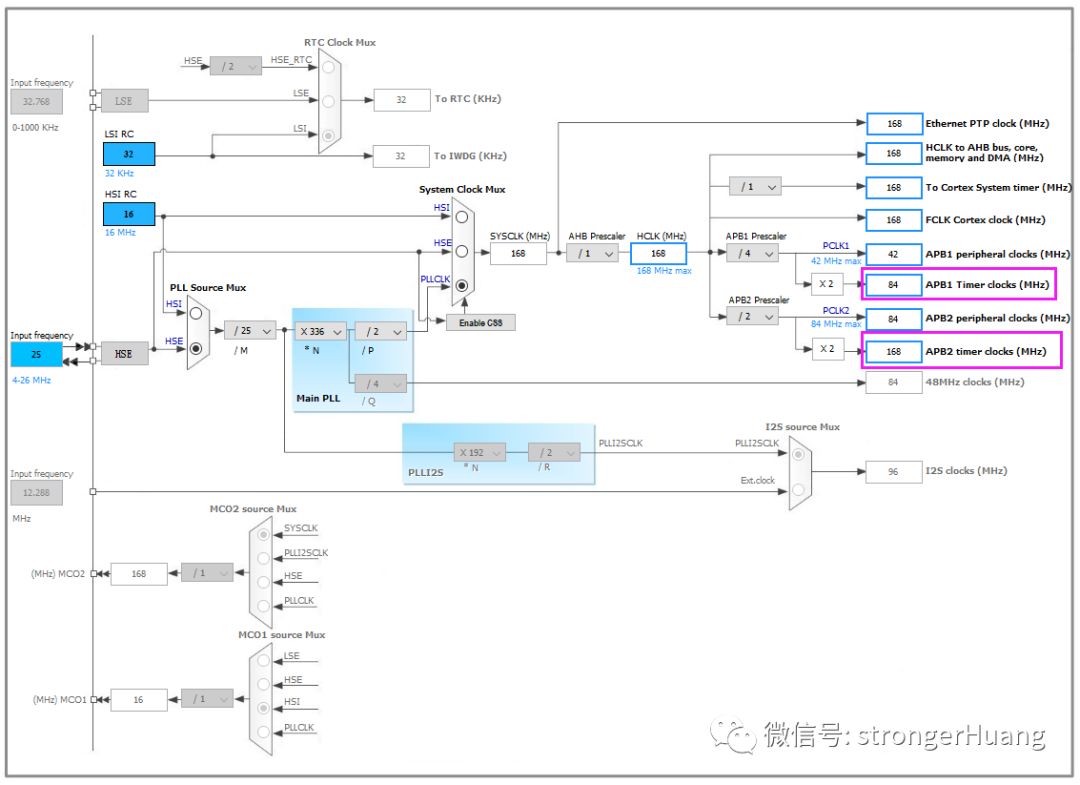
Pay attention to the red-marked position in the image above; I believe you will understand after looking at it.
Recommended Reading:
1. Precautions for the Macro Definition “Interrupt Function Interface”
2. Key Points for STM32 IAP Application Programming
3Conclusion
If you found this article helpful, remember to like and share. (A like represents recognition)
Scan the QR code below and follow us for more exciting content in the bottom menu!

Long press to recognize the QR code in the image to follow

Appreciation is recognition and support for the author!