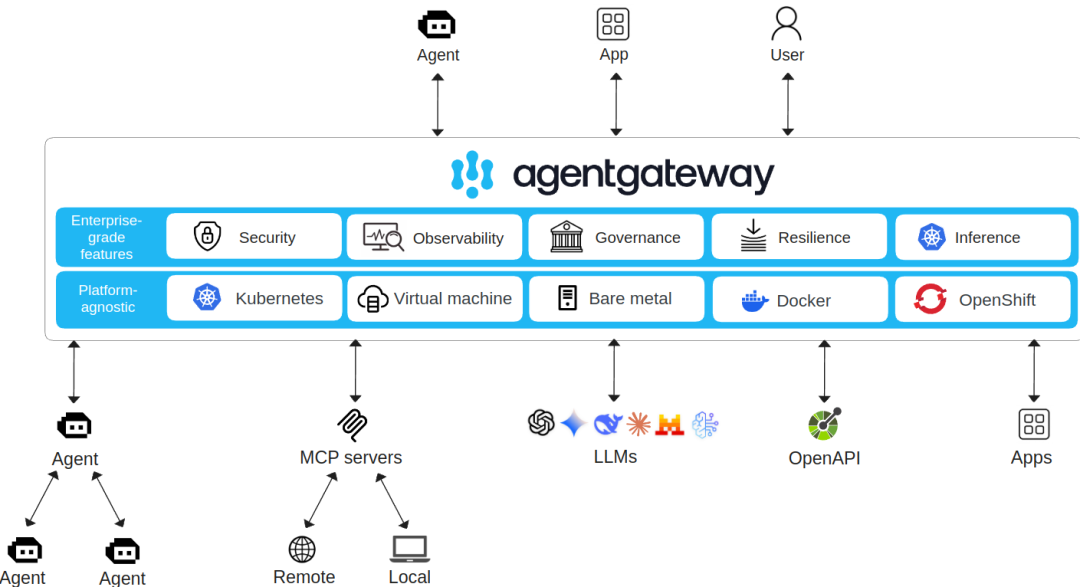
Overview
This article analyzes the source code of agentgateway[1] to gain an initial understanding of the main initialization process. It aims to provide some general guidance for readers who wish to delve deeper into the implementation of agentgateway.
Due to my limited understanding of Rust, especially the asynchronous programming style of tokio, please point out any errors or omissions.
Introduction
Those who engage in critical thinking[2] must first answer a question: why do we need another proxy? Isn’t Nginx/HAProxy/Envoy Gateway sufficient?
The reason we need a new gateway, rather than directly reusing existing API Gateways, Service Meshes, or traditional reverse proxies, is that AI agent systems have unique requirements that existing gateways cannot adequately meet:
- Protocol Differences AI agents often communicate using new protocols such as MCP and A2A, which involve long connections, bidirectional communication, and asynchronous message flows, rather than the HTTP/REST or gRPC models primarily supported by traditional gateways.
- State and Session Management Traditional gateways are mostly stateless, while agent interactions typically require maintaining long-term context, identity states, and session information.
- Security and Multi-Tenancy The agent ecosystem requires more granular authentication, authorization, and isolation capabilities to ensure secure and reliable sharing of tools among different users and agents.
- Observability and Governance The call chains and event flows of AI agents are complex, necessitating stronger monitoring, metrics collection, tracing, and traffic governance capabilities, which traditional gateways lack.
- Tool and Service Virtualization Agentgateway can abstract, register, and expose scattered MCP tools or external APIs, facilitating dynamic discovery and invocation by agents.
Existing gateways are not suitable for AI agent scenarios in terms of protocol support, state management, security, and observability, thus necessitating a new generation of gateways specifically designed for agents.
The following comparison table outlines the differences between traditional API Gateways and Agentgateway in several key capabilities:
| Capability/Feature | Traditional API Gateway | Agentgateway |
|---|---|---|
| Protocol Support | Mainly HTTP/REST, gRPC | Designed specifically for agent protocols like MCP, A2A, supporting bidirectional and asynchronous communication |
| Connection Mode | Short connections, request-response | Long connections, bidirectional streams, stateful sessions |
| State Management | Stateless forwarding | Maintains agent sessions, context, and identity |
| Security Control | Authentication, authorization (API user-centric) | Granular permission control, multi-tenant isolation, supports tool-level authorization |
| Observability | Basic logging/metrics | Tracing of agent call chains, event monitoring, metrics collection |
| Traffic Governance | Rate limiting, circuit breaking, routing | Intelligent governance based on agent behavior (session-level/tool-level) |
| Tool Virtualization/Discovery | None | Supports MCP tool/service registration, abstraction, and dynamic discovery |
| Typical Scenarios | Traditional API management, client-facing | AI agent platforms, interconnection of tools/LLM/agents |
It can be seen that Agentgateway is not positioned to replace traditional API Gateways or Service Meshes, but rather to fill the gaps in protocol adaptation, session management, security, and governance in AI agent scenarios.
Introduction to Agentgateway
Agentgateway is an open-source, cross-platform data plane designed for AI agent systems, capable of establishing secure, scalable, and maintainable bidirectional connections between agents, MCP tool servers, and LLM providers. It addresses the shortcomings of traditional gateways in handling MCP/A2A protocols regarding state management, long sessions, asynchronous messaging, security, observability, and multi-tenancy, providing enterprise-level capabilities such as unified access, protocol upgrades, tool virtualization, authentication and authorization, traffic governance, metrics, and tracing. It also supports Kubernetes Gateway API, dynamic configuration updates, and an embedded developer self-service portal, facilitating the rapid construction and expansion of agentized AI environments.
The above is an AI-generated introduction, but let me put it in simpler terms 🙂 I believe that the current stage of agentgateway resembles an outbound bus for AI Agent applications.
Code Structure
This should be considered a typical Rust project; I just learned Rust, so please don’t criticize me too harshly.<span>Cargo.toml</span> lists all dependencies. There are also several *.md documents; I won’t go into detail about <span>README.md</span>, but <span>DEVELOPMENT.md</span> is a good entry point for development operations.
When I saw <span>CODE_OF_CONDUCT.md</span>, I was a bit surprised:
Usage of AI during contributions must abide by the [Linux Foundation Generative AI policy](https://www.linuxfoundation.org/legal/generative-ai "Linux Foundation Generative AI policy").
In addition, please:
* Refrain from generating issues, comments, or PR descriptions with AI.
* Refrain from "vibe coding". AI should be used to assist and accelerate code that you (the human!) would write on your own.
* When using (non-trivial) AI assistance, please indicate this.

These policies ensure the code base is kept at a high level of quality.
Additionally, it ensures maintainers do not waste time reviewing low-quality AI-generated code.
---
在贡献过程中使用 AI 必须遵守 [Linux 基金会生成式 AI 政策](https://www.linuxfoundation.org/legal/generative-ai "Linux 基金会生成式 AI 政策")。
此外,请注意:

* 禁止使用 AI 生成问题(issue)、评论或 PR 描述。
* 禁止进行所谓的 “vibe coding”。AI 应仅用于辅助和加速你(人类开发者)本应自己编写的代码。
* 当使用了(非简单的)AI 辅助时,请明确标注。

这些政策确保代码库始终保持高质量水准。
同时也避免维护者浪费时间去审查低质量的 AI 生成代码。
Is it interesting that an AI is prohibited from being used in certain key tasks of the project?
This is a typical Rust project based on Cargo Workspace, meaning it consists of multiple interrelated independent packages (called <span>crates</span>). Here are descriptions of the main modules and key locations:
Top-Level Structure
<span>Cargo.toml</span>: This is the root configuration file of the Workspace. It defines which<span>crates</span>are included in the entire workspace and may define shared dependencies and configurations for all members.<span>crates/</span>: This is the core source code directory of the project. All Rust logic is stored here, with each subdirectory being an independent<span>crate</span>.<span>ui/</span>: This is a frontend project, as seen from the<span>next.config.ts</span>and<span>package.json</span>files, it is a web user interface built using Next.js (React). It is separate from the backend Rust code.<span>examples/</span>: Contains various usage examples. Each subdirectory (such as<span>basic</span>,<span>tls</span>,<span>openapi</span>) demonstrates a specific feature or configuration of<span>agentgateway</span><code><span>, which is very helpful for understanding how to use this project.</span><span>schema/</span>: Stores **data structure definitions (Schema) for configuration files**.<span>local.json</span>and<span>cel.json</span>define the format and validation rules for configuration files.<span>go/</span>: Contains some Go language source code. From the file names<span>*.pb.go</span>, these are automatically generated codes defined by Protocol Buffers (<span>proto</span>) for inter-service communication across languages (Rust/Go).<span>architecture/</span>: Contains documentation for the project architecture design.
<span>crates/</span> Directory Important Modules (Crates)
This is the core of the Rust code, with each <span>crate</span> having a clear responsibility:
<span>agentgateway</span>: Core Proxy Logic Crate.- Location:
<span>crates/agentgateway/</span> - Description: This is the main library of the project, implementing all core functionalities such as proxy, routing, middleware, etc.
<span>agentgateway-app</span>: Application Entry Crate.- Location:
<span>crates/agentgateway-app/</span> - Description: This is a binary
<span>crate</span>. Its main role is to reference the<span>agentgateway</span>library<span>crate</span>and build it into the final executable. The program’s<span>main</span>function should be here. This is a common “library + application” separation pattern in Rust projects. <span>core</span>: Core Types and Tools Crate.- Location:
<span>crates/core/</span> - Description: Typically used to store foundational data structures, traits, constants, and utility functions shared by multiple other
<span>crates</span>in the workspace. <span>xds</span>: xDS API Implementation Crate.- Location:
<span>crates/xds/</span> - Description: “xDS” is a set of discovery service APIs widely used in the cloud-native domain (especially in the Envoy proxy). This
<span>crate</span>likely implements an xDS client for dynamically obtaining configurations (such as routing, service discovery, etc.) from the control plane. The<span>proto</span>subdirectory and<span>build.rs</span>file confirm that it needs to compile Protobuf files. <span>hbone</span>: HBONE Protocol Crate.- Location:
<span>crates/hbone/</span> - Description: HBONE (HTTP-Based Overlay Network Encapsulation) is a tunneling protocol used in Istio for zero-trust networks. This
<span>crate</span>is specifically responsible for handling HBONE connections and communications. <span>a2a-sdk</span>: Agent-to-Agent SDK Crate.- Location:
<span>crates/a2a-sdk/</span> - Description: Agent-to-Agent SDK
<span>mock-server</span>: Mock Server for Testing.- Location:
<span>crates/mock-server/</span> - Description: Used to simulate backend HTTP services in integration or end-to-end testing.
<span>xtask</span>: Build and Task Automation Crate.- Location:
<span>crates/xtask/</span> - Description: This is a popular pattern for writing project automation scripts (such as build, test, deploy) in Rust, serving as an alternative to
<span>Makefile</span>or shell scripts.
Conclusion
This project is a feature-rich service gateway with a clear architecture that separates different concerns:
- Core business logic is in
<span>crates/agentgateway</span>. - Program entry is in
<span>crates/agentgateway-app</span>. - Underlying network protocols (such as HBONE, xDS) are abstracted into independent
<span>crates</span>(<span>hbone</span>,<span>xds</span>) . - User interface (
<span>ui/</span>) and backend (<span>crates/</span>) are completely decoupled. - Examples (
<span>examples/</span>) provide rich usage scenarios and are a good starting point for learning and usage.
Development Environment
I use vscode container. Because there is a <span>.devcontainer.json</span>, running the development environment in a container has the advantage of consistent configuration for each development environment, reducing many dependency issues, toolchain issues, version issues, and communication costs.
Reading the source code, especially Rust, particularly the asynchronous programming style of tokio, I need to install an AI assistant in vscode: Gemini Code Assist.
Debugging agentgateway
vscode will generate launch.json:
        {
"type": "lldb",
"request": "launch",
"name": "Debug executable 'agentgateway'",
"cargo": {
"args": [
"build",
"--bin=agentgateway",
"--package=agentgateway-app",
"--features",
"agentgateway/ui"
                ],
"filter": {
"name": "agentgateway",
"kind": "bin"
                }
            },
"args": ["--file", "/workspaces/agentgateway/examples/basic/labile-config.yaml"],
"cwd": "${workspaceFolder}",
        },
It is important to note that I added <span>--features</span> to the cargo configuration. This is equivalent to the MACRO configuration in a C++ project. To enable <span>agentgateway/ui</span>, the following code must be activated:
#[cfg(feature = "ui")]
	admin_server.set_admin_handler(Arc::new(crate::ui::UiHandler::new(config.clone())));
#[cfg(feature = "ui")]
	info!("serving UI at http://{}/ui", config.admin_addr);
By the way, building the UI requires npm to be installed.
Implementation Breakdown
If the above content seems AI-generated to you, then the following is the core content written by a human.
Initialization Process
Now let’s discuss the initialization process and thread model. There are three main types of threads:
- Main thread, thread name agentgateway
- Main spawn thread, also named agentgateway
- agentgateway workers, thread name format: agentgateway-N
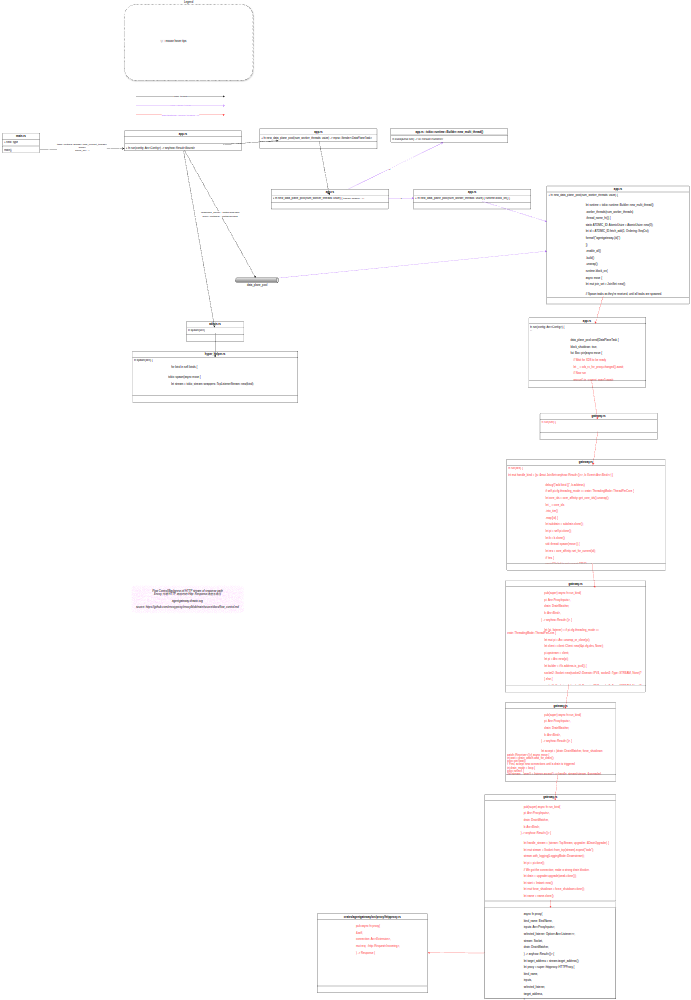
The format of the above image is problematic; please click here to open it with Draw.io[3]
Browsing through this Rust + tokio asynchronous programming style code can be a bit overwhelming for Rust beginners. Fortunately, I previously learned about Goroutines in Golang, so I have some understanding. Each thread can bind a tokio::runtime::Runtime[4] (equivalent to a scheduler with a thread pool) in the thread context. Pay attention to all the code related to “spawn”.
AI Code Reading Method
This Rust + tokio asynchronous programming style code is not very friendly to beginners. I installed an AI assistant in vscode: Gemini Code Assist. This allows me to read project code without first having to read a thick Rust book. This method of directly reading open-source code to learn a programming language is much more interesting than the previous step-by-step approach (though sometimes it feels less solid). If you think Vibe Coding is a bit absurd, then Vibe Code Reading is relatively more reliable. Here are some examples:
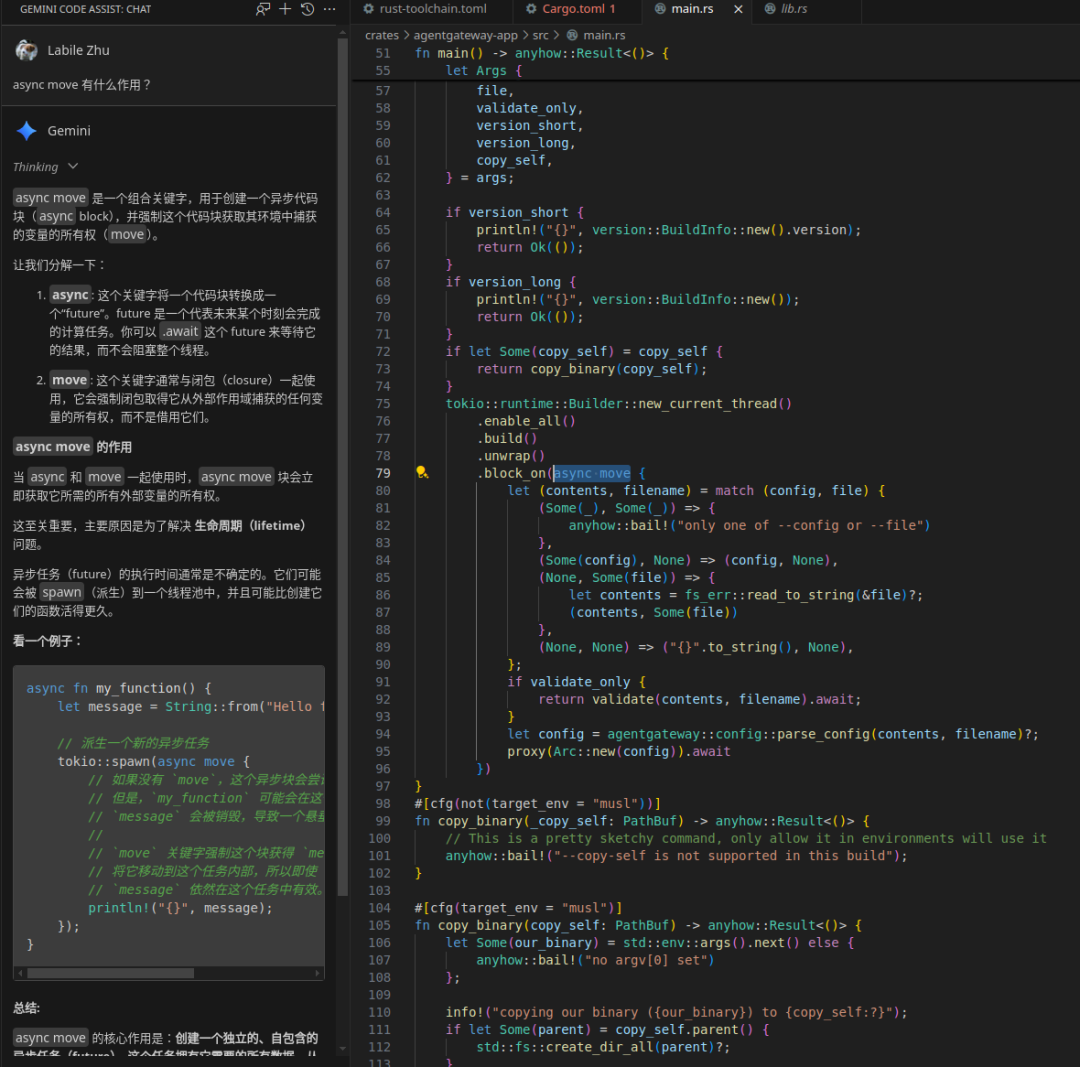
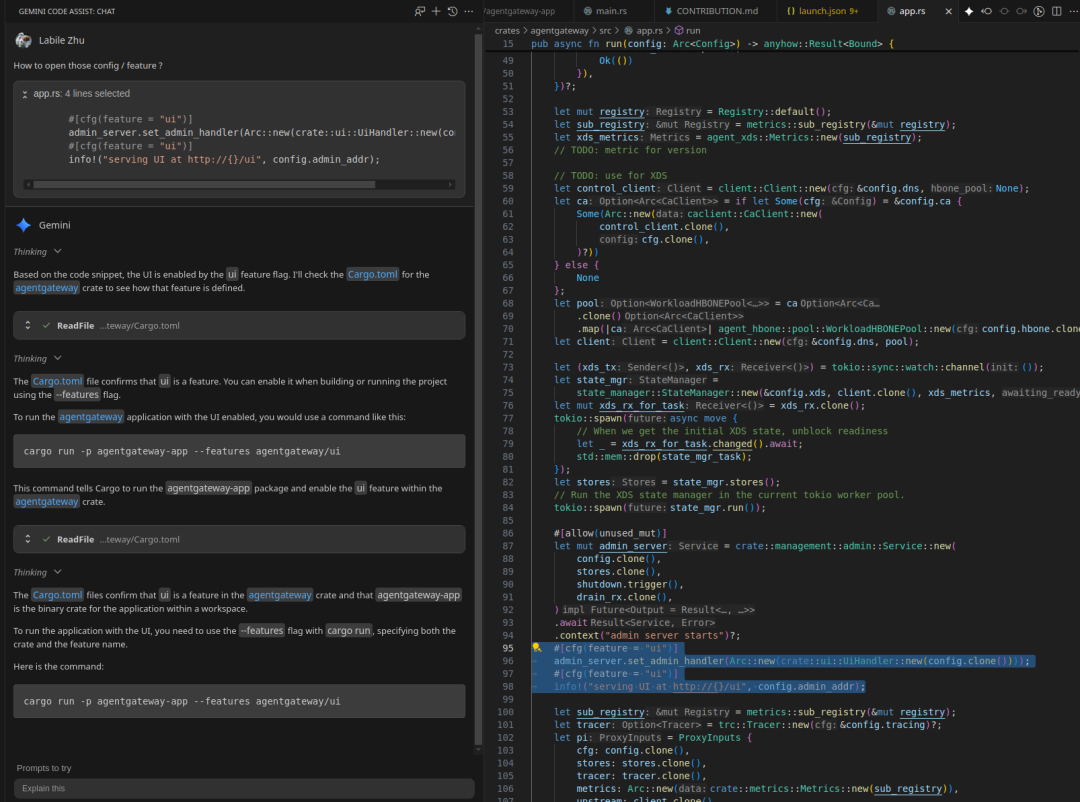
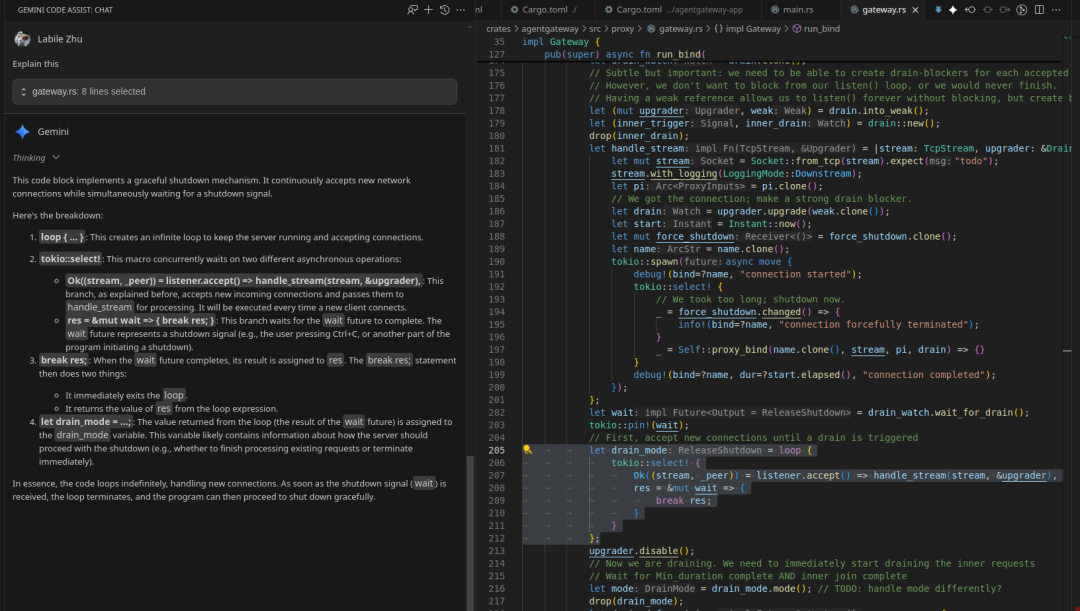
The difference from search engines is that it answers questions directly in the context of work information, without needing to extract information manually. In the era of AI, asking questions may become even more important.
References
- tokio tutorial[5]
References
[1]
agentgateway: https://github.com/agentgateway/agentgateway
[2]
Critical thinking: https://www.criticalthinking.org/pages/defining-critical-thinking/766
[3]
The format of the above image is problematic; please click here to open it with Draw.io: https://app.diagrams.net/?ui=sketch#Uhttps%3A%2F%2Fblog.mygraphql.com%2Fzh%2Fposts%2Fai%2Fai-devops%2Fagent-gateway%2Fagentgateway-impl%2Fagentgateway.drawio.svg
[4]
tokio::runtime::Runtime: https://docs.rs/tokio/1.47.1/tokio/runtime/index.html
[5]
tokio tutorial: https://tokio.rs/tokio/tutorial/spawning