For more content, please click on the above Automation Tips to follow.
If you need to reprint, please leave a message in the background.
This public account aims to share tips and experiences encountered in automation control. If you need help or want to discuss, you can leave a message in the background to contact the author.
If you need support or debugging services, please contact WeChat JXYangB118
!——————————
1. HardwareThe ABB RS232 communication requires hardware DSQC1003.The port on the left is COM1 (towards the network cable X2), and the port on the right is COM2.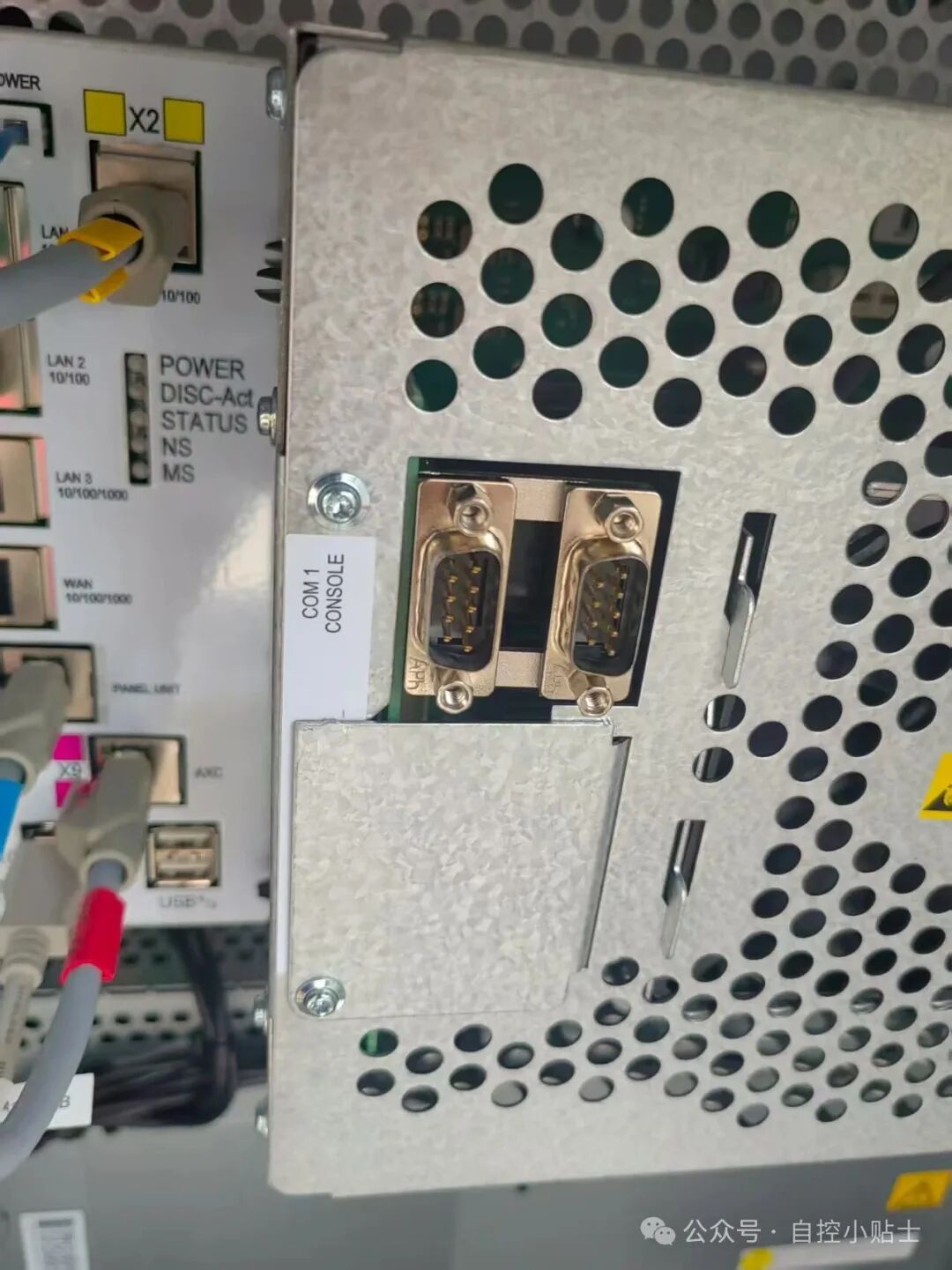 2. WiringRS232 uses a DB9 interface, but only pins 2/3/5 need to be connected.
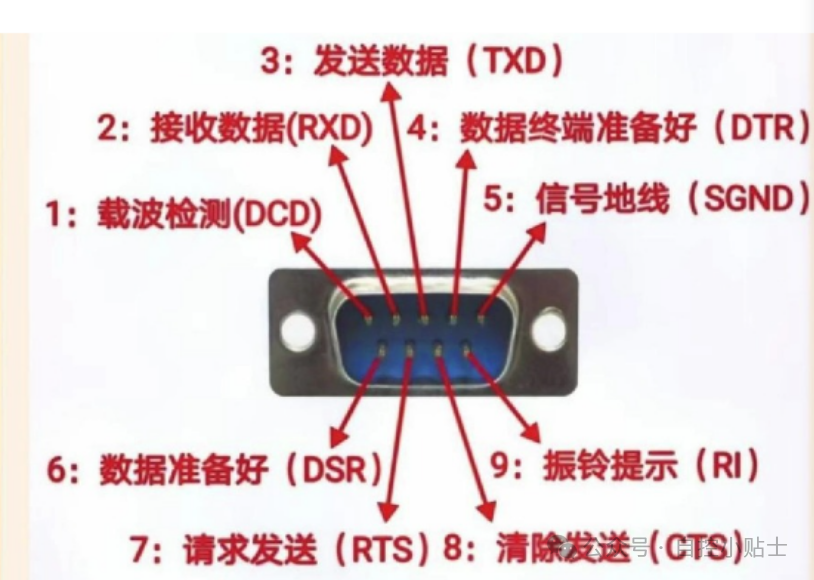 Note: The receiving and sending ends on both sides of the device need to be cross-connected.
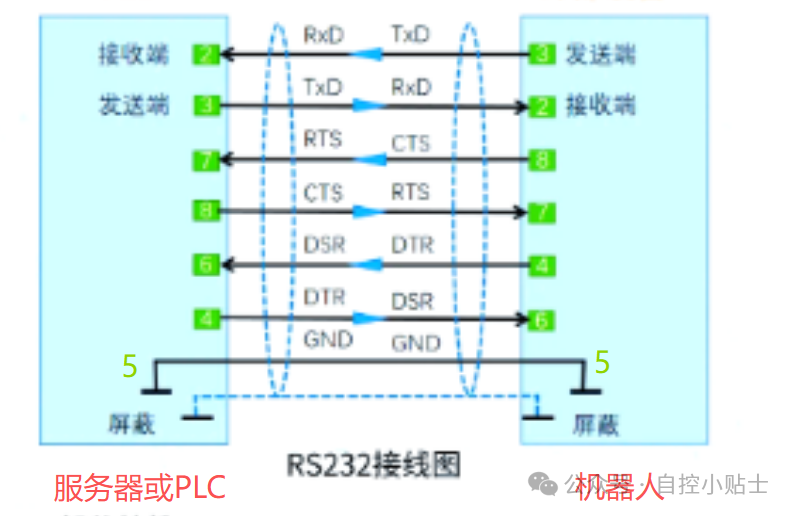 3. SettingsSet the communication parameters of the robot, such as baud rate, parity, etc. Generally, the system will automatically generate the parameters for COM1, and the default settings can be used.The upper computer or PLC communicating with the robot should set the same parameters.Control Panel – Configuration – Communication – Serial Port – COM1
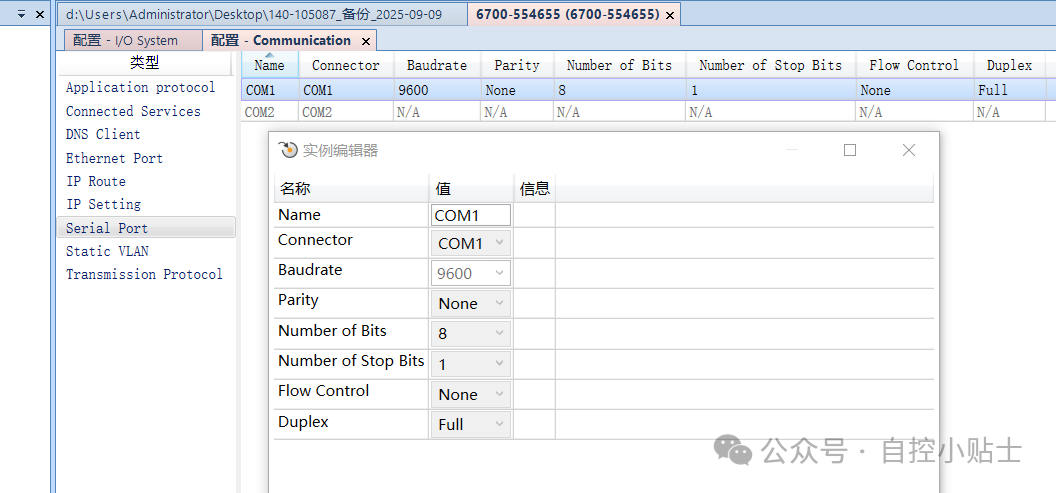 4. Programming and Testing4.1 First Programming Method: Binary Data Transmission
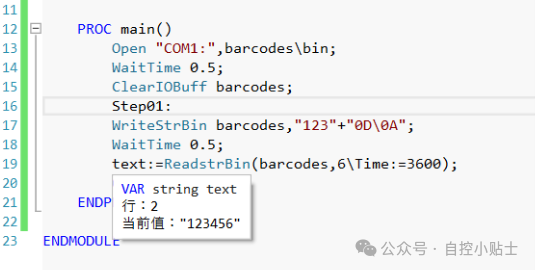
Open “COM1:”,barcodes\bin; Open COM1 port. Bindbarcodes as a binary file
ClearI0Buff barcodes; Clearthe serial channel buffer referenced by barcodes
WriteStrBin barcodes,”123″+”0D\0A”, Send 123 tothe barcodes channel, need to add the end character“0A” for sending (0D is not needed, used for testing)
text:=ReadstrBin(barcodes,6\Time:=3600);Receive 6 characters, maximum time 3600 seconds. (As long as the channel meets 6 characters, it will automatically receive, no need for 0A)
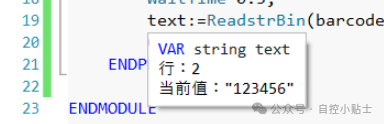
 TestingThe left side is the robot program, and the right side is the serial port debugging assistant.The receiving area receives the data sent by the robot 1230DSending directly sends 123456, the robot receives 6 characters of data and automatically receives 123456.
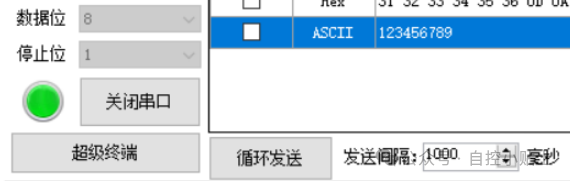
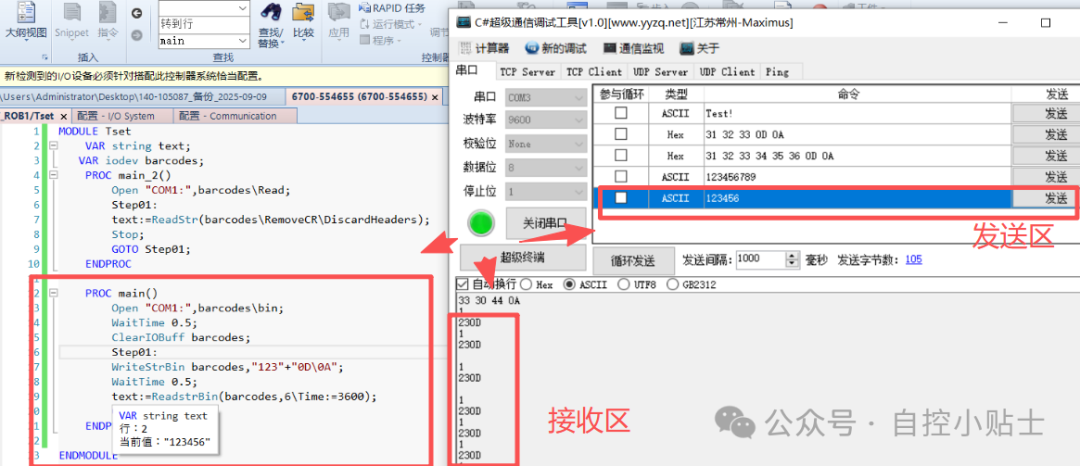 The debugging assistant sends 123456789, but the robot only receives 123456.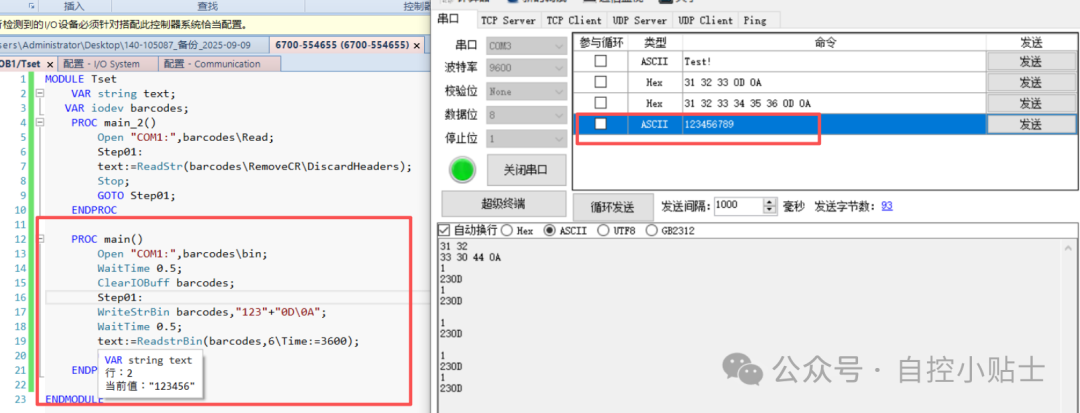
 4.2 Second Programming Method: Receiving Data as Strings Only
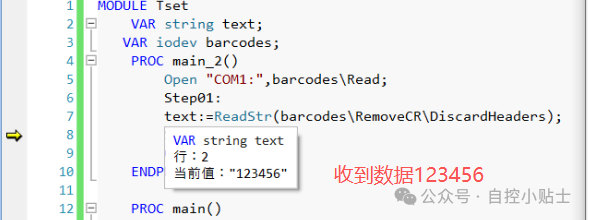
Open “COM1:”,barcodes\Read;Open COM1 port. Bindbarcodes to receive only read data
text:=ReadStr(barcodes\RemoveCR\DiscardHeaders);Receive read string data, separated by “0A” to complete reception
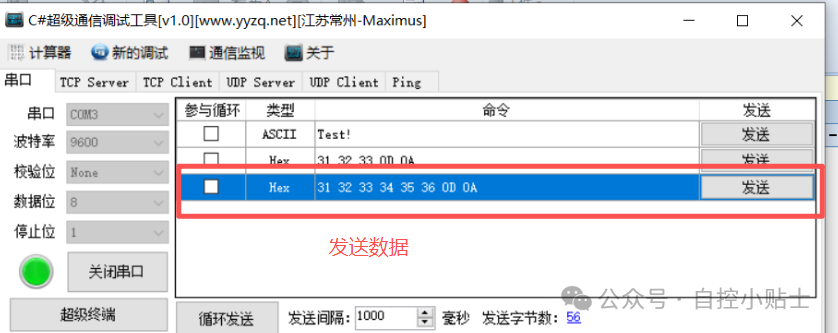
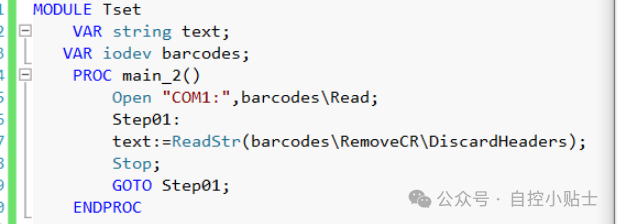 TestingThe debugging assistant sends 123456, which needs to be converted to Hex data 31 32 33 34 35 36 0D 0A for sending (needs to end with 0A, 0D can be deleted for testing; the author has not tested deleting OD, but according to the manual later, it may not be necessary)