In the previous issue, we successfully flashed OpenWrt onto the WanKe Cloud ‘Old Hen’. This time, we will introduce how to install and configure OpenClash on WanKe Cloud.
First, install the OpenClash service in the OpenWrt system of WanKe Cloud. The version I am using already includes this service, and the installation process is very simple, so I won’t elaborate on it here. After installation, we can find and open OpenClash in the service list.
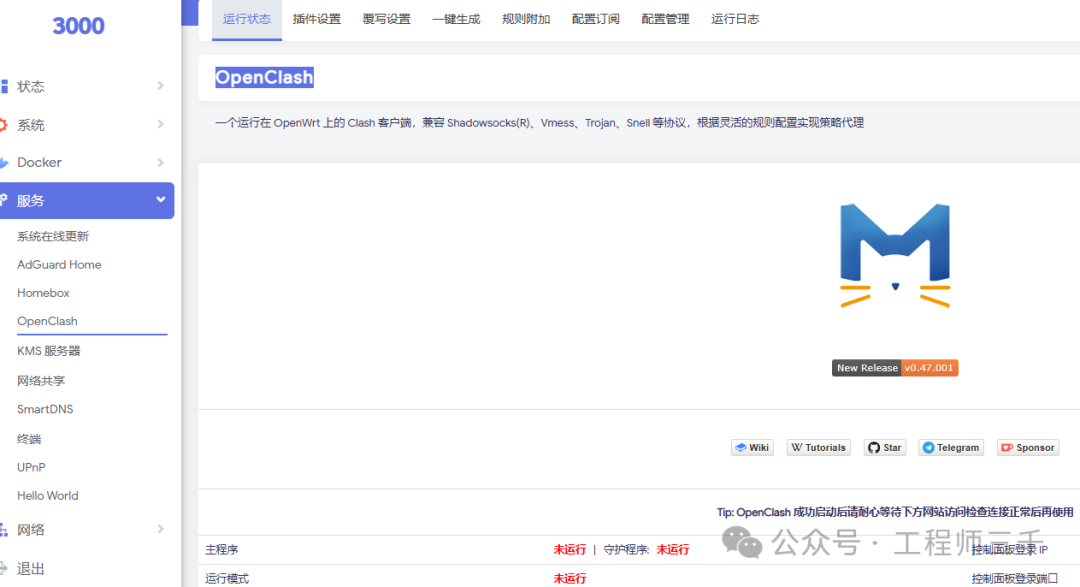 Next, we need to edit the configuration,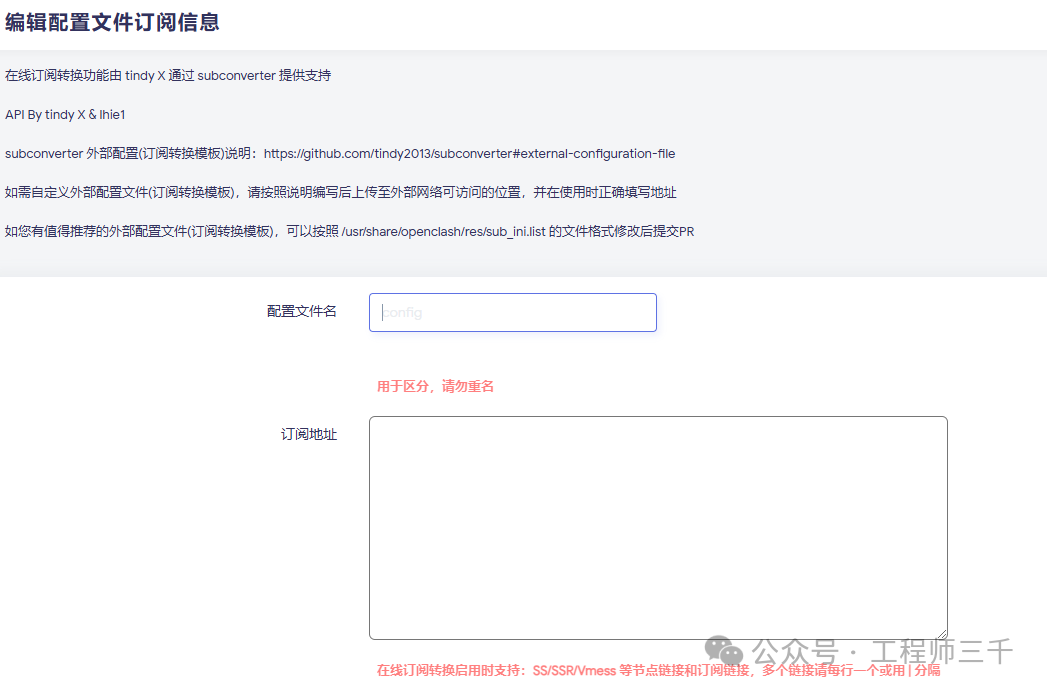
Click on “Configure Subscription” and add a new subscription. You can name the subscription according to your preference. The subscription address can be obtained through purchase or by searching for free resources online (however, free resources may not be very stable). If you need a free subscription address, feel free to contact me.
After filling in the subscription address, save and apply the settings. Wait for about two minutes, and you will see the node configuration status.
 There are two places that need to be changed:1. Use fake-ip enhanced mode
 2. Local DNS hijacking
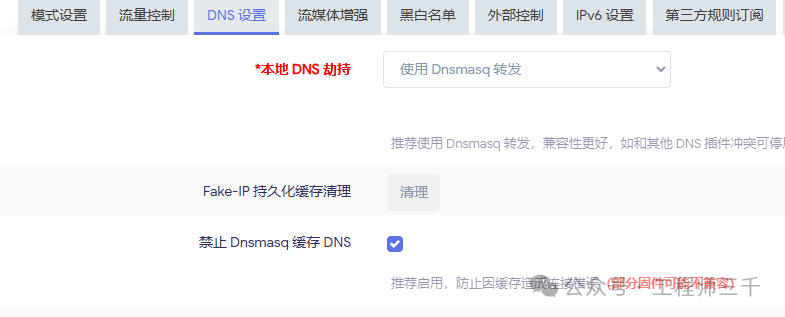 After completing the above settings, close OpenClash, wait a few seconds, and then click to start OpenClash again.
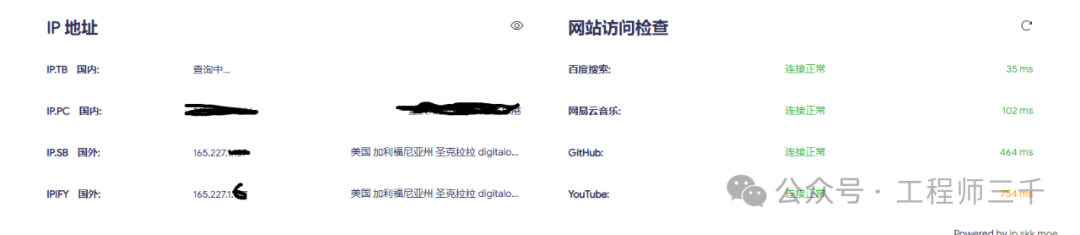
If everything goes smoothly, you will see the above display indicating a successful connection, which means you can start accessing.
A hardcore engineer who understands a bit of everything.
Main business: Fire protection & security maintenance, safeguarding your home safety.
Side business: Tinkering with digital devices, flashing and upgrading routers/set-top boxes/car machines.
Purpose: Sharing practical tips that can save you unnecessary expenses.
Follow me, and you’ll have an engineer friend at home.
 Follow Engineer Sanqian, reply with 【3003】 in the background to receive free set-top box, TV, projection software, upgrade packages, and tutorials.