Recently, while browsing Douyin, I came across router flashing and found it quite interesting, so I wanted to learn more. According to the introduction on Douyin, to achieve router flashing, one must mention OpenWrt, this internet celebrity. It is like the Android system for routers, allowing your router to transform from a basic camera to a professional DSLR. This article is specifically compiled from online searches about OpenWrt, so let’s take a look at what this internet celebrity has to offer in terms of cutting-edge technology.
In 2003, Linksys launched the popular router WRT54G, which was discovered by sharp-eyed geeks to secretly use the Linux kernel. According to the GPL agreement, Linux code must be open source, so Linksys was forced to open source the code, directly leading to the birth of OpenWrt. In 2004, a group of developers decided that since it had to be open source, they would do something big—they didn’t just modify Linksys’s code but rebuilt it from scratch, creating a modular embedded Linux system. The name is also interesting; “OpenWrt” is an abbreviation for “Open Wireless Router,” symbolizing “unlocking the infinite possibilities of routers.”
Now, OpenWrt is no longer exclusive to routers. Ordinary users can use it to achieve functions such as bypassing firewalls with VPNs, setting up home cloud storage, imposing internet time limits for children, and even acting as a BT downloader. Enterprise users appreciate its advanced routing and firewall capabilities, allowing for the easy establishment of secure and reliable internal networks. Even more impressively, it can serve as the “brain” of smart home systems or the “monitoring center” of industrial IoT, such as equipping factory equipment with sensors to remotely monitor production data through OpenWrt.
The core design philosophy of OpenWrt can be summarized in three words:modular, customizable, lightweight.
Modular: Traditional router firmware is monolithic; if you want to add a feature, you have to reflash the entire system. OpenWrt adopts a “Lego-style” design, allowing you to install whatever software packages you need (like a VPN, a private cloud, or even running a Docker container) through the opkg package management system, and uninstall what you don’t need, completely avoiding resource waste.
Customizable: OpenWrt allows you to customize the system. For example, if your router has only 4MB of flash memory, you can install only the basic routing functions; if your router is high-performance, you can install advanced features like ad filtering, traffic monitoring, and multi-WAN load balancing. This “on-demand customization” design allows OpenWrt to adapt to a wide range of devices, from old relics to new flagships.
Lightweight: The core of OpenWrt is a trimmed-down Linux kernel, paired with musl (a lightweight C library) and BusyBox (a “Swiss Army knife” that integrates various Unix tools), resulting in a system that occupies very little storage and memory, even running on old routers with 4MB of flash memory.
OpenWrt’s capabilities are astonishing; not only is the source code completely open, allowing you to modify it as you wish, but it also has a rich array of software packages, offering limitless expansion possibilities, including VPNs (OpenVPN, WireGuard), firewalls, QoS (traffic control), multi-WAN load balancing, DNS filtering (ad blocking), Samba (Windows file sharing), NFS (Linux file sharing), DLNA (media server), and even setting up a private Git repository. Most importantly, configuration and management are becoming increasingly flexible, suitable for both beginners and experts. It supports a variety of hardware devices, including TP-Link, Xiaomi, ASUS, multi-port switches, industrial routers, Raspberry Pi, and more.
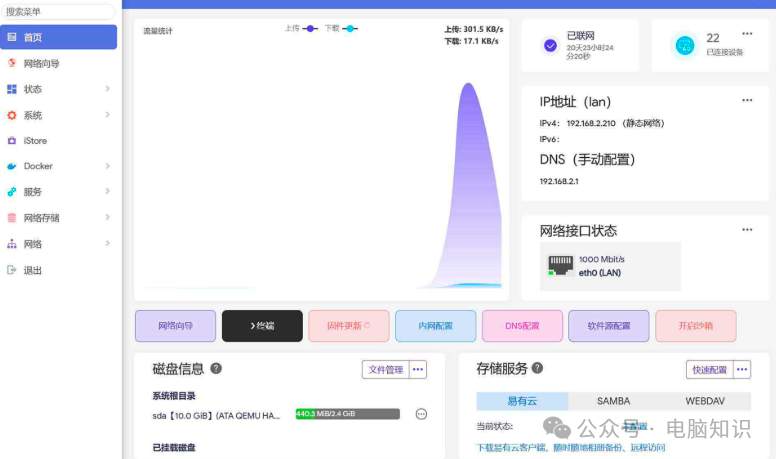
Another impressive aspect of OpenWrt is its file system design. Traditional router firmware is “read-only”; changing a configuration requires recompiling the entire system. OpenWrt uses “OverlayFS” technology, dividing the system into two layers: the bottom layer is a read-only SquashFS (similar to a system disk), and the upper layer is a writable JFFS2 (similar to a user disk). All modifications are written to JFFS2, ensuring that data is not lost upon reboot. This is akin to installing a dual system on a phone, where the underlying system remains unchanged while the upper applications can be freely installed.