Installing Nginx on Linux

What Can Nginx Do?
- • Static Resource Server: Supports external access to web pages/images;
- • Reverse Proxy + Load Balancing: Distributes user access requests to backend servers according to set rules;
- • …
Demonstration Environment
- • To ensure this article remains useful for as long as possible, software installations are done using specified version numbers.
- • The demonstration process in this article is validated through practical operations.
- • Operating System:OpenEuler 24.03 LTS (compatible with CentOS 6/7/8)
- • Network Status:Connected
- • Nginx Version:1.24.0
- • Installation Method:Offline compilation installation
Installation Steps
Download Nginx Installation Package
Download Option 1: Official Website
- • https://nginx.org/download/nginx-1.24.0.tar.gz
- • Official directory page:https://nginx.org/en/download.html
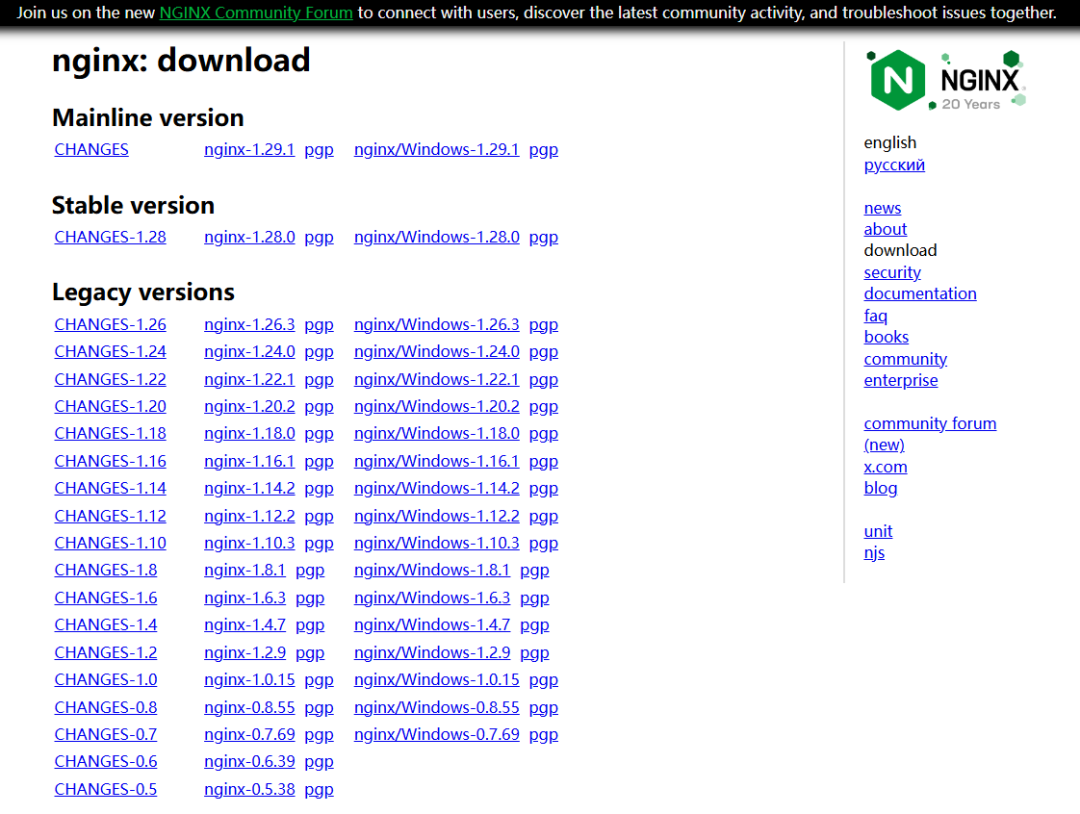
Download Option 2: Cloud Storage (Backup)
- • https://pan.quark.cn/s/5cb591e50688
This step concludes with obtaining <span>nginx-1.24.0.tar.gz</span>
Compile and Install
Upload the offline installation package to the server.
# Install dependencies

dnf install -y gcc pcre pcre-devel openssl openssl-devel zlib zlib-devel gcc-c++ libtool

# Unpack Nginx:
tar -zxf nginx-1.24.0.tar.gz

# Compile Nginx:
cd nginx-1.24.0 && ./configure --prefix=/usr/local/nginx --with-http_stub_status_module --with-http_ssl_module --with-http_gzip_static_module

# Install Nginx and delete the installation package
make && make install && cd .. && rm -rf nginx-1.24.0*

# Configure environment variables:
ln -s /usr/local/nginx/sbin/nginx  /usr/local/bin/
# Start nginx:
nginx

# Common Nginx commands
## Stop service
nginx -s stop

## Reload configuration file
nginx -s reload

## Check if configuration file is correct
nginx -t
At this point, the basic installation is complete.
Set to Start on Boot
Create systemd Unit File
sudo tee /etc/systemd/system/nginx.service >/dev/null <<'EOF'
[Unit]
Description=nginx - high performance web server
After=network.target

[Service]
Type=forking
ExecStart=/usr/local/nginx/sbin/nginx
ExecReload=/usr/local/nginx/sbin/nginx -s reload
ExecStop=/usr/local/nginx/sbin/nginx -s stop
PrivateTmp=true

[Install]
WantedBy=multi-user.target
EOF
Reload and Set to Start on Boot
sudo systemctl daemon-reload
# Start immediately and enable on boot
sudo systemctl enable --now nginx
Verification
# Should output enabled
sudo systemctl is-enabled nginx
# Check running status
sudo systemctl status nginx
Configuration File nginx.conf
Configuration file path:<span>/usr/local/nginx/conf</span>, configure as needed; this article does not demonstrate this.
Access
# If the server does not have port 80 open, execute the following command. Purpose: Permanently allow the port (effective after reboot)
# sudo firewall-cmd --permanent --zone=public --add-port=80/tcp

# Reload rules
# sudo firewall-cmd --reload
Access address: http://IP:80, the interface is as follows:
At this point, the installation is complete.
Common Commands
sudo systemctl reload nginx   # Smoothly reload configuration
sudo systemctl stop nginx     # Stop
sudo systemctl start nginx    # Start

# Or
nginx -s reload
nginx -s stop
nginx -s start