Click the blue text above to follow us
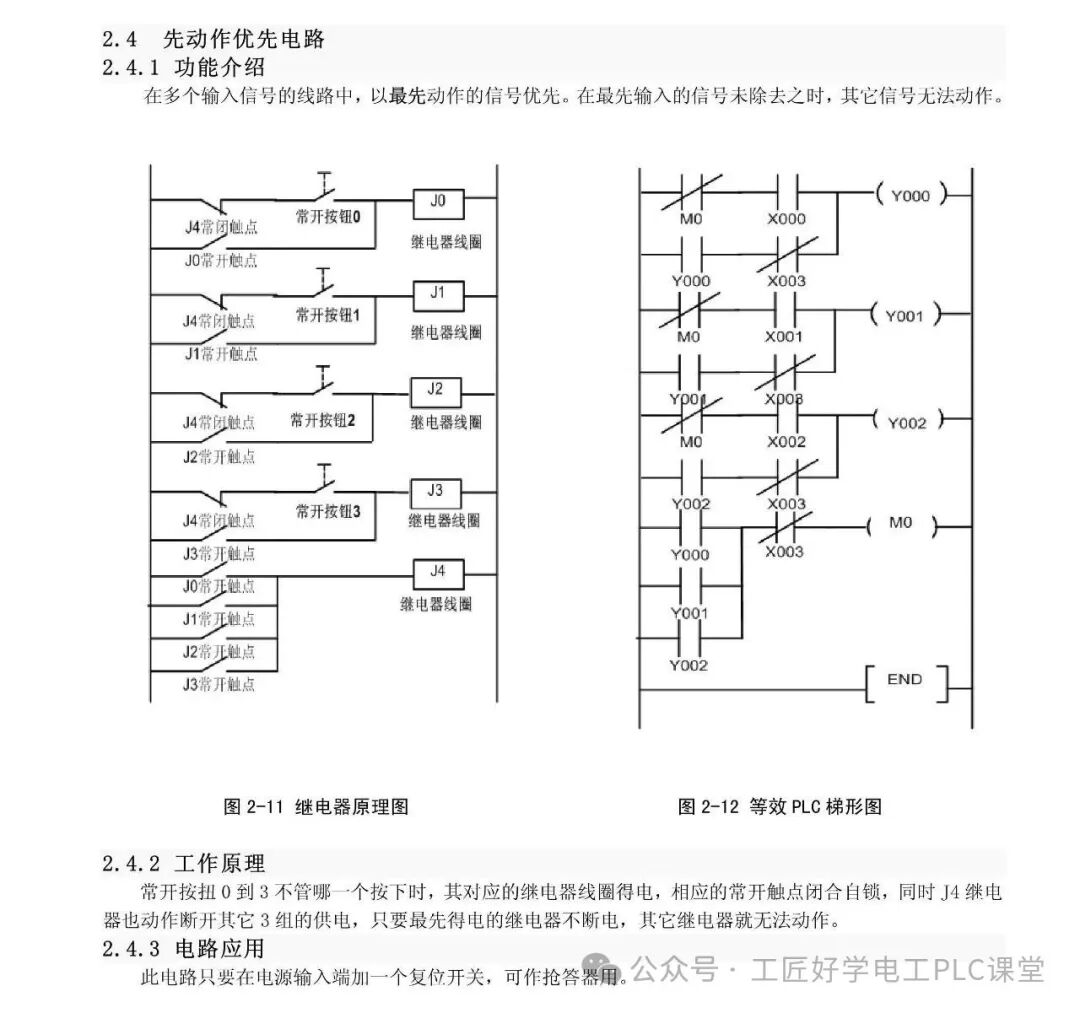
Many beginners feel intimidated by the term “PLC” (Programmable Logic Controller), thinking it is a complex technology exclusive to engineers.
However, PLCs are essentially “smart switches for industrial applications”. With the right approach, even those with no background can easily get started.
Today, I will guide you through the complete path for beginners to learn PLC, from understanding to practical application, helping you avoid 90% of the pitfalls!

1. First, understand: What exactly is a PLC? Why learn it?

Before starting to learn, clarify what you will learn and why, which can save you a lot of detours.
1. Understand PLC in simple terms
In simple terms, a PLC is an “industrial brain that can be programmed”. Previously, factory equipment required complex relays and buttons for control, and troubleshooting involved checking each wire one by one; now, by writing a program for the PLC, you can control motors, lights, sensors, and more, with troubleshooting done directly in the program, increasing efficiency by more than 10 times.
For example: the start and stop of conveyor belts on automated assembly lines, floor control in elevators, and the switching of traffic lights all involve PLCs.
2. Three core advantages of learning PLC for beginners
1. Low entry barrier: No advanced math or physics background is required; a middle school education is sufficient. The core is “logical thinking” rather than “complex calculations”.2. High demand: With the upgrade of the manufacturing industry and the push for Industry 4.0, there is a significant shortage of technicians who know PLCs, and beginners can easily earn over 10,000 yuan per month after getting started.3. Easy to get started: There are many free simulation software available, allowing practice without purchasing hardware, enabling learning from home.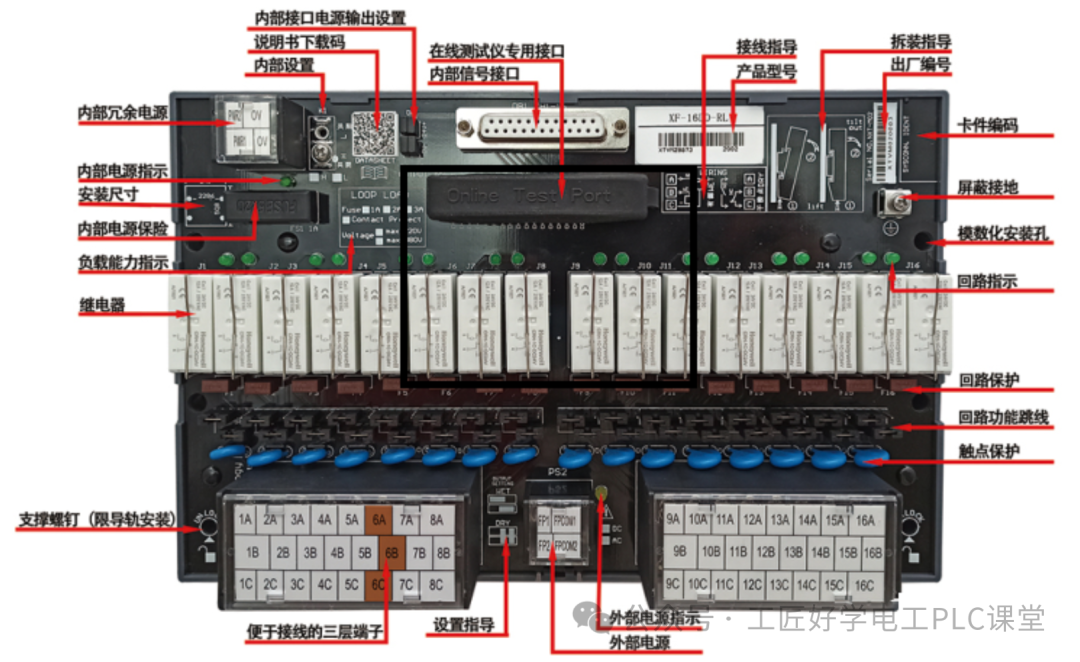

2. Highly practical! Six typical application cases of PLC (understandable for beginners)

PLCs have already penetrated various aspects of production and life; these common scenarios are all inseparable from PLC control:
1. Industrial production: Automated assembly line
Scenario: In an automotive parts assembly workshop, processes such as loading parts, tightening screws, inspection, and unloading need to be completed in sequence, with each step requiring precise coordination and the ability to switch processes based on part models.
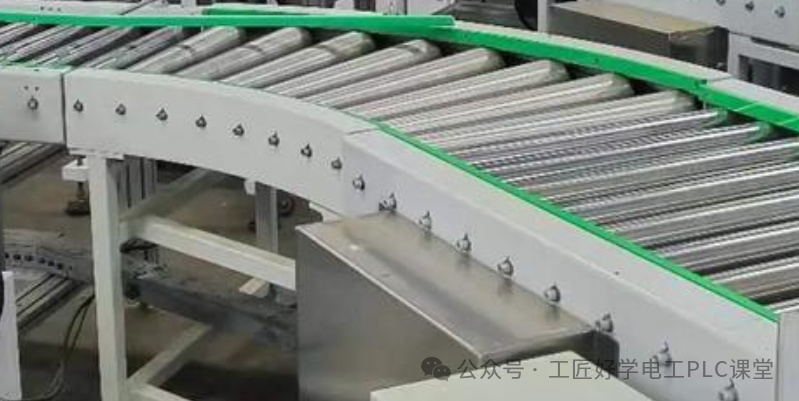

PLC’s role:

1. Receive signals from photoelectric sensors to determine if parts are in place, triggering the loading robotic arm to act;
2. Control the servo motor to drive the conveyor belt, precisely controlling the dwell time at each station (for example, if tightening screws takes 3 seconds, the PLC sets a 3-second delay before starting the conveyor belt);3. If the inspection station finds defective parts, the PLC will immediately stop the assembly line and trigger an alarm light, while also recording the number of defective products (achieved through a counter).
Why use PLC: Traditional relay control cannot quickly switch processes, and changing part models requires rewiring; whereas with a PLC, you only need to modify the program, completing the process switch in 10 minutes, improving efficiency by more than 5 times.
2. Smart home: Smart access control and elevator linkage
Scenario: In a residential building, after a homeowner swipes their access card, the elevator will automatically descend to the first floor, lighting up the corresponding floor button, allowing the homeowner to enter the elevator without pressing the floor button.
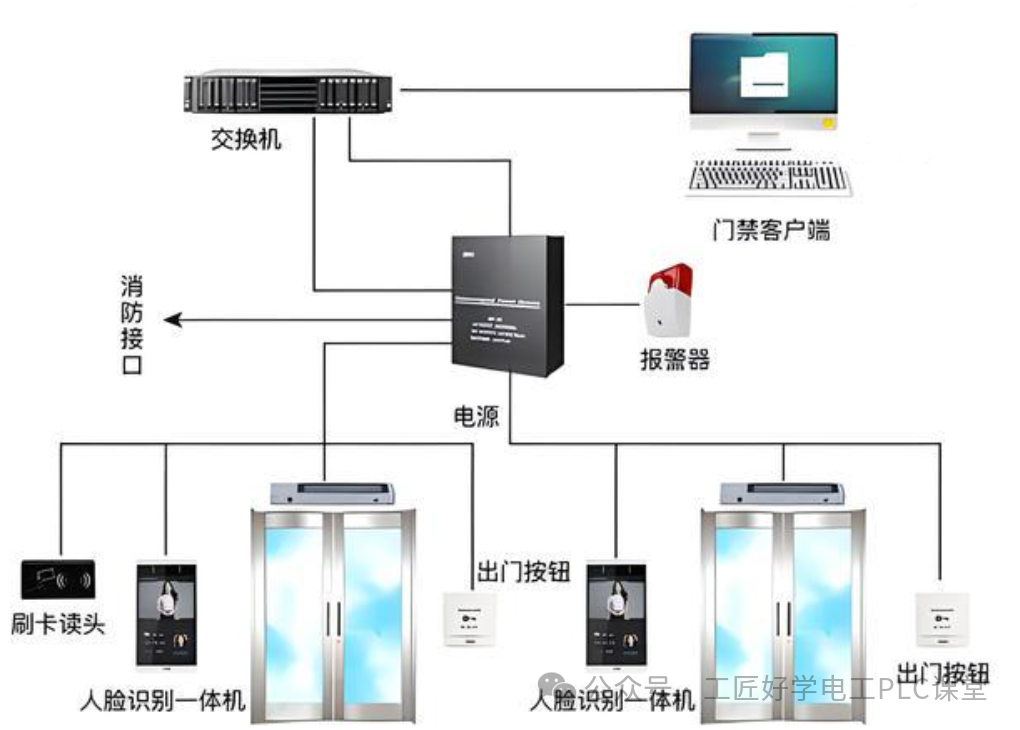

PLC’s role:
 1. Read the ID information from the access card to determine if it is a valid homeowner;2. If valid, send a “descend to the first floor” command to the elevator control system and preset the homeowner’s floor (e.g., 15th floor);3. After the elevator arrives at the first floor, the PLC controls the access door to open while locking the 15th-floor button inside the elevator to prevent others from pressing it by mistake.
Solving life pain points: This avoids homeowners having to wait for the elevator after swiping their access card, especially during peak hours, saving 30% of waiting time.
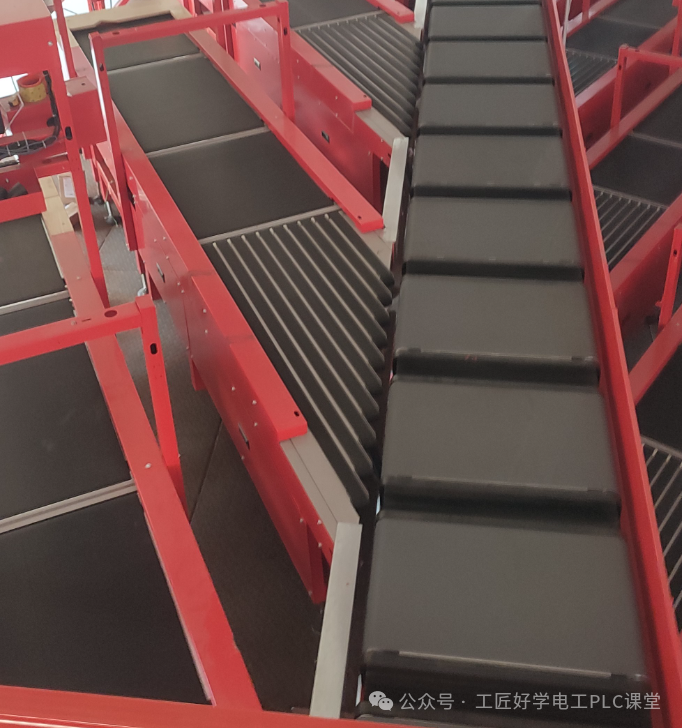
3. Logistics and warehousing: Automatic sorting machine
Scenario: In a courier transfer station, different packages (e.g., to Beijing, Shanghai, Guangzhou) need to be sorted by the sorting machine to the corresponding conveyor belts, processing over 100,000 packages daily.

PLC’s role:
 1. Scan the barcode on the package to obtain destination information;2. Based on the preset “destination – conveyor belt” correspondence, control the sorting machine’s guide plate action (for example, if Beijing corresponds to conveyor belt 1, the PLC controls the guide plate to direct the package to belt 1);3. Real-time statistics of the number of packages on each conveyor belt, and when the number reaches the limit (e.g., 1000 packages), trigger a reminder signal to notify staff for timely transfer.
Efficiency comparison: Manual sorting can handle a maximum of 300 packages per hour, while a PLC-controlled sorting machine can handle 5000 packages per hour, improving efficiency by 16 times.
4. Food processing: Fully automatic filling machine
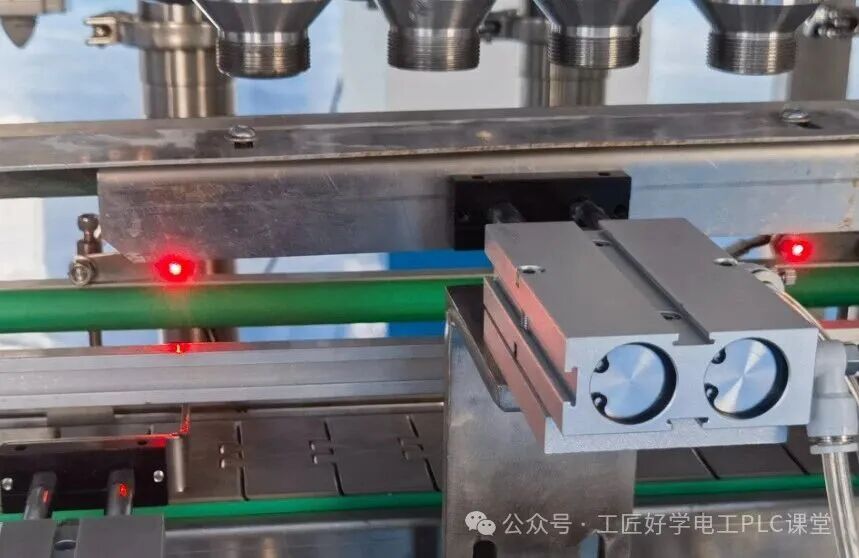
Scenario: In a beverage factory filling cola, it is necessary to precisely control the volume of each bottle (e.g., 500ml), while avoiding underfilling or overfilling, and adjusting the filling amount based on bottle size (e.g., 330ml, 500ml).

PLC’s role:
 1. Receive signals from the liquid level sensor, controlling the filling valve to open when the bottle reaches the filling point;2. Monitor the filling amount in real-time through a flow sensor, closing the filling valve immediately when the preset volume (e.g., 500ml) is reached;3. If a bottle is not in place (e.g., the conveyor belt misses a bottle), the PLC will pause the filling to prevent beverage waste and trigger an alarm.
Precision assurance: Manual filling errors can reach ±20ml, while PLC-controlled filling machines have an error of only ±1ml, meeting the strict standards of the food industry.
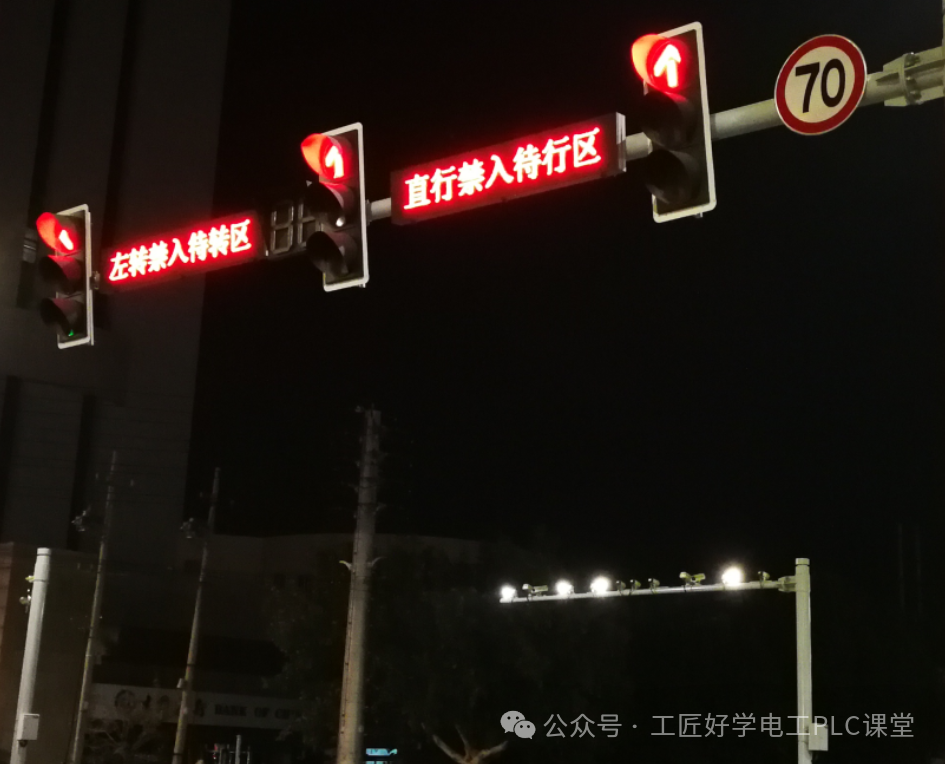
5. Transportation sector: Intelligent traffic lights at intersections
Scenario: During morning rush hour, there are many vehicles going straight and few turning left; during evening rush hour, the opposite is true, requiring automatic adjustment of traffic light durations based on traffic flow (e.g., extending the green light for straight traffic from 30 seconds to 60 seconds).

PLC’s role:
 1. Receive traffic flow signals from intersection cameras or ground loops, counting the number of vehicles going straight, turning left, and turning right;2. Automatically adjust the duration of traffic lights in each direction based on the preset “traffic flow – green light duration” algorithm (e.g., for every 20 additional vehicles, extend the green light by 10 seconds);3. In the event of emergency vehicles (e.g., ambulances, fire trucks), receive emergency signals and immediately turn all traffic lights red to clear a path for the emergency vehicle.
Traffic efficiency: Intelligent traffic lights can reduce intersection congestion time by 25% compared to fixed-duration traffic lights.
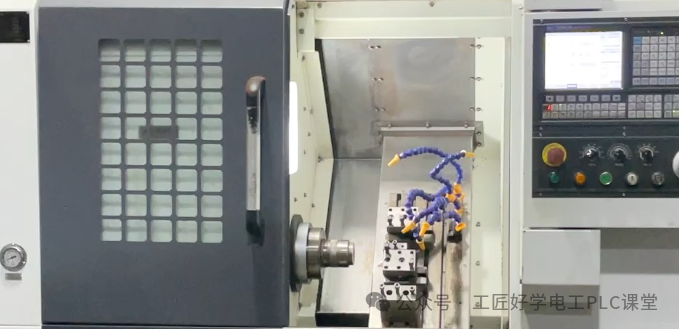
6. Mechanical manufacturing: CNC machine tools
Scenario: In a processing plant, CNC machine tools are used to process parts, requiring precise control of the tool’s movement along preset paths (e.g., drilling, milling) and the ability to repeatedly produce parts with the same precision.

PLC’s role:
 1. Receive commands from the CNC system to control the spindle motor’s speed (e.g., 1000r/min for drilling, 1500r/min for milling);2. Control the servo motor to move the workbench, achieving precise positioning of the tool along the X, Y, and Z axes (with an error of only 0.001mm);3. If an abnormality occurs during processing (e.g., tool breakage), the PLC will immediately stop the machine to protect the equipment and parts.
Core value: Traditional machine tools require manual operation, and part precision depends on worker skills; PLC-controlled CNC machine tools can achieve 24-hour uninterrupted processing, with the pass rate of parts increasing from 85% to 99%.

3. Essential preparations before starting: 3 tasks to avoid blindly stepping into pitfalls

Many beginners start following trends and end up giving up after half a month. In fact, completing these 3 tasks before starting can double your learning efficiency.
1. Choose the right “entry-level model”: Don’t pursue high-end models right away
Beginners should first chooseSiemens S7-200 SMART or Mitsubishi FX3U for three reasons:
1. Easy to operate: The programming software interface is user-friendly and easy for beginners to understand;2. Cost-effective: Second-hand equipment can be purchased for a few hundred yuan, making it affordable for practice.
Avoid pitfalls: Don’t start with Siemens S7-1200/1500 or Rockwell; these models have complex functions that can easily discourage you. Master the basic models before upgrading.
2. Prepare 2 core tools: No need to spend a lot of money
1. Programming software: Siemens uses “STEP 7-MicroWIN SMART” (available for free, contact the author to get the programming software)2. Mitsubishi uses “GX Works2” (also free, make sure to select the 32-bit version for better compatibility)3. Simulation software: Beginners should install “PLC-SIM” (Siemens has built-in simulation functionality) or “GX Simulator” (Mitsubishi simulation), allowing you to run programs without connecting hardware, avoiding wiring errors that could damage equipment.
3. Clarify learning objectives: Start with “small problems”
Don’t aim to “learn PLC control for an entire production line” right away; set small goals first:
1. First month: Understand the principles of PLC input/output (I/O) and be able to write a program that says “press the button, the light turns on; press the button again, the light turns off”;2. Second month: Learn how to use timers and counters, achieving functions like “the light turns on for 3 seconds and then turns off automatically” and “an alarm after counting to 10”;3. Third month: Try simple practical applications, such as using a PLC to control a small motor’s forward and reverse rotation.
4. The 4-step learning method for absolute beginners: From theory to practice

This part is crucial! Learn in the order of “theory → simulation → practical application → case studies” so that beginners can quickly get started.
Step 1: Master 3 basic concepts, don’t memorize them blindly
Many people get stuck in the first 3 days of learning PLC because they are intimidated by terms like “register” and “ladder diagram”. In fact, understanding them through “real-life examples” is much simpler:
2. Ladder Diagram (LD) is the programming language of PLC, resembling an “electrical circuit diagram”. Beginners should learn this first (don’t start with instruction lists!). For example, the ladder diagram for “button controls light” looks like “a wire connecting a button and a light bulb; when power is supplied, the light turns on”.3. Input/Output (I/O): Inputs (I): Devices that send signals to the PLC, such as buttons and sensors (equivalent to “human eyes and ears”).4. Outputs (O): Devices controlled by the PLC, such as light bulbs and motors (equivalent to “human hands and feet”).5. Addressing: Each input/output has a unique “address”, such as Siemens’ I0.0, Q0.0, and Mitsubishi’s X0, Y0, which is like a “house number” that the program uses to find the corresponding device.
Learning tips: Spend 10 minutes each day drawing a simple ladder diagram, such as “two buttons control one light” (Button 1 turns on the light, Button 2 turns it off), without writing a program, to practice “logic recognition”.
Step 2: Practice with simulation software, first run “small programs”
Once you can understand basic ladder diagrams, practice programming with simulation software. Start with these 3 small programs:

Case 1: Single button controls the light on and off
 1. Requirement: Press the button to turn on the light; press the button again to turn off the light; press the stop button to forcibly extinguish the light.2. Idea: Use an “auxiliary relay (M)” to achieve a “memory function”; when the button is pressed, switch the state of M, and then control the light (Q) through M.
Steps to operate:
 1. Open the programming software, create a new project, and select the corresponding model;2. Drag and drop “normally open contact” (button I0.0), “normally closed contact” (stop button I0.1), “auxiliary relay M0.0”, and “output coil Q0.0”;3. Download to the simulation software, click I0.0, and observe whether Q0.0 switches on and off.
Case 2: Timer controls the light to turn off after a delay
 1. Requirement: Press the button to turn on the light; release the button, and the light turns off after a 5-second delay.2. Idea: Use a “ton delay timer (TON)”; when the button is pressed, the light turns on and the timer starts counting; after 5 seconds, the timer’s contact acts to cut off the power to the light.
Key reminder: When simulating, always “debug step by step”; for example, first check if the input point I0.0 shows “on” when the button is pressed, then check if the timer starts counting, and finally check if the output Q0.0 acts. Understanding each step is more useful than blindly writing 10 programs.
Step 3: Practical wiring: Start with “small modules” to avoid damaging equipment
Once you can smoothly run more than 3 small programs in simulation, you can try practical applications. Beginners should first learn before directly connecting motors (as motors have high current and can easily damage the PLC).

Three core principles for wiring (must-read for beginners!):
 1. Power off before wiring: Regardless of what you are connecting, always turn off the PLC’s power first, and only power it on after wiring (powering on while wiring can easily cause short circuits; 90% of equipment damage for beginners is due to this);2. Distinguish between “power types”:1. PLC’s power: Generally DC24V (red connects to positive, black connects to negative);2. Input devices (buttons): Connect to DC24V, one end to I point, the other end to negative;3. Output devices (light bulbs): If it is a DC24V bulb, connect one end to Q point and the other to negative; if it is an AC220V bulb, it must be connected through a relay (do not connect directly to PLC output, as it will burn the Q point).3. Check the wiring before powering on: After wiring, use a multimeter in the “continuity mode” (beep mode) to check the wiring, for example, whether the wire from the button to I0.0 is connected, and whether the wire from the light bulb to Q0.0 is connected, to avoid incorrect wiring.
First practical goal: Achieve “button controls light on and off”.
 1. Wiring: One end of the button connects to I0.0, the other end connects to DC24V negative; one end of the light bulb connects to Q0.0, the other end connects to negative; PLC connects to DC24V power;2. Write the program: In the software, write “I0.0 normally open contact controls Q0.0 coil”;3. Download the program: Use a data cable to download the program to the PLC;4. Test: Press the button to see if the light bulb turns on; release the button to see if the light bulb turns off (if there is no response, first check the wiring, then check the program).
Step 4: Learn through case studies: From “imitation” to “independent design”.

Once you can independently complete wiring and simple programs, you can advance by following case studies. Start with these classic cases:
Case 1: Motor forward and reverse control (most commonly used in industry): Use two buttons to control the motor’s forward and reverse rotation, adding a stop button, and be sure to include “interlocking” (to prevent both forward and reverse contactors from engaging simultaneously and causing a short circuit);Case 2: Automatic feeding system (combined with sensors): Use photoelectric sensors to detect materials; when materials are in place, the conveyor belt stops, and the cylinder pushes out the materials.Case 3: Timer cycle control The light turns on for 2 seconds, then off for 1 second, and repeats (achieved using timers and auxiliary relays).
Learning tips:
First, find someone else’s completed case program, understand the logic of each step, then write it out yourself, and finally try modifying parameters (for example, changing the delay from 2 seconds to 5 seconds), and then independently write a new case.
4. Beginner’s guide to avoiding pitfalls: Don’t make these 5 mistakes
 1. Don’t just learn theory without practicing: Many people watch 100 tutorials but have never written a single line of code or made a wiring mistake, resulting in not being able to learn after half a year.2. Don’t try to learn multiple brands at once: Siemens and Mitsubishi have different programming logics; beginners should master one brand before learning another for easier understanding.3. Don’t rely on “one-click download” programs: Don’t directly download and use ready-made programs; you must understand the logic behind them, or you won’t be able to troubleshoot if issues arise.4. Don’t be afraid to make mistakes: It’s normal to burn out bulbs or have programs not work during the first wiring; what’s important is to find the cause of the error (was it incorrect wiring? Or was it a logic error in the program?).If this article has helped you, feel free to follow our public account and like and share it. Add the teacher to receive for free! Essential materials for electricians and PLC robots Useful for both beginners and advanced learners Add the teacher’s WeChat to receive it
 Your shares, likes, and views are all appreciated.I appreciate them all.