Wi-Fi 6 Entry-Level Cost-Performance Ceiling – Arthur AX1800
Today, I will introduce my main router: JD Cloud AX1800 Pro (commonly known as “Arthur”). This router was quite popular last year and is still active in the second-hand market.
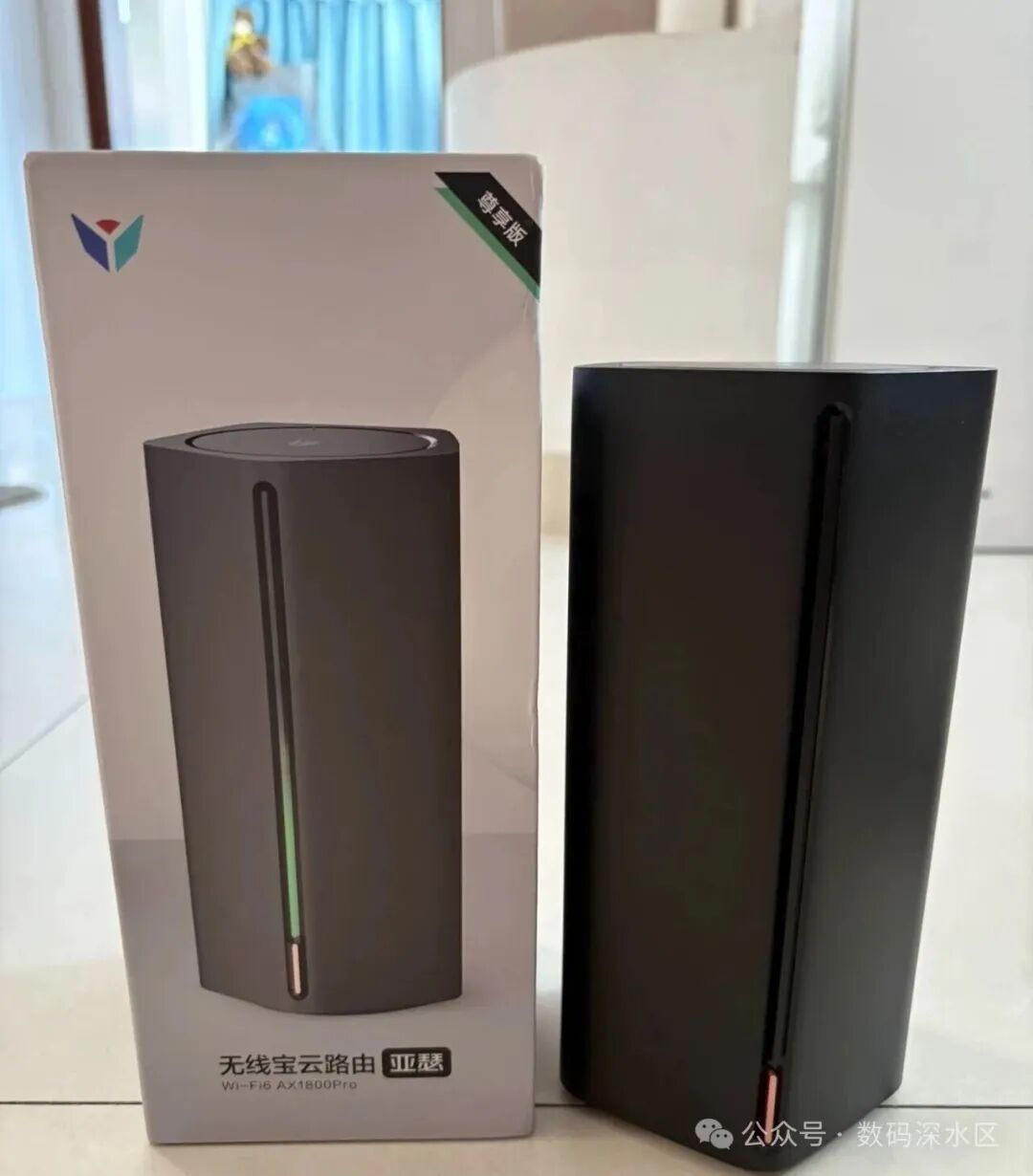
Basic Configuration
| Item | Description |
| Model | JD Cloud Wireless Treasure AX1800 Pro (Arthur) |
| CPU | Qualcomm IPQ6000 Quad-core 1.2GHz |
| Memory | 512 MB |
| Storage | eMMC 64 GB (some versions 128 GB) |
| Wireless Protocol | Wi-Fi 6 (802.11ax) |
| 2.4 GHz Band | 2×2 MIMO, up to 574 Mbps, 40 MHz bandwidth |
| 5 GHz Band | 2×2 MIMO, up to 1201 Mbps, 80 MHz bandwidth |
| Total Wireless Rate | ~1775 Mbps (combined 2.4GHz + 5GHz) |
| FEM Amplifier | Independent 5-way FEM amplifier |
| Port Configuration | Gigabit ports ×4 (1 WAN + 3 LAN) |
| USB Interface | USB 3.0 ×1 |
| Power Specifications | 12V / 2A |
| Release Date | Approximately 2021 |
| Other Features | Can flash OpenWrt, supports SSH access without disassembly |
Cost-Performance and Usage
The Qualcomm IPQ6000 processor is still competitive today, positioned at a mid-range level in the router market. More importantly, its price has remained stable around a hundred yuan, making it highly versatile.Common firmware options include iStoreOS, Asus SWRT, QWRT, etc., all of which are compatible. With the USB 3.0 interface, you can connect an external hard drive for light NAS functionality or use a USB network card to expand capabilities.
At that time, there were two methods available online for flashing:
- • Soft Flash: Requires a high firmware version, and the process is complicated.
- • Hard Flash (9008 Short Circuit): Direct flashing after disassembly, higher success rate, but disassembly is not easy as the case and motherboard are particularly tight.
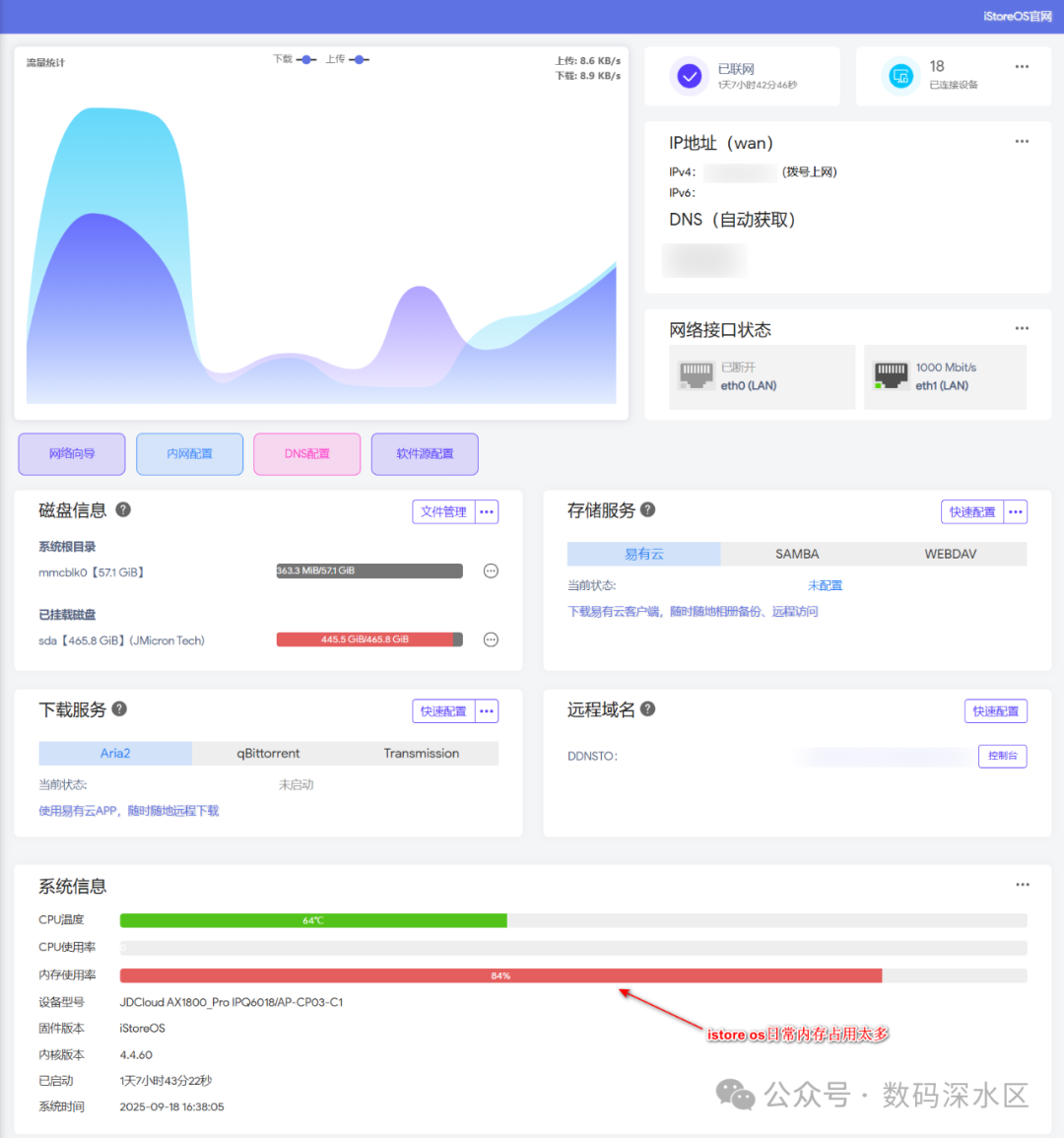
I chose the iStoreOS firmware, and the overall experience is quite good. Although 512MB of memory feels a bit tight, even with SmartDNS and Homebox speed test plugins running, memory usage approached 85%, yet there were no crashes or reboots. The built-in 64GB eMMC is used for overlay expansion; I did not modify the partition table since I do not plan to run PCDN.
Real-World Performance
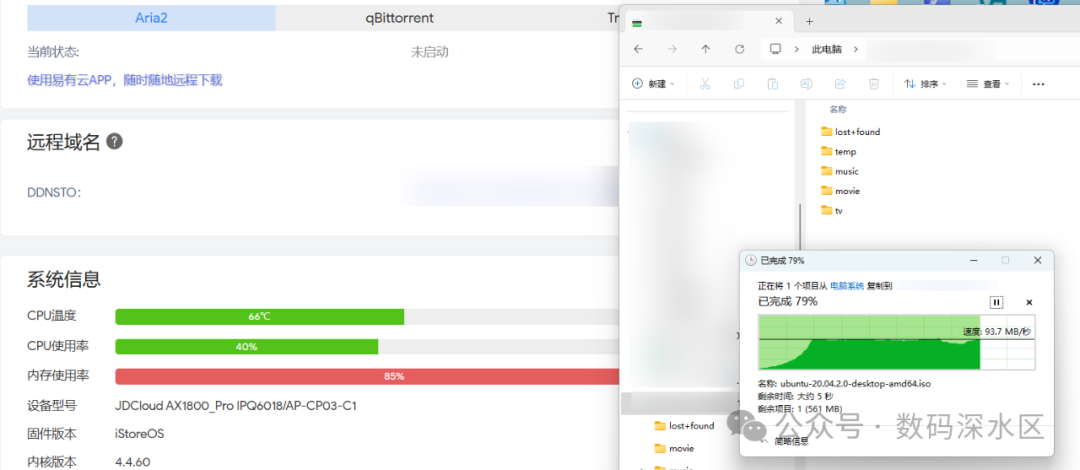
- • File Transfer: USB 3.0 external hard drive, SMB transfer of a 2GB file, speed around 90MB/s, CPU usage not exceeding 60%.
- • Wired Network: Gigabit runs at full speed without any pressure.
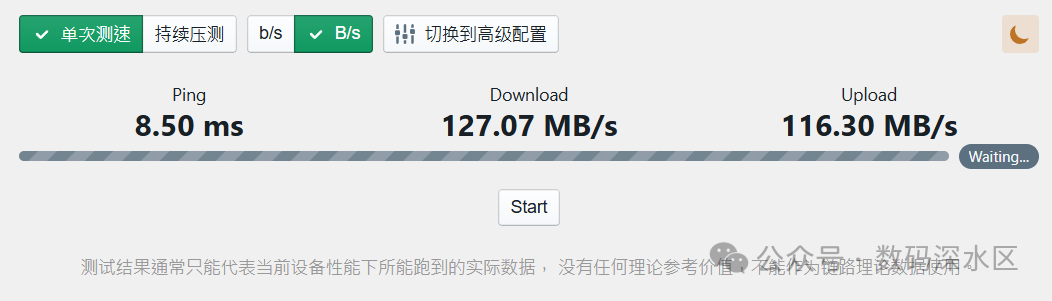
- • Wireless Network:
- • 2.4GHz: Up to 574Mbps (40MHz, 2×2 MIMO)
- • 5GHz: Up to 1201Mbps (80MHz, 2×2 MIMO)
- • Actual measured speed on 5G mobile devices can indeed reach 1200Mbps.
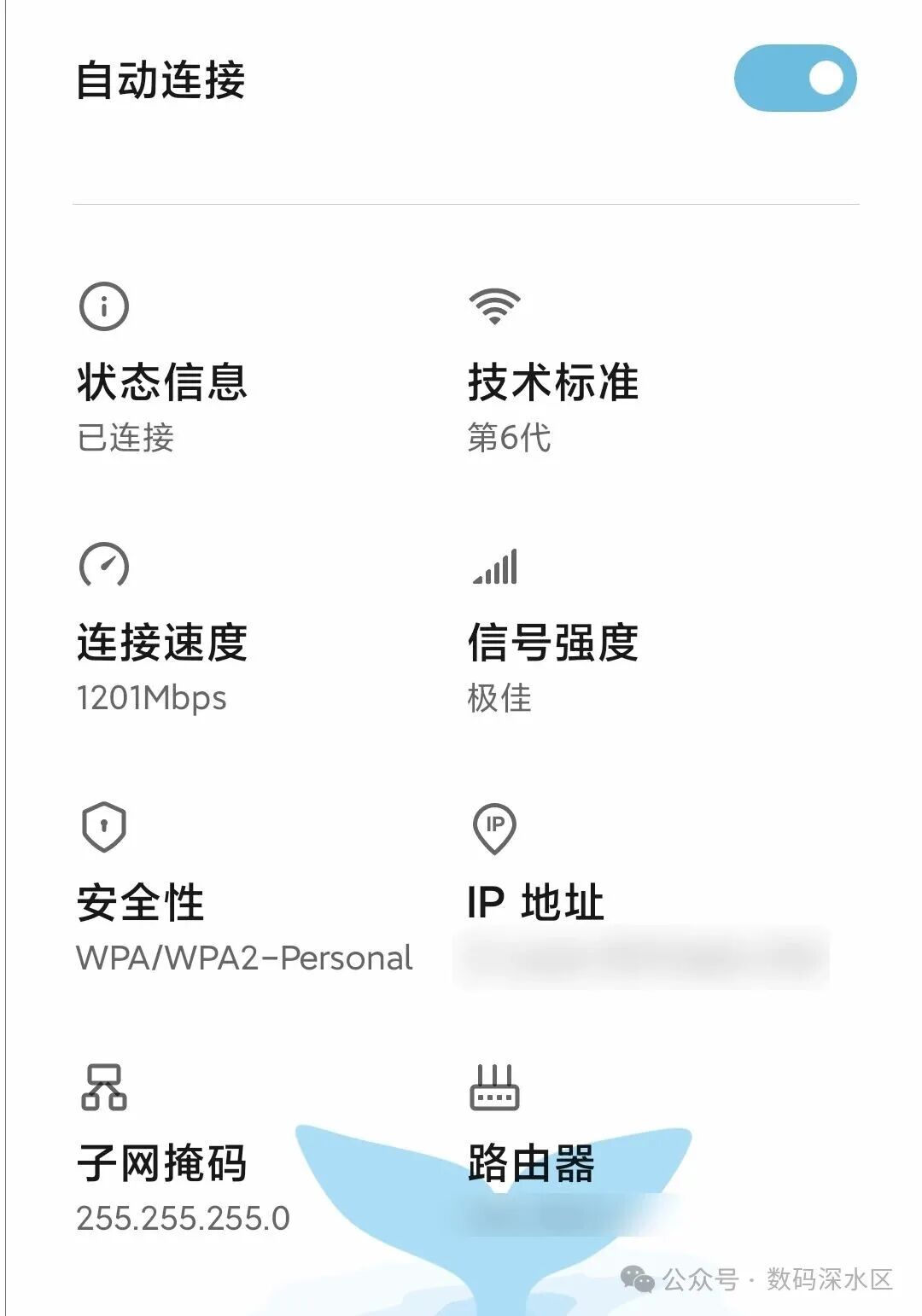
- • The downside is that it does not support 160MHz bandwidth, so wireless performance is not on par with high-end models.
Shortcomings and Potential
The main shortcoming of the Arthur AX1800 is in the wireless section, lacking 160MHz bandwidth and native Mesh support.However, some sellers on second-hand platforms even offer services to expand memory to 1GB, and some directly remove the Wi-Fi to use it as a pure main router. For enthusiasts, there are still plenty of options to tinker with.
The iStoreOS system is powerful, but I do not have many needs for it, and it occupies quite a bit of memory. If you just want a stable, low-cost router that can run plugins, this machine is still very worthwhile.
Conclusion
If you have a limited budget but want to experience the stability and expandability of Wi-Fi 6, then the JD Cloud AX1800 Pro (Arthur) is still the cost-performance ceiling at the hundred-yuan price point. It may not be a performance monster, but it is definitely a good choice for beginners and seasoned players alike.
#wifi6router