
00
Abstract
Introduction
As we enter the era of “AI artificial intelligence”, mastering the integration of AI and development technologies and accumulating practical experience in AI projects is crucial for future career development and meeting business demands.
Last week, I successfully implemented a highly anticipated AI chat session project using the FastAPI + SQLAlchemy + MySQL + Redis technology stack. The project features include registration, single sign-on, creating new chat sessions, and maintaining session context to achieve coherent interaction with AI based on the Doubao AI model.
Currently, the number of readers has exceeded 3000.
Practical Python AI Project (Including Code) – A Detailed Explanation of the Full Process with FastAPI + SQLAlchemy + MySQL + Redis

While the project has gained attention, I also received professional advice from experts – to fully explore the asynchronous features of FastAPI. Therefore, this week I am embarking on a new challenge, starting from scratch to build a lightweight AI chat system, exploring how to leverage asynchronous programming to enhance service performance and response efficiency in high-concurrency scenarios, unlocking the greater potential of the FastAPI framework and accumulating valuable experience for future AI project development.
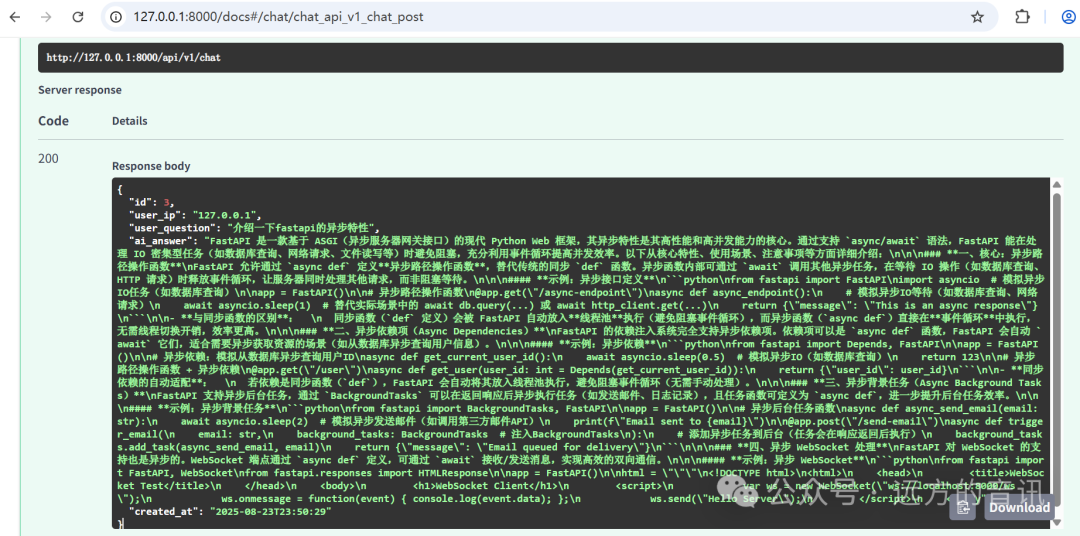
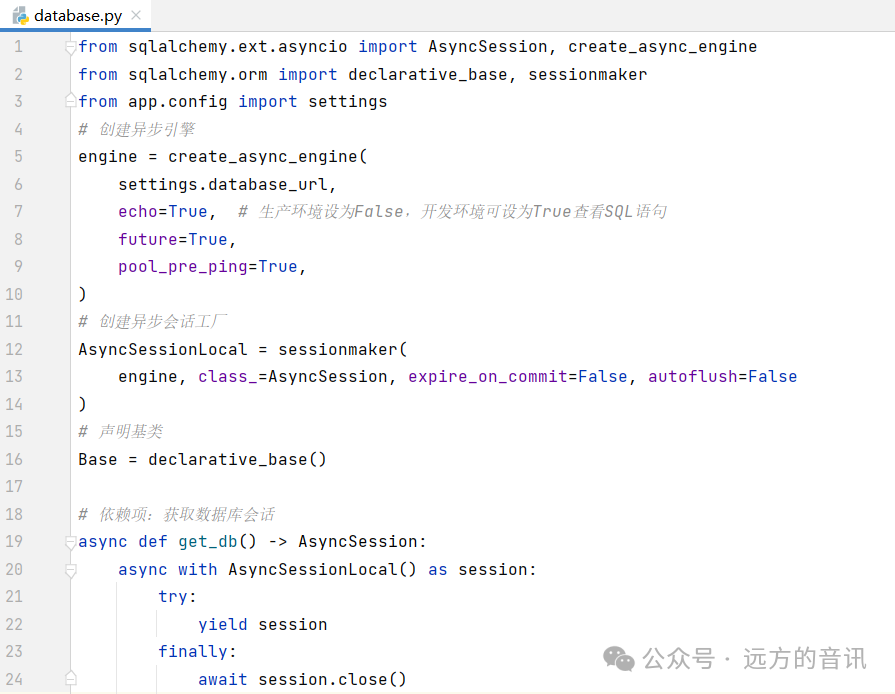
Project Code Download and Execution
Data download: After following my public account, send “python” to obtain the download link for learning materials and code.
01
FastAPI
1.1 Introduction to FastAPI Asynchronous Features
FastAPI, as a high-performance web framework based on Python, has the core advantage of its asynchronous features in efficiently handling I/O-intensive tasks. Traditional synchronous web frameworks block threads when handling database queries, network requests, and other operations, leading to resource waste; whereas asynchronous programming, through an event loop mechanism, allows handling other requests while waiting for I/O operations to complete, significantly improving system throughput.
FastAPI is built on Starlette, relying on asyncio (the asynchronous framework in the Python standard library), while also compatible with uvloop (a faster event loop implementation) and httptools (a high-performance HTTP parser), forming a high-performance asynchronous ecosystem.
1.2 Implementation of Asynchronous Features
By defining interface handling functions with async def, it allows the use of await to call other asynchronous operations (such as asynchronous database queries, asynchronous HTTP clients).
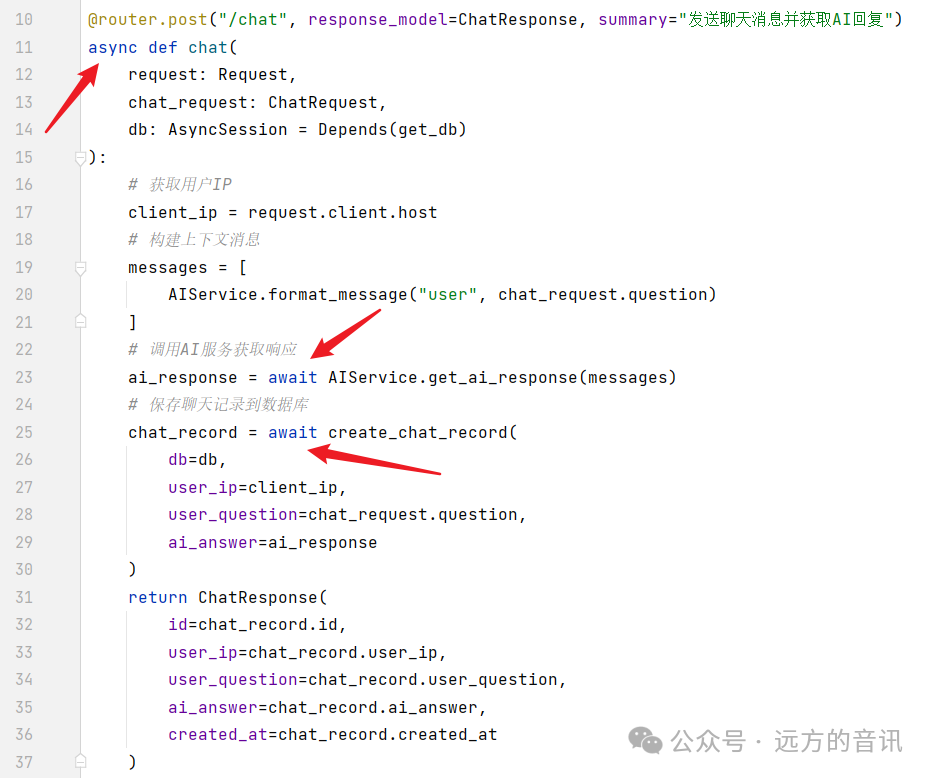
1.3 Performance Comparison of Synchronous and Asynchronous Features
To verify the performance of FastAPI’s synchronous and asynchronous features, I developed two simplified interfaces in the project and used JMeter to conduct stress testing on both interfaces.
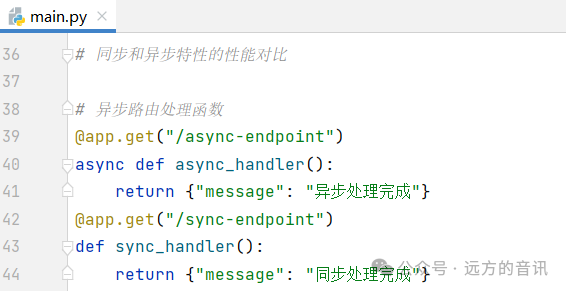 JMeter stress test data shows: In a 10 concurrent scenario, the average response time of the asynchronous interface is reduced by 3ms compared to the synchronous interface, with throughput increased by over 500 TPS.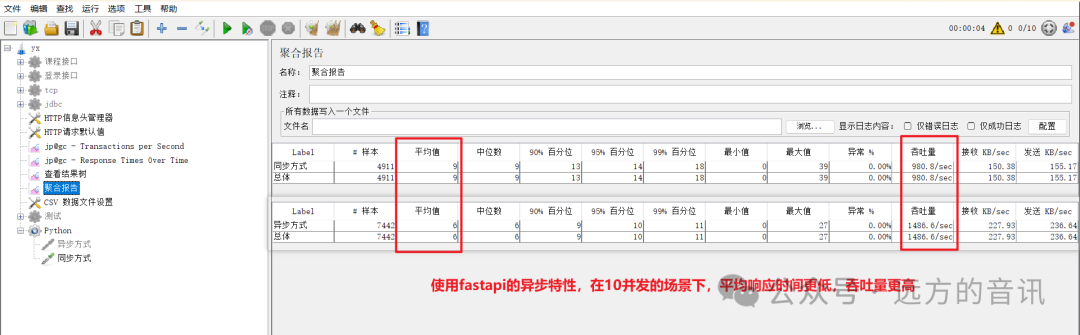
1.4 Selection Strategy for Synchronous and Asynchronous Features
Scenarios suitable for synchronous programming:
When tasks are primarily computation-intensive (such as numerical calculations, algorithmic logic processing) and the concurrency is low, synchronous programming is simpler and more direct. For example, local data processing scripts and single-user utility programs can fully utilize CPU resources in synchronous mode due to the absence of coroutine scheduling overhead. Additionally, if the business logic has strong sequential dependencies (such as strict steps in order processing), the linear execution logic of synchronous code is easier to maintain, avoiding potential confusion caused by asynchronous callbacks.
Scenarios suitable for asynchronous programming:
If tasks involve a large number of I/O operations (such as network requests, database queries, file read/write), asynchronous programming can significantly enhance performance. For example, web service backends (like FastAPI handling high-concurrency requests), crawler programs, and message queue consumption scenarios can benefit from asynchronous programming, allowing threads to switch to other tasks while waiting for I/O, reducing resource idleness. When the system needs to support high concurrency (such as tens of thousands of connections), the asynchronous model (like event loop-based) can avoid memory overhead caused by creating a large number of threads, exemplified by Node.js’s advantages in handling massive HTTP requests. Furthermore, in microservice architectures where cross-service calls are frequent, asynchronous communication can reduce the risk of blocking between services and improve overall system throughput.
02
Core Project Code
2.1 Project Structure
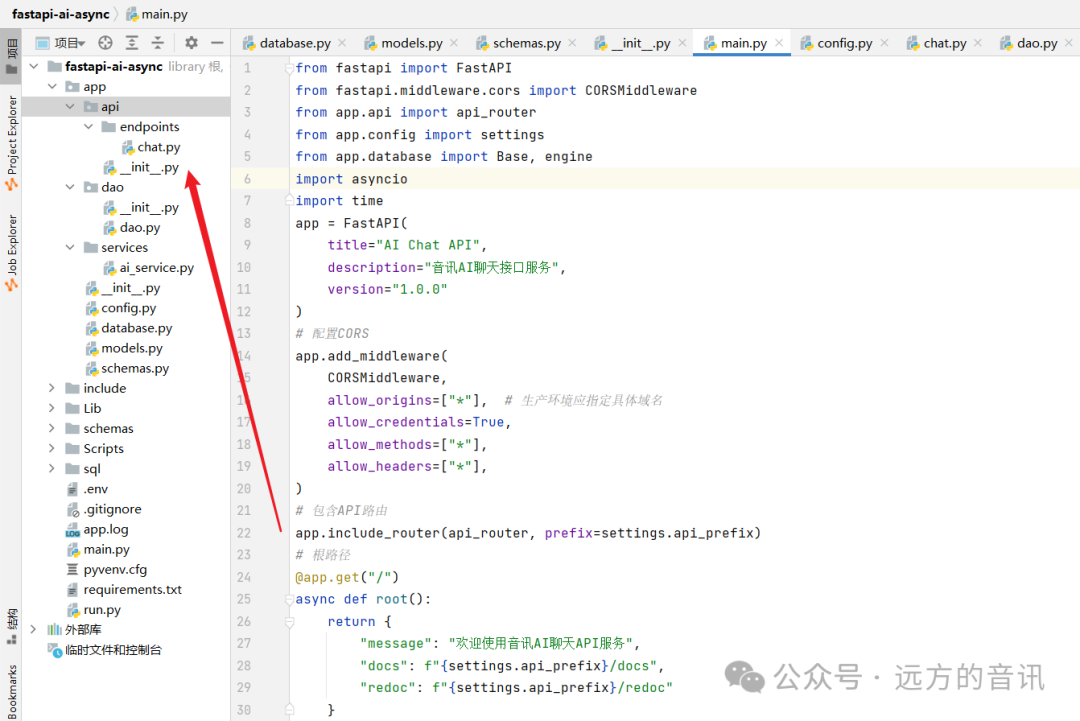
2.2 Project Initialization
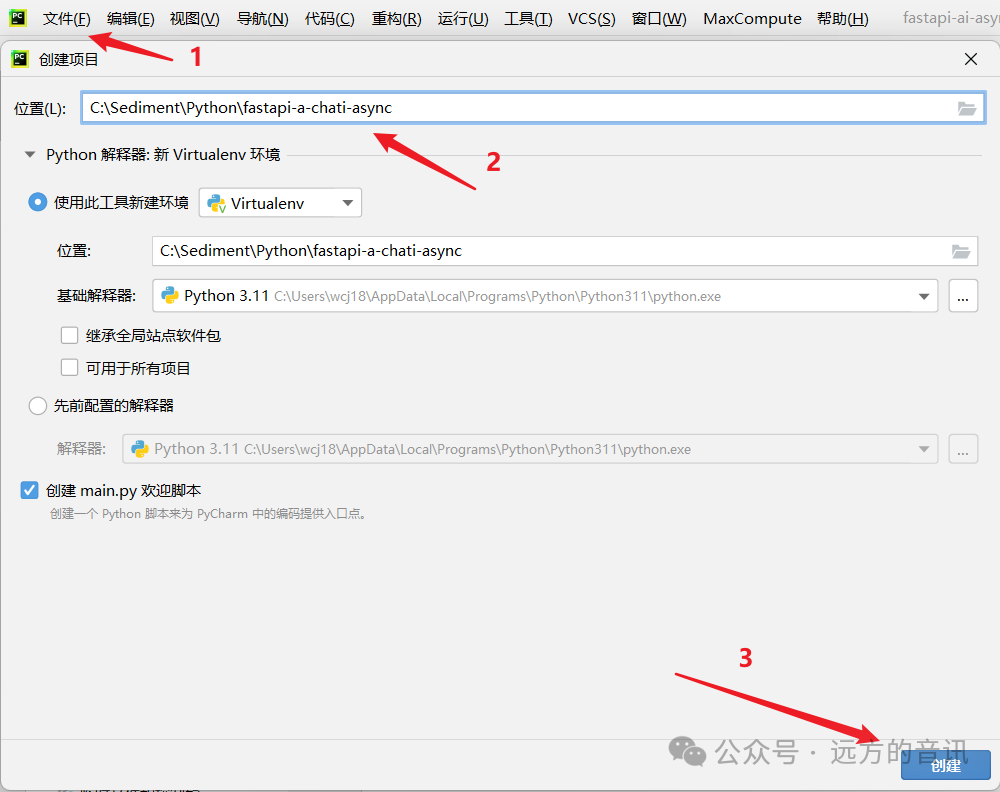
1. Create a new project using PyCharm.
 2. Update pip version.
python -m pip install --upgrade pip - i https://mirrors.aliyun.com/pypi/simple/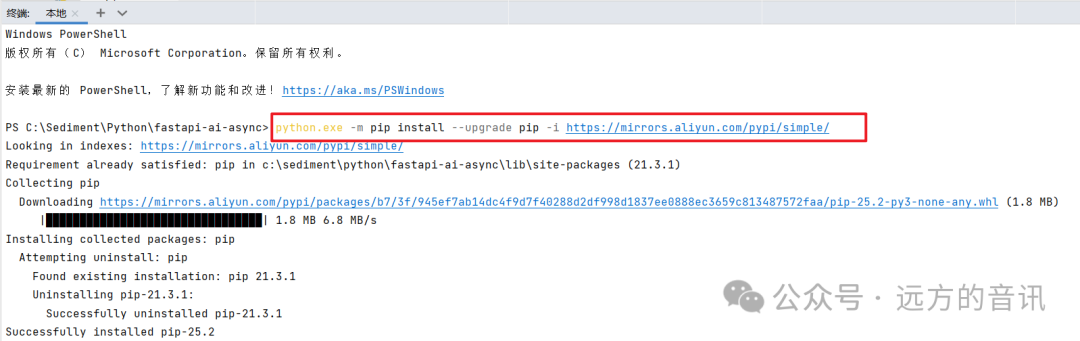 3. Use requirements.txt to define project dependencies.
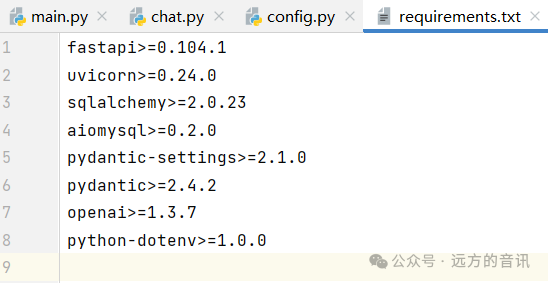 4. Install project dependencies.
pip install -r requirements.txt -i https://mirrors.aliyun.com/pypi/simple/
2.3 Implementation of AI Chat Functionality
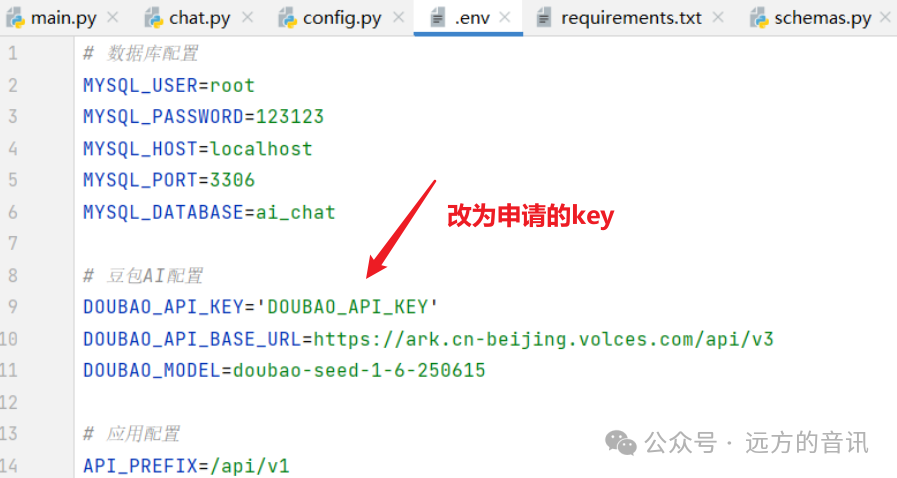
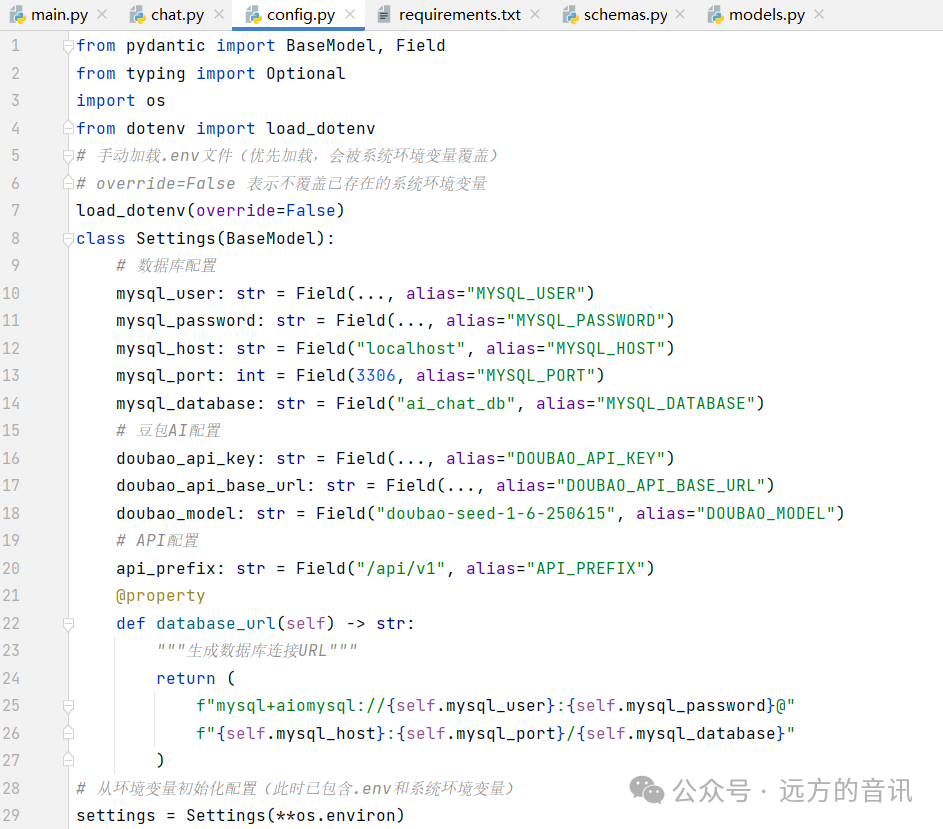
1. Database session configuration:
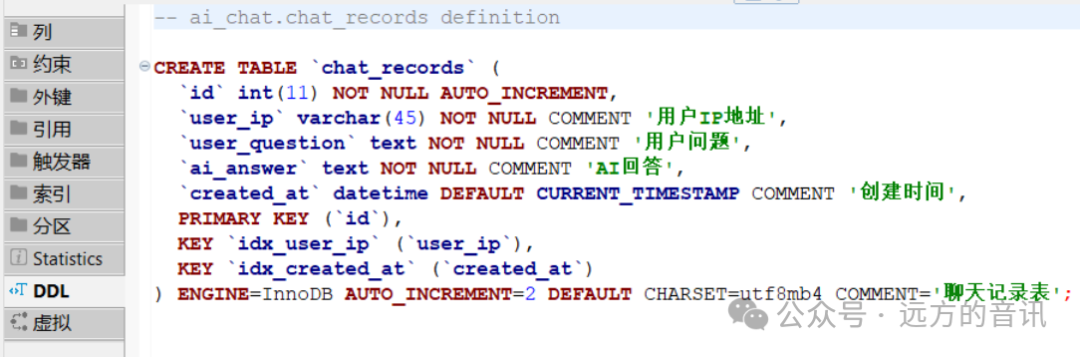
 2. chat_records table structure:
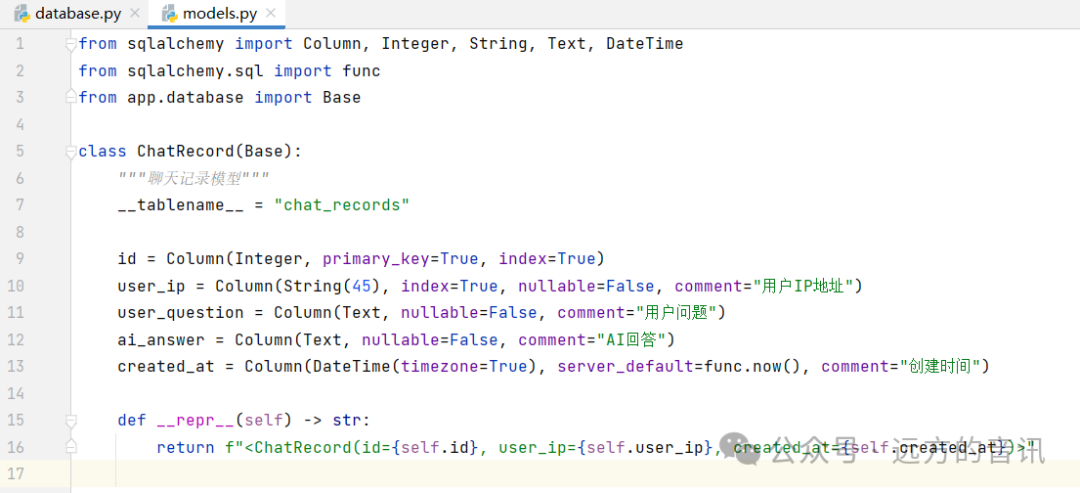
 3. Data model:
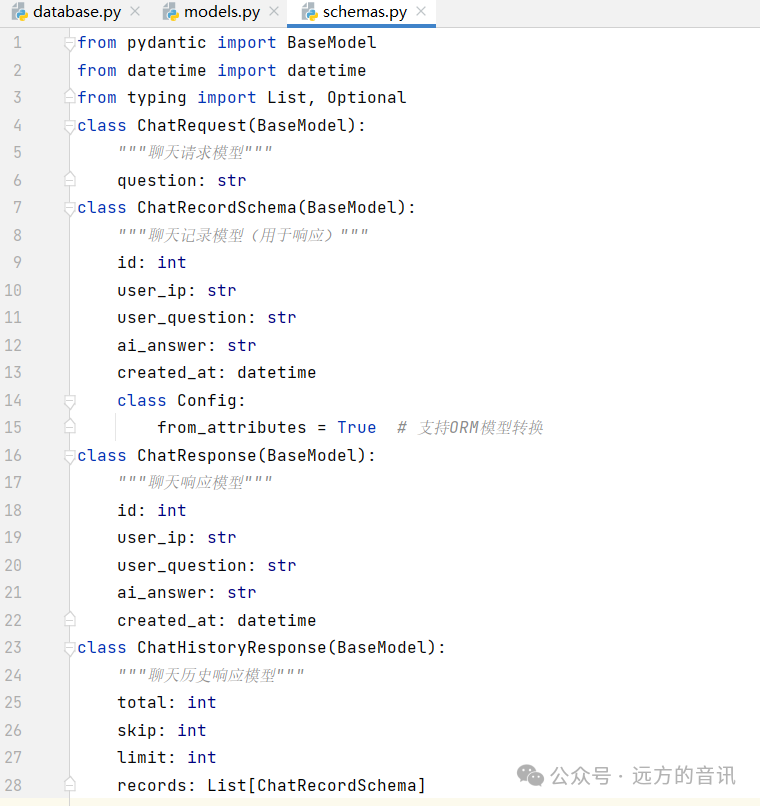
 4. Pydantic model (data validation and serialization):
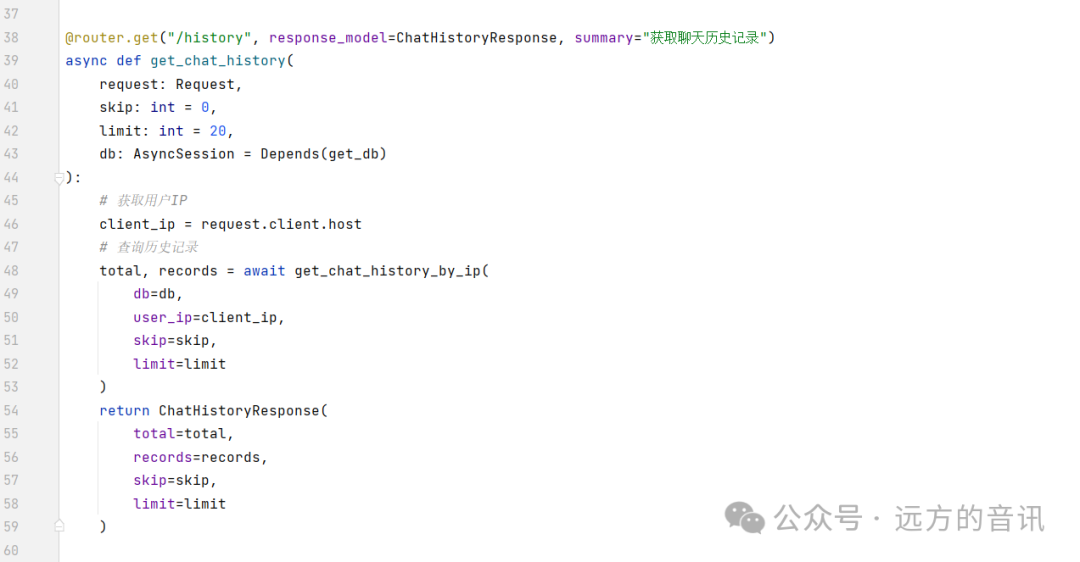
 5. Define router route interfaces:

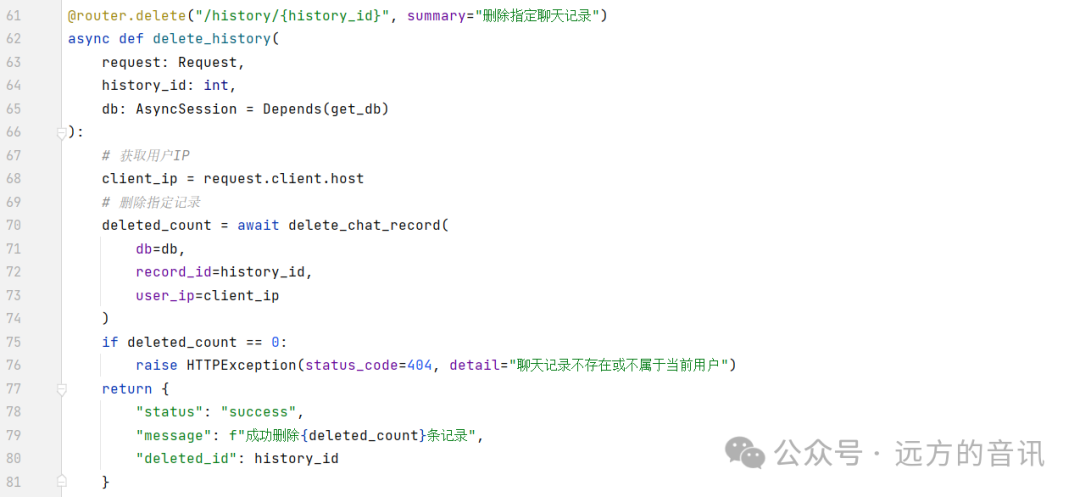
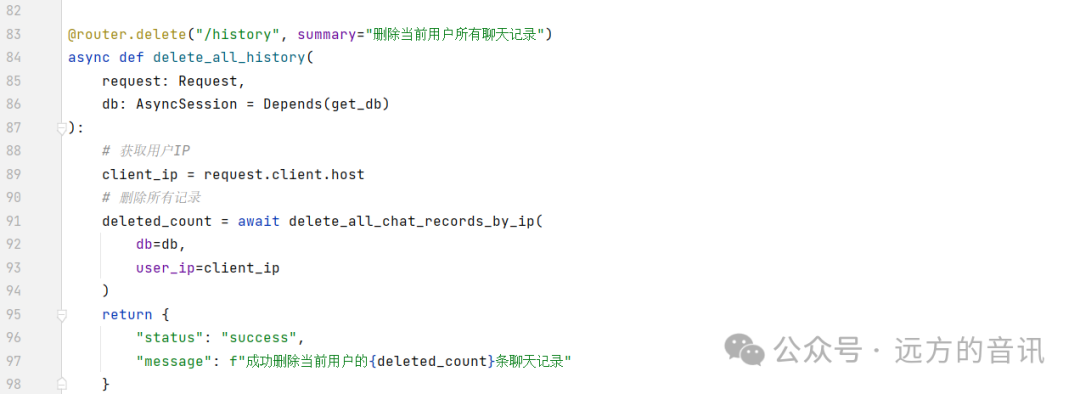 6. Define AIService.py: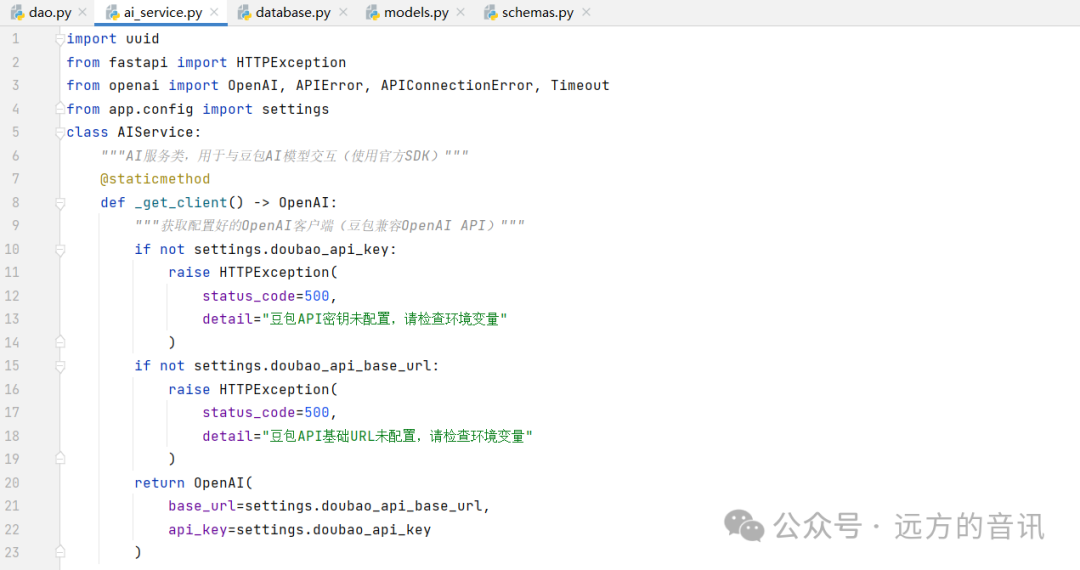
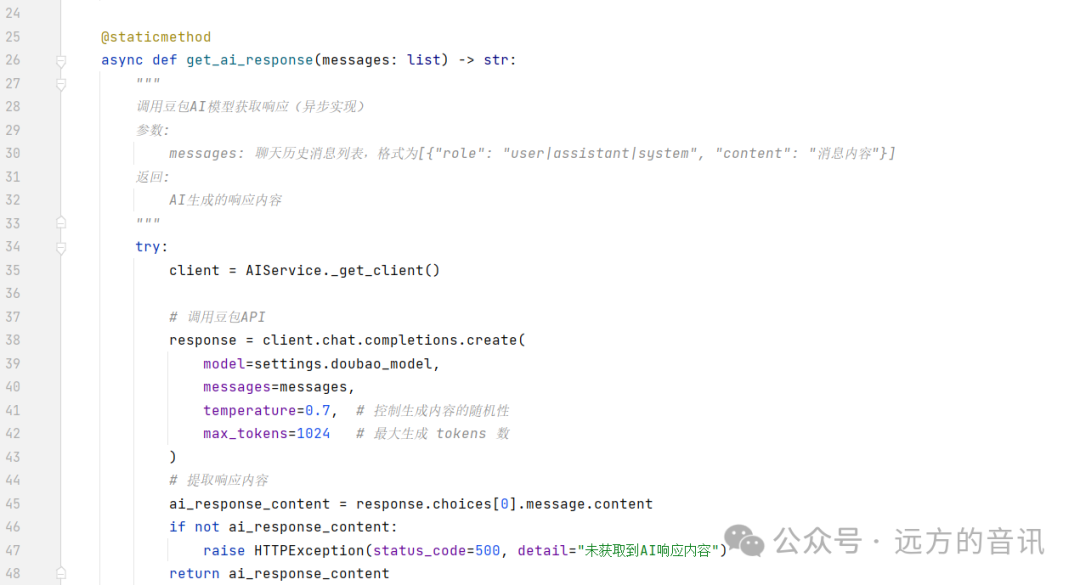
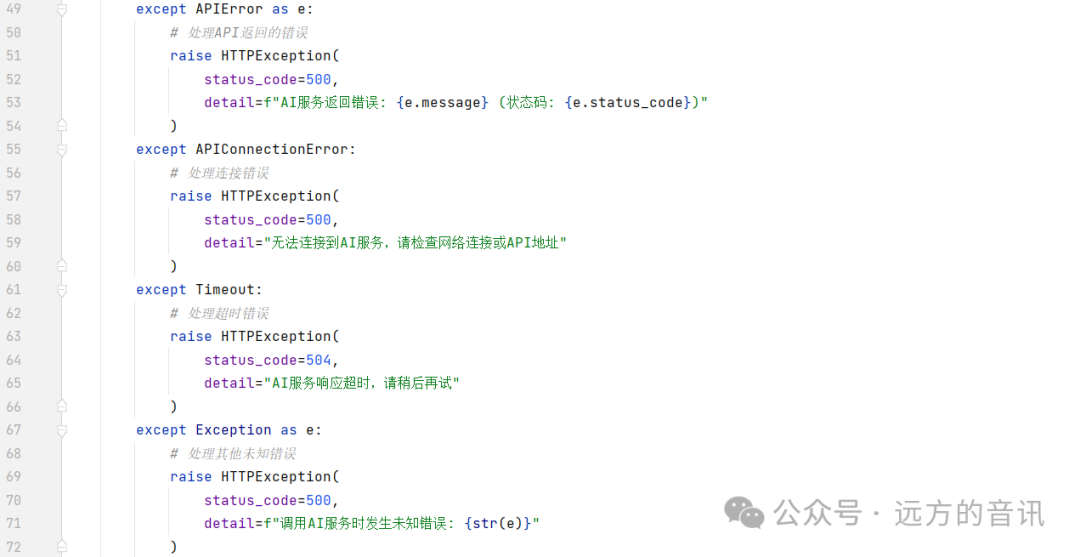
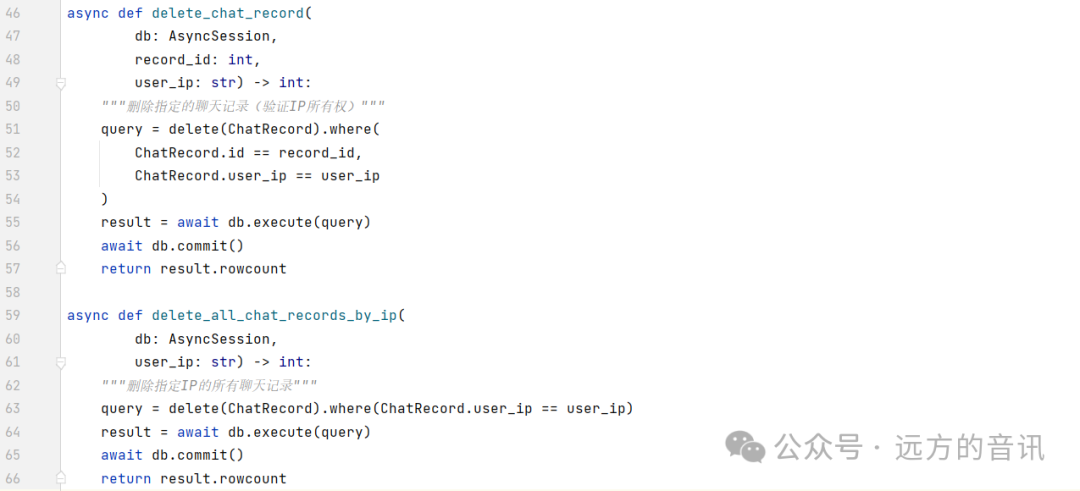
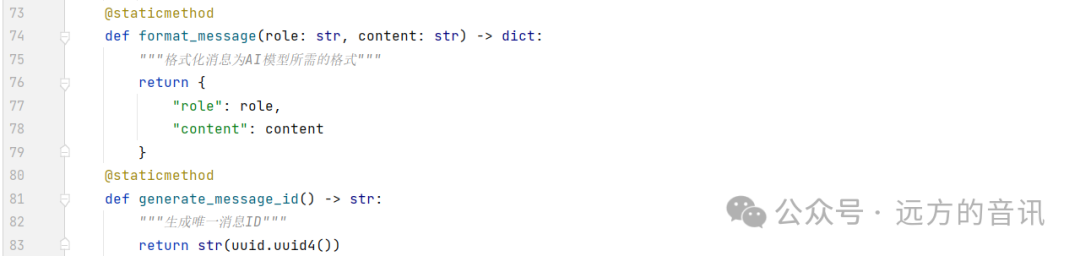 7. Define DAO database operation methods: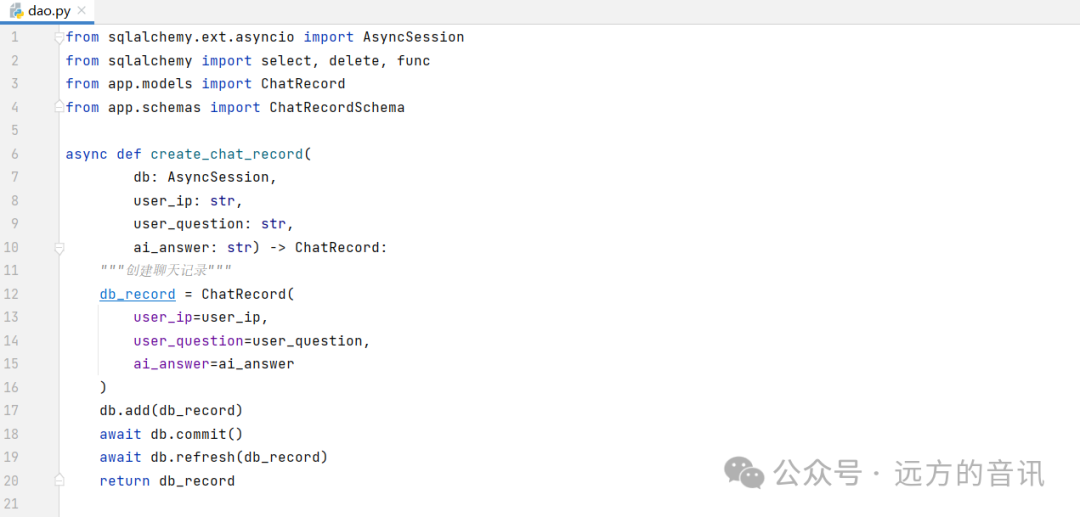
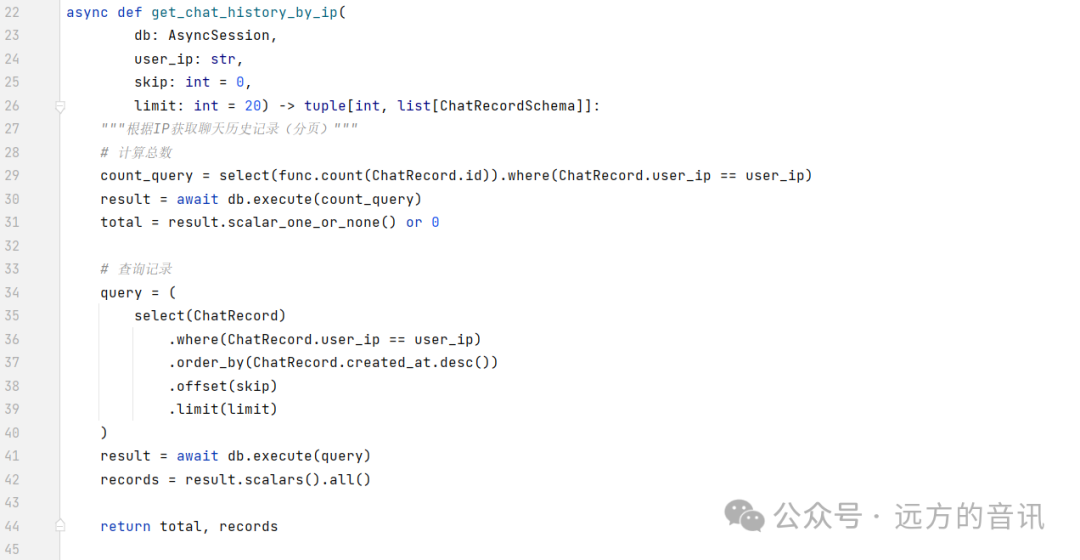
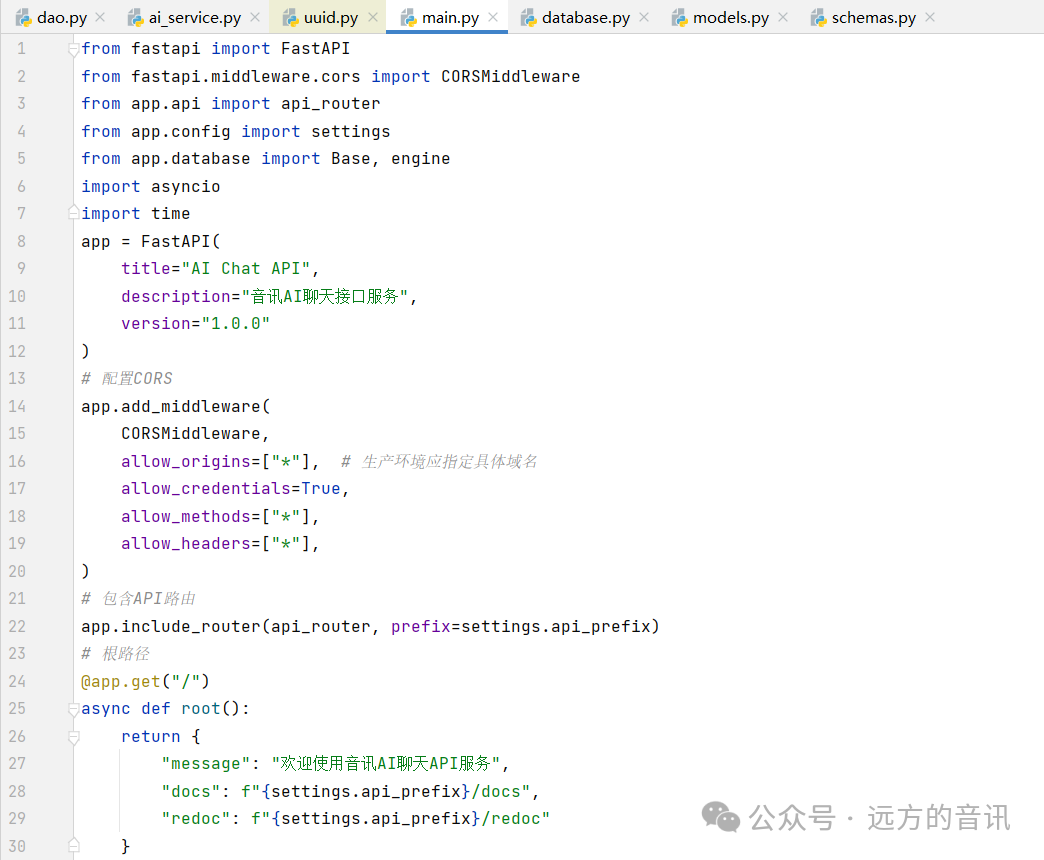
 8. Define main.py:
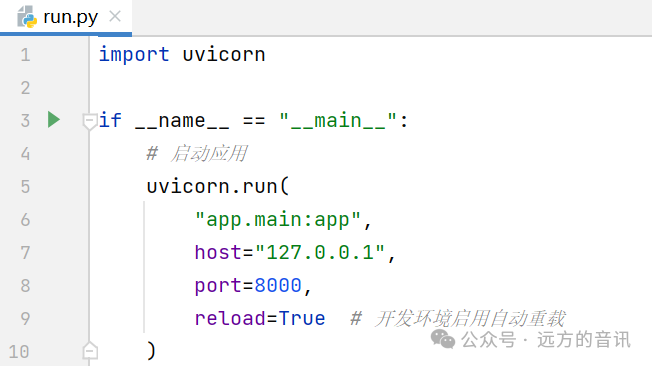
 9. Define startup file: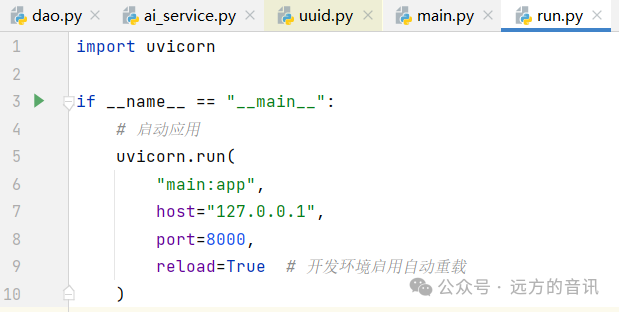
2.4 Application for DOUBAO_API_KEY
Visit the website:
https://console.volcengine.com/
Complete the registration and login, then navigate to “Model Square” on the platform.
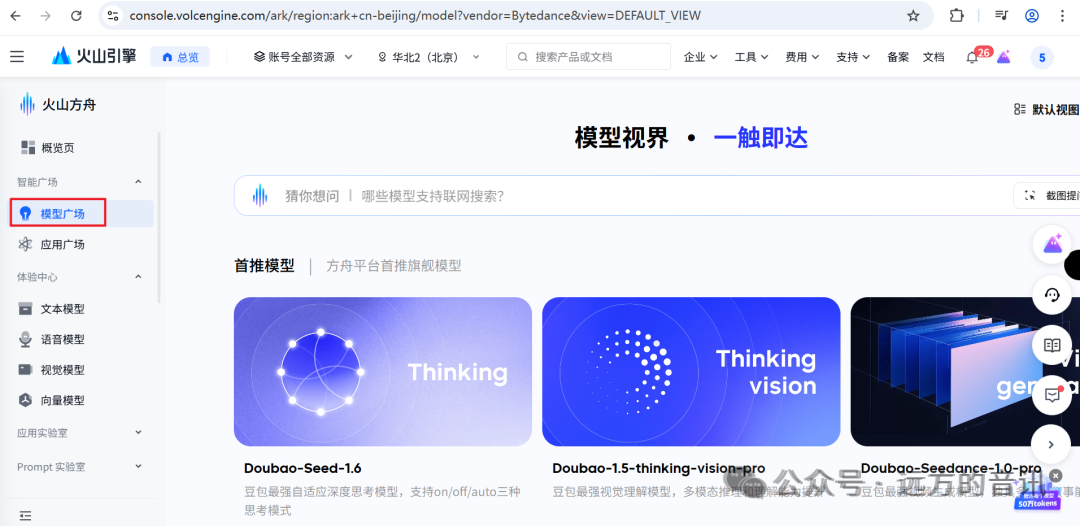
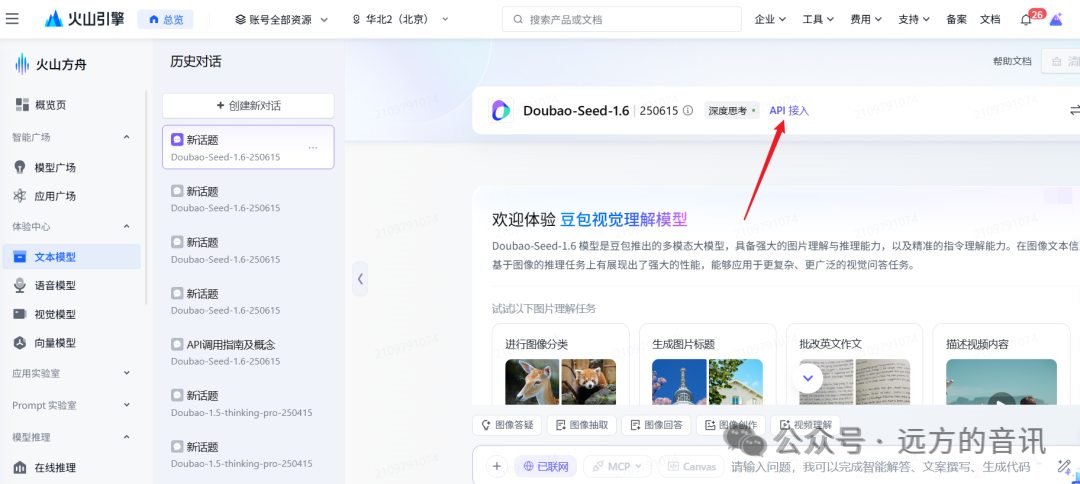
Select a model that fits the project requirements (each model provides a free quota of 500,000 tokens), and after selecting the target model, click on the “API Access” option.
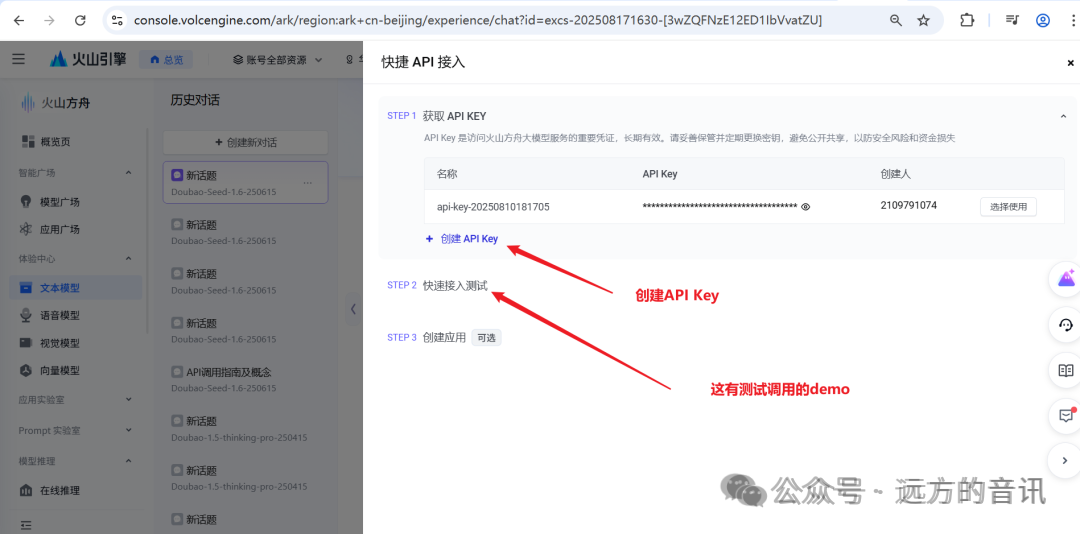
Follow the instructions to create an API Key.
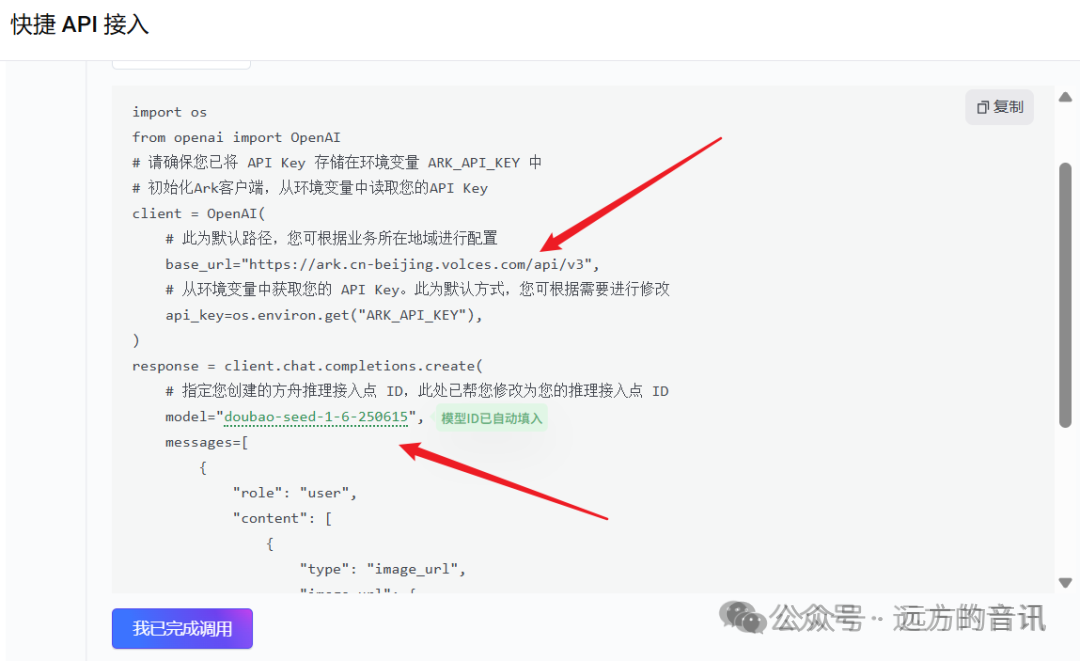
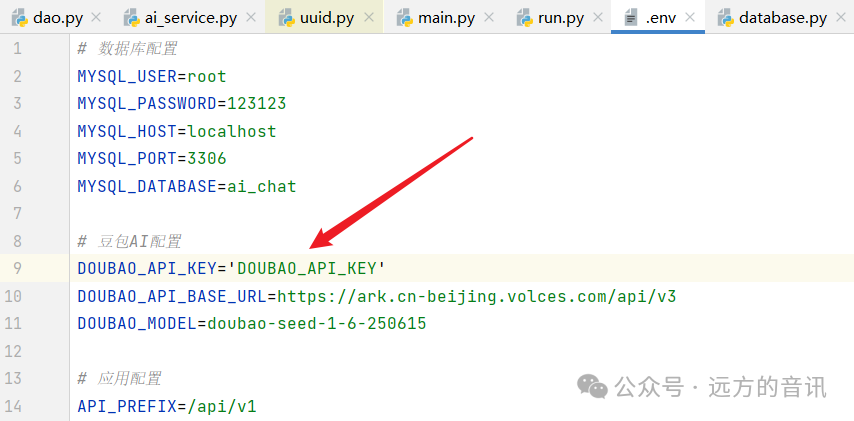
Configure the generated API Key in the project to use it.
03
Code Download and Project Execution
Data download: Click the link below, follow my public account, and send “python” to obtain the download link for learning materials and code.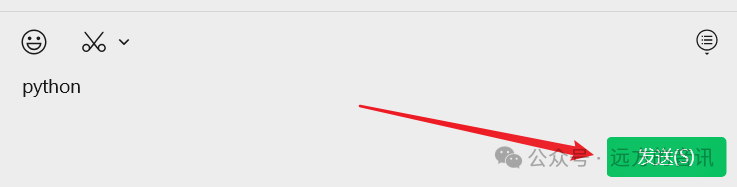 Project execution:You need to configure the Python runtime environment. My Python version is 3.11.1, and I have already generated the project dependency configuration using the command below:
pip freeze > requirements.txtYou can install the project dependencies using the command below:
pip install -r requirements.txt -i https://mirrors.aliyun.com/pypi/simple/If your pip version is quite old and you encounter installation errors, you can update the pip version using the command below and reinstall:
python.exe -m pip install --upgrade pip -i https://mirrors.aliyun.com/pypi/simple/Project execution:
04
Author Introduction

05
Previous Highlights
“Internet +” Gold Award and “Challenge Cup” Special Award – A stage for youth, beautiful memories
How to reach ten thousand followers on your WeChat public account – The number of followers has exceeded ten thousand!
Practical Python AI Project (Including Code) – A Detailed Explanation of the Full Process with FastAPI + SQLAlchemy + MySQL + Redis
Vue Frontend Framework Practical Manual – A Comprehensive Guide from Beginner to ProVue3 Frontend Framework Practical Manual – A Comprehensive Guide from Beginner to Pro
Unlock Core Python Development Skills in 3 Days – Flask + MySQL + Redis + RabbitMQ Project Practice
JVM Optimization – A Comprehensive Analysis of JDK Performance Diagnosis Tools and Quick Start Guide for ArthasDeepSeek R1 Local Deployment – Zero Data Leakage for Enterprises + Web Access + Building Personal Knowledge Base with AnythingLLMKafka from Beginner to Expert – Comprehensive Project Practice and Performance Optimization of Distributed Message QueuesSoftware Development Skills Integration – A Quick Overview of Frontend and Backend Technology StacksData Structures and Algorithms – A Comprehensive Guide from Beginner to ExpertHigh-Concurrency System Architecture Practical Solutions for Big Data