After arriving in Shenzhen, the China Telecom broadband here does not provide public IPv4 (it can be obtained for an additional fee of 100 yuan per month, which I am reluctant to pay), so my previous “home” solution—Surge Ponte over IPv4 Port forwarding is no longer usable. I can only use DMZ + Surge Ponte over NAT Traversal, which is not elegant.Later, Surge 5 supported Ponte over IPv6 (of course, this IPv6 must be public, fortunately, the telecom broadband has it), which made me very happy. However, there is a problem: most of my personal devices, including the Mac running Surge Ponte at home, are usually connected under a secondary router. Because I often tinker with routers, the main router at home needs to be stable and undisturbed, while the downstream router can be tinkered with without issues. Thus, the need arose—to enable devices under the secondary router to obtain IPv6.There are 2 methods:
- Method 1: Delegate the public IPv6 prefix obtained by the primary router (dial-up router) to the downstream, and the secondary router then distributes IPv6 to its own sub-devices. However, the prerequisite for this is that the IPv6 prefix obtained by the primary router is less than 64 bits. This route is not feasible because my primary router (Xiaomi brand) always shows the IPv6 prefix as 64 (meaning there are no prefix bits available for the downstream router to redistribute). I have tried using an OpenWrt router to dial up, and most of the time I can get a 60-bit prefix, but for some reason, that Xiaomi router (it seems) can only obtain a 64-bit prefix.
- Method 2: Set the IPv6 routing method of the secondary router to relay. This should be quite simple.
However, it has not worked for a long time, and I have almost exhausted all the tutorials available online. The problem manifests as: although the sub-devices of the secondary router can obtain public IPv6 addresses and can resolve IPv6 DNS, they cannot communicate over IPv6 normally (the biggest issue is that the external network cannot access the internal network).Recently, I solved some problems by asking AI (mainly for writing scripts, which is really useful), so I tried to ask AI to solve this problem that has troubled me for more than a year.Clearly, LLMs only provide nonsense for questions that have no correct answers online. I just randomly toggled various switches. OpenWrt is like a machine with thousands of mechanisms; you never know which switch you flipped incorrectly, and it just won’t work.But I kept trying, and finally figured out the correct configuration method. I am posting it here for those who have the same troubles to reference:
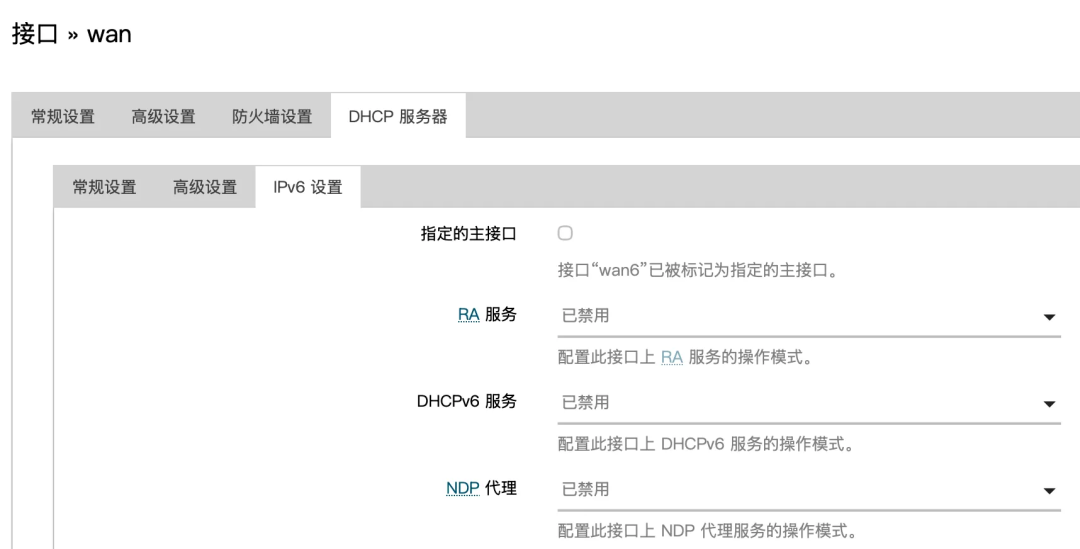
wan
Disable all IPv6 services in the DHCP settings:
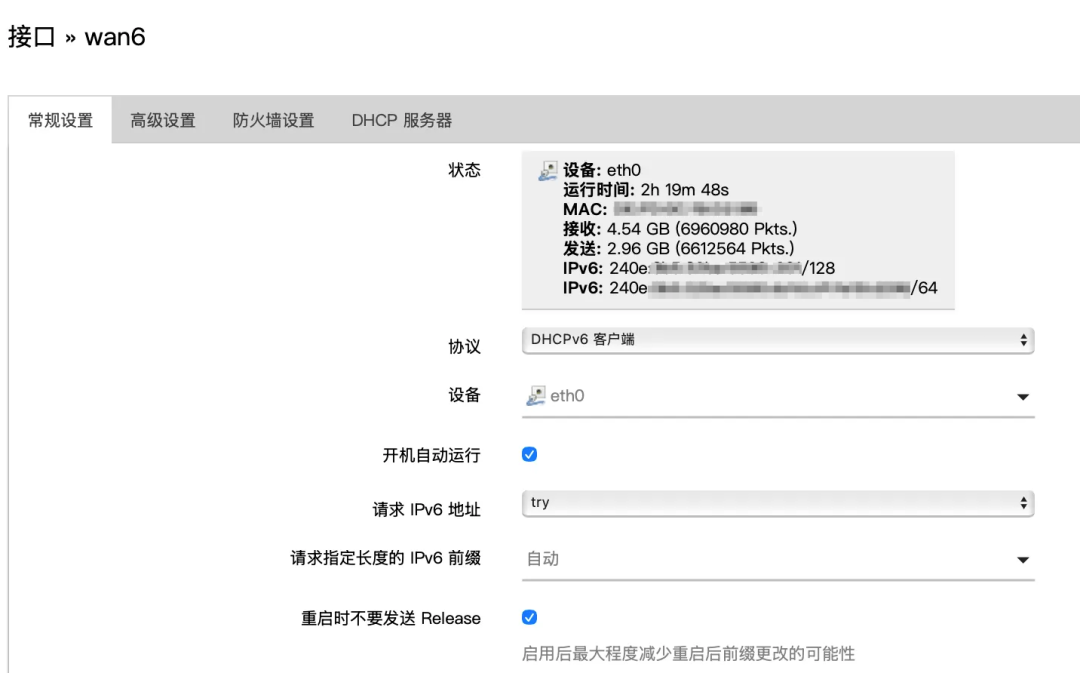
wan6
If it does not exist, create a new one:
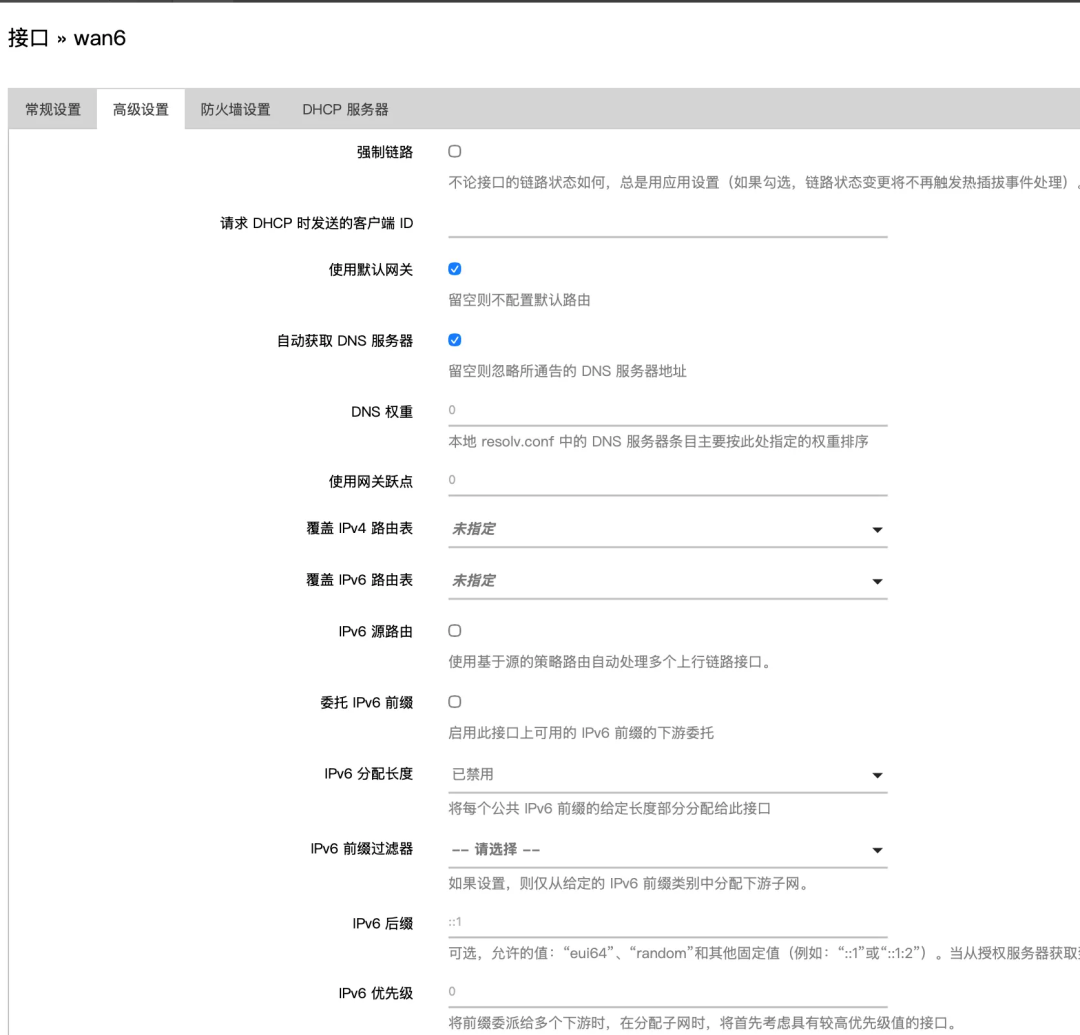
Disable “<span>IPv6 Source Routing"</span><span>Delegate IPv6 Prefix"</span><span>IPv6 Allocation Length"</span> to avoid interference with the relay:
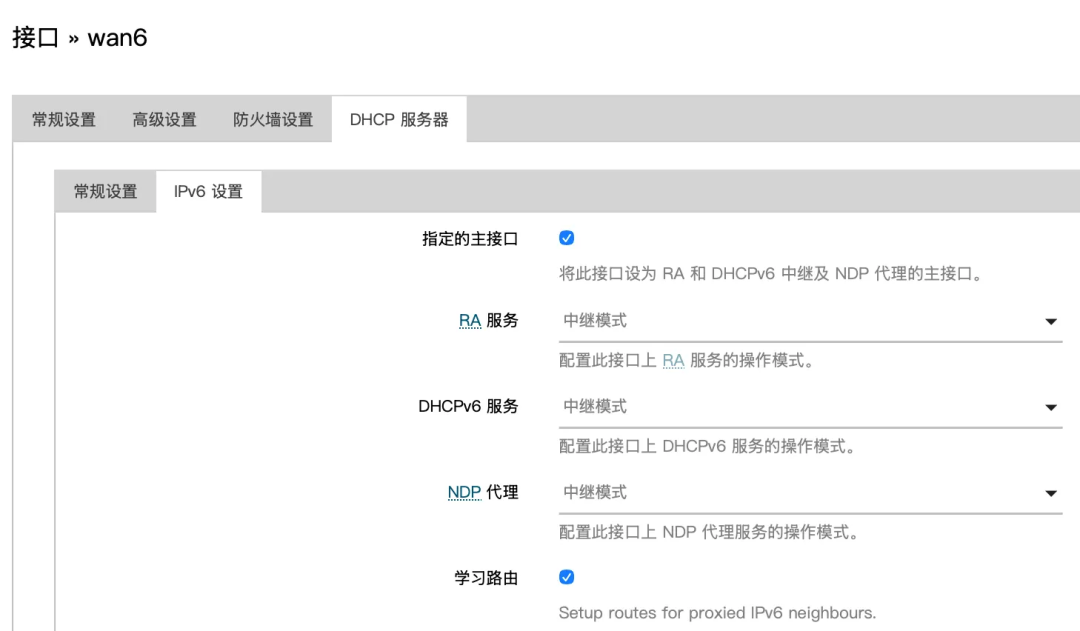
Set it to<span>Specified Main Interface</span>, and set all IPv6 services to<span>Relay Mode</span>:
lan
Similarly, disable “<span>Delegate IPv6 Prefix"</span><span>IPv6 Allocation Length"</span> to avoid interference with the relay:
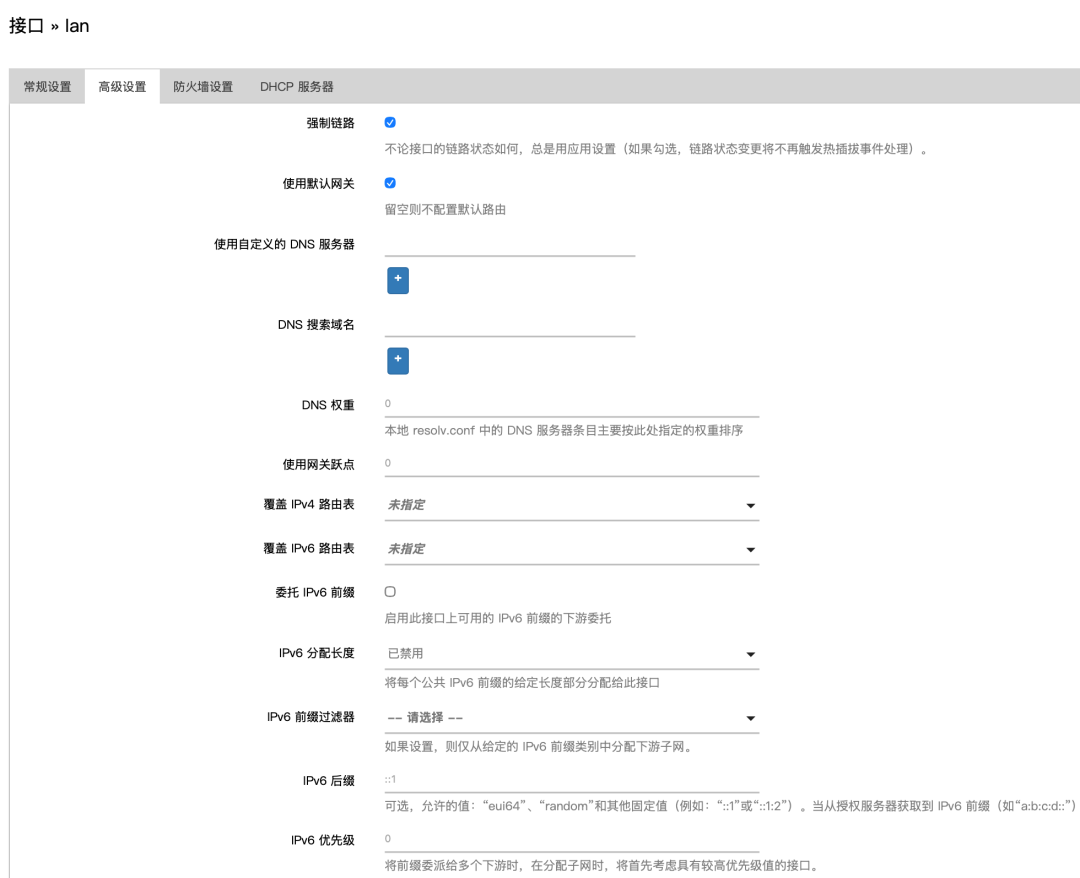
Also, set all IPv6 services to<span>Relay Mode</span>:
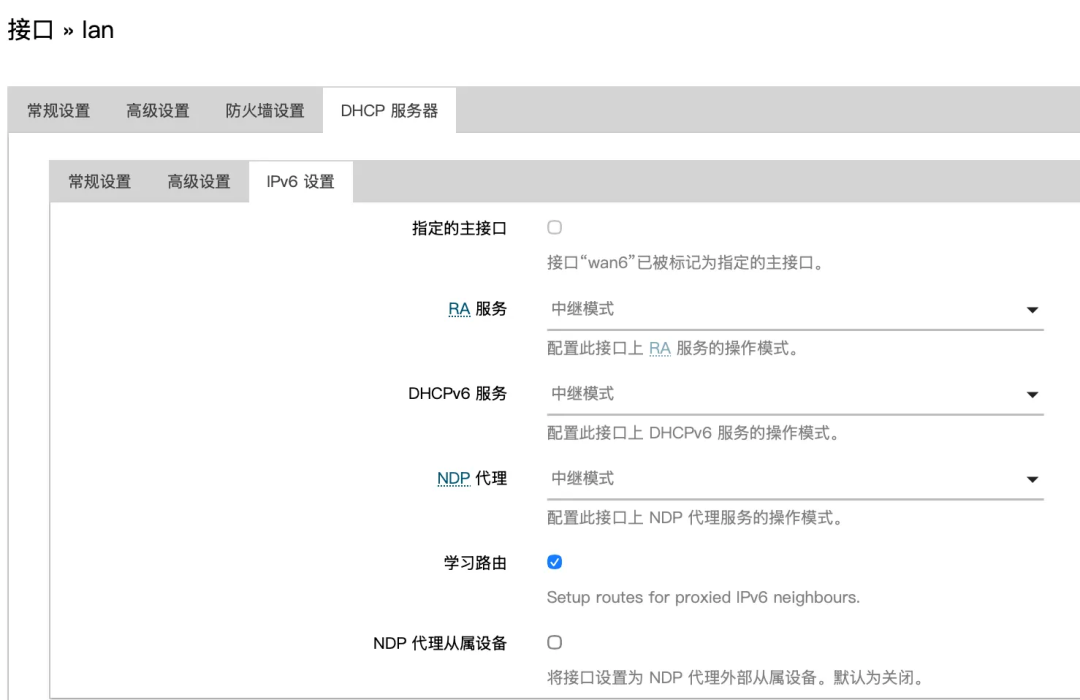
Now it should be all good.
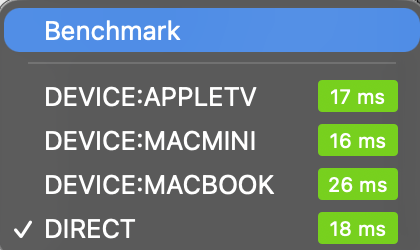
How wonderful!
The methods described in this article are for reference only. What works on my device may not work on yours; I am just an amateur.