1. Power On
(1) Turn on the main power switch, the power light on the expansion board lights up, and the power indicator light of the Xuri Robot lights up.
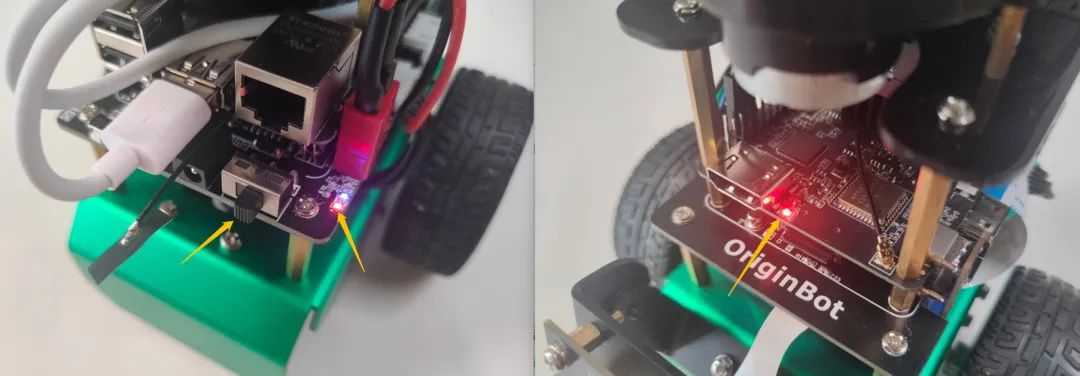
(2) The radar starts to rotate (if connected).
(3) Wait for 5 to 10 seconds, startup successful.
2. Remote Connection
(1) Start the SSH software, and remotely log in to OriginBot.
Info:If you are in the Ubuntu environment on your PC, you can also use the following command in the terminal for SSH remote login (make sure to change the IP address to the actual address; if using a virtual machine, set the network to bridged mode): ssh [email protected]
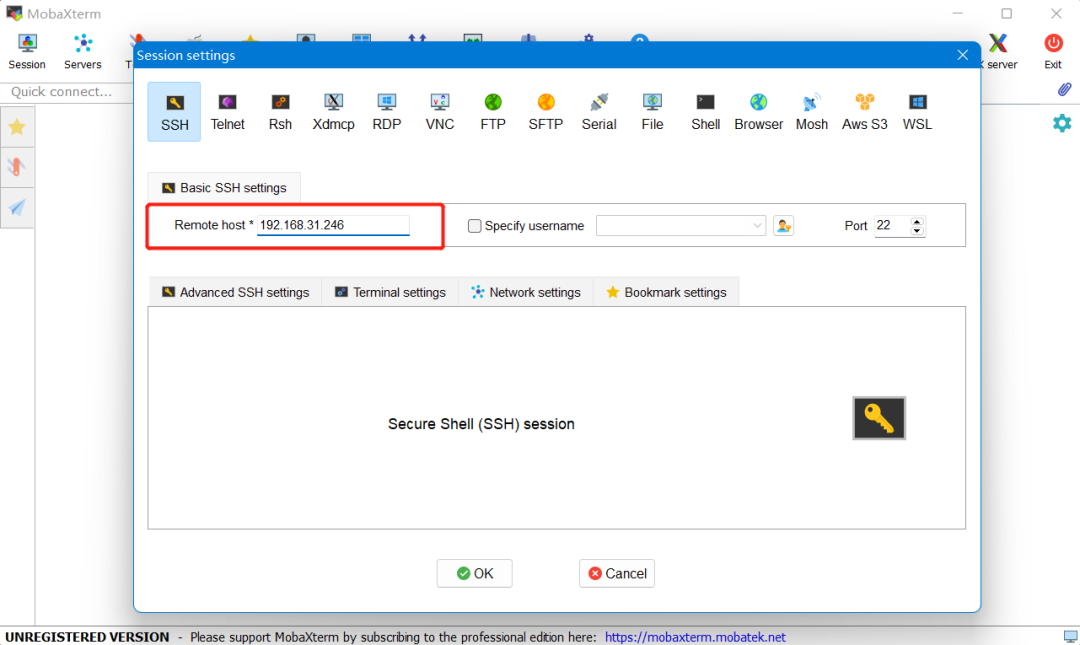
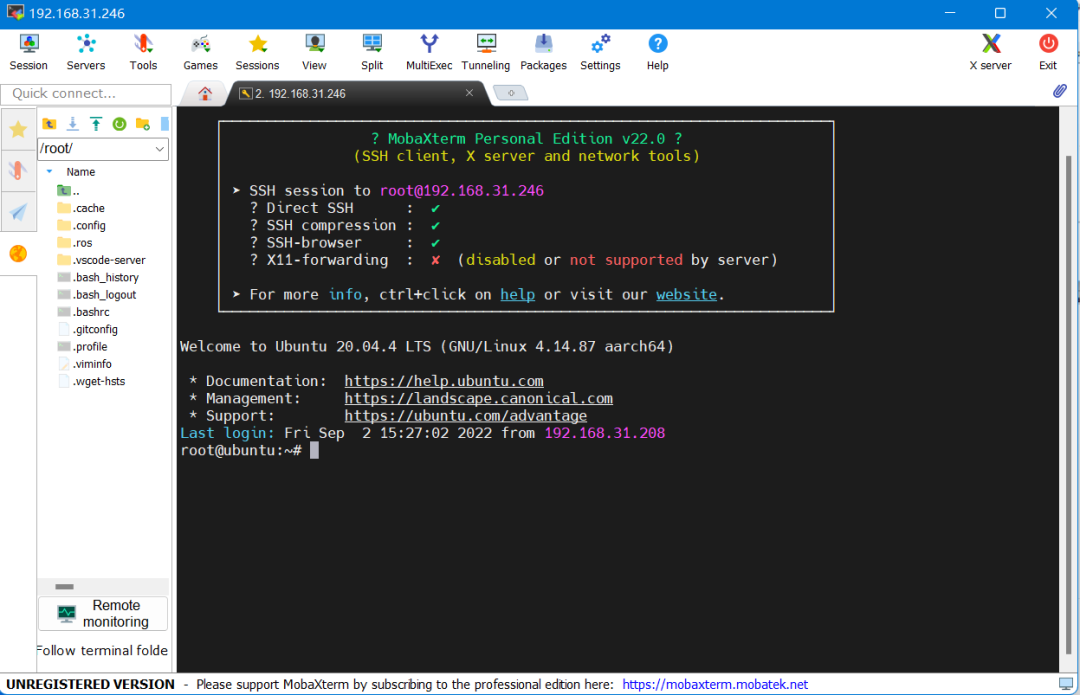
(2) Enter the username and password: root (username), root (password).
(3) Remote login successful.
3. Example Run
Let’s first run the remote control example of the robot to familiarize ourselves with the basic operations of the robot.
After successfully connecting via SSH, enter the following command to start the robot chassis drive:
$ ros2 launch originbot_bringup originbot.launch.pyHint: After successful startup, you will hear a short beep from the robot controller for 0.5 seconds.
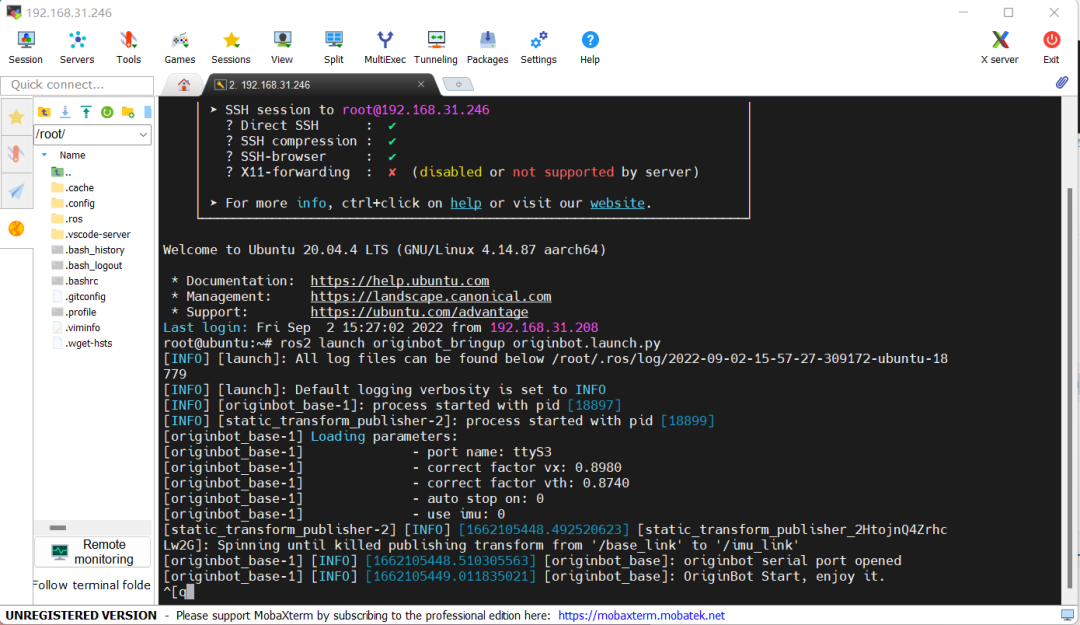
Then, start another terminal for SSH remote connection and run the following command to start the keyboard control node:
$ ros2 run teleop_twist_keyboard teleop_twist_keyboard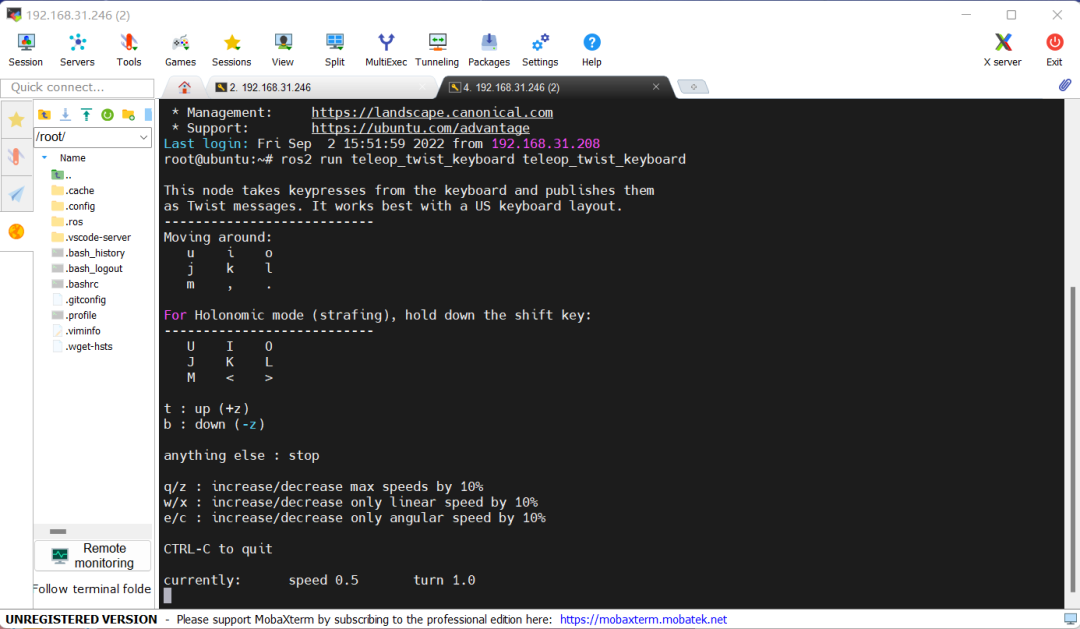
According to the prompts in the terminal, you can control the robot to move forward, backward, left, and right. You can also refer to the prompts to dynamically adjust the robot’s movement speed.
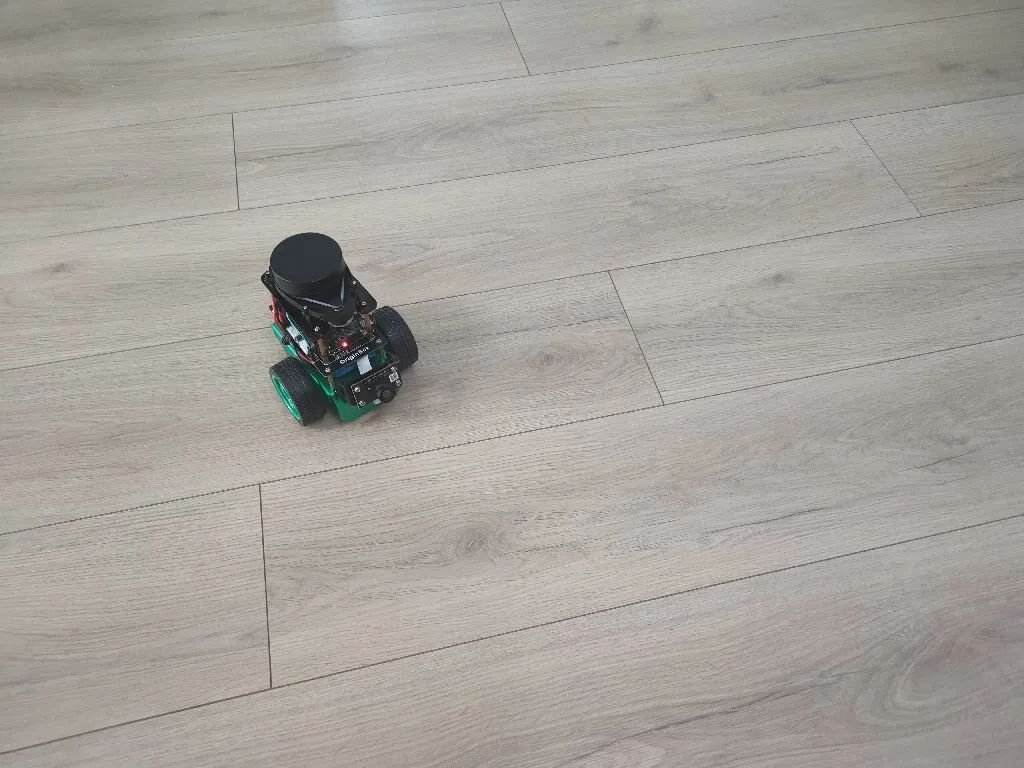
Hint: If the robot activates the automatic stop function, it will stop automatically 0.5 seconds after releasing the key; if the automatic stop function is turned off (default), the robot will not stop automatically after releasing the key, and you must press ‘k’ to control the stop.
4. Power Off
If you need to turn off the robot, you can enter the following command in the terminal to shut down the software system:
$ haltWait about 5 seconds, and then you can turn off the power switch on the robot controller to complete the shutdown.
Note: You can also power off directly by turning off the power switch, but it may damage files that the software system is currently reading or writing, leading to unexpected issues.
At this point, we have initially gotten started with OriginBot. You can refer to “Basic Usage” and “Application Features” for further development.


《Developing an Intelligent Car from Scratch • Gu Yue & Qian Mo》
Created by the core team of Gu Yue Ju, this course will lead you to design and develop an intelligent car from scratch, covering a knowledge system that spans structure, electrical, embedded systems, ROS, artificial intelligence, and more, allowing you to quickly understand the complete path of robot design and master the core methods of robot development.

(Scan the QR code to view course details) Click to read the original text to view the course.