Want to see a concert but can’t afford a ticket?
Want to bypass the crowded masses
and get a unique vantage point?
Even more so,
do you want to use a drone to take close-up photos of the singer?
Stop right there!

Recently, large events such as Lin Junjie’s concert
and the Strawberry Music Festival
were held in Fuzhou,
where amidst the lively scenes
some discordant images appeared
— “illegal flying” drones.
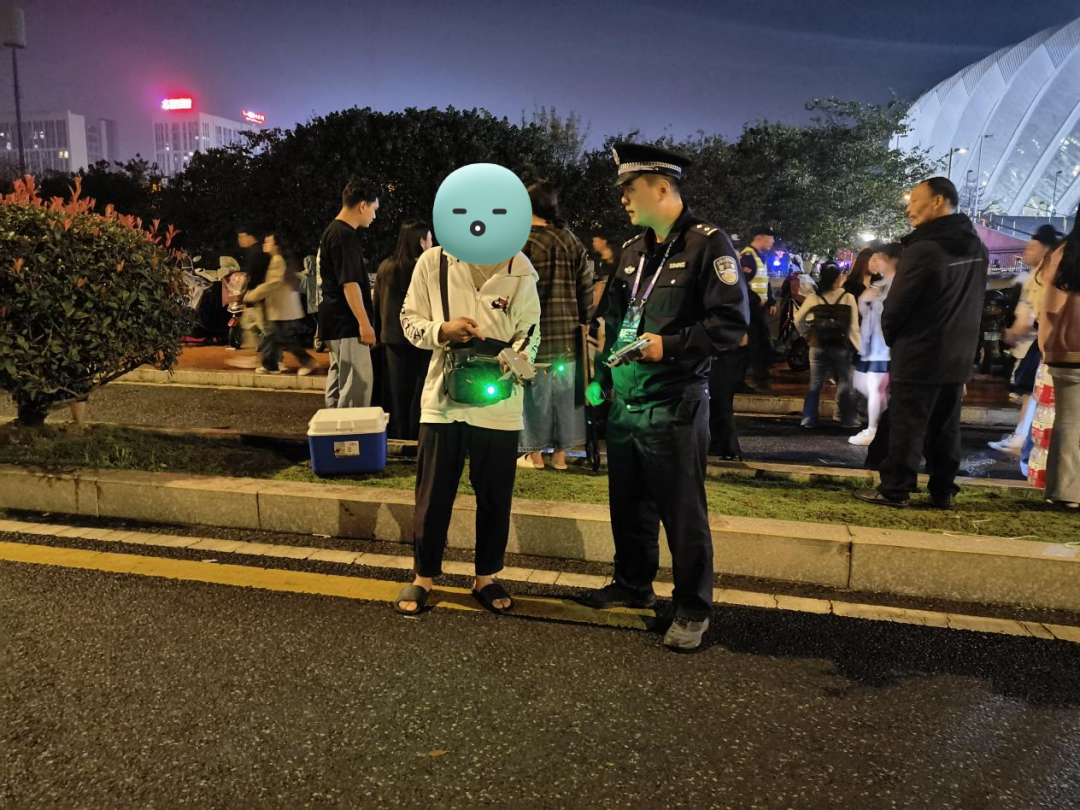
↑ During Lin Junjie’s concert, police apprehended an illegal flying drone and its operator.
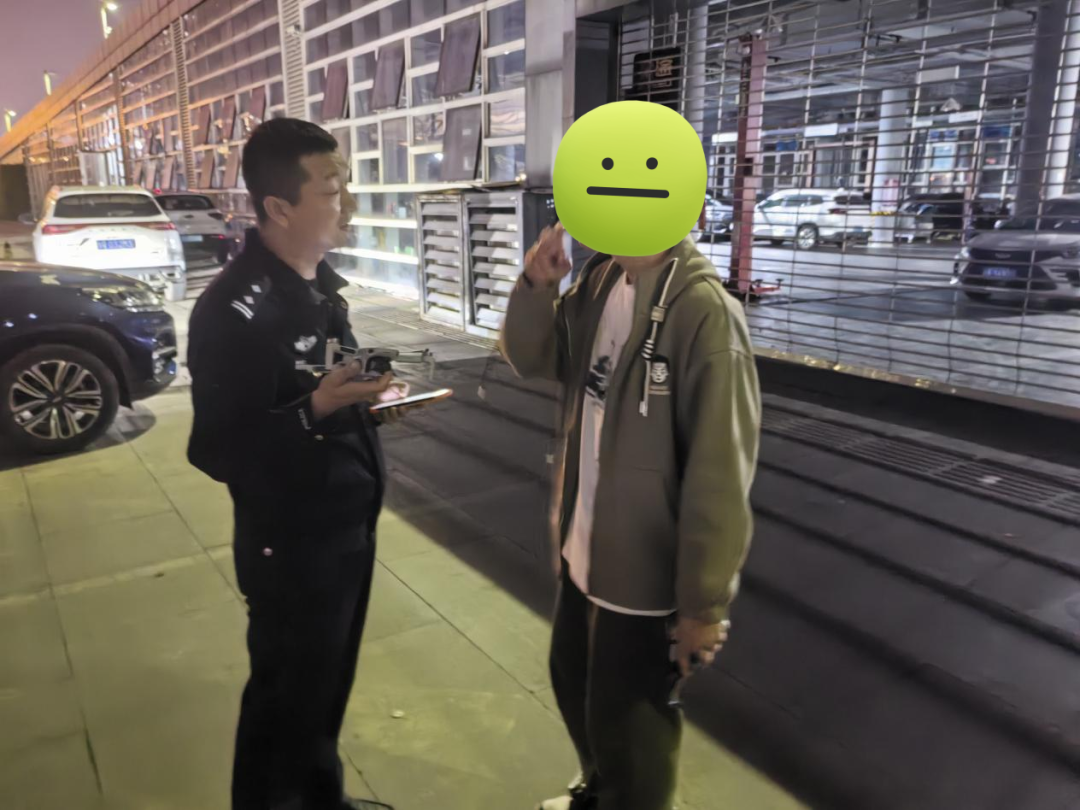
↑ Police stopped the operator from flying illegally at Lin Junjie’s concert.
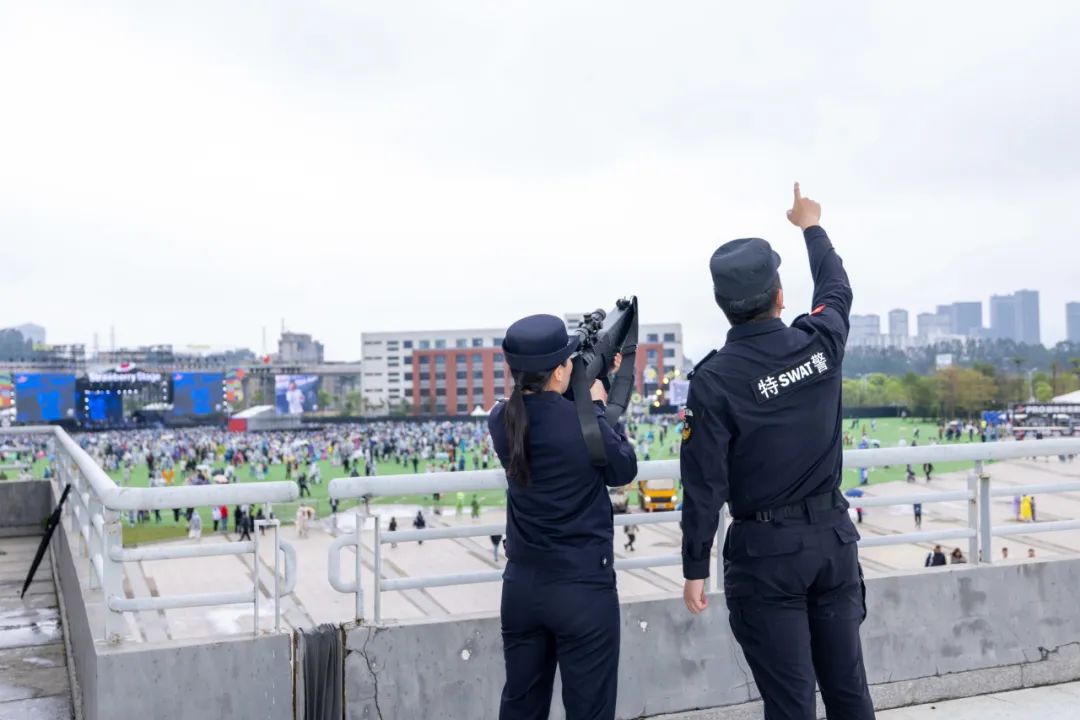
↑ At the Strawberry Music Festival, police used countermeasures to shoot down illegal drones.
Flying without real-name registration, failing to report flights,
and flying at excessive altitudes…
To prevent “illegal flying” drones
from crashing into crowds,
injuring people with propellers,
or disrupting the order of events,
Fuzhou police acted promptly with countermeasures
to take them down!
They also imposed administrative penalties on the operators!

“Illegal flying” drones refer to flying activities that violate relevant laws and regulations, such as flying without approval from relevant authorities, failing to register real names, or flying outside designated areas.
The “Interim Regulations on the Management of Unmanned Aerial Vehicle Flights” (State Order No. 761, hereinafter referred to as the “Regulations”) will officially take effect on January 1, 2024. The Regulations provide a legal basis for the management of unmanned aerial vehicles and also guide their lawful flight and related activities. So how should drones fly legally?
Fuzhou AreaDesignated Flight Zones
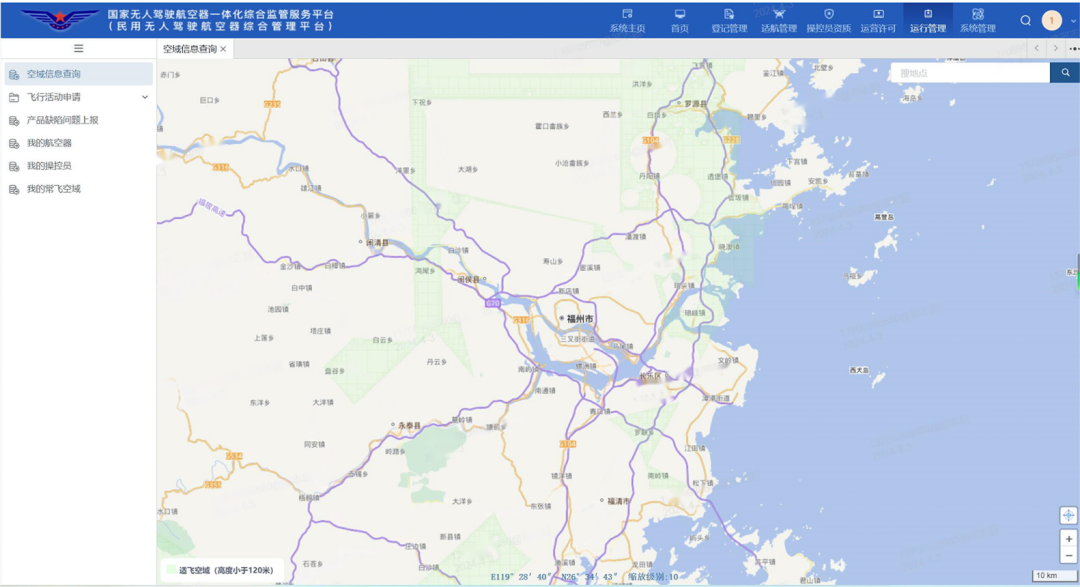
( Designated flight zone below 120 meters in Fuzhou area)
For the designated flight zone situation in Fuzhou, it is essential for everyone to focus on the following two points: Real-name Registration and Flight Application.
How toRegister Real Name?
01
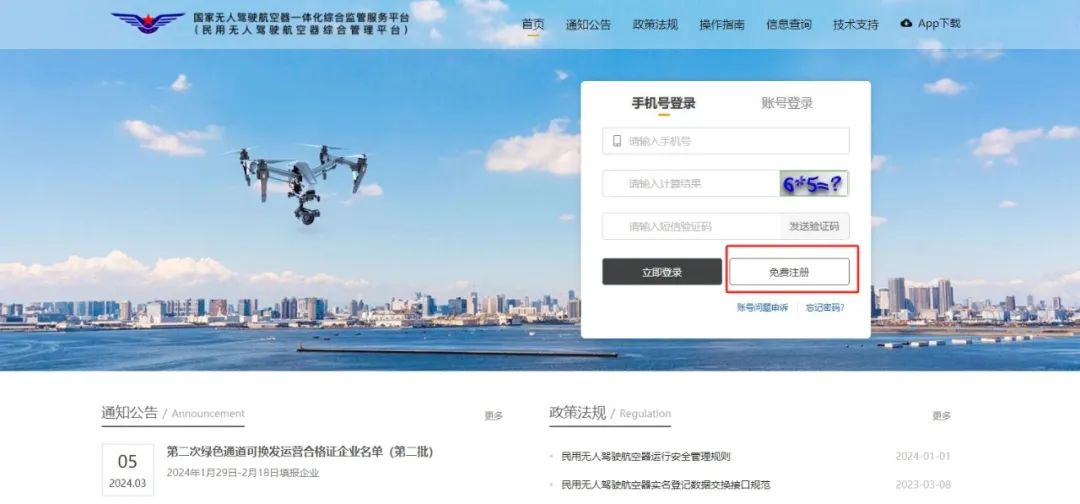
Both real-name registration and flight application for drones are done on the “National Unmanned Aerial Vehicle Integrated Supervision Service Platform (Civil Unmanned Aerial Vehicle Comprehensive Management Platform).”
First, open your browser, enter the system address “https://uom.caac.gov.cn” in the address bar, click the “Free Registration” button, and fill in the relevant information as prompted to register.
02
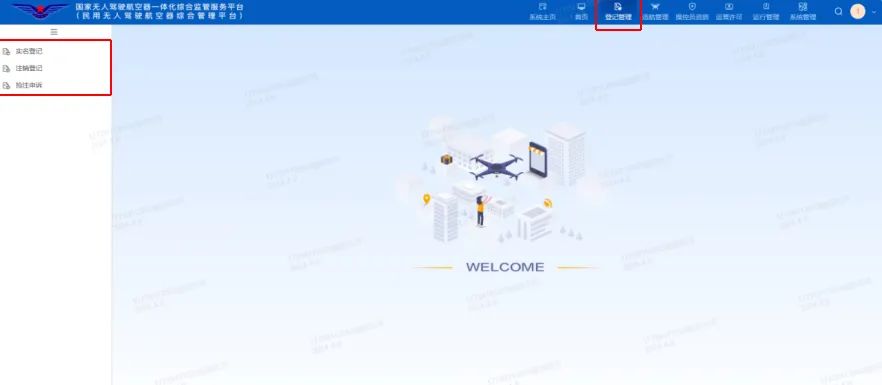
After registration, log in to the system. In the top status bar of the system, there are eight system tabs. The third tab Registration Management mainly includes three functions: Real-name Registration, Cancellation Registration, and Urgent Registration Appeal, as shown in the following image:
The drone owner should select either “Register Brand Drone” or “Register Homemade Drone” for appropriate registration on the Real-name Registration page in the upper left corner. After registration is complete, click “Real-name Registration” again to enter the registration list page. This list will display all the drone information that the user has registered, as shown in the following image:
 For the drone, the system supports viewing and sending the real-name registration QR code function, by clicking the send QR code button, the system will send a PDF file of the QR code to the registrant’s email, so the drone owner can print and attach the QR code to the drone body.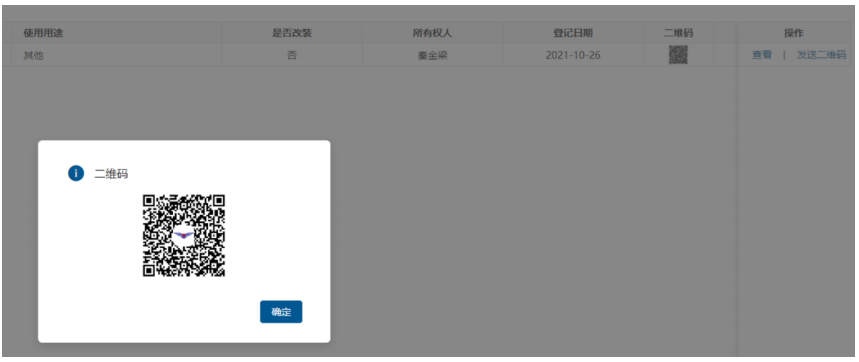
How toApply for Flight Activities?
01
First, you need to log in to the “National Unmanned Aerial Vehicle Integrated Supervision Service Platform (Civil Unmanned Aerial Vehicle Comprehensive Management Platform).”
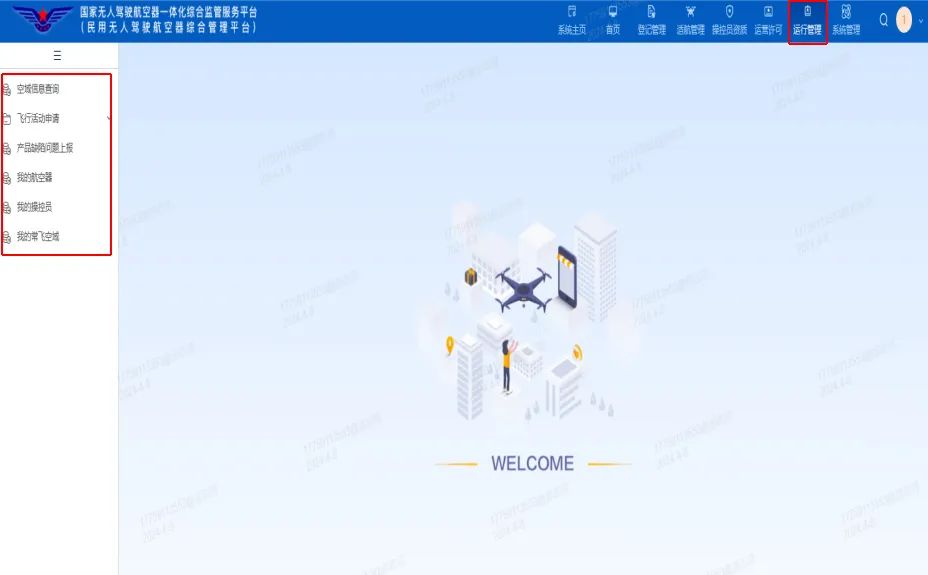
After entering the system, click on “Operation Management,” as shown in the following image:
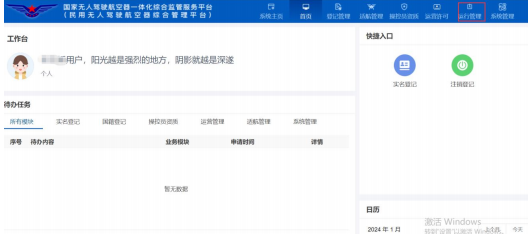
Operation management mainly includes six functions: inquiry of airspace information, application for flight activities, reporting product defects, my aircraft, my operators, and my common flight zones, as shown in the following image:
02
Click on “Flight Activity Application.” This includes General Flight Activities, Long-term Flight Activities, and Indoor Flight Activities. Individual users can only apply for general flight activities, while organizational users can apply for general flight activities, long-term flight activities, and indoor flight activities.
It is worth noting that General Flight Activities must be submitted before 12 PM the day before the flight activity application. Organizational users can apply for “Emergency Flight Permissions” for urgent flight activities and special urgent flight activities. There are two entry points for enabling this, both located in the operation bar on the right side of the general flight activity page under “Emergency Flight Certification” and within the blue icon on the new page, as shown in the following image:
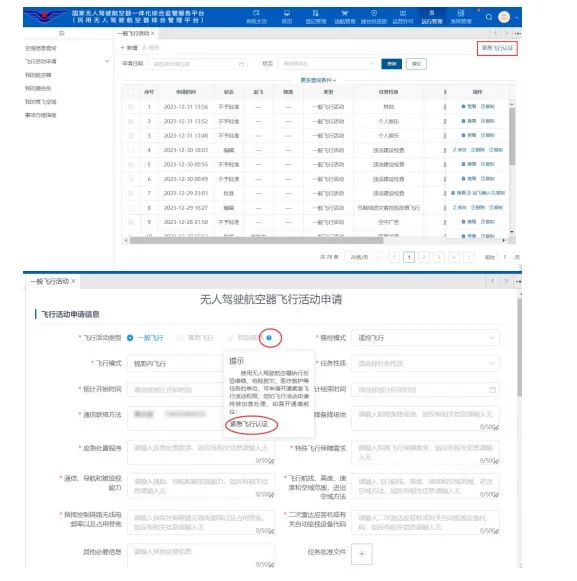
Once the emergency permission application is approved, you can select emergency flight and special emergency (emergency flights must be applied for 30 minutes in advance, while special emergencies can be submitted at any time).
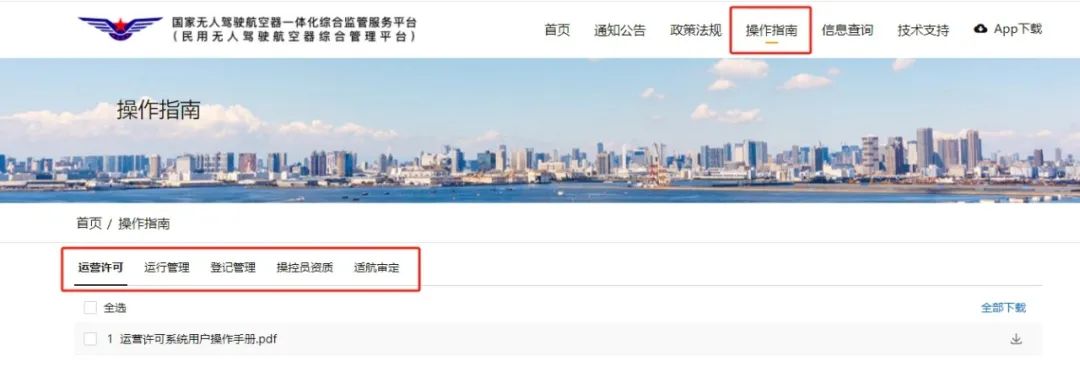
If you have any doubts about the system operation,
you can click on “Operation Guide”
and select the corresponding operation manual
to follow the steps.

Safety is no small matter
It concerns all of us
All drone users should
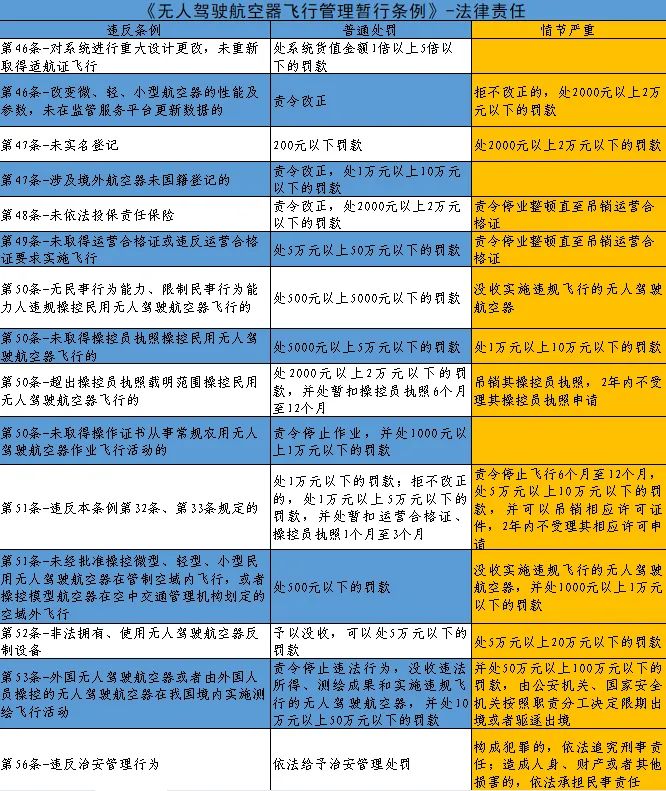
be aware of the legal responsibilities for illegal use of drones
and consciously abide by the rules and regulations
to emphasize safety and public morality
and legally “play” with drones.
Source: Fuzhou Public Security
Reviewed by: Chen Xu
Approved by: Lin Hangwu
Edited by: Lin Qian