Recently, as an important part of the RuyiSDK RISC-V operating system support plan, RevyOS has successfully added OpenSBI-H based KVM virtualization support for the TH1520 processor platform. This support is based on software virtualization technology, which simulates hardware resources through software, allowing multiple virtual machines to run efficiently on the same physical machine. Preliminary verification has been completed on the Milk-V Meles and Sipeed Lichee Pi 4A development boards. This breakthrough marks an important step for the RISC-V ecosystem in the field of high-performance virtualization, providing more possibilities for multi-environment, cloud-native deployment, and edge computing scenarios.
Three Steps to Start Your Virtualization Experience
No complex configuration is needed; developers can quickly build a virtualization environment.
1. Environment Preparation
- Obtain the latest system image by downloading the latest version image from the following link:
https://mirror.iscas.ac.cn/revyos/extra/images/
- Confirm the installation of the 6.6.77 version kernel
sudo apt update;sudo apt upgrade -y sudo apt install th1520-mainline-opensbi-h qemu-system linux-image-6.6.77-th1520 sudo reboot2. Function VerificationAfter rebooting, execute the following command to verify virtualization extensions. If successfully enabled, all core ISA sections will increase the H extension.
grep isa /proc/cpuinfo 3. Load and Start KVM
The pre-configured virtual machine images and startup scripts can be obtained with the following command:
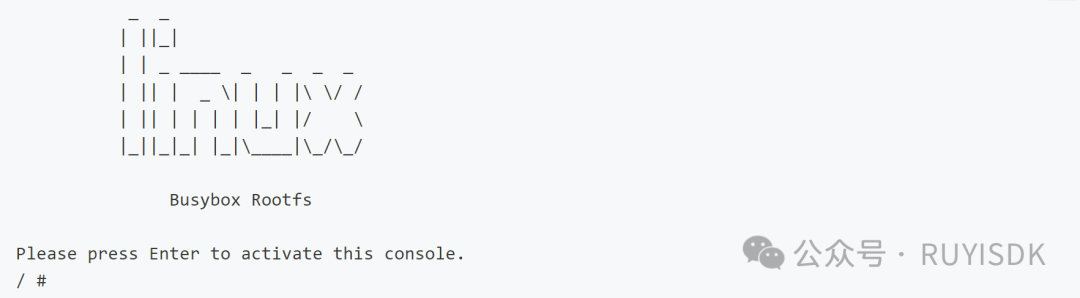
sudo apt install -y wget #If wget is not installed, please install it first wget https://mirror.iscas.ac.cn/revyos/extra/kvm_demo/rootfs_kvm_guest.img \ https://mirror.iscas.ac.cn/revyos/extra/kvm_demo/start_vm.sh \ https://mirror.iscas.ac.cn/revyos/extra/kvm_demo/Image chmod +x start_vm.sh; ./start_vm.sh #Start KVMThen press the “Enter” key to enter the virtualization terminal and start your KVM virtualization experience.
4. Switch Between Dual Modes FreelyDevelopers can revert to the standard OpenSBI environment at any time with the following command:
sudo apt install th1520-mainline-opensbi -yPerformance Results
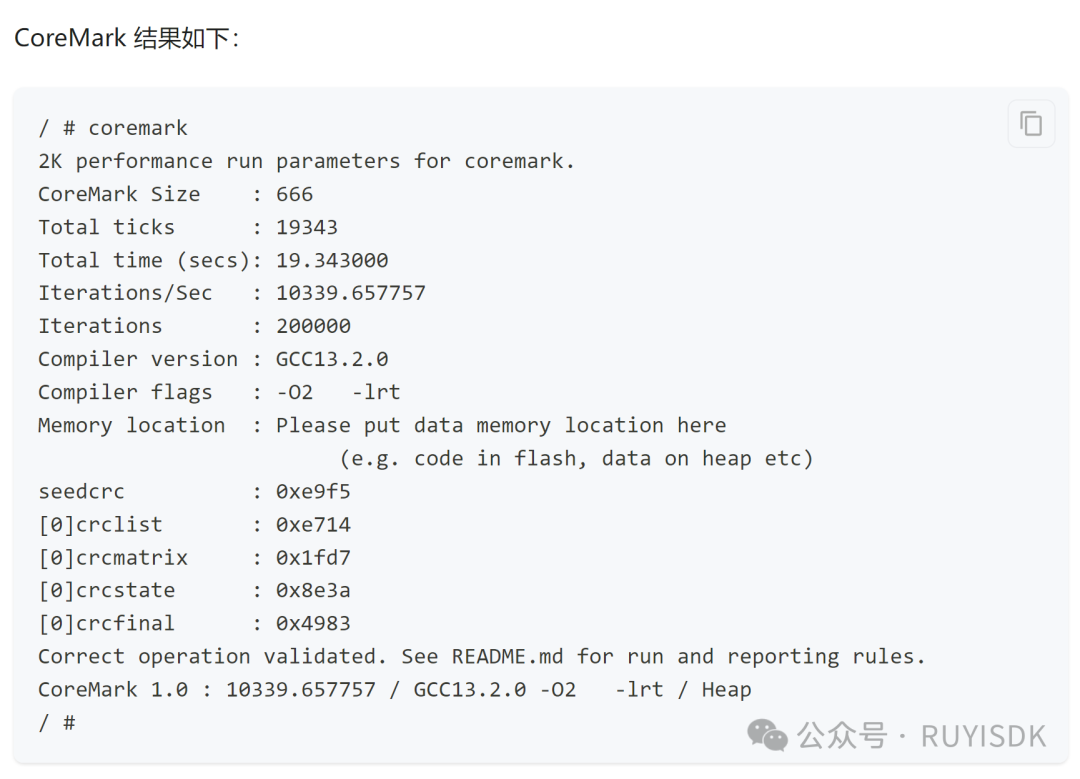
In the actual test on the Milk-V Meles, the CoreMark score was 10339.657757.
The RevyOS team stated that they will continue to improve virtualization support and expand it to more RISC-V hardware platforms. Developers can obtain the latest progress and technical documentation through the official repository:
https://docs.revyos.dev/docs/desktop/kvm/
It is worth mentioning that the close cooperation and joint efforts of the PLCT laboratory and open-source community participants have made this progress possible. Thanks to the technical contributions of every developer, this advancement of RevyOS has been successfully achieved.
Special thanks to the following key contributors:
- OpenSBI-H Development:dramforever, ZenithalHourlyRate
- TH1520 OpenSBI-H Adaptation:wxjstz
- Testing:KevinMX
- Integration/System:RevySR
The success of open-source projects is due to the wisdom, technology, and contributions of every participant coming together to drive continuous innovation and progress in technology. In addition to the core contributors, special thanks to those developers and community members who contribute silently behind the scenes. It is this culture of openness, inclusivity, and mutual assistance that allows every developer to freely explore, collaborate, and together push the progress of technology. We look forward to more innovative achievements in the future.
About RevyOS
RevyOS is a Debian-optimized distribution customized for XuanTie ecological chips, supported by the RevyOS team of the RuyiSDK team. It integrates support for the XuanTie extension instruction set and the RVV 1.0 GCC toolchain by default, and is equipped with a Glibc and Kernel optimized using the RVV 1.0 instruction set. Currently, RevyOS meets users’ basic needs in office work, web browsing, and video watching.
About Milk-V Meles
The TH1520 development board, known for its cost-effectiveness, is equipped with a quad-core C910 RISC-V high-performance processor TH1520, onboard WIFI/Bluetooth modules, supporting dual cameras, classic Raspberry Pi form factor, and compatible with V expansion and various operating system distributions.
About LicheePi 4A
LicheePi 4A is based on TH1520 as the main control core, equipped with an NPU with 4TOPS@int8 AI computing power. It supports dual-screen 4K display output, 4K camera access, dual Gigabit POE ports, and multiple USB ports, with audio processed by the C906 core.