The S7-1200 series PLC can control the speed of the V90 PN servo drive through PROFINET, with the S7-1200 PLC responsible for sending control commands and speed setpoints, as well as reading the status and actual speed of the V90 servo drive; the V90 servo drive itself performs the speed closed-loop control calculations. This example does not use any dedicated function blocks, as the message structure is familiar, and control is implemented directly using the control word and status word through I/O address programming.
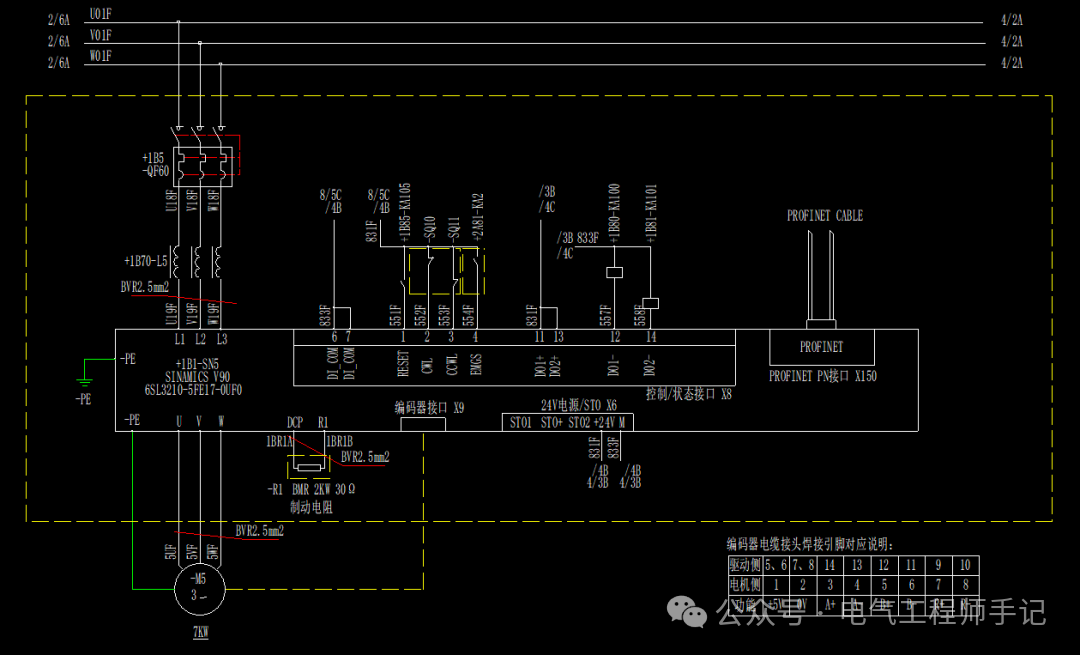
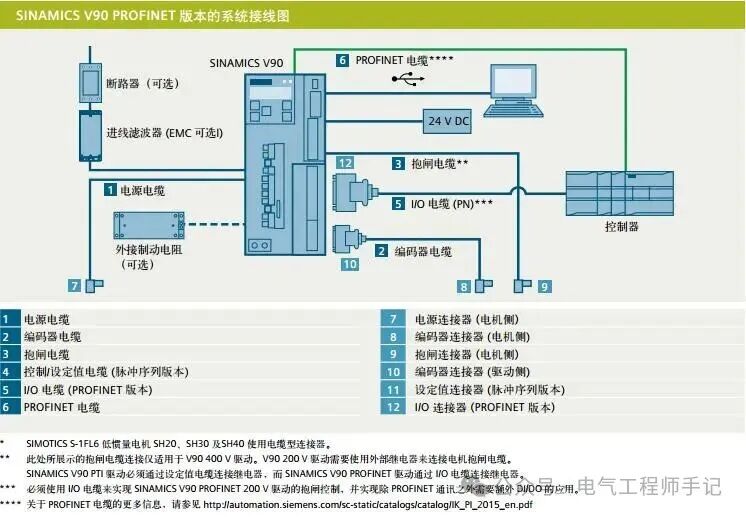
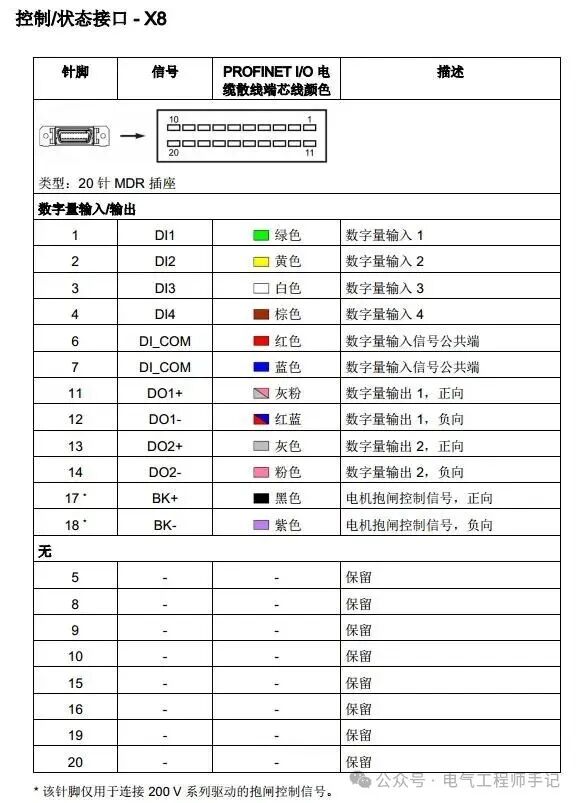
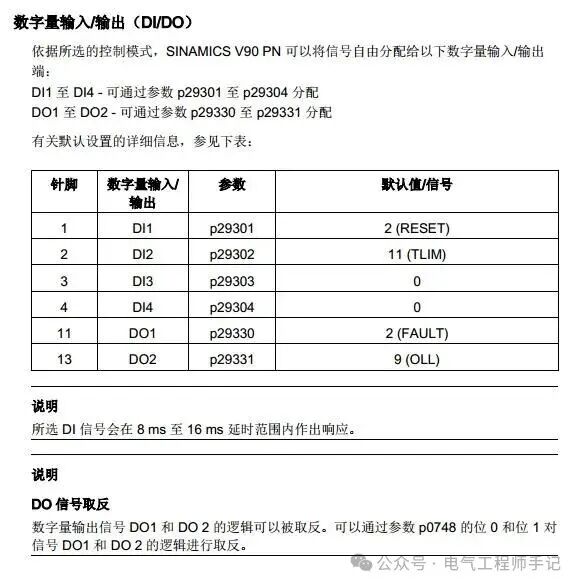
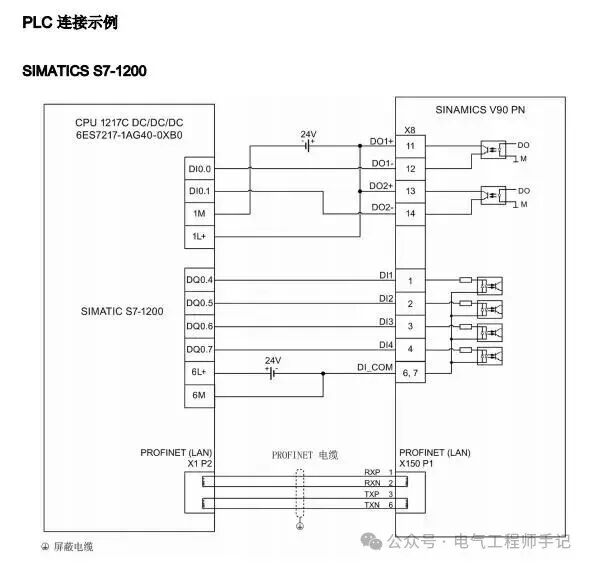
Due to the use of PROFINET control, the selected V90 PN servo drive does not require excessive external I/O wiring. The electrical schematic design is shown in the figure below:
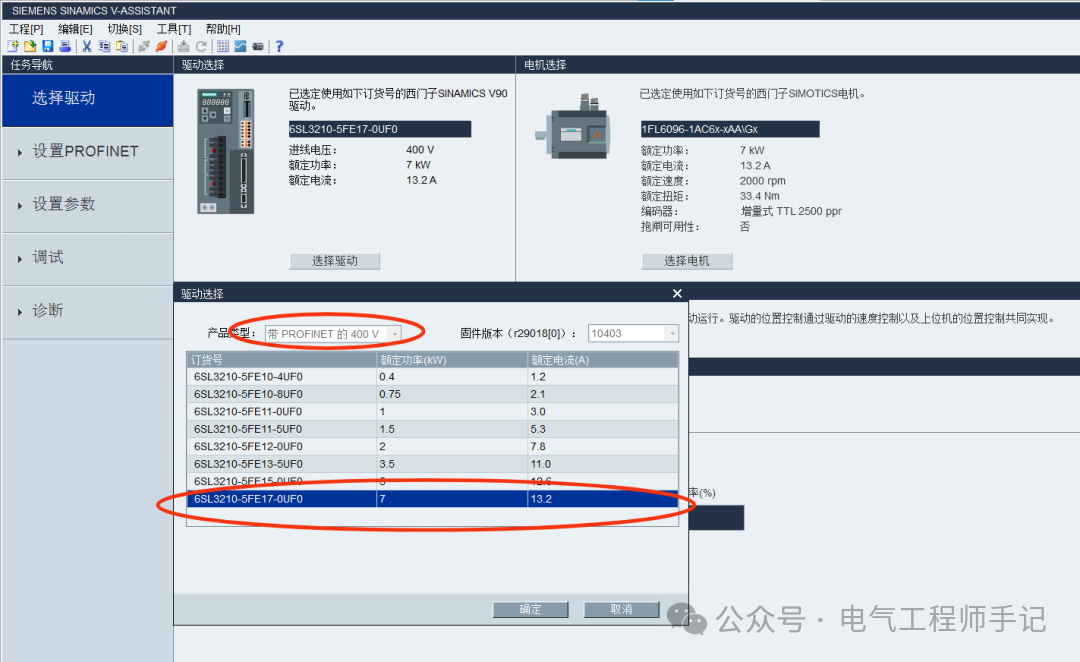
Use the V90 debugging software V-ASSISTANT to configure the V90 PN. First, select the V90 PN drive;
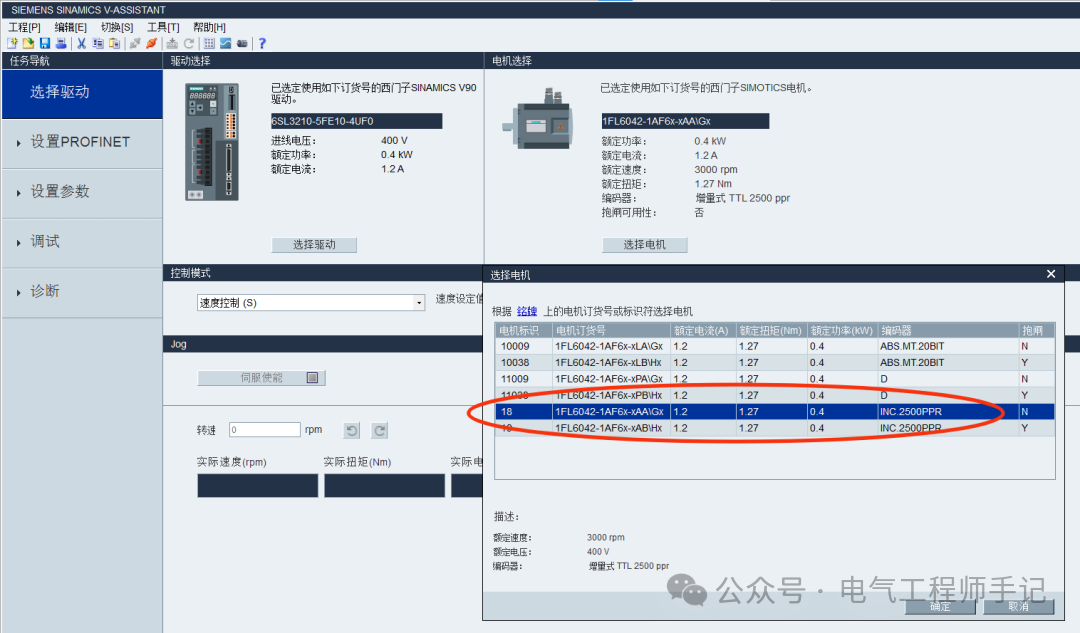
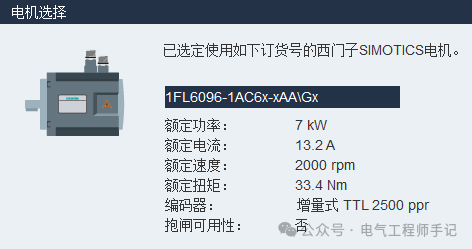
Select the servo motor based on the electromechanical handover selection;
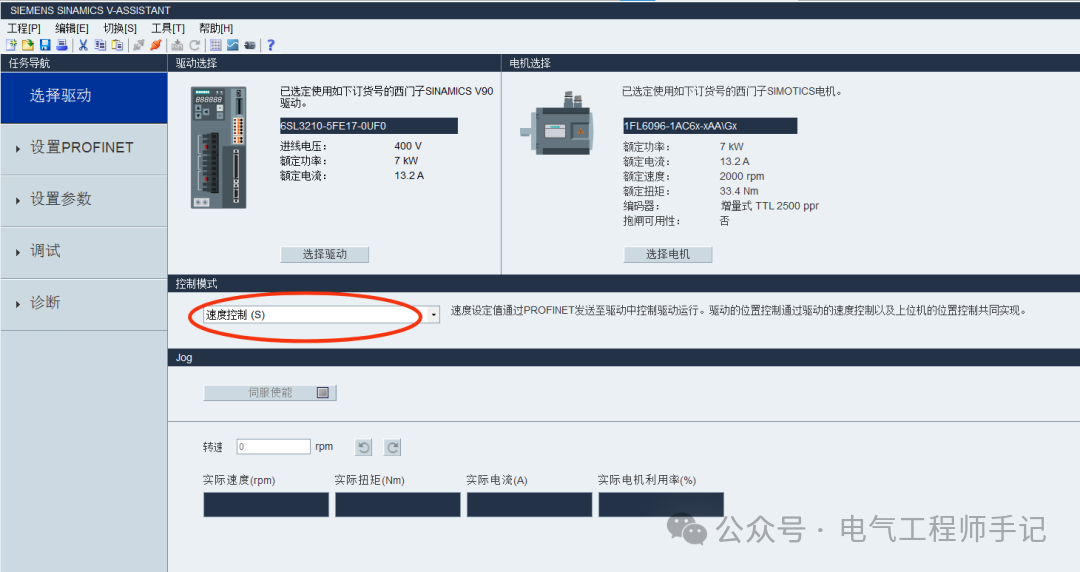
Select the control mode as speed control;
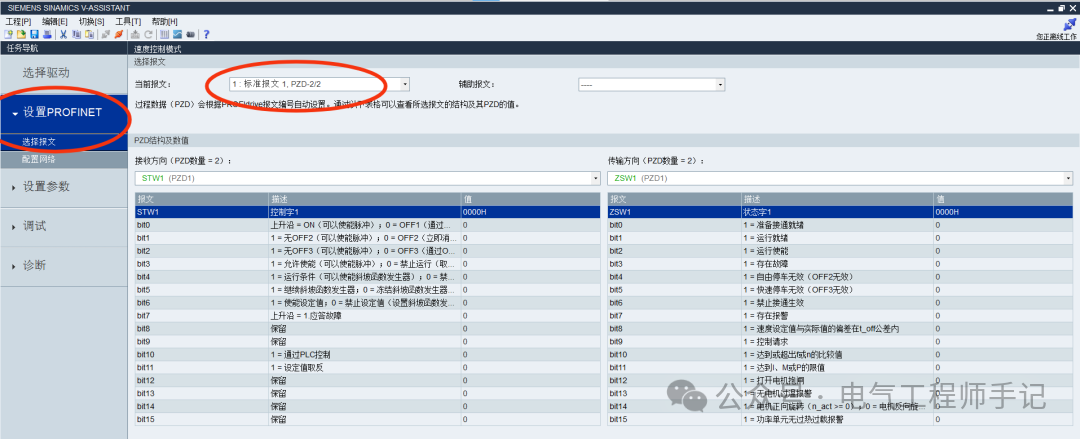
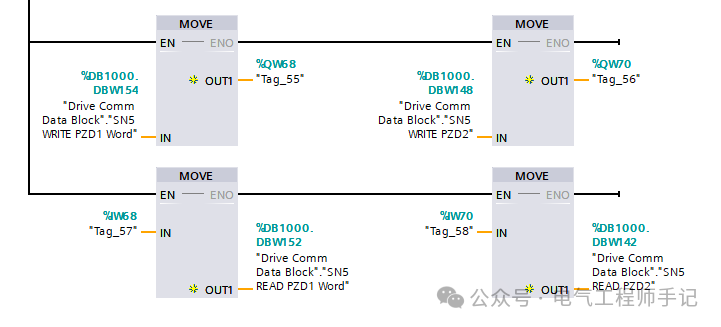
In the PROFINET settings options, select the standard message 1, 2PZD receive/2PZD send (the V90 PN servo drive receives the control word and speed setpoint sent by the S7-1200 PLC, and the V90 PN servo drive sends the status word and actual speed to the S7-1200 PLC);
Network configuration is set in TIA Portal and assigned to the corresponding V90 PN servo drive.

The V90 PN servo drive and S7-1200 PLC use PROFINET RT communication, utilizing standard message 1, TIA Portal software configuration, starting with hardware configuration;
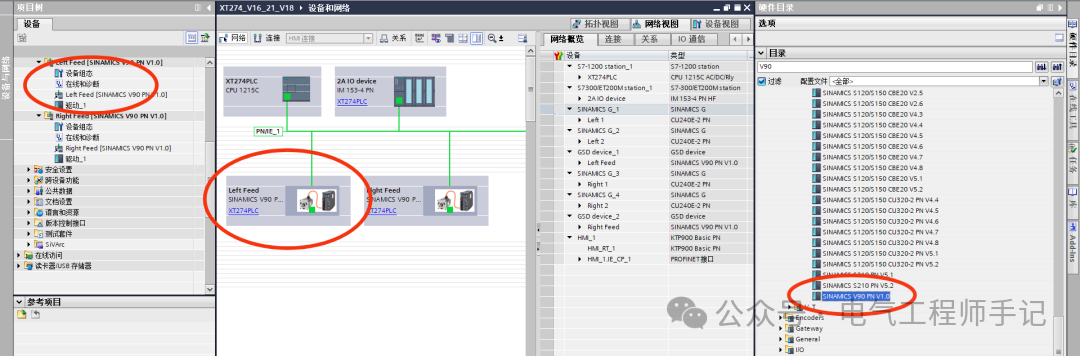
V90 PN version GSDML file download link:
For the method of adding the GSDML file, please refer to the fourth paragraph of the article “Siemens S7-1500 and Blue Ocean Huaten V9-H Frequency Converter PROFINET Communication Example Part 1”.
https://support.industry.siemens.com/cs/document/109737269/sinamics-v90-profinet-gsd-file?dti=0&lc=en-WW
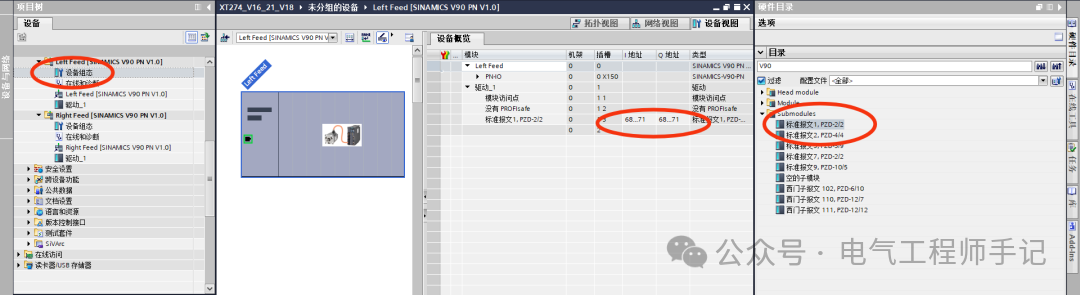
Enter the device view of the V90 PN servo drive, insert standard message 1 PZD-2/2, note that the message settings here must be consistent with the message type set in V-ASSISTANT for the V90 PN servo drive, and record the I/O read/write addresses;
Set the IP address and PROFINET name in the V90 PN servo drive project;
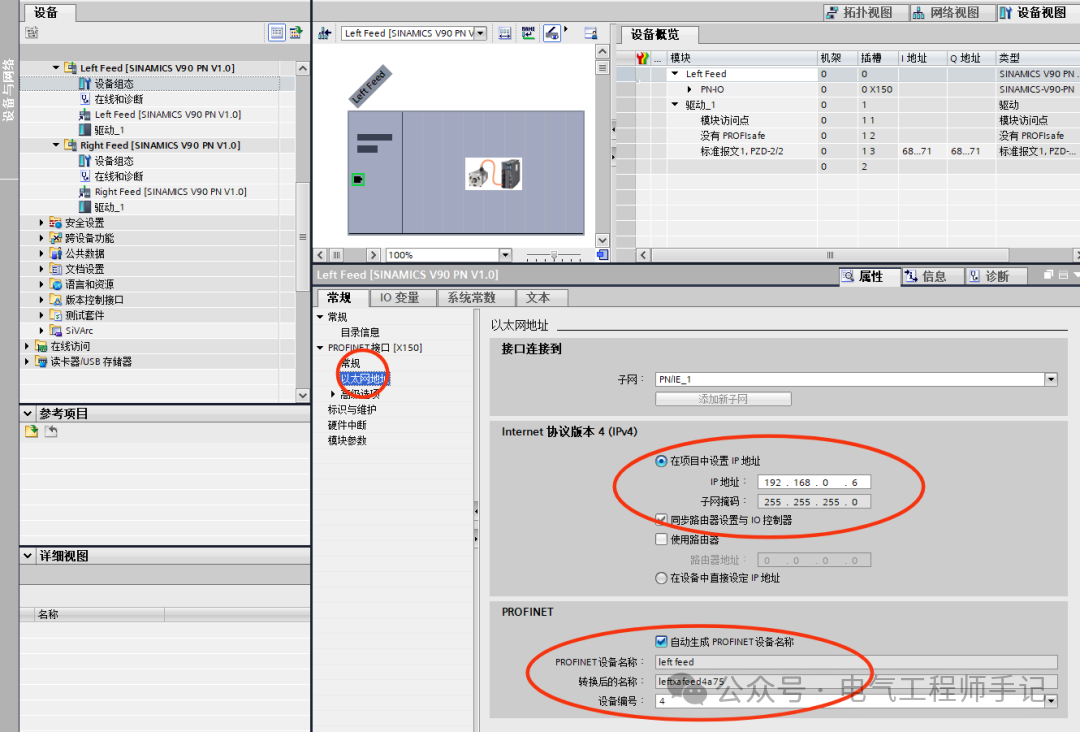
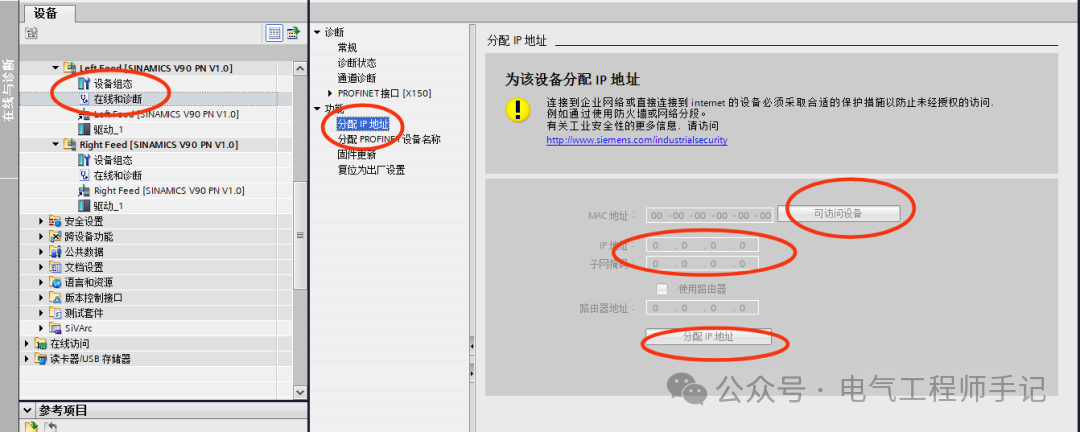
As mentioned earlier, when using the V90 debugging software V-ASSISTANT for network configuration of the V90 PN, it is necessary to configure the V90 PN in TIA Portal. After the device is connected to the network, first assign an IP address to the V90 PN, double-click the corresponding V90 PN in the project tree Online and Diagnostics, open the window, click on Function, and then select Assign IP Address. Find the target V90 PN servo drive in the accessible devices (you can use the LED flashing), fill in the IP address and subnet mask set in TIA Portal, and click Assign IP Address;
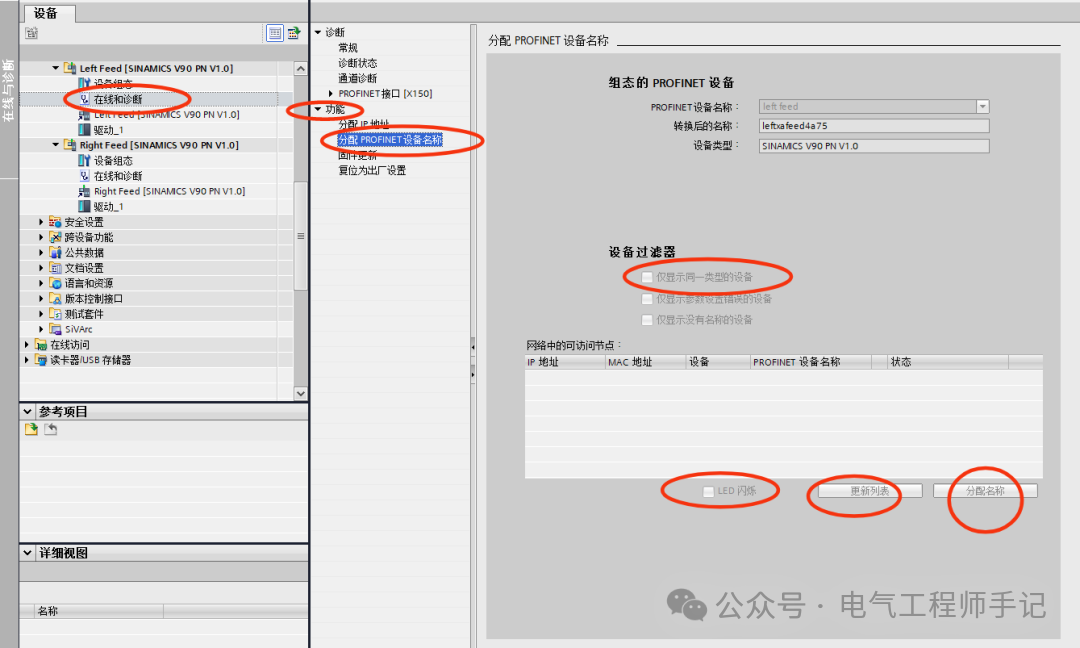
After assigning the IP address, assign the PROFINET device name. In the Online and Diagnostics window, click on Function, then select Assign PROFINET Device Name, check Show only devices of the same type, click Update List, and you can find the target V90 PN servo drive using the LED flashing, then click to assign the name;
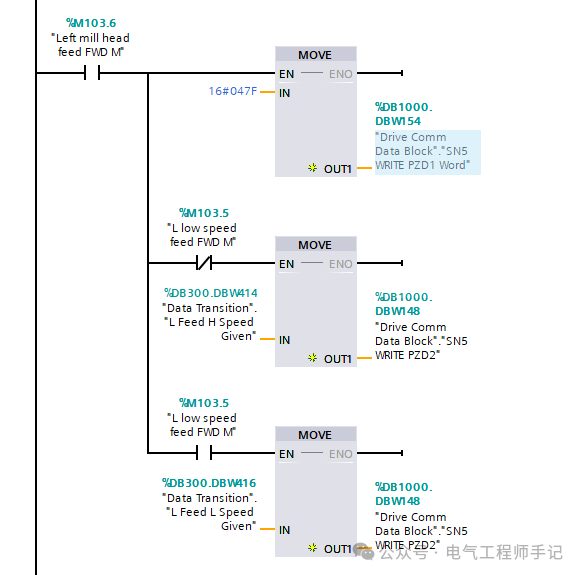
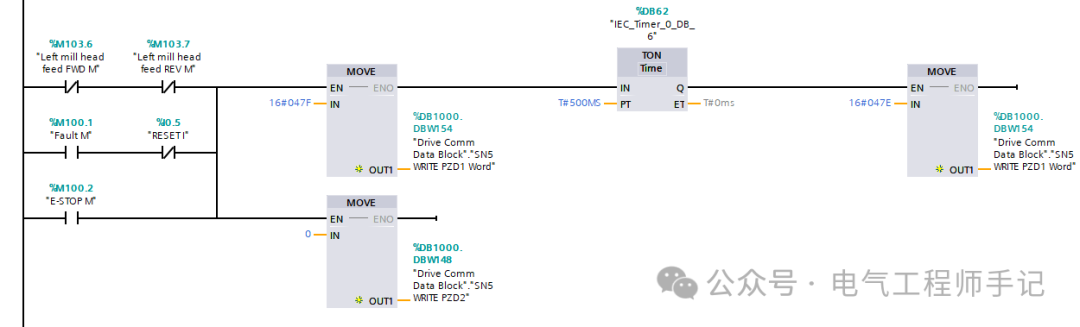
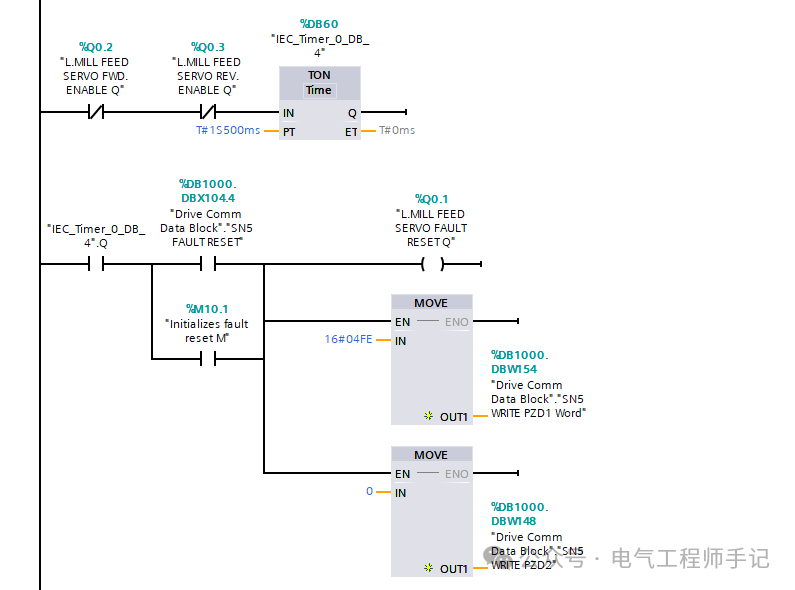
After completing the hardware and communication configuration, you can perform read/write programming for the I/O addresses assigned to the V90 PN in TIA Portal. This control method does not require dedicated function blocks, directly providing control commands and speed setpoints. The V90 PN uses standard message 1, based on PROFINET RT communication, controlling the start and stop of the drive through the first control word of the output, and the second control word can set the speed of the motor. The programming in the S7-1200 PLC is as follows:
The V90 PN servo drive drives the servo motor in forward rotation at high and low speeds;
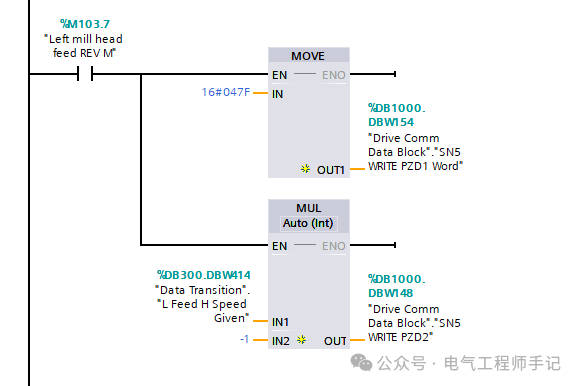
The V90 PN servo drive drives the servo motor in reverse rotation;
The V90 PN servo drive stops the servo motor;
The V90 PN servo drive performs a fault reset;
The V90 PN servo drive reads and writes to the standard message 1 I/O address.
Download the PLC program and run the test. Here, note that the V90 PN servo drive parameter P2000 reference speed corresponds to the full-scale setpoint of 4000H, which is decimal 16384. This example is set as follows:

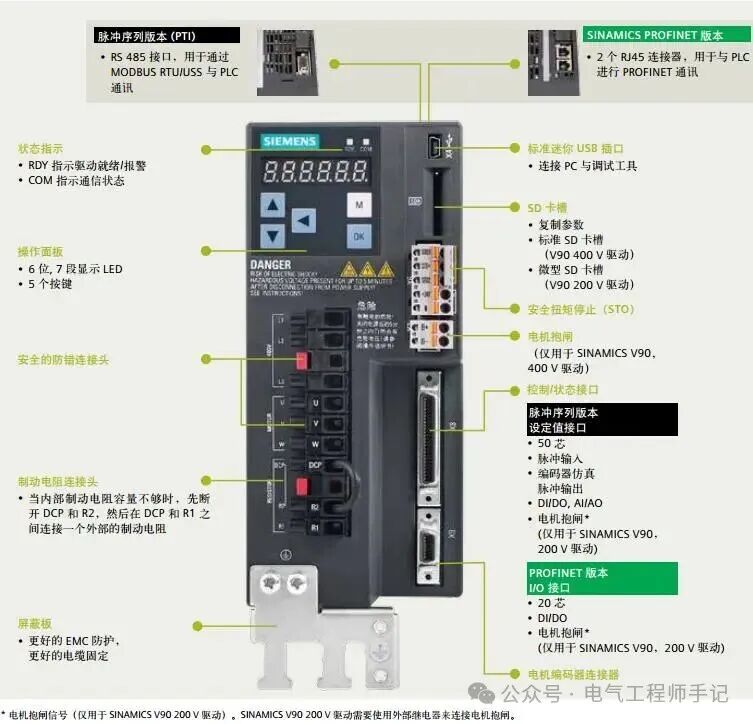
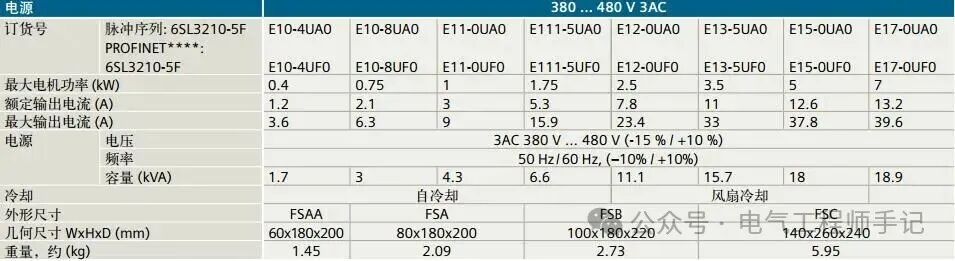
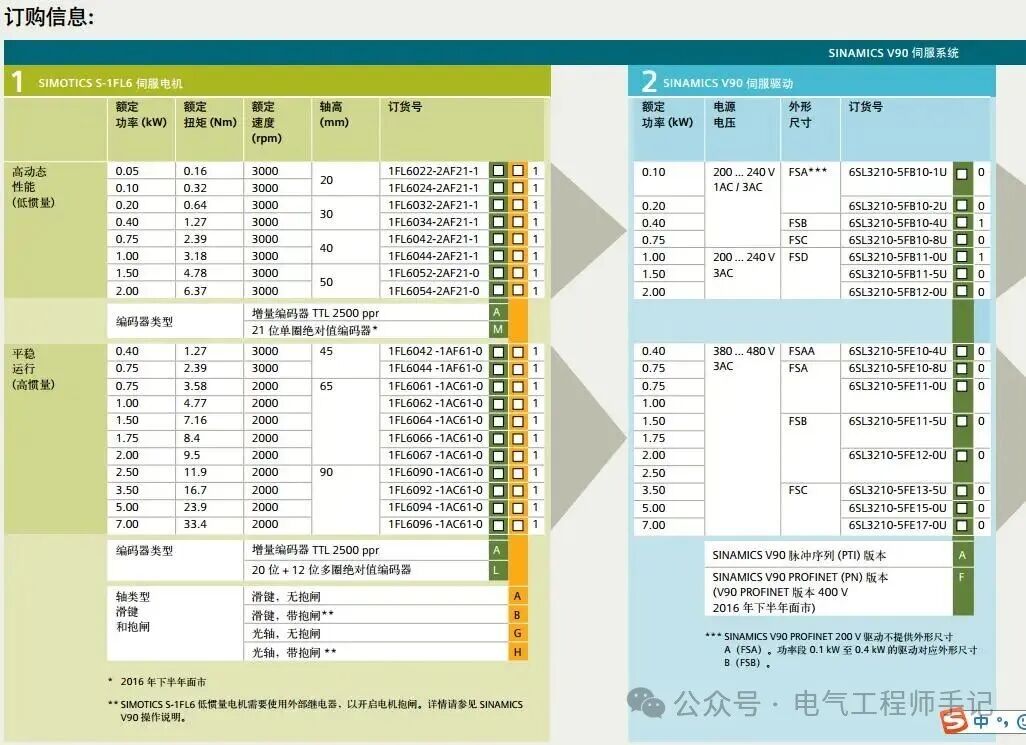
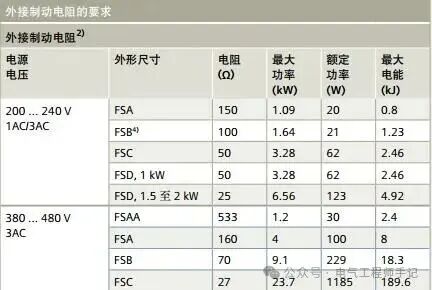
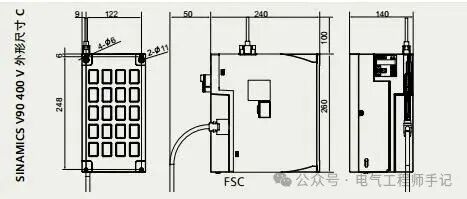
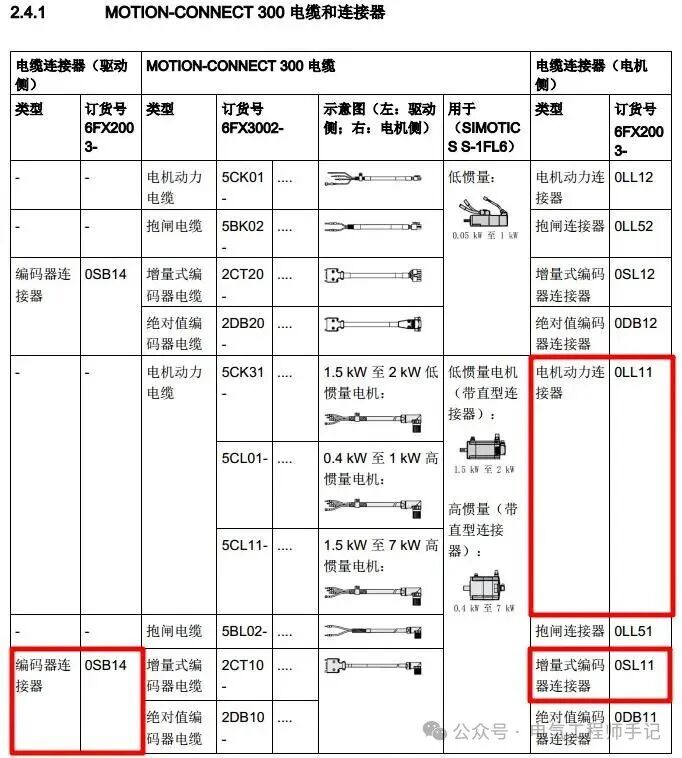
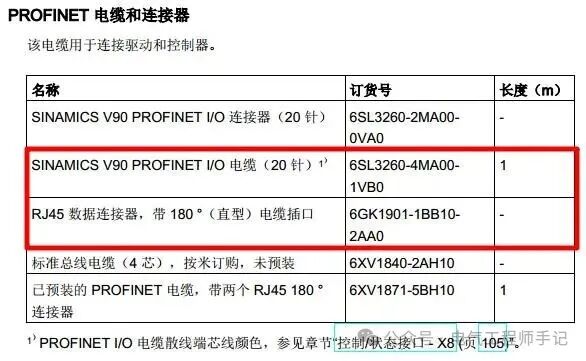
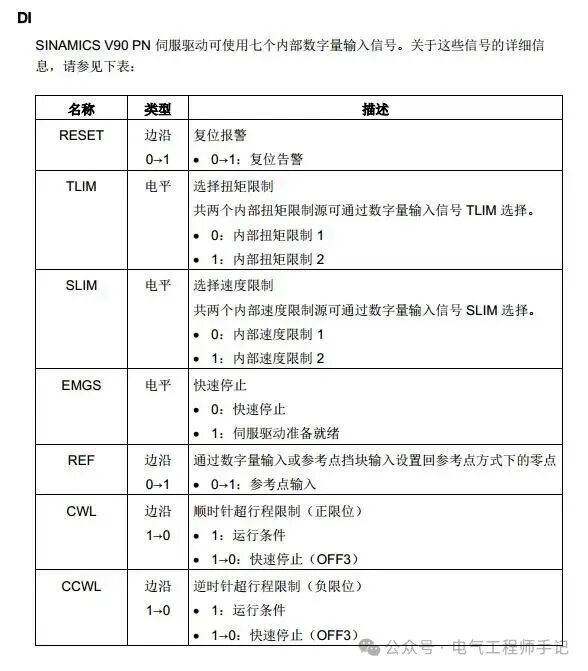
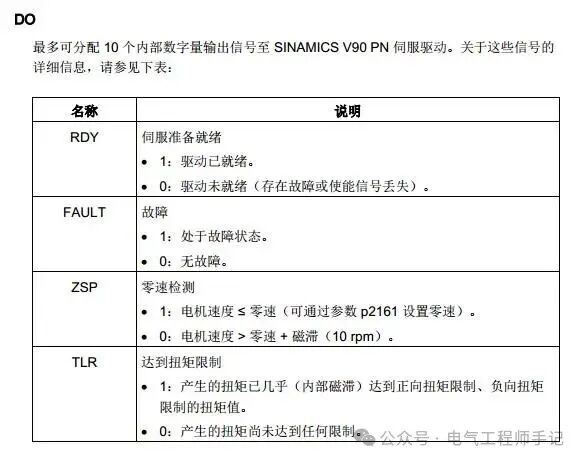
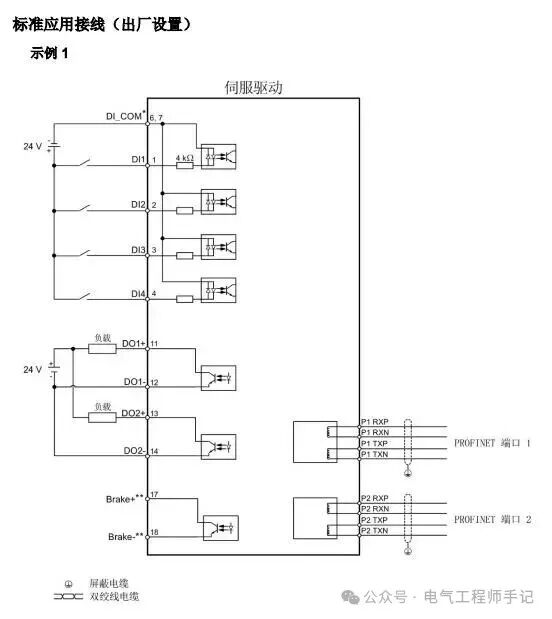
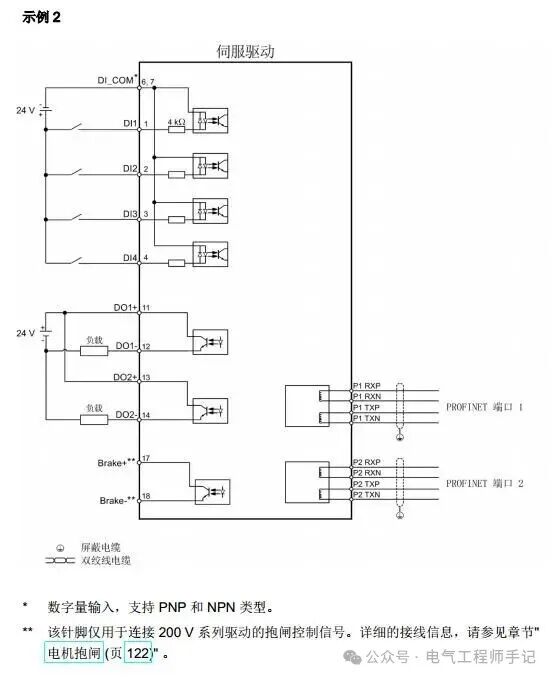
The final attached images are reference materials compiled from this design, which can be directly referenced if needed:
Welcome everyone to like ❤️, share, and bookmark.
Follow me to enter a world of pure practical knowledge for industrial control professionals!
Implementation of PROFINET Communication Control between S7-200 SMART PLC and SINAMICS V90 Servo Drive
A detailed explanation of positioning control using S7-200 Smart and SINAMICS V90 PTI method (super detailed)
Siemens TIA Portal V20 installation package and authorization (with download link)
Siemens TIA Portal V18 installation and authorization tutorial (with download link)
PLC programming method for continuous length measurement using incremental encoders (recommended for collection)
Two algorithms for calculating roll diameter using PLC (including formulas recommended for collection)
Siemens PLC byte order issues