Altium Designer is a professional Electronic Design Automation (EDA) software tool that provides a complete solution from schematic design to PCB layout, simulation, and manufacturing, suitable for the development of complex electronic systems.
It supports high-speed design, FPGA development, and embedded software development through an integrated toolchain, widely used in consumer electronics, automotive, industrial automation, and other fields.

1. Core Function Introduction and Learning
-
Schematic Design: Supports circuit diagram drawing and component library management, providing the foundation for PCB design;
-
PCB Layout and Routing: Provides topological logic auto-routing and high-speed design tools, supporting multi-board systems, rigid-flex boards, and HDI (High-Density Interconnect) design;
-
Embedded System Development: Integrates FPGA and processor design functions, supports parallel development of hardware and software, simplifying the creation of embedded intelligent systems;
-
Collaboration and Data Management: Manages the design data lifecycle through a Workspace, supports team collaboration and version control, ensuring design integrity.
2. Obtaining Altium Designer Resources
There are mainly two ways to obtain it:
1. Corporate users can purchase through the official website or download the trial version;
2. If for personal use and you want a permanent Chinese version, you can save or download the installation package resources:
(If you want a permanent Chinese version, you can contact the editor for a paid provision, private message the editor.)
3. Altium Designer Installation Guide
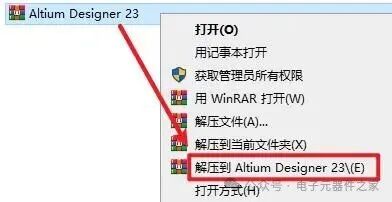
1. Unzip the Altium Designer installation package saved and downloaded from Baidu Cloud.
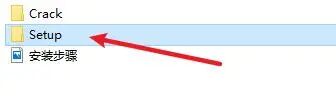
2. Open as shown in the figure below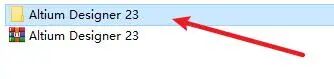 3. Double-click to open the “Setup” folder file
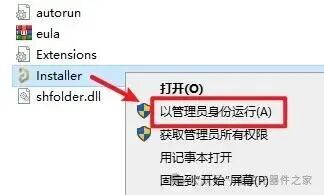
 4. Select the “Installer” installation program, right-click and choose “Run as administrator”
 5. Click “Next”
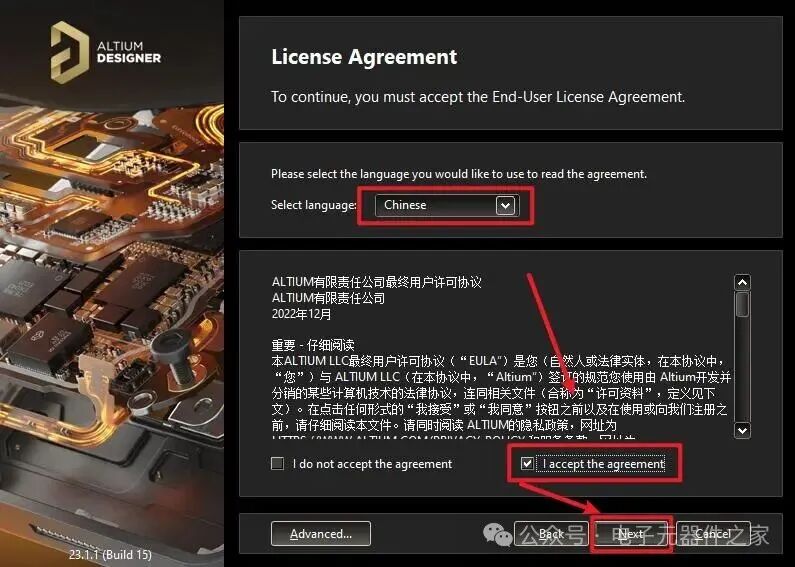
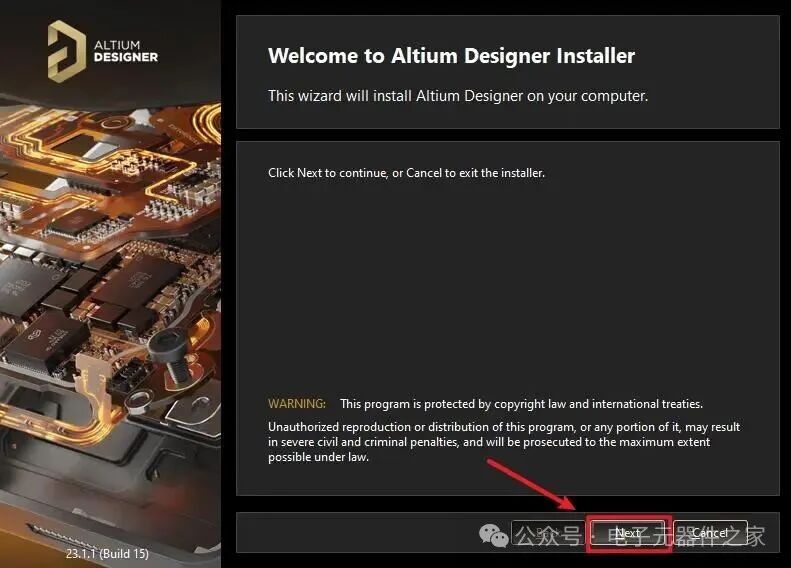 6. Select “I accept the agreement”, click “Next”
 7. Click “Next”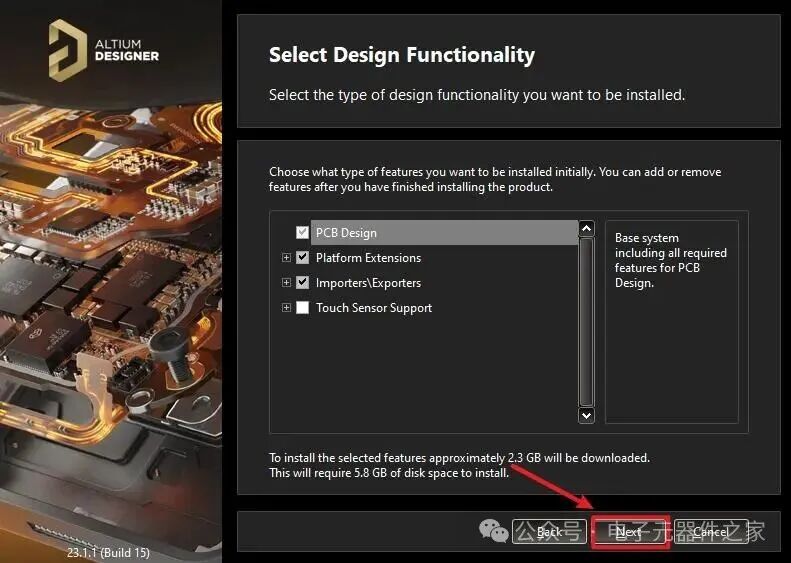
8. Choose the software installation path, click “Next”
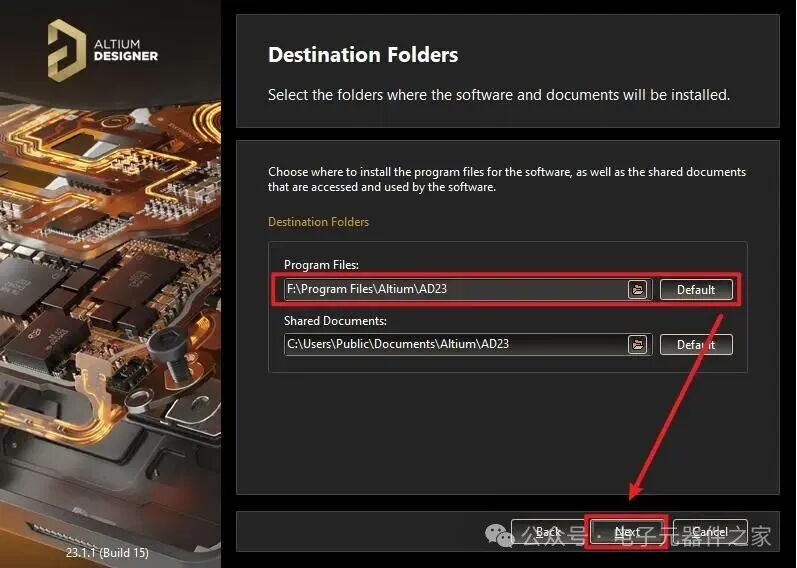
9. Select “Yes I want to participate”, click “Next”
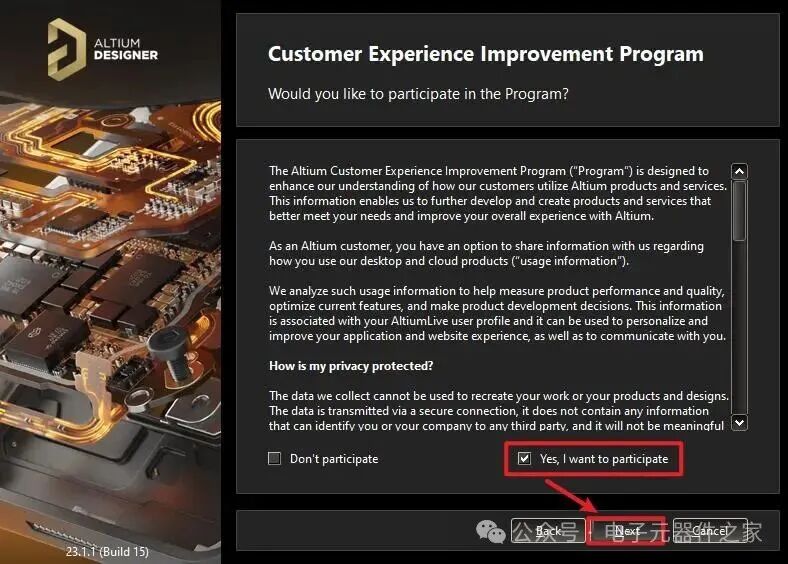
10. Click “Next”
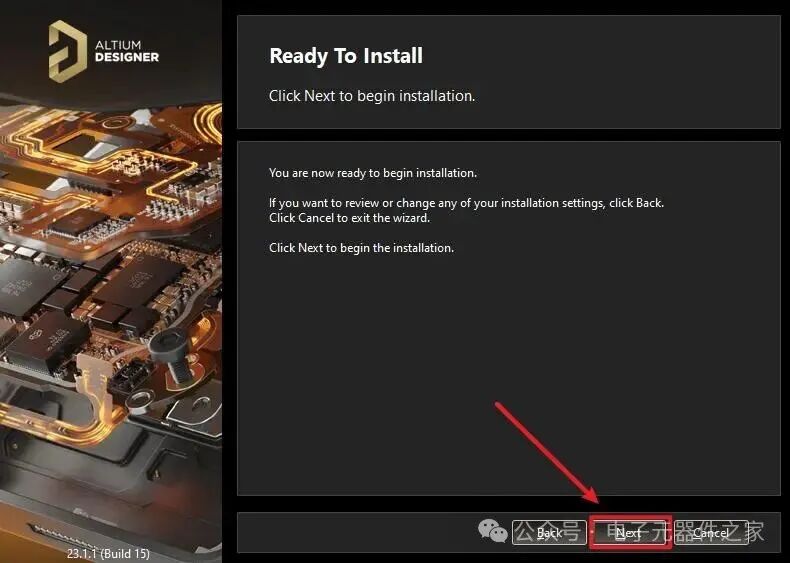
11. The software is installing, please be patient
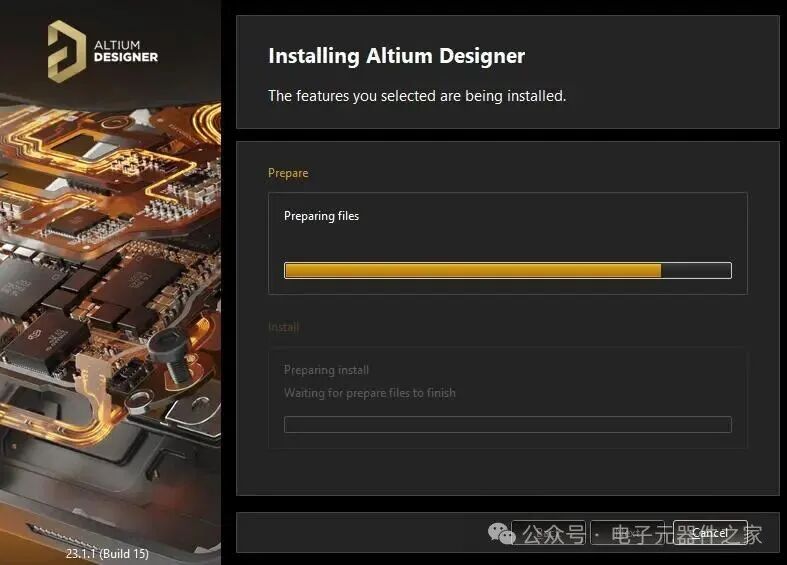
12. Uncheck “Run Altium Designer”, click “Finish”
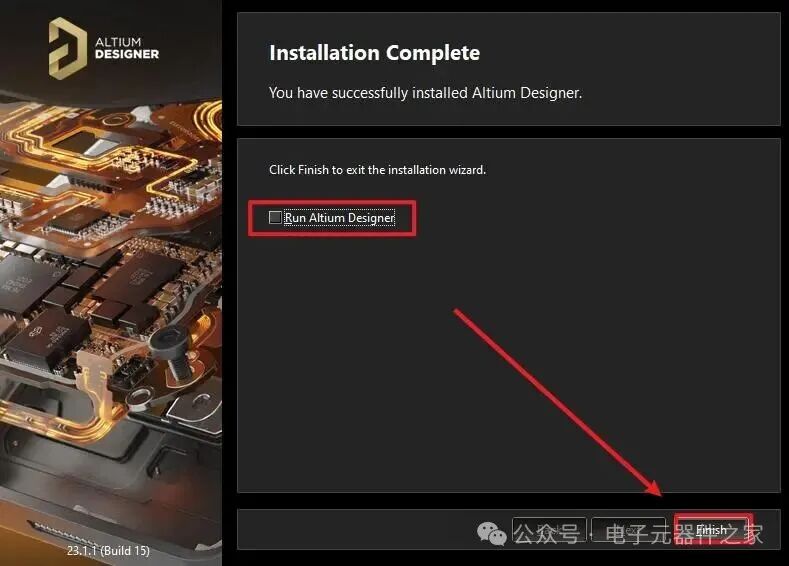
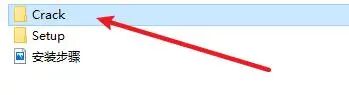
13. Double-click to open the “Crack” folder
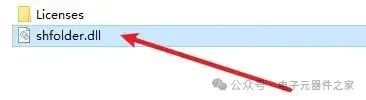
14. Copy the “shfolder.dll” file
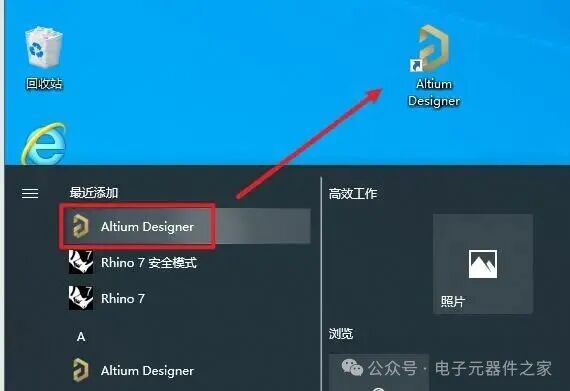
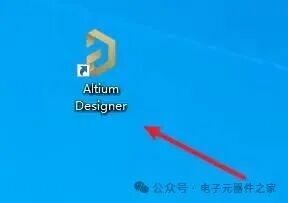
15. Find the “Altium Designer” software icon on the start screen and drag it to the desktop
16. Right-click the software icon and select “Open file location”
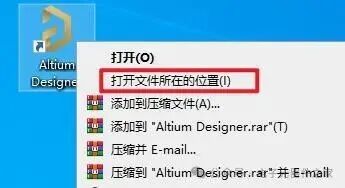
17. Paste it into the software installation path
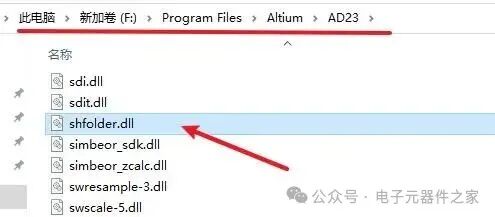
18. Double-click to open the software icon on the desktop
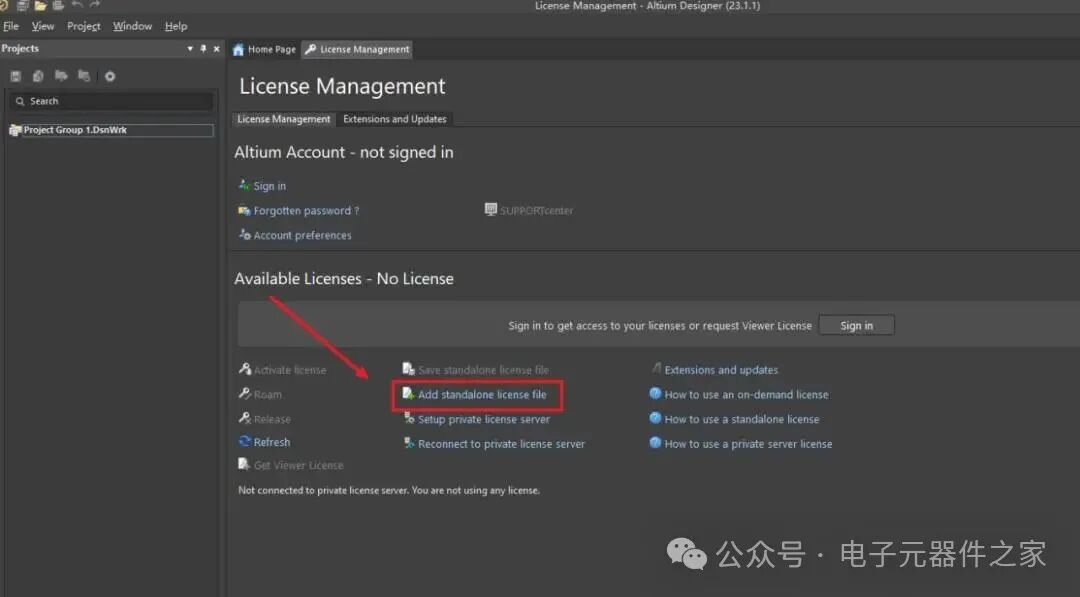
19. Click “Add standalone license file”
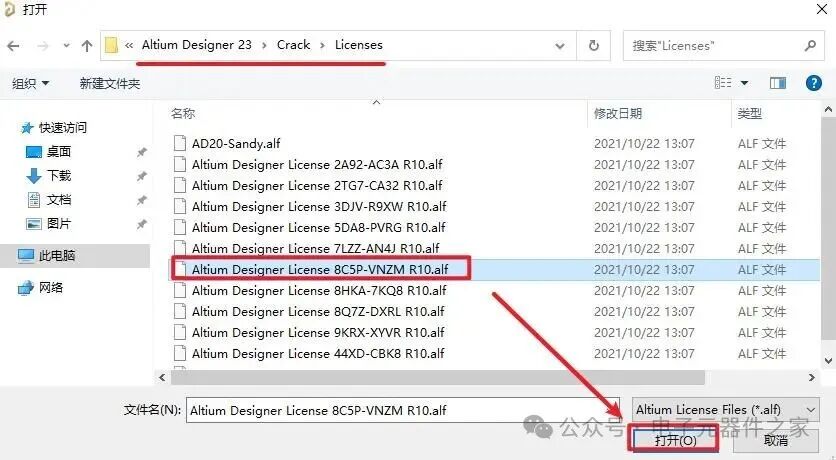
20. Find the installation folder, open the Crack\Licenses folder, select any file, and click “Open”
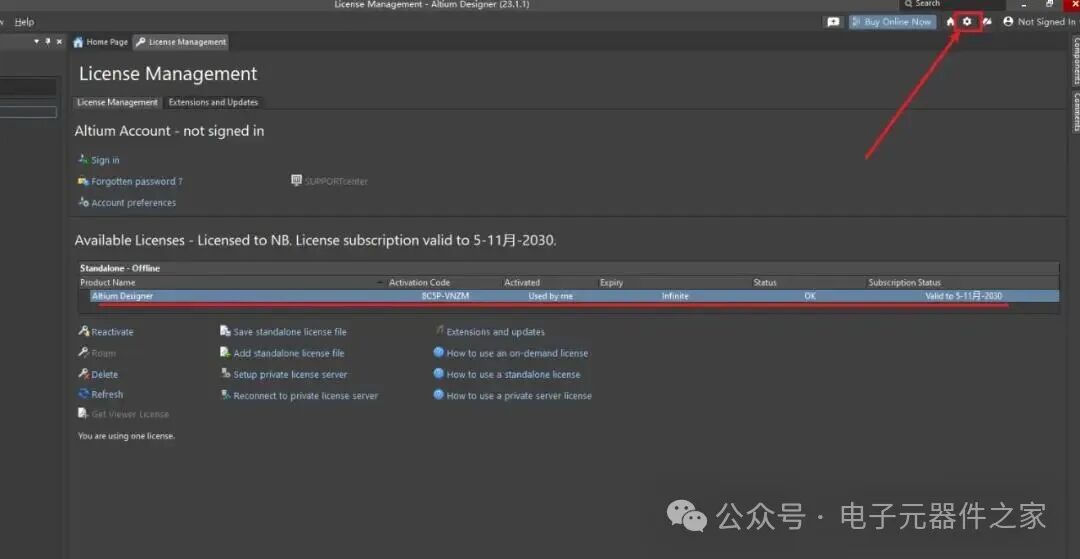
21. As shown in the figure below, it indicates that activation was successful, click the “settings icon” in the upper right corner
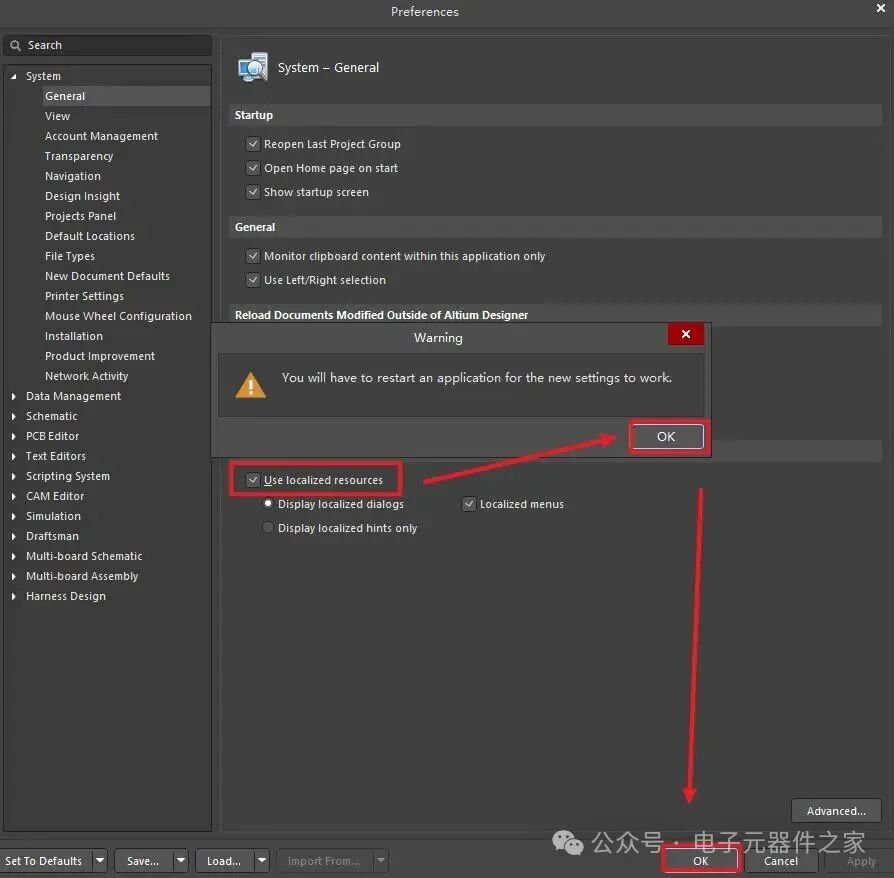
22. Check “Use localized resources”, click “OK”, then click “OK”
Note: This step is to set the interface to Chinese. If you need the English version, this step is not required.
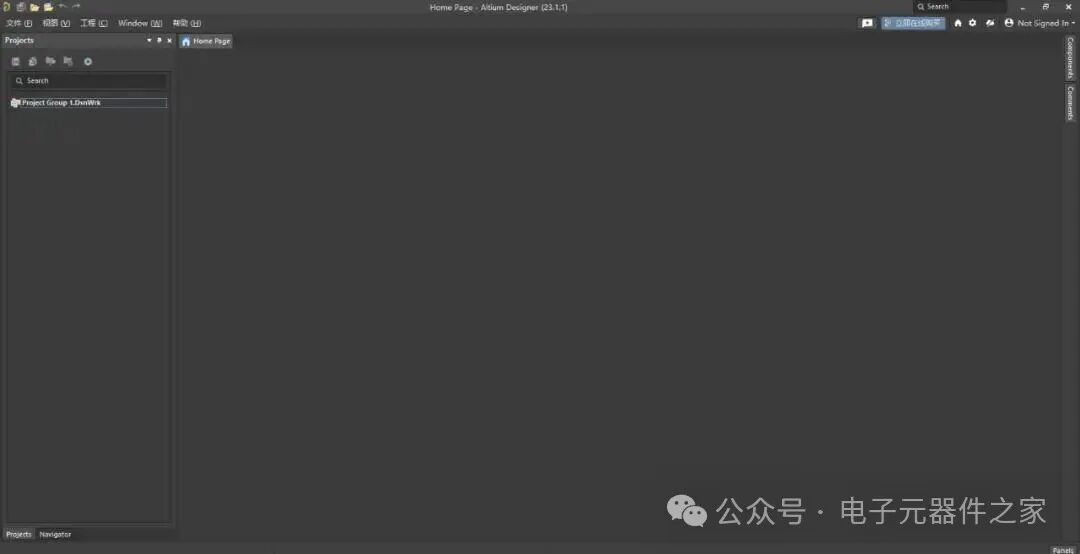
23. Restart the software, installation is complete.
Today’s article sharing and introduction ends here. I hope that all friends who read it carefully can gain something! Of course, if you encounter any problems during the learning process, feel free to leave a message for discussion~
Conclusion
-
WeChat ID: luojianqing20