SPI (Serial Peripheral Interface) is a high-speed synchronous serial communication protocol commonly used for short-distance, full-duplex communication between devices.
In the compact design of IoT terminals, the main control module needs to efficiently and reliably exchange data with various peripheral chips (such as sensors, displays, memory, etc.). The SPI serial peripheral interface, with its high speed, full-duplex capability, and simple protocol, has become an ideal choice for short-distance communication.
Key Features of SPI Interface:
-
Four-wire system CLK (Clock line); MOSI (Master Out Slave In); MISO (Master In Slave Out); CS (Chip Select).
-
Full-duplex supports simultaneous sending and receiving of data.
-
Master-slave mode a master device can control multiple slave devices, selecting the target device via the chip select signal (CS).
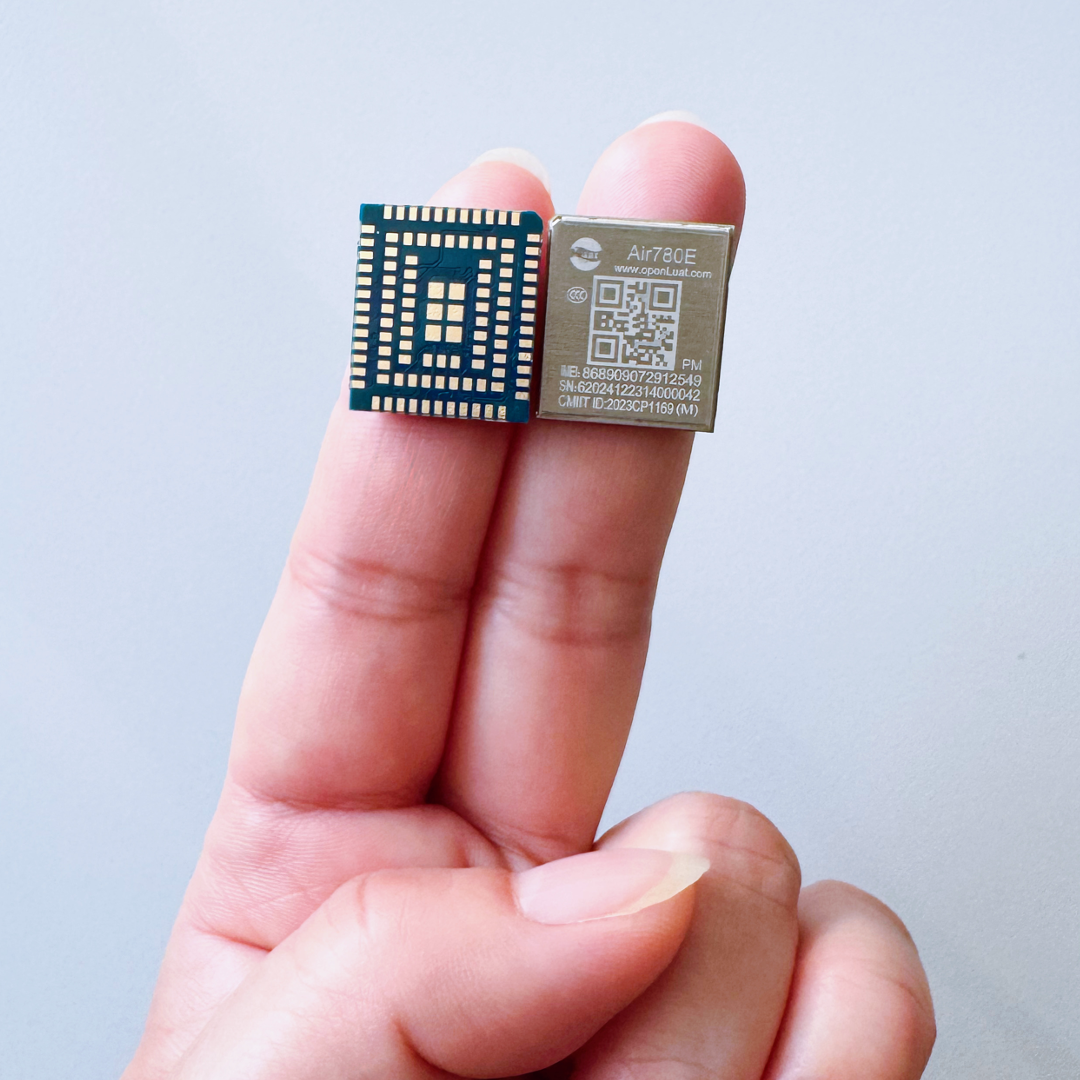
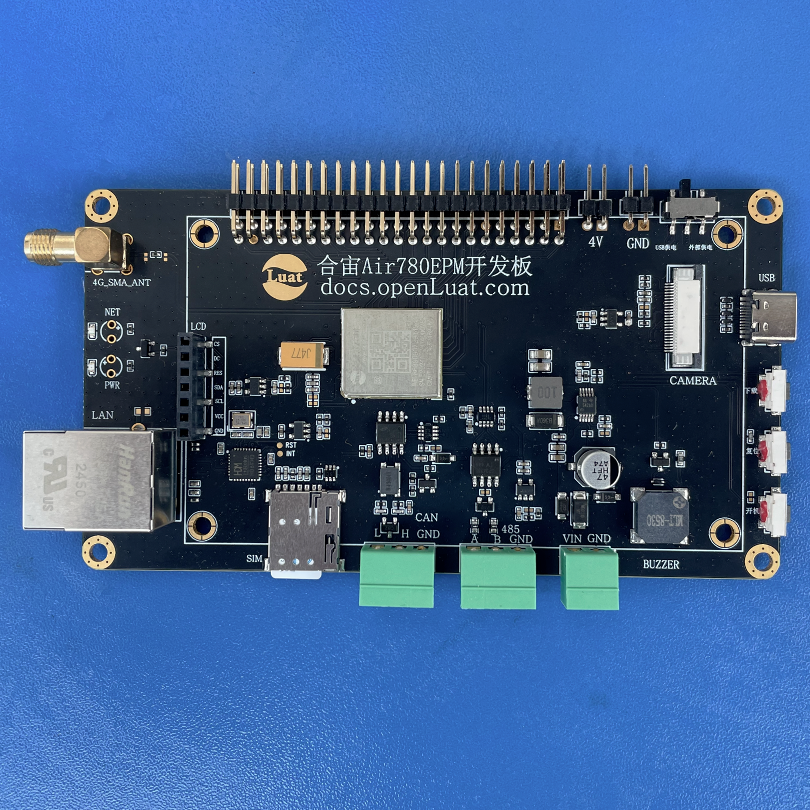
This article takes one of the main models promoted by Hezhao, Air780EPM, as an example to share the development considerations and hardware design points for the SPI interface.
1
SPI Functionality Support of Air780EPM
In the Air780EPM, the SPI interface is implemented through specific GPIO pins and needs to be configured in conjunction with the LuatOS API. With proper design and debugging, it can efficiently connect various peripherals and expand IoT application functionalities.
1.1 Hardware Support
1) Number of Interfaces:
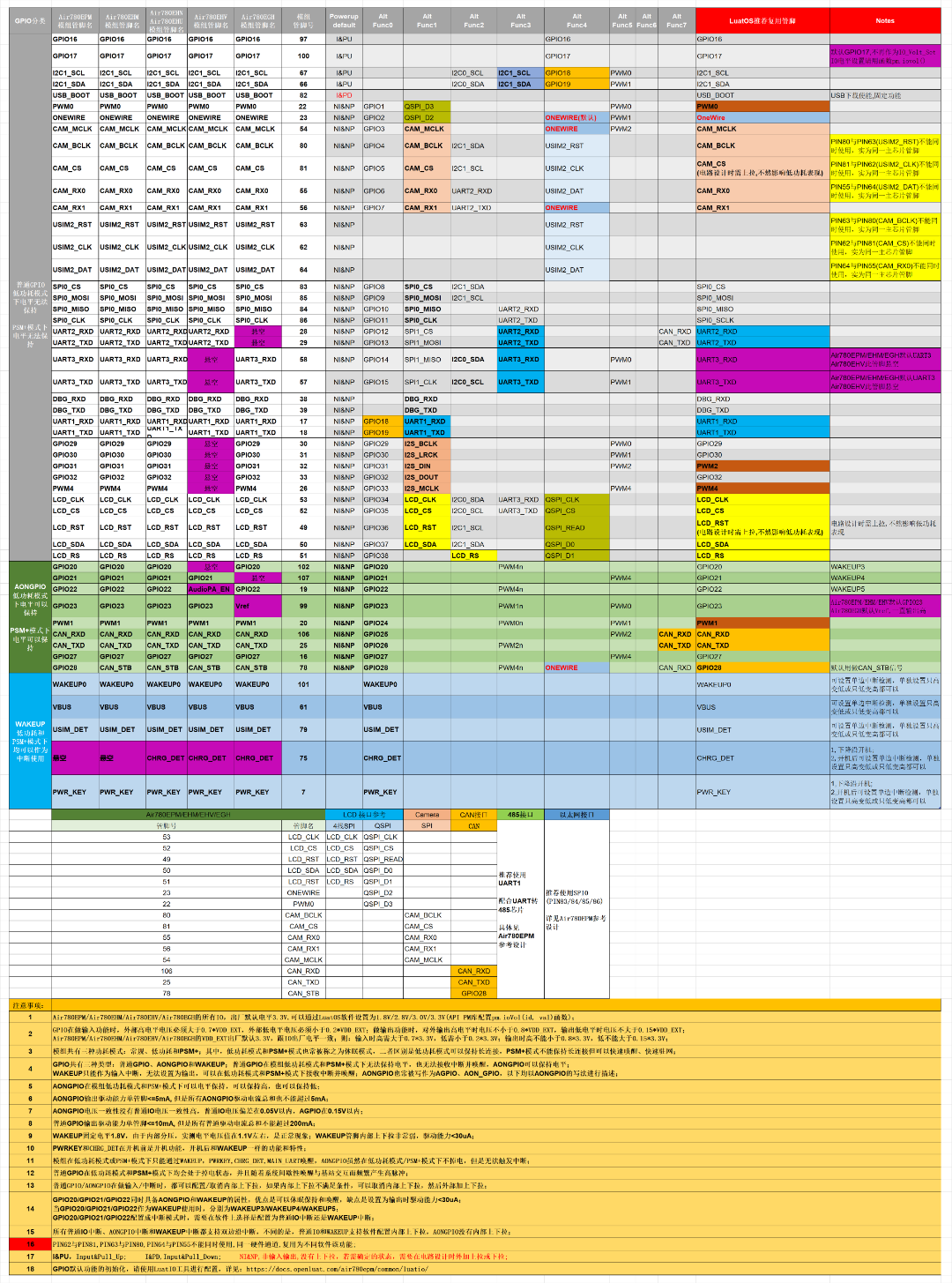
Air780EPM supports 4 SPI interfaces:
-
1 for SPI LCD;
-
1 for SPI Camera;
-
2 standard SPI interfaces (SPI0 is used for Ethernet interface on the Air780EPM development board).
It is important to note that: the dedicated SPI interfaces for LCD and Camera cannot be used as standard SPI interfaces.
Latest documentation including pin mapping diagram download:https://docs.openluat.com/air780epm/luatos/hardware/design/spi/
2) Voltage Compatibility:
The SPI interface voltage can be configured to 1.8V or 3.3V via the IO_SEL pin, and it is necessary to match the levels with the peripherals; otherwise, a level conversion circuit must be added.
1.2 Software Support
The following only introduces the 2 standard SPI interfaces.
-
Protocol Compatibility: supports standard SPI protocol (master mode).
-
Operating Mode:
Master mode: supported.
Slave mode: not supported (currently not supported).
-
Rate Support: maximum clock frequency: 25.6MHz (requires peripheral support).
typical application frequency: 1MHz~10MHz (needs to be adjusted according to peripheral capabilities).
-
LuatOS API:
provides functions such as spi.setup(), spi.send(), spi.receive() to control SPI communication.
▼ Main Functional Features ▼
-
Supports FIFO: supports 16-byte FIFO (First In First Out) buffer, enhancing data transmission efficiency.
-
Supports DMA: supports DMA mode (Direct Memory Access), reducing CPU usage.
-
Data Bit Width: supports 8-bit, 16-bit, etc. data widths (requires peripheral matching).
When developing applications for Air780EPM using LuatOS, these features provided by the underlying hardware and drivers can be utilized to achieve more efficient, stable, and power-saving SPI communication.
2
Development Considerations
When developing SPI with Air780EPM and LuatOS, special attention should be paid to the following key points.
2.1 Hardware Design
1) Signal Line Configuration: ensure that the SPI pins (CLK, MOSI, MISO, CS) are correctly connected to avoid conflicts with other multiplexed functions (such as UART, I2C, PWM, GPIO, etc.).
2) Level Matching:
If the peripheral operates at 5V, it must be converted to 3.3V or 1.8V using a level conversion chip (such as TXB0104) to maintain consistency with the VDD_EXT level.
3) Signal Integrity:
SPI lines should be kept away from high-frequency interference sources (such as power lines, RF modules); during high-speed communication, the SCLK line length should be ≤10cm to avoid signal reflection or delay.
2.2 Software Configuration
1) Initialization Steps:
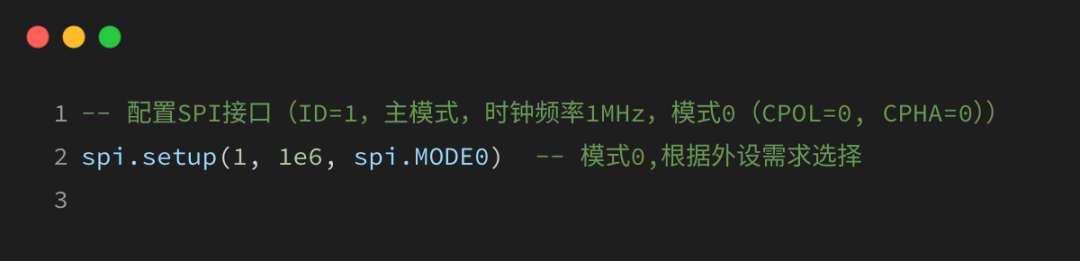
2) Low Power Mode:
The SPI interface will lose power when the module is in sleep mode and needs to be re-initialized after waking up.
2.3 Debugging and Common Issues
In case of communication failure, the following aspects can be checked.
1) Check Clock Frequency: the maximum supported rate of the peripheral must be ≥ configured rate (for example, if the peripheral only supports 5MHz, set spi.setup(1, 5e6, …)).
2) Data Format Matching:
ensure that the CPOL/CPHA modes match those of the peripheral (refer to the specific peripheral data sheet).
3) CS Signal Status:
confirm that the SS pin remains low during communication.
4) Signal Integrity:
use an oscilloscope to check if the CLK, MOSI, and MISO waveforms are normal.
2.4 Other Key Points:
1) GPIO Multiplexing: ensure that the SPI pins are not occupied by other functions (such as UART, I2C, PWM, GPIO, etc.), and be sure to use the LuatIO tool for initialization configuration before using the SPI function.
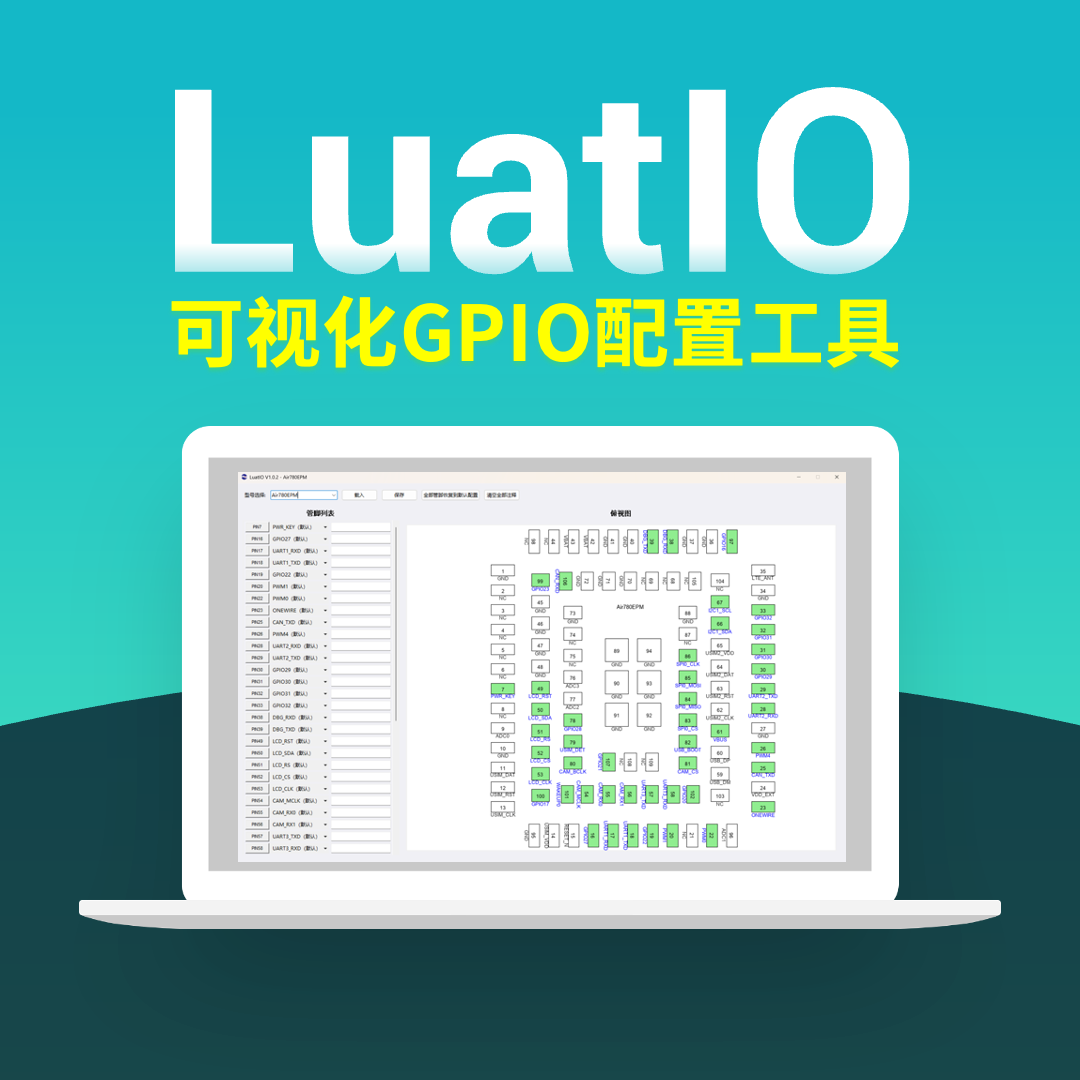
2) DMA and FIFO Optimization:
enable DMA mode during high-speed transmission; to avoid FIFO overflow, buffer sizes should be set appropriately.
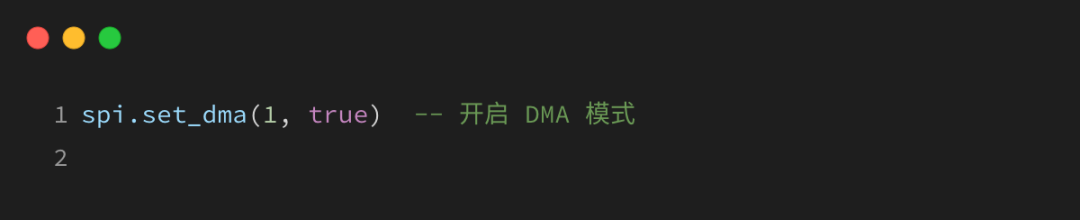
3) Firmware Version:
use LuatOS firmware that supports SPI functionality.
For the latest firmware instructions, see: https://docs.openluat.com/air780epm/luatos/firmware/version/
3
Example of Ethernet Chip CH390H
The following shares common usage of the SPI interface with the Ethernet chip CH390H on the Air780EPM development board.
3.1 Hardware Circuit
Hezhao provides schematic diagrams and PCB hardware reference design files for secondary development of Air780EPM, which can be downloaded from the Hezhao documentation center.
Latest reference design files download: https://docs.openluat.com/air780epm/luatos/hardware/design/reference/
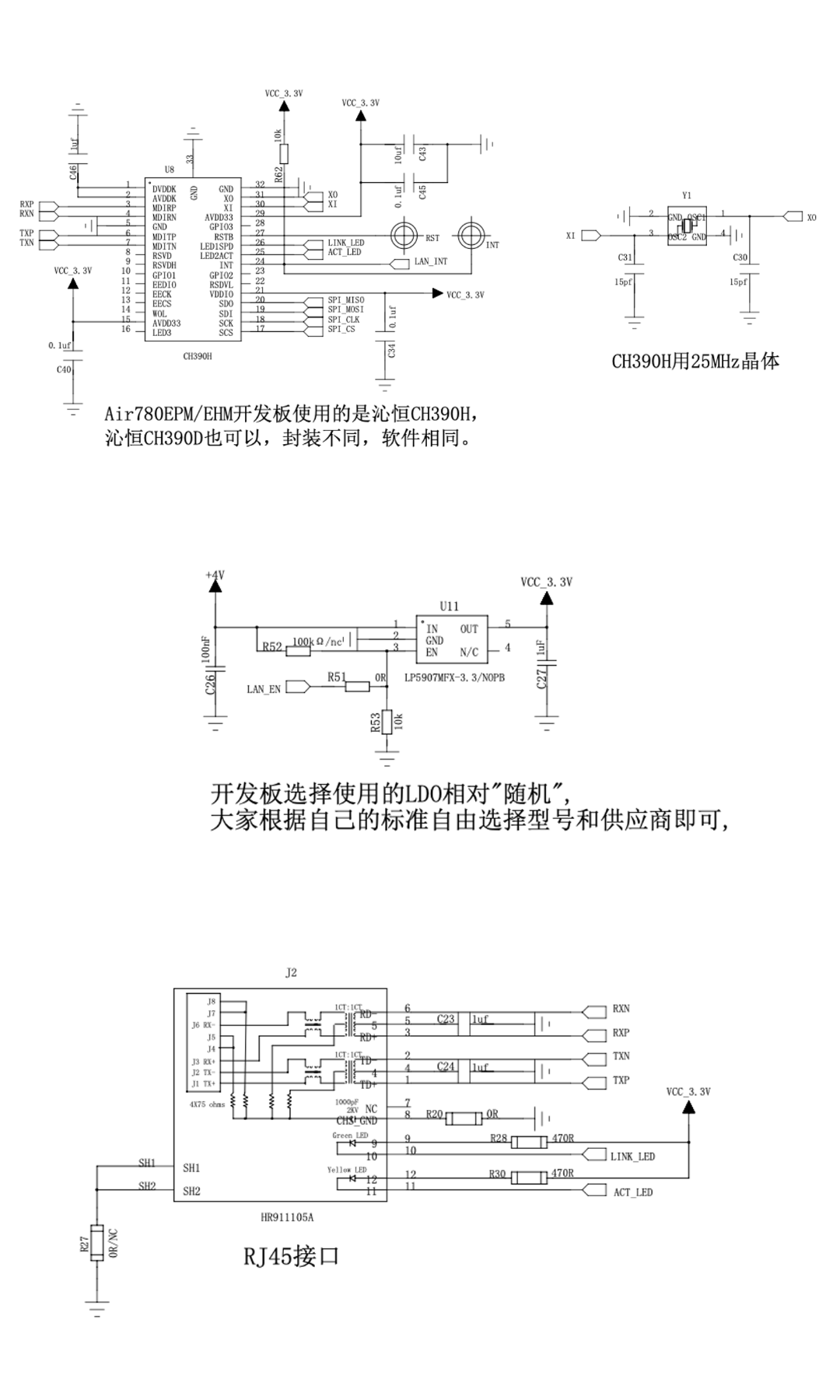
3.2 Software Code
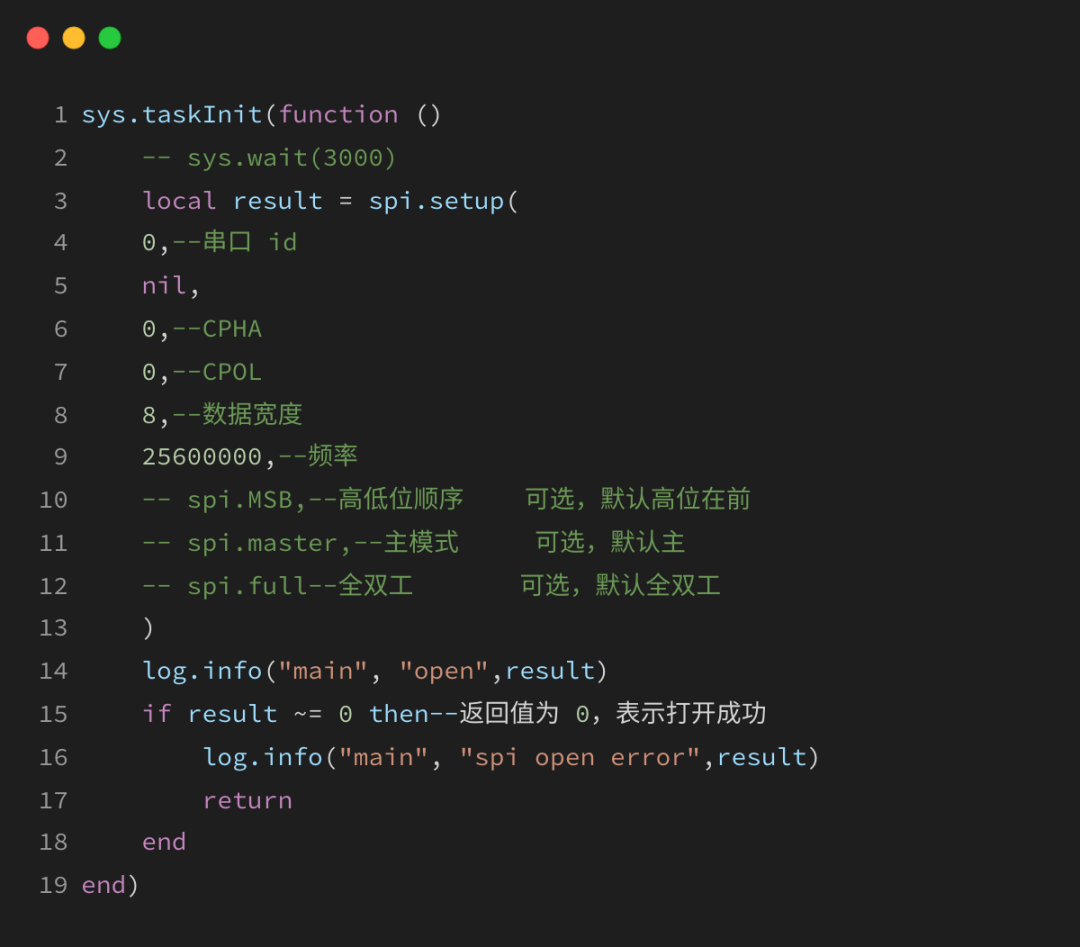
The code for CH390H is too long, so here is just a snippet related to SPI0 as an example.
For the complete example code for CH390H network testing, see the source code repository: https://gitee.com/openLuat/LuatOS/tree/master/module/Air780EPM/demo

That concludes today’s content~ If you have any questions regarding IoT development selection, feel free to join the technical exchange group or contact the person in charge for discussion.
For more latest development materials, see the Hezhao documentation center:
—— docs.openluat.com

▼ Learn More About Hezhao ▼
4G+ positioning + WiFi + Bluetooth, Air8000 complete development board Air8101 core board + accessory board new products
Hezhao low-power 4G module, adding 4 new hardcore products