

JDY-31 Bluetooth Module Testing



––
1. Introduction
JDY-31 Bluetooth is designed based on Bluetooth 3.0 SPP, allowing support for Windows, Linux, and Android data transmission. It operates in the 2.4GHz frequency band, uses GFSK modulation, has a maximum transmission power of 8dB, and a maximum transmission distance of 30 meters. Users can modify the device name, baud rate, and other commands via AT commands, making it convenient and flexible to use.


2. Modules Used for Testing
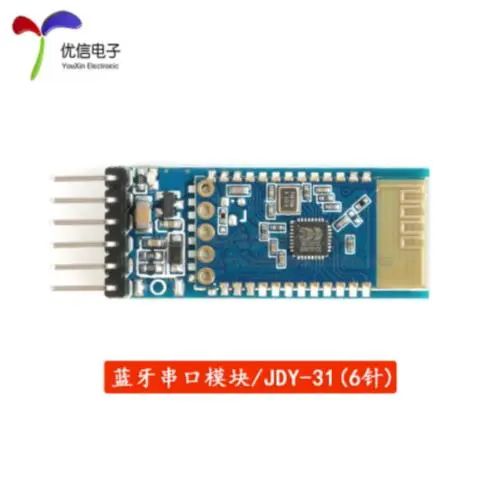
JDY-31
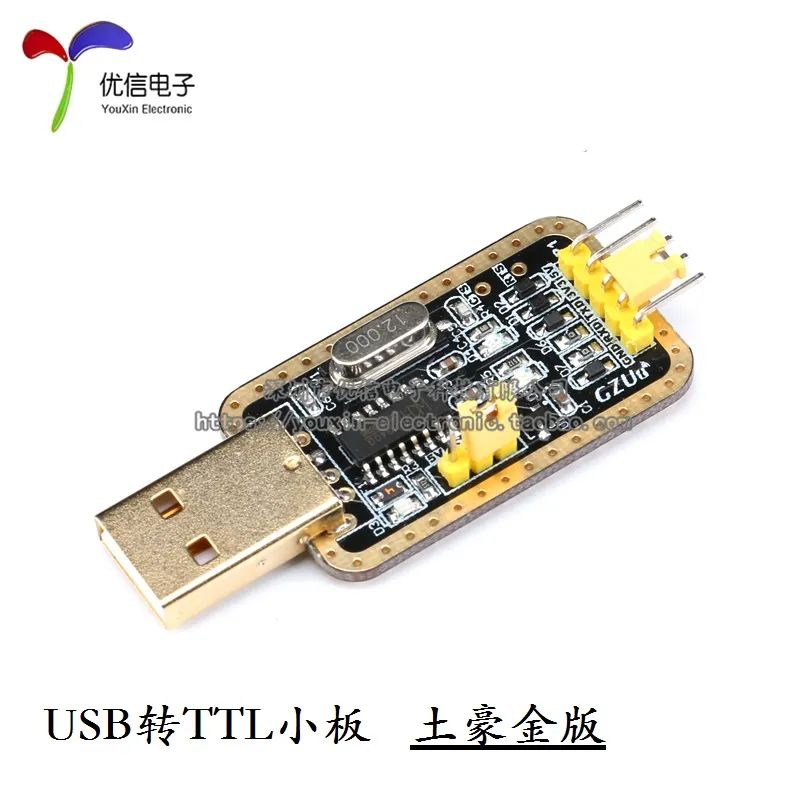
CH340 Module
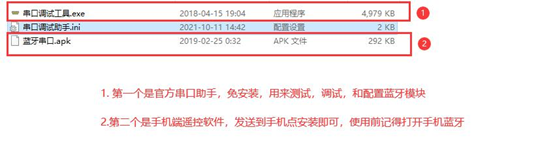
3. Software Related to JDY-31 Module
Installation
The installation and testing of the CH340 module driver are not described here; please refer to the CH340 testing section.
4. Testing
Open the official serial port assistant and configure the relevant commands according to your needs.
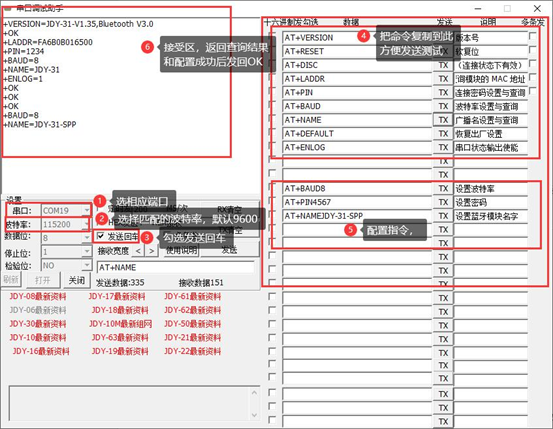
Once configured, connect to send characters.
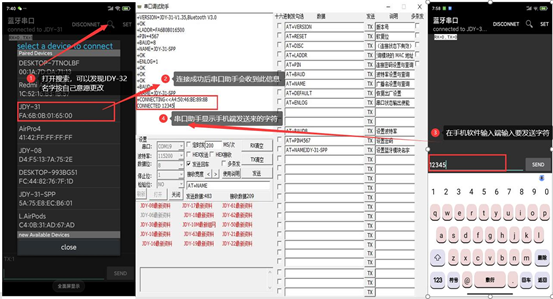
The JDY-31 Bluetooth module test is now complete. Other commands can be configured as needed by following the manual.
5. Precautions
1. Make sure to turn on the phone’s Bluetooth before searching for Bluetooth with the software.
2. It is recommended to use the official serial port assistant; other serial port assistants may encounter errors.
3. Remember to cross-connect TX and RX for the USB to TTL module.
4. After connecting the phone to the Bluetooth module, sending AT commands through the serial port assistant will have no response.
5. The baud rate setting will only take effect after rebooting.

Because of you, we trust each other.
YouXin Electronic