Introduction
A while ago, I posted an article about the JDY-31 Bluetooth module, so today I am writing an article about another model of Bluetooth module.
Because the JDY-31 can only act as a slave, while the HC-05 can act as both a master and a slave.
This is understandable, as the JDY-31 is relatively cheap, while the HC-05 is a bit more expensive. The original HC-05 costs about twenty yuan, while I bought a compatible version that was ten yuan cheaper. However, the seller said the performance is similar, but after testing, the compatible version has a few minor issues, which I will discuss later. Overall, it is similar to the original version.
A slave can only passively wait to be connected, while a master can actively connect to other slaves.
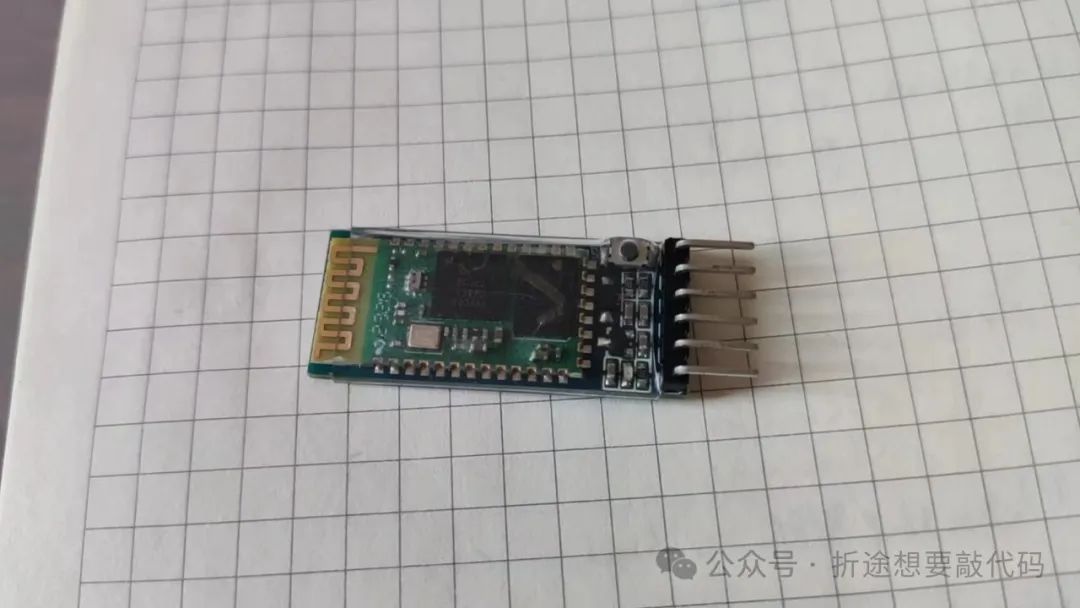
It can be seen that the HC-05 and JDY-31 actually look quite similar.
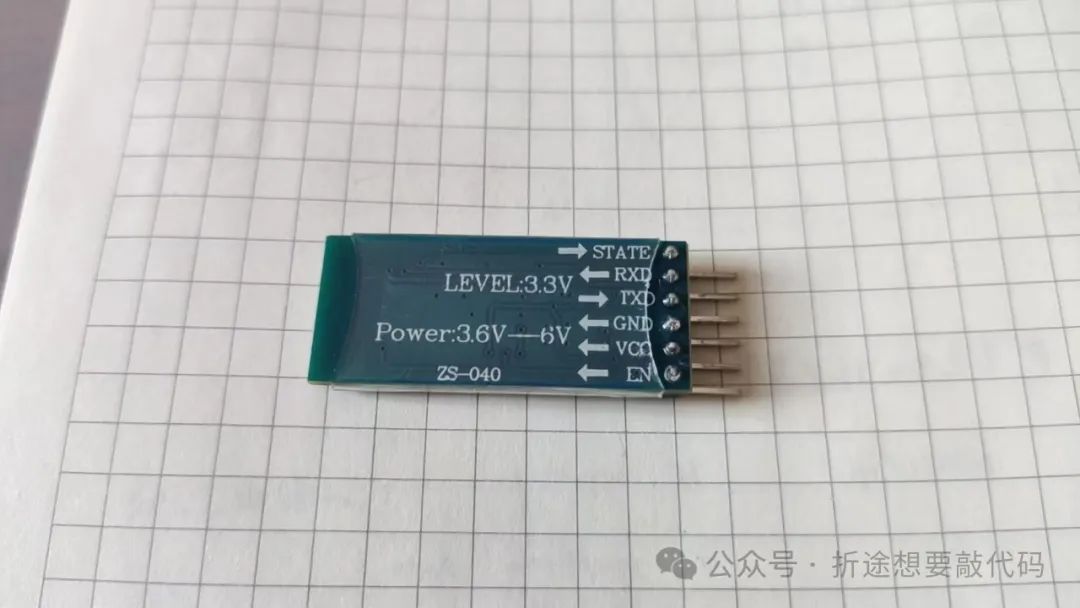
Even the back can be said to be identical.
The difference is that the HC-05 has an additional button, which is related to our AT commands.
Operating Modes
For how the Bluetooth module interacts with microcontrollers, and thus interacts with a mobile phone’s Bluetooth, you can refer to my previous article about the JDY-31. The usage of the Bluetooth modules is quite similar. Today, this article will specifically explain the AT commands of the HC-05, as there are some differences from the JDY-31.
After powering on the HC-05, an LED will blink. The manual I received states that once the HC-05 is successfully paired, the LED will stay on. However, after my testing, the LED turns off for a while after a successful pairing and then blinks quickly twice before turning off, and this repeats. I cannot say the manual is wrong; it might be because I bought a compatible version of the HC-05, so please refer to the Bluetooth module you have for accuracy. I am just providing one perspective.
When the HC-05 is powered on, if the LED is blinking quickly, it is waiting for pairing. If the LED is blinking slowly, it means it has entered AT command mode, and we can control the HC-05 through AT commands. This is where the first difference between the HC-05 and JDY-31 lies. For the JDY-31, to use AT commands, you only need to ensure that no one is pairing at that moment and then directly send AT commands via the serial port. However, for the HC-05 to enter AT command mode, you must hold down the button on the HC-05 while powering it on. Only then can you enter AT command mode. If you want to switch from AT command mode to pairing mode, you need to send the AT reset command or power cycle it.
The default pairing mode of the HC-05 is to pair as a slave. If you want to pair as a master, you need to send the corresponding AT command.
Since entering AT command mode on the HC-05 is quite cumbersome, I will not use the STM32F103 for this demonstration. Instead, I will directly use a serial assistant to operate the HC-05.
Now let’s start with the official AT commands.
AT Commands
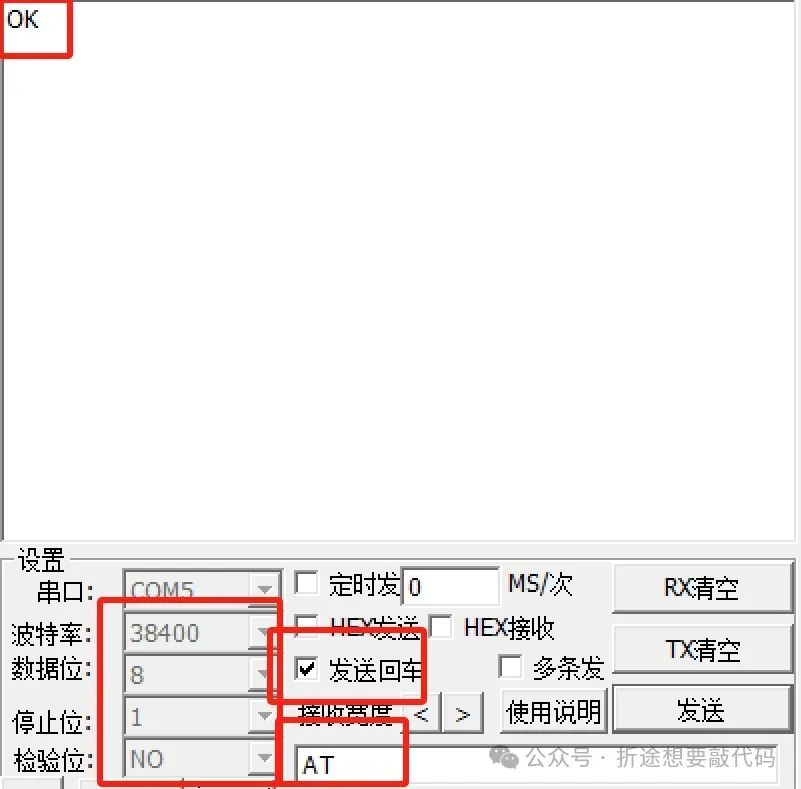
First, we need to clarify the conditions for serial communication. We need to set 8 data bits, 1 stop bit, no parity, and a baud rate of 38400 to communicate with the HC-05. Of course, these configurations can be changed in subsequent AT commands.
Additionally, commands must be sent in text mode with the encoding format set to UTF-8, and each command should end with a newline (‘\r\n’).
It is also important to note that the AT commands for the HC-05 are different from those of the JDY-31. In the JDY-31, if the command has parameters, they need to be enclosed in <>, but the HC-05 does not require <>. You can refer to the examples that follow.
Testing Command

The first test command is simply to send “AT” via the serial port, and we will receive a reply of “OK.” This seemingly meaningless command can be used to test whether we have successfully entered AT command mode (actually, the LED blinking also indicates this).
Then the above image is taken from the manual provided by the seller. The pin 34 refers to the button on the HC-05, and it should be set to “high” once. However, it seems we do not need to operate it; after entering AT command mode, there is no need to touch the button again; just send commands using the serial assistant directly.
Reset Command

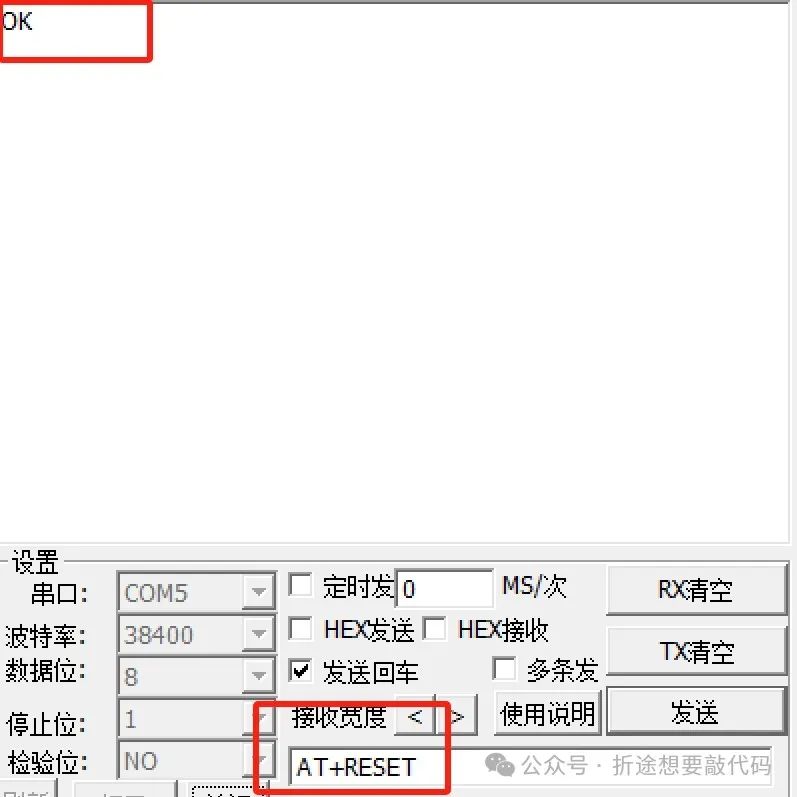
After sending the reset command, the HC-05 enters reset mode. If the button is not pressed, it will default to pairing mode. After success, it replies with “OK.”
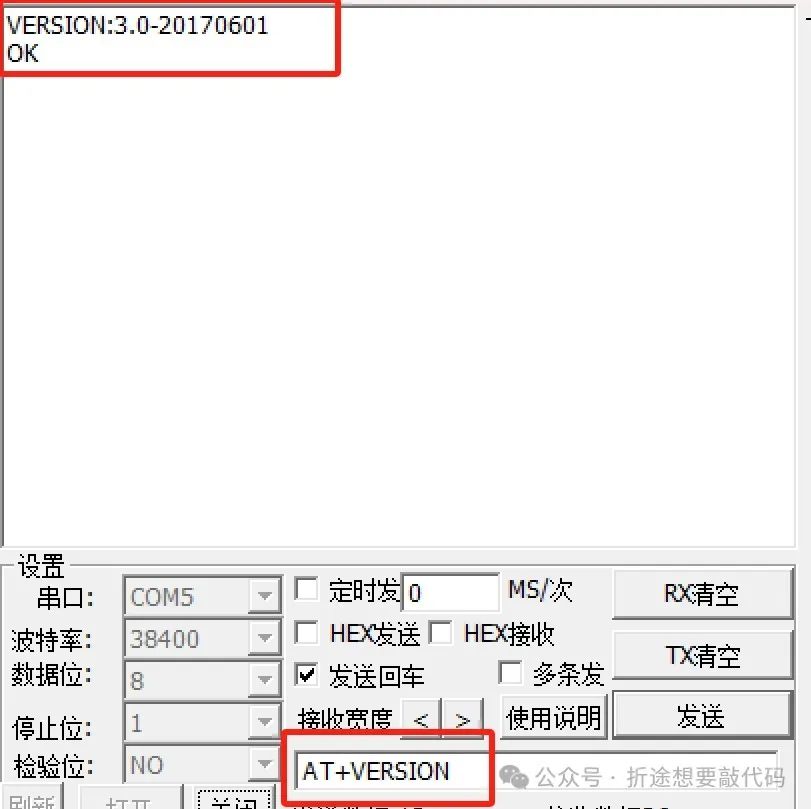
Get Version Number

Through testing, the question mark ‘?’ at the end of the command can be added or omitted. Additionally, the red text in the image can be ignored. After sending the command, the HC-05 will reply with the version number and an “OK.”
Restore Default Settings
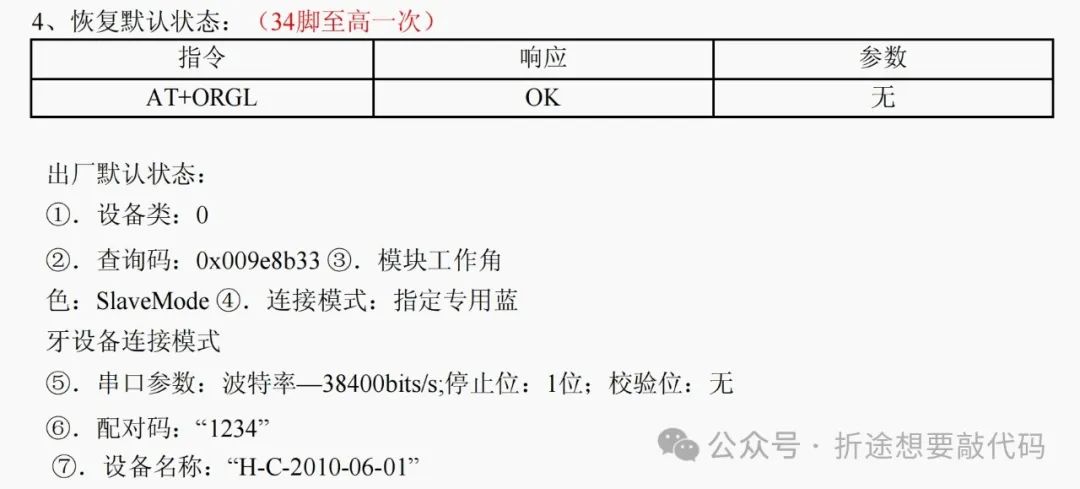
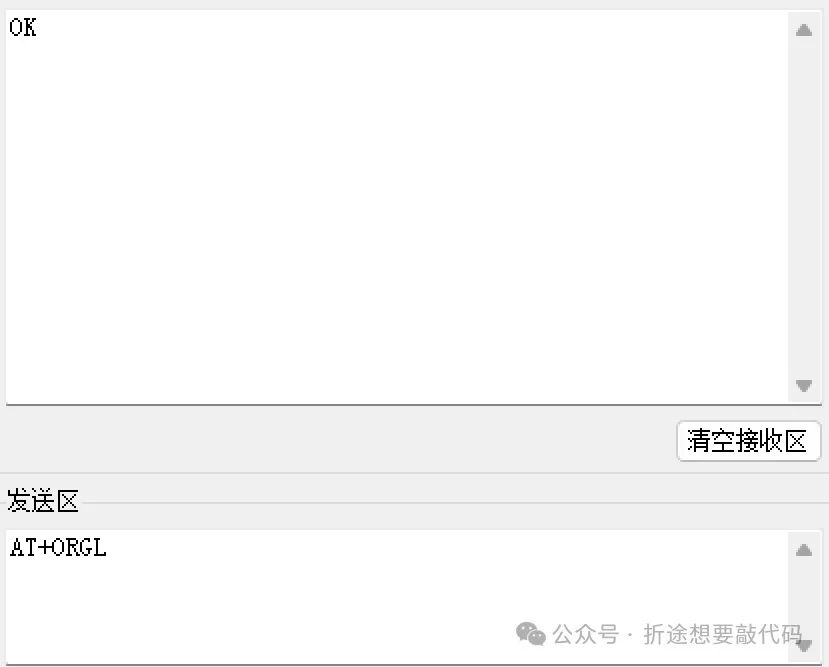
The restored default configuration is shown in the image above. After sending, it seems to automatically reset, or maybe not; anyway, my HC-05 switched from AT command mode to pairing mode.
Moreover, the device name is not as mentioned above “H-C-2010-06-01” but “HC-05.” This may also be because mine is a compatible version of the HC-05; please refer to your own HC-05 for specific situations.
Get Bluetooth Address

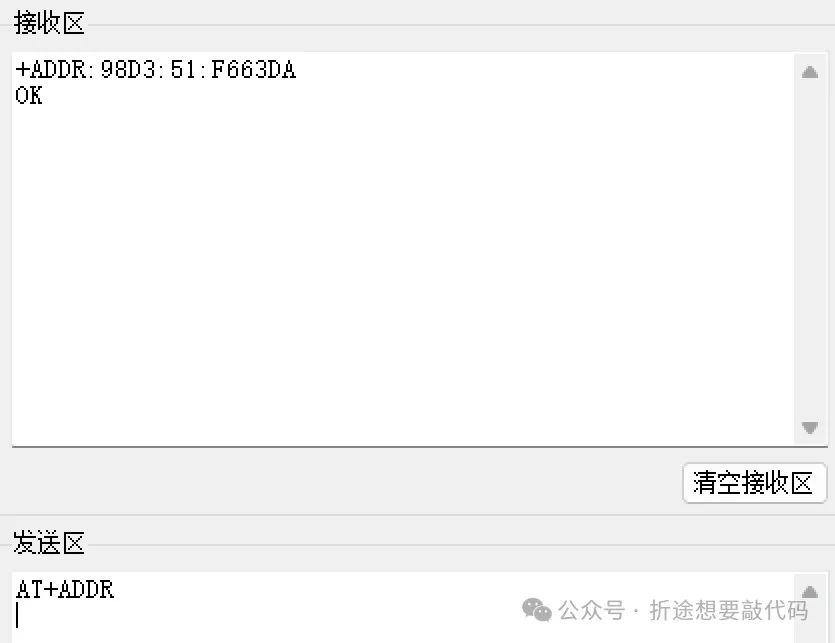
The question mark at the end of the command can also be added or omitted. After sending the command, the HC-05 will reply with the module’s Bluetooth address and an “OK.”
Set/Query Device Name
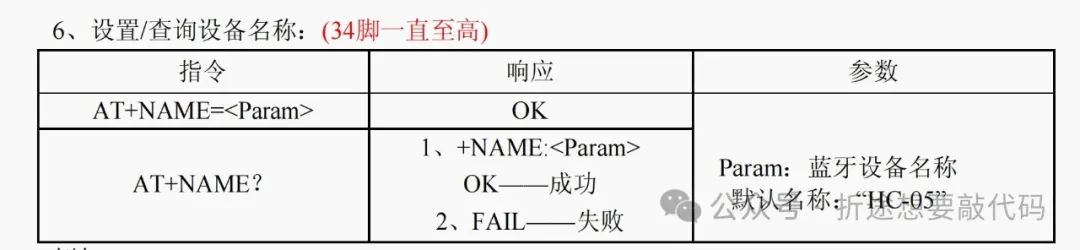
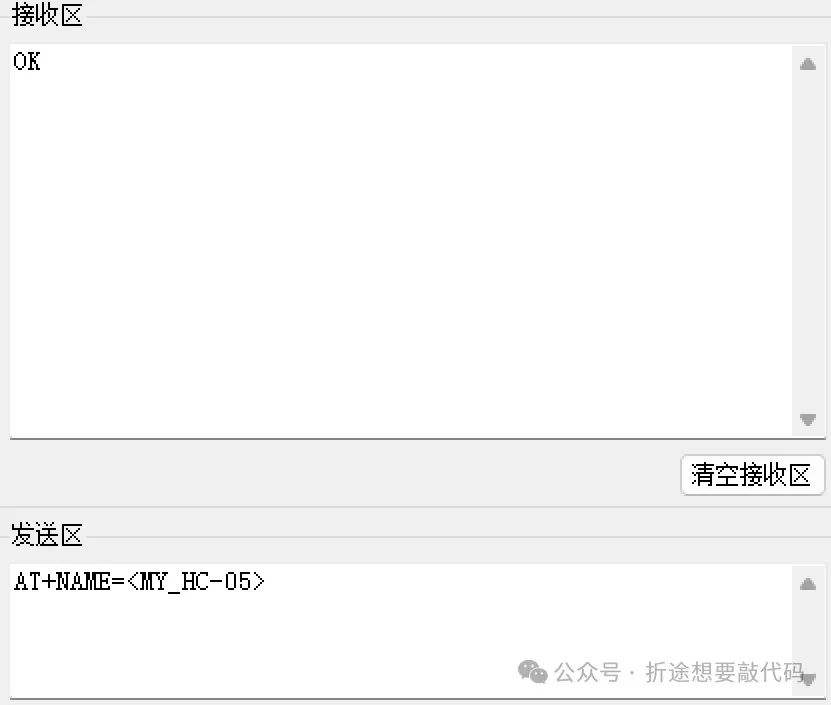
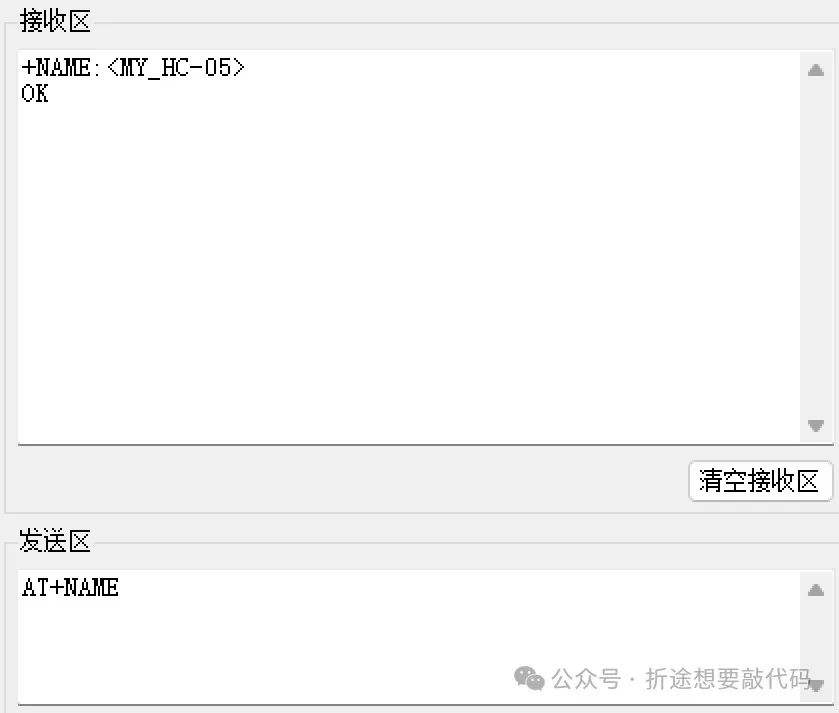
If no parameters are provided, it will reply with the device name and “OK.” If parameters are provided, it will modify the Bluetooth name and reply with “OK.”
Get Remote Bluetooth Device Name
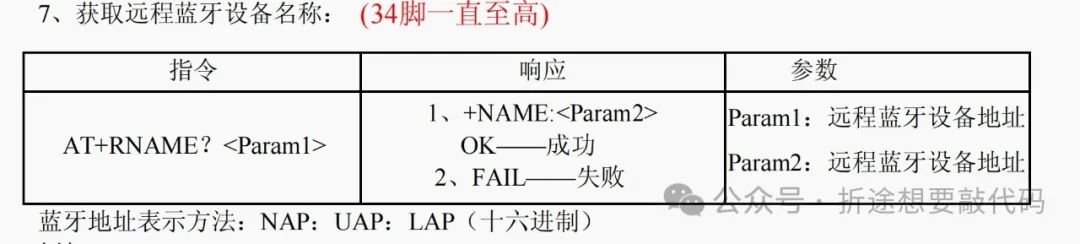
It seems that there is a problem with the representation of the Bluetooth address here; the compatible version seems to need to change the ‘:’ to ‘,’, i.e., change the colon to a comma. Anyway, refer to your own HC-05 and set both cases once.
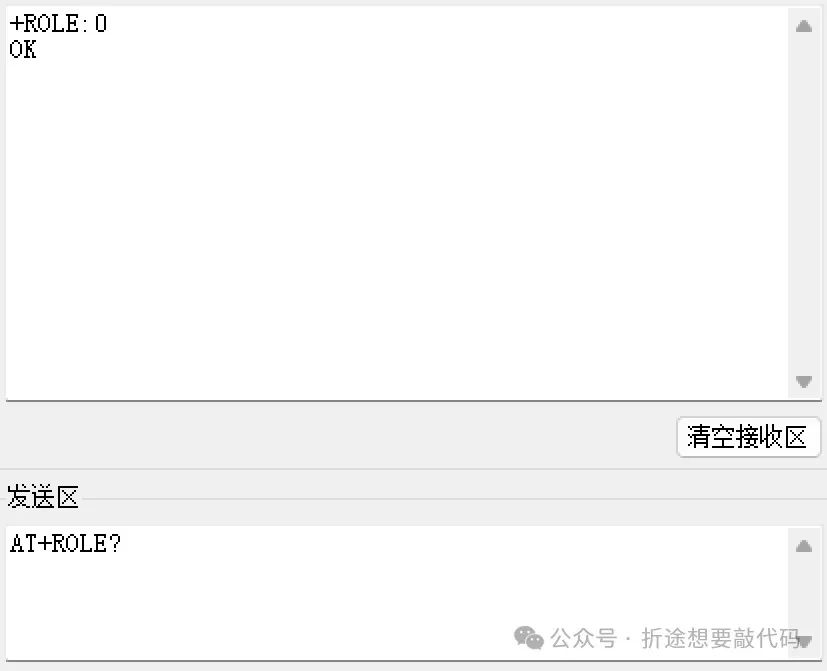
Set/Query – Module Role
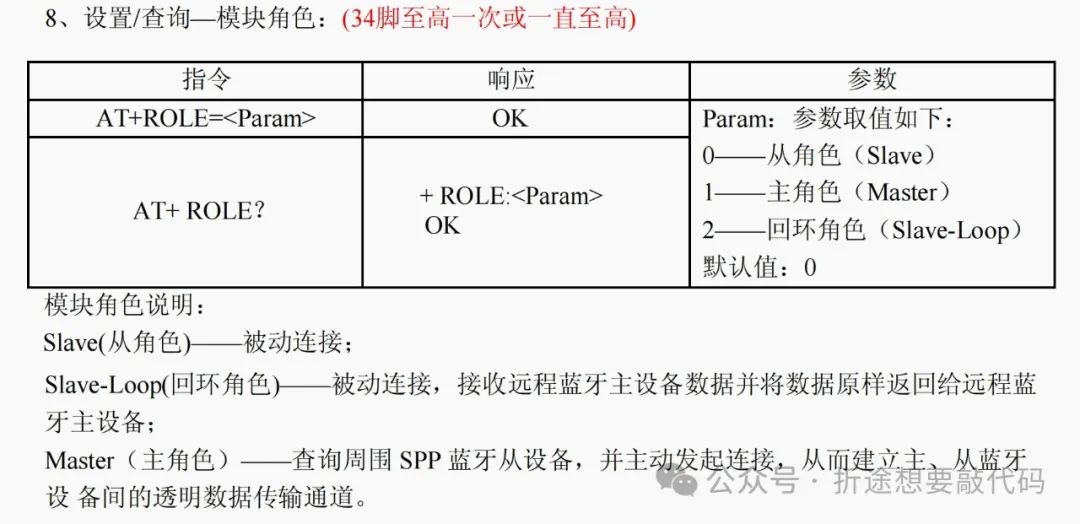
The default role is slave, but we can change it to master.
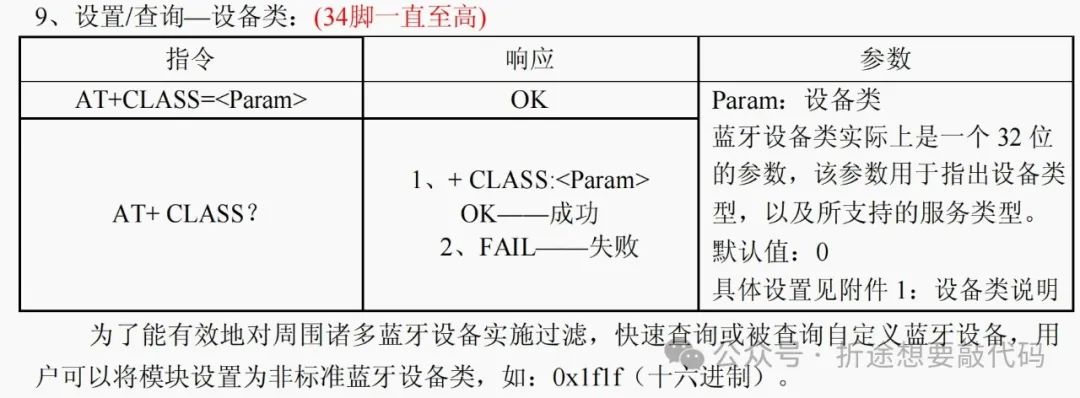
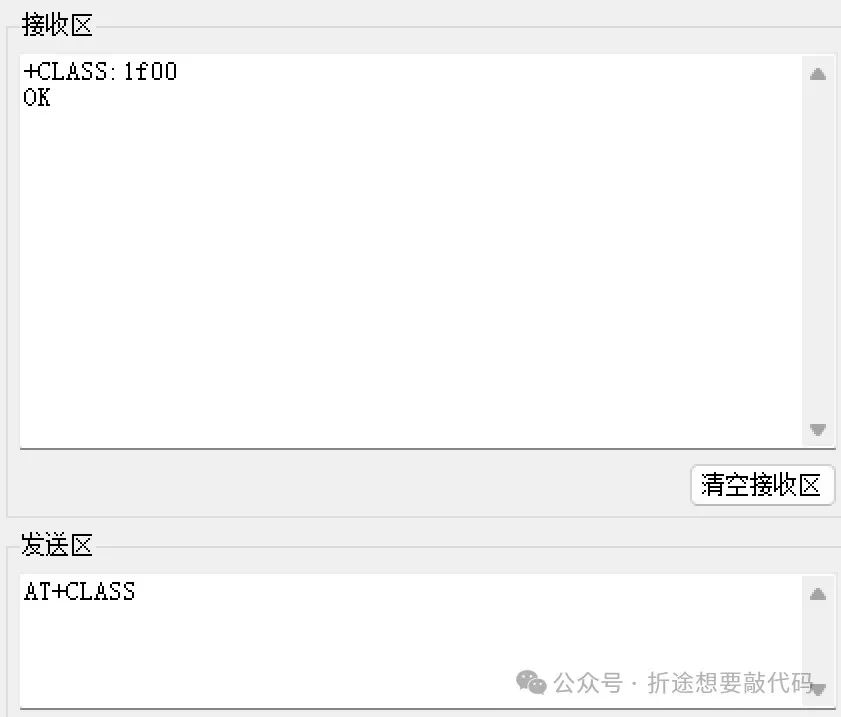
Set/Query – Device Class
Device/Query – Query Access Code
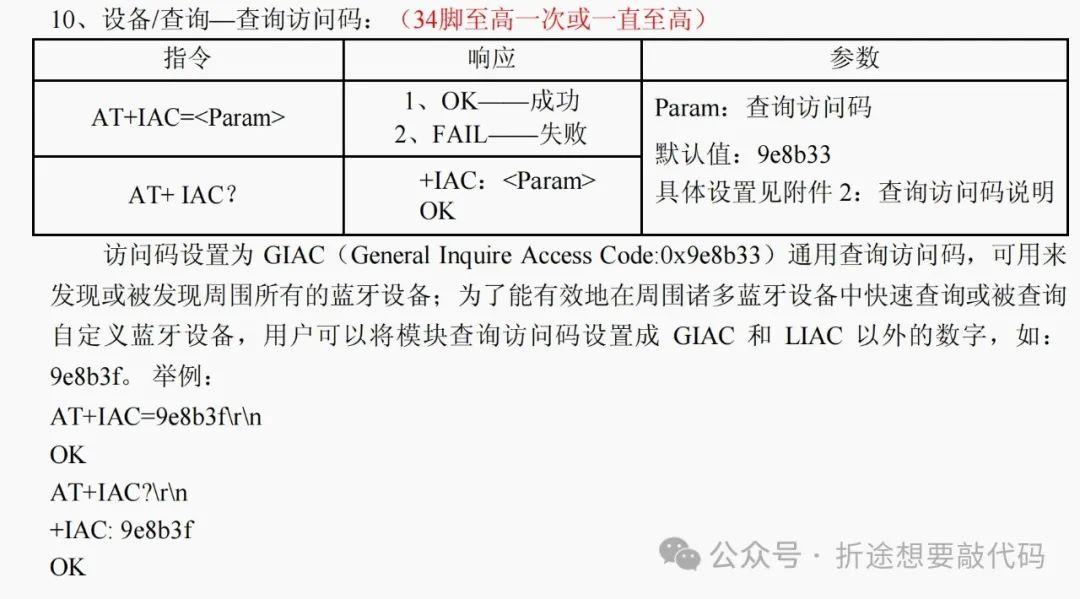
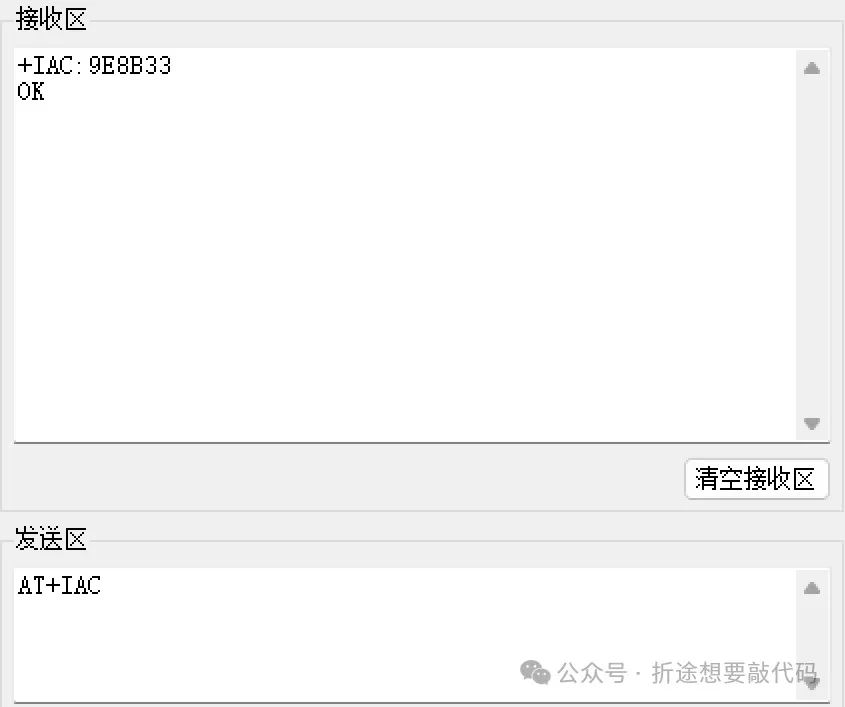
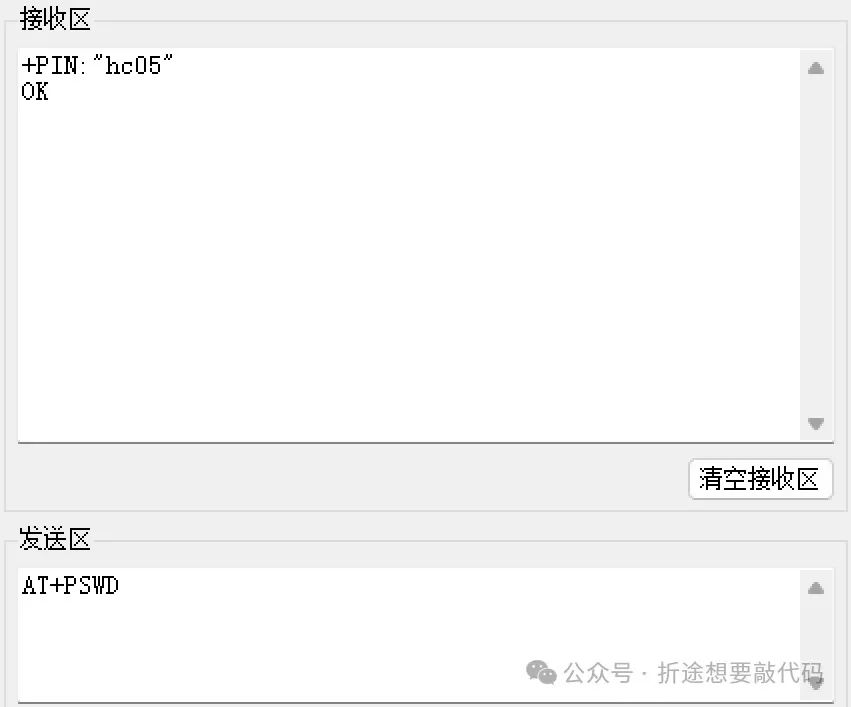
Set/Query – Pairing Code
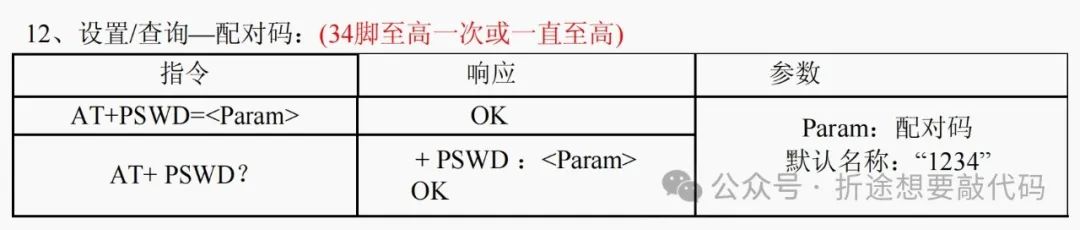
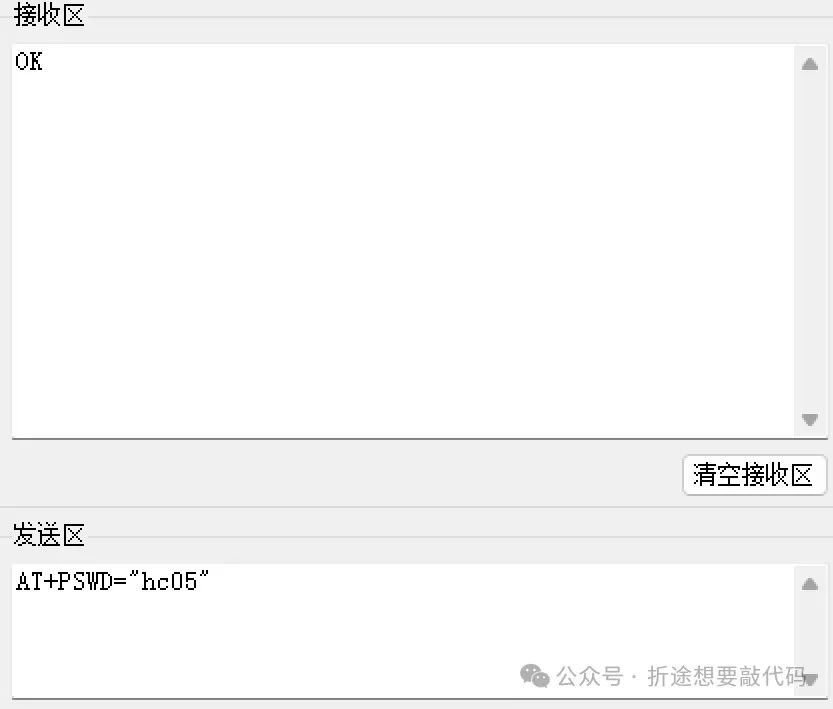
It is important to note that the pairing code (password) must be enclosed in English half-width double quotes.
Set/Query – Serial Parameters
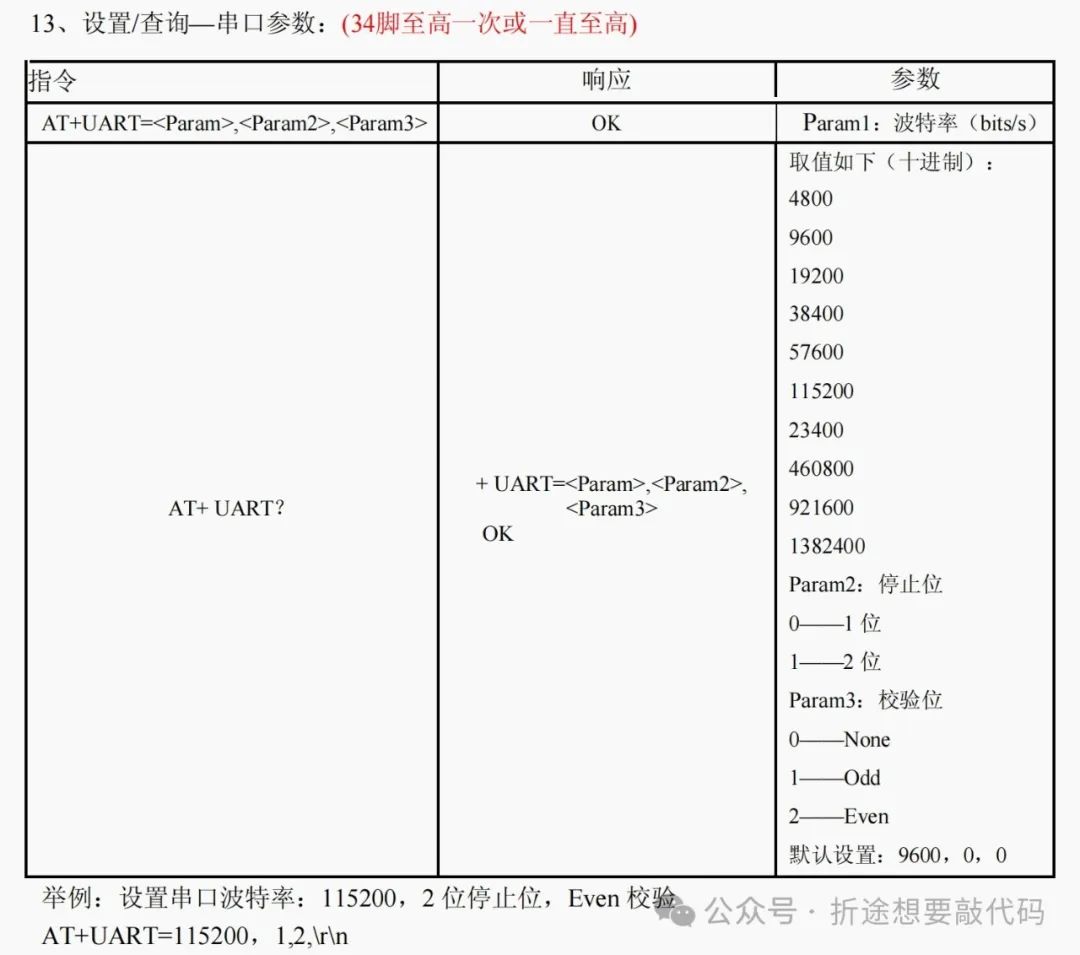
Here, it is different from the JDY-31. The JDY-31 can only set the baud rate, and the baud rate is represented by codes, for example, 4 is 9600.
On the other hand, the HC-05 can set parameters such as baud rate, stop bits, and parity bits, and you can input them directly in decimal.
Set/Query – Connection Mode
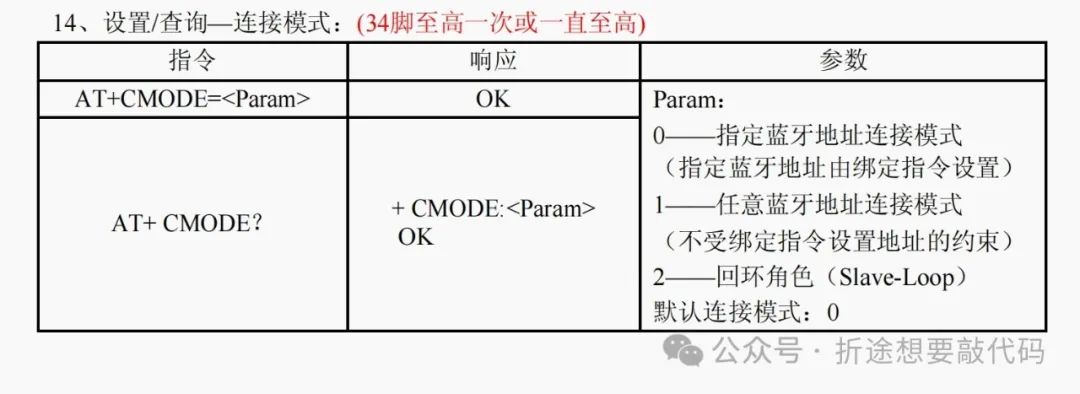
Set/Query – Bind Bluetooth Address
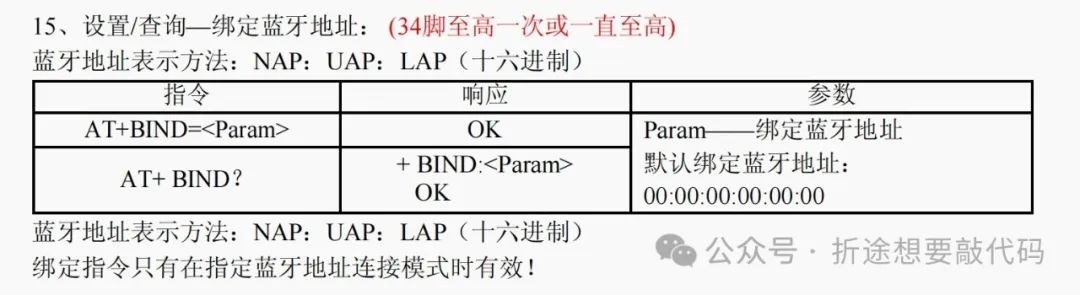
It is still important to note that because I have a compatible version, the address representation may require changing the colon to a comma, but please refer to your HC-05 for accuracy.
Pairing Slave as Master
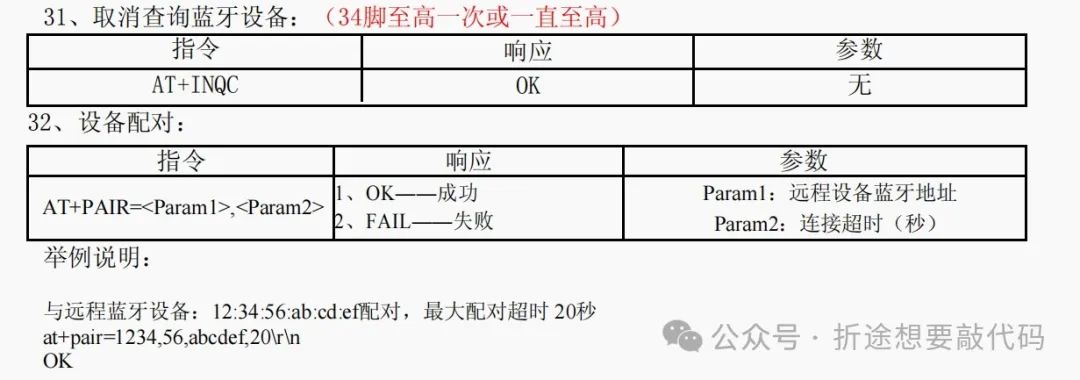
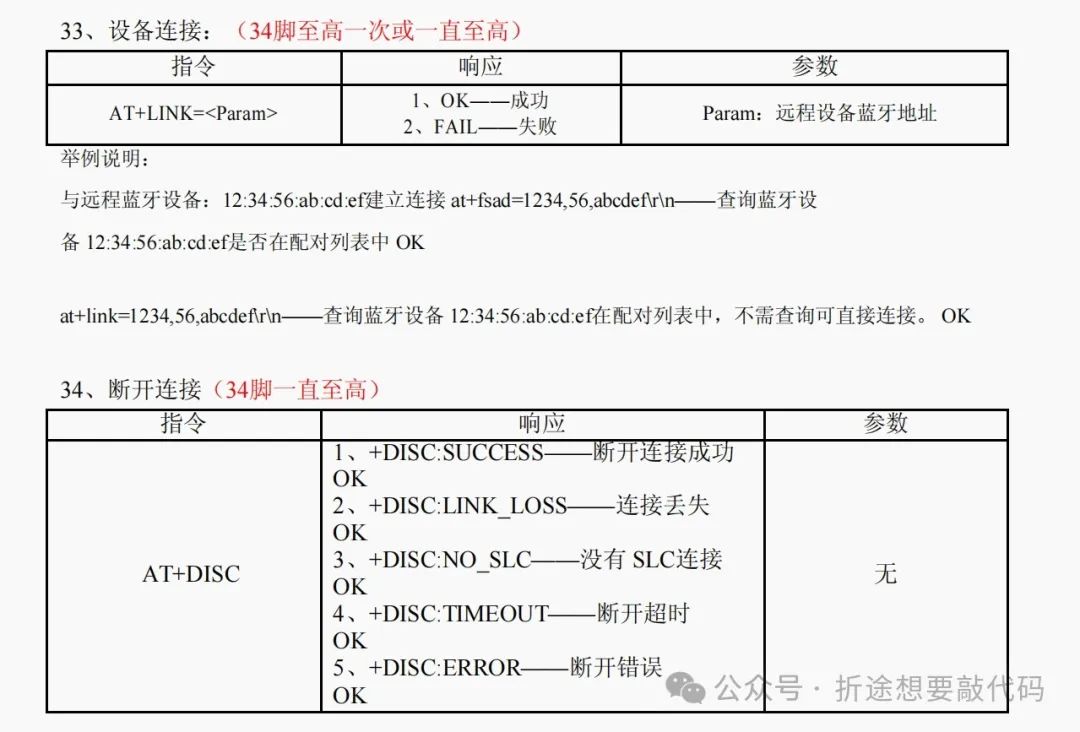
Error Codes
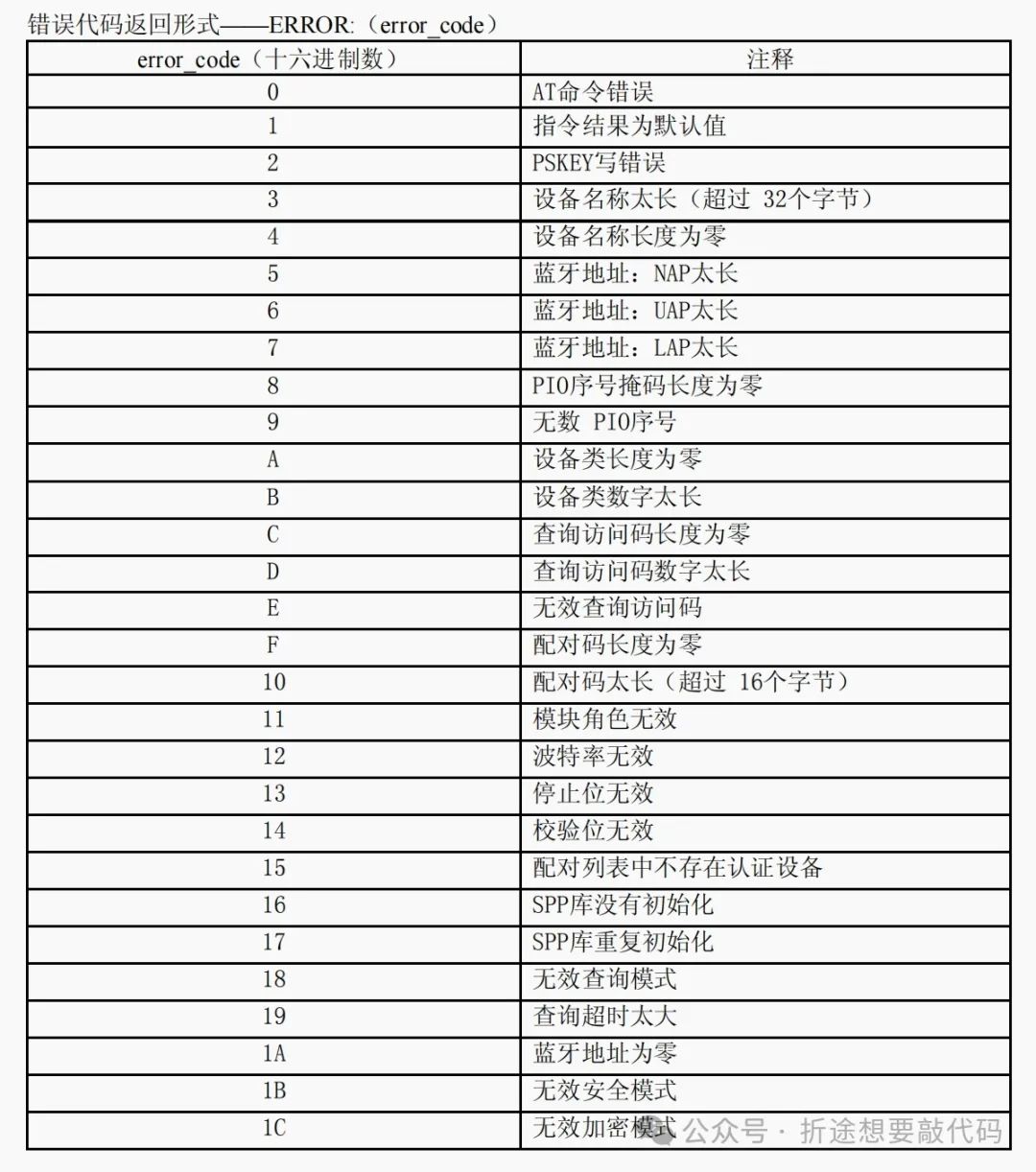
Summary
The above AT commands are what I consider to be the most commonly used. For daily use, these should be sufficient. If you want to see the complete manual, you can find it on the official website or ask the seller directly. You can also follow my WeChat public account “Zhe Tu Wants to Code” and reply with the keyword “Bluetooth” to download relevant materials for the HC-05 and JDY-31 for free, which includes a PC serial assistant and an Android Bluetooth assistant.