
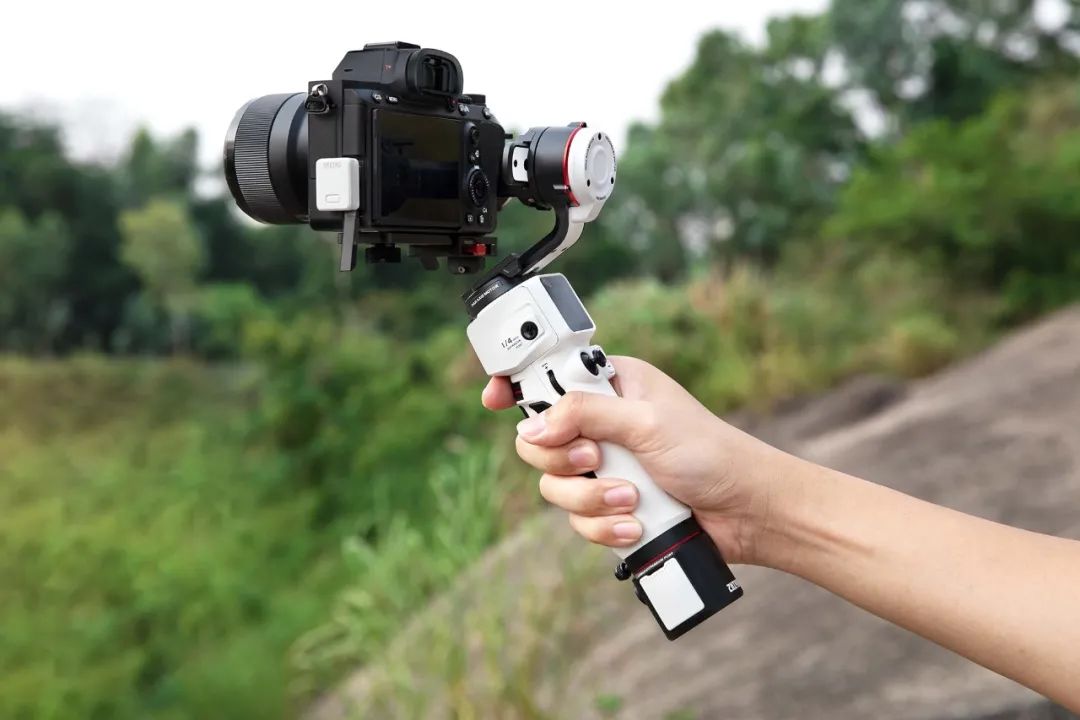
 The Linjia M3, which combines strength and aesthetics, has received widespread acclaim since its launch. The long-awaited companion, the Linjia M3 Bluetooth Control Module (hereinafter referred to as “Bluetooth Control Module”), is now officially online!When paired with the Wireless Bluetooth Transmitter Module, the Bluetooth Control Module enables wireless control of mainstream camera functions, allowing direct control of shooting and recording, as well as parameter adjustments through the Linjia M3 handle buttons, making it easy to manage every shooting detail and improving shooting efficiency.With its simple and elegant appearance, compact size, say goodbye to tangled camera wires, and enjoy a fresher and freer creative space!01
Understanding the Linjia M3 Bluetooth Control Module
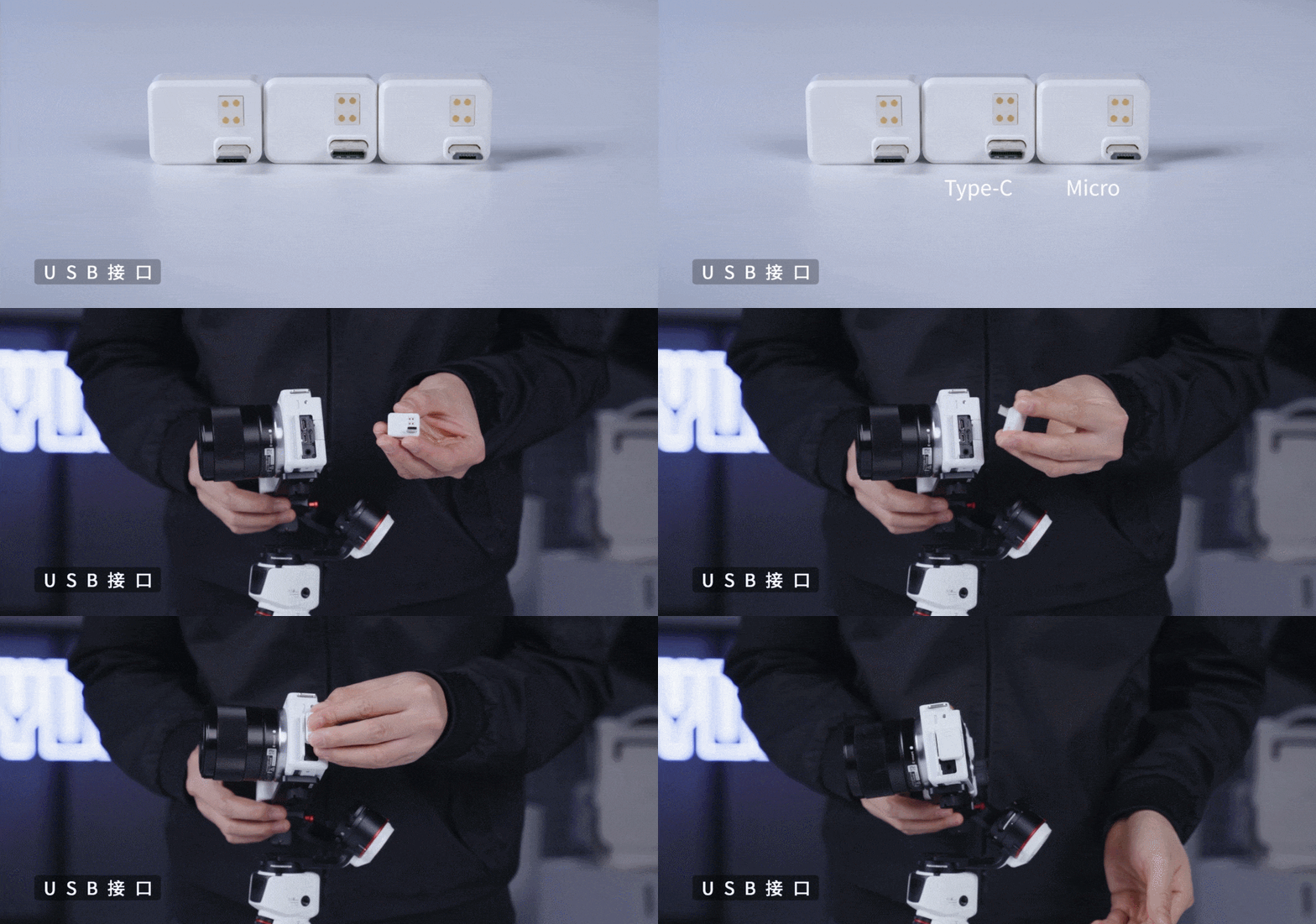
The Linjia M3 Bluetooth Control Module is specifically designed for the Linjia M3. By installing the Bluetooth Control Module into the camera’s USB port and connecting it to the Linjia M3, you can wirelessly control the camera using the handle buttons.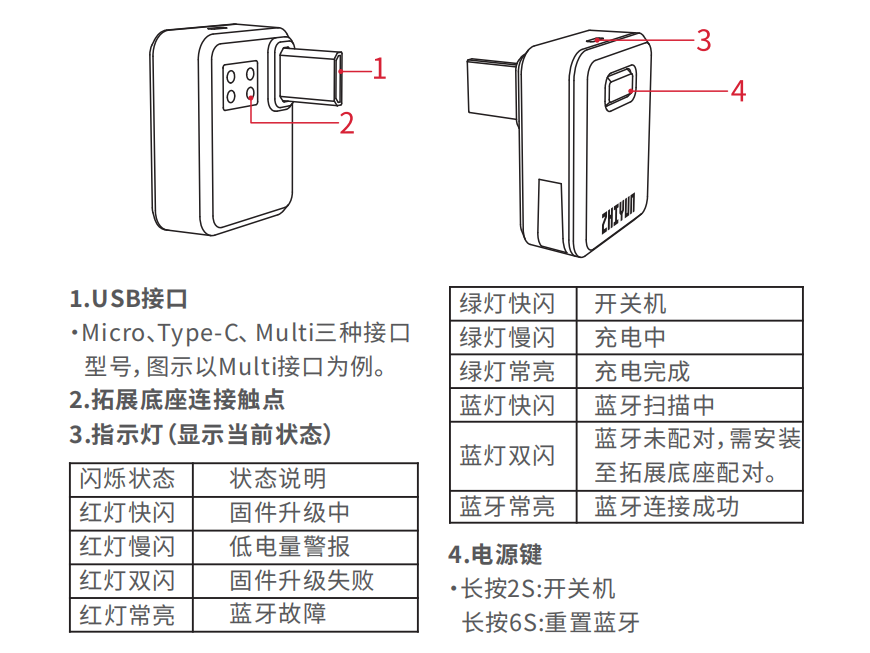 USB Interface>> Depending on the camera’s USB port model, the Bluetooth Control Module is available in three USB port types: Micro, Type-C, and Multi. You can choose the corresponding Bluetooth Control Module based on your camera model. For specific supported camera models, please visit the official ZHIYUN website at www.zhiyun-tech.com to view the “Linjia M3 Camera Compatibility List” for the latest information.
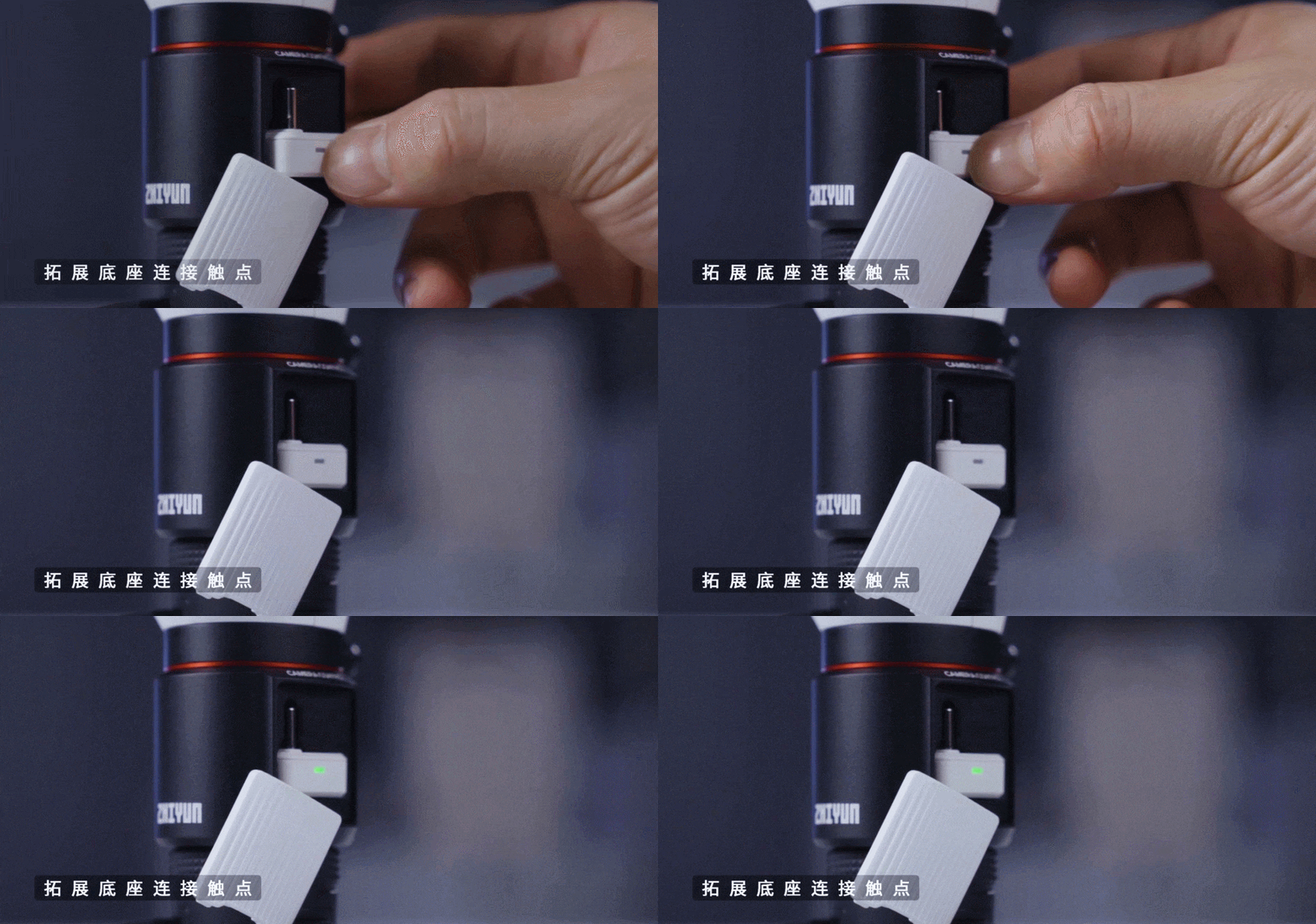
 Expansion Base Connection Points>> When installing the Bluetooth Control Module onto the expansion base, ensure that it corresponds to the upper and lower connection points.
 Indicator Light>> Displays the current status of the Bluetooth Control Module.
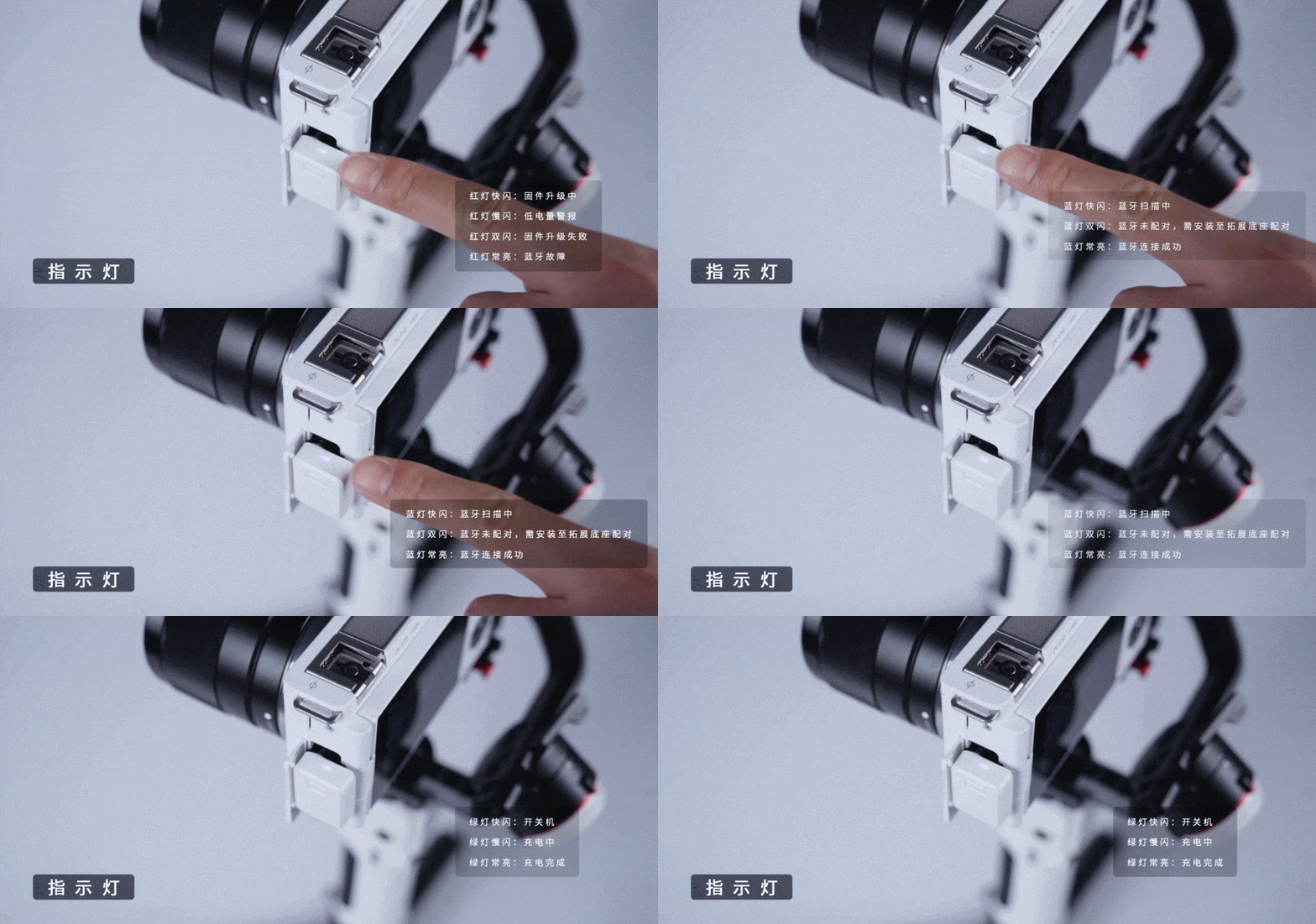 Power Button>> Long press for 2 seconds to turn on/off, long press for 6 seconds to reset Bluetooth.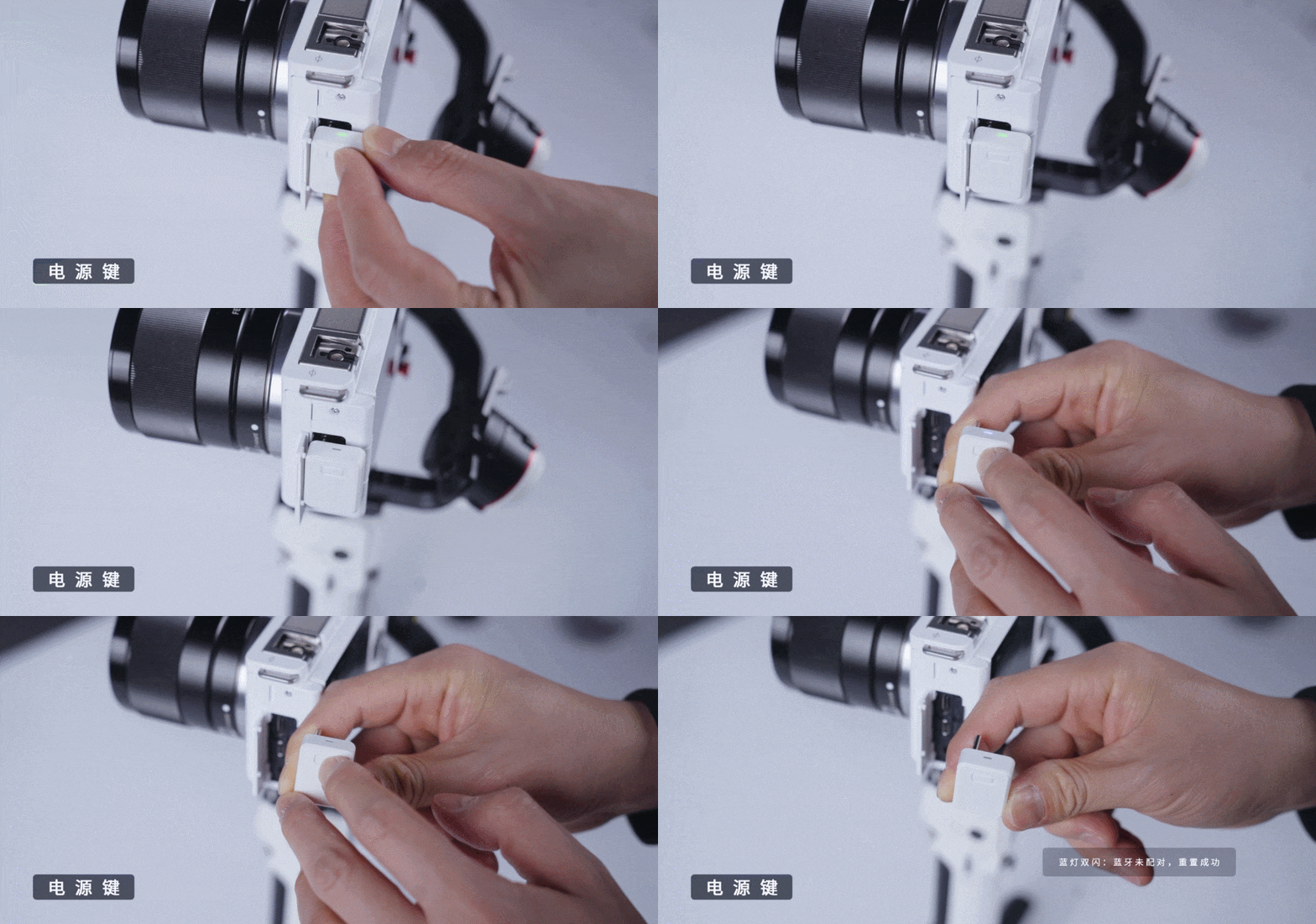
02
Understanding the Linjia M3 Expansion Base
The Linjia M3 Expansion Base (hereinafter referred to as “Expansion Base”) can be installed at the bottom of the Linjia M3 handle to charge the Bluetooth Control Module, store it, pair Bluetooth, and upgrade firmware. The expansion base also features a 6.5mm audio input port, which can be connected to the Linjia interview microphone, meeting high-quality audio recording needs for news interviews, video recordings, and other scenarios.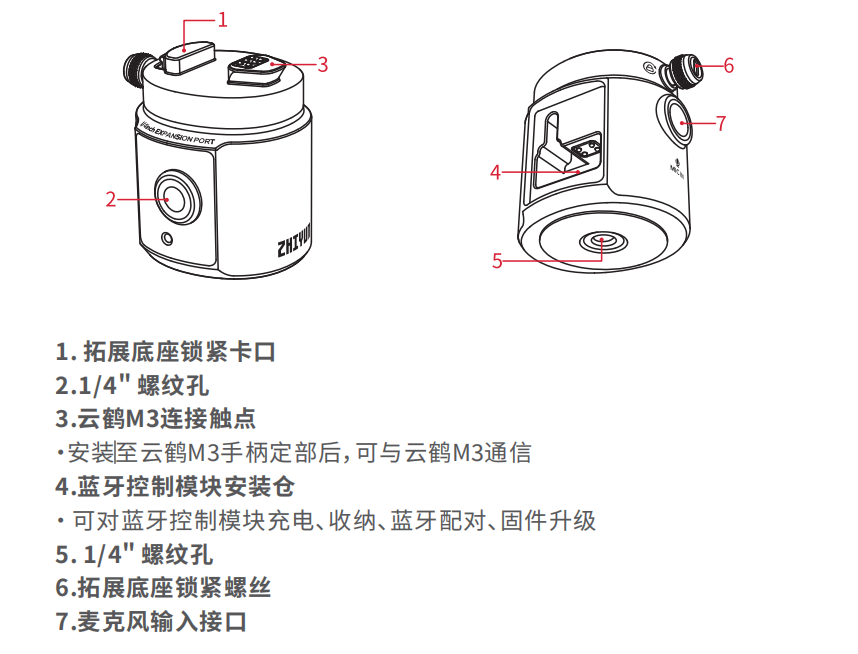
03
Battery and Charging Instructions
The Bluetooth Control Module uses a built-in battery. Before first use, please fully charge the Bluetooth Control Module to activate the battery to ensure smooth operation of the product.Charging Method>> Install the Bluetooth Control Module into the Expansion Base, then connect the Expansion Base to the Linjia M3 handle. Once the Linjia M3 is powered on, charging will begin. During charging, the Bluetooth Control Module’s green light will flash slowly, and when the green light is solid, it indicates that charging is complete.It is recommended to fully charge the device before each use; low battery levels may affect device performance.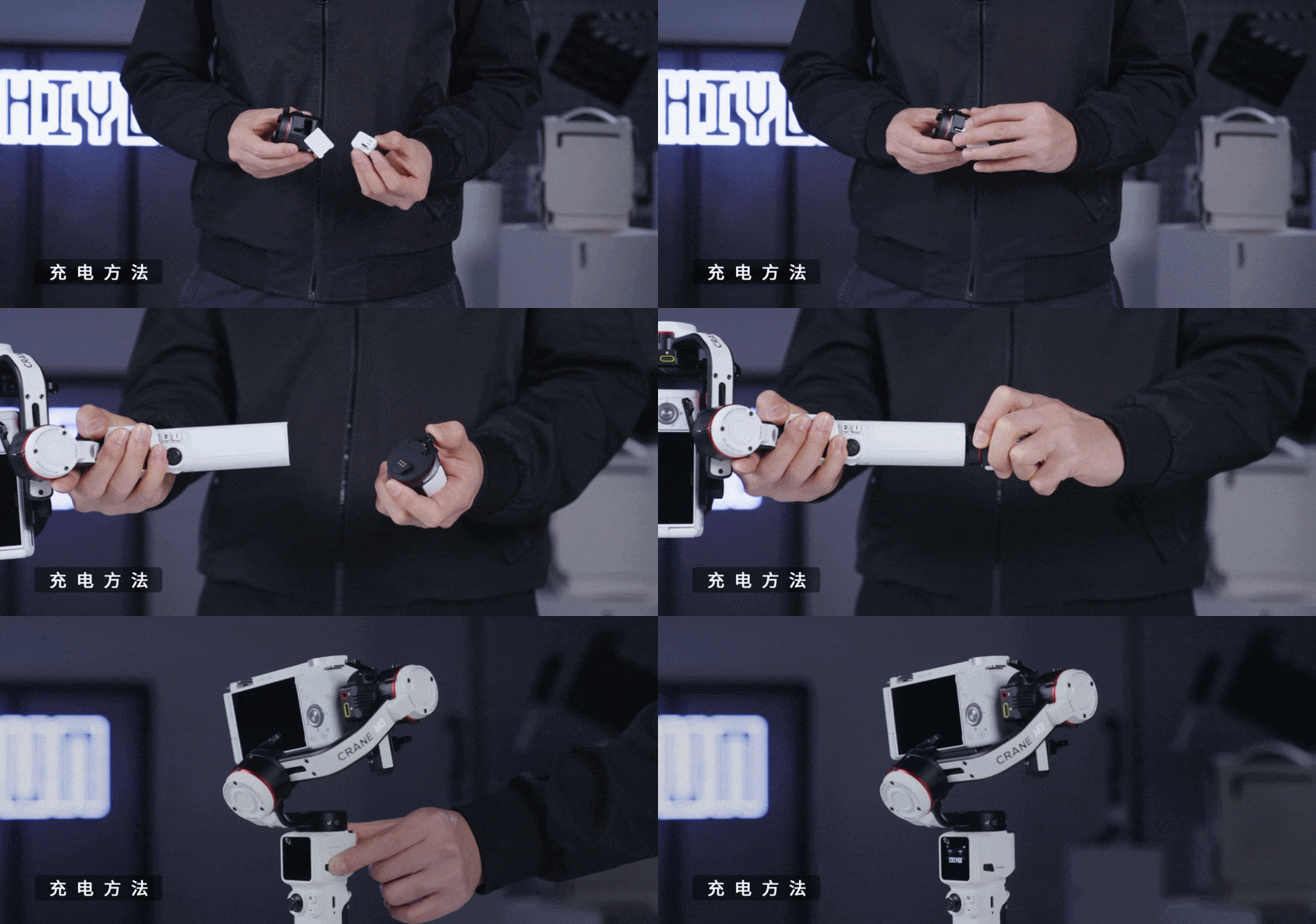
04
Bluetooth Pairing
When the Bluetooth Control Module connects to the Linjia M3 for the first time, Bluetooth pairing is required. Additionally, the Bluetooth module cannot be directly installed into the camera’s USB port during the first use; subsequent uses with the same camera can be directly installed.Pairing Method>> Install the Bluetooth Control Module into the Expansion Base and attach it to the bottom of the Linjia M3 handle. Turn on the Linjia M3 and wait about 3 seconds for automatic pairing to succeed.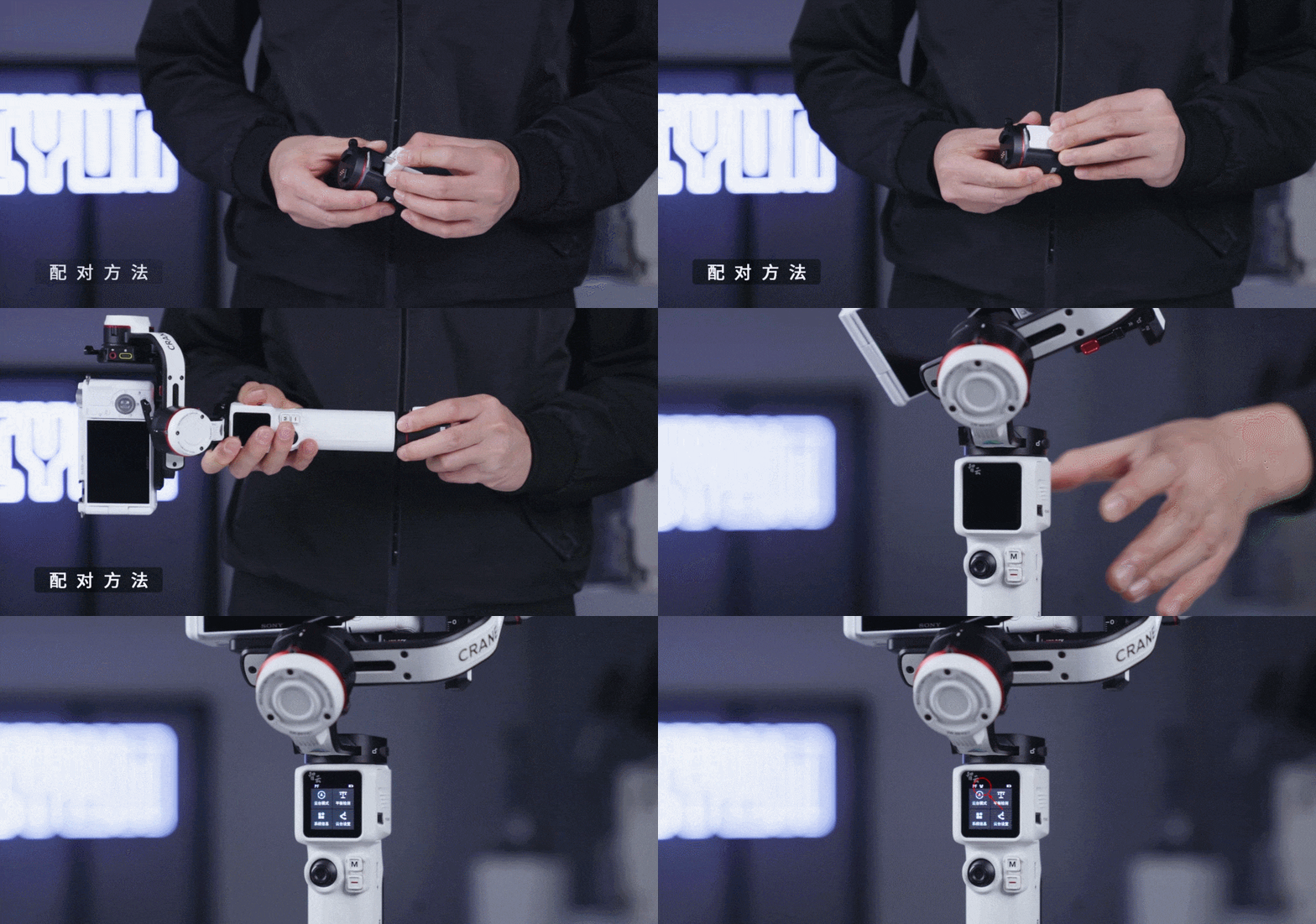
05
Firmware Upgrade
Firmware Upgrade>> Place the Bluetooth Control Module into the Expansion Base and attach it to the bottom of the Linjia M3 handle. Turn on the Linjia M3, and if there is a firmware update, the Bluetooth module will automatically enter upgrade mode. You can check the current upgrade status based on the prompts on the Linjia M3 display.Note: Before use, ensure that the Linjia M3 firmware is upgraded to version CR119 Firmware V1.75 or higher to enable the Bluetooth module functionality.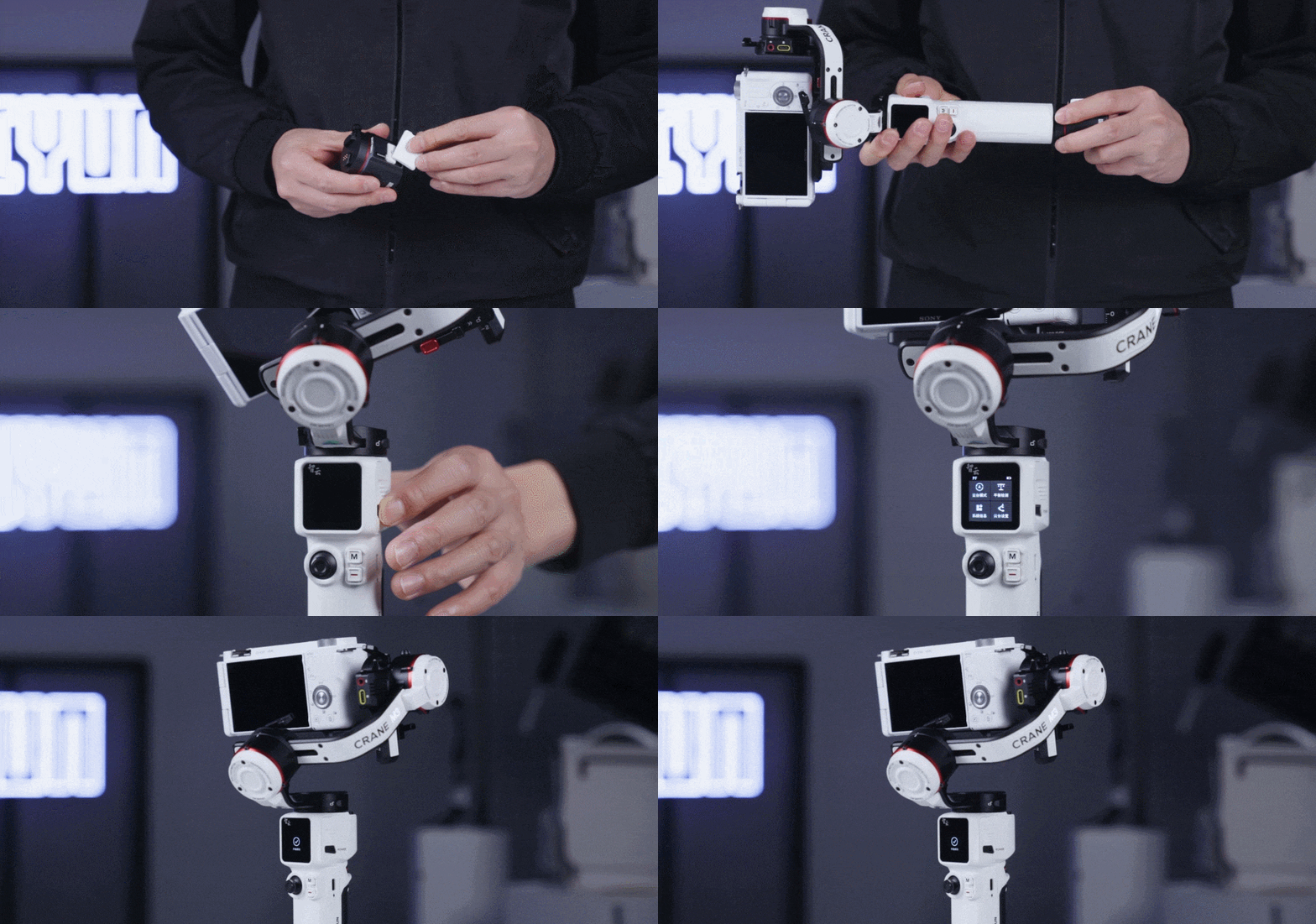
06
Installation Usage Order
Step One>> Install the corresponding Bluetooth Control Module into the camera’s USB port based on the camera’s USB port model.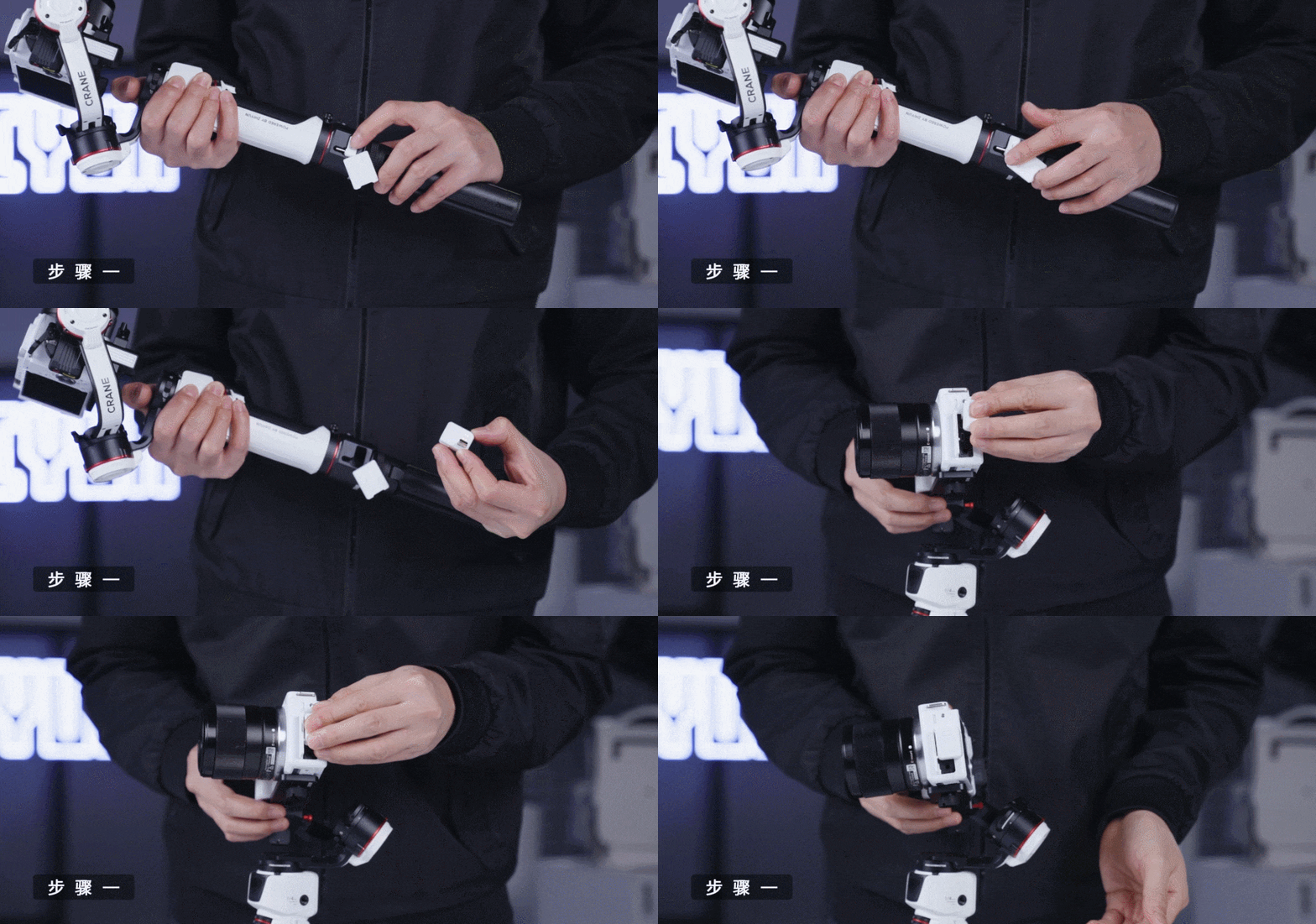 Step Two>> Power on the Linjia M3 and the Bluetooth Control Module. After completing the initial Bluetooth pairing, the Bluetooth Control Module will automatically search for the Linjia M3’s Bluetooth connection. At this point, the indicator light will flash blue quickly, and when the Bluetooth connection is successful, the indicator light will remain solid blue.
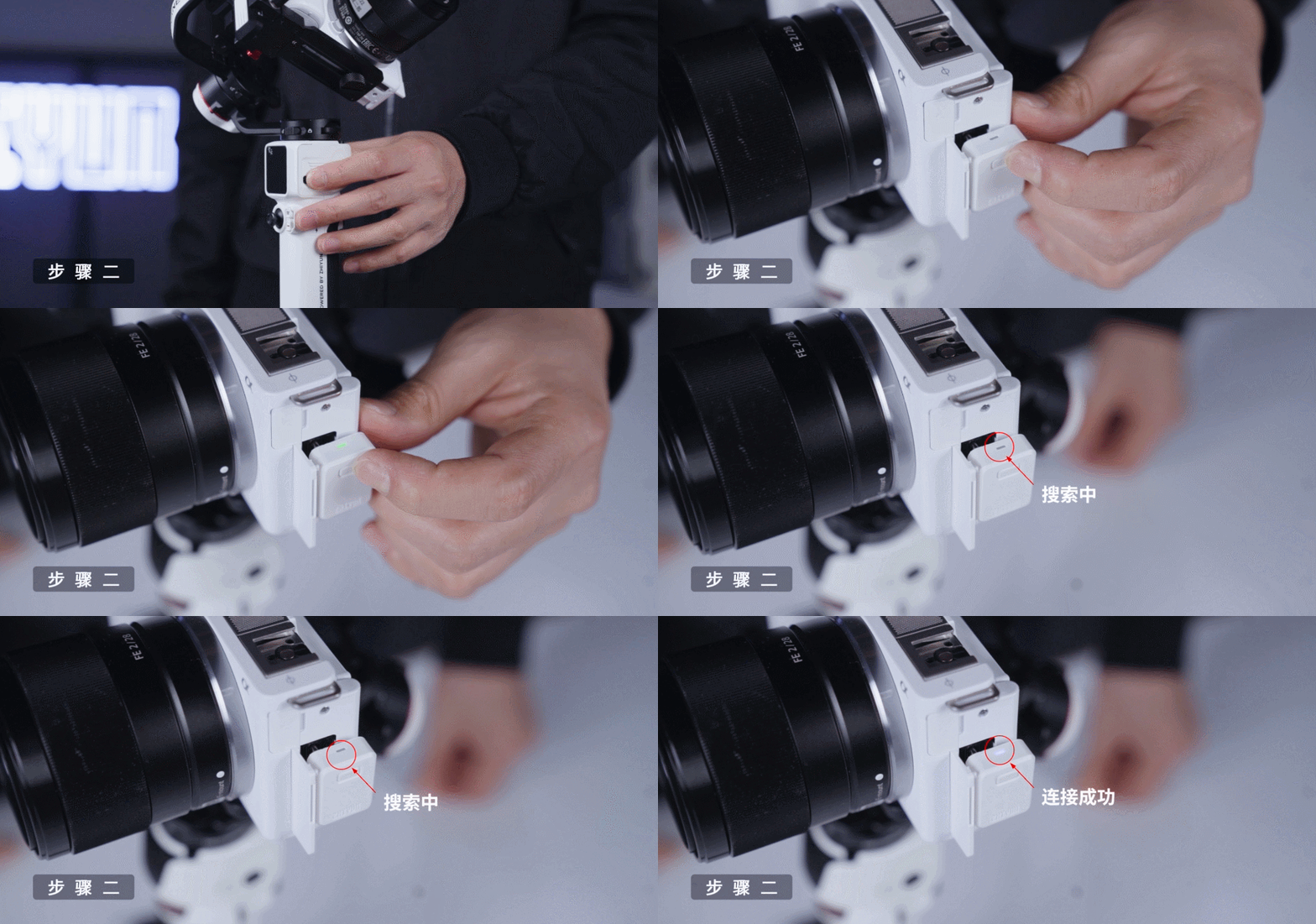 Step Three>> After the Bluetooth connection is successful, you can control the camera to take photos/videos using the recording button on the Linjia M3. You can set the wheel-related functions in the Linjia M3’s touch screen menu (“Gimbal Settings” – “Wheel Function”) and adjust the camera parameters by turning the wheel.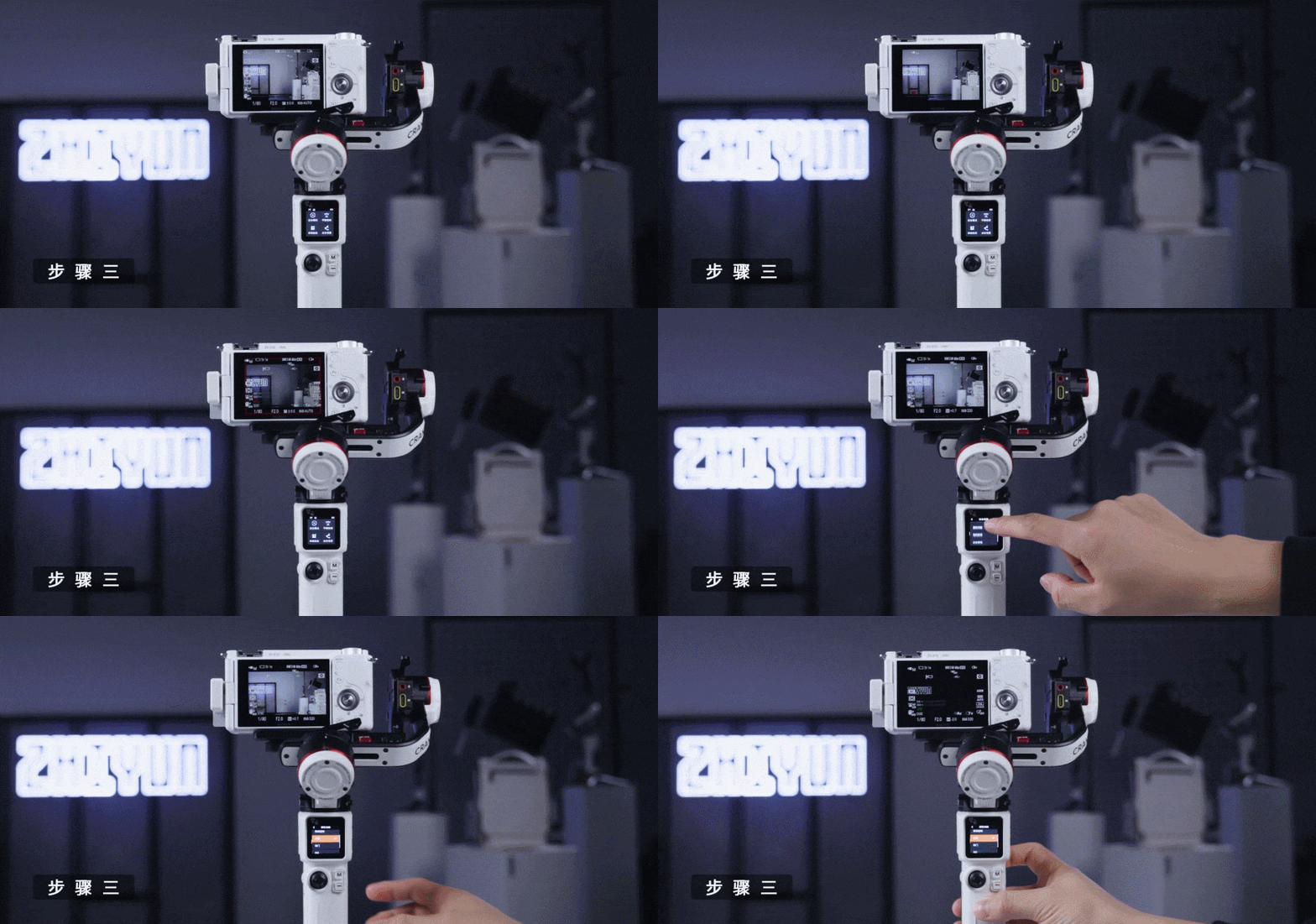
07
Video Tutorial
This concludes the tutorial on using the Linjia M3 Bluetooth Control Module. If you have any additional questions or information you would like to know, feel free to leave a message and communicate with us!