Follow and star our public account to not miss exciting content.
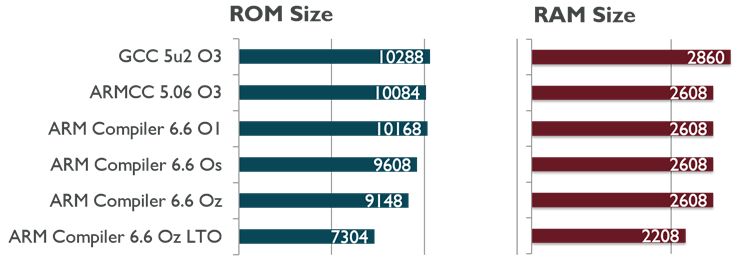
There are many reasons to store variables and arrays (such as tables or functions) at specific addresses.
A checksum may need to be located at a specific address, and functions may need to be placed at specific memory locations. Depending on the compiler used, specific memory areas can be set.
This question was raised by readers after sharing the previous article “STM32 Development Tools: Explanation of STM Studio Debugging and Diagnostic Tools“.
I need to find a variable at a fixed memory address. How can I do this using C source code?
1. Review of STMStudio
After sharing the STMStudio article, many friends showed interest in this tool and quickly installed and used it.
Here is a brief overview of the content related to this article: variables.
STMStudio can manage four types of variables:
• Absolute variables identified by physical storage addresses.
• Statistical variables that can calculate the minimum, maximum, average, and standard deviation of absolute variables.
• Expression variables are the results of mathematical expressions. Expressions are combinations of absolute or statistical variables with mathematical operators (+, -, *, /…), for example: (Variable1 + Variable2) * Variable3. Note that expression variables are evaluated after statistical variables, so it is impossible to calculate the statistical value of an expression.
• Plugin variables containing user-configurable information.
(To save time, the sentences are translated using Youdao. Please refer to the original text for understanding.)
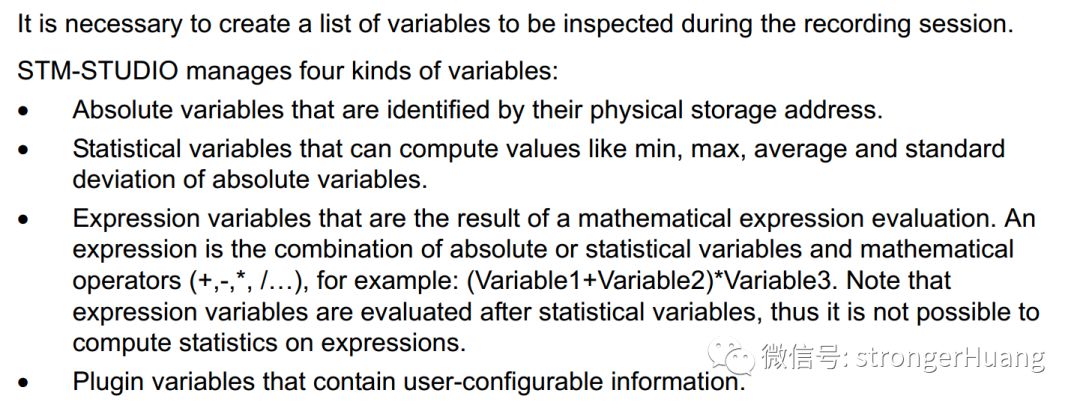
It can be seen that local variables are not supported.
J-Scope
This STMStudio tool is similar to J-Scope and can also view variables and waveforms:
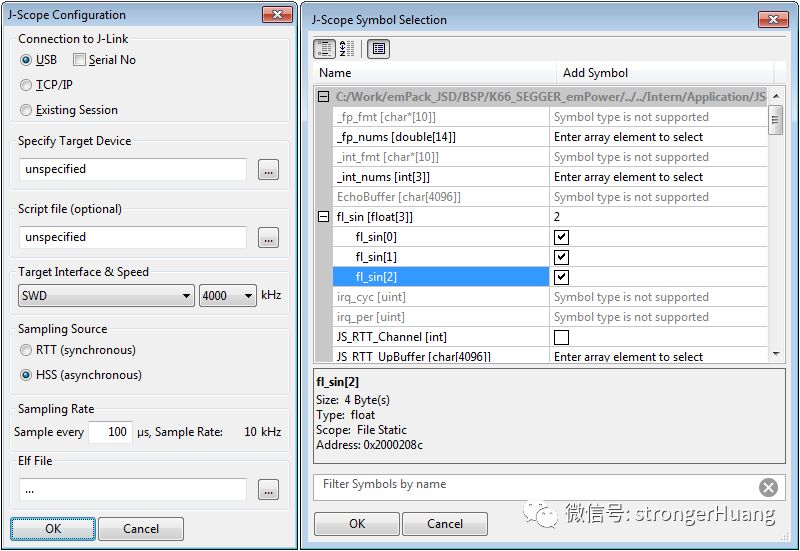
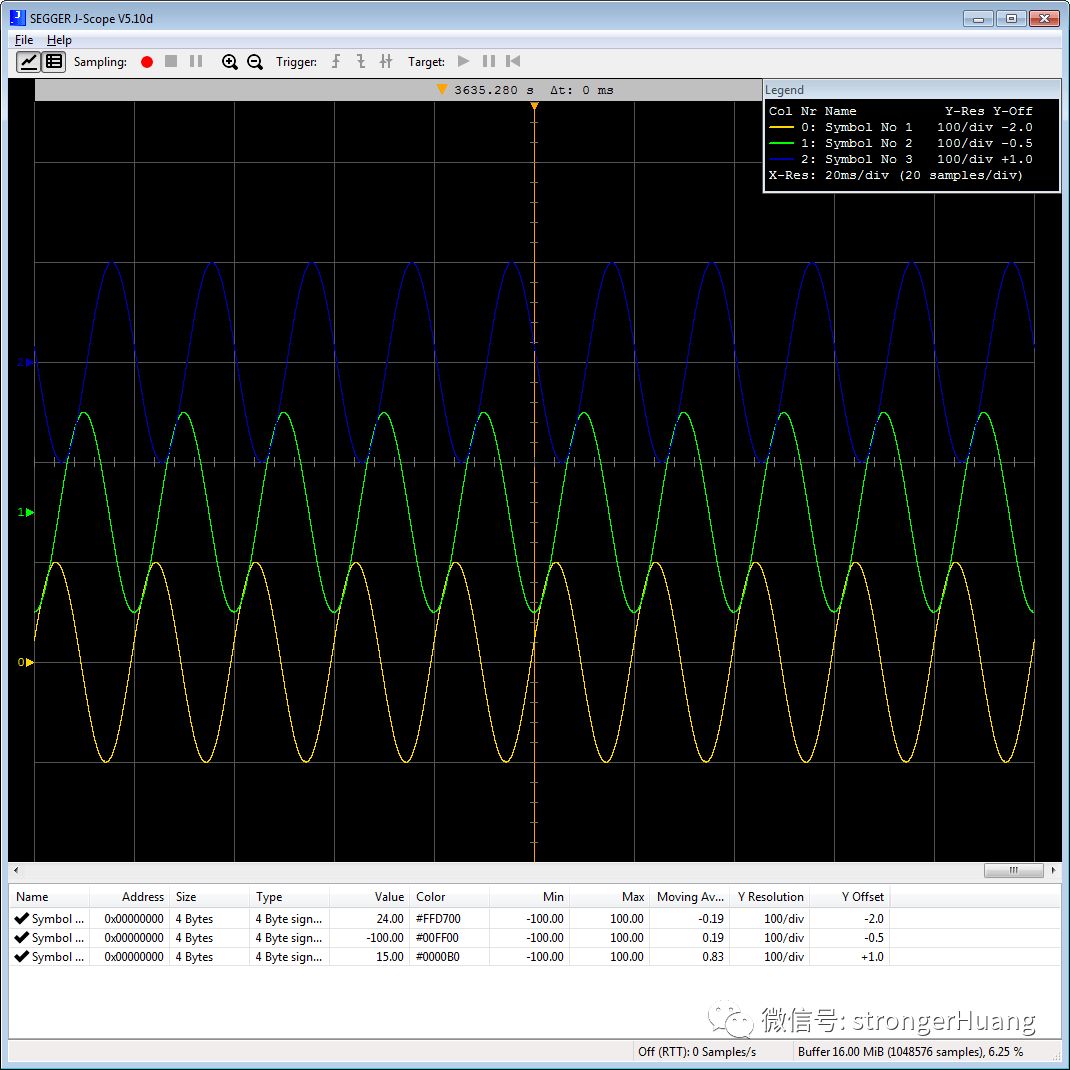
J-Scope is also a good tool; everyone can download and try it:
https://www.segger.com/products/debug-probes/j-link/tools/j-scope
2. Return to the Topic
How to Store Variables at Specific Memory Addresses?
Different compilers have different methods. Here, I will mainly discuss methods based on MDK for AC5 and AC6 compilation.
Considering the STM32F103ZE, it has 64K (0x10000) of memory.
1. For AC5 (ARMCC Compiler version 5.x)
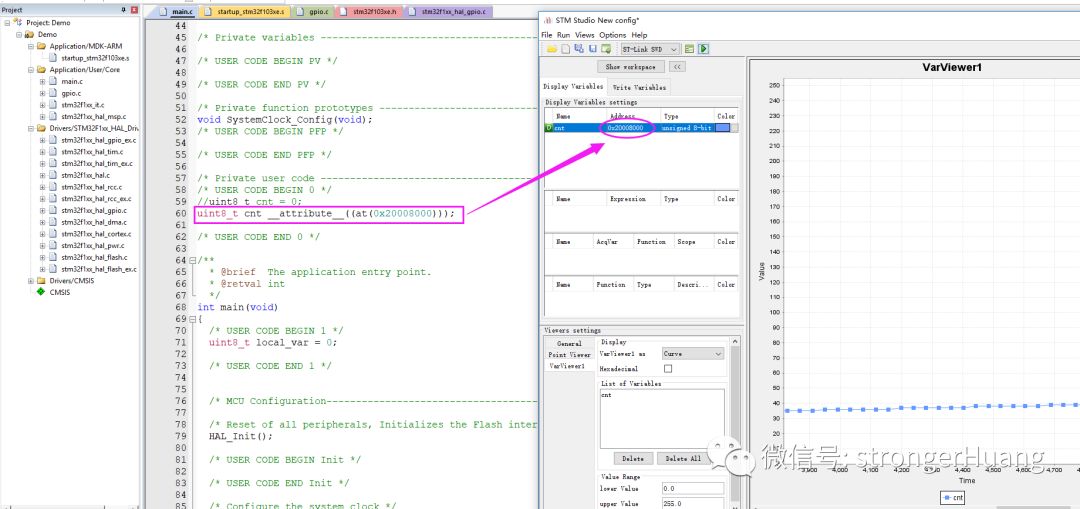
Define a variable cnt at the specified memory address: 0x20008000
uint8_t cnt __attribute__((at(0x20008000)));2. For AC6 (ARM Compiler 6, also known as ARMCLANG)
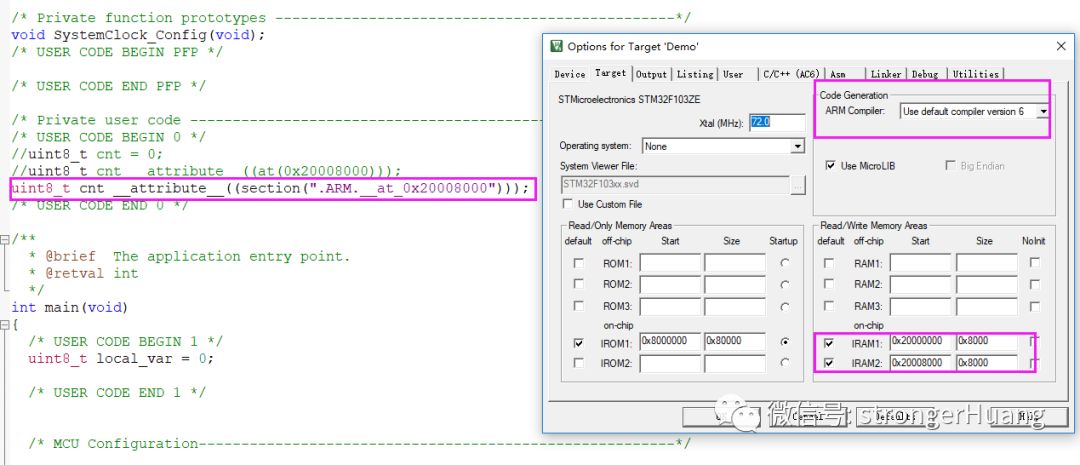
Define a variable cnt at the specified memory address: 0x20008000
uint8_t cnt __attribute__((section(".ARM.__at_0x20008000")));This section is segmented:
By specifying the memory address, you can use STMStudio to view the variable at the specified address:
That’s all for now, hope this helps everyone.
Recommended Reading:
1.What Bugs Have Been Fixed in STM32CubeIDE V1.0.1?
2. ARM Launches a Safety System for Cortex-M Processors: Arm FuSa RTS
My Zhihu: strongerHuang
My Website: www.strongerhuang.com
Follow the public account ‘strongerHuang’ for more exciting content in the bottom menu!

Long press to recognize the QR code in the image to follow