There are various methods to read Ethernet PHY on the M300 via software, but some tools require kernel support and can be quite cumbersome to compile. This article introduces a relatively simple tool for compilation and demonstrates how to read the contents of the PHY registers.Note: All compilations in this article are based on SDK version 7.Buildroot ConfigurationTo read PHY registers in SDK version 7, you can use mdio-tools, but this must be compiled with the kernel’s MDIO configuration, which is not enabled by default in the kernel. Therefore, using this tool can be quite challenging.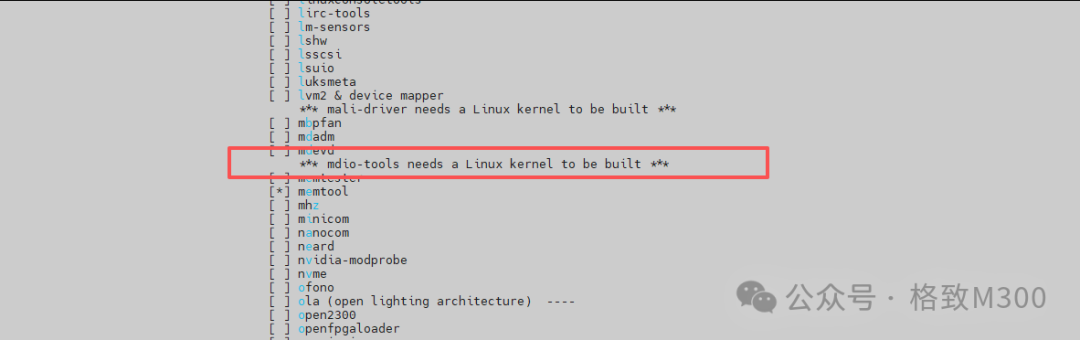 SDK version 7 also supports the phytool tool, which can be compiled and used very easily. In the SDK root directory, execute make buildroot-menuconfig, and inTarget packages → Networking applications, check phytool:
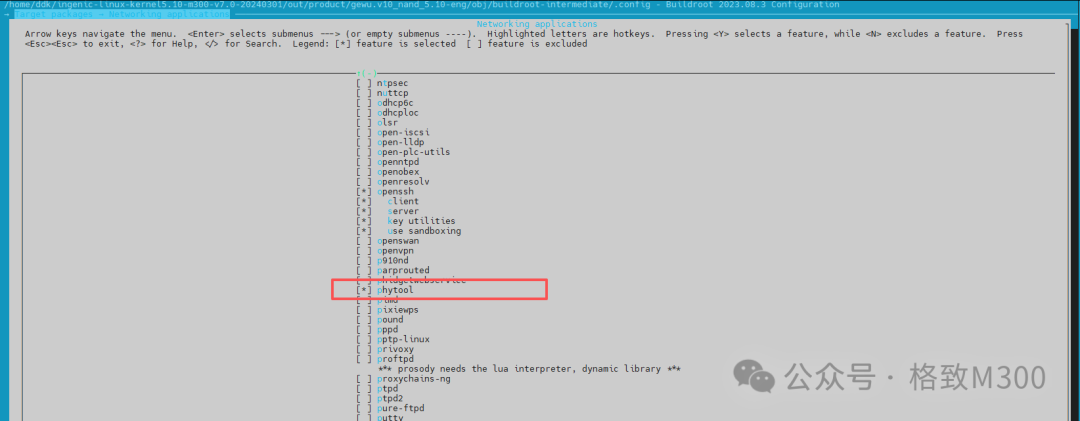 After saving and exiting, run make in the SDK root directory to compile and flash the development board.Testing UsageAfter connecting the development board via USB, use serial software to log into the development board and run:
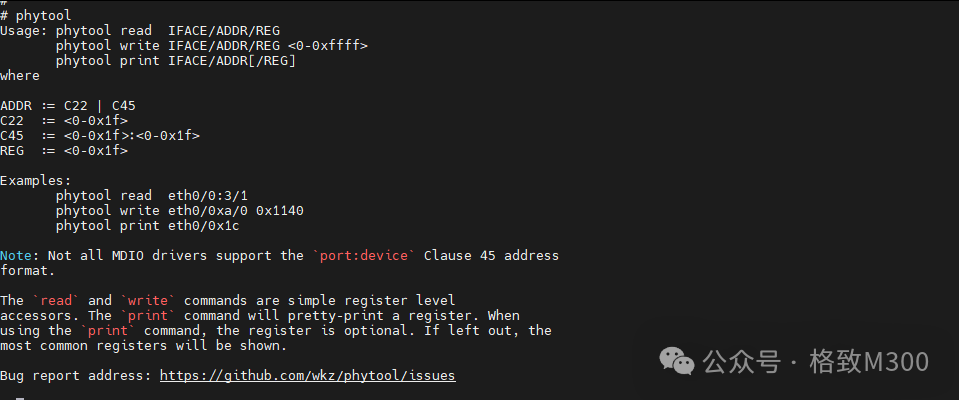 You can see the function descriptions supported by phytool. First, use ethtool to check the PHY address:
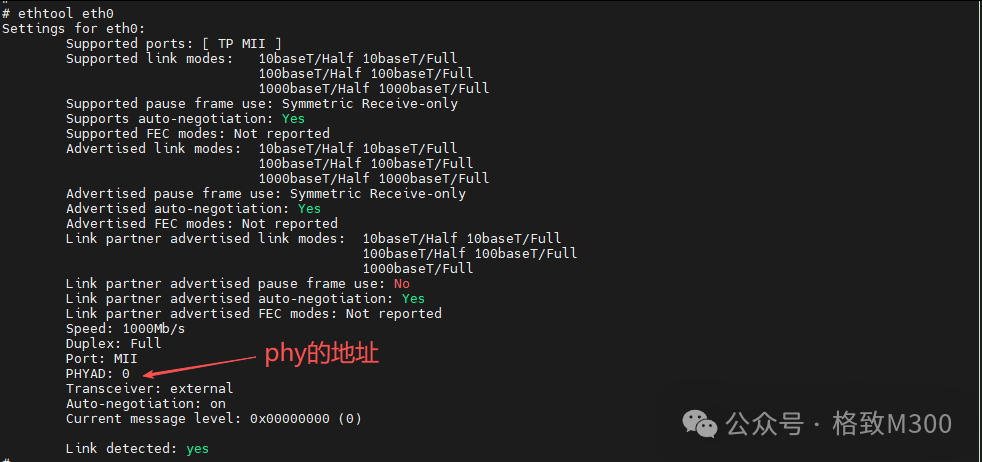 Then use the following command to view the register contents:
phytool print <network interface name>/<MDIO bus address>/<register number>
 You can observe that phytool printed the contents of register 0 (BMCR) and register 1 (BMSR) for the current eth0 PHY yt8511.Note: Although the M300 has two MDIO buses, the phyaddr is configured to 0.ConclusionSince the phytool package is not included in the dl of buildroot, it needs to be downloaded from GitHub during compilation, which takes a long time. Therefore, we have uploaded thephytool-2.tar.xzpackage to:https://pan.baidu.com/s/1x-NdG5x6Lk4nMKro9T8fzA?pwd=pjg3Users can download it and copy it to the SDK’s buildroot/dl/phytool directory.